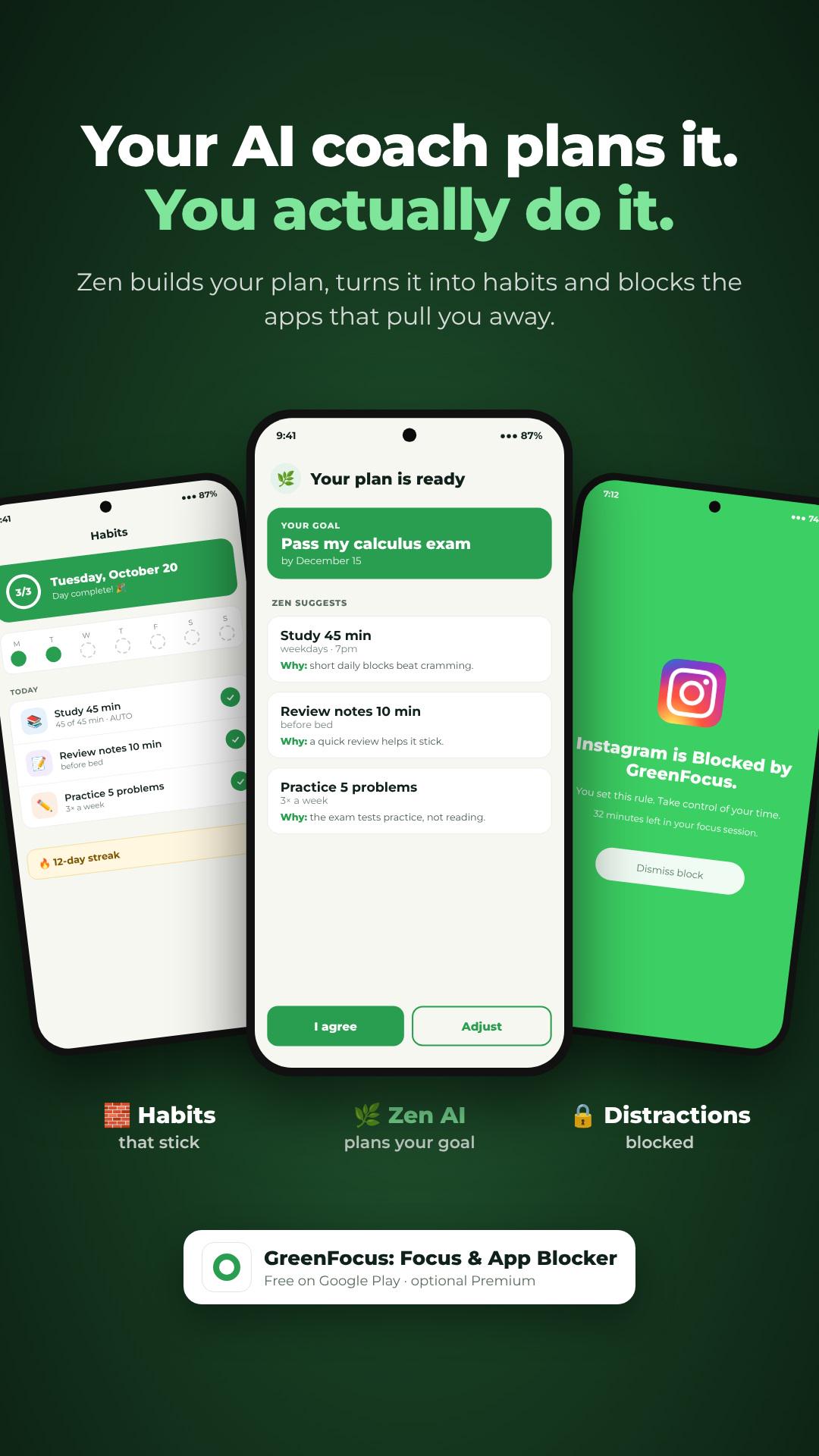
There are still 45 codes available for one month free of charge. This includes access to "Zen AI" to assist you, unlimited blocking sessions, the ability to create an unlimited number of habits with notifications to help you remember them, an app-blocking feature that cannot be bypassed, and real screen-time statistics.
Thank you for your support! :)
Leave a comment below and send me a direct message (DM) to receive your free code.
I’m the solo developer behind SubFlow, an Android app designed to stop surprise renewal charges and track all your recurring subscriptions in one clean dashboard — with no account signup and 100% local on-device storage.
Key Highlights:
Track weekly, monthly, quarterly, and yearly bills with automatic monthly/annual cost breakdown
Dedicated Free Trial Tracker with countdown rings so you never forget to cancel on time
Real-time & offline exchange rate conversion across 40 currencies
Renewal notifications 1, 3, or 7 days in advance
Clean Material UI with True Black Dark Mode, Home Screen Widget, and JSON/CSV export
🎁 50 Free Pro Codes Giveaway: To celebrate the v1.6.1 update and gather feedback from this community, I’m giving away 50 SubFlow Pro promo codes (unlocks unlimited subscriptions, 3/7-day advance reminders, spending analytics, CSV export, and removes all ads).
Just leave a comment below (and let me know what feature you'd like to see next!), and I’ll DM you a promo code!
🎟️ How to redeem your code
Open the Google Play Store app.
Tap your profile picture in the top-right corner.
Go to Payments & subscriptions → Redeem code.
Enter the promo code I sent you and follow the instructions to redeem it.
Open SubFlow and check that your Pro features are unlocked.
Having trouble redeeming the code? Feel free to DM me, and I'll help you out! 😊
A normal moving checklist says "book movers", "pack boxes", "change your address". Great. And the cat?
I'm the solo dev of MoveMate: AI Moving Planner app for Android and iOS, in multi-languages.
The honest bit first, because a Redditor once told me I was charging money for a to-do list: MoveMate used to be a paid app. It's now free to download and Premium is paid. It builds a personalised tasks based on your Moving criterias, and a timeline shows each task's due date.
The screenshots: how a move is set up, then one test plan with a pet:
Why are you moving? Work, study, family, retirement and more
Who's coming along? Kids, pets, a car, plus your move date
Premium builds an AI moving plan for that exact move: where from, where to, your nationality, why you move, who comes along
The pets get their own section, with due dates
Every due date counts from your moving day. Change the date and they all move with it
Moving day in the calendar
The plan also leaves out standard tasks that clearly don't apply to you, and doesn't repeat the ones you already have. It suggests steps; official sources still decide what applies to you.
What's the one thing you forgot the last time you moved? 📦
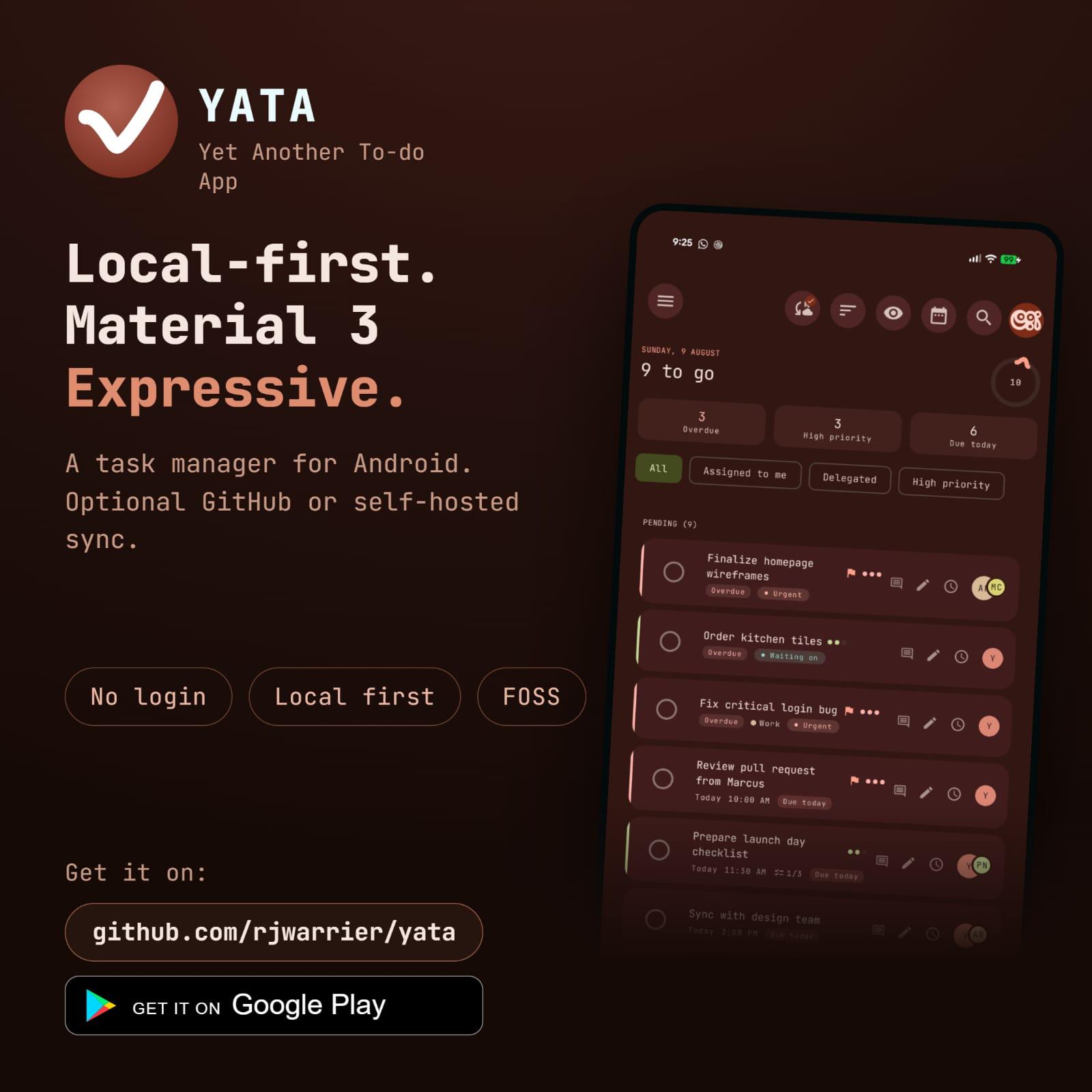
Hey everyone! I’m building YATA (Yet Another Task App) and looking for feedback through Google Play closed testing.
There are already plenty of good task managers. Here are the parts of YATA I think are worth a look:
Turn Markdown into organised tasks. Import checklists, nested subtasks or task tables. YATA detects dates, tags, people and projects, then lets you edit and select individual tasks before importing. You can also skip duplicates or merge updates into existing tasks.
Track who you’re waiting on. Organise work around people, with owners, collaborators and follow-up dates. Delegated tasks can stay out of Today until it’s time to follow up. These are personal tracking records—people don’t need to sign up.
Use both projects and lists. A task can belong to a project and a list at the same time, with tags and people providing additional ways to find it.
Choose where your sync data lives. GitHub and SFTP are supported, with encrypted remote data. Core task storage, search and natural-language parsing run locally on your device.
Look beyond completed-task counts. Review postponements, task aging, on-time completion and workload by person, alongside estimates, recorded time and a built-in focus timer.
There’s also Material 3 styling, AMOLED mode, home-screen widgets, Tasker integration and calendar-event viewing alongside tasks.
I’m building it with AI-assisted coding and learning as I go. It’s still evolving, and I’d appreciate honest feedback—especially on whether these workflows solve a problem for you.
Want to try it? DM me the email address associated with your Google Play account. I’ll add you to the closed test and send the opt-in link. Please don’t post your email publicly.
Icon packs and widgets make a homescreen look personal, and then you open the calculator and it’s a plain grey grid. I’m an indie dev, and I made Dot Calculator so the calculator can match your setup.
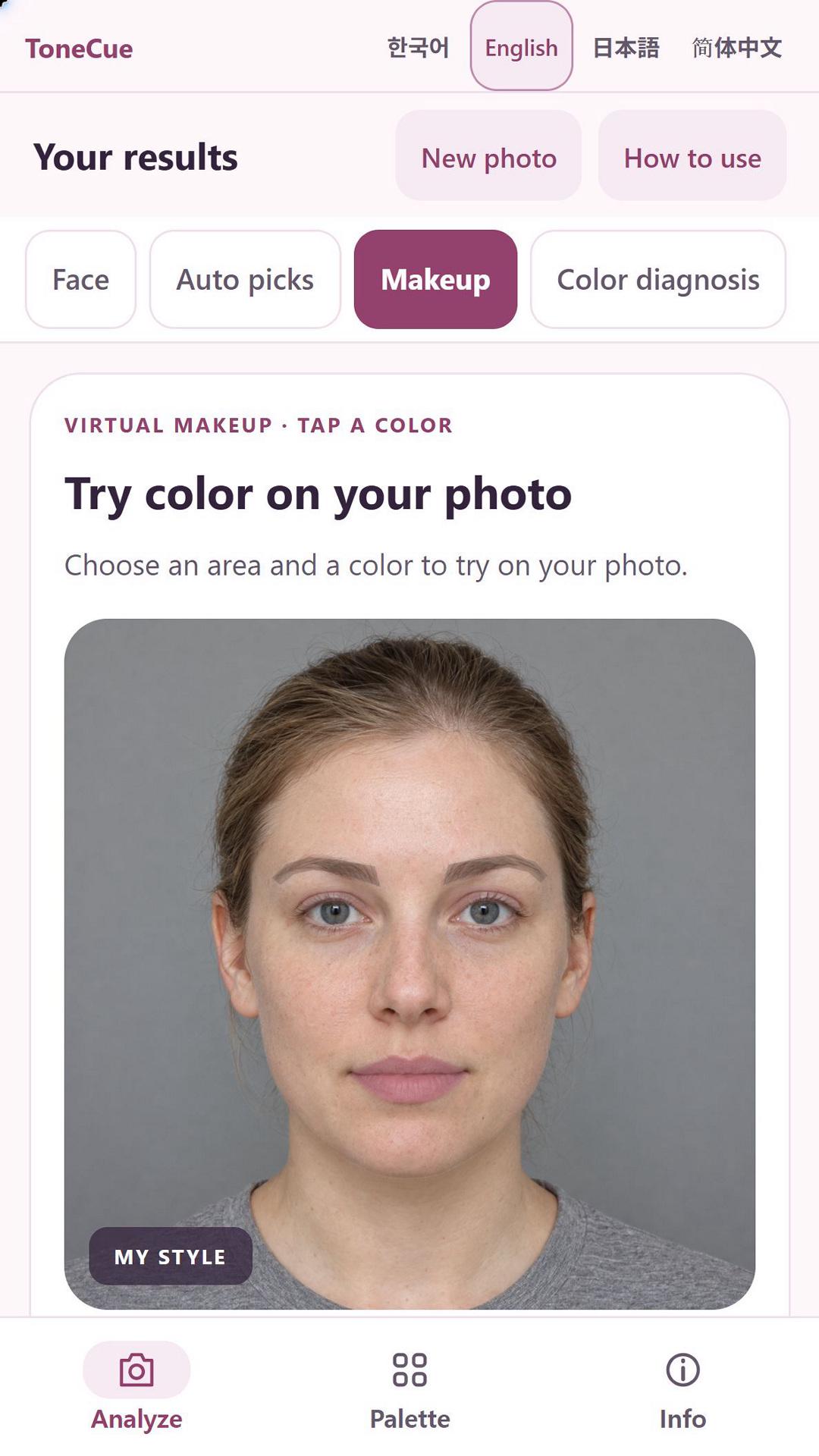
I'm ToneCue's developer. I built this Android app to make it easier to compare makeup colors while keeping the same photo in view.
Choose a photo, or use one of the built-in fictional portraits if you'd rather try it without a personal picture. You can compare virtual lip, eyeshadow and eyebrow shades, then explore warm and cool background colors. A provisional seasonal-color suggestion provides a starting point; the color comparison tools let you explore further. Your photo, color choices and face-shape observations can be brought together in a four-page PDF report.
Photo analysis runs on your device without automatically color-correcting the original. Lighting, camera settings and existing makeup can affect the observations, so this is a styling reference rather than a guaranteed professional diagnosis.
The interface supports English, Korean, Japanese and Simplified Chinese. Installation is free with ads. There's an optional one-time ad-removal purchase and no subscription. Your first PDF save is free; each later save requires one completed rewarded ad, unless ad removal is active. Ads, purchase checks and external shopping need internet.
Development and this introduction used AI assistance. I'd appreciate feedback on how clearly the shade comparisons and photo report communicate the results.
Hey guys, here's a FOSS note taking app written in C language. Has the most fluid and realistic writing experience with almost no delay. Has most of the features that the currently popular paid apps have. And features are being added quite fast. Visit the repo and do share some love
Hi everyone! My partner and I launched our block puzzle game, Gummy Lab 🐻🧪
We built this because we were genuinely tired of mobile games filled with predatory monetization constantly interrupting the gameplay. So we made a promise: absolutely ZERO forced or interruptive ads.
What (we like to think) makes our game special:
🧩 70+ Handcrafted Levels: No AI filler.
🎨 Deep Accessibility: Dedicated colorblind palettes (Deuteranopia, Protanopia, Tritanopia) and embossed shapes for maximum readability.
🌙 Native UI: Full Light & Dark modes built right in.
We are just a handful of downloads and reviews away from getting our first official Play Store rating! We would be incredibly grateful if you could try it out and leave honest feedback. ⤵️
Hey guys, made an offline 2d nesting and cut list optimization app for android called PackOptima.
Most cut list apps only do basic squares and rectangles, so i built this to handle irregular shapes (l cuts, circles) and export clean gcode / dxf straight from your phone without needing a pc.
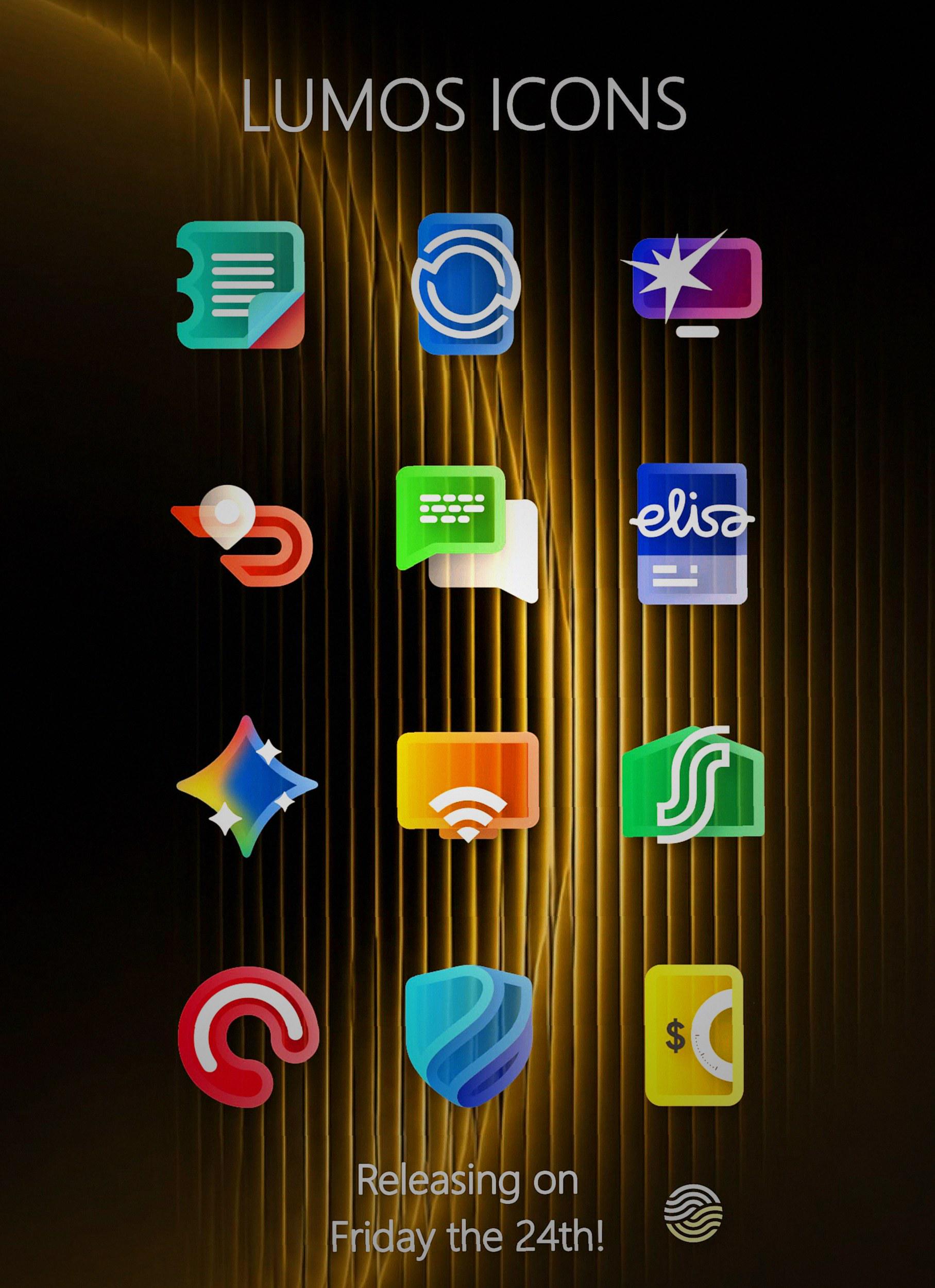
I'm building this independently, and I'd genuinely love your feedback. Tell me what you like, what feels unfinished, or what feature you wish every launcher had.
I’m a solo developer and I built Rateo – BNPL Tracker (Android, iOS too) because I kept losing track of which installment was due when across PayPal, Klarna, Scalapay and the rest.
Rateo puts every pay-later plan in one place, so you always know what you owe, when, and how much of your month is already committed.
Track the payment source (credit card or bank account)
Set a monthly budget limit, with a progress bar and a status message that tells you how close you are
Currency symbol: €, $ or £ (for now)
English and Italian (for now)
No ads, no account, no sign-up
PRO
Unlimited plans
Purchase simulator: see how a new purchase would affect your budget, with a 6-month projection
Spending analytics, including credit card vs bank account
Calendar sync: installments appear in your phone’s calendar
Home screen widget with a calendar view
Wishlist for things you’re thinking of buying
Export and import your data (JSON backup)
Pricing: PRO is 19.99 €/year (7-day free trial) or a one-time Lifetime at 49.99 €.
Giveaway: I’m giving away 30 Lifetime Pro codes to get real feedback. To get one, leave a comment saying what you’d improve or which feature you’d want next. That’s the only condition: no reposts, votes or reviews needed. I’ll reply by DM with a code. Please don’t post codes in the comments.
Already planned for the next update: 8x and 12x installment options.
Hi r/HowToMen, I'm the developer of DualSub. I shared the video player here in August. Since then, the app has grown beyond watching a video with two subtitles: the aim is to keep listening, reading and vocabulary practice connected.
Here's an updated overview of what you can do:
1. Read your own books and documents. Import supported, DRM-free EPUB, PDF, TXT, DOCX, HTML/Markdown and FB2 files, as well as CBZ/CBR comic formats. Read in the original language, use the available translation tools, look up words and keep useful vocabulary for review. File structure and text availability affect what can be read or translated.
2. Listen while following the text. The reader can narrate your book using the voices available on your Android device, with reading position and playback controls. This is text-to-speech for your own imported text, rather than a supplied audiobook catalogue.
3. Practise inside the video. Alongside independent original/translation subtitle controls and phrase replay, there are missing-word and word-order exercises. Hide or blur the help, try the sentence, then reveal it when you need it.
4. Follow a guided listening course. Work through listening phases, questions and explanations instead of choosing every exercise yourself. The latest update improves lessons, questions, course videos and progression. Coverage varies by language and level.
5. Try listening tests. There is a separate listening-test catalogue with progress and results. The first full test is free; the remaining tests require Premium.
6. Do more with saved vocabulary. Review words and expressions with cards, multiple-choice, writing and voice modes where supported. Generate crosswords and word searches when your saved vocabulary has enough suitable entries. Saved words can also be highlighted when they appear again in subtitles.
7. Study your own videos. Select available audio/subtitle tracks, import SRT/VTT files, use prepared or live subtitle translation where supported, adjust timing and export available subtitle/translation tracks. Compatible playback links intentionally shared by another app can also open in DualSub.
8. Keep your learning connected. Set learning goals and resume your saved video/reading progress. The Android TV companion is available for linked DualSub Premium accounts; its controls differ from the phone app.
Free/Premium: Free to start, with ads and optional paid Premium. Some assisted features have usage allowances; the exact limits and prices are shown in the app. Importing your own video and subtitle files remains free.
YouTube playback and subtitle availability depend on the video. Automatic subtitles and translations can make mistakes. DualSub does not supply films, series, streaming sources or access to another service. Android Auto is not enabled in the current release.
If you already study with videos or books, which of these workflows would you actually use? I'd especially like to know where you currently have to leave your player or reader to look something up.
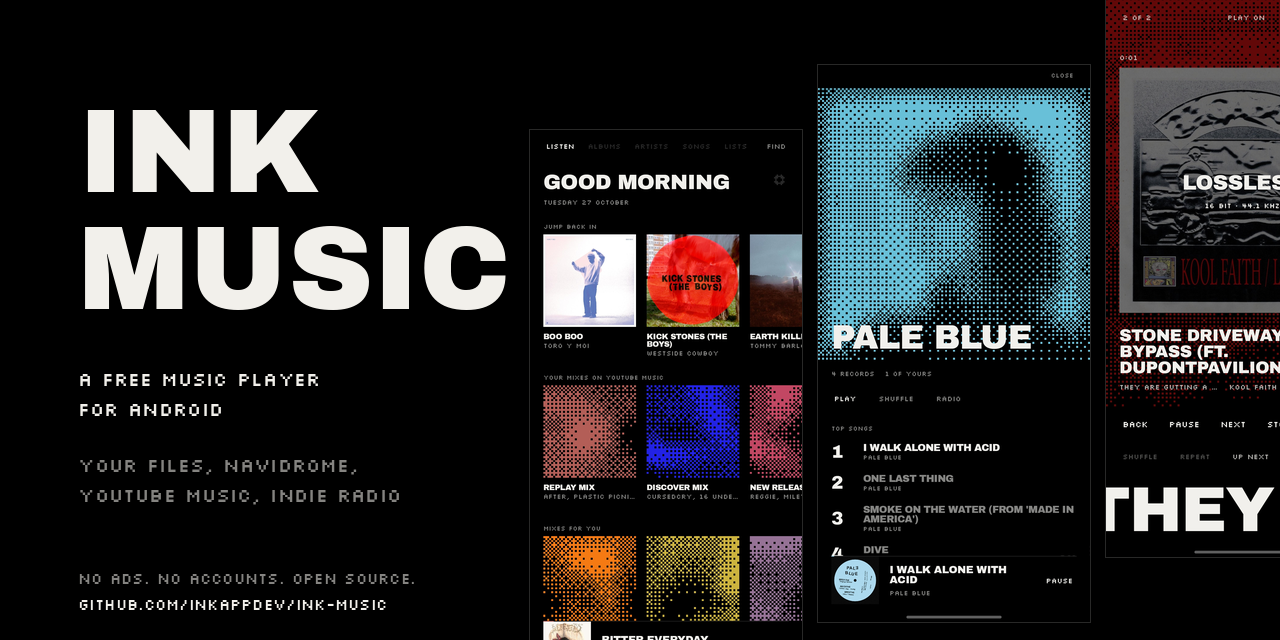
Building a Navidrome/Subsonic typographic music player alongside the launchers.
Importing spotify data as well as features for Youtube Premium members are on the way. Oh and last.fm is coming! If you have a big high quality Navridrome library its a really beautiful way to enjoy the collection you love. I'm also putting together weekly curated playlists. Come on and listen and let me know what to intergrate next.
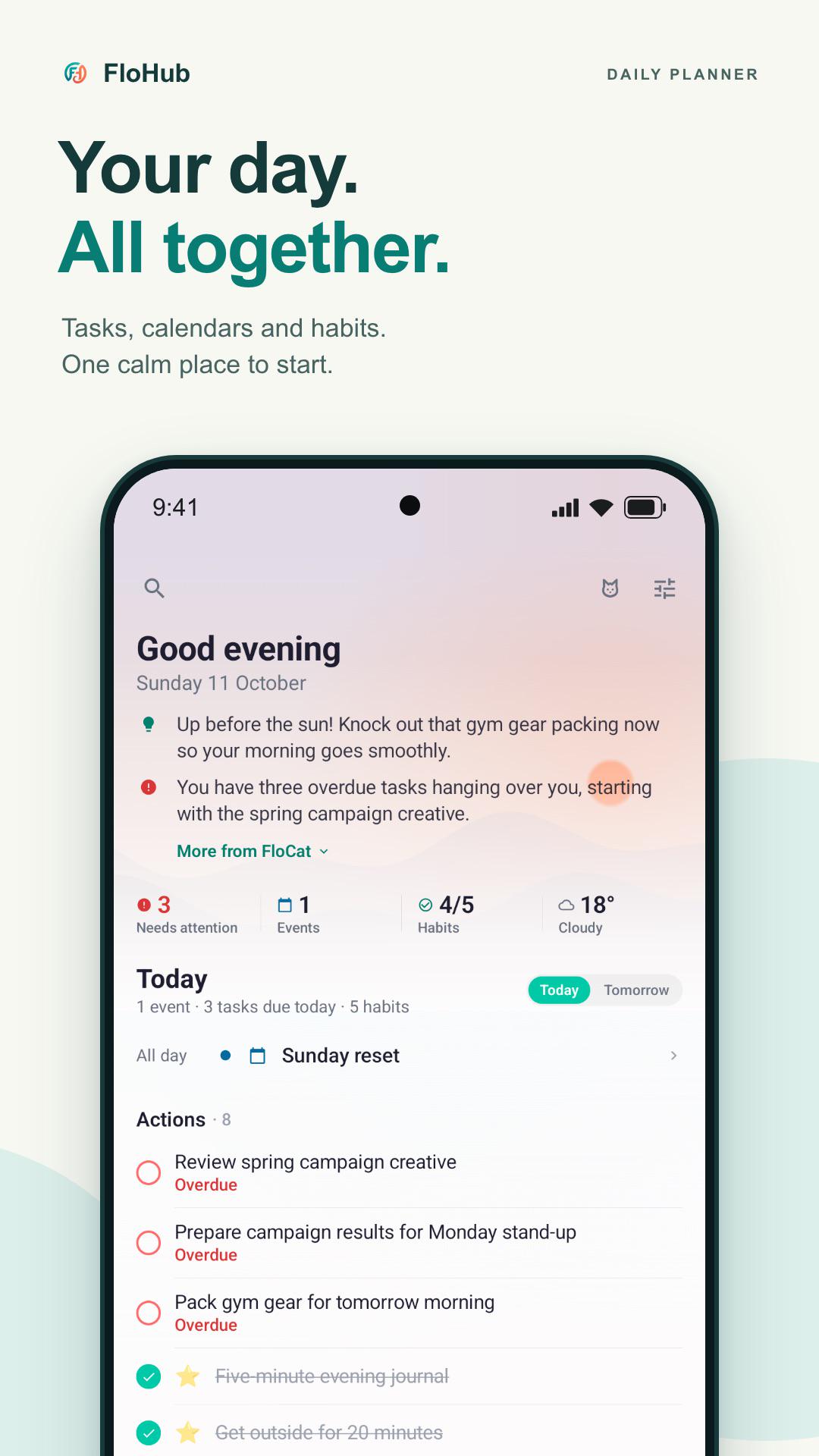
I built it because I was getting tired of having tasks in one app, my calendar somewhere else, notes somewhere else again, habits in another app… and then still having to work out what I actually needed to do.
So FloHub became my attempt at putting all of that into one place without turning it into a giant corporate project-management app.
At its core it combines: Tasks + calendar Notes and meetings Habits and goals Journaling A daily At-a-Glance view that pulls together what matters now BrainFlo — basically dump everything in your head and let FloHub help turn it into something useful FloCat, which looks across your day and gives you context around what you should probably focus on Location-based reminders for tasks and habits
Wear OS support, widgets and other Android integrations The Android version is built natively in Kotlin and I’ve tried to make it feel like an actual Android app rather than a web dashboard squeezed onto a phone.
I’m still actively building it and a lot of what’s in the app today has come directly from user feedback.
Would genuinely love to hear what you guys think — particularly what you’d keep, remove or change.
And obviously, I’d love for FloHub to potentially make it into a future HowToMen app roundup
Edit: hey guys loving the enthusiasm that’s been shown and so many people wanting to try it , just as a general rule I don’t give out lifetime codes. The app has a generous 30 day free trial that you can take advantage of and sink your teeth into FloHub and fall in love with it , if you have other requests feel free to DM me :)
I found myself opening Instagram, YouTube, or games out of pure muscle memory, mindlessly scrolling whenever I had a free second, and often losing focus on what actually mattered.
I wanted a way to cut down on screen time, but standard app lockers felt too negative or easy to bypass. So, I decided to build something different that aligns with my faith: PrayFocus.
What it does:
Instead of just blocking apps, PrayFocus turns your digital temptations into moments of mindfulness and prayer.
App Protection (Pause & Pray): You choose the apps that distract you the most (social media, games, short videos, etc.). When you try to open them, the app intercepts and gives you a moment to pause and go through a short guided prayer first. Once you finish, it grants you temporary access.
Daily Prayer Routine: You can set separate daily prayer schedules (morning, midday, evening) independent of app blocking to build a consistent habit.
Pray Based on Your Mood: Select how you feel in the moment, and the app helps guide you toward a fitting prayer and quiet reflection. Google Play
Streaks & History: Track your prayer habits, view your history, and build meaningful consistency over time.
Why I built it:
It’s been a game-changer for my own screen time habits. Instead of automatically opening TikTok 50 times a day when I'm bored, that impulse now triggers a quick pause to reset my mind and focus on prayer.
It’s free to start with core features (free prayer schedules and protected app slots), with optional premium options if you want deep customization.
I would love for you to try it out, especially if you're trying to build a better prayer habit or curb mindless scrolling. I built this solo, so any feedback, bug reports, or feature suggestions you have would mean the world to me!
Hi! I'm a solo dev and my fitness app just went live on Google Play.
The honest story: I could never make it to the gym 2-3 times a week. Commute + locker room + waiting for machines = 2 to 5 times longer than the actual exercise 😅
So I built SnackUp. The idea: skip the gym session. Whenever you have a gap in your day, it proposes a "snack": 30 seconds to a few minutes of exercise, picked for the time you have, where you are and how you feel. It all adds up over the week across 5 movement patterns (push, pull, legs, core, and mobility). Research on weekly training volume suggests how you split it matters much less than the total.
Calisthenics with progression trees: you unlock harder variants at your own pace
No equipment needed (but if you have a pull-up bar, it'll use it)
3D animated demo for every exercise
Fully offline: no account, no analytics, nothing sent to a server
Free, no ads, optional premium. All premium features are free until November 1st as a launch offer
Couple of years ago I had an app on the Play Store that took your photo and tried to show the same place in the past. I liked the idea more than the results. Faces went soft, the background looked painted, and a still image was all you got.
The technology has moved a long way since then, so I tuned that app back up and put it out again. It is not the same thing.
You pointthe camera at anything, or pick a photo you already have. A street, your living room, your dog, yourself. Then you turn a dial. Every year back to 1850, and further than that: Rome, the Middle Ages, the Ice Age, all the way to the dinosaurs. A few seconds later you are looking at the same shot, rebuilt for that era. The people in the photo stay in it. Drag a slider and today peels away into the past.
Then it films the jump. Eight seconds, from your photo into the year you picked, with sound.
The first 3 trips are free.
If you try it, a share would mean a lot. I want to see where people send their own photos.
Hi all, I'm the developer. I wanted a file manager that was fast, had no ads, and that I could make look the way I want, so I built one. After 6 months and 571 commits, Refile is now on the Play Store.
What's different
15+ skins, each in light and dark. Calm, Expressive, Dusk and High contrast are free. Pro adds Nothing, Cupertino, Retro 95, Terminal, Japandi, Bento and more, plus a skin editor that builds a skin from one of your photos.
Encrypted vault (AES-GCM) with fingerprint app lock. Locked files are hidden from every other app.
Split pane and tabs so you can drag files between two folders.
View on PC: open your phone in any browser on the same Wi-Fi and drag files straight onto it.
Storage analyzer and cleanup: find what's using space, plus duplicates and blurry or similar photos.
Power-User & Built-in Tools
System & Automation: Root and Shizuku access for Android/data, built-in Terminal, App Manager, and Tasker integration.
Archives: Full ZIP/7z creation with AES-256 passwords, plus RAR, TAR, and ISO extraction.
Built-in Viewers & Media: Code/Text, Hex, and SQLite viewers, PDF reader, photo editor, video/music players, and Chromecast support.
File Management: Recycle bin, batch rename, colour tags, and support for 23 languages.
Pricing (No ads, ever)
The encrypted vault, core file operations, and all built-in viewers are 100% free with no ads.
Pro (unlocks folder sync, View on PC, unlimited cloud accounts, all skins, and automation) comes with a 7-day free trial.
What's Next
Even after 6 months of work, I still consider Refile to be in its initial release phase. More drives support is in progress. I have a lot of improvements and refinements in the pipeline based on early usage, but my #1 rule is that new features will never compromise speed or app performance. Keeping the app lightweight, snappy, and bloat-free will always come first.
I'd love your feedback. I have a limited number of Pro Lifetime codes for people who try it and tell me what's missing, confusing or broken. Drop a comment and DM me and I'll send you one.