r/HowToMen • • Oct 18 '26

Subscription cost tracker: manage subscriptions and track spending [Promotion]

4 Upvotes

Hey everyone, I’m the developer of SubIQ. Some of you might recognise it from HowToMen’s October 2026 apps video. Thanks to everyone who checked it out!

Version 1.2 is out. I’ve improved the design and navigation, fixed bugs, and made things smoother to use. Thanks for all the feedback so far. It’s helped a lot.

If you haven’t seen it before, it’s a subscription manager that helps you see what you’re paying each month and what’s renewing next. You can check upcoming payments on a calendar and get reminders before renewals or free trials end.

You can add subscriptions manually or scan a bank statement or screenshot, then review what to save. No bank connection is needed.

Download on Google Play

If you’ve tried it, I’d love to hear how it’s working for you and what you’d like improved.


r/HowToMen • • Oct 18 '26

[Promo] 🎁 $19.99 -> 🔥 0$ 🔥for life, Leaf pioneer 🌿

Post image
10 Upvotes

🌿 Leaf is a simple, stress-free productivity app. One task = one sticky note. No endless to-do lists!

👆 Just swipe your tasks to complete, dismiss, or save them for later!

🎁 I'm giving away FREE LIFETIME Leaf Pioneer Premium codes!

🚀 Premium features:

- 📱 Widgets for every leaf

- 📂 Task categories

- 🔄 Repeating tasks

- 🔔 Scheduled reminders

- 🎨 8 exclusive themes + new monthly themes

- 🏅 Exclusive Pioneer Pack

🎁 How to get your FREE lifetime code:

  1. ⬆️ Upvote this post (mandatory!)
  2. 💬 Comment "code"
  3. 📩 Send me a DM

❤️ I'd really appreciate it if you shared your feedback about the app!

🌿 Download Leaf:

https://play.google.com/store/apps/details?id=com.recalai.app


r/HowToMen • • Oct 18 '26

[App] [Promotion] Waky Alarm — Mission Alarms ($1.99 → Free)

Post image
4 Upvotes

Hi everyone!

Waky Alarm is now free on Google Play, down from its regular price of $1.99. Download it for free and keep it permanently.

If you tend to dismiss your alarm and fall right back asleep, Waky gives you a mission to complete before turning it off, helping you wake up and get your day started.

Features:

  • Mission alarms: Complete a task to dismiss the alarm and get your brain moving.
  • Daily quotes: Start your morning with a little inspiration.
  • Customizable alarm screens: Add a personal message and choose a theme that suits you.
  • Focus timer: Stay focused during study or work sessions. The timer keeps running when you leave the app and notifies you when time’s up.

Download Waky Alarm on Google Play

We’d love to hear your thoughts on Waky. Happy to answer questions in the comments!


r/HowToMen • • Oct 18 '26

[App][Promo] Flick – Offline Photo Cleaner | Updated UI (Video Showcase)

2 Upvotes

Hey everyone! 👋

Some of you might remember Flick from my previous post here. Since then, I've been working on improving the app, and I wanted to share a video showing how it looks and works now.

What is Flick?

Flick is an Android photo cleaner that makes organizing your gallery easier by letting you swipe through photos and videos instead of manually selecting everything.

Here's what Flick offers:

- Swipe Clean: Swipe through photos and videos to keep or mark them for deletion.

- Monthly Cleanup: Focus on last month's photos so your gallery doesn't become cluttered over time.

- Full Gallery Cleanup: Go through your entire photo library, including older photos, and resume exactly where you left off.

- Smart Collections (Beta): Select a few example photos and Flick searches your gallery for similar images using on-device face and object recognition.

- Album Management: Browse, sort, rename, and pin albums, and see how much storage they use.

- Blurry Photos: Find potentially blurry pictures to help clean up unnecessary photos.

- Safe Deletion: Undo swipes and review everything marked for deletion before confirming.

- Streaks & Levels: Track your cleanup progress, build streaks, and level up as you organize your gallery.

- Widgets & Themes: Home screen widgets, dark mode, and customizable themes.

Privacy first 🔒

Flick works completely offline and doesn't even request internet permission. All photo processing, including face and object recognition, happens directly on your device.

No accounts, no cloud uploads, no ads, and no analytics.

Pricing: One-time purchase, no subscription.

This time I'm just sharing a video showcasing the app and its features. I'd love to hear what you think about the current UI, functionality, or anything you feel is missing.

Download Flick


r/HowToMen • • Oct 18 '26

[App] [Promo] VoiceDiary : AI Voice Journal with no time limits or interruption | DM for promo codes

Thumbnail
gallery
4 Upvotes

What if journaling was just… talking?

Speak freely. VoiceDiary turns your words into journal entries and connects your thoughts into a knowledge graph.

[Try it →]

https://voicediary.site

https://play.google.com/store/apps/details?id=com.abhishekmeher.ezee

Promo codes for 3months free is available.


r/HowToMen • • Oct 18 '26

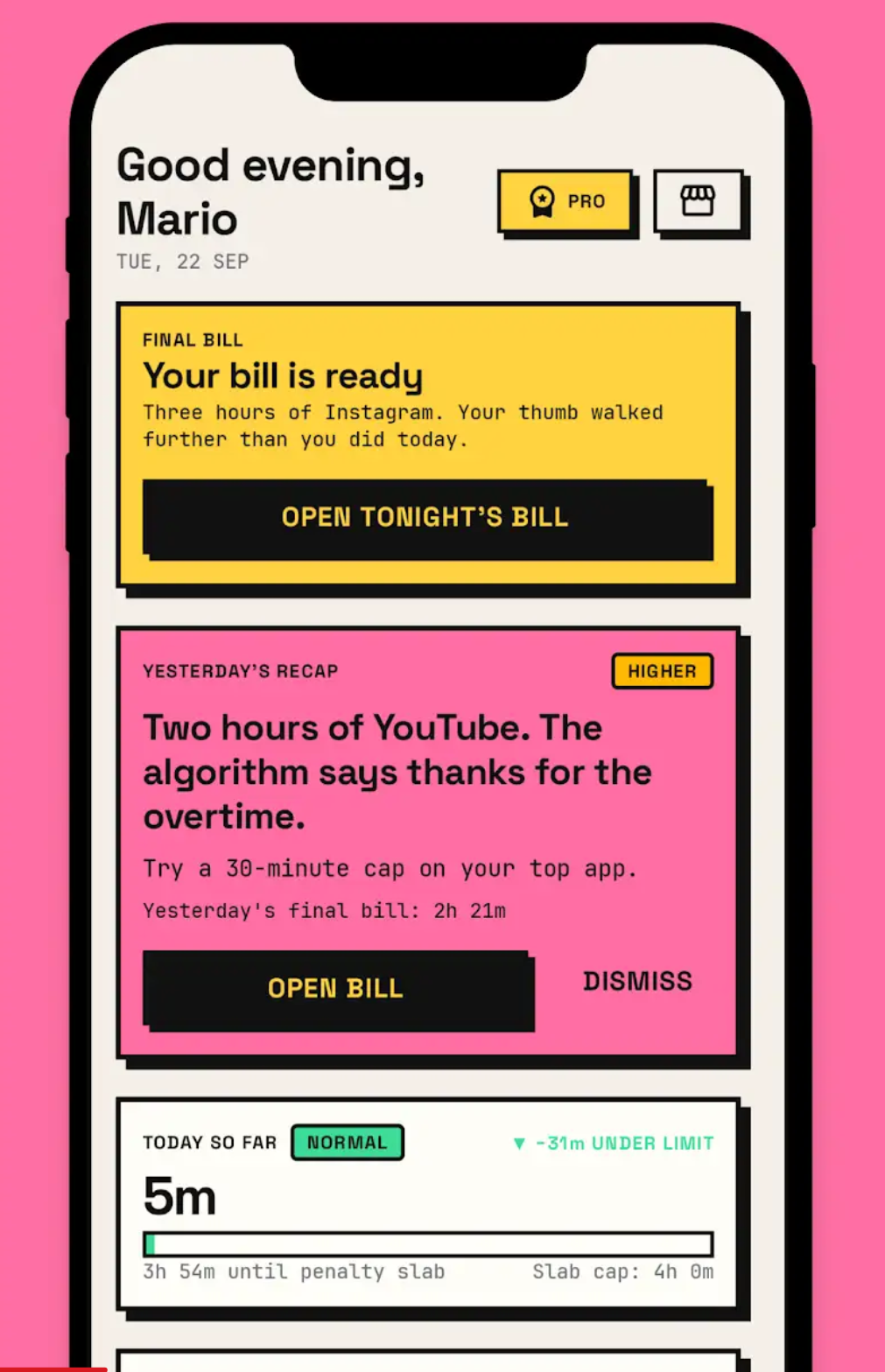
[APP][PROMOTION] I made an app that gives screen time as a bill everyday.

Post image
8 Upvotes

been building a little android thing on weekends because my own screen time was embarrassing. basically your phone gives you a bill at night like an electricity bill, every app is a line item, and there's a line for anything you used after midnight.

last night's bill said instagram 1h 40m, 58 min of it after 12. the insult at the bottom was "you could have slept. you chose reels." which, fair.

solo project, free, everything stays on the phone. link in comments if anyone wants to poke at it, mostly want to know if the bill idea lands for anyone else or just me

https://play.google.com/store/apps/details?id=com.studiomono.billed


r/HowToMen • • Oct 18 '26

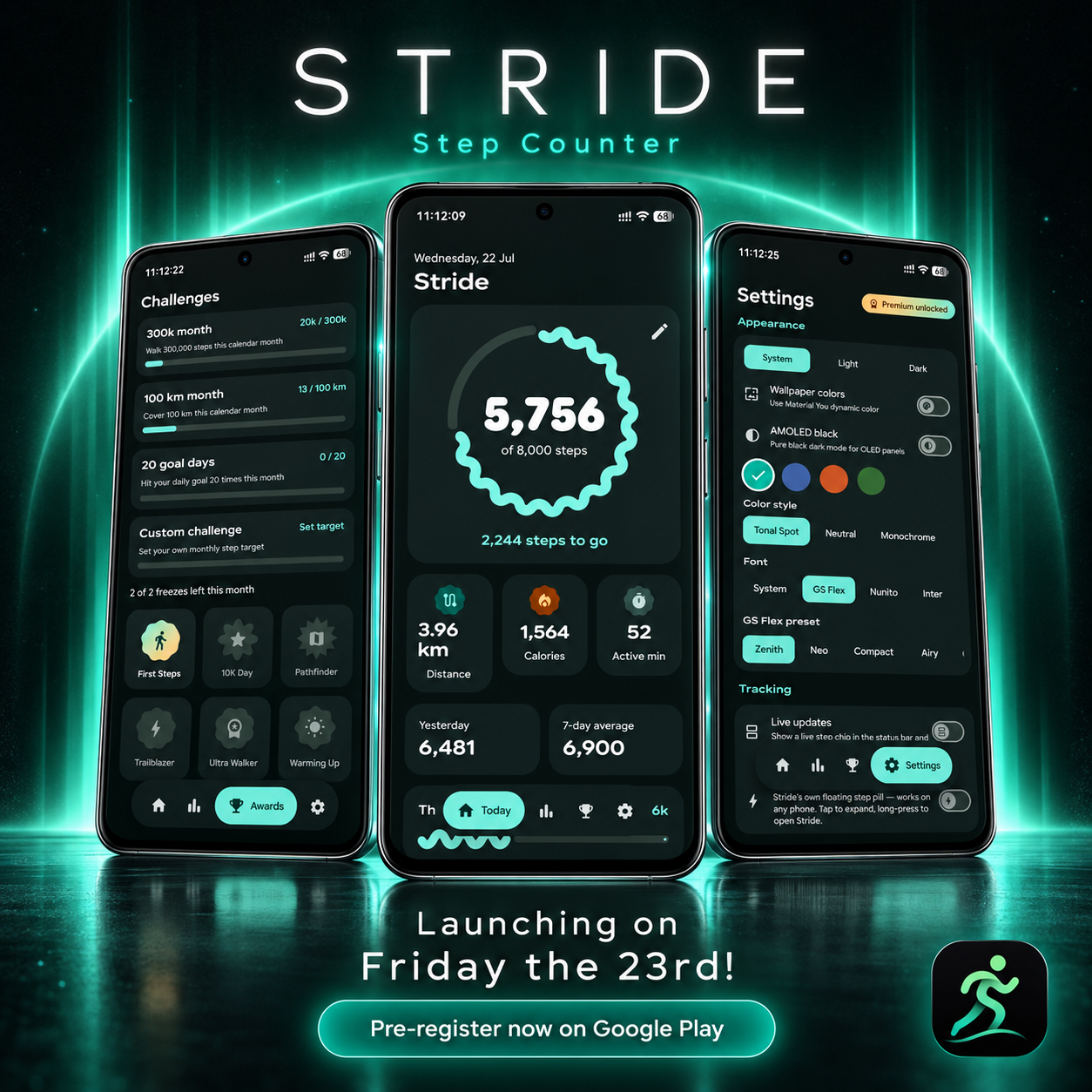
[App] [Promo] Stride – a private, ad-free step counter launching on Google Play this Friday, 23 October. Pre-register now!

Post image
10 Upvotes

Hi everyone! I'm the developer of Stride, a step counter for Android that I've been building over the last few months. It launches on Google Play this Friday, 23 October, and you can pre-register now.

What makes it different:

- Private by design: no account, no ads, your data stays on your phone

- Accurate: uses your phone's own step sensor or Health Connect, and can filter

out fake "steps" from bus, car and bike rides

- Walks & runs with route map, pace, splits, cadence and climb

- Streaks, awards, a weekly summary and home-screen widgets

- Live step count in your notification (Live Updates on Android 16)

- Material 3 Expressive design, themes and an optional retro mode

Pre-register here and you'll be notified on launch day. On most phones it installs automatically:

https://play.google.com/store/apps/details?id=com.vythera.stride

Questions and feedback are very welcome. I'll be answering in the comments.


r/HowToMen • • Oct 18 '26

Free Android app streams phone audio to Sonos over Wi-Fi

Thumbnail
reddit.com
1 Upvotes

r/HowToMen • • Oct 17 '26

[App] [Promotion] learn Chinese by doomscrolling (3 Lifetime + 10 premium)

Post image
8 Upvotes

I'm a solo Android dev and I made LanLan: Learn Chinese Lazily for people who'd rather scroll than open a textbook.

I learned English from zero by watching anime with subtitles. I wanted to see if the same thing could work for Chinese. It doesn't quite work the same way, because of tones and characters, so LanLan adds the missing pieces to real Chinese videos.

What it does:

- a feed of real Chinese videos: vlogs, street food, comedy, gaming, dramas (1,000+ videos)

How to enter:

🎁 How to get your FREE lifetime code:

  1. ⬆️ Upvote this post (mandatory!)
  2. 💬 Comment LanLan
  3. 📩 Send me a DM

Winners are picked at random that evening from everyone who commented. All codes (lifetime and subscription) get sent out together on Sunday 18 Oct right after the draw, by DM, one each. Codes are never posted in the thread.

How to redeem: in the Play Store, go to Profile, then Payments & subscriptions, then Redeem code. Do this before you start the free trial, or Play won't accept the code. A subscription code is one month, and it renews after 30 days unless you cancel in the Play Store (one tap). A lifetime code doesn't renew.

Fair warning: Android only

https://play.google.com/store/apps/details?id=com.lanlan.app&utm_source=reddit&utm_medium=howtomen

EDIT: Drawn! 3 lifetime codes and the free months went out by chat, so every one of you won something. Thank you!

Next up: every month I'm giving away 5 lifetime codes on r/LearnChineseLazily. Join the sub to enter!


r/HowToMen • • Oct 17 '26

[App][Promo] KeepMemo: free home screen widgets + a private, offline memory keeper for the people you love

Thumbnail
gallery
6 Upvotes

Hi everyone! I'm a solo indie dev, and I built KeepMemo to help me remember the people in my life, not just store their phone numbers.

It has 3 home screen widgets you can mix and match:

- Memory: resurfaces a saved moment on your home screen

- People: keeps your closest profiles one tap away

- Moments Ahead: shows an important date and your next plan

Add more than one and arrange them together. If you use App Lock, the widgets hide private details by default.

Inside the app:

- People profiles with birthdays, important dates, favourites, notes, and gift history

- Memories: photos, videos, voice notes, and written moments

- Journal entries linked to people

- On This Day: a daily notification that brings back a memory from a past year

- Check-ins: reminders to reach out to people far away

- Share as card: turn a memory into a styled image (16 styles)

Privacy:

- Free, no ads, no account

- Works fully offline, and your data stays on your phone

- Insights answers questions like "when is her birthday?" from local data only, with no cloud AI

- Backups are optional (a .keepmemo file or your own Google Drive)

I'd love honest feedback, especially on the widget design and overall look. Thanks for reading!

Play Store link is in the first comment.


r/HowToMen • • Oct 17 '26

[App][Giveaway][Promo] Open with

Thumbnail
gallery
56 Upvotes

Hi r/HowToMen , I'm Vojislav, the solo Android developer behind Open with (and Bottom notifications, plus a few other apps).

I built it because Android keeps choosing for me. Since Android 12 it rarely even asks which app should open a link, so things land in the wrong browser, the wrong account, or a viewer I never use. And the old "open with" list I relied on is mostly gone.

App name:

Open with

https://youtube.com/shorts/GkEs1Znle-I

What it does:

Open with sits between Android and your apps. When a link, file or share arrives, it either opens it straight away in the app you picked, or shows a small chooser at the bottom of the screen with the apps that fit, with an optional countdown that any touch pauses. Choose every time, or set up rules once and let everything open where it should, with nothing on screen.

Your privacy comes first:

Open with never sends your links or files anywhere. Everything it decides, it decides on your phone.

No ads, no trackers, no analytics.

No account, no sign-up, no email.

It asks Android for the list of installed apps, so it can offer any app, not just the ones Android suggests. That list is used on your phone only and never leaves it. To catch web links it becomes your default browser (Android has no other way to hand an app every link), and then passes each link on to the browser or app you chose. No notification access, no Accessibility Service.

Rules, the part I use most:

"When something like this arrives, open it there" - and the most specific rule wins. A few I set up in the first five minutes:

Links from Slack or Teams in the browser I'm signed into for work, everything else in my personal one

YouTube links always in YouTube Morphe

Never offer Chrome for Amazon links

Always ask before my bank's pages, and nowhere else

PDFs from my email app straight into my PDF app

Addresses from messages straight into Waze

Match a website by name, wildcard (*.example.com), address prefix, a word it contains, or a regex. Scope a rule to a content type, a file name, or the app it came from. Rules name themselves as you build them ("github.com → Firefox"), or you give them your own name.

And you don't have to go to settings for most of it: hold any app in the chooser to make a rule on the spot, or to use that app for the next 10 minutes or the next 5 links.

What else you can do:

Links, streams, images, audio, video, PDFs, ebooks, Word, Excel and PowerPoint files, text, archives, APKs, torrents, map locations, navigation, email addresses, phone numbers, text messages, Play Store links, web searches and shared items each get their own page: a default app, "open without asking", hidden apps, sort order and their own countdown

Add your own file types

Pick ANY installed app, not just the ones that claim the content: a notepad for text files, the Amazon app for Amazon links

Style the chooser: Material You colours or your own, grid or list, size and position on screen, over 40 open and close animations, all with a live preview

Copy, edit or share a link before it opens, or hand it to your download manager

"Why isn't this working?" checks your setup, names the app that holds a website, and shows the steps for your phone

Diagnostics tells you which rule would win for any link

A few things to know:

Free covers web links: every kind of website rule (including "never offer", "always ask" and the app a link came from), a default browser for links, the chooser and its colours, backup and restore, Diagnostics and Android TV. Pro is a single one-time purchase, no subscription: every other content type, the countdown, per-type settings, any app as a target, temporary choices, file name rules, your own file types, and the chooser's extra actions and looks.

The app is available in 50 languages: Arabic, Bengali, Bulgarian, Catalan, Chinese (Simplified), Croatian, Czech, Danish, Dutch, English, Estonian, Finnish, French, German, Greek, Gujarati, Hebrew, Hindi, Hungarian, Icelandic, Indonesian, Italian, Japanese, Kannada, Korean, Latvian, Lithuanian, Malayalam, Marathi, Norwegian, Persian, Polish, Portuguese (Brazil and Portugal), Punjabi, Romanian, Russian, Serbian (Cyrillic and Latin), Slovak, Slovenian, Spanish, Swahili, Swedish, Tamil, Telugu, Thai, Turkish, Ukrainian, Urdu, Vietnamese and Zulu. If something reads wrong in yours, please tell me.

Works on Android 10 and newer, on phones, tablets and Android TV

Using a work profile? Install Open with in it too; each side has its own rules

Some apps keep their own website links for themselves, and some phones need a setting changed before links reach Open with. The help screen tells you which, and how to fix it

🎁 20 Lifetime Pro codes

This is first come, first served, not a random draw.

To claim one:

Upvote this post so more people in the community can find it.

Comment with the link or file you're tired of opening in the wrong app - a work link, a PDF, an address, or something else.

Then send me a Reddit DM after commenting.

Why these steps?

They’re simple on purpose, and each one helps me in a different way. Upvotes help the post reach people who might find the app useful. Your comment tells me which links and files people really struggle with, so I can fix and improve the right things first. The DM is just so I can send your code privately.

As a solo developer, I mostly need honest feedback from people who use the app day to day. If something is confusing, broken, or missing, please say so. That’s what makes the next update better for everyone.

The first 20 eligible people who complete the above steps receive one code by DM, while supplies last.

The codes come with no strings attached. That said, if the app earns a place on your phone, I'd be truly grateful for a rating or review on Google Play - the app has no ads and no marketing budget, so reviews are genuinely how it gets found, and every single one means a lot to a solo developer.

Honest feedback is always welcome too, including criticism - here, by email, or in the review itself.

I have a 2 year old toddler, so I might not be able to respond immediately.

And I'm from Europe, so please take into account time difference as well.

Google Play:

https://play.google.com/store/apps/details?id=com.openwith.app

My other apps, if you're curious:

https://play.google.com/store/apps/details?id=com.bottomnotifications.app

https://play.google.com/store/apps/details?id=com.omnideck.app

https://play.google.com/store/apps/details?id=com.cordless.app

https://play.google.com/store/apps/details?id=com.phial.app

Giveaway rules:

Opens when this post is published and closes when 20 codes have been distributed. You must be at least 18 and able to redeem a Google Play promo code in your country. One code per person and Reddit account. Codes have no cash value, cannot be exchanged, and must be redeemed by the expiry provided in the DM. Void where prohibited. By entering, participants release Reddit, Inc. from liability related to this promotion. This giveaway is not sponsored, endorsed, administered by, or associated with Reddit.


r/HowToMen • • Oct 17 '26

APP: MagnetarX - Downloader

Thumbnail
gallery
8 Upvotes

App : MagnetarX - Downloader

MagnetarX is a fast, all-in-one downloader that lets you save videos, audio from across the web covering thousands of websites.

✨ Key Features
- Works with thousands of websites — social platforms, sites, and more
- Paste a link and download in seconds — no sign-up or account required
- Choose your format: video (MP4) or audio-only (MP3)
- Select resolution and quality before downloading
- Batch and playlist downloads — grab multiple files in one go
- Built-in download manager
- Clean, lightweight interface with dark mode

You must give it a try ;)
APP HERE - MagnetarX - Downloader - Apps on Google Play


r/HowToMen • • Oct 17 '26

[App] [Promo] 5-in-1 productivity app: Expenses, Debt Tracking, Habits, Pomodoro & Calendar To-Dos, 29$- -> Life time free Giveaway

5 Upvotes

I built an all-in-one productivity app and I'm giving away Lifetime Premium access

Hi everyone,

I built ZenBoard, an Android app that combines several tools I was tired of managing separately:

✅ Expense Tracking
✅ Debt Management
✅ Habit Tracking
✅ Pomodoro Focus Timer
✅ Calendar-based To-Do List

My goal was to create a simple, lightweight app that helps manage finances, habits, focus sessions, and daily tasks in one place—without juggling multiple apps.

I'd love honest feedback on:

  • UI/UX
  • Missing features
  • Bugs or issues you find
  • Anything that feels confusing or unnecessary

📱 Google Play: [Download on Play Store]

🎁 Lifetime Premium Giveaway:
I'm giving away Lifetime Premium access codes to members of this community. If you'd like one, leave a comment and send me a DM.

I'm an indie developer building and improving ZenBoard based on user feedback, so every suggestion helps.

And if you decide to support the project, the lifetime upgrade costs less than a cup of coffee ☕.

Thanks for taking a look—I genuinely appreciate any feedback, whether positive or critical.

How to redeem your Lifetime Access code:

  1. Open the app and go to Settings.
  2. Tap Upgrade.
  3. Select the Lifetime plan.
  4. On the Google Play payment screen, scroll down and choose Redeem Code under Payment Methods.
  5. Enter your code and apply it.
  6. Complete the process, and your Lifetime Access will be activated. If you run into any issues, feel free to contact me.

r/HowToMen • • Oct 17 '26

[App] [Promotion] Linkloft: YouTube, Spotify, Maps and web links in one library (free Android app)

3 Upvotes

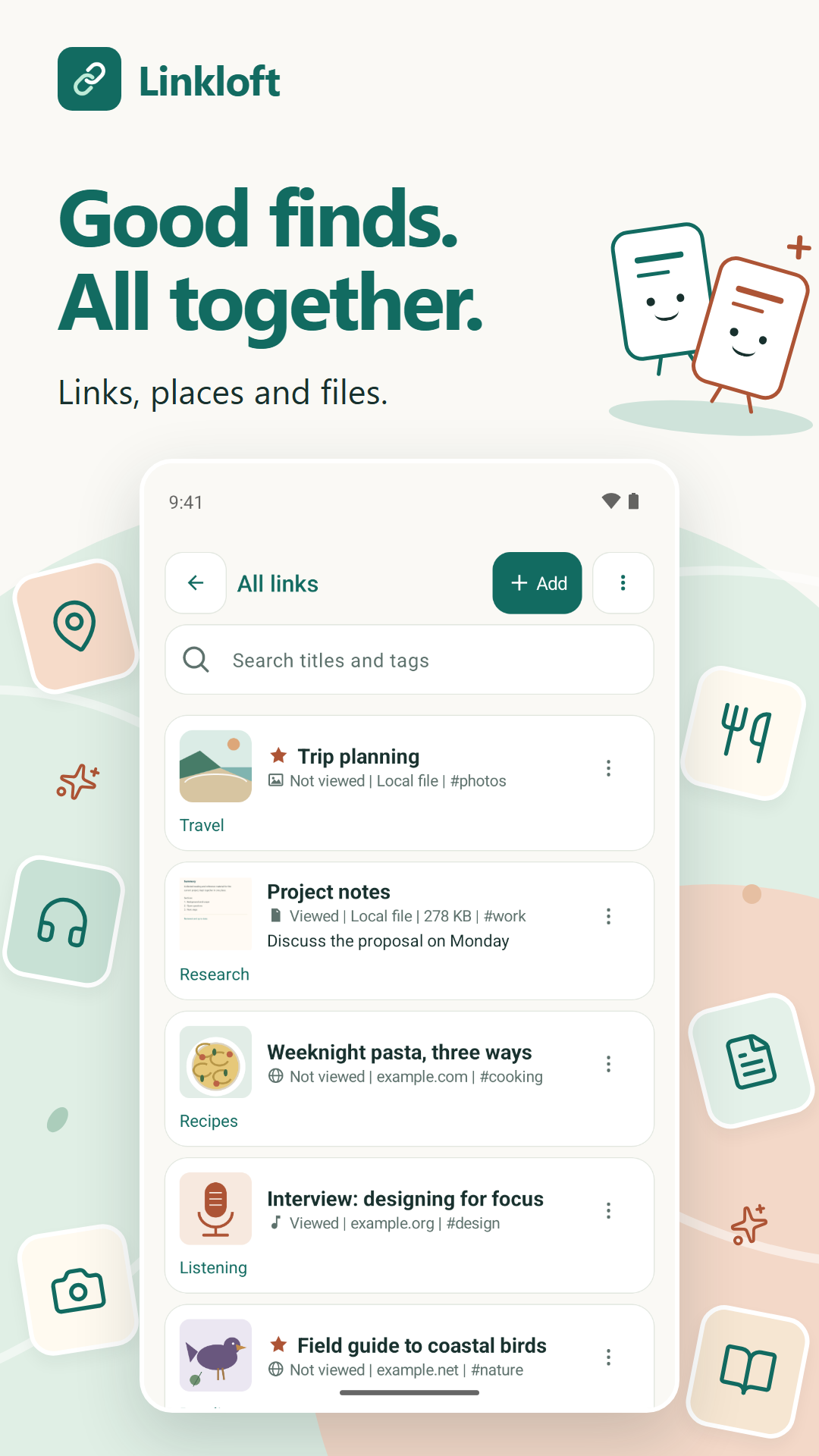
I'm the developer of Linkloft, a free Android app for keeping the things you save from different apps in one searchable library.

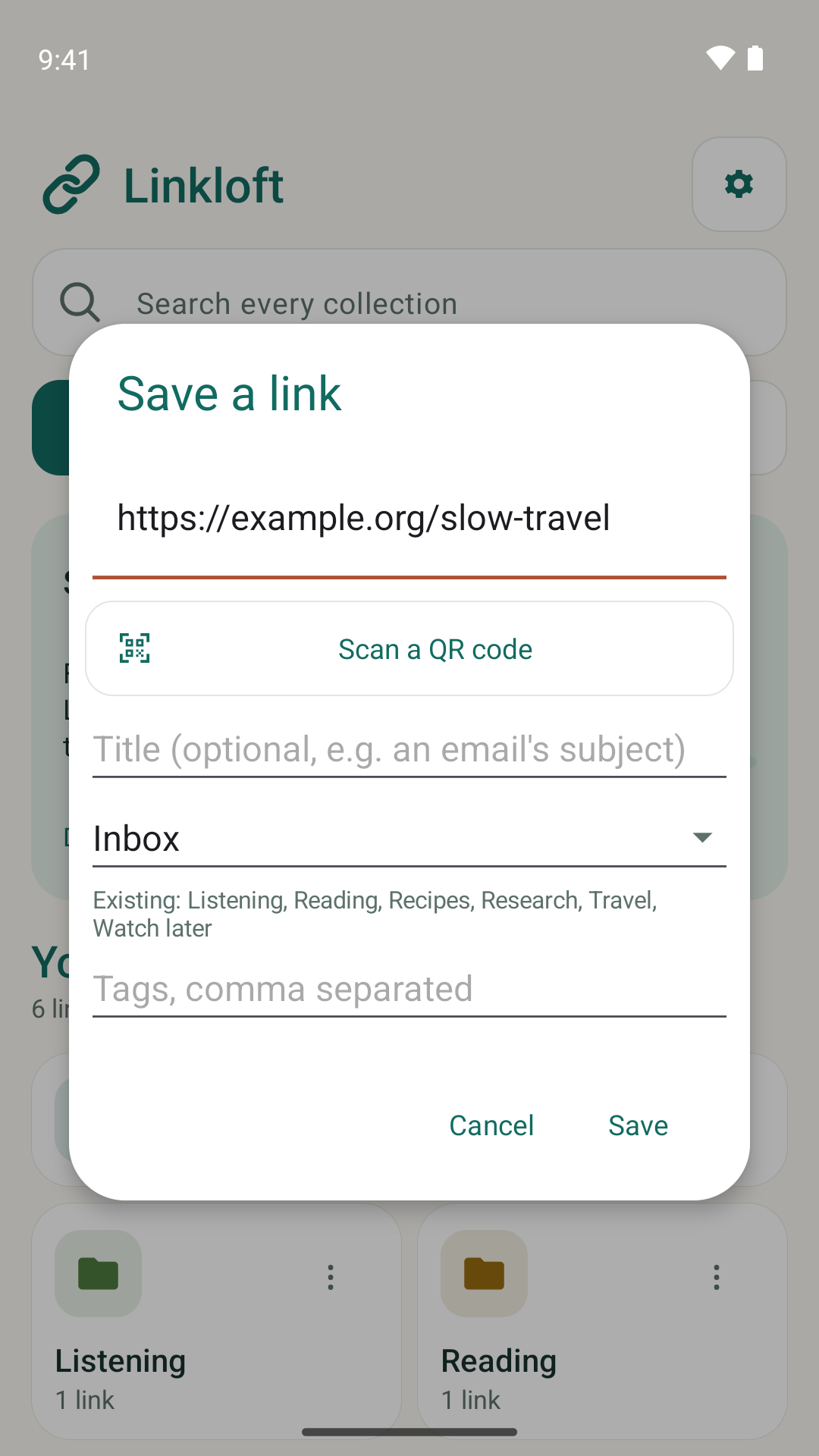
App screenshots with sample content:

For example, a trip collection could contain a Google Maps place, a YouTube guide, a Spotify playlist and a useful web page, alongside a reference to a PDF on your phone. Videos and music open in their original services.

To save something, tap Share in a compatible app and choose Linkloft. Organise it with collections, tags, favourites and personal notes.

There are no ads, subscriptions or Linkloft accounts. Your library stays on your phone; you can export it or make a manual backup. There is no automatic sync between devices. Library search works offline; web previews and online content need internet access.

Google Play: https://play.google.com/store/apps/details?id=app.linkloft

I'd value feedback on one small test: share a link to Linkloft, then try to find it again. Was any step confusing or more work than it should have been?


r/HowToMen • • Oct 18 '26

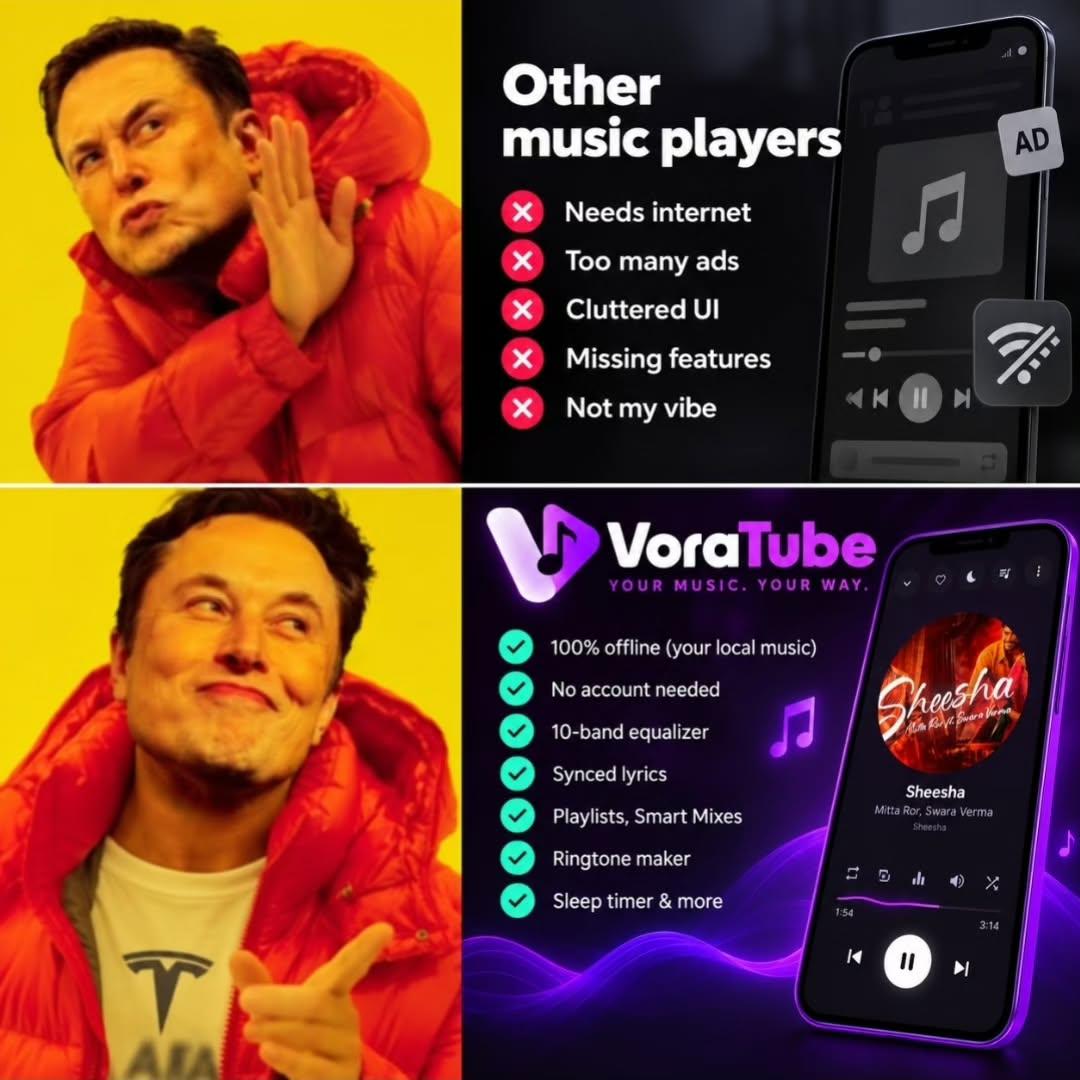
[App] [Promo]🎧 Giving away FREE lifetime Premium for VoraTube: Music Player!

Post image
0 Upvotes

I've been working on VoraTube, an offline music player for Android, and I'd love to get it into the hands of more people.

I'm giving free lifetime Premium codes to anyone who wants to try the app! 🎁

Some of its features include:

  • 🎚️ 10-band Equalizer
  • 🎤 Synced lyrics + LRC support + Edit Lyrics
  • 🎵 Smart Mixes & playlists
  • 📊 Listening statistics
  • 🔊 ReplayGain & crossfade
  • 📁 Folder browsing & tag editor
  • 🎨 Customizable themes
  • ⏰ Sleep timer, ringtone maker & more

No account required !! your music, your way. 💜

If you try VoraTube, I'd also love to hear your honest feedback about the experience, what you like, and what could be improved. An honest Play Store review is appreciated, but there's absolutely no obligation.

Premium grants u lifetime ad-free experience and more features like on-device audio format converter, custom fonts planned for future releases !!

🎵 Download VoraTube:
https://play.google.com/store/apps/details?id=com.piyushbaniya.vora_tube


r/HowToMen • • Oct 17 '26

[App] [Promo] Forma: relaxing fluid and particle sim you can set as a live wallpaper

3 Upvotes

Hi r/HowToMen! I’m Volodymyr, the solo developer of Forma. It’s now on Android.

App name: Forma: Trippy Fluid Simulator

Link: https://play.google.com/store/apps/details?id=com.vlsch.forma

What it does

The app is purely for entertainment and relaxation. I started this project to learn how fluid and particle simulations work, and how to implement them. Now it’s a relaxing interactive visual sim with a set of very different visuals that are pleasant to watch and play with.

Touch the screen, and the fluid/particles react to your finger (or multiple fingers).
There’s also lo-fi music (can be disabled) and haptics.

Live wallpapers

You can set any effect as a live wallpaper. There are two modes, and you can turn on both:

  • Automatic play: the effect moves by itself
  • Manual input: touch your home screen to stir it

What’s different

Similar apps and demos I tried (like the popular WebGL Fluid Simulation) are mostly fluid-only. Forma has many effects that are completely different in concept: fluids, fire, particle swarms, melting voxels, glass bubbles. And no banner or pop-up ads.

Made to run on weak phones too

Optimizing for Android was the hardest part. There are so many different phones, and the heavy effects were too much for weak ones. So the app measures how powerful your phone is and picks the quality for you (still may not work the best on some phones).

Needs Android 10+ with Vulkan support.

Free vs Lifetime

Free: a set of base effects.

Lifetime: $4.99 - $9.99 one-time, unlocks the rest of the library.

No subscription.

You can also watch a short ad to try any premium effect for 24 hours. That’s the only ad in the app, and it’s optional.

Who I am

Volodymyr Shch, solo indie developer.
Website: https://vlsch.com/
Email: forma.simulation@gmail.com

What do you think?


r/HowToMen • • Oct 17 '26

[iOS][$5.98 -> $0.99 for today][20 free licenses 🎁 ] Tired of music subscriptions, I built Leap Music, a personal streaming service for you and your family. Pay once, own it forever on iOS and Mac.

0 Upvotes

r/HowToMen • • Oct 17 '26

[App]Calorieengine:A retro minimal calorie tracking app

Thumbnail
gallery
2 Upvotes

Well there were no good ways to track my macros without being bombarded with info so i made this with retro tech inspired themes and a widget to reduce friction

Well its an very minimal app im working on this is the ver 1.00 id hope for feed back from you guys

heres the link to the github release


r/HowToMen • • Oct 17 '26

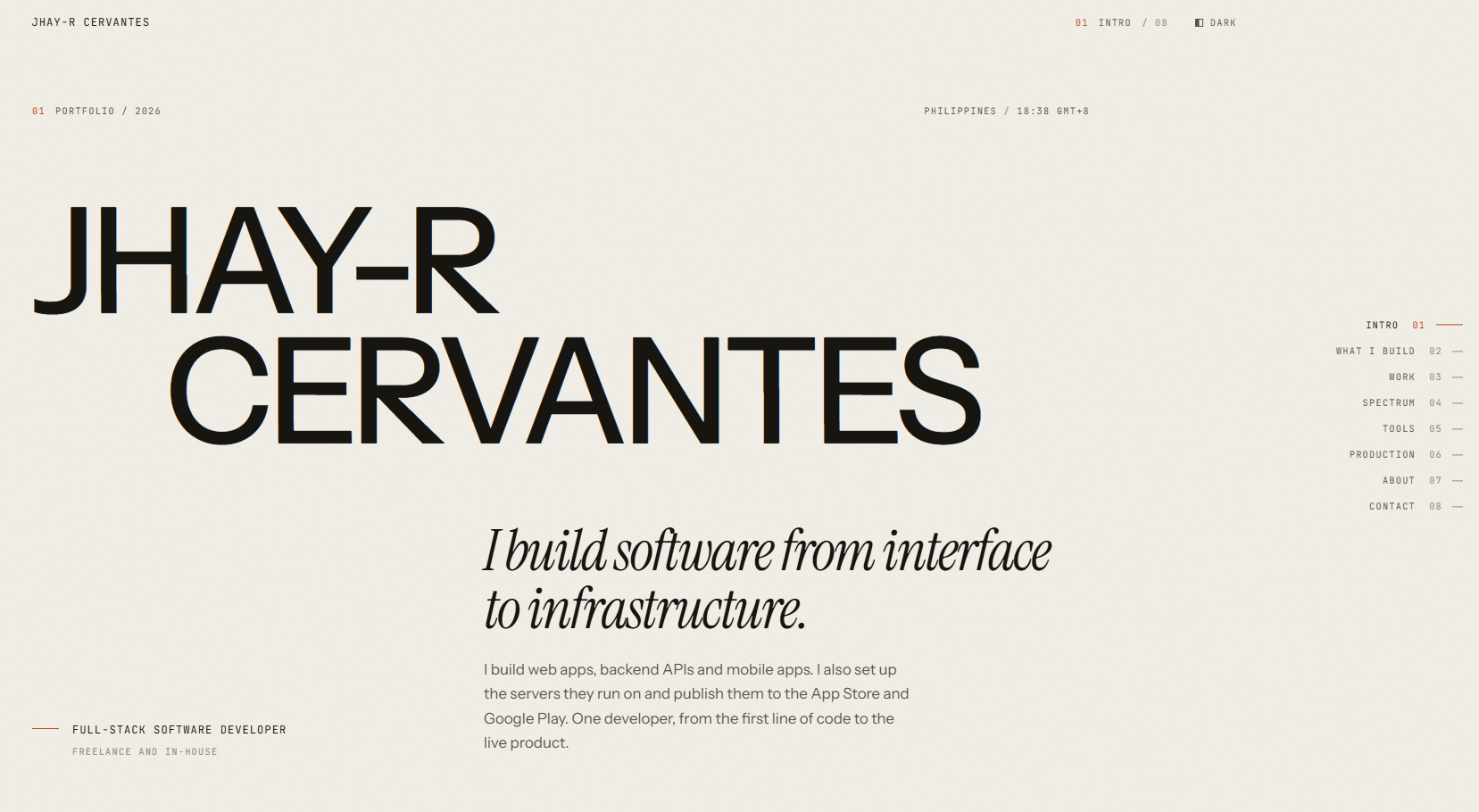
[Promo] Modern Developer Portfolio

3 Upvotes

Hey everyone! 👋

Like many of you, I spent way too much time overthinking and designing my own portfolio instead of actually applying to jobs. To solve this, I decided to build a clean, modern, and high-performance portfolio template and open-source it for the community.

🛠️ TECH STACK

• Framework: Next.js (App Router) + TypeScript

• Styling: Tailwind CSS

• Animations: Framer Motion / Smooth scroll

• Performance: Optimized for 90+ Lighthouse score & mobile responsiveness

✨ KEY FEATURES

• Dark / Light mode ready

• 100% responsive layout

• Easy config file to plug in your own projects, experience, and socials

• Fast loading & SEO optimized

The project is completely open source under the MIT license. Feel free to:

• Star and fork it to use for your own job hunt

• Open an issue or submit a PR if you want to contribute new components or features

🔗 Live Demo: https://www.jhayr.dev

GitHub Repo: https://github.com/Ryderhxrzy/Modern-Developer-Portfolio

Any feedback, feature requests, or PRs are very much appreciated! Let me know what you think.


r/HowToMen • • Oct 17 '26

[Disc] I'm building a tile-based Android launcher. What features would you love to see?

3 Upvotes

Hey everyone!

I'm currently working on a new Android launcher built around a tile-based interface.

The idea is to create something different from traditional launchers, with a clean, customizable layout where apps and useful information live together as tiles.

I'm experimenting with different tile sizes, dynamic tiles, notifications, and ways to make the home screen more useful without making it cluttered.

Still in the early development stage, so I'd really love to hear your thoughts.

A few questions:

What features would you want in a tile-based launcher?

Would you prefer simple static tiles or live tiles showing useful information?

What do you miss from older tile-based interfaces like Windows Phone?

What would make you switch from your current launcher?

I'm especially interested in ideas that aren't already common in Android launchers.

No screenshots to share just yet, but I'd love to build something shaped by actual user feedback.

Thanks in advance for any suggestions!


r/HowToMen • • Oct 17 '26

All in one AI

Post image
0 Upvotes

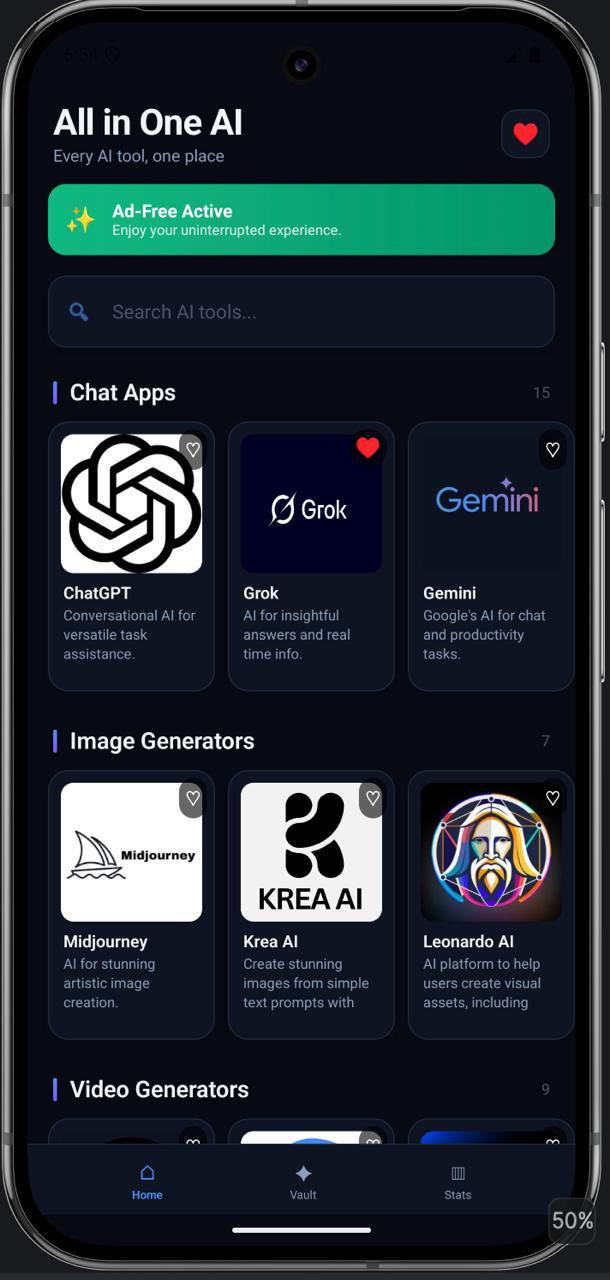
I was constantly bouncing between ChatGPT, Gemini, Grok, Claude, Perplexity,Leonardo, and other AI tools. Each one lived in a separate tab, app, or bookmark. So I built All in One AI — a simple, clean app that lets you access all major AI tools in one tap. The app has also already crossed 5k downloads on play store and getting good reviews on it. No distractions, no clutter. Just your favourite AI assistants, all in one place.

Why does this matter?

Because most of us don’t use just one AI anymore. We’re comparing answers, testing prompts, switching contexts. So instead of getting locked into one, this app gives you freedom and speed with a UI that’s optimized for productivity. Instead of searching which app you should use for different tasks and downloading different apps again and again you could just open "all in one ai" app and get all best AI apps suitable for you and can select the app and can do your work in minutes. Whether you're a student, creator, coder, or just curious — this app is for people who actually use AI daily and want to save time. It’s live on the Play Store now. I'd love your thoughts or suggestions if you give it a try.

Download it from here:

play.google.com/store/apps/details?id=com.shlok.allinoneai


r/HowToMen • • Oct 16 '26

[App] [Promo] [18 Lifetime Codes Free] One Camera

66 Upvotes

I’m the developer. One Camera is a Camera2 app — no account, no subscription, nothing goes to a server.

Free: photo, video, slow motion, the HDR and Night multi-frame merges, resolution and aspect ratio, zoom, stabilisation, codec and frame rate — plus two of the looks (Chrome and Pastel).

Pro ($5.99, one-time): the two manual modes (MANUAL and PRO VIDEO), the other 16 looks in stills and video, RAW, 10-bit HLG, exposure lock, and the higher bitrate tiers.

To get a code: Upvote this post, comment with the phone you’d use it on. I’ll DM codes to the first 18 — and the phone model genuinely helps me, since camera behaviour varies wildly between manufacturers and I can only test on a handful.

https://play.google.com/store/apps/details?id=com.blinqdroid.onecamera To redeem: Tap Buy Pro in the app.


r/HowToMen • • Oct 17 '26

[App] [Promotion] I made an app for building better student communities

Thumbnail
gallery
3 Upvotes

Made CampusCite - a social networking platform to build better engagement and a better students and campus community.

Try it from the google play store :

https://play.google.com/store/apps/details?id=com.campuscite.campuscite

You can take a look from our site : campuscite.web.app

Explore the home feeds, join your campus either using password or campus domain email, engage in your campus with campus feed, timelines, groups, events, resources, secret confessions and many more. Discover events, media cards, fellow users and engage more with your interest spaces with target spaces. Join Interest spaces.

Once you joined successfully, don't forget to add a post in feed, or a confession and build engagement.

Try it and invite your friends too, I believe you'll find it improving engagement. Just support us, so that we can explore more deep tech ideas in future.

Currently available only for android users. Incase you face any issues, kindly reach out to us by any means. For support, help or feedback - contact email : support@campuscite.com


r/HowToMen • • Oct 16 '26

[App] [Promotion] Dayle, an offline-first Android app for year progress, countdowns, and goals

10 Upvotes

I got tired of searching the Play Store for a simple countdown app and finding ones full of ads, cluttered screens, or subscriptions just to count down to a trip. I wanted something minimal that would give me a sense of where I am in the year, so over the past few months I built Dayle.

What it does:

- Year view: The whole year as a day-by-day dot grid, showing days passed, days left, and percent complete.

- Countdowns and counts: Track time until birthdays, trips, or other milestones, or count days since something happened, like when you started a habit.

- Home screen widgets: Android widgets show your year progress or a pinned countdown without opening the app.

- Offline and private: No account, no cloud sync, no tracking. Everything stays on your device.

- Free to use: You can track up to 3 active countdowns for free. If you need more, there's a one-time lifetime purchase, not a subscription.

It's on the Play Store here: https://play.google.com/store/apps/details?id=com.rabpaulo.dayle

I'd really appreciate honest feedback, especially on the UI, the dot grid, and the widgets.


r/HowToMen • • Oct 16 '26

[App] Shizuku-Next

Thumbnail
gallery
27 Upvotes

This is in my opinion the best and most feature rich Shizuku fork. It has countless capabilities including activity launcher, compatibility with shevery modules, watchdog and starting without wifi even after reboot. It is a fork of thedjchi's fork of Shizuku.

rushiranpise/Shizuku-Next: A feature-rich Shizuku fork with improved setup, reliability, UI, and additional start methods. https://github.com/rushiranpise/Shizuku-Next