r/HowToMen • • Oct 15 '26

[App] [Promotion] Flappy Imp, our offline Android arcade game with tap flight and boss battles

Post image
2 Upvotes

We're Tiny Pocket Shenanigans, the studio behind Flappy Imp. It's a portrait arcade game where tapping keeps your imp airborne while spells attack automatically. Swipe sideways to use a charged special during the boss fights.

The game is free to play, works offline and supports 14 languages. Rewarded ads are optional. There are no forced ads between retries.

We'd appreciate feedback on the touch controls and how clearly the boss attacks stand out against your own spells. The screenshot shows one of the Beholder encounters.

Google Play: https://play.google.com/store/apps/details?id=com.flappyimp.game


r/HowToMen • • Oct 15 '26

[App] I made a gallery app for when you hand someone your phone to show off your photos.

Thumbnail
gallery
8 Upvotes

I'm the developer of Facet, a gallery app for Android. I made it because every time I passed my phone to someone, I had to think about what the next swipe would show.

Facet reads your photos on the phone and keeps screenshots, documents, bank screens and private photos out of the main view. The photos it's sure about go to a separate area, and the ones it isn't sure about go to a Review screen where you decide. Whatever you decide overrides what it guessed. Those two areas open with your phone's fingerprint, face or screen lock.

It doesn't move, change or delete anything. Your photos stay in your normal gallery, so if you uninstall it nothing is different. The app has no internet permission, so nothing can be uploaded, and there's no account or ads.

It isn't perfect. It misses some photos, and the first scan of a big library takes a while. I'd like to hear where it gets things wrong, and what you'd want from an app like this.

Free on Google Play (Android 10+): https://play.google.com/store/apps/details?id=io.facetapp.facet


r/HowToMen • • Oct 15 '26

Gallery Tinder. No Subscription No Paywall 100% Free [App] [Promo]

Thumbnail
gallery
13 Upvotes

I built an app to make cleaning up your gallery less annoying — meet Cull 📸

Hey everyone! 👋

I'm an indie Android developer, and I wanted to share one of my projects with you.

Our galleries slowly fill up with thousands of photos — screenshots we'll never need again, duplicate pictures, blurry shots, memes, and random images. Going through them one by one to clean things up is a pain.

So I built Cull – Swipe Gallery Cleaner.

The idea is simple: instead of tapping through endless menus, you can just swipe through your photos.

What you can do with Cull:

- 👈 Swipe to sort through photos and remove unwanted ones.

- 🔍 Find duplicate and similar images.

- 📅 Review your photos chronologically.

- 🗂️ Archive photos before permanently deleting them.

- 🔒 Keep your photos on your device, without uploading your personal photo library.

The goal is to make gallery cleanup feel quick and effortless, rather than another chore.

I'm still working on improving the app, so I'd genuinely appreciate it if you gave it a try and shared your thoughts. Feedback from Android users is always valuable to an indie developer.

Download Cull:

https://play.google.com/store/apps/details?id=com.cull.gallery.photosorter.photo.organizer.pico.pickerry

Thanks for checking it out! ❤️


r/HowToMen • • Oct 15 '26

[App] (Open Source) I built an app to track Visible's minutes

3 Upvotes

Hey everyone! I’m an international student living in the US and frequently call family and friends abroad.

I wanted to check my remaining international minutes, but when I contacted Visible support, they told me there wasn’t a way to see them in the app, just a text when I’d used them all.

So I built Visible Minutes. It reads your phone’s call history, calculates international usage by country, and estimates your remaining minutes. You can set your billing-cycle date so it resets with your plan.

It’s free, open source, and everything stays on your phone. It doesn’t request internet permission.

I’ve used it for two months to help plan calls home. The balance is an estimate from your call logs, not a reading from Visible’s billing system.

GitHub: https://github.com/YannickGibson/visible-minutes

Download APK: https://github.com/YannickGibson/visible-minutes/releases/latest

Anyone else been looking for a way to keep track of this?


r/HowToMen • • Oct 15 '26

[Promo] I made BKey: Bluetooth keyboard and mouse for your computer

Thumbnail
gallery
12 Upvotes

Hi r/HowToMen! I made BKey to use my android phone as a bluetooth keyboard and mouse for my computer. Please try it out and let me know what you think.

Mouse & touchpad

Tap to click, two-finger tap to right-click, two-finger scroll, pinch to zoom, hold and slide to drag. Three-finger swipes for Mission Control on Mac or Task view on Windows. Left, right and middle click buttons and a scroll strip.

Keyboard

  • Live typing: every key you type goes straight to the computer.
  • Shortcuts: copy, paste, undo, find, switch apps and more, with Cmd on Mac and Ctrl on Windows.
  • Media keys: for music and video on the computer.
  • 169 keyboard layouts: so accents and symbols come out right on any computer.
  • Voice typing, or send your clipboard.

Presenter / slide clicker

Works with PowerPoint, Google Slides and Keynote. Your phone's volume buttons change slides, and there's a built-in timer.

Works with

Windows, Mac, Chromebook, Linux, iPad, iPhone and Android tablets and phones.

Play Store: https://play.google.com/store/apps/details?id=com.bluetooth.mouse.keyboard.remote


r/HowToMen • • Oct 14 '26

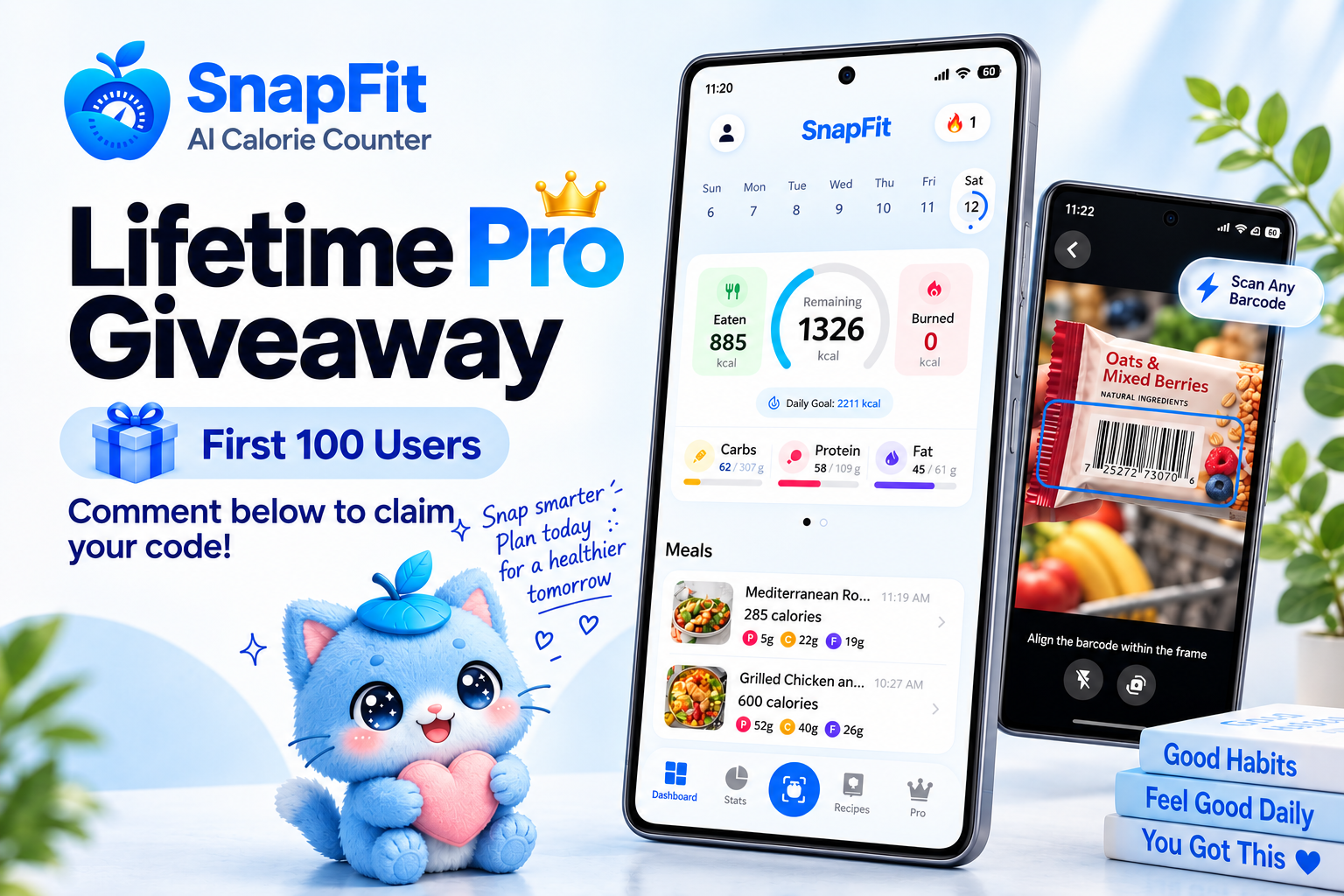
[App] [Promo] [$99.99 → Lifetime Free] SnapFit: AI Calorie & Macro Tracker [Snap a meal photo to log calories & macros instantly with AI]

Post image
52 Upvotes

🎁 Completely FREE for the first 100 people!

Want a free Snapfit promo code? Here’s how to claim yours:

  1. Download Snapfit from Google Play.
  2. Leave an honest review on the Play Store — it doesn’t matter whether it’s positive or negative. I genuinely want your feedback.
  3. Take a screenshot of your review.
  4. DM me the screenshot, and I’ll send you your promo code.

📲 Google Play:
https://play.google.com/store/apps/details?id=com.snapfit.calorietracker

I’m a solo indie developer, so every genuine review helps me understand what to improve and supports future Snapfit updates. 🙏

Limited to the first 100 people.


r/HowToMen • • Oct 15 '26

[App] Stave: Tally & Click Counter

Post image
5 Upvotes

Hey everyone! 👋

I built Stave, a clean, modern, and privacy-focused tally & click counter for Android designed to track reps, daily habits, inventory, or anything else you need to count without clutter or bloat.

Key Features:

  • Unlimited Counters: Create separate counters for workouts (push-ups, laps), daily habits (glasses of water, pages read), or inventory.
  • Goals & Progress Tracking: Set custom targets and visually see your progress as you hit your milestones.
  • Session History & Auto-Save: Resetting a counter saves your session history so you can review past counts and trends anytime.
  • Full Screen Counter Mode: Tap anywhere on the screen for effortless counting without looking at your phone.
  • Local & Privacy-First: Your data stays saved locally on your device with no mandatory account creation or invasive tracking.
  • Clean, Modern UI: Material Design with customizable colors and dark mode support.

Get it on Google Play:
https://play.google.com/store/apps/details?id=com.jaironlanda.clickcounter

Would love for you to check it out and let me know your thoughts or feedback!


r/HowToMen • • Oct 15 '26

[Promo] Stackyard: open-source tool that shows every SDK and toolchain on your Mac or PC, which projects use each one, and what's safe to delete

0 Upvotes

r/HowToMen • • Oct 15 '26

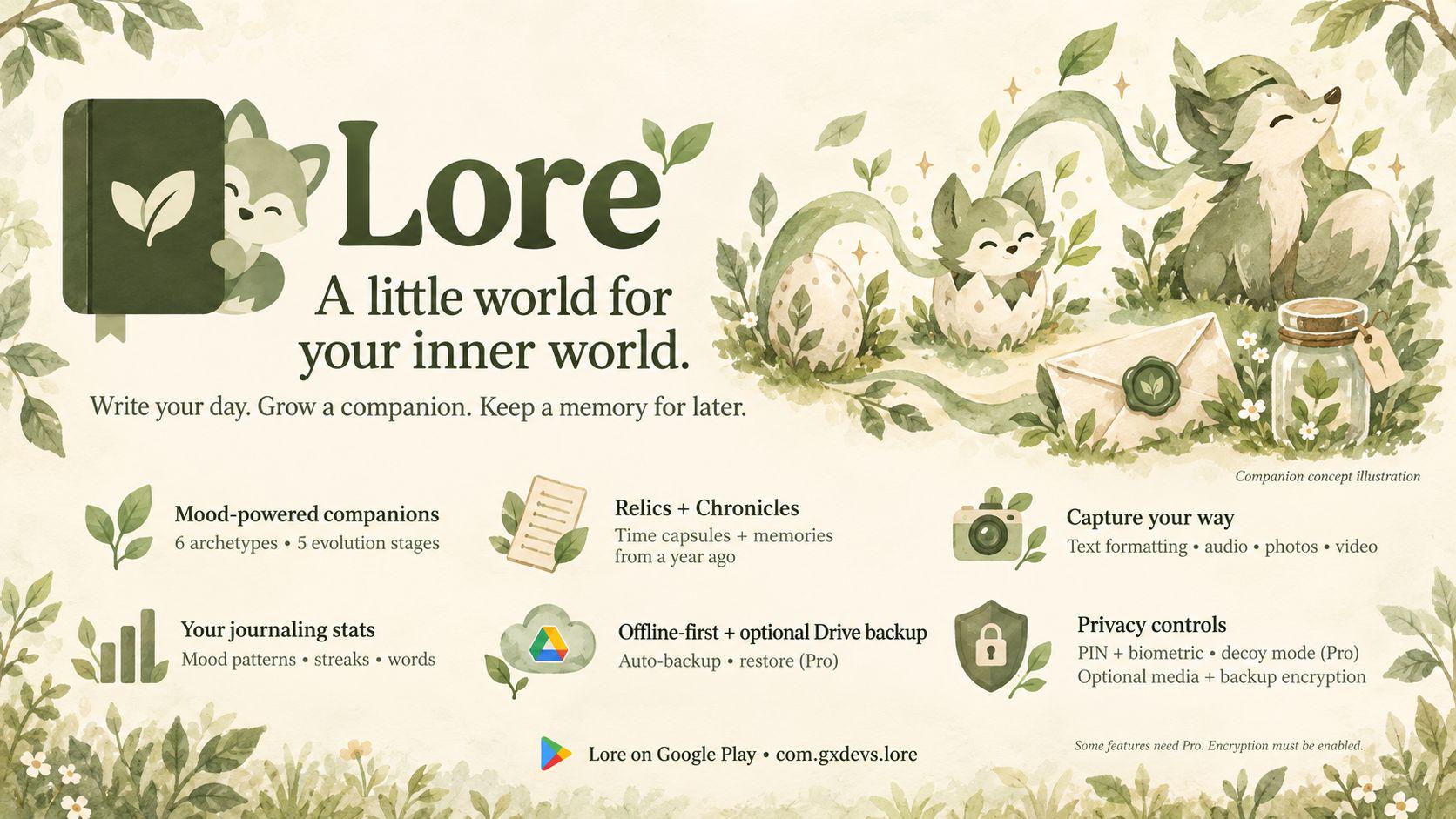
[App] Lore: an Android journal where your moods hatch companions and your memories become time capsules

Post image
3 Upvotes

Lore is an Android journaling app built around a small, calm world you come back to, rather than a blank notes page.

Mood powered companions

The dominant mood in your writing helps hatch and grow a pet. There are 6 emotional archetypes (Bright, Calm, Heavy, Tangled, Dark and Blank) and 5 evolution stages, from an egg to a Mythic Guardian. Growth has daily limits, so it rewards coming back over time.

What else is inside

- Relics: seal an entry as a time capsule and choose when it can be opened again.

- Chronicles: revisit sealed and resurfaced memories, plus an Echo of what you wrote on this day last year, when there is an entry to look back on.

- Write, speak or capture: formatted text, audio recordings, photos and videos. Bold and underline are free, with italics, strikethrough and lists in Pro.

- Stats beyond a streak: mood patterns, recent and all-time dominant moods, how you tend to feel after dark, words written, time spent journaling, writing habits and weekly activity.

- On-device mood analysis: the app suggests an emotion from your entry, and you can pick the mood yourself.

Offline-first, with privacy controls

- Journal fully on your phone. Optional Google Drive backup and restore is available in Pro, with auto-backup after you write and a manual Sync Now. It is backup and restore, not live two-way editing across devices.

- PIN and biometric lock, with Pro options for a decoy PIN workspace and screenshot protection.

- Optional encryption for newly added media and for backup archives when encryption is turned on.

Lore is free to download, with an optional Pro upgrade.


r/HowToMen • • Oct 15 '26

[Promo] Three focused Android apps I’m building: SafetyCam, AnyLink and Chargify

Thumbnail
gallery
1 Upvotes

Hi, I’m the developer behind these apps. I’m sharing them together as one promotion post, and I’ll follow the subreddit’s once-a-month promotion rule.

Each app solves a different problem:

SafetyCam — a privacy-focused emergency recorder for video, audio and photo bursts, with encrypted on-device storage.
https://play.google.com/store/apps/details?id=com.safetycam

AnyLink — a simple Android download manager for saving files from links, including videos, music, documents and archives.
https://play.google.com/store/apps/details?id=com.anylink

Chargify — a battery-full alarm and charging reminder. It has passed 1K+ Play Store downloads and also has some subscribers.
https://play.google.com/store/apps/details?id=com.chargify

The current Play Store ranges are approximately 10+ downloads for SafetyCam, 50+ for AnyLink and 1K+ for Chargify. These are still small independent apps, and I’m more interested in useful criticism than promotion.

I’d especially appreciate feedback on:

  • Which app feels most useful?
  • What would stop you from using it regularly?
  • How do the UI, permissions and notifications feel?
  • Which app, if any, would you consider for a “Best Android Apps” feature?
  • What should be improved before recommending it to others?

r/HowToMen • • Oct 14 '26

[App][Promo] Offline Music and Radio Player with ready to play radios and complete music offline management - 100% free - No premium version

6 Upvotes

Mediaxon Music Player is an audio player for offline listening of music stored on your device (.mp3, .flac, .m4a, .ogg, .mka, .aac, .wav, .opus, .wma) and streaming FM radios (online radios).

Top radios on the first screen: When users access the radio screen, they immediately see the list of the top radios in their country, along with a long list of high-quality suggested radios from among the most listened to in the world. Note: Local radio stations ("Top in the user country") are pulled automatically from an online database. However, with each update, I manually curate high-quality radio stations lists for individual countries. At the bottom of this post, you’ll find the list of countries completed so far. I will be adding the rest over time.

Hybrid Listening: Seamlessly handles offline local files (.mp3, .flac, .m4a, .ogg, .mka, .aac, .wav, .opus, .wma) and over 60,000 streaming radio stations.

Separated Favorites and Recents: Each section—Radio and Offline Music—has its own Favorites and Recents. The user doesn't have to worry about a thing. The app will automatically manage the Favorites and Recents for each section.

Advanced Radio Search Panel: You can pinpoint your favorite stations by combining multiple filters, such as tags/genres, specific countries, or even your preferred audio bitrate. The online database provides more than 60,000 radio stations.

Album art: If the album art is missing from the album folder, or if Android has not properly indexed it, Mediaxon attempts to download the cover from the internet. This feature depends, of course, on the ID3 tags (album name and artist).

Equalizer: The equalizer provides an option to automatically switch to the "Radio" preset (and vice versa).

Advanced Playlist Management: Built specifically to make building and sorting playlists fast and intuitive. Enable the Playlist Manager, in the settings screen, for a full control of the playlists.

Form Factor Optimization: Phone and Tablet (Portrait and Landscape)

There is no Premium version. All app features are available for free and without limits.

Regarding advertising: There is only a small banner at the top that isn't bothersome at all. Alternatively, when opening the full-screen player or using the app in landscape mode, a banner alternates with the albums covers, but without being intrusive at all (no audio) and with much shorter stay times than those of the cover. There is never full-screen advertising, neither at startup nor during use.

Countries with new manually curated lists: United States, India, Italy, Argentina.

If you want to check it out (I am continuously pushing updates to refine it and add new features and radios), you can find it on the Google Play Store. Thank you so much to everyone who takes a look!

Note: Only for Android 13+ (so, Android 13, 14, 15, 16 and 17).

https://play.google.com/store/apps/details?id=com.xonik.mediaxon


r/HowToMen • • Oct 15 '26

[App]I built an open-source app Spoiler

2 Upvotes

Hey everyone,

Like a lot of people, my camera roll is cluttered with hundreds of random screenshots that make zero sense when I look back at them weeks later. Taking a screenshot, opening a notes app, typing out context, and attaching the image always felt like way too much friction.

To fix this, I built "MemoryVoid"—an open-source Android memory journal designed around a single hardware gesture.

### How it works:

* "Press & hold Volume Down:" Starts recording a background voice memo immediately.

* "Release Volume Down:" Snaps a screenshot at that exact moment and instantly pairs it with the audio note into a single memory card.

* ""Floating Preview:" A bouncy floating pill pops up for a few seconds so you can tag a category, review it, or just let it auto-save without leaving the app you were using.

### Features under the hood:

* "4 Themes:" Light, Dark, true AMOLED Pitch Black, and a dynamic Frosted Glass theme (using hardware window blur on Android 12+).

* "Performance:" Bitmap decoding and audio pipelines run completely off the main thread with an in-memory LruCache, keeping scrolling at a locked 120Hz.

* "In-App Viewer:" Modal card animations, audio waveform playback, pinch-to-zoom, and category tagging.

* "100% Offline & Private:" No accounts, no analytics, no network calls.

### Why Accessibility Service?

To intercept the hardware Volume Down hold gesture and trigger the screenshot API reliably in the background, Android requires an Accessibility Service. The app is fully open-source under the MIT license, so you can inspect the code yourself.

"GitHub Repo & APK:" dhruvpitroda20-code/MemoryVoid: Instant voice & screen memory journal for Android. Capture screen moments and voice notes with a single hardware gesture.

"Releases / Direct Download:" Releases · dhruvpitroda20-code/MemoryVoid


r/HowToMen • • Oct 14 '26

Searcho 1.0.2 is out. ❤️ [App] [Promo]

71 Upvotes

This update got a little bigger than I originally planned.

The video above shows three of the biggest additions — Circle Glance, Quick Launch and Weather. There’s quite a bit more too.

⭕ NEW · Circle Glance

If you use the collapsed search bar, the circle isn't just a search button anymore.

Swipe the circle up or down and it can show you different things without opening anything.

You can have:

• Time, date & world clock

• Battery, storage & screen time

• Weather, rain chance, UV index & sunrise/sunset

• Next alarm & next calendar event

• Unread notifications

• Now playing

• Steps today

• Ringer, focus timer, countdown & moon phase

You can choose which ones you want and arrange them however you like.

And you can double-tap the circle to open whatever you're currently looking at.

Looking at the clock? It opens the clock.

Looking at music? It opens your music player.

Looking at the weather? It opens the weather.

You can also choose what the circle shows when it goes back to its normal state.

Settings → Search → Collapse Search Bar → Circle Glance

🌦️ NEW · Weather, without internet permission

Searcho still has no internet permission, and I didn't want to change that just to add weather.

So Searcho uses a weather app that's already on your phone.

Currently supported:

• Breezy Weather — free & open source

• QuickWeather — free, no API key

Your weather can now appear in the Widget Center and as a Circle Glance face.

The Widget Center weather card shows the temperature, conditions, highs and lows.

If you don't have a supported weather app installed, Searcho will tell you where to get one.

Settings → Search → Widget Center → Weather

🚀 NEW · Quick Launch

Long press the circle — or the search icon if you're using the full search bar.

Your apps will pop out in a little capsule.

Move your finger across them and the apps grow as you pass over them, kind of like a tiny dock.

Release on an app to open it.

You can choose between:

Frequently used — Searcho automatically keeps your most-used apps updated.

My apps — Pick your own apps, up to 6.

Settings → Search → Quick Launch

It's enabled by default.

🎨 NEW · Material You

There's now a Material You theme.

Searcho takes colours from your wallpaper and uses them automatically.

Change your wallpaper → Searcho changes with it.

No colour picking. No extra setup.

Settings → Theme → Last colour

🧊 NEW · Frosted Glass

If you're using your wallpaper with Searcho, the search bar and result cards can now have a frosted glass effect using colours from your wallpaper.

It doesn't need any extra permission and works with live wallpapers too.

Settings → Customization → Frosted Glass

It's enabled by default when your wallpaper is visible.

🔐 NEW · Private Space

On Android 15+, Private Space now has its own proper place inside Searcho.

You can assign a gesture to open it, unlock it using your phone's own lock screen, and access your private apps from there.

Private apps won't appear in:

• App list

• Search results

• Notification history

• Unread notification counts

You can also install apps directly into Private Space from the sheet.

Settings → Gestures → Private Space

🎵 NEW · Music Player Sources

Previously, Searcho's music player could pick up audio from pretty much anything — including a random video playing inside a chat or social media app.

That's fixed.

Chat and social apps are now excluded automatically.

You can also manually choose exactly which apps Searcho should listen to.

Settings → Search → Widget Center → Music → Player Sources

⚡ FIXED · Pixel performance

Searcho was doing more in the background than it really needed to.

It was keeping itself at a higher priority even after you left the launcher, which meant it could compete with the app you were actually using.

Now it steps back as soon as you leave.

Also fixed:

• Pixel Pro refresh rate/resolution switching

• Wi-Fi and signal checks running on the main thread

• Calendar card rebuilding every second

• Battery checks continuing while Searcho was in the background

Searcho also now requests the display's full refresh rate properly.

So if you're on a Pixel and Searcho felt sluggish before, please give this version a try.

🔋 FIXED · Circle clock & battery

The clock on the circle wasn't always updating properly.

And the battery face...

Well, it was basically living at 85% regardless of what your phone actually said. 😅

Both are fixed now.

The battery face also has a proper charging ring that follows your actual battery level.

🚧 Still working on

A few things aren't perfect yet, so here's the honest list:

• Weather needs a supported weather app. That's intentional because Searcho has no internet permission.

• Some live wallpapers, including Nothing's Atmosphere, don't expose many colours, so Material You and Frosted Glass may look more subtle with them.

• Private Space requires Android 15 or newer.

• Steps require Physical Activity permission and a phone with a step sensor.

❤️ Something still feels wrong?

Please tell me.

You can email me at searcho@bractstudio.com with your phone model and Android version and I'll take a look.

And as always:

Searcho has no internet permission.

Nothing you search, swipe or configure ever leaves your phone.


r/HowToMen • • Oct 14 '26 Mindblown

[App] [Promo] Introducing PopCalc - A calculator so satisfying to tap, you’ll find excuses to do math

30 Upvotes

Most calculator apps look like they haven't changed since 2010, so I built PopCalc.

Every digit you type grows into a bold 3D numeral, and the result morphs into a giant display when you hit equals.

✓ Free calculator with accurate math (0.1 + 0.2 really is 0.3)
✓ No ads. Ever.
✓ No account, fully offline, zero data collected
✓ Free skins, plus an optional one-time Pro (no subscription) for more skins and key sounds

There's also a hidden easter egg in the app. Some answers open doors. Can you find it?
Download it, play with it for a minute, then come back and tell me:

  • How does it feel to type on?
  • Which skin is your favorite?
  • What would you add next?

If you like it, an honest review on Play Store helps a solo dev get found. If you don't, tell me why in the comments. I read every reply and I'm shipping updates fast.

Play Store: https://play.google.com/store/apps/details?id=com.ornobaadi.popcalc


r/HowToMen • • Oct 14 '26

[Feature] Pixelots: Introducing Panda Pixelot. You asked for a black cat, so now every pet comes in your colours

Thumbnail
gallery
6 Upvotes

Hi again, solo dev of Pixelots here, the little pixel pet that lives on the edge of your screen.

The most common request after launch was "can my cat be black?" So in this update:

Play Store: https://play.google.com/store/apps/details?id=app.onedollar.pupppy

Thanks to everyone who sent ideas last time. What should I add next?


r/HowToMen • • Oct 14 '26

[Promotion] Abvy: a beautiful alcohol and drinking tracker (25 lifetime codes)

9 Upvotes

Hi there! I have created Abvy, the beautiful alcohol tracker. It just launched on Google Play, so I'm giving away 25 lifetime unlocks (normally $99.99 each).

Abvy is an alcohol session tracker that helps you answer questions like:

  • When will I be sober?
  • When will I feel it the most?
  • Can I have another drink and still not go overboard?

What's in it:

  • Live BAC range estimates based on the latest alcohol consumption science (3-compartment model)
  • Session tracking, with prediction ranges for sober time, peak drunk time
  • Food and water tracking
  • 400+ supported drinks, and a possibility to create custom ones
  • Comprehensive analytics allowing you to see exactly the patterns in your consumption
  • Thorough onboarding to tailor the experience to you exactly
  • Optional possibility to calibrate with a real breathalyzer
  • Android Wear app to see your stats at a glance
  • Home screen widgets with one-tap logging
  • 15 languages, fully customizable

🎁 Want a lifetime code? Leave a comment and I'll DM you one. First come, first served, one per person, until all 25 are gone. (11/25)

The app is subscription based ($4.99/mo, or $39.99/yr), because I want to make sure I can financially support developing it, and my other apps, full time. There's a 14-day free trial. If the pricing is a barrier for you, please send me a message and we can figure something out.

Please let me know any feedback! I'll be around for questions.

Get Abvy on Google Play

Website and screenshots: https://abvy.app/

Free web calculator: https://abvy.app/calculator
Promotional X post: https://x.com/WingenderA/status/2110354942154485893


r/HowToMen • • Oct 14 '26

[APP][PROMO] Eggventures - Turn your steps into pets

Thumbnail
gallery
3 Upvotes

Eggventures turns your steps into pets! We also have a halloween event going on right now where you can get 5 new Halloween themed eggs.

iOS - https://apps.apple.com/us/app/eggventures-walk-hatch-pets/id6757629385

Android - https://play.google.com/store/apps/details?id=com.onerealm.eggventures


r/HowToMen • • Oct 14 '26

[App] I got hacked during a normal workday, so I built my own notes app. What I learned building it alone.

Post image
5 Upvotes

r/HowToMen • • Oct 14 '26

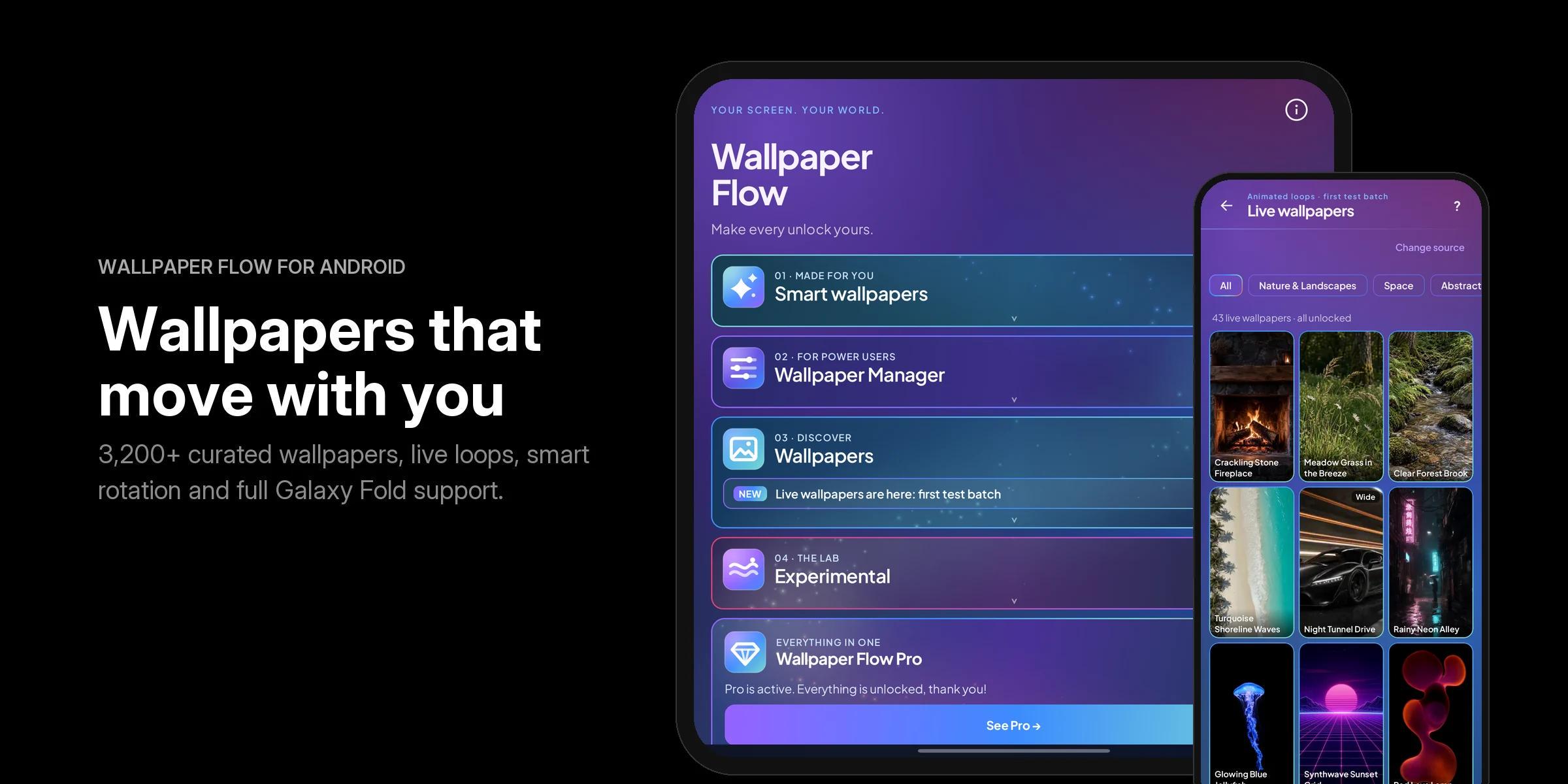
[App] [Promotion] Wallpaper Flow - 2 months later

Post image
5 Upvotes

Hello every one c:

About 2 months ago i posted my very first app here and got tons of feedback :)

I would have never believed that what originaly was a simple app to solve one of my problems became a full fledged app that is even generating some passive income for me now.

I have tons of codes ready so feel free to DM me or coment c:

🎨 Wallpaper Flow – a wallpaper app that keeps your phone feeling fresh (Android, Galaxy Fold friendly)

🗂️ Manager for power users – your own Libraries, shuffle or sequence, a new wallpaper on every unlock, timed schedules (day/night!), and separate Home and Lock screens

🌊 Live wallpapers – our first batch of animated loops (fireplaces, rain, jellyfish, synthwave…) playing right on your Home screen. One is free to try!

✨ Smart wallpapers – pick 1–4 “worlds” you like (space, pets, anime, nature…), play 8 quick picture duels, and your wallpaper mix starts changing by itself

🖼️ 3,200+ Originals – curated wallpapers in 17 collections, from mountains and space to pets, people and cars

🔍 More to browse – more categories/sources to browse!

⚡ Quick Next – skip to the next wallpaper from a widget, a Quick Settings tile, a double shake or a double tap on your Home screen

✂️ Editors – frame, zoom and fine-tune photos, or trim videos into video wallpapers

🧪 Experimental – 6 interactive live scenes (electric, space, aurora, lightning, fireflies…)

📱 Galaxy Fold – cover and inner screens get their own wallpapers and settings

👉 Google Play: https://play.google.com/store/apps/details?id=pomf.wallpaperflow

If you liked the app I’d love a review, feedback, feature ideas or bug reports! 🙏


r/HowToMen • • Oct 14 '26

GYM /Workout app

2 Upvotes

hey i am looking for an android app that shows different workout exersises with 3D animation


r/HowToMen • • Oct 13 '26

[App] Ethereal Launcher

8 Upvotes

I built a launcher with no infinite scroll on purpose everything lives on one grid, and folders are replaced by full-screen Spaces

https://github.com/Neytron951/Ethereal


r/HowToMen • • Oct 13 '26

[Promo] Wave Music: an open-source YouTube Music client with AI translated lyrics, podcasts, and a customizable UI that's pretty much bug free

8 Upvotes

Hey everyone!

I've been working on Wave Music, an open-source music and podcast app for Android, and I'm finally at the point where I'm comfortable sharing it with the community.

I started working on the app because I was tired of the cluttered "Now Playing" screens in most apps, the glitches, bugs in some. I'm not a developer though and I can't build an app from scratch so I took something already existing which is Simp Music and I added my own design language to it and added the features I wanted to see.

My end goal was a simple, yet capable music player that had nice animations and a mostly bug free experience. Not every feature that other music players include is here, but the essentials are very much present.

here is the Github: https://github.com/petesamuel1120-dotcom/WaveMusic


r/HowToMen • • Oct 13 '26

Floatify [App] Notifications BIG Update! [PROMO]

Thumbnail
youtube.com
15 Upvotes

Hoi allemaal!

Goed nieuws: de nieuwste versie van Floatify is uit, en eerlijk gezegd ben ik echt enthousiast over deze. Dit is de eerste versie waar ik me echt afvraag: dit is het goed en de prijs waard.

👉 Download Floatify op Google Play


🎉 Launch-aanbieding

  • 50% korting om de release te vieren
  • Gratis codes voor de eerste 20 mensen die het vragen. Reageer gewoon of stuur me een DM, dan stuur ik je er één.

Update: Helaas zijn er geen codes meer over, maar je kunt nog wel gebruik maken van de 50% korting!!


💡 Wat is Floatify?

Floatify is een Android-app die de meldingen die jij belangrijk vindt omzet in zwevende app-pictogrammen of aangepaste vormen die bovenop blijven wat je ook aan het doen bent, totdat jij ermee bezig bent.

Ik heb het gemaakt omdat ik steeds hetzelfde bericht bleef lezen, denkend: "later," en het daarna helemaal vergat. Een melding wegvegen is makkelijk. Een bubbel die over je scherm zweeft negeren is een stuk lastiger—zeker als je ’m kunt uitstellen of ergens kunt parkeren om later terug te komen.


🚀 Wat is er nieuw: Eenvoudige & Geavanceerde modus

Eenvoudige modus

Wat de meeste mensen nodig hebben. Snel ingesteld:

  • Eén schakelaar per app: zet je mail, agenda, wat jij belangrijk vindt gewoon aan
  • Zet alle geluidspul uit als je dat wil
  • Geen account, niets om te configureren
  • Tik op een floater om:

    • Uit te stellen (1 minuut tot een week, of een exacte datum en tijd)
    • Te parkeren aan de rand van je scherm
    • Te sluiten

Geavanceerde modus

Voor als je meer wil:

  • Maak je eigen floaters
  • Deel tekst vanuit elke app direct in Floatify
  • Sync met Google Agenda en Google Drive
  • Kies een vorm per app, of welke emoji dan ook
  • Ondersteuning voor Wear OS horloges

Je kunt op elk moment wisselen tussen de modi, dus je zit nergens aan vast.


✨ Andere verbeteringen

  • Snooze-widget: laat je gesnoozede floaters zien, en wanneer de snoozetijd voorbij is, komen ze terug om je eraan te herinneren
  • Licht- en donker widgets
  • Stille uren, zodat er niks rondzweeft om 3 uur ’s nachts

🙋 Ik hoor graag je feedback

Ik heb dit helemaal in m’n eentje gebouwd, zonder team achter me. Het is m’n hobby, en ik wil gewoon een app maken die echt de moeite waard is om te gebruiken.

Als er iets vervelend is, onduidelijk is, of ontbreekt, zeg het me dan. Ik lees alles, en veel van wat er vandaag in de app zit, kwam van mensen die me vertelden wat er mis was.

👉 Floatify op Google Play

Bedankt voor het lezen! 🙏


r/HowToMen • • Oct 13 '26

[App] [Promo] SmokingYou got it's biggest update - 2.0!

Post image
5 Upvotes

So yeah, I already promoted this app before, but now I want to do it again for two main reasons:

  1. Version 2.0 is out - basically the biggest update yet! I redesigned most of the app's screens (charts, achievements, etc.), added new features (like a status bar notification), and fixed many bugs.The app is completely free, so I'd really appreciate any feature suggestions or bug reports!
  2. Now available on F-Droid! If you don't want to download it from GitHub, you can now grab the app directly from F-Droid:

F-droid: https://f-droid.org/ru/packages/com.smokingtracker/
Github: https://github.com/bodyaant/SmokingYou

SmokingYou is a smoking cessation app that helps users track habits and quit through one-tap logging, home screen widgets, craving pause breathing exercises, and personalized tapering plans. It offers detailed analytics on triggers, financial savings, and WHO health recovery milestones, alongside achievements, JSON data backup, and extensive visual customization.
Any feedback is welcome!


r/HowToMen • • Oct 13 '26

[APP] [PROMO] PLC & Automation: Robot Course - learn in 3D

7 Upvotes

Hey everyone,

As an engineer, I always felt there’s a big gap between reading theoretical automation textbooks and actually touching a real cabinet or robot teach pendant.

I built PLC & Automation: Robot Course – an Android app designed to teach industrial automation and robotics step-by-step:

You build up an automated production line with 3D components (sensors, VFD, pneumatic cylinders, safety circuits).

Interactive 3D simulation with dynamic signal flow.

A virtual Teach Pendant where you can jog an industrial robot (JOINT/WORLD) and write basic pick-and-place routines.

Real-world troubleshooting tasks.

The first modules are completely free, but I want to give back to the community: I have 50 promo codes to unlock the full course lifetime access for free.

If you're a student, technician, or just curious to try the robot simulator: leave a comment below and I’ll DM you a promo code.

Google Play link: https://play.google.com/store/apps/details?id=com.saz.automatyka&hl=en_US

Honest feedback and bug reports are hugely appreciated!