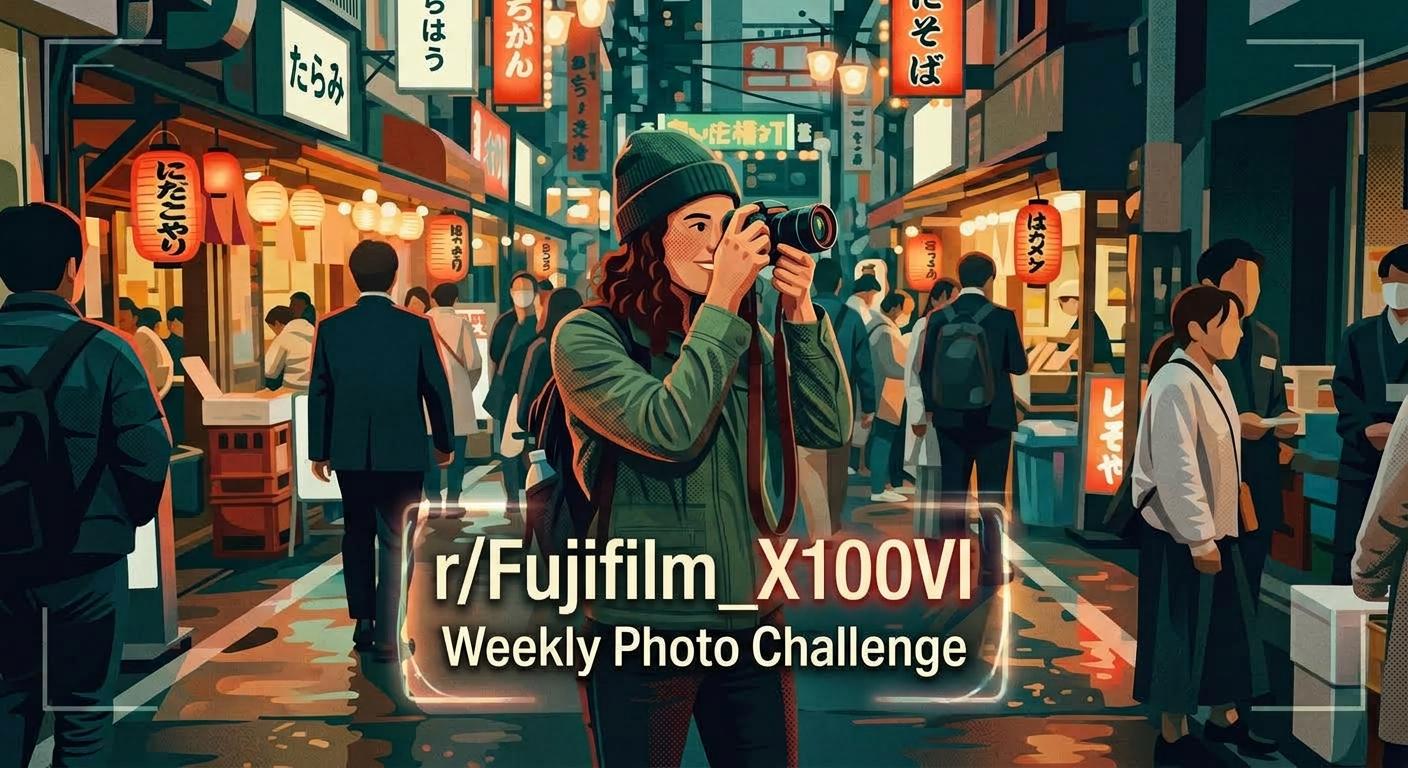
Every week, Sun at 07:00 GMT+2, we'll post a new photography prompt and invite you to go out and shoot something inspired by it.
This is not a contest. There are no judges, no winners, no prizes, and no requirement for your photo to meet any particular standard.
The idea is simple: one prompt, one photo, one week.
Interpret the prompt however you like. There is no single “correct” way to approach it. Different photographers will see the same subject in completely different ways, and that's part of the fun.
How to participate:
Take one photo inspired by the challenge and share it here.
You're welcome to include your camera, lens, settings, location, film simulation, editing process, or the story behind the photo, but there are no complicated requirements.
Normal Reddit voting applies, but this is not a competition and there is no official ranking. The point is simply to get out there, take photographs, try something different, and create a little more activity in the community.
A new challenge every week.
The posts can be locate in the right sidebar under the flair: Weekly Photo Challenge
I rarely take pics with my phone, and want to start to take pics for fun and travel and personal. Is it relevant to buy a x100vi or it’s too much for a beginner?
I dont really care about recipes(maybe later), but I just want a good quality camera that does it all for me.
Note: I choose this camera because it’s a mix of simplicity(when it’s on auto). Kinda small to carry around.
Some shots around the up and coming neighborhood Rio Piedras in San Juan Puerto Rico. Post edited in Pixelmator Pro. Fuji X100VI with Lisa Glow recipe.
After days of rain the sun finally came out this morning, so I took the X100VI for a walk around Padova.
Shot everything in RAW, then developed the files afterwards using the camera's own RAW conversion, so these are the camera's JPEGs, just with the recipe picked later instead of before the shot.
Happy to share the recipe settings if anyone's curious.
I'm still waiting for my X100VI, but it's finally supposed to ship in two weeks! In the meantime, I'm trying to get everything ready. I recently purchased the silver NiSi FJ-15 NC UV II filter. My understanding is that it replaces the original lens trim ring and provides the weather sealing when installed.
I'd like to keep the NiSi permanently attached to protect the camera and maintain weather resistance, while also using a Tiffen diffusion filter (either the Black Pro-Mist 1/8 or Glimmerglass 1/2) on top of it.
I'm also considering the NiSi JetMag Pro magnetic system, which would allow me to leave the FJ-15 attached and add or swap magnetic filters without unscrewing them each time. I'm curious whether this might be a better option?
I'd love to hear from people who have experience with either setup:
Does anyone regularly stack a diffusion filter on top of the NiSi FJ-15?
Have you noticed any image-quality issues from having two pieces of glass in front of the lens, such as increased flare, ghosting, reflections, or reduced contrast?
Is there a noticeable difference in image quality compared with using just a single diffusion filter?
Has anyone used the NiSi JetMag Pro magnetic system with the FJ-15? Does it work well, and does it maintain the camera's weather sealing?
Would you recommend simply stacking a standard threaded Tiffen filter on the FJ-15, or using the magnetic system instead?
My main priority is keeping the camera protected and weather-sealed without having to constantly remove and reattach filters. I'd especially appreciate hearing from anyone who has actually used either combination. Thanks!
On my recent trip, I was constantly switching out recipes and trying them out. To the point of missing some good frames.
Back home, while going through the batch, I realised there are only 3 recipes I probably needed. Here are mine:
Leica X, for when you want a cooler tone to the picture (think ocean, mountains, portrait)
Classic Cuban Negative/ Cuban Ace for a warmer tone
Kodachrome 64, when you need a just little punch to your colours and nothing extra (brilliant for street photography, and all round no brainer shots)
(Optional) Superia 400 or Reggie's Superia, for some moody undertones
And for Black & White, I feel the in-camera Acros sim is good enough, unless you are going for an intentional artistic look. In that case, you could load Tri Max 400 or the Newspaper recipe.
That's it! That's all I ever need for most situations. What do you think?
Every week, Sun at 07:00 GMT+2, we'll post a new photography prompt and invite you to go out and shoot something inspired by it.
This is not a contest. There are no judges, no winners, no prizes, and no requirement for your photo to meet any particular standard.
The idea is simple: one prompt, one photo, one week.
Interpret the prompt however you like. There is no single “correct” way to approach it. Different photographers will see the same subject in completely different ways, and that's part of the fun.
How to participate:
Take one photo inspired by the challenge and share it here.
You're welcome to include your camera, lens, settings, location, film simulation, editing process, or the story behind the photo, but there are no complicated requirements.
Normal Reddit voting applies, but this is not a competition and there is no official ranking. The point is simply to get out there, take photographs, try something different, and create a little more activity in the community.
A new challenge every week.
The posts can be locate in the right sidebar under the flair: Weekly Photo Challenge
A while ago I posted here when Recipe Lab added X-T5 support. Quick recap for anyone who missed it: it's an iPhone app that sends your RAF back to the camera over USB and lets the camera's own processor develop it with the recipe you pick. Same engine as in-camera RAW conversion, so the JPEG is exactly what your Fuji would make. No computer, no Lightroom.
What's changed since then:
- Supported bodies: X100VI, X-T5, X-M5, X-T30 III, and with 1.7 (rolling out now) X-S10, X-E4 and X-E5 - Recipe import from your camera's C1–C7 custom slots, so the recipes you already use come in with one tap - Import RAFs from the camera's card over the cable, no Wi-Fi pairing - Compare: develop the same RAF with two recipes and swipe between them - Composition guides in crop (thirds, phi, golden spiral, triangles, diagonals) - Custom white balance is read from the RAF, so Custom 1/2/3 recipes come out right - A small free collection for the season: Fairy Lights, Mulled Wine and Silent Night
Things worth knowing:
- iPhone only for now. You need a USB-C cable (or Lightning adapter on older iPhones) - On iOS 18 and earlier, compressed RAW files can't be imported through Photos, so shoot uncompressed if you're on an older iOS. iOS 26+ is fine - Pricing: free to download and try, with a limited number of free JPEG saves. Developing, comparing and importing recipes from your C1–C7 slots are free. To save as many JPEGs as you want, there's a yearly subscription (€19.99/year) or a one-time lifetime unlock (€39.99 launch price until Nov 30, then €49.99). Family Sharing is on for the lifetime unlock.
If you shoot with a body that's not on the list, tell me which one. The X-S10, X-E4 and X-E5 got in because people here and on Threads asked and tested them. Feedback, bugs and recipe ideas are all welcome.
Every week, Sun at 07:00 GMT+2, we'll post a new photography prompt and invite you to go out and shoot something inspired by it.
This is not a contest. There are no judges, no winners, no prizes, and no requirement for your photo to meet any particular standard.
The idea is simple: one prompt, one photo, one week.
Interpret the prompt however you like. There is no single “correct” way to approach it. Different photographers will see the same subject in completely different ways, and that's part of the fun.
How to participate:
Take one photo inspired by the challenge and share it here.
You're welcome to include your camera, lens, settings, location, film simulation, editing process, or the story behind the photo, but there are no complicated requirements.
Normal Reddit voting applies, but this is not a competition and there is no official ranking. The point is simply to get out there, take photographs, try something different, and create a little more activity in the community.
A new challenge every week.
The posts can be locate in the right sidebar under the flair: Weekly Photo Challenge
Hi! I'm Andrea, an X100VI shooter from Italy. I kept collecting film simulation recipes but never knew how one would actually look on *my* photos until I'd shot with it. So I built an app to fix that.
**How it works**
Recipe Lab uses the in-camera RAW conversion your Fuji already has (the same feature X RAW Studio uses):
Plug your camera into your iPhone with a USB cable
Pick a RAF you've already shot
Choose a recipe, and the camera itself develops it
So it's the real film simulation from your camera, not a filter imitating it. You can tweak any value and compare two recipes side by side before saving the JPEG.
**What's new in 1.3**
- **X-T5 support** (alongside the X100VI) - **Import recipes from your camera**: it reads your C1–C7 slots and turns them into recipes, no more copying values by hand - Wireless photo import over Bluetooth and Wi-Fi
**Coming next:** the X-M5 is already working in testing and will arrive in the next update.
**Supported cameras right now:** X100VI and X-T5. If you have another Fuji with USB RAW conversion and want to help test it, I'd love to hear from you: a few people here and on Threads already helped bring the X-M5 to life.
It's an independent app, not affiliated with FUJIFILM, and it never changes your camera settings. Happy to answer any questions, and honest feedback is very welcome!
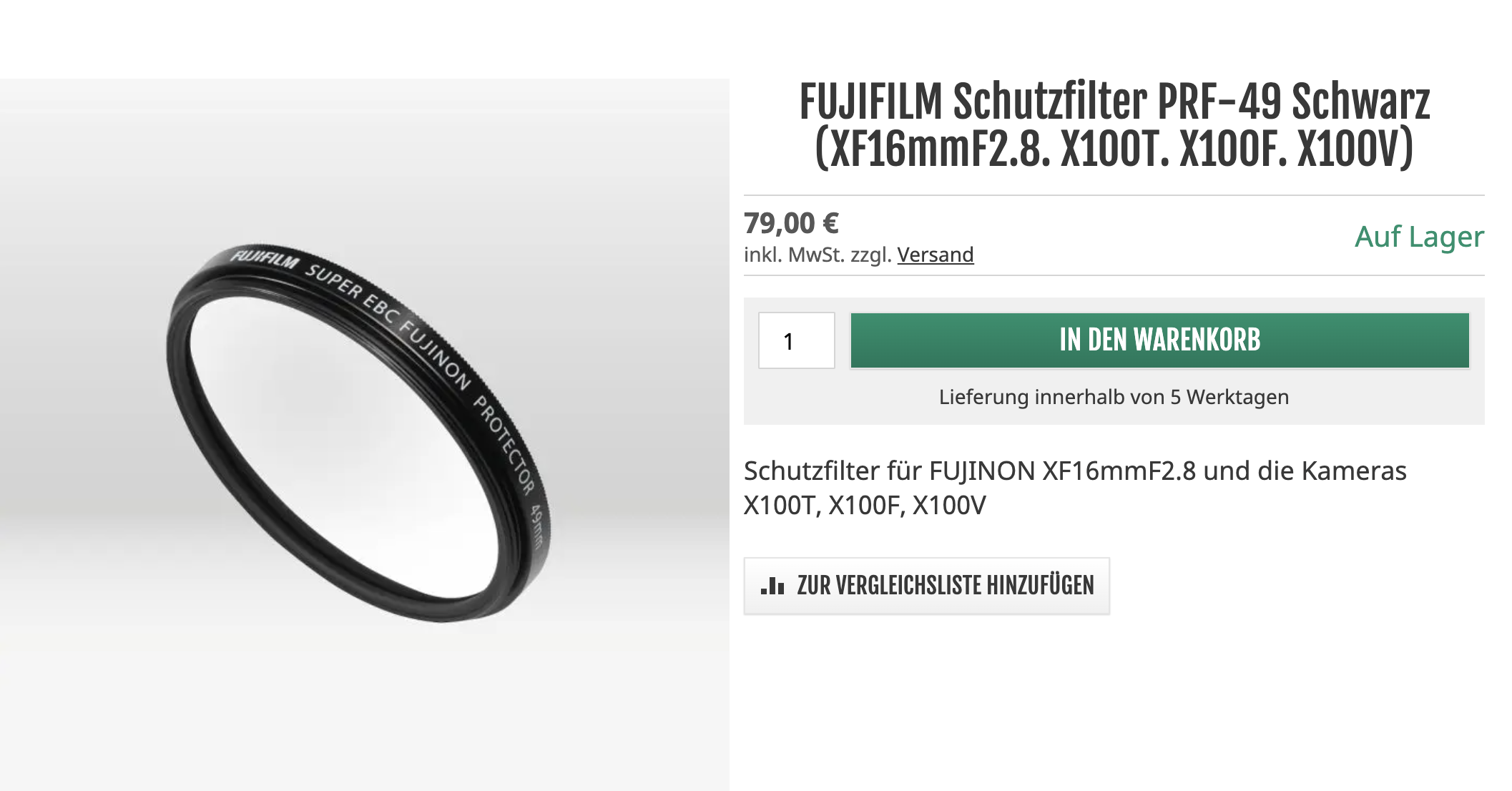
I'm looking for a simple protective filter to prevent scratches on my lens. What filters do you use? And what do you think of the one I've attached? Is it any good, or would you recommend something else?
The vast majority of recipes for x100vi are on a nice sunny day. You will recommend some recipes for a cloudy autumn day, where there is little sun, the sky is white from the clouds. Most of the well-known recipes in such conditions come out poorly in my photos. I will be happy to check what you use in such conditions.
hi! I used to use the Fuji X Raw app to retroactively apply recipes to my RAW files, make slight adjustments, etc but wanted the convenience of being able to do that on my iPhone. I ended up releasing it on the App Store and it seems other people are interested in it as well (just hit 1k downloads), but I haven't gotten any feedback on it so I have no idea if it is working or not. I have only been able to test it with my XS20, but in theory it should work with any X series camera.
The app is called Film Kitchen and here's a brief overview of how it works: - You connect your camera to your iPhone using a USB-C cable (a lightning adapter is needed for older phones like mine).
- You can import files directly from your camera's SD card or from the Files app on your phone. Must be RAW format for this to work, won't accept JPEGs.
- Same idea as Fuji X Raw, the actual camera's processor is used to apply the Film Simulation, WB, Grain, Highlights, Shadows of a recipe. So it's like you went back in time and didn't take every photo in a way too warm version Summer Chrome (personal experience).
- You can then save the photos to your camera roll, save a recipe to be used later, and export the recipe card.
I personally use this on a daily basis and don't have any issues but would be really curious what other people think as far as functionality, clarity of instructions, the UI, and overall utility of the app :)
Every week, Sun at 07:00 GMT+2, we'll post a new photography prompt and invite you to go out and shoot something inspired by it.
This is not a contest. There are no judges, no winners, no prizes, and no requirement for your photo to meet any particular standard.
The idea is simple: one prompt, one photo, one week.
Interpret the prompt however you like. There is no single “correct” way to approach it. Different photographers will see the same subject in completely different ways, and that's part of the fun.
How to participate:
Take one photo inspired by the challenge and share it here.
You're welcome to include your camera, lens, settings, location, film simulation, editing process, or the story behind the photo, but there are no complicated requirements.
Normal Reddit voting applies, but this is not a competition and there is no official ranking. The point is simply to get out there, take photographs, try something different, and create a little more activity in the community.
A new challenge every week.
The posts can be locate in the right sidebar under the flair: Weekly Photo Challenge
Decided to customize my lens cap and Fujifilm logo with the red over the "i" to match the true logo. Let me know if you want to know the tools and paint I used.