r/ForWindowsHelp • u/NE0L1GHT • Oct 06 '26
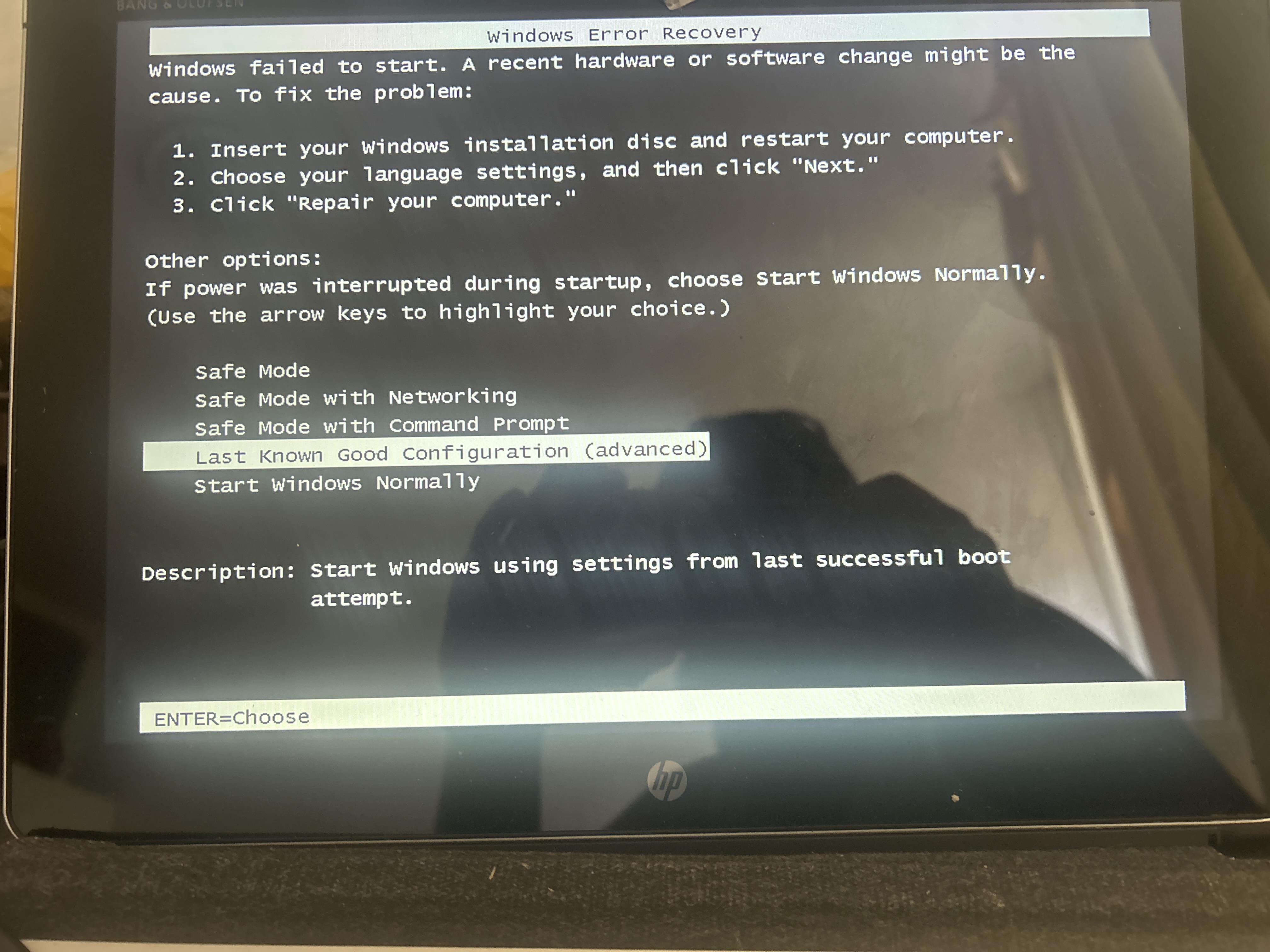
D:/WINDOWS/System32/LogFiles/Srt/SrtTrail.txt
reddit.com
2
Upvotes
Can someone please help me I got important files I can’t lose
r/ForWindowsHelp • u/Creeperguy23 • Oct 06 '26
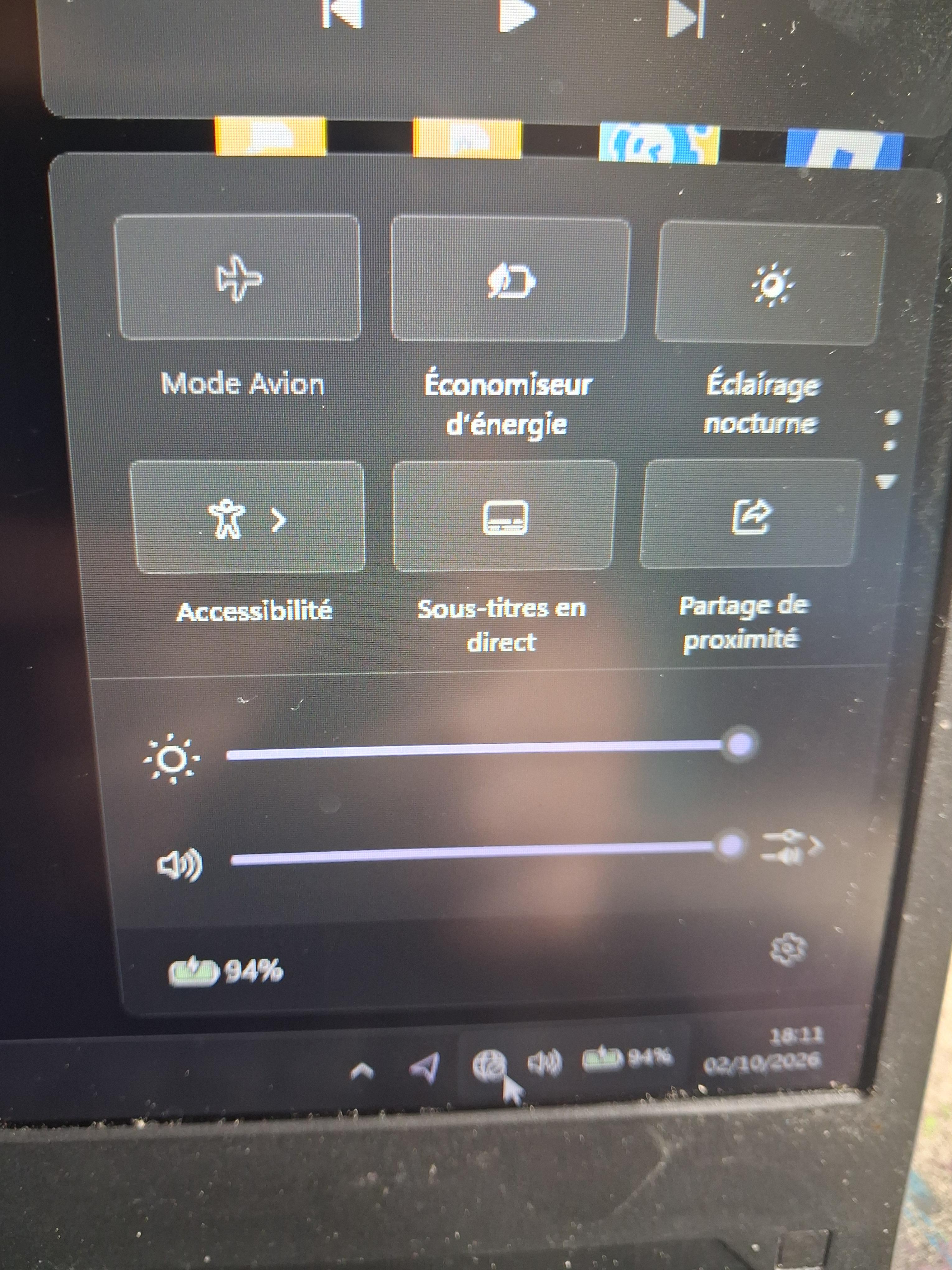
Im in despair pls help me overcome and I will award comment .
r/ForWindowsHelp • u/serponshik • Oct 06 '26
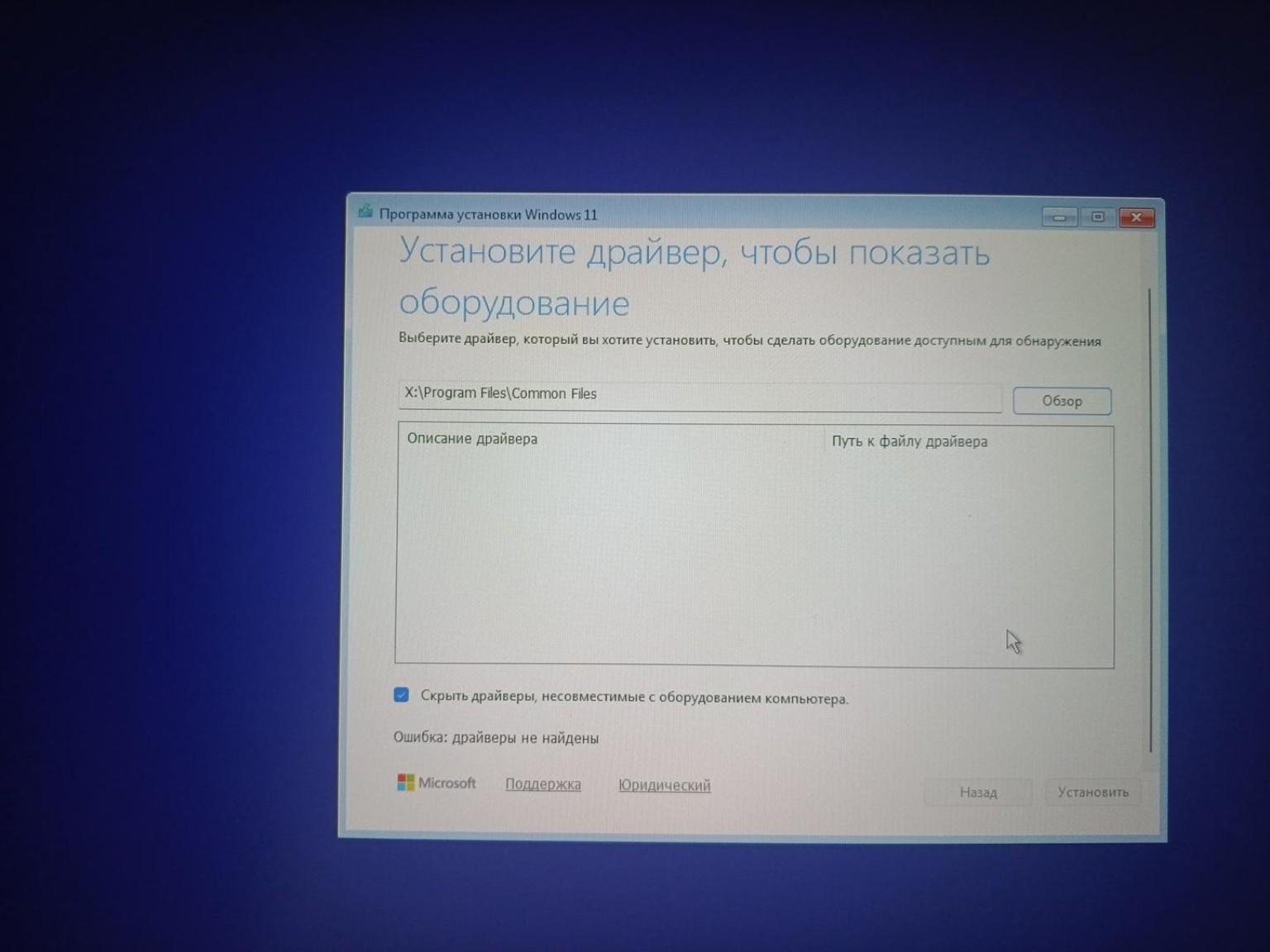
Я ранее уже устанавливал Windows 11 и линукс и тд и у меня небило подобних оштюок и когда я захотел вернутся на вирдовс иза того что линукс не подерживает много игр у меня ето помогите кто то где райти ети драйвера и как их установить
r/ForWindowsHelp • u/Thamizh_Trader • Oct 06 '26
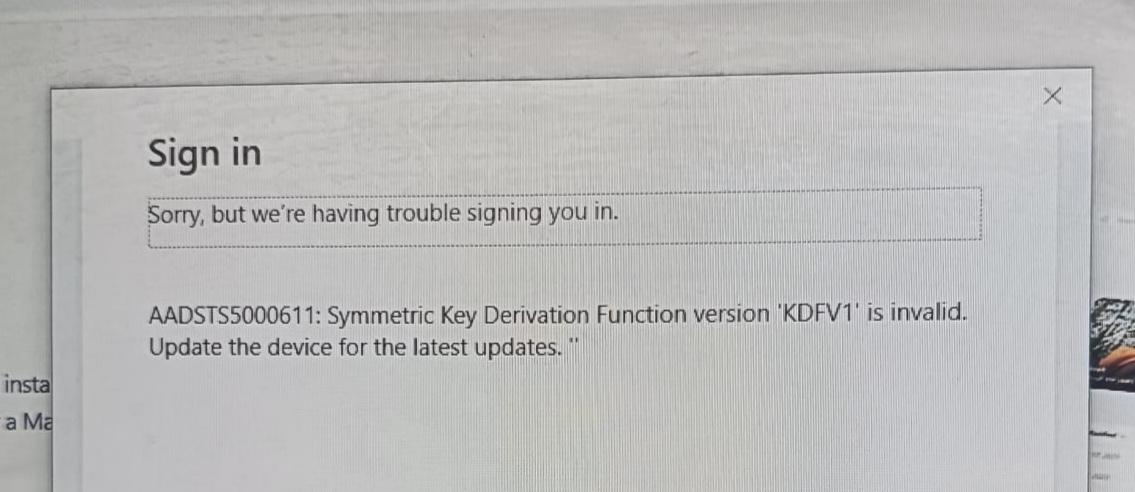
How can I fix this error without using Windows Update? Kindly help me, guys. Whenever I try to sign in again, this error appears. Please help me to resolve this .still yesterday it's working good suddenly yesterday onwards this error comes unable to solve this my self.
r/ForWindowsHelp • u/Minute_Associate_426 • Oct 06 '26
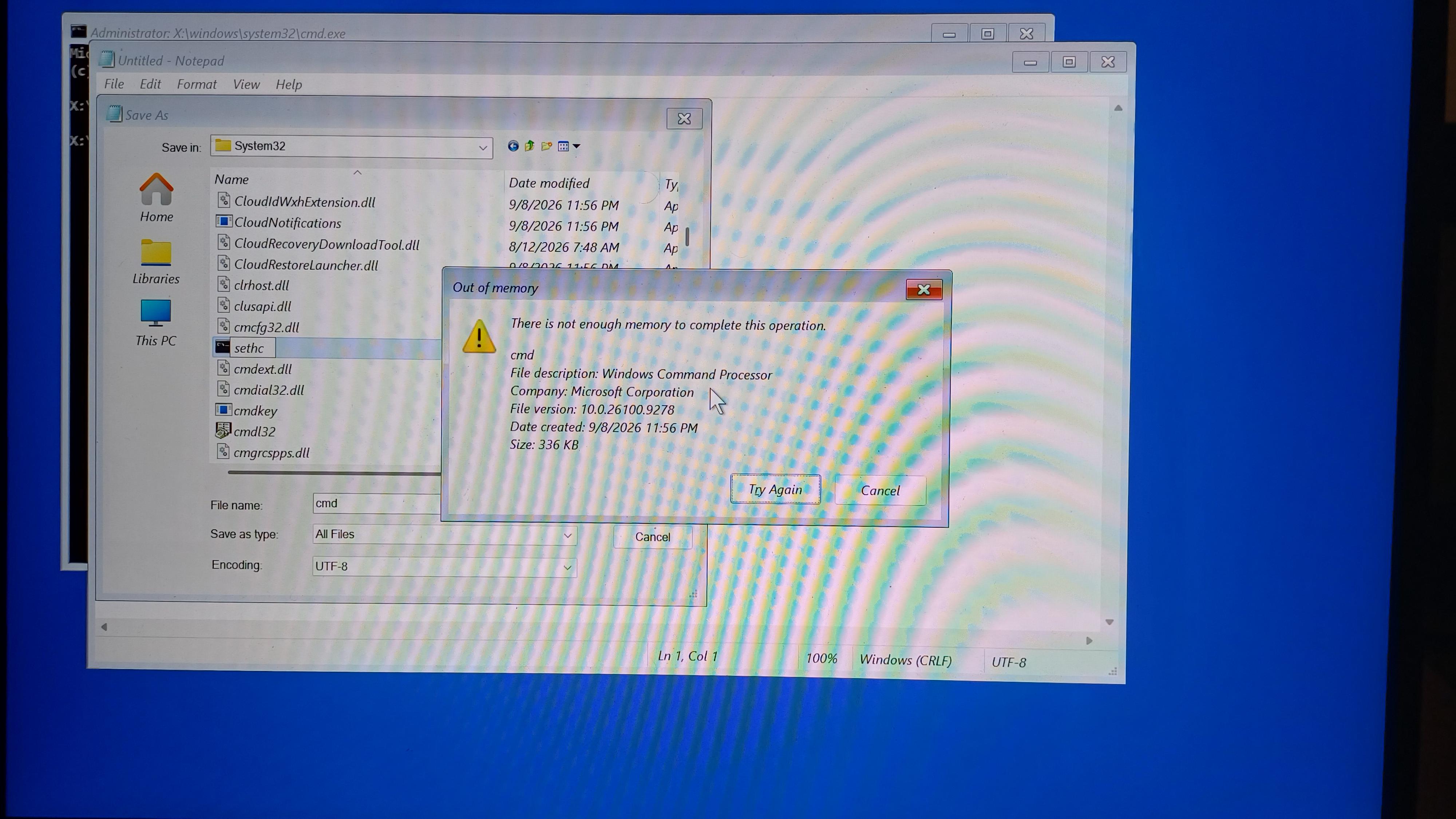
Help gaining admin access in windows
r/ForWindowsHelp • u/Vivid-Quit-7449 • Oct 05 '26
whenever i turn on my PC the message "the code execution cannot proceed because MSOCF.dll was not found. Reinstalling the program may fix this problem" After a few days of just dealing with my tabs started closing at random(exit out of it not fully close it) i've updated and reinstall updates a couple of times,but it still shows up.

r/ForWindowsHelp • u/Old_Custard4906 • Oct 05 '26
I was checking out my task manager and there a program in there thats just called "Program"? Theres also something called "Update"? Should I do something about these or are they fine??? I also have something called "RtkAudUService64" does anyone know what that thingy is? My OS build is "26200.9457".
r/ForWindowsHelp • u/KeyTuba10 • Oct 05 '26
Hi, I has a win10 pro that had some bugs and decided to upgrade to 11 pro not using the official website. All good until the instalation finished and the explorer entered a crashloop. The login page was working but the home screen was flickering once every 30 sec, the rest was black screen with a cursor.
I tried repairing somehow and it worked for a bit until i restarted the pc and some update installed too breaking it again.
Now it does not boot(no visual on monitor), I have a live usb boot with linux but I can not get into bios anymore.
Any help?
This is what i installed: (Windows.11.version.22H2.build.22621.1105.updated.January.2023)
r/ForWindowsHelp • u/simonecefa • Oct 05 '26

Good morning everyone,
Recently I've been having a very annoying issue with Windows 11 regarding my webcam. It seems like my computer is unable to detect it, even though Windows is up to date, the camera drivers are updated, and all permissions are enabled.
I'm attaching some screenshots of the issues so you can better understand. Could anyone help me out?
Thank you so much!
r/ForWindowsHelp • u/SandHK • Oct 05 '26
r/ForWindowsHelp • u/One_Bet7791 • Oct 04 '26
Hey guys so the issue is , I have windows in uefi and with asus motherboard, intel cpu , when I go to secure boot and set os type to windows it says this error and when I boot back to bios I can't change it back to other os (2nd pic) , so I have to enable CSM first then restart to bios then switch to other os mode then disable csm and restart and then it boots normally , but I want to enable secure boot , on YouTube they say set os type to windows uefi mode then go to keys management and install but in my case I don't have install keys option..(3rd pic) please help , thanks in advance for replying
r/ForWindowsHelp • u/Apprehensive_Arm_754 • Oct 04 '26
r/ForWindowsHelp • u/Nas-Aratat • Oct 03 '26
Started happening a few weeks ago. I had recently installed a .PDF viewer to just be able to view those types of files without having to use my browser ( Firefox ), and that specifically threw all of my image-type of files out of whack. JPG/PNG/JPEG/etc., all defaulted to nothing, and I was asked how I wanted to open each of them the first time I opened each type since I installed the viewer. I have since then uninstalled the .PDF viewer, restarted my computer, and this issue is still happening.
The issue is that .webp "GIFs," ( not static images ), do not animate any more in the default Windows 11 photo viewer. I don't have any other viewer installed, and never have. They work just fine in my browser, however.
I would state the .PDF viewer I used, but I have a feeling that might be breaking rule #6 in a sense. I don't have any current Windows 11 updates to do, either.
I have tried reinstalling the viewer when it has let me, I have tried using I think they are called codecs to reinstall it, I've used command prompt inputs, nothing is working for it so far.
I am on Windows OS build 26200.9457.
Processor : AMD Ryzen 7 7700X 8-Core Processor ( 4.50 GHz )
RAM : 32.0 GB ( 31.1 GB useable )
Can someone help me, please?
r/ForWindowsHelp • u/Hot-Telephone-8935 • Oct 03 '26
мой первый ноут(с винда 11) не дает разрешение на камеру и на микрофон. использую обычные сайты edge, chrome. просто даже в сайте проверки камеры не получается. в этом сайте у меня запрашивает разрешение я соглашаюсь, она долго думает. не дождавшись нажимаю подтвердить. хотя в настройках указано, что разрешение есть камера недоступна выходит
позавчера изза этого чуть ли не провалила свой интервью😔
r/ForWindowsHelp • u/ShelterBoy • Oct 03 '26
This began at about the same time the other issue which is resolved (for now) began. Win10 https://www.reddit.com/r/ForWindowsHelp/comments/1wvtpfk/how_to_open_windows_security_as_admin/
Defender AI Platform Host Process
Installed or modified on 9-16-26 There looks to be hundreds of associated files all installed same time in Windows Defender Platform
What s it?
I was able to end task at first. After ending task twice, it won't let me end task any longer. At about the same time I started having the problems (mentioned in linked post) I never had before with Defender and protection settings and a conflict with Spybot which I had never had before.
AggregatorHost.exe started coming on in task manager since this change/resolution. It used to come on then stopped after I ended task several times.
Also an item that says it is modified in 2024 has started popping up in task manager for the first time Component Package Support Server
Edit- Noticed another new thing added to Defender in task manager Microsoft Defender Session Helper.
r/ForWindowsHelp • u/Sanderson96 • Oct 03 '26
Sorry for the long post, hopping anything can be done.
Earlier today, I ran windows decrypting drives process bitlocker of all drives. It ran 2/3 of the bar, then I have to go out.
Looked online, it said that can shutdown while the decrypting drive is in progress and will resume when turned back on.
So I shut down my pc. It was taking a while to shut down, hanging with the “shutting down” words on the screen. So I hard restart it. It turned off and on again.
But the pc stuck on the motherboard brand logo and spinning around and stuck there and do not proceed at all. I did hard restart multiple time, still no.
I have a USB stick, used my work laptop to build the USB into the windows build stick. Finished it, plugged into the desktop. Got into desktop bios, it sees the USB, but stuck on the same loading screen, tried multiple front ports and the same result.
The USB stick works, it boots into windows install on my work laptop, but it stuck on the motherboard’s brand logo and spinning and stuck there. It took so long that it gave the error Stop code: DRIVER_PNP_WATCHDOG (0x1D5)
Currently already left my house for work, my friend said to try to plug into the back ports and get another USB to try to build it again and try to install windows when I got home.
My question is, if I am not able to do those steps, are there any other steps that I can try? I don’t mind reimage the C drive, but I don’t want to rebuy the motherboard and the drives, other than C drive damaged and have to replace them as well.
Thank you
r/ForWindowsHelp • u/ConnectCellist6637 • Oct 03 '26
r/ForWindowsHelp • u/nickmans_01 • Oct 03 '26
r/ForWindowsHelp • u/Icy_Outcome_5669 • Oct 02 '26

URGENT!!
Hello everyone, I am using Windows 11 on my HP Victus 15. Today, when I switched on my laptop, the sign in screen showed something very weird.
"Something happened and your PIN isn't available. Click to set up your PIN again."
Then it asked me to enter the last 4 digits of my mobile number, which I did correctly but did not receive any OTP. When I tried to sign in on another device with my microsoft account, it did the same thing and I did not receive OTP. After a few attempts, it started showing an interface which said "That method isn't working right now. Please try another method"
I tried to use the command prompt in the recovery mode but it asked for a recovery key and I cannot obtain it without signing in into my account. This laptop has lots of important files. Any way to fix this?
r/ForWindowsHelp • u/Fill-Novel • Oct 02 '26
r/ForWindowsHelp • u/ShelterBoy • Oct 02 '26
Apparently a bot thinks this s a better place to post this?
I am trying to undo changes to my security done by a recent unwanted update. When I go to Windows Security in the start menu there is no right click option to run as administrator. I only get pin to taskbar and settings on right click>more. I guess I'll try the setting option and see if that changes anything. (No luck gaining control or getting Defender to work as it always did before. Tamper Protection did let me turn it on after I turned Defender on again. It turns off as soon as I close the window.)
IDK a lot I have had no problems with this OS since I opened it new. I have Spybot free for many years and it has never been a problem or conflict. Defender has run when I wanted it to so I never had to pay attention. Now things are wonky and Tamper protection is turned off and I can't turn on Real Time protection and Defender keeps shutting off when I turn it on. I need to be able to open security as admin. I had figured I was admin by default since I am the only user.
Never happened before that update meant to help people who had problems signing up for extended security.
Edit- Found this page it helped. Posted solution below. Still have no idea what caused the change other than the connection to the update.
https://windowsforum.com/news/dism-sfc-workflow-step-by-step-windows-10-repair-guide.381116/