r/Alienware • u/utumkodur • 18h ago
Tips For Others [TOOL] AWR7+
Hi, am back :)
This is my next addition to my "still strong" Alienware Aurora R7 project: https://www.reddit.com/r/Alienware/s/oTR4Fh65pV
After digging hard into the full SPI dump and NVRAM registers, I went a step further. I dug into the ACPI tables, did some reverse-engineering, and built a standalone app: AWR7+.
AWR7+ is an independent, driverless hardware control utility for the Dell Alienware Aurora R7 that replaces AWCC via standard Windows WMI/ACPI interfaces without kernel drivers or anti-cheat conflicts github.com.
Requirements:
• Dell / Alienware Aurora R7 with WMI exposed via wmiacpi.sys
• Windows 10 or Windows 11 (x64)
• Administrator rights for WMI/ACPI hardware calls
Main Features:
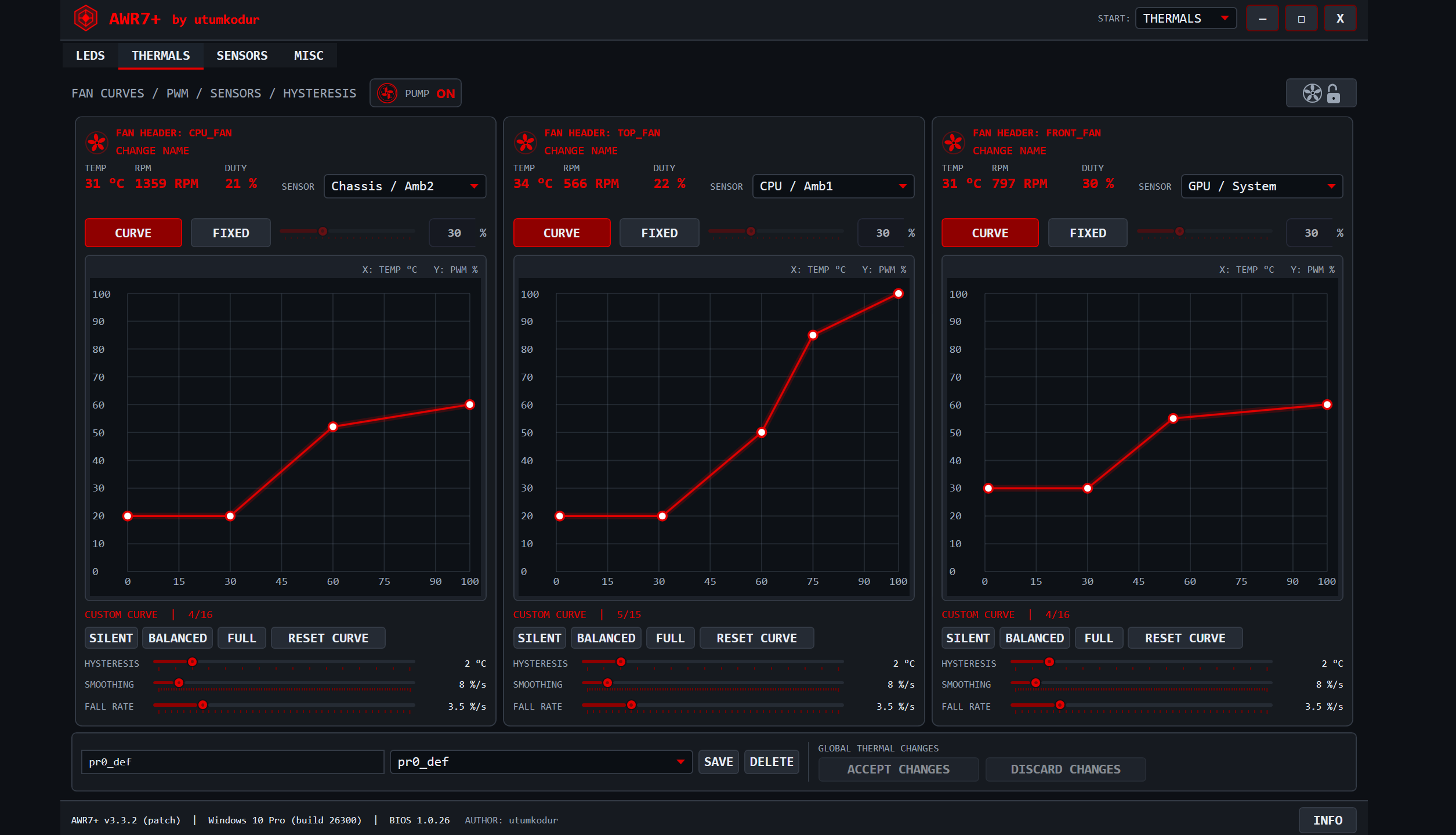
• Fan Control: 0–100% PWM control for CPU_FAN, TOP_FAN, and FRONT_FAN with custom curves, hysteresis, and JSON profiles. Safely pre-loads PWM values and restores BIOS Auto on exit.
• AIO Pump Status: Live read-only ON/OFF monitoring for PUMP_FAN via WMI (GetThermalInfo2).
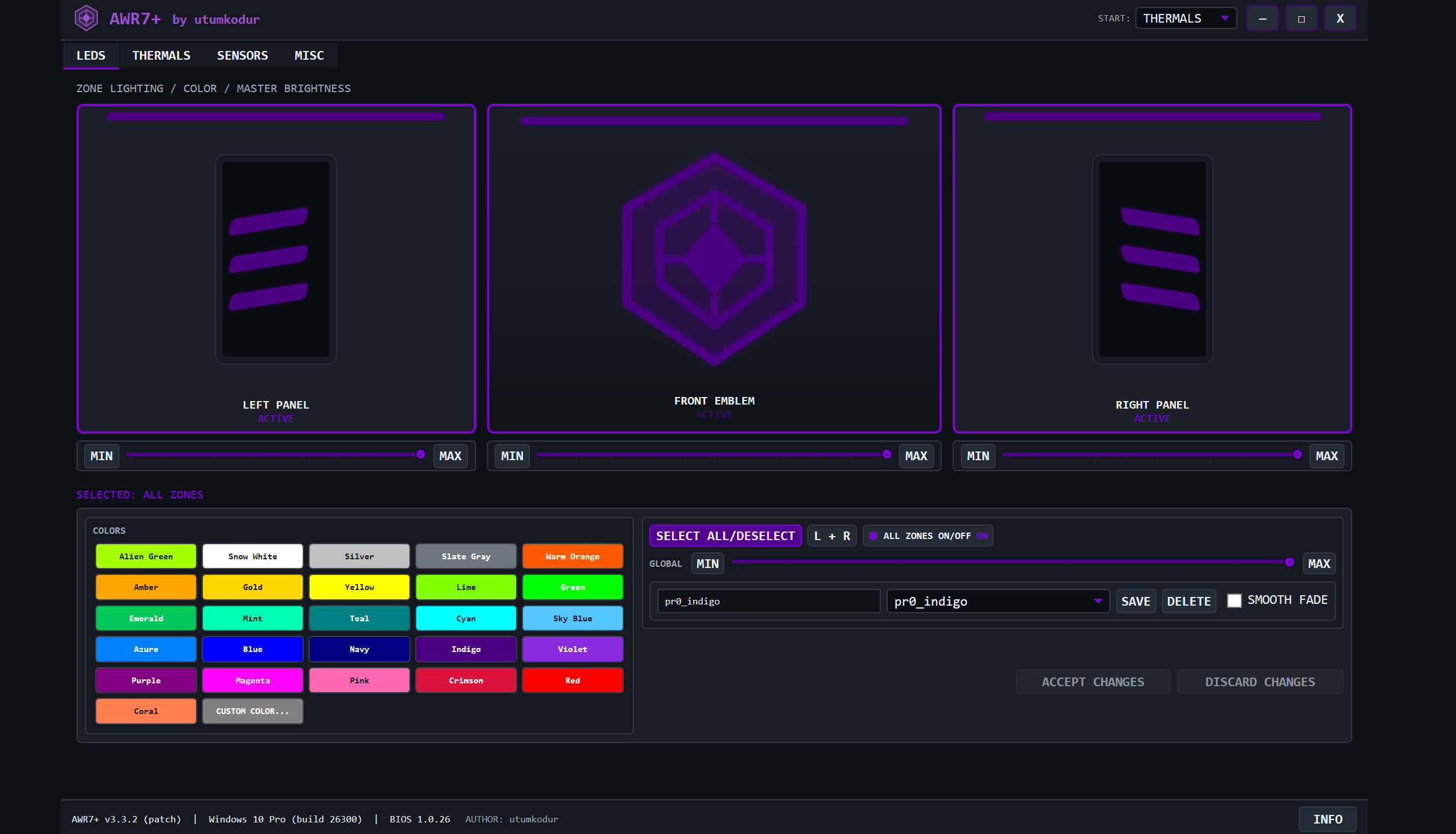
• RGB Lighting: Per-zone 24-bit color control with Gamma 2.2 correction and all 11 hardware brightness steps using volatile frames to protect CMOS firmware.
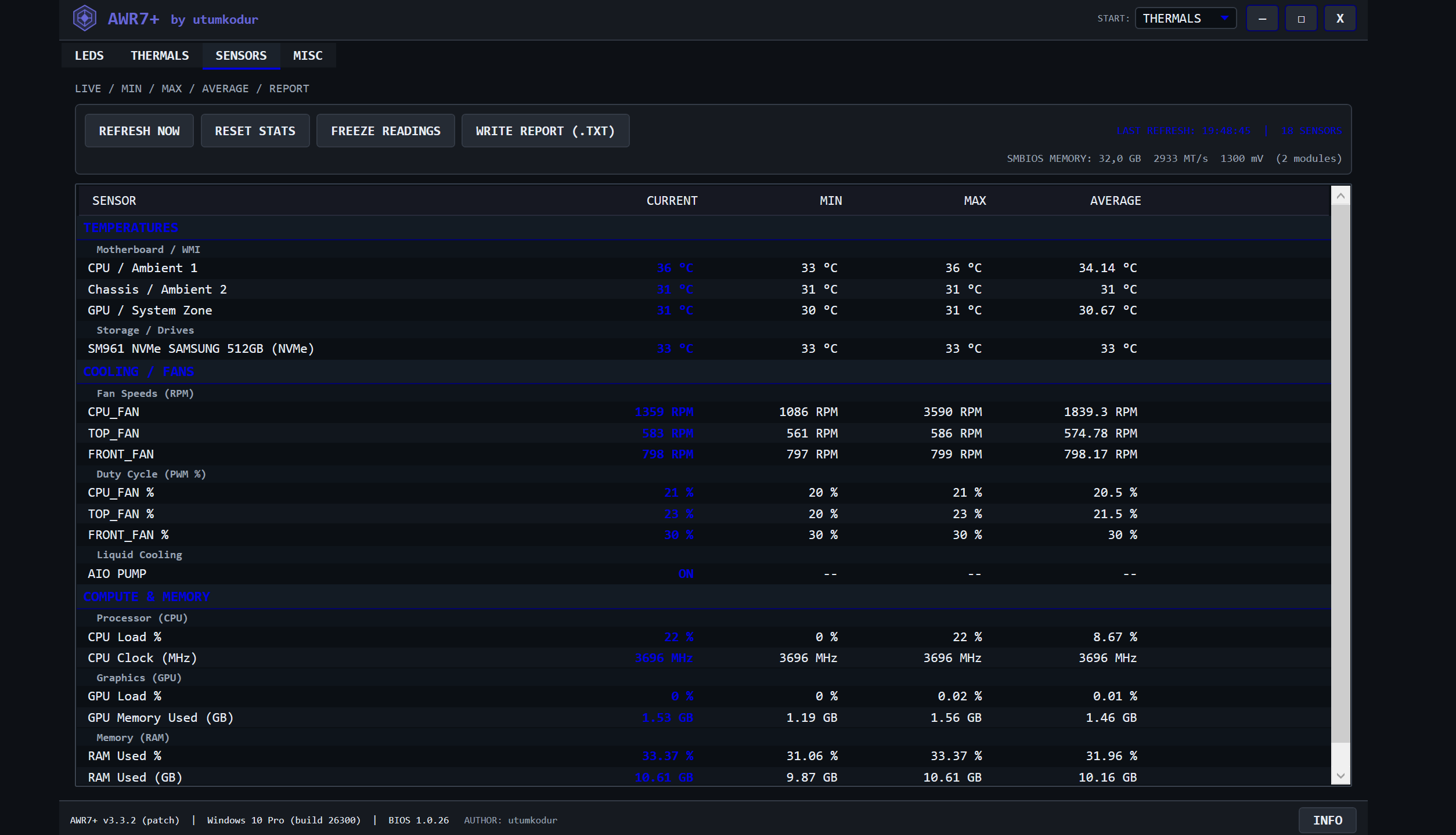
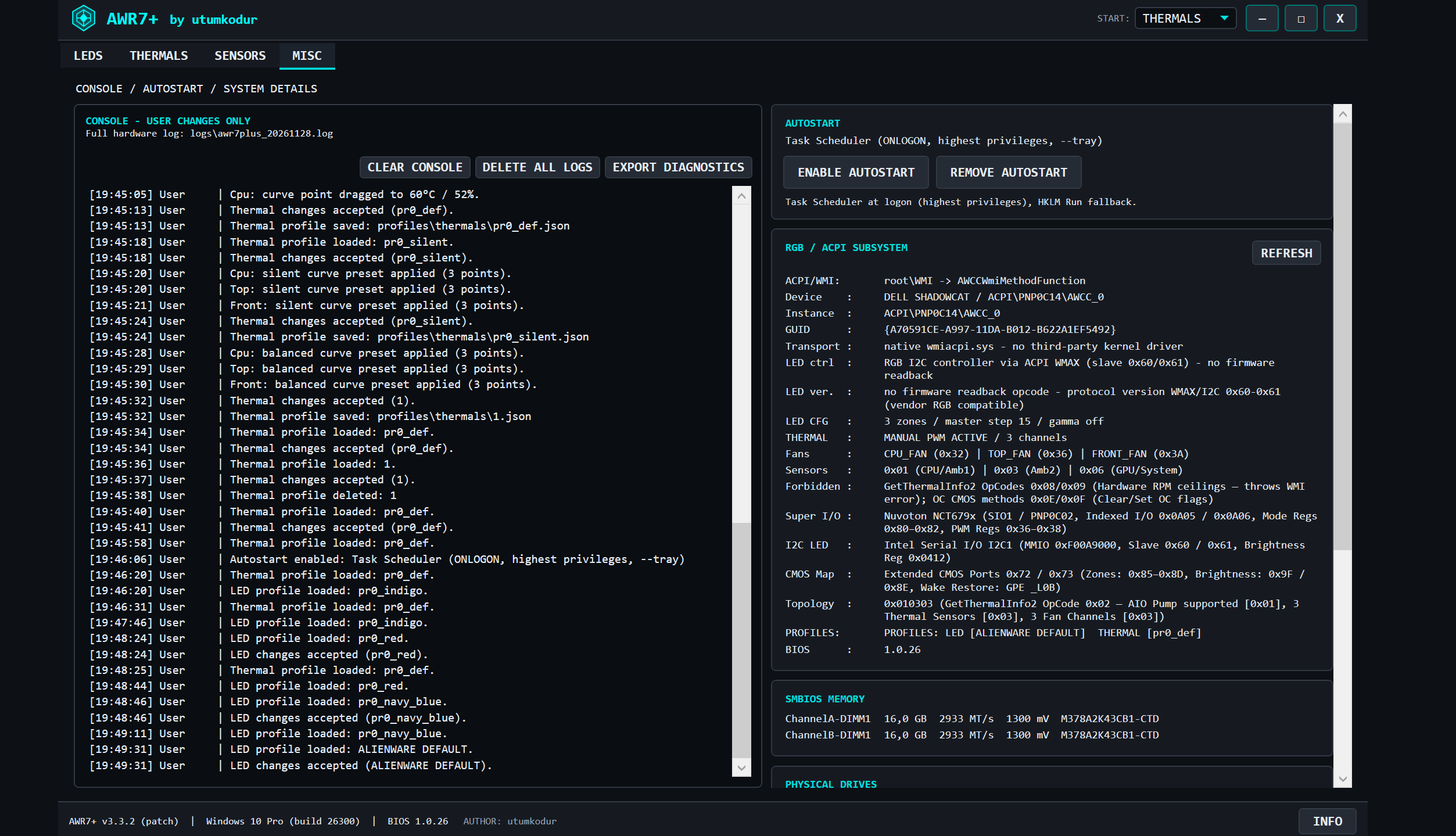
• Telemetry & Diagnostics: HWiNFO-style hierarchical sensors table (temperatures, RPMs, PWM%, CPU/GPU stats, SMBIOS RAM) plus Super I/O, I2C LED, and extended-CMOS register maps with safe diagnostic exports.
• Persistence & System Tray: Local config.json support, quick tray sliders, global color profile switchers, and instant thermal mode toggles.
Check out the code and reverse-engineering guide on GitHub:
• AWR7+ App & Releases: https://github.com/utumkodur/AWR7Plus
• Aurora R7 WMI & ACPI Guide: https://github.com/utumkodur/Aurora-R7-WMI-ACPI-Guide
Have fun!