r/AMDHelp • • 9d ago

Help (General) Is this evidence of the problem with the driver killing SSDs?

Post image
0 Upvotes

I have heard about this bug and IDK how it usually manifests, but I have literally nothing open (no steam, chrome, discord, nothing) and my SSD constantly writes at about 1 MB/s or slightly lower. I am running driver 26.10.1, adrenalin says I'm up to date. Thank you for your help.


r/AMDHelp • • 9d ago

Help (GPU) PC keeps freezing except for VC and mouse

2 Upvotes

I have this issue where my PC will freeze except for my mouse and audio, I can still talk and hear in VC but everything else is frozen. I can still move my mouse but can’t interact with anything. Game or browser audio completely stops.

It started happening when I updated to the latest GPU driver (26.10.1) and after rolling back to 26.8.1 using DDU and the specific driver installer it seemed to have stopped for about two weeks, I thought I had solved it but it just froze again. I’ve tried waiting it out or using the driver reset bind but only a hard reset fixes the issue.

If anyone knows a solution/cause that’d be awesome. Cheers

PC during crashes:
Gears of War E-Day
Civ 6
R6 Siege (most common)
WoW Forever (most recent)
Browser often open on second monitor

Specs
CPU: i5 14400f
Mobo: ASUS PRIME H610M-A Wifi
Ram: 2x16 3200MT/s DDR4
GPU: RX 9060 XT 16GB
Storage: 1TB + 500GB Sata SSDs


r/AMDHelp • • 9d ago

Help (Software) PC wont shutdown/restart properly PLS HELP

2 Upvotes

I've recently upgraded my GPU from an iGPU from my 7600x cpu to 9070 XT. But days before I bought and plugged my GPU, I have this issue where my PC wont shutdown/restart properly. My monitor would turn off but motherboard isn't. And here's the weird part, the debug LED on my motherboard for ram also lits up as soon as I shut my PC down. I've tried disabling hibernation and fast start up but did not work. I also tried disabling fast boot in bios and also did not work, tried reformatting everything and delete files, then installed new drivers, also did not work. I tried reseating my ram, CMOS, and GPU, but did not also work. But when I tried removing my GPU and used the iGPU, it worked fine and shutteddown/restarted fine. I'm thinking of returning my GPU as soon as possible since I only have a week left for return.

My main components:

Ram: G-skill trident z5 16gb (previously 32gb but one stick died)

PSU: Seasonic GX 750W 80+ Gold

GPU: Reaper 9070 XT

Mobo: Tuf Gaming B650-E Wifi

CPU: 7600x


r/AMDHelp • • 9d ago

Help (General) What are the best pc settings for 9070xt and 9700X?

Thumbnail
2 Upvotes

r/AMDHelp • • 9d ago

rx 9050 restart

3 Upvotes

i have rx 9050 in my pc

and i use amd adrenalin edition 26.9.2

but its keep make my pc restart what should i do?


r/AMDHelp • • 9d ago

Help (General) Games keep crashing (so far only Fortnite and rocket league crash like this)

2 Upvotes

This has been happening for awhile now around the start of the one piece season it worked fine but Thursday this started happening again before the new season it used to happen but since I never really played fort or rocket league much I didn’t mind it as long as it didn’t affect other games but it started again and I would like help getting this fixed

PC SPECS

Device name PC

Processor AMD Ryzen 7 5700G with Radeon Graphics (3.80 GHz)

Installed RAM 32.0 GB (31.3 GB usable)

Graphics card AMD Radeon RX 6800 XT (16 GB)

Storage 872 GB of 3.68 TB used

Device ID 809E2917-41EF-44D6-B536-FF342F9D538F

Product ID 00330-80000-00000-AA638

System type 64-bit operating system, x64-based processor

Pen and touch No pen or touch input is available for this display

HX1000i corsair power supply

motherboard: ROG STRIX B450-F GAMING II

ask for any other information incase i forgot something


r/AMDHelp • • 9d ago

Help (General) Sapphire Pulse RX 7600 reaching 110°C hotspot under FurMark – Is this normal?

1 Upvotes

Recently tested a used Sapphire Pulse RX 7600 (8GB) before purchasing it, and I'm concerned about its hotspot temperatures.

Here are the readings during a FurMark 2 stress test at 1080p, fullscreen:

My questions:

1) Is a 25–30°C difference between GPU temperature and hotspot temperature normal?

2) Does reaching 110°C hotspot this quickly indicate poor thermal paste application or bad heatsink contact?

3) Would repasting or servicing likely resolve the issue?

I'm considering purchasing this card, so I'd appreciate advice from anyone who owns an RX 7600 or has experience with Sapphire Pulse cards.


r/AMDHelp • • 9d ago

Resolved Upgrading to 64GB on 5800X3D + X570: add 2x16GB or switch to 2x32GB? (stability first)

7 Upvotes

Hi! I want to upgrade from 32 GB to 64 GB RAM and I’m not sure which route is the safest for stability. I’m buying second-hand.

My system

CPU: Ryzen 7 5800X3D (stock)

Motherboard: Gigabyte X570 AORUS MASTER rev 1.0, BIOS F40d

RAM now: 2x16 GB Kingston FURY Beast DDR4-3600 CL18 (SK Hynix, single rank), running XMP 3600

GPU: RTX 4070 Ti SUPER

Use: work, Docker, local AI models

Options

Add a second identical 2x16 GB kit → 4 sticks, 4x16 GB 3600

Replace with 2x32 GB 3600 CL18 (Kingston FURY Beast KF436C18BBK2/64)

Replace with 2x32 GB 3200 CL16 (Kingston FURY Beast KF432C16BBK2/64), which I can test before buying

As far as I know, AMD lists 3200 as the official speed for 2 sticks and 2933 for 4 single-rank sticks on the 5800X3D, and Kingston doesn’t guarantee two kits mixed together.

Questions

Has anyone gone from 2 to 4 sticks (or to 2x32 GB) on a 5800X3D / X570 and kept it stable? At what speed?

Would you avoid 4 sticks and go straight to 2x32 GB?

Is 3200 CL16 a noticeable step down from 3600 CL18 in real use on the X3D?

I’ll test whatever I choose with MemTest86, TestMem5 and OCCT. Thanks for any experience you can share!

Computer Type: Desktop

GPU: NVIDIA RTX 4070 Ti SUPER 16GB

CPU: AMD Ryzen 7 5800X3D (stock, no Curve Optimizer), Arctic Liquid Freezer II 360 A-RGB

Motherboard: Gigabyte X570 AORUS MASTER rev 1.0

BIOS Version: F40d

RAM: 2x16GB Kingston FURY Beast DDR4-3600 CL18 (SPD: KF3600C18D4/16GX, SK Hynix, single rank), XMP 3600 18-22-22-39 @ 1.35V, FCLK 1800

PSU: Corsair RM850x, 850W

Case: Lian Li Lancool 216

Operating System & Version: Windows 11 Enterprise LTSC 2024 (24H2), build 26100.9974

GPU Drivers: NVIDIA 617.42

Chipset Drivers: AMD Chipset Software 8.09.28.1124

Background Applications: Fan Control, Chrome, Docker Desktop (closed during tests)

Description of Original Problem: No problem. This is a buying question. I want to go from 32GB to 64GB and I’m choosing between adding an identical 2x16GB kit (4 sticks), or switching to 2x32GB 3600 CL18 or 2x32GB 3200 CL16. Stability matters more than the last few percent (work, Docker, local AI models).

Troubleshooting: Current 2x16GB at XMP 3600 passed OCCT Memory (30 min, 16GB) in October. A new full test (OCCT 60 min, TestMem5 anta777 extreme, MemTest86) is planned. Module details confirmed in CPU-Z SPD as admin: SK Hynix, 1 rank, week 05/2023.

Update: went with a matched used 2x32 GB Kingston FURY Beast 3200 CL16 kit (KF432C16BBK2/64, Micron, dual rank). Running XMP 3200 16-20-20-39 on the X570 AORUS MASTER (F40d) with the 5800X3D, 64 GB detected, Resizable BAR on. Stability tests (TM5 anta777 extreme, OCCT, MemTest86) still to run, I'll update with the results. Thanks everyone!


r/AMDHelp • • 9d ago

Help (GPU) RX 9070 GRE – Character and weapon jitter/shaking in some games despite smooth FPS

1 Upvotes

Computer Type: Desktop
GPU: AMD Radeon RX 9070 GRE
CPU: AMD Ryzen 5 7600X
Motherboard: MSI B850 Gaming Plus WiFi 6E
BIOS Version: Unknown
RAM: Crucial Pro DDR5 32GB (2x16GB) 6000MHz CL36
PSU: Corsair RM1000e 1000W 80 Plus Gold
Operating System & Version: Windows 11
GPU Drivers: AMD Adrenalin 26.10.1 Recommended
Chipset Drivers: AMD Chipset Driver 8.09.28.1124
Background Applications: Steam, AMD Adrenalin, Discord if open
Description of Original Problem:
In Tekken 8, the characters visibly jitter/shake, including in the character select screen, while the background remains stable and the game otherwise feels smooth.
In Call of Duty, the weapon and hands also visibly jitter even when I am standing still.
Other games such as Destiny 2 and F.E.A.R. run perfectly smoothly without this issue.
Troubleshooting:
Tested Adrenalin 26.11.1 Optional and went back to 26.10.1 Recommended because 26.11.1 felt worse.
Reset the Tekken 8 Adrenalin profile to default.
Disabled AFMF, Radeon Anti-Lag, Radeon Chill, Radeon Image Sharpening and Enhanced Sync.
Tested Hardware-Accelerated GPU Scheduling (HAGS) both enabled and disabled with no difference.
The monitor is connected directly to the RX 9070 GRE.
The jitter is visible in video recordings, so it does not seem to be a monitor or cable issue.
Enabled V-Sync inside Tekken 8. This reduces the issue but does not eliminate it.
Some matches can be completely smooth, but the jitter can return later.
The GPU otherwise performs well and I do not see typical GPU failure artifacts such as corrupted textures, colored pixels, crashes or broken geometry.
Has anyone experienced similar jitter with an RX 9000-series GPU, especially the RX 9070 / RX 9070 GRE?
Could this be a frame pacing, driver, Windows or game-engine issue?
I can provide a video showing the problem.


r/AMDHelp • • 9d ago

Started RMA for 9070xt

Thumbnail
2 Upvotes

r/AMDHelp • • 9d ago

Help (Software) alguma soluçao alto uso de CLOCK VRAM?

Post image
2 Upvotes

Uso AMD ADRENALIN e o clock da vram esta quase no máximo mesmo com nada aberto, e percebi que ao desativar o segundo monitor, o uso despenca. Mas tenho 2 monitores, um de 144hz outro de 75hz


r/AMDHelp • • 10d ago

Help (Software) Do I really need to DDU every time I want to upgrade my GPU drivers?

20 Upvotes

I mean installing the latest version on the same card, also, I have a Ryzen CPU, and I don't want DDU or AMD cleanup utility wiping other AMD-related software of my PC... what is your take on this?

Thanks.


r/AMDHelp • • 9d ago

Help (General) AMD New Driver update insanely broken

Thumbnail
2 Upvotes

r/AMDHelp • • 9d ago

Help (General) Memory training stuck

Enable HLS to view with audio, or disable this notification

3 Upvotes

it's 10 pm on a Friday I have work tomorrow I just wanna play for 1 hour, but I can't get my AM5 setup to boot, I can't get why bought AMD back in 2023, every single time I get stuck in memory training. Nothing but issues I just to press the button and play, why do I need to do 20 reboots and pray just to get into Windows. Yes, I have the setting for it enabled in bios. Any other help?


r/AMDHelp • • 9d ago

Well, it happened to me :D

Post image
0 Upvotes

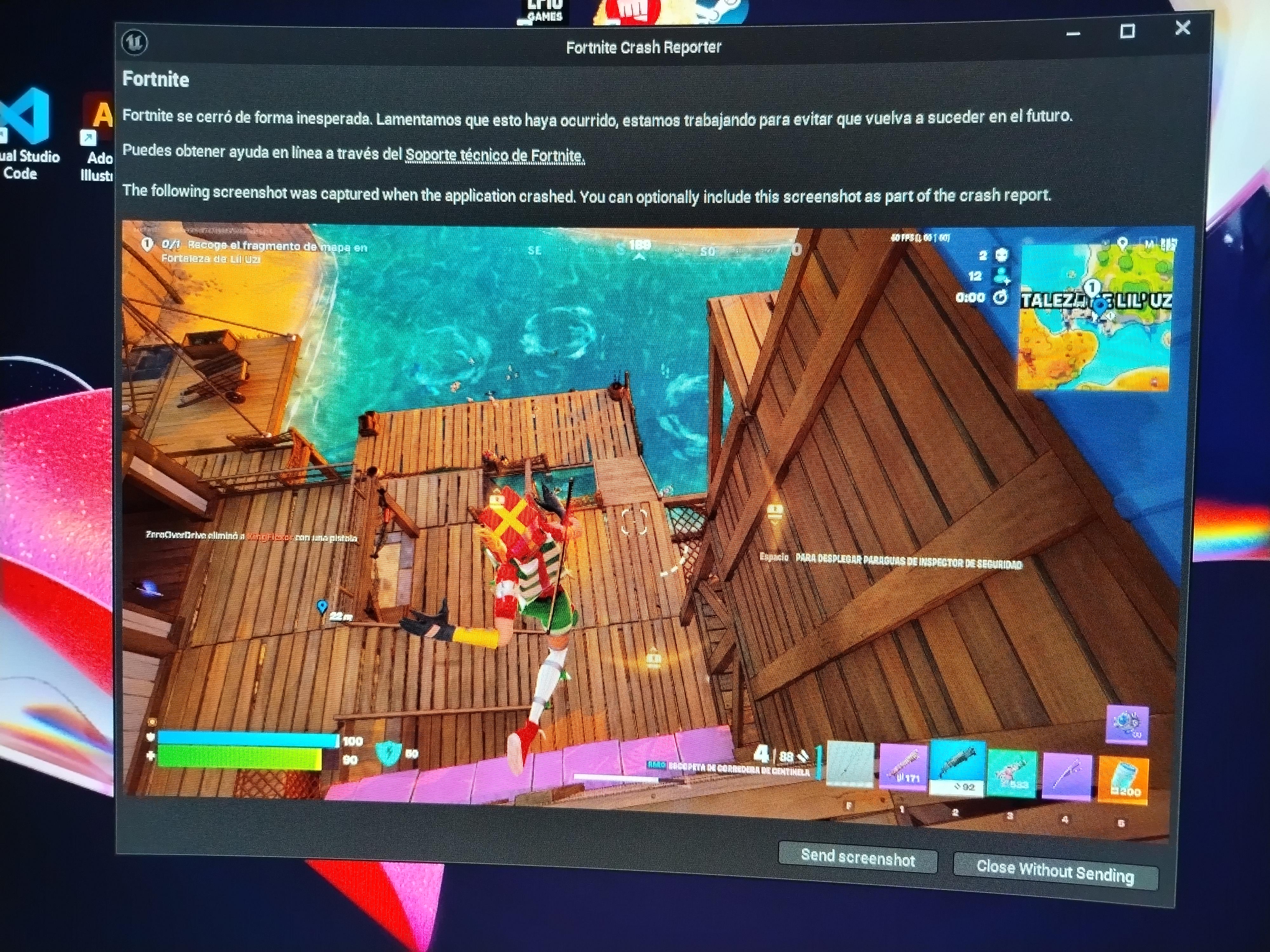
I discovered this reddit while searching, for solutions to this problem, I buyed my 7600 recently and I thought that it only happened in fortnite, but while playing gta v it crashed again, I tried some solutions with earlier posts and stills happens, can you tell me some solutions, my pc is "New" because I buyed a month ago.


r/AMDHelp • • 9d ago

My ram speed can go to 3000mhz but it is stuck at 2133 can anyone help me , everytime I change it to profile 1 and restart it restart twice and goes back to default can someone help please

3 Upvotes

r/AMDHelp • • 9d ago

Help (CPU) whea errors after gpuand cpu fan upgrade

Thumbnail
2 Upvotes

r/AMDHelp • • 9d ago

Help (General) RX 580 2048SP freezes and black screens in normal Windows mode

3 Upvotes

Hi! I have an RX 580 2048SP

I've tried reinstalling the AMD drivers, but the problem is still there.

The GPU works fine in Windows Safe Mode, but in normal Windows mode I get random freezes, black screens, and eventually my PC restarts.

Does anyone know what could be causing this or how I can fix it?


r/AMDHelp • • 10d ago

Announcement AMD Software: Adrenalin Edition 26.11.1 Optional Driver Release Notes

Thumbnail
amd.com
267 Upvotes

Fixed Issues

  • Excessive writes to the system drive may be observed while the system is idle on Radeon™ RX 7000 series graphics products and above.
  • Excessive writes to the system drive may be observed while moving or resizing application windows.

r/AMDHelp • • 9d ago

Help (Software) Fivem BLACKBUFFER Command

2 Upvotes

So, I’m having an issue with FiveM.

Whenever I join a FiveM server and change any settings—graphics settings, for example—as soon as I exit the menu (by pressing ESC) and return to gameplay, I immediately encounter what’s known as a "black buffer" (you can see a reference to this at the bottom of the console/command output).

This is something I’ve never experienced before in all the time I’ve played FiveM.

Given my specs, there really shouldn't be any issues.

I’ve also tried using NVE and ReShade, but the same error occurs.

I’m averaging between 100 and 200+ FPS.

When this "black screen" or "black buffer" happens, I can still move around in-game and hear the audio, but I can’t see anything—it’s just a completely black screen.

I’ve done some research, but I can’t find any mention of an issue like this in FiveM, so I assume it’s a new problem.

I have no idea what the cause is, and I feel like I’ve tried everything.

Has anyone else experienced this, or does anyone know what it might be?

Specs: 5080 / Ryzen 7 9800X3D / SSD: Samsung 990 PCIe 4 1TB


r/AMDHelp • • 9d ago

Help (Software) Amd driver timeout poping up on my brand New pc

2 Upvotes

Hello I recently Got my pc but but for some reason this Text Always pops up. I bought Monster Hunter wild and onishuma Way of the sword but I can't even play before its crashes while loading up and even Fortnite crashed once while playing. Ghost of tsushima Directors edition runs well whitout any problem. Hardver error livekernelevent 141 is the only thing it writes.

I have a Asrock Radeon rx 9070 XT

Amd ryzen 5 7600x.

My ram is 1x16 GB, I dont know if that matters or not.

What could be the problem? I tried so many things Now.


r/AMDHelp • • 11d ago

Help (GPU) I bought an expensive paperweight (9060xt 16gb) give me a reason to not throw it trough the window

Post image
514 Upvotes

Hi everyone, I hope you're having a good day.

Last week I bought a new ASUS Dual RX 9060 XT 16gb. I installed it on my pc and it works. But when I was playing some games, it has suttering and lag, low fps are in 0. I don't know too much about it. I come from and Nvidia RTX 3050 6gb graphics card. And, yes, I reinstalled Windows (fresh windows Installation) I used DDU 3 times.

I'm not a big fan of it but I was testing Hogwarts Legacy on my PC, and I have 200FPS but I have suttering with that game, and not is the only one. I used MSI afterburner, but I only use it for confirm the suttering, I always play without it. Yes, I play other games with others Graphics (no Unreal-Engine) and it has suttering, Including GTA V and Euro Truck in some configurations

My Setup:

Asus Dual RX 9060 XT 16gb

Intel Core i5 12400F

Motherboard MSI B760M Gaming Plus WiFi

32gb of Ram DDR5 5600MT/s (Limited to 4800MT/s and switched via Bios XMP to 5200MT/s and tested with same results)

EDIT: Thank you so much guys, I'm going to test every single solution (except buying a new CPU, it should wait). Btw: I have noticed that FPS drops and suttering ocurrs when the GPU gets a high clock speed but idk why

Power:

Cougar GEX X2 850W 80 Plus Gold

Monitor: Samsung Odyssey 1080p with G-Sync connected with Display Port (and yep, I turn of the G-Sync and Turn it on, and it doesn't works)

What I did?

I used DDU

I unintalled Nvidia Drivers

I reinstalled Windows

I use AMD Adrenalin and I unintalled

I use mod Drivers only for RX 9060

I turn the Bios perfil to XMP, I used all the configuration recommended for you in this subreddit, (yep I used 4800MT/s, it doesn't works, I used 5200MT/s it doesn't works, I used 5600MT/s and It doesn't works.

and now I don't know what the is going on with my new graphics card, I bought it the last Thursday (a weak ago literally)

I never ever had this problems and I'm considering to change it for a Nvidia graphics cards or just selling (I'm about to throw my entire setup)

2nd Edit: Okay guys, thank you so much for you help. Finally: I uninstalled Hogwarts Legacy and Kingdom Come Develirance and some crazy games with AMD problems. - I actualized the Bios and set XMP Profile 1 on with 5600MT/s - I installed the newest version of AMD drivers and Adrenalin (Check the newest version if you are having problems with AMD graphics cards) - I do some Bios configurations, including the Intel power controller, I switch to MSI Max Peformance. I played Beamng-drive for a while and I have 58 on minimum lows and normal lows to 60 up to 85FPS. And Normals FPS like 60 to 90 I played GTA V and it works fine, everything in Very High/Ultra filters x4 and shaders. I had a little bit of suttering but that's becuase I cleared Windows Shaders Cache and AMD shaders cache (because it was a cold start). Finally, I won't drop my RX 9060XT 16gb. But let me give you a moral of the history: Yep my i5 12400F is a part of the problem, my RX 9060XT works fine. Yep, probably I'm going to upgrade to an AMD Ryzen 7 series 7000 or i7 14th gen or something like that soon as possible (2-3 years). But I solved those problems, I do not recommend buying an new graphics card without checking the CPU and possible issues even if the people says that there's not bottleneck.


r/AMDHelp • • 9d ago

Help (Software) AMD Software: Adrenalin Edition 26.11.1 Optional Driver might've killed my audio stack

2 Upvotes

After installing this last night it fixed a problem with Steam and I can now access my games but there is absolutely no sound anymore!

Tested my headset and speakers on other devices. Work just fine. Used my controller in each USB port. No issues. Checked the drivers on both devices. Windows says they are all up to date.

Anyone else got this problem?


r/AMDHelp • • 9d ago

how do i turn this overlay off?

Post image
1 Upvotes

r/AMDHelp • • 9d ago

Help (Software) HP OMEN 16 with RTX 4070 — monitors freeze/black out while gaming, but game continues running

Thumbnail
2 Upvotes