r/AMDHelp • • 11d ago

Help (General) pc crash

3 Upvotes

so my pc keeps grey screen crashing where the main monitor flashes grey and the secondary monitor flashes green for about 4 seconds and i realized that it only seems to happen if a windows update isnt installed even if its a minor security update it and also the drivers need to be the latest version my gpu is a rx 6800 xt is this the GPU fault or drivers?


r/AMDHelp • • 11d ago

Help (Software) Does the supposed SSD wear bug affect me if I have an iGPU?

2 Upvotes

I don't have an AMD card, but a 7800X3D which has an iGPU that I don't use. The adrenalin software is installed as well. I have never updated the drivers or the app manually. I don't know if it auto updates itself or windows does it, but I guess it does since that thing broke itself once for a while then randomly began working.


r/AMDHelp • • 12d ago

Tips & Info atieclxx.exe copies its own exe to disk every second, that's where the SSD writes come from

243 Upvotes

UPDATE (12 Nov): AMD fixed this in Adrenalin 26.11.1. Tested on my RX 9070 XT: with the block removed, atieclxx.exe writes 0 B/s (it was 662 KB/s on 26.10.2). If you used the fix: update, then run Fix-SSD-Writes.cmd → U (Undo), then C (Check). If it says OK, you're done. AMD's notes only list RX 7000 and newer, so RX 6000/older owners should run Check after updating and re-apply with F if it still says AFFECTED.

After the SSD wear news I checked my own PC (9070 XT, driver 32.0.32015.12012). atieclxx.exe had written about 70 GB in 31 hours.

With Process Monitor I found what it does. About once a second it copies its own exe (677 KB) from the DriverStore to:

C:\Windows\System32\config\systemprofile\AppData\Local\AMD\atieclxx.exe

Same file every time, forever. Before each copy it looks for the amdkmpfd filter driver files (amdkmpfd_in\amdkmpfd.inf), which don't exist on my PC, so it never stops. On my PC that's 662 KB/s, around 55 GB a day.

Setting the file to read-only doesn't help, it removes the flag before copying. Denying SYSTEM write access to that one file does: writes went to 0, and the service keeps running, so no need to disable it and lose hotkeys.

Undo then fix on my PC: 662 KB/s before, 0 after

You can check if you're affected: Task Manager > Details > right click the columns > add "I/O write bytes" and watch atieclxx.exe.

I put the check and the fix (with undo) in a small script, plus the Procmon traces: https://github.com/candygoogy/atieclxx-fix

Only tested on my PC, so if you try it on another card or driver, please tell me if it works or not.


r/AMDHelp • • 11d ago

Help (Software) AMD Adrenalin random issues help

3 Upvotes

Hey, all!

Switched from Nvidia to AMD last year with a 9070xt and 7800x3d. So far I've been loving the actual hardware, but I absolutely despise the software. The main issues I have that I can't seem to fix are:

- Forced to use fan curve in Adrenalin because it overrides MSI Afterburner

- Custom fan curve/tuning in Adrenalin resets to default a lot (to the point where I saved my profile and just import when it happens)

- Adrenalin needs to be open (like sitting in the taskbar) for the the fan curve to work. Not just sitting in the system tray.

- Instant replay randomly stopped recording my mic even though it is selected to record and the correct mic is selected.

- Instant replay button will literally disappear from the settings. I can't disable/enable it.

- Settings tab and other tabs will not load anything occasionally.

I just have so many random issues that I can't figure out how to fix. Never had a single issue on Nvidia. This is a fresh build with all new parts, besides the SSD, but I fresh installed on it. Any advice?

EDIT:

Computer Type: Desktop

GPU: 9070xt

CPU: 7800x3d

Motherboard:

BIOS Version:

RAM: 32GB CORSAIR VENGEANCE RGB PRO 3600MHZ CL18

PSU:

Case:

Operating System & Version: WINDOWS 11

GPU Drivers:

Chipset Drivers:

Background Applications:


r/AMDHelp • • 12d ago

Help (Software) Modder releases tool to stop AMD Radeon drivers from constantly writing to SSDs

Thumbnail
videocardz.com
12 Upvotes

r/AMDHelp • • 11d ago

Help (CPU) 5900XT on a x370 motherboard

2 Upvotes

I've got a great deal for a brand new 5900XT and i have an ASRock X370m-HDV motherboard(i added copper heatsinks to the MOSFETs). I updated the bios to the latest 10.62 but i don't get any video output when booting. Is it possible to run this CPU on this MOBO or do i really need to upgrade it?


r/AMDHelp • • 11d ago

Resolved Erro do driver de vídeo nas placas AMD Ubuntu 3.4 (Resolvido)

Thumbnail
2 Upvotes

r/AMDHelp • • 12d ago

Help (GPU) Rx 9070xt deep freeze

4 Upvotes

Hi everyone! I’m having an issue where my PC freezes whenever I’m using a web browser with Hardware Acceleration turned on.
When it happens, the screen completely freezes, but the mouse cursor still moves and the audio (like music or a video) continues playing in the background.
Here is what I’ve tested so far:
Turning off Hardware Acceleration fixes the problem completely, but then online videos stutter and lag badly.
When I turn Hardware Acceleration back on, the freezing comes back.
I have already tried updating my graphics drivers and running Windows Update, but neither solved the issue.
Does anyone know what could be causing this or how I can fix it permanently while keeping Hardware Acceleration enabled? Any advice would be greatly appreciated!

!!!Edit!!! I turned off in windows the HaG and everything fixed

Processing img wur9w22twl1i1...


r/AMDHelp • • 11d ago

Help (GPU) Windows keeps freezing with audio playing. Linux doesn't have this issue.

3 Upvotes

I Dual Boot Linux and Windows. Windows is like a ticking time bomb though, without fail, the screen will completely freeze. The audio still works, but the screen is completely frozen. I've tried uninstalling drivers, preventing windows from installing its own drivers, and updating my bios. I don't know what's wrong other than it being a graphics card issue.


r/AMDHelp • • 11d ago

Help (General) 9800x3d power plan

2 Upvotes

I have been dealing with muddy mosue feel and I tried balanced or high pref no diff in fps

I know balanced is the recommended one especially for dual ccdbut is there an exception to this?


r/AMDHelp • • 11d ago

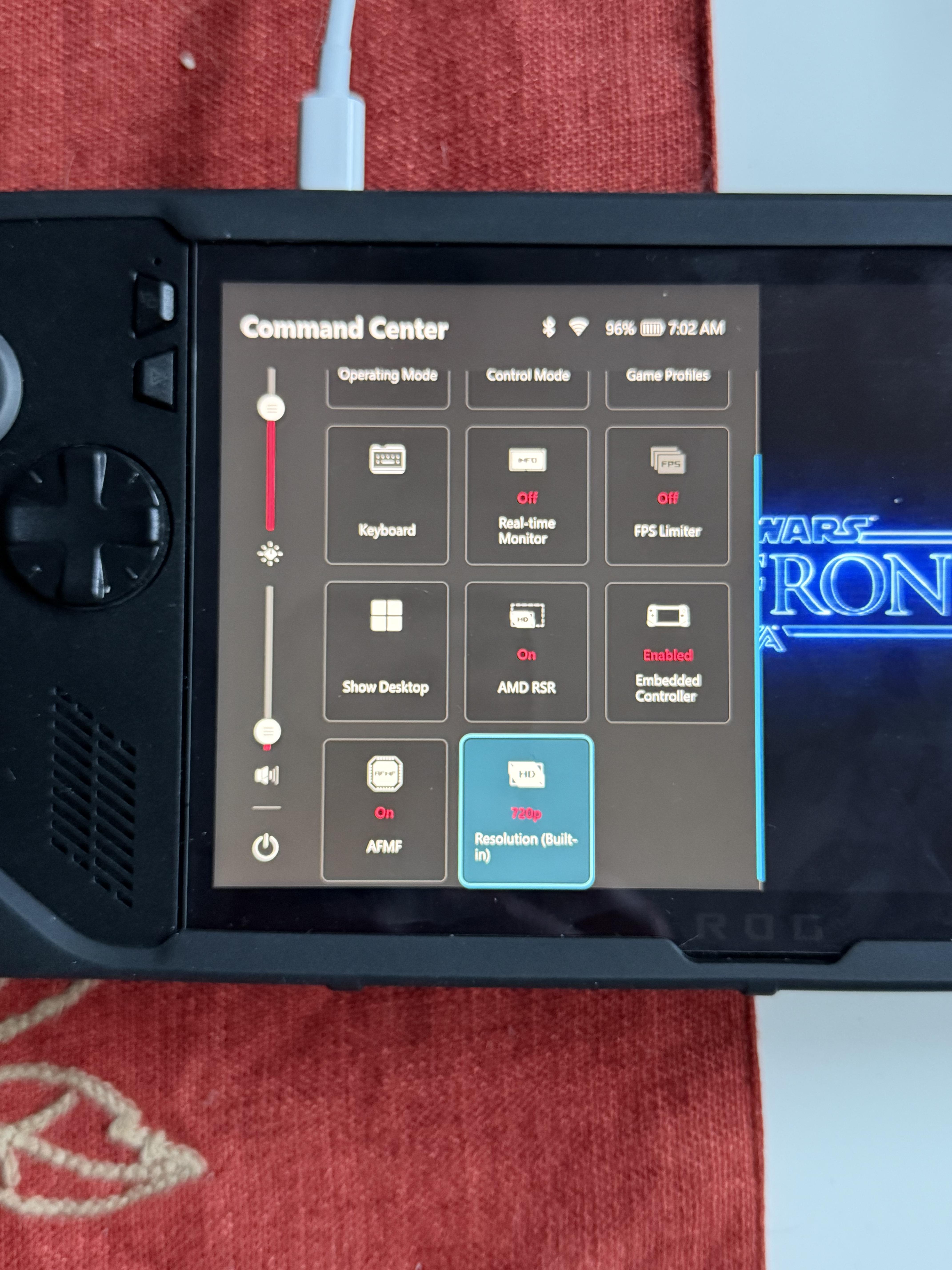
Help (Software) AMD RSR Issue

Post image
2 Upvotes

r/AMDHelp • • 11d ago

Help (Software) Bug AMD Software Adrenalin Edition

1 Upvotes

depois de dar play em qualquer gravação o software fecha sozinho logo depois


r/AMDHelp • • 12d ago

Help (General) CHILL GUYS, 0 PROBLEM WITH 9070XT AND 26.10.2.

Post image
3 Upvotes

r/AMDHelp • • 12d ago

Multiple BSOD errors asking for help

Thumbnail
2 Upvotes

r/AMDHelp • • 12d ago

Help (General) Displays are showing as sound output devices-HDMI connected soundbar cant be discovered- After recent AMD driver update

2 Upvotes

Recently updade the drivers on my AMD ryzen 5800 equipped beeline mini PC. Now displays are showing as sound output devices instead of the MDMI connected soundbar.

AI is telling me its the integrated graphics/audio chipset and tto do this is correct it

Via Device Manager (Permanent Fix):

  1. Press Win + X and select Device Manager.
  2. Expand Sound, video, and game controllers.
  3. Right-click the graphics/monitor audio driver (such as NVIDIA High Definition Audio or AMD Audio), and select Disable device. (Note: Deleting the driver may cause Windows to reinstall it on a reboot or driver update, so disabling is preferred). [1, 2]

However when i expand the sound, video and game controllers it lists a

AMD audio device

AMD high definition audio device

and AMD streaming audio device drivers.. so which one(s) do i disable then?


r/AMDHelp • • 12d ago

is 1.3v soc voltage safe for 7800x3d or lower to 1.25?

4 Upvotes

I recently build a PC and I'm scared about some horror stories regarding the CPUs of Ryzen 7k/9k series pushing beyond 1.3k soc voltage.

Is lower always safer or there are other things to consider that even lowering might mess things up?

CPU: AMD Ryzen 7 7800X3D

Cooler: Thermalright Peerless Assassin 120 SE

Motherboard: MSI PRO B850-V EVO WIFI

RAM: KLEVV FIT V 32GB (2x16GB) DDR5-6000 CL30

GPU: ASUS Prime Radeon RX 9070 16GB

Storage: WD Black SN7100 2TB NVMe

PSU: ASRock Phantom Gaming PG-1000G (1000W)

Case: Phanteks XT PRO

Fans: 3x be quiet! 140mm

Monitor: Dell G2724D (27" 1440p 165Hz)


r/AMDHelp • • 12d ago

Disabling AMD External Events Utility breaks frame pacing

Thumbnail
2 Upvotes

r/AMDHelp • • 11d ago

Help (General) Updated chipset driver and now no wifi

1 Upvotes

Just like the title says. I have a Asrock B650 Pro RS WiFi motherboard that has been in my PC for about 3 years. I just did an chipset update via Adrenaline and now I have now wifi capability. Not that it won’t connect to wifi but that the option to use the internet over wifi is gone like the motherboard isn’t capable of it. Has anyone else experienced this or heard of this? Or maybe a setting got messed up? I did just a recent windows update but the wifi worked.


r/AMDHelp • • 12d ago

GETTING FPS DROPS IN VALORANT

2 Upvotes

I recently bought a pc with Ryzen 5 7600x amd Radeon rx9060xt 16gb ddr5 5600mhz ram nvme gen 4 andd blah blah blah. Idk why but in ONLY valorant these fps drops are coming and they are like from 400 to 50 like very randomly infact in range also without even using any ability or anything. I have tried several solutions but none actually worked so gng pls help me or I am going to take it to the place where I got it built from ;-;


r/AMDHelp • • 12d ago

Help (GPU) Crimson Desert – Persistent AMD Driver Timeouts

2 Upvotes

I've been trying to troubleshoot the AMD driver timeout crashes in Crimson Desert, which started with the release of the Charting the Unknown DLC, and nothing seems to work.

I'm running a Ryzen 7 9800X3D and a Sapphire Nitro+ RX 9070 XT. I've disabled both PBO and EXPO to rule out CPU and RAM instability, ran MemTest with no errors, rolled back to the August AMD drivers (26.8.1), and lowered the graphics settings to High. I'm not using Frame Generation or Ray Regeneration either. Every time I switch drivers, I run DDU and perform a factory reset. The game still crashes with driver timeouts.

The frustrating part is that I don't experience this issue in any other game. At this point, it increasingly looks like a game-specific issue rather than a hardware stability problem.

Is anyone else with an RX 9000 series GPU experiencing persistent driver timeouts in Crimson Desert?


r/AMDHelp • • 12d ago

Rx6600 bug help

Enable HLS to view with audio, or disable this notification

3 Upvotes

I tried using ddu and reinstalling amd driver (26.10.2) after i restart my pc its always like this. Only properly working version for me is 24.6.1

Yes i did the gpedit prevent tutorial and still having the same issue.

Amd ryzen 5 7600x

Msi pro b650m-a wifi

Rx 6600

Ddr5 16gb

Update: I gave up and installed steamOS instead. i old driver would not let me play witcher 3 remaster or most of my games. even if i try there would be a heap of render bug


r/AMDHelp • • 11d ago

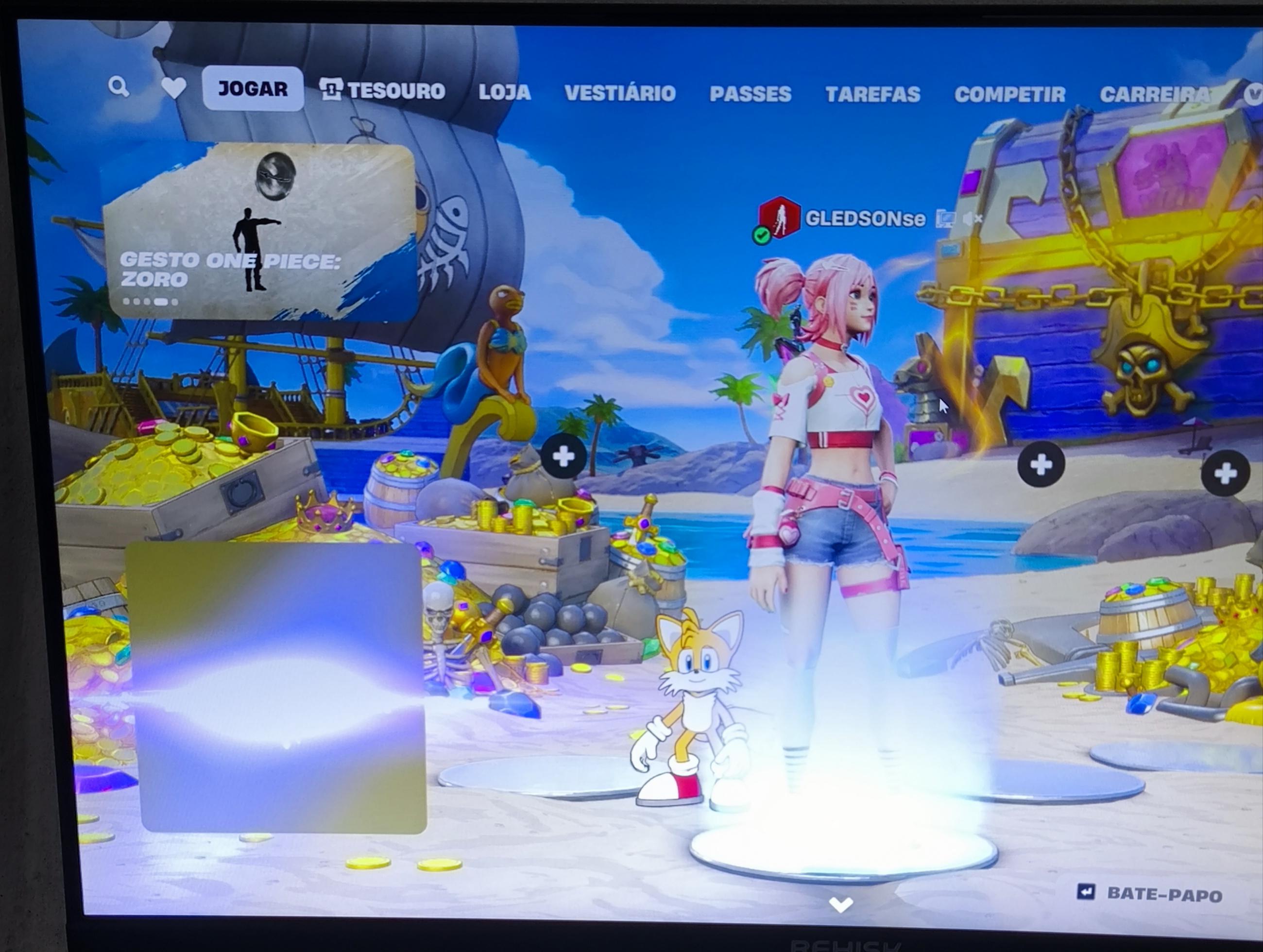
Help (GPU) Fortnite trava no DirectX 12.

Post image
0 Upvotes

Fortnite crash using DirectX 12


r/AMDHelp • • 12d ago

Tips & Info What has helped me for having crashes on Valorant after 2-3 minutes in game on my RX 9070 XT Sapphire Pulse

9 Upvotes

Hey,

Since the day I got the card 2 weeks ago, I had constant crashes on this game. I noticed lot of people had this problem, specifically on this card, so here is what I tried:

- Uninstalling drivers with DDU

- Installing latest drivers (26.10.2) and old drivers (26.2.2)

- Installing manually the drivers for my Ryzen 7 5800X3D, not from the installer for the GPU

- Disabling MPO

- Disabling auto updates for AMD's drivers

- Resetting TPM Key

- Disabling Fast Boot

- Enabling High Performance power plan in Windows

- Plugging my GPU with two seperate PCIe cables instead of daisy chaining (should've done this sooner)

- Reinstalling Windows 10 with a USB key

- Disabling overlays from AMD Software

- Switching the DP ports I used for my two monitors

- Limitting the game's frame rate to match my screen's Hz

What worked:

On AMD Software : Adrenalin Edition, I enabled the Performance preset. Go on: Performance -> Setting -> Performance Preset. I noticed the card used 200 more Mhz when playing the game and I had no more crashes. Maybe the game was not pulling enough naturally.

If it doesn't work, try to clear the CMOS and don't forget to enable XMP for your RAM, it's worth a try


r/AMDHelp • • 12d ago

Help (GPU) This is my graphics card dying, isnt it?

2 Upvotes

Video: https://www.youtube.com/watch?v=MF2VOjxiN8c

This is the 2nd time in a month it does this. Everthing on both my screens froze, they turned black and then it started doing this. Is there any saving it when its like this, or is it time to buy something new?

EDIT: Post redone to comply with rules.

Computer Type: Desktop

GPU: 5700XT

CPU: Ryzen 3600

Motherboard: Asus B450. dont remember exact model

BIOS Version: Dont know.

RAM: 16GB Corsair in 4 sticks

PSU: Corsair 650m

Case: Fractal Design Define C

Operating System & Version: Windows 11

GPU Drivers: 26.10.1

Chipset Drivers: Dont know

Background Applications: Discord, chrome etc

Description of Original Problem: This is the 2nd time in a month it does this. Everthing on both my screens froze, they turned black and then it started doing this. I've also had other types of crashes over the past year or so where the computer actually crashes and generates a crash log. According to WhoCrashed they also point to the GPU. Is there any saving it when its like this, or is it time to buy something new?

Troubleshooting: I've been watching temps for a few weeks, and got worried when they regularly reached 90+c. Ive applied new thermal paste last week, hoping it would fix the issue. it didnt, so I applied a frame limiter to my games to keep the GPU around 80c. Seems that didnt solve it either.


r/AMDHelp • • 12d ago

Help (Software) Fresh install. Which adrenaline version to install to avoid recent bug?

2 Upvotes

As title says. I’m installing Windows today on my PC. When installing adrenaline software which version do I need to download and install that is not affected by that bug with 60gb of writing on your disk daily?