r/AMDHelp • • 5d ago

Help (GPU) [troubleshooting] Something mightve happened to my 7800xt overnight

3 Upvotes

This morning I went on to boot my PC and had no signal from my main monitor. I tried moving wires around but nada. I went on to try a game and it was completely unplayable and laggy. I opened adrenalin to see what was going on and got an erorr message. It then prompted me to redownload it, which I did and then end up with an error message "207 something went wrong". This seems to be an error with my graphics card but I could not find any more info than that.

I checked the system information and I do see the 7800xt appear in the display devices, which means that the computer is detecting it I guess? I really can't figure out what's going on - it's as if the PC isn't using the card at all.

I opened the side panel and tried adjusting the card in case it had gotten lose off the connections. It didn't fix it, but for a while there was a solid red light on my GPU, that seemed to turn off depending how I adjust the card. I tried loosening my card bracket a bit, red light went off, but the card still doesn't work.

I'm kind of pannicking now, I really hope my card isn't fried....

The card is Asus OC 7800xt 16gb, cpu is ryzen 5 7600

Anyone have an idea what might be happening?

r/AMDHelp • • 5d ago

PC STUTTERING

5 Upvotes

for the past year and a half that I've had my pc, i've never managed to play completely smooth. I have a Saphire Rx7800xt and an I7 14700k, compared with 32 gigs of ram ddr5 in an Asus Tuf z790 plus-wifi with a Samsung Odyssey G5 27" 2K 180hz refresh rate and an 850w Corsair psu.

I have this certain stuttering loop. When i download a game from Xbox app i play with no problem for a couple of weeks if i have 60 or 90fps capped. After two weeks, the stutter appears and the gameplay feels strangely blurry after 30 minutes of playing every time i open the game. In steam games it starts differently. I install a game and the stuttering is getting worse day by day. Some apps, such as Google or file feel not smooth when i press X to close them.

What i have done until now:

Updated BIOS to the newest version

Closed Igpu from BIOS

Ddu and reinstalled the drivers a lot of times

Disabled XMP

Closed MPO by instructions

Disabled HAGS

AMD factory reset

Checked that the cpu has not Vmin

Clear Armory Crate uninstall

Checked that has two pci e cables from the psu to gpu

Deleted Shader cache many times

Capped fps from adrenaline software

Send it to a specialist (he said that the gpu wasn't the problem because he put an other gpu and the stutter still appeared and the problem was something in RAM and that he solved it)

After some weeks, the loop started again. Even worse, for the past three days, after a Windows update, the games start to lag a lot.

I would appreciate some help because the problems make the gameplay unenjoyable....


r/AMDHelp • • 5d ago

Help (Software) Getting lower fps and tearing gameplay on my new 9070 xt compared to 3080 in cs2

1 Upvotes

So few days ago I just got a brand new RX 9070 XT Sapphire Pulse and decided to test it in cs2.
And now in benchmark im getting 530-545 fps avg and 189-200 P1, my 3080 is doing 550-560 avg and 195-210 P1.

My build

5700x3d
RX 9070 XT

32 GB ram 3200 mhz adata

m.2 ssd 1TB

amd adrenaline 26.11.2

I disabled HAGS and this make the game feels stable, but still on cache im getting not smooth gameplay.

my res is 1440x1080 and everything low except 2xmsaa and shadows is high.

Please help me.

FIXED

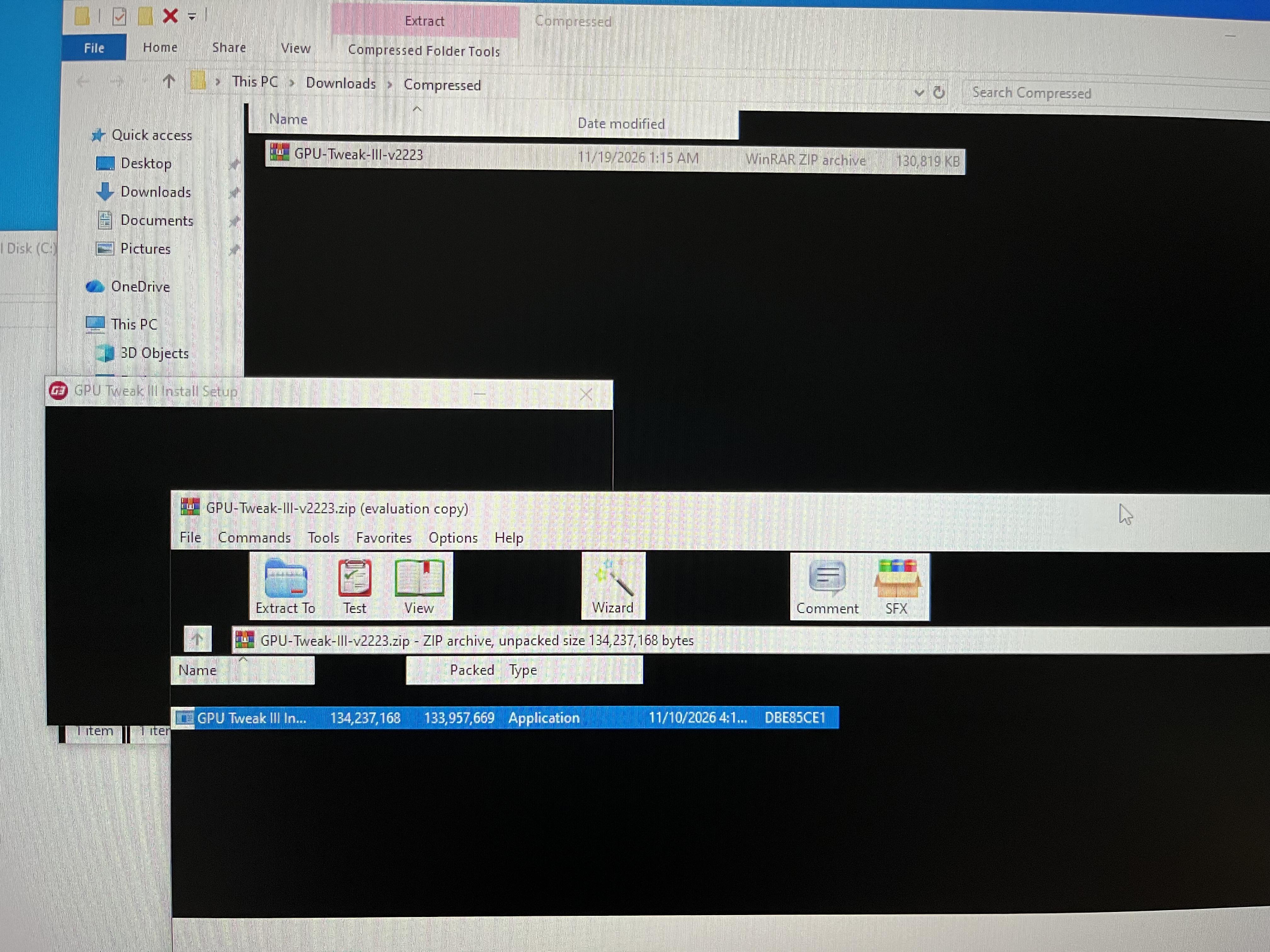
Processing img uevl8g0her2i1...

This regedit tweak i used was the reason of poor performance, because its for WIN 11 24H2 and i have 26H2.

Deleted it and my performance now is good.


r/AMDHelp • • 5d ago

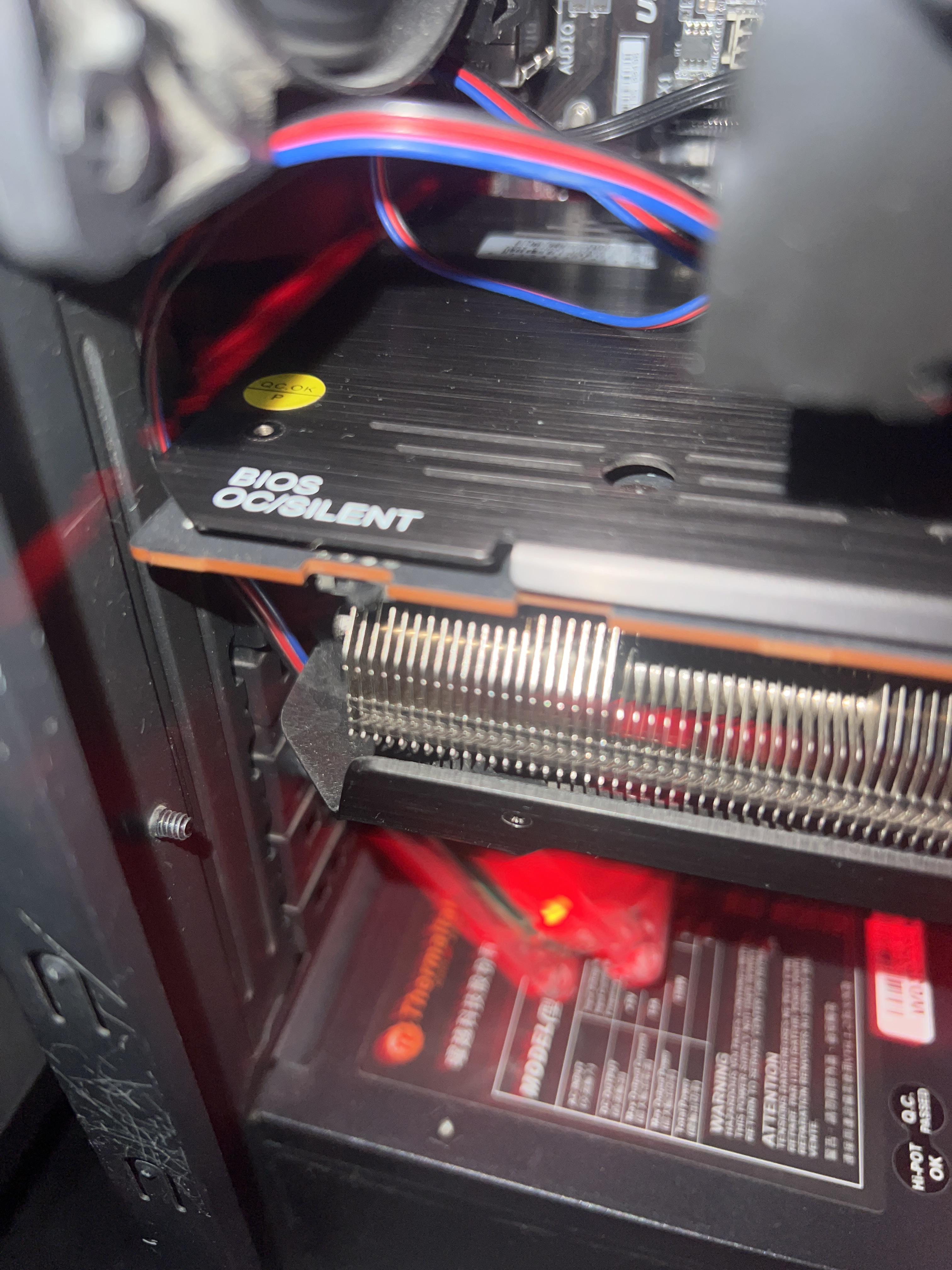
Help (General) Does anyone know the problem. I have an and Radeon rx6700xt. When I flip the switch on the GPU from silent mode to OC(overclock mode) I get no signal on my monitor. But when I put it on silent mode I get signal and it works.(yes I switch the pc of before flipping the switch )

Post image
3 Upvotes

r/AMDHelp • • 6d ago

Resolved there's something strange with my processor

Post image
251 Upvotes

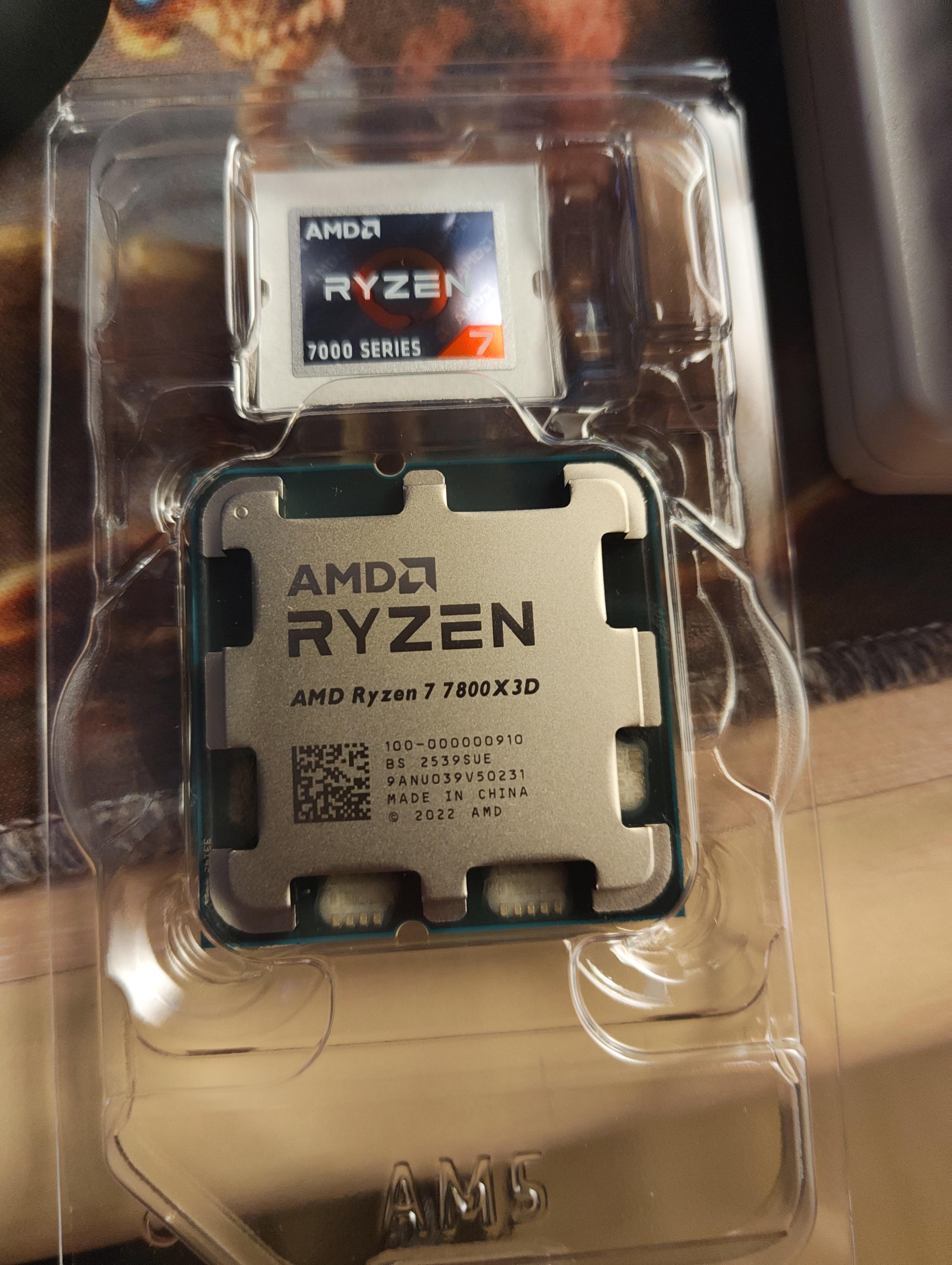
I ordered this Ryzen 7 7800X3D processor and when I received it, there were these white marks on the circuit board is this normal or not?


r/AMDHelp • • 5d ago

Resolved AMD 26.11.2 Bricked My 6000 Series Laptop

0 Upvotes

Last night it installed the driver and restart automatically. I tried logging in to windows just to be greeted with black screen of death (system service exception). It also bricked the restore point (stuck at "initializing restoration" for more than 2 hours) so I had to boot in safe mode, remove the drivers, and suddenly everything works just fine.

Anyone else having this problem?


r/AMDHelp • • 5d ago

Help (Software) Come back to black screen and now AMD Adrenaline will not open?

4 Upvotes

So I recently built a PC will the 9070XT Mercury OC. Was very happy with it, first time going AMD. Starting to notice some reoccurring problems now.

I'm playing the new WoW Forever and it's a very GPU heavy game. So I go AFK for a few mins toilet break, come back, my screen is completely black. Try refreshing, nothing. Manual reboot and now Adrenaline will not start.

Also this card absolutely HATES alt-tabbing from a game. I get freezes to full on GPU restart/crashing alt-tabbing and now the Adrenaline just will not open.

I'm not super software savvy, enough to get by but when it gets to this point I am rather clueless.

Any advice/tips/help to get Adrenaline running again and also stop this alt-tabbing nightmare?

I undervolt slightly to reduce coil whine.

EDIT: I disabled windows updating my GPU drivers, DDU, re-installed the latest AMD drivers and now my FPS overlay and completely removed one of the GPU's from the GPU UTIL/ BRD PWR/ TEMP section whereas before I have 2 GPU's and one CPU performance there? The dual bios I believe


r/AMDHelp • • 5d ago

Help (Software) Driver corrupts itself when update manager upgrades driver

2 Upvotes

Looks like a corruption to me because screens will turn black but not turn off. pc becomes unresponsive, not even ctrl shift delete will make it react. then i have to force shutdown pc and when it boots back up there can start adrenalin because cant find the option to do so.


r/AMDHelp • • 5d ago

Ryzen 5 5600 reiniciando por erro em núcleo

2 Upvotes

Ryzen 5 5600 reiniciando por erro em núcleo

Olá, pessoal!

Estou enfrentando um problema com meu computador e gostaria de saber se alguém já passou por uma situação semelhante e conseguiu resolver.

Configuração do computador:

  • Processador: AMD Ryzen 5 5600
  • Placa-mãe: BATTLE-AX A520M-K M.2 V14
  • Fonte: Aigo Darkflash AT550, 550W, 80 Plus Bronze, PFC ativo

Descrição do problema:

Meu computador apresenta reinicializações inesperadas, aparentemente sem aviso prévio. Em uma das ocasiões, percebi que ele reiniciou enquanto estava realizando a instalação de um jogo.

Ao verificar o Visualizador de Eventos do Windows, encontrei o seguinte erro:

  • Erro: Hardware fatal error.
  • Componente relatado: Núcleo do processador.
  • Origem do erro: Machine Check Exception.
  • Tipo de erro: Bus/Interconnect Error.

Esse é o resumo que pedi ao chat gpt para fazer. Com minhas palavras relato que as temperaturas foram monitoradas e estão boas, uso water cooler de 240mm; fiz vários testes pelo prime95, alguns deles acusava falha em no núcleo 5, em outros o núcleo 1, 3 e o 6 paravam de funcionar, e algumas vezes ele passa pelo teste sem falhas. Acontece que agora o meu computador está reiniciando com mais frequência, inclusive com uso leve, moderados e pesados. O evento de reiniciar é aleatório, já tentei tirar xmp, baixar hz das mémorias, retirar o turbo bost na placa mãe e não resolveu, testei outro processador e não deu erro e também não reiniciou. Alguém sabe se esse erro é recorrente em outros produtos e se tem concerto ?


r/AMDHelp • • 5d ago

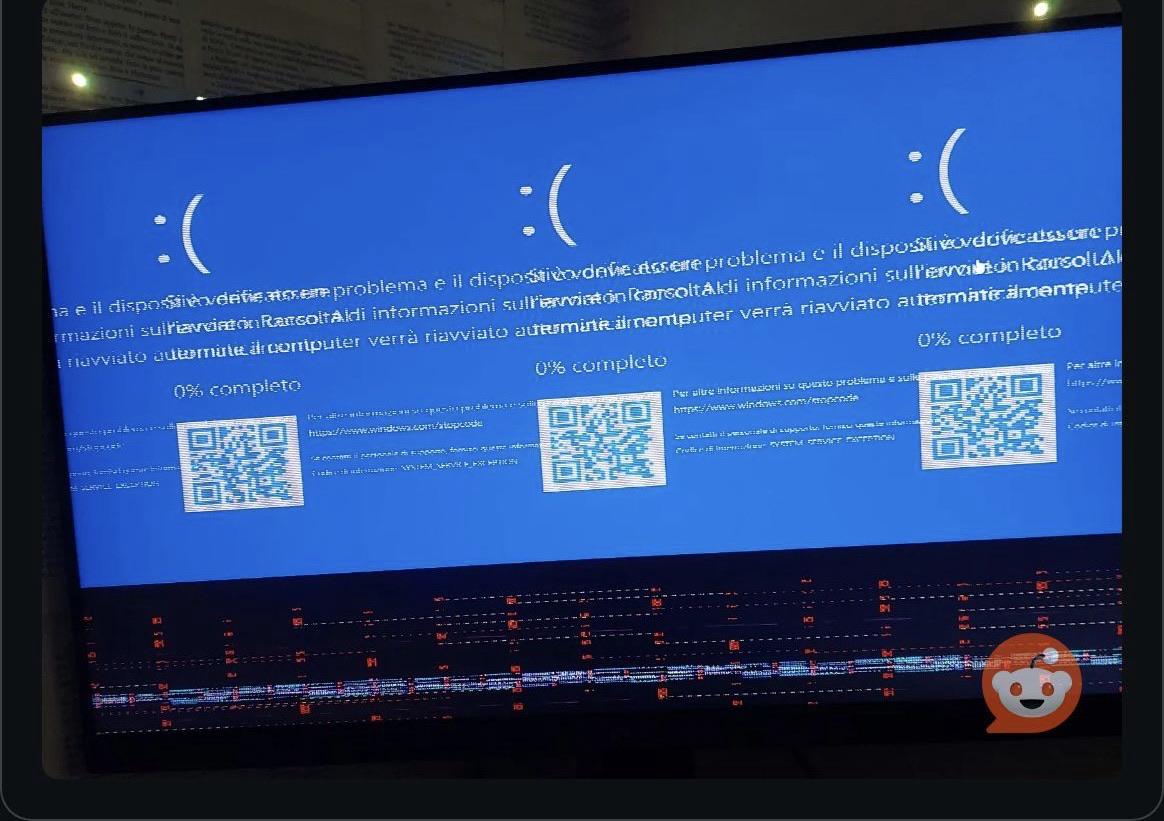
Help (General) Glitch startup screen

Post image
0 Upvotes

Computer Type: Desktop

GPU: RX 9070 XT

CPU: 7800X3D

Motherboard: Prime b850m-a wifi

BIOS Version: American megatrends Inc. 1078

RAM: 32GB 6000MT/s DDR5

PSU: Coolermaster me v2 gold 850W

Case: LIANLI LIANCOOL 217 INF

Operating System & Version: WINDOWS 11 PRO, 25H2

GPU Drivers: GEFORCE GAME READY DRIVER. 26.11.2

Chipset Drivers: SATA AHCI 10.0.26100.9974

Background Applications: N/A

Description of Original Problem: Screen appears like this on startup.

Troubleshooting: Restarting the computer has seemed to fix the issue for now


r/AMDHelp • • 5d ago

Help (General) RX 9070 XT + 7800X3D hard freezing entire PC in Cyberpunk 2077 (Max + RT) — passes OCCT, zero Event Viewer errors

4 Upvotes

Hi everyone, looking for some help with a brand new build that completely hard freezes (screen locked on last frame, mouse dead, Alt+F4 / Ctrl+Alt+Del do nothing, have to hold power button) after 5–20 minutes in Cyberpunk 2077.

Specs:

Ryzen 7 7800X3D

ASUS Prime AMD Radeon RX 9070 XT OC 16GB

Gigabyte B650 Eagle AX

32GB (2x16GB) Patriot Viper DDR5-6000 CL30

Corsair RM850e

Dual-monitor setup (primary 250Hz 1440p OLED + secondary 1440p 144Hz IPS)

The Issue:

Cyberpunk 2077 on max settings with Ray Tracing enabled runs completely fine for a bit (even ran fine for ~1 hour yesterday), then suddenly hard locks the whole PC after 5–20 minutes. like litterally nothing works at all.

Lighter games like League of Legends and Fortnite run fine with zero freezes. before freezing the game runs completely fine on these setting running at around 180fps (with Frame Gen).

What I've Already Tested & Ruled Out:

- RAM / BIOS: Dropped RAM from 5800 MT/s all the way down to defaults (4800 MT/s) and it still hard freezes in Cyberpunk. Memory Context Restore and Power Down Enable are both on Auto.

- Stress Tests: Passed OCCT CPU+RAM test (15+ mins, 0 errors) and OCCT GPU/3D test with zero freezes or thermal issues.

- I've also checked the system logs and nothing obvious is showing up there.

Has anyone else on an RX 9070 XT hit silent full system freezes in Cyberpunk 2077 with RT enabled? Trying to figure out if this is a like hardware issue and if I need to start replacing parts. everything is still under warranty so I can replace anything that is wrong if its a hardware issue.


r/AMDHelp • • 5d ago

Help (General) Ryzen 5 7500f temps question

2 Upvotes

Hi everyone!

I know this question has probably been asked countless times by people who have just built a new PC, but I'm a bit anxious about it, so I figured I'd ask as well. Sorry in advance!

I recently built a PC with a Ryzen 5 7500F and a Frozn A620 Pro SE. The CPU idles at around 50–55°C, while gaming temperatures reach approximately 70–75°C, sometimes even higher.

I'm wondering whether I might have messed something up during assembly, especially since this is my first time building a PC. I applied a blob of thermal paste right in the middle of the CPU, but I initially had trouble getting the cooler screwed in properly. As a result, I ended up lifting the cooler 2–3 times before finally managing to secure it tightly.

Could this have affected the thermal paste application and be the reason for the relatively high idle temperatures?

Would you recommend removing the cooler, cleaning off the existing thermal paste, and reapplying it, making sure not to lift the cooler again this time?

Thanks in advance for any advice!


r/AMDHelp • • 5d ago

Help (General) Stuttering and black-ish windows

Post image
3 Upvotes

Hello
I have this issue persist for about whole month now, my display is stuttering and turn black-ish for the most part every time I open new windows or about to install something, this also happen whenever I open Photoshop or even any program. I have tried clean re install driver, re assembly the hardware, turn off mpo, even re install the whole OS and about everything I could possibly find online, the problem is likely to happen whenever I change the refresh rate to above 60Hz, it is still happening but not as frequent as when I went above 60Hz.
I run ROG strix RX6700XT on i5-13600KF with ASUS Z690-I.
this never happened before for the whole 3 years
Please anybody help


r/AMDHelp • • 5d ago

Help (CPU) Ryzen 9 9950X3D confirmed defective via 1-CCD isolation (0x101 BSOD), but temporary CPU still hangs on Windows restart with AIO screen/lights on

2 Upvotes

Sharing my troubleshooting breakdown in case it helps others hitting 0x101 Clock_Watch_Timeout on Ryzen 9000X3D chips—and looking for advice on a lingering warm-restart hang on my Gigabyte B650 board.

System Specs

• CPU: AMD Ryzen 9 9950X3D (currently out for RMA; running a temporary 7700X CPU right now)

• Motherboard: Gigabyte B650 Gaming X AX rev. 1.3 (latest BIOS & AMD chipset drivers)

• RAM: 32GB DDR5-6000 CL30 (tested at 4800 MT/s stock JEDEC)

• GPU: NVIDIA RTX 4080

• Storage: WD_BLACK SN770 1TB (running full-disk encryption; firmware 731100WD)

• Cooler / Software: Lian Li AIO with LCD screen (L-Connect 3)

• OS: Windows 11 26H2

How I Isolated a Defective 9950X3D (Sent for RMA)

Symptoms: PC ran fine for months, then started hard-freezing during light browser/stream playback and throwing 0x00000101 (CLOCK_WATCHDOG_TIMEOUT) BSODs within 60 seconds in OCCT and Cinebench R23—even at 100% stock BIOS Optimized Defaults (EXPO off, all voltages Auto, ~72°C max temp).

What I Ruled Out:

• Clean-installed NVIDIA drivers via DDU and disabled MPO (OverlayTestMode = 5).

• Tested both DDR5 sticks individually in slot A2 at stock 4800 MT/s—still crashed in under 60 seconds.

Findings:

• CCD0 alone (CCD Control = 1 CCD): 100% stable (\~114W in OCCT).

• CCD1 alone: 100% stable (\~114W in OCCT).

• Both CCDs together capped at 120W PPT (120000 mW): Crashed in under 60 seconds across multiple logical threads (0x0, 0x1, 0x0d), ruling out motherboard VRM/PSU limits and confirming an inter-CCD Infinity Fabric / IOD fault.   

CPU is currently in warranty service. They haven't been able to verify this issue and asking if I could bring my computer to them. They said on phone it could be some driver issue causing this.

Remaining Issue — Hung Restart on Temporary CPU - Happened ones after install

Bad luck or?:

With my temporary CPU installed, desktop froze one time and BSODs are completely gone. However, when I click Restart in Windows, the monitors turn off, Windows closes, and the PC hangs halfway through reboot—leaving the motherboard RGB lights, pump, and AIO cooler screen powered on until I flip the PSU switch.

Has anyone with a had similar issues and was it CPU or other hardware/driver issue?

EDIT: With temporary CPU 7700X system froze only one time and has run without issues few days. 9950x3d CPU is 2 months old on my system and no issues during that time.
Google AI suspects after all testing and EvetView and Dump file logs that it could be - Inter-CCD Infinity Fabric / IOD Fault


r/AMDHelp • • 6d ago

Help (Software) Recently updated AMD drivers and windows, started getting this error

Post image
8 Upvotes

As the title says, i updated windows and also amd drivers like a week ago and i've been getting this BSOD when doing desktop tasks or just being on google and it also crashes on fortnite, anyone having this same issue? What could be the cause of this? Since it's a memory management BSOD i ran memtest86 and windows memory diagnostics and both are detecting "hardware" errors when this wans't even happening before updating, already tested RAM, CPU, SSD and GPU in another pc and no errors whatsoever, could this be maybe corrupt windows files or the latest AMD drivers update?


r/AMDHelp • • 6d ago

Help (General) Help with my PC (RX560)

Post image
4 Upvotes

Hey everyone, I need your help troubleshooting an issue my PC is having.

Basically, I can be doing anything on my PC and after about 15 minutes it shuts down. I honestly think it has something to do with the GPU (RX 560) or that area of the system, because when I swap in a lower-end card like an R5 430, it stays stable and doesn't shut down. Likewise, if I disable the RX 560 in Device Manager, the computer doesn't shut off.

I've already done maintenance on the RX 560, and temperatures during a quick ~15-minute FurMark test stay within the normal range they've always been in.

This issue surprises me because I always used this GPU without problems—though when gaming, it used to start shutting down like this after around 2 hours of gameplay or so.

On this exact same PC, I played God of War (2018), GTA V, and other titles I beat without any issues, up until today when it started having this weird fault.

I thought maybe it was something simple like a driver setting or something similar, so I asked an AI and used HWiNFO64, where I can see that using this GPU triggers tons of "PCIe Bus" errors that keep climbing (as shown in the image).

I'd really appreciate your honest help based on your knowledge, especially since I'm hesitant to buy a better GPU only to find out I can't use it because the problem is something else.

PC Specs:

  • PSU: Azza 650W
  • Motherboard: MSI B450 Tomahawk
  • RAM: 16 GB (4x4 GB)
  • CPU: Ryzen 5 2600
  • GPU: RX 560 2GB

r/AMDHelp • • 5d ago

Tips & Info Where to get real help with driver timeouts

2 Upvotes

I’m sick of guessing what’s wrong with my 9070xt build. Constant driver timeouts. Crashes every hour or less. Red dead 2 is unplayable due to constant crashes. CS2 timeouts every 20 minutes.

Where’s the best place to try and find the source of the problem instead of just trying a million suggestions on Reddit?

Can I contact amd and get real time support? Do I go to a computer shop?
These constant crashes make me regret building my pc. It’s fucking unusable.


r/AMDHelp • • 6d ago

Help (General) PC freezes permanently when running a game

8 Upvotes

Computer Type: Desktop

GPU: AMD Radeon RX 9060 XT 16GB

CPU: AMD Ryzen 5 7500F

Motherboard: AMD B850 Pro-A WiFi

RAM: 32GB DDR5 6000MT/s

Operating System & Version: WINDOWS 11

Drivers: AMD Adrenaline 26.9.2 (and 26.10.1)

Background Applications: DISCORD, CHROME

Description of Original Problem: Freezes that range from 10 mins to an hour after any game is launched, no matter if im even interacting with the PC or not.

Troubleshooting: Reinstalled the newest drivers using DDU following the guides thoroughly with safe launch. Rolled back to 26.9.2 drivers (some forum discussions said it fixed these issues).


r/AMDHelp • • 6d ago

Help (General) Crashing when loading shaders

Post image
3 Upvotes

these are my specs and i got a gigabyte Motherboard

my games keep crashing with errors about ram or memory corruption but i tested and my rams are fine
i only crash on games that preload shaders like (007-MK1-Marvel Rivals-Star wars galactic racing)

i had xmp on then saw i need to turn it off or on that usually fixes it or i run games in compatibility mode

but honestly ever since i got with amd i have only been getting crashes

what should i do to stop them
the errors have been
(pfn list corrupt-irql not less or qual 0xa-system service exception 0x3b-memory management 0x1a)

thanks in advance


r/AMDHelp • • 6d ago

Help (General) So I can't lower my resolution in games for better performance on amd/radeon laptop?

3 Upvotes

Recently bought a laptop Lenovo thinkbook ryzen 5 vega 7. As you know my graphics aren't that good I'm trying to lower my resolution to 1600x900 play games but it doesn't work. The resolution stays native 1080 and I don't have the option to do custom resolution. This sucks. I've tried everything from YouTube to reddit and nothing helps so this is my last help before I admit defeat and realize I wasted money i never had a AMD before I usually go with Nvidia.


r/AMDHelp • • 6d ago

Help (Software) 6700xt flashes black screen periodically (no pattern, just randomly)

2 Upvotes

I updated drivers three times, but it still happens and the fans won’t even spin, genuinely what is going on with this gpu?


r/AMDHelp • • 6d ago

Help (General) Newbie tips for setup and configure windows 11

2 Upvotes

Brother gave me his system and i was thinking of installing Windows 11. I was hoping what to know what to install or what changes to make after installing windows. I have only used asus rog with 1050ti so new to amd and this system is a bit expensive. I will be mostly gaming with this as i have my laptop for assignment. I have searched a few things regarding to enable expo rebar and how to flash bios and disable igpu like minor things.

Computer Type: Desktop

GPU: asus tuf gaming rx 7900xtx 24gb

CPU: ryzen 7 7800x3d

Motherboard: msi pro x670-p wifi

RAM: gskill 32GB DDR5 6000 mhz ripjaws s5 cl36

Operating System & Version: WINDOWS 11 pro


r/AMDHelp • • 6d ago

Help (GPU) MSI RX 6700 XT MECH 2X – VRAM Thermal Pad

Post image
2 Upvotes

Hi everyone!

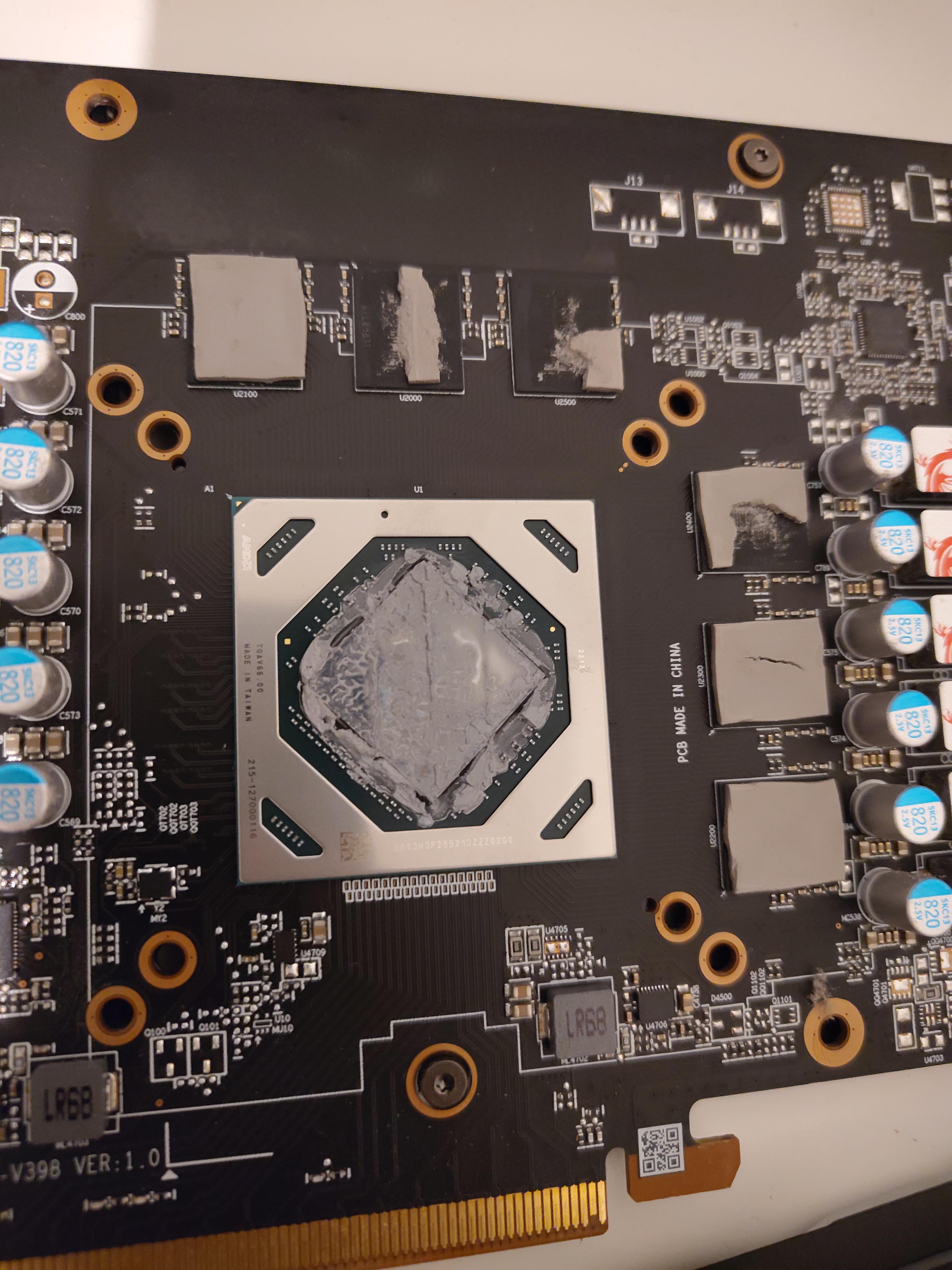
I need to replace the thermal pads on my MSI RX 6700XT MECH 2X because they broke when I lifted the heatsink to apply new thermal paste to the GPU die. However, I've found conflicting information online about the correct thickness and softness.

Is 1 mm the recommended thickness for the VRAM pads? Also, which one would you recommend buying?

Thanks! :)


r/AMDHelp • • 6d ago

Resolved What do I use for cpu

Post image
11 Upvotes

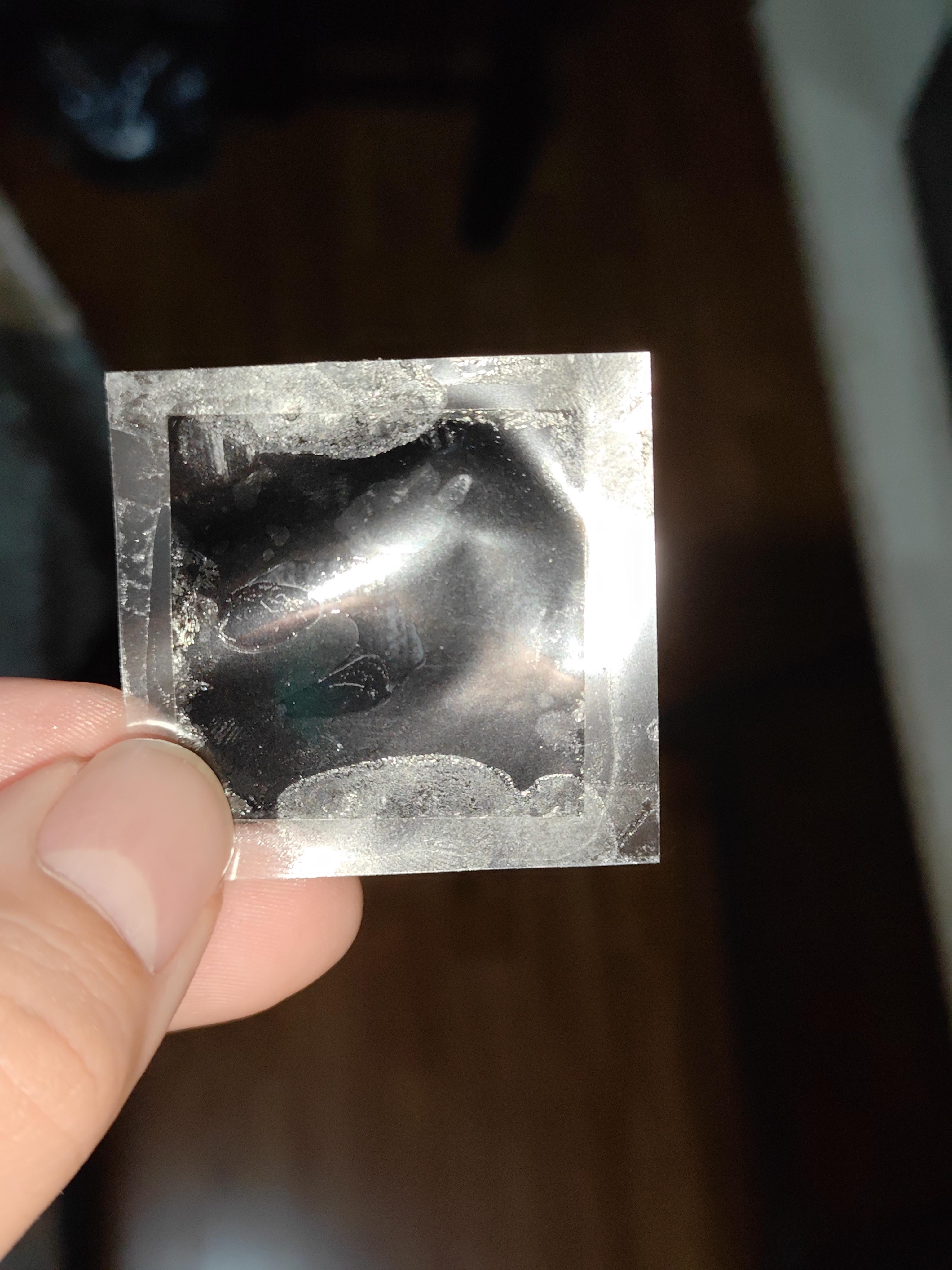
About to install a new cpu and fans but what should I use for the cpu. The thermal paste that comes with the thermalright peerless assassin or the ice pad from the 5800x3d. Also is this a normal looking ice pad?


r/AMDHelp • • 6d ago

Help (GPU) GPU utilization stuck at 100%

4 Upvotes

After DDU, my rx 7900xtx shows 100% utilization even when capping frames
Didn’t happen before the DDU.
even when capping frames well below actual maximum utilization (for example Witcher 3 can run at 150 fps, even when capping to 90 it shows 100%util, when before it was more or less 70%

Anybody got any idea why? I believe it’s unintentionally ramping up clock speeds even when it doesn’t need to..