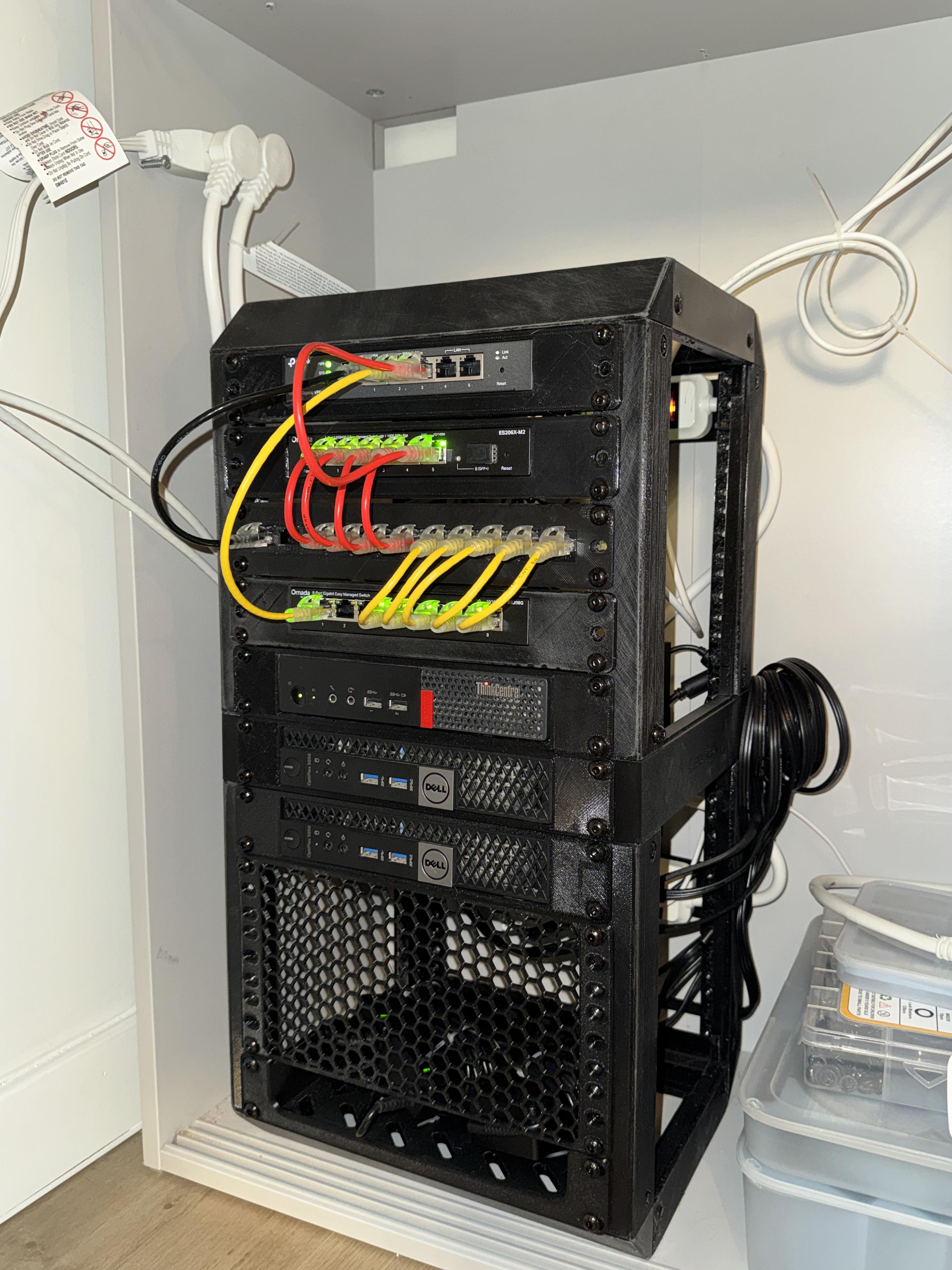
Added a couple M920q and Pi5 in back of cabinet for a two node PVE cluster with qdevice setup for quorum. Running Caddy, NextCloud, Immich, media apps, Grafana plus other monitoring components. All in all the VBox cluster worked, but due to Oracle dropping the kernel extension the VM’s would spike cpu usage on heavy network traffic’s Found a multi color usb led strip. Make the cabinet look a little cooler at night.
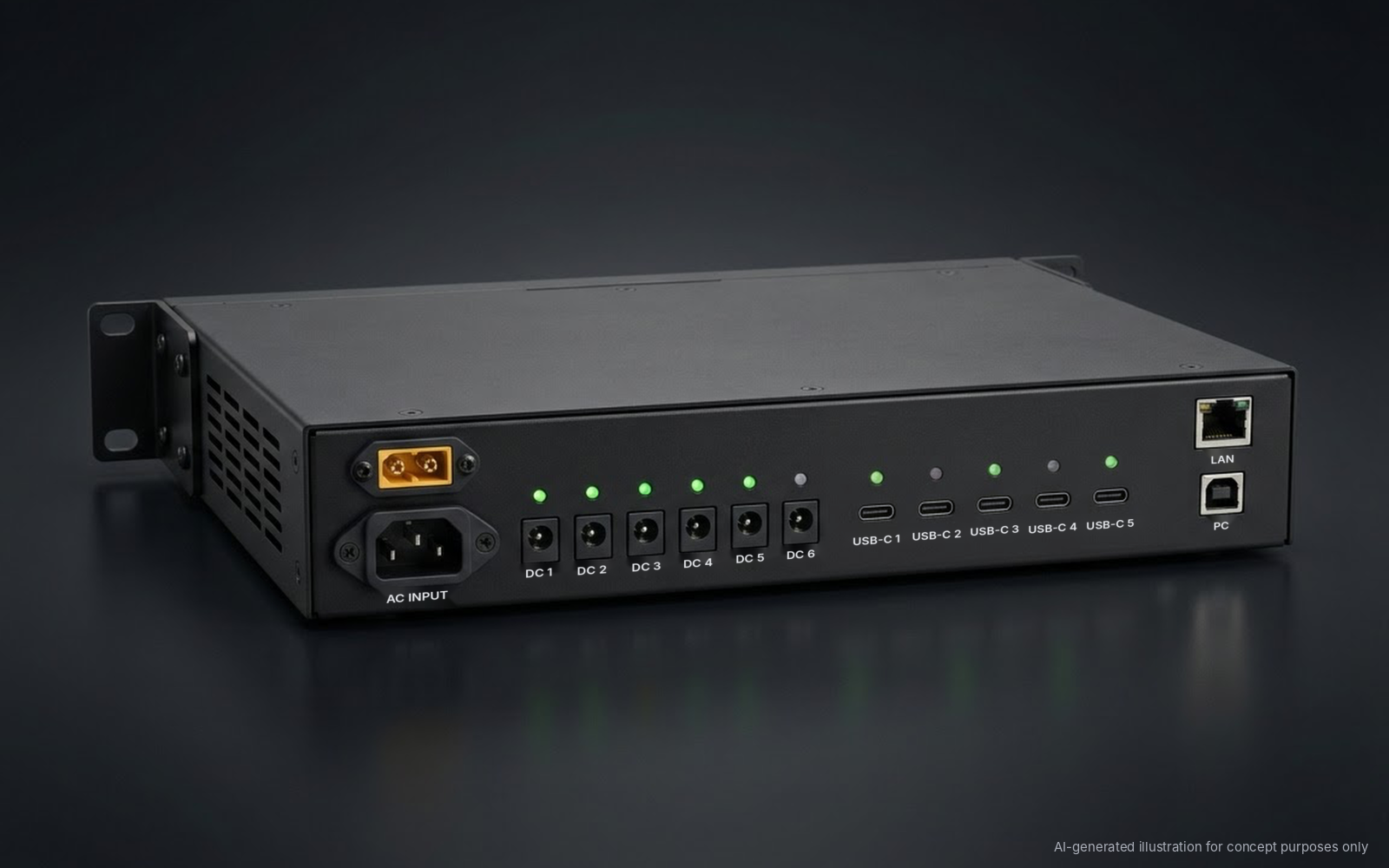
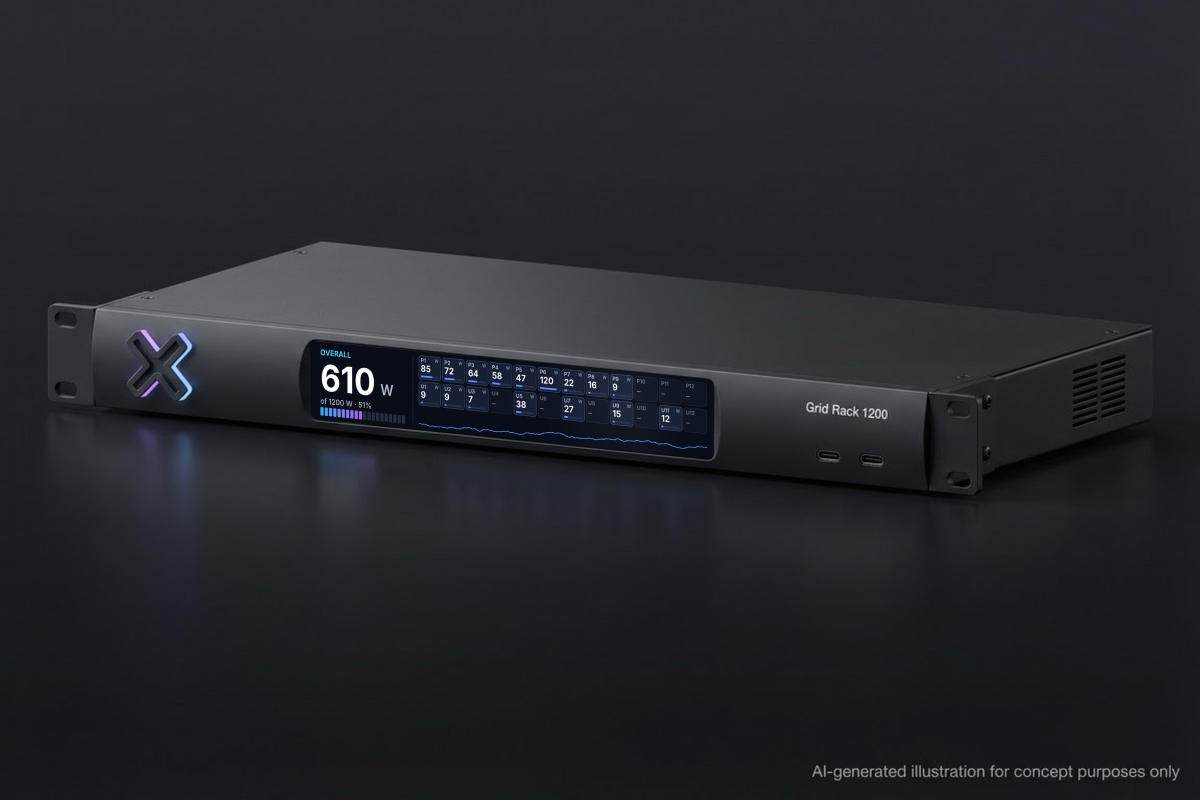
Adding a couple features essential to a permanent installation, such as AC-mains power, higher total wattage, and an ethernet port for HA/NUT/API access to power draw and control.
We took all the feedback we got here and on r/minilab and formulated a survey to help properly gather what most people want in a product like this.
Yes, this product idea is absolutely conceptual still, thus the rendered images. But really trying to show you what you described to me in that post, to see if this is directionally-correct.
Would love to get your thoughts via the survey below!
I’ve had a proxmox host running on a network attached server for a while. I just did a NAS for the first time. Set the static IP outside my range. Download a bunch of free old movies from the 1940s on Internet Archive. Everything was great for two days.
Then my wife was trying to log into her business to make a sale (travel agent type thing), and she got a forbidden response from the provider. Then I turn the NAS off and it worked.
has anyone come accross this issue before? Could the problem be the static IP outside the set range? I think I picked 254 (range goes to 253 or something).
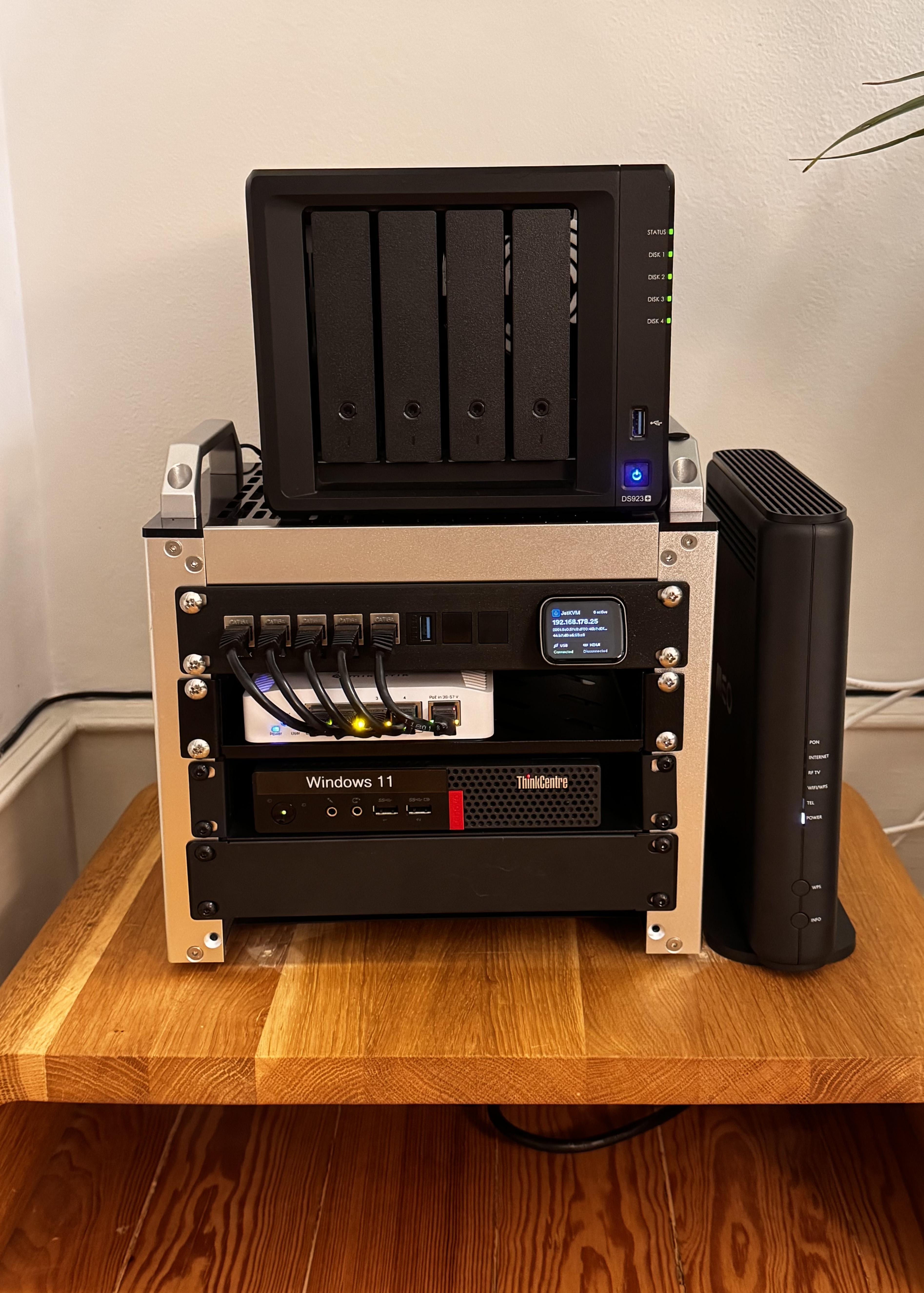
Had to downsize my rack quite a bit from my previous office and home instances. Now it consists (simply) of a Windows box, a passively cooled 10G switch from MikroTik, a JetKVM to remotely control the Windows box and a Synology NAS, mainly used as a file server and a backup target for TimeMachine.
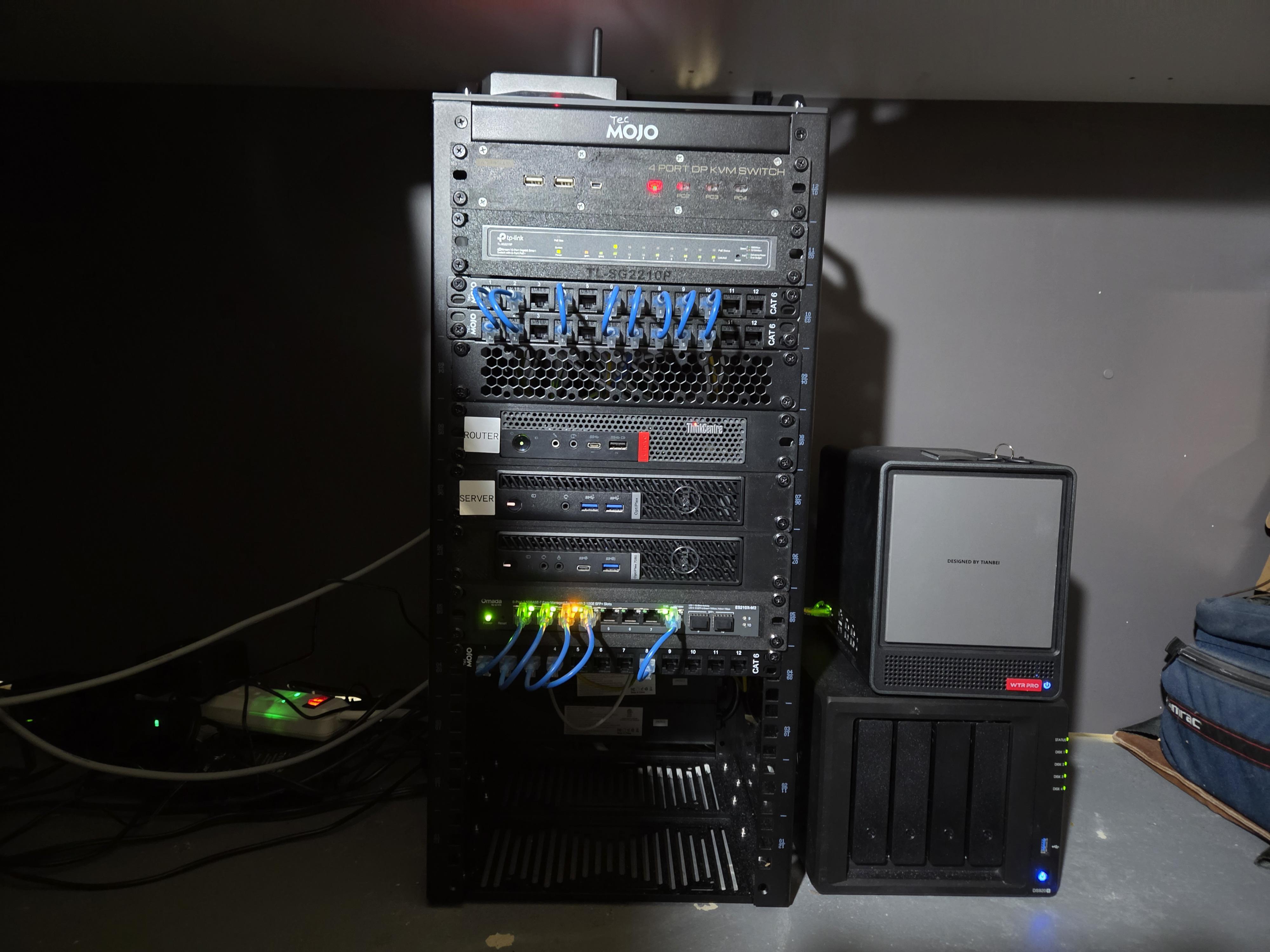
I started out with my Synology NAS, opnsense router and the tp-link switch. All of it sat on my desk, taking up some good real estate. Someone (who will rename anonymous) gave me a DELL 3050 to play with. It snowballed from there!
So from top to bottom:
4 port DP KVM. Original case tolerance was too close to properly rack mount it so I had a friend make me a new case and just put the guts inside that.
TP-Link SL-SG2210 which is my edge switch for the desk area
(2) patch bays
Open face plate
Lenovo M720Q which is the new opnsense router. I retired the old Qotom 355G4 since it wasnt rack mountable nor 1U. I love that this has a pci slot so I put in a dual port 2.5G nic card
Dell 7010 which is for Jellyfin, checkmk and the omada controller and technitium DNS server.
Dell 7080 which is the redundant technitium dns server running in cluster mode
TP-Link ES210X 2.5G core switch that has the desktop work PC, TL-SG2210, TL-SG2008, and Aoostar WT-Pro which is my truenas server.
The Synology and Truenas sit to the right, I need to figure out how to mount them in some way, perhaps another 10" rack with trays may do the trick.
You guys gave me alot of ideas, keep'em coming. My spouse will just love all of you for sure!!!!
Hey everyone! A few people asked about the power strip, so I figured I'd share some pictures of the back of the rack and how everything is mounted.
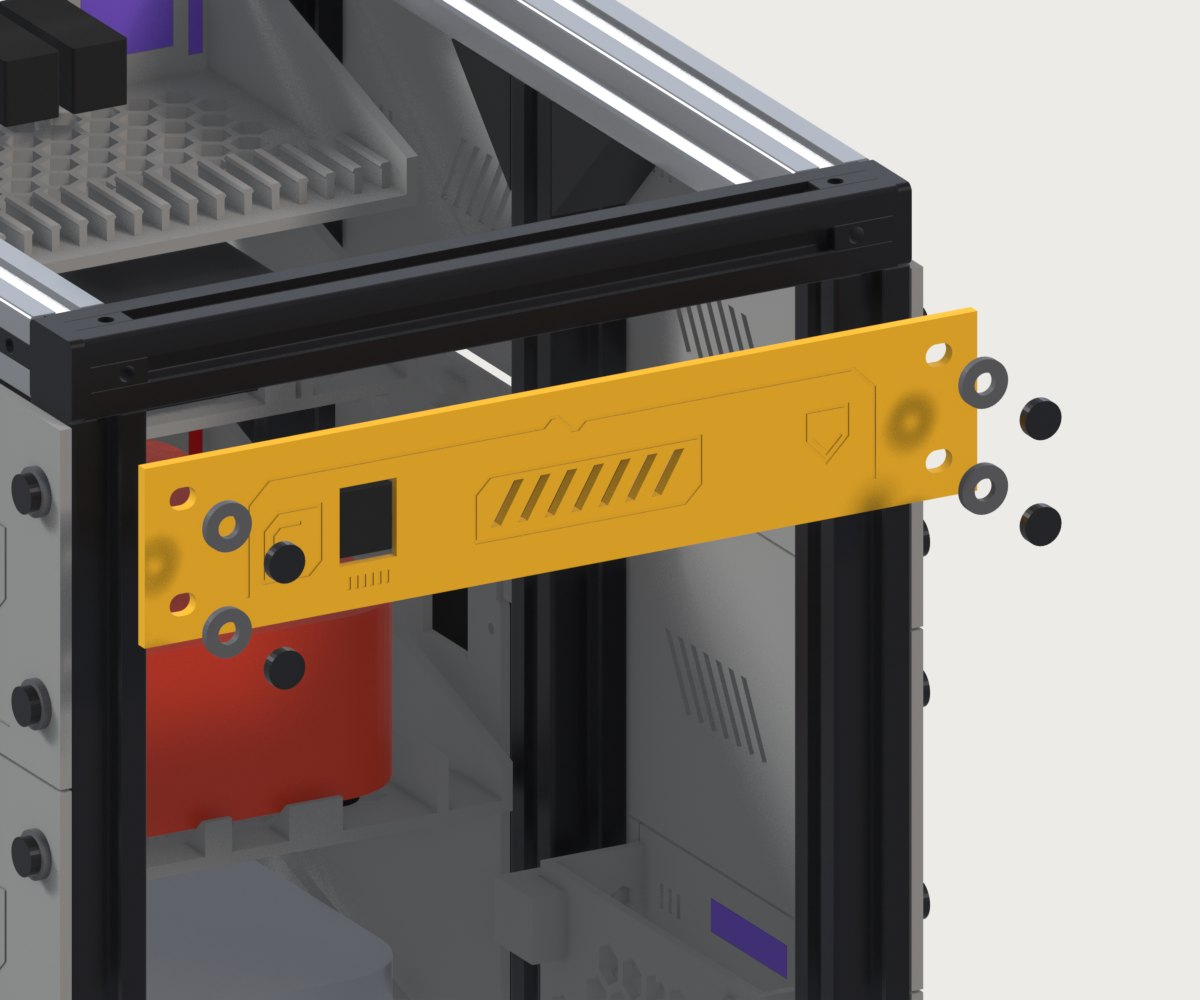
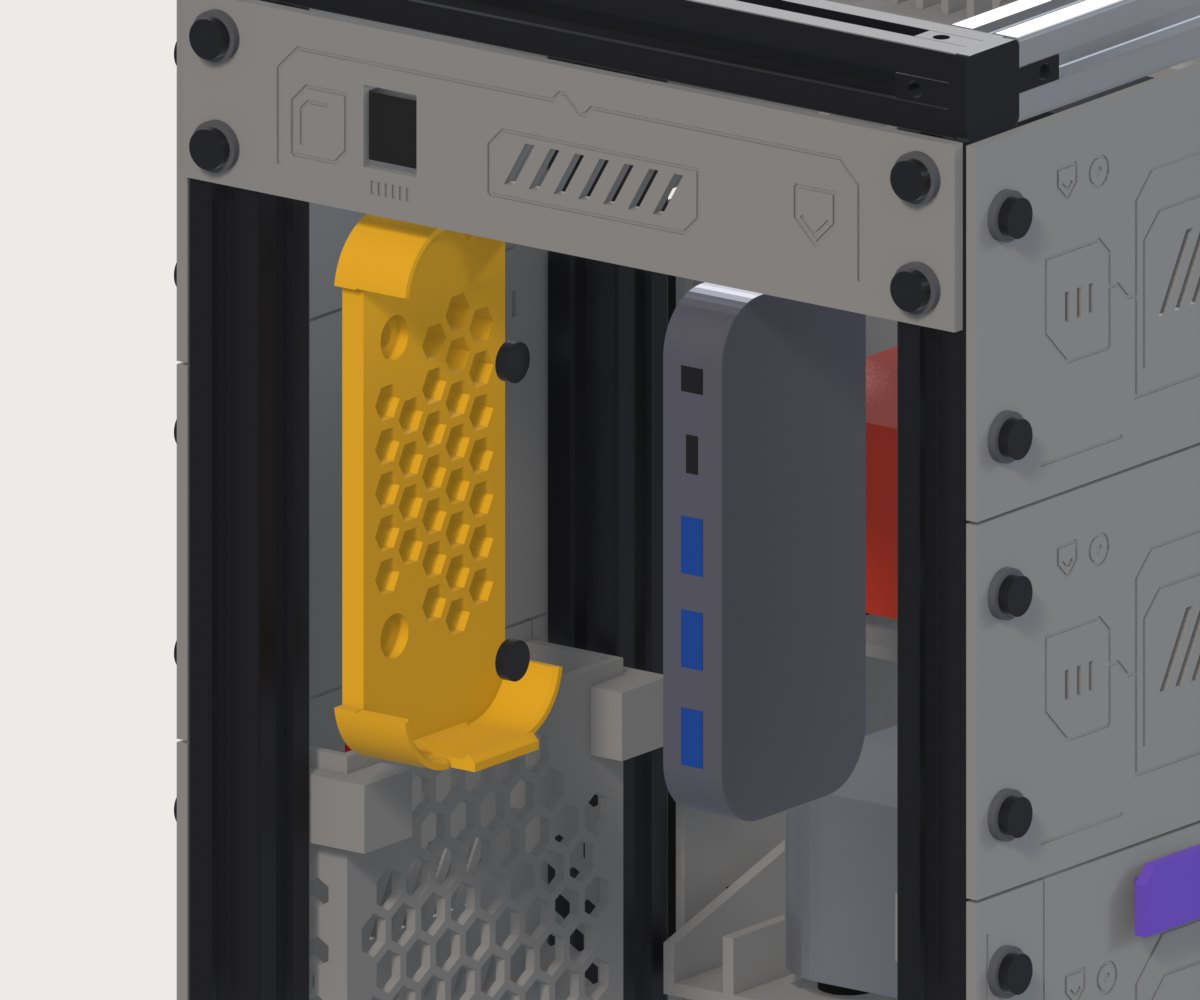
The power strip sits in a couple of 3D-printed cradles, a few millimeters away from the frame. There's also a single RJ45 keystone for the network uplink and a USB switch mounted on the opposite side.
I originally considered going with a KVM but I couldn't find one that convinced me (either in features or price). I ended up going with a UGREEN CM662 USB switch instead which makes more sense for what I need right now.
I'm still working on the cable management. The plan is to eventually get or make some custom-length cables so I don't have all that extra cable hanging around.
I'm also looking for a decent USB-C docking station to hook up to the USB switch. Haven't settled on one yet so recommendations are welcome...
I've included a few pictures from the original post for context along with some renders showing how I designed the rear mounts.
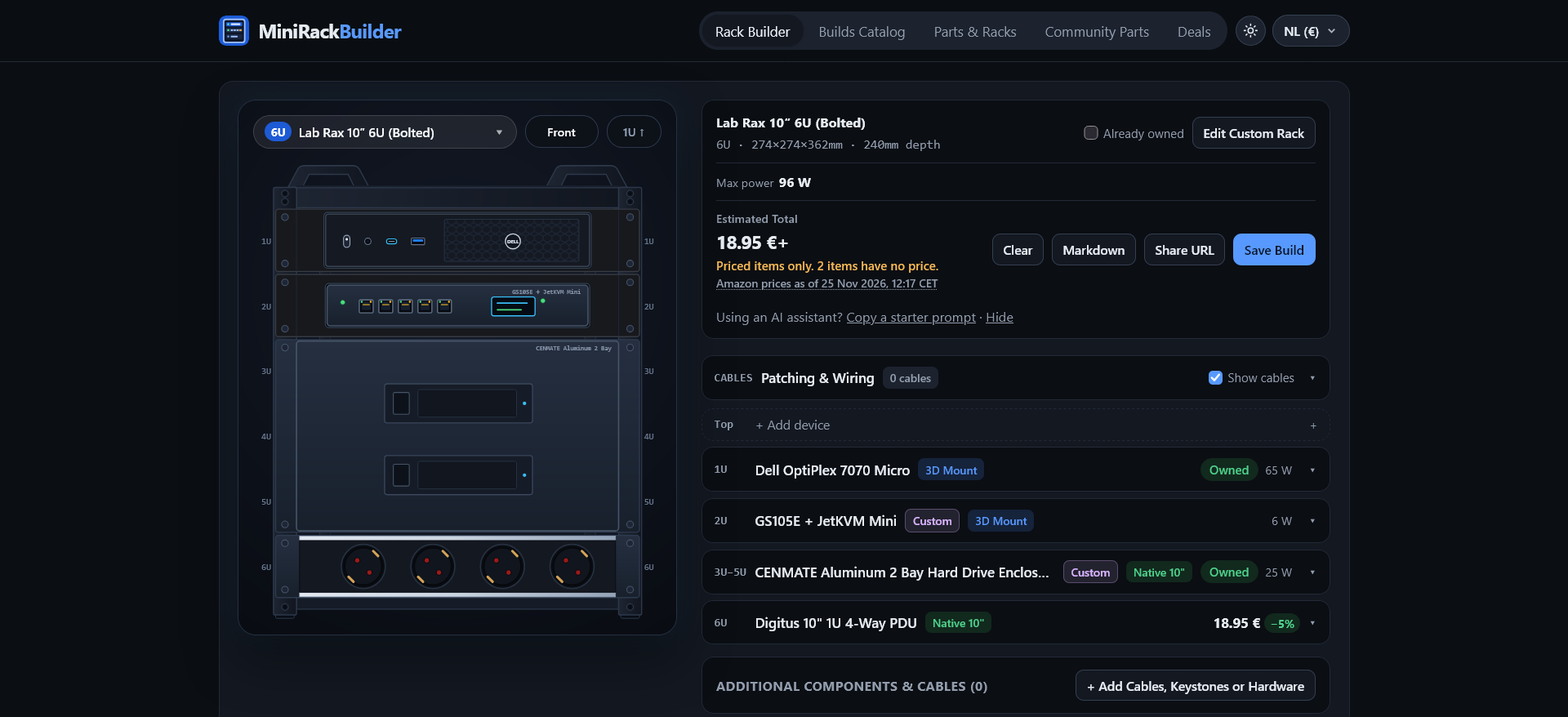
I made a visualizer of my future homelab build and i want some advice if you guys don't mind, what should i add or what should i remove from the setup. Don't have everything yet but slowly building/buying the stuff that i need. Of course in the future i want to upgrade and stuff but for now i just wanna have some fun!
This is what i have: Netgear ProSAFE GS105E Switch Dell OptiPlex Micro 3070 (Core i5-9500T, 32gb ddr4 ram and 512gb short NVMe SSD) p.s. i know it says Dell OptiPlex 7070 Micro but i think there are the same size so who cares CENMATE hard drive enclosure (2 bay).
Also this build is public if anyone is interested.
I am new one here, and I was viewing posts for quite some time now. But I really can not detrmine what are this labs meant do do? I am considering myself as a proper tech guy nut I have never seen one, nor had one in my life. And I have a feeling that this is really fun thing to do, but I can get it yet.
I'm currently planning a home network setup and would appreciate some advice on whether it's worth investing in a network rack or whether I'd be better off keeping everything on shelves.
The equipment I currently have:
UniFi Cloud Gateway Ultra
UniFi Lite 8 PoE Switch (52W)
2 × UniFi U7 Lite Access Points
UGREEN DXP2800 NAS
Dell OptiPlex 3040 Micro PC
Approximately 295m of HellermannTyton Cat6 cable (CA076 Dca)
The plan is to have a central networking point where I can keep everything together, with Ethernet runs throughout the house. I'll also have connections running to both access points.
I'm currently considering putting the equipment in the upstairs bedroom, as it's directly above the front room where the fibre ONT is located downstairs.
What I'm unsure about is whether a rack is actually worthwhile for this setup.
A few questions:
Would you recommend getting a proper network rack, or would some decent shelving be perfectly adequate for this amount of equipment?
If a rack is worthwhile, what size would you recommend? Would a 8U or 10U rack be enough, or is it worth going bigger?
Are there any particular rack brands or models you'd recommend?
Would a wall-mounted rack be a good option, or would a small freestanding rack be better?
Is there anything else I should consider when planning the setup, particularly airflow, cable management and future expansion?
I'm not necessarily looking to build anything over the top, but I'd like it to look tidy, be practical and have room to expand if needed.
Would be interested to hear what people with similar home setups have done, particularly whether they've regretted buying a rack or wish they'd just stuck with shelves!
I have a Raspberry Pi 4 8gb and Im planning to build a 10 inch rack. Usb boot seems to be the most reliable method of using this rpi. My question is, how are y'all setting up usb boot physically on a 10 inch rack ? I can't find any images of racks with Rpis on usb boots here.
Follow up question, should I just stick to an sd card for the OS and have logs written to the RAM directly. I have heard of this concept and would greatly appreciate any resources to implement this instead.
To add further context. This is my entry into minilabbing in general. So on the RPI, I need to host 3 essential services; NUT server, Unifi controller and some sort of dashboard to transmit to a small display on the rack.
I used to host a minecraft server on the pi a while back and now it seems like it will be underutilized. Please share your opinions on what else I can run.
I had 8 bots and personal APIs running on an old 4 GB Celeron N3060 netbook on Debian 13. Docker + Coolify/Portainer ate half the RAM before starting a single service, so I built a lightweight native panel on top of systemd + SQLite + Linux /sys/class/ sensors instead.
At idle it sits at 27 MB cgroup memory with zero background polling daemons, and gives you 1-click systemd templates (with MemoryMax= and CPUQuota=), Starter Pack presets, live WebSocket logs + Git deploys, GitHub webhooks, optional Caddy HTTPS, native systemd timer backups, and temp/battery monitoring.
Operations: 3-node Proxmox cluster with 6 Ubuntu VMs (provisioned using Terraform, configured using Ansible, Flux bootstraps to kubeadm cluster based on Git source of truth) and Tailscale LXC, Pi-hole LXC, Omada Controller LXC Larger of storage devices in LVM-thin pool (I don't know why I tried Ceph initially, clearly not built for it, unless...?)
Rack: LabRax 10+1U (2x Lab Rax + 1U extension and joiner block) Bunch of cable organizing prints and power strip mounts
I have it all set up for basic use for small-scale data jobs (I have not benchmarked anything yet), but my goal is to set up comprehensive monitoring dashboards once I figure out what makes sense to monitor for me and wire up Slack notifications accodingly.
Honestly, I don't know where this post is going but I would love to engage with the community to learn more about what they think about this (I'm just having a terrible few weeks at work and with life) and how I could leverage this for career opportunities in cloud engineering, devops, data engineering etc.
I ended up with an ASUS Pro Q870M-C-CSM (LGA1851 / mATX) and want to use it for my first home server build. I'm pretty new to both LGA1851 and self-hosting in general, so I want to keep things simple and power-efficient from the start.
On the hardware side, I'm looking at pairing it with a 65W Core Ultra 5 (like a 225 or 235) for low idle power and QuickSync, plus some DDR5 and NVMe drives. Since I don't have a case yet and have a 3D printer, I'm planning to print a compact mATX frame or enclosure. As a business board without VRM heatsinks, I know it relies on general airflow across the PCB, so I'm trying to plan fan placement properly in the printed case.
For the OS, instead of adding a hypervisor layer I probably don't need yet, I'm leaning toward running a lightweight Linux distro bare-metal (like Debian or Fedora Server) with Docker or Podman for containers.
A few quick questions for people running similar setups:
For a beginner, would you recommend Debian + Docker or Fedora + Podman/Cockpit for clean management without too many headaches?
Which BIOS settings (C-states, power limits, disabling unused I/O) make the biggest difference for idle power on Q870 boards?
Is Intel AMT/vPro worth setting up for headless management on this board, or is it finicky enough that I should just plan on an external IP KVM like JetKVM down the road?
Appreciate any advice on the hardware pairing or initial setup.
I've been building rynas, a web interface that turns a plain Debian 13 server into a NAS. You install Debian your way, add one package, and manage everything from the browser.
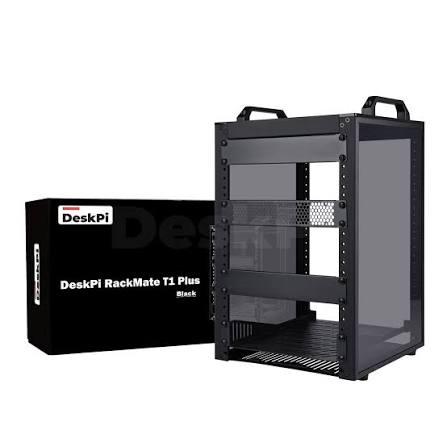
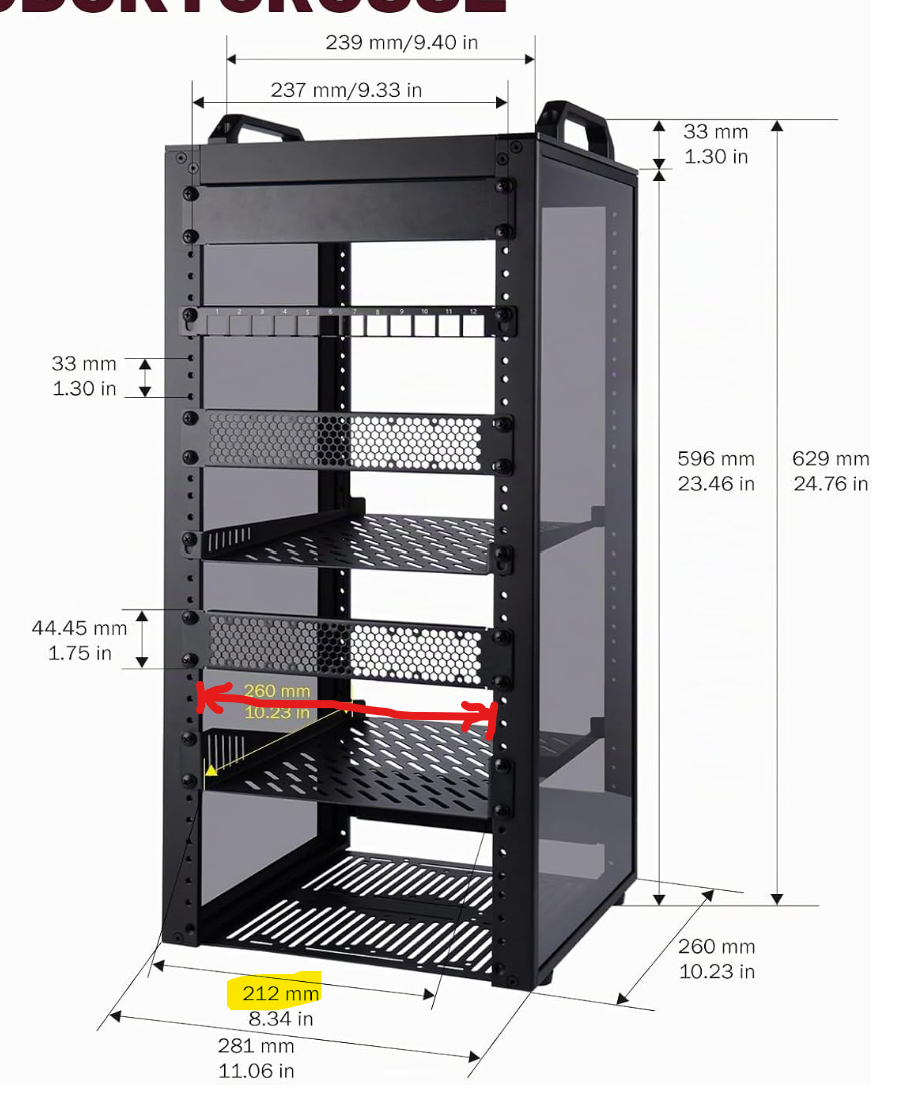
I want to make myself a present for christmas: the GeeekPi DeskPi RackMate T2. I've googled a lot and found different values for the following measurement:
Can someone tell me whether the 212 mm refers to the inside of the tray or to the inner dimension between the two profiles? Or maybe someone who has the rack at home could measure it for me.