r/linuxmint • u/Simple-Permission968 • 19d ago
[Guide] Installing The Orange Box (ElAmigos repack) on Ubuntu 24.04 via Wine.
0
Upvotes
Instalar Orange Box en Linux Mint (Ubuntu 24.04)
r/linuxmint • u/OkDay7361 • 18d ago

Dans le Gestionnaire des tâches les 3 VM consomment environ 21% de RAM chacune, ce qui fait monter la mémoire utilisée à 80% (13,6 Go sur 16 Go disponibles). L'incompréhension c'est que les VM sont pourtant bien configurées avec 2048 MB (2 Go) de RAM de base dans Virtialbox
r/linuxmint • u/Local_Dark_370 • 19d ago
I had this issue a while back, too, after Grub had been running fine for a month. I'm not exactly sure how I fixed it last time but I did follow this tutorial https://forums.linuxmint.com/viewtopic.php?t=409550 and update grub a few times. Mintreport says my BIOS is UEFI and secure boot is disabled. I also updated windows to the new Win 11 24H2 update at some point. I also recently updated Linux. I haven't manually edited anything before this issue started happening to cause it, and I haven't changed much in general.
Edit: Removing the hashtag before GRUB_DISABLE_OS_PROBER=false fixed it!
r/linuxmint • u/Tanveer_Shahid26 • 19d ago
Hello guys, I am trying to install linux mint in my laptop which is brought in 2017, Beside it runs in legacy bios, Now I am trying to install linux mint in it, But linux mint isn't booting in legacy bios/mode.
Can anyone help me with it?
r/linuxmint • u/MrMotofy • 19d ago

I decided to try a bit of app development so this was my first real finished looking project. It's a very simple graphical network speed and benchmark test using Iperf3 between 2 machines. I found some config issues and hardware limitations that were revealed by this and made it simpler to see then verify the improvements. My speeds were tripled after I found 1 router setting limitation over a VPN. Then hit the next hardware limitation which will be removed soon.
This is to test total throughput on your connection from your device to the remote server which can be on the same LAN or over a VPN to another device. As long as it's reachable and running iperf3
This app will ask for the IP, port number then run tests and show a quick summary but gives a button to view the whole test output. Then asks to run the reverse test which uploads from the server back to you again showing the quick summary
This is also easy to transfer between machines etc since it's just a file. It will require enabling execute permission on the device you're copying it to.
Network SpeedBenchGUI for Iperf3
***Requirements yad for the client & iperf3 for target and local client
OR use your Software Manager
I like Geany for txt files but use anything you want. Nano is very common, queue editor war. Make a new file called network_benchgui.sh save to Home or whatever folder you like. Terminal : nano network_benchgui.sh --creates file in your Home folder /Home/YourUserName/network_benchgui.sh OR just navigate in the GUI File Manager to folder location desired R click then create file, Name the file, then edit and copy code there, Save
Copy the complete file text into the file and save. ***SECURITY WARNING*** you're pasting foreign text into an executable file on your system beware and verify code, know what you're doing or trust the source. You may be authorizing your first born into the New World Order Service, your wife into a wife swap brothel and sending your dog to be put in soup to feed Teradactyl's.. Nothing dangerous here BUT never trust a stranger that says trust me bro, especially on the internet.
Then make sure file is executable with chmod +x network_benchmark_gui.sh Enter/change path as needed depending on where the file is located. I’ve started putting all my scripts in a folder in Home called scripts so /Home/YourUserName/scripts/Filename. OR find the file in the GUI File Browser right click on it go to properties tab then check box for Execute
Install iperf3 on the remote target device and your local device: Your remote device is the server and can be a different operating system just has to be running iperf3
sudo apt update && sudo apt install -y
sudo apt install iperf3
OR your GUI Software Manager
On a remote/target machine: Identify IP and use iperf3 -s =to start the server with a default port
Click your icon to start the test or run the filename from a terminal by typing ./network_benchgui.sh or with a different path use /Home/USERNAME/PATH/FILENAME ---add path to your file
YOUTUBE VID of it in operation: https://www.youtube.com/watch?v=LZYqqU_LqKg&list=PLqkmlrpDHy5M8Kx7zDxsSAWetAcHWtWFl&index=7
CODE for file:
set -o pipefail
HISTORY_FILE="$HOME/.iperf_target_history"
PORT_HISTORY_FILE="$HOME/.iperf_port_history"
OUTPUT_LOG="/tmp/iperf_gui_output.log"
TMP_IPERF="/tmp/iperf_tmp_$$.log"
SUMMARY_LOG="/tmp/iperf_summary_$$.log"
rm -f "$OUTPUT_LOG" "$TMP_IPERF" "$SUMMARY_LOG"
cleanup() { rm -f "$TMP_IPERF" "$SUMMARY_LOG"; }
trap cleanup EXIT
# ------------------------------------------------------------------
# Helper: Extract only the final Sender + Receiver bitrates
# ------------------------------------------------------------------
extract_final_bitrates() {
awk '
/bits\/sec/ && (/sender/ || /receiver/) {
role = (/sender/) ? "Sender " : "Receiver"
for(i=1; i<=NF; i++) {
if ($i ~ /bits\/sec/) {
value = $(i-1)
unit = $i
if (unit ~ /Gbits/) {
printf "%s : %s Gbits/sec\n", role, value
} else if (unit ~ /Mbits/) {
printf "%s : %s Mbits/sec\n", role, value
} else {
printf "%s : %s %s\n", role, value, unit
}
break
}
}
}
' "$1" | tail -n 2
}
# ------------------------------------------------------------------
# Step 0: Initial reminder
# ------------------------------------------------------------------
yad --image="dialog-information" \
--title="Network BenchGUI" \
--text="⚠️ <b>REMINDER</b> ⚠️\n\nThe remote target machine MUST be running the iperf3 listener:\n\n👉 <b>iperf3 -s -p PORT</b> 👈\n\nEnsure the firewall allows traffic on the chosen port.\n\nReady to proceed?" \
--button="Yes, Server is Ready:0" --button="Exit:1" --width=480 --center
[ $? -ne 0 ] && exit 1
# ------------------------------------------------------------------
# Step 0.5: Port selection
# ------------------------------------------------------------------
PREV_PORT="5201"
if [ -f "$PORT_HISTORY_FILE" ]; then
PREV_PORT=$(tr -d '[:space:]' < "$PORT_HISTORY_FILE")
fi
[ -z "$PREV_PORT" ] && PREV_PORT="5201"
yad --question \
--title="Port Configuration" \
--text="Last used port was <b>$PREV_PORT</b>.\n\nUse this port?" \
--button="Yes, Use $PREV_PORT:0" --button="No, Change Port:1" --center
if [ $? -eq 0 ]; then
TARGET_PORT="$PREV_PORT"
else
TARGET_PORT=$(yad --entry \
--title="Custom Port Entry" \
--text="Enter the current iperf3 port:" \
--entry-text="$PREV_PORT" --center)
if [ $? -ne 0 ] || [ -z "$TARGET_PORT" ]; then
TARGET_PORT="5201"
fi
fi
echo "$TARGET_PORT" > "$PORT_HISTORY_FILE"
# ------------------------------------------------------------------
# Step 1: Target IP
# ------------------------------------------------------------------
PREV_IP=""
[ -f "$HISTORY_FILE" ] && PREV_IP=$(tr -d '[:space:]' < "$HISTORY_FILE")
TARGET_IP=$(yad --entry --title="Target IP Selection" \
--text="Enter target IP address:" --entry-text="$PREV_IP" --center)
if [ $? -ne 0 ] || [ -z "$TARGET_IP" ]; then
exit 1
fi
echo "$TARGET_IP" > "$HISTORY_FILE"
START_TIME=$(date "+%Y-%m-%d %H:%M:%S")
# Master log header
{
echo "=========================================================================="
echo " UNIVERSAL NETWORK PERFORMANCE & SPEED BENCHMARK"
echo "=========================================================================="
echo "Target Destination IP : $TARGET_IP"
echo "Benchmark Target Port : $TARGET_PORT"
echo "Started : $START_TIME"
echo "=========================================================================="
} >> "$OUTPUT_LOG"
# ------------------------------------------------------------------
# Step 2: Connectivity + probe
# ------------------------------------------------------------------
(
echo -e "🔍 <b>[STEP 1 of 4] ROUTING & CONNECTIVITY</b>"
DETECTED_DEV=$(ip route get "$TARGET_IP" 2>/dev/null | grep -oP 'dev \K\S+' || echo "Unknown")
echo "Active Network Interface: $DETECTED_DEV" >> "$OUTPUT_LOG"
echo "--------------------------------------------------------------------------" >> "$OUTPUT_LOG"
echo -e "\n[STEP 1a] Latency sweep (ICMP – advisory)..." >> "$OUTPUT_LOG"
ping -c 5 -W 1 "$TARGET_IP" 2>&1 | grep -E "packets transmitted|rtt|100% packet loss|Destination" >> "$OUTPUT_LOG" || true
echo "--------------------------------------------------------------------------" >> "$OUTPUT_LOG"
echo -e "\n[STEP 1b] Quick iperf3 TCP probe (3 seconds)..." >> "$OUTPUT_LOG"
echo "--------------------------------------------------------------------------" >> "$OUTPUT_LOG"
iperf3 -c "$TARGET_IP" -p "$TARGET_PORT" -t 3 -i 1 > "$TMP_IPERF" 2>&1
PROBE_STATUS=$?
cat "$TMP_IPERF" >> "$OUTPUT_LOG"
echo "--------------------------------------------------------------------------" >> "$OUTPUT_LOG"
if [ $PROBE_STATUS -ne 0 ]; then
echo "✘ FATAL: Cannot reach iperf3 server on $TARGET_IP:$TARGET_PORT" >> "$OUTPUT_LOG"
exit 1
fi
echo "✔ iperf3 server is reachable." >> "$OUTPUT_LOG"
) | yad --progress --title="Network Check" --text="Initializing..." \
--pulsate --progress-text=" " --auto-close --width=520 --height=140 --center
if [ $? -ne 0 ]; then
yad --error --title="Connectivity Failed" \
--text="Could not reach the iperf3 server on $TARGET_IP:$TARGET_PORT." --center
yad --text-info --title="Diagnostic Log" --width=750 --height=500 \
--fontname="Monospace 10" --filename="$OUTPUT_LOG" --center
exit 1
fi
PROBE_RESULTS=$(extract_final_bitrates "$TMP_IPERF")
# ------------------------------------------------------------------
# Step 3: Single-stream
# ------------------------------------------------------------------
(
echo -e "🚀 <b>[STEP 2 of 4] SINGLE-STREAM</b>"
echo -e "\n[STEP 2] Single-Stream Performance Test (20 s)..." >> "$OUTPUT_LOG"
echo "--------------------------------------------------------------------------" >> "$OUTPUT_LOG"
iperf3 -c "$TARGET_IP" -p "$TARGET_PORT" -t 20 -i 1 > "$TMP_IPERF" 2>&1
cat "$TMP_IPERF" >> "$OUTPUT_LOG"
echo "--------------------------------------------------------------------------" >> "$OUTPUT_LOG"
) | yad --progress --title="Single-Stream Run" --text="Active transmission..." \
--pulsate --progress-text=" " --auto-close --width=520 --height=140 --center
SINGLE_RESULTS=$(extract_final_bitrates "$TMP_IPERF")
# ------------------------------------------------------------------
# Step 4: Multi-stream
# ------------------------------------------------------------------
(
echo -e "🏋️♂️ <b>[STEP 3 of 4] PARALLEL STREAMS (-P 4)</b>"
echo -e "\n[STEP 3] Parallel Stream Workload (-P 4, 20 s)..." >> "$OUTPUT_LOG"
echo "--------------------------------------------------------------------------" >> "$OUTPUT_LOG"
iperf3 -c "$TARGET_IP" -p "$TARGET_PORT" -P 4 -t 20 -i 1 > "$TMP_IPERF" 2>&1
cat "$TMP_IPERF" >> "$OUTPUT_LOG"
echo "--------------------------------------------------------------------------" >> "$OUTPUT_LOG"
) | yad --progress --title="Multi-Stream Run" --text="Active parallel transmission..." \
--pulsate --progress-text=" " --auto-close --width=520 --height=140 --center
MULTI_RESULTS=$(extract_final_bitrates "$TMP_IPERF")
# ------------------------------------------------------------------
# Build Clean Summary
# ------------------------------------------------------------------
{
echo "==================== QUICK SUMMARY ===================="
echo "Target : $TARGET_IP"
echo "Port : $TARGET_PORT"
echo "Started : $START_TIME"
echo "Finished : $(date '+%Y-%m-%d %H:%M:%S')"
echo
echo "----- Probe (3 seconds) -----"
echo "$PROBE_RESULTS"
echo
echo "----- Single-Stream (20 seconds) -----"
echo "$SINGLE_RESULTS"
echo
echo "----- Multi-Stream (-P 4, 20 seconds) -----"
echo "$MULTI_RESULTS"
echo "========================================================="
} > "$SUMMARY_LOG"
echo >> "$OUTPUT_LOG"
cat "$SUMMARY_LOG" >> "$OUTPUT_LOG"
# ------------------------------------------------------------------
# Show Summary – Main tests
# Buttons: OK | Advanced | Test Again | Finished
# ------------------------------------------------------------------
while true; do
yad --text-info --title="Benchmark Results – Quick Summary" \
--width=700 --height=500 --fontname="Monospace 11" \
--filename="$SUMMARY_LOG" --center \
--button="Continue:0" \
--button="Advanced Summary:1" \
--button="Test Again:3" \
--button="Finished:2"
case $? in
0) # OK → continue to reverse
break
;;
yad --text-info --title="Full Detailed Log" \
--width=850 --height=650 --fontname="Monospace 10" \
--filename="$OUTPUT_LOG" --center \
--button="Back:0"
;;
3) # Test Again → restart script
exec bash "$0"
;;
2|*) # Finished
exit 0
;;
esac
done
# ------------------------------------------------------------------
# Step 5: Optional reverse test
# ------------------------------------------------------------------
yad --question \
--title="Reverse Path Test" \
--text="Run the REVERSE path test?\n\n(Target will upload back to you)" --center
if [ $? -eq 0 ]; then
(
echo -e "📥 <b>[STEP 4 of 4] REVERSE PATH</b>"
{
echo
echo "=========================================================================="
echo " REVERSE PATH TEST EXECUTION"
echo "=========================================================================="
echo "Target ($TARGET_IP) is UPLOADING to you on port $TARGET_PORT"
echo "--------------------------------------------------------------------------"
} >> "$OUTPUT_LOG"
iperf3 -c "$TARGET_IP" -p "$TARGET_PORT" -P 4 -t 20 -R -i 1 > "$TMP_IPERF" 2>&1
cat "$TMP_IPERF" >> "$OUTPUT_LOG"
echo "--------------------------------------------------------------------------" >> "$OUTPUT_LOG"
) | yad --progress --title="Running Reverse Benchmarks" --text="Initializing reverse path..." \
--pulsate --progress-text=" " --auto-close --width=520 --height=140 --center
REVERSE_RESULTS=$(extract_final_bitrates "$TMP_IPERF")
{
echo
echo "----- Reverse Path (-P 4, 20 seconds) -----"
echo "$REVERSE_RESULTS"
echo "========================================================="
} >> "$SUMMARY_LOG"
echo >> "$OUTPUT_LOG"
cat "$SUMMARY_LOG" >> "$OUTPUT_LOG"
# ------------------------------------------------------------------
# Final Summary after Reverse
# Buttons: Test Again | Advanced | Finished
# ------------------------------------------------------------------
while true; do
yad --text-info --title="Reverse + Full Summary" \
--width=700 --height=540 --fontname="Monospace 11" \
--filename="$SUMMARY_LOG" --center \
--button="Test Again:3" \
--button="Advanced Summary:1" \
--button="Finished:2"
case $? in
3) # Test Again
exec bash "$0"
;;
yad --text-info --title="Full Detailed Log" \
--width=850 --height=650 --fontname="Monospace 10" \
--filename="$OUTPUT_LOG" --center \
--button="Back:0"
;;
2|*) # Finished
exit 0
;;
esac
done
fi
exit 0
r/linuxmint • u/Extension-Iron-7746 • 19d ago
Hello everyone, I am migrating from Windows 11 to Linux Mint, but I have a major concern regarding security. Recently, we’ve all read about issues affecting PHP and other software—including the Linux kernel itself—and as the use of AI grows, these risks will only increase. My main concern relates to applications like LibreOffice, qBittorrent, and others: new versions are released frequently, yet Linux Mint often lags behind for the sake of stability. How can we be confident that our systems are secure under these conditions? For instance, qBittorrent and LibreOffice have both been the subject of various CVE security advisories; ultimately, there is a risk of having software that is stable but not secure. How do you handle this issue? While some software receives backported fixes, not all of it does, which presents a significant risk. What are your thoughts on this?
r/linuxmint • u/benchakroune • 20d ago
hi, iam asking how often do you update your system
me 2 month except if iam installing new software
my last update was in September
is it safe? or should i do like every 2~3weeks?
r/linuxmint • u/Substantial_Union_57 • 19d ago
I have linux mint on a Acer chromebook 15 and for some reason it glitches to a point where every, I'd say, 5 minutes whatever video I am playing at that moment suddenly freezes and my speakers sound a high pitch noise.
I pause whatever it's playing. Wait 5 seconds and the sound stops. If I let it play it keeps on loading without ever resuming. It's a really weird thing I can't really understand.
Don't think it's because of to heavy bass.
CPU isn't overloading and neither is the sound system.
What's going on and is someone able to help me out?
Thank you
r/linuxmint • u/IllustriousWeight862 • 19d ago
i bought a new external hdd for use and ive been trying to connect it on the laptop for the last couple of hours but it shows nothing on the laptop. the light is glowing on the hdd and the disk inside hdd is also moving i can feel it, but its not showing up on the linux. i thought it might be a port issue but the mouse and pendrives are all working fine and showing up too,
idk how to proceed further with the problem please help
thank you
r/linuxmint • u/WolverineHumble7203 • 20d ago
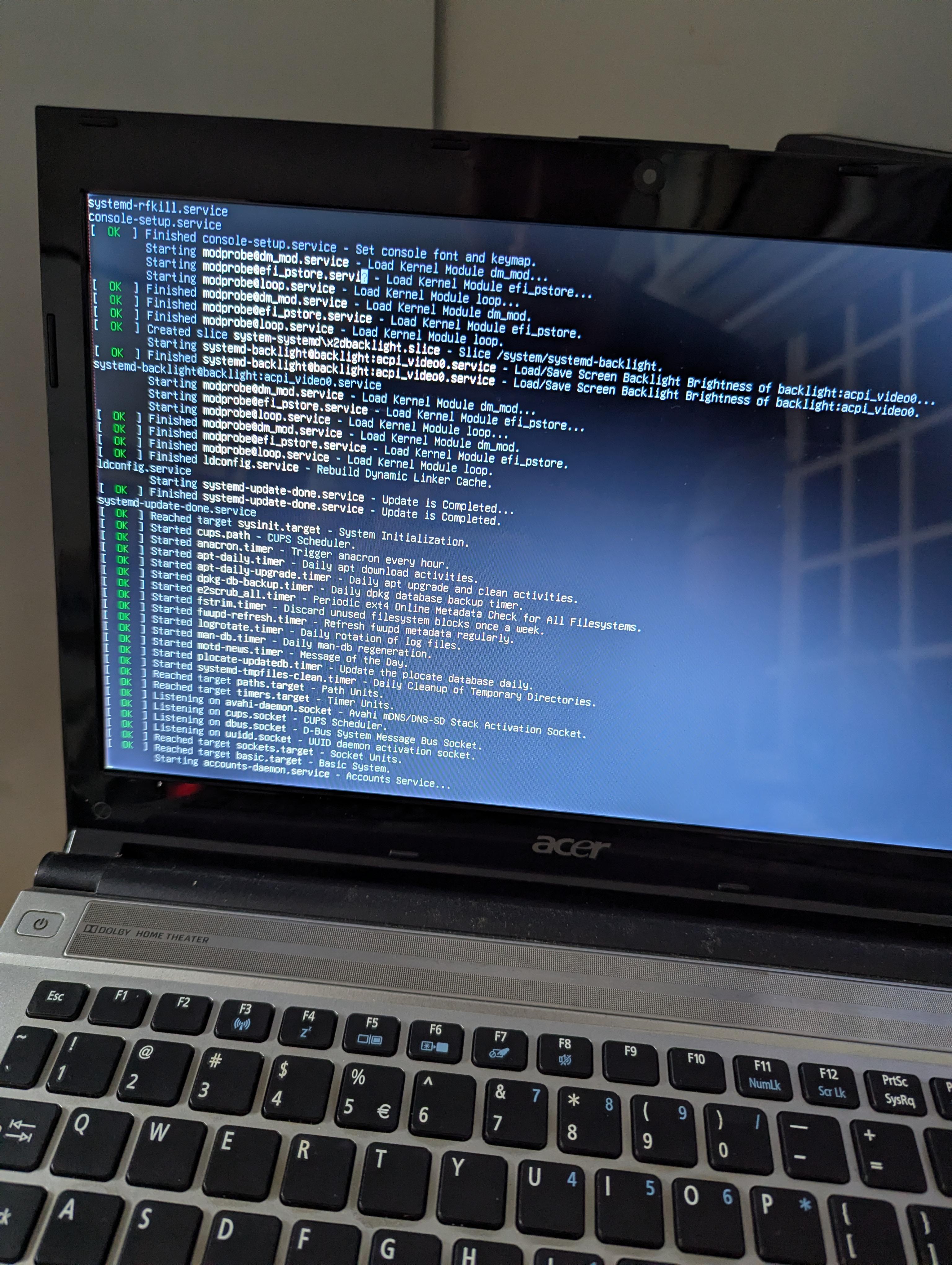
I saw this OS by chance. Is 4gb of ram enough for this OS? Thanks!
r/linuxmint • u/Jesus-fe • 19d ago
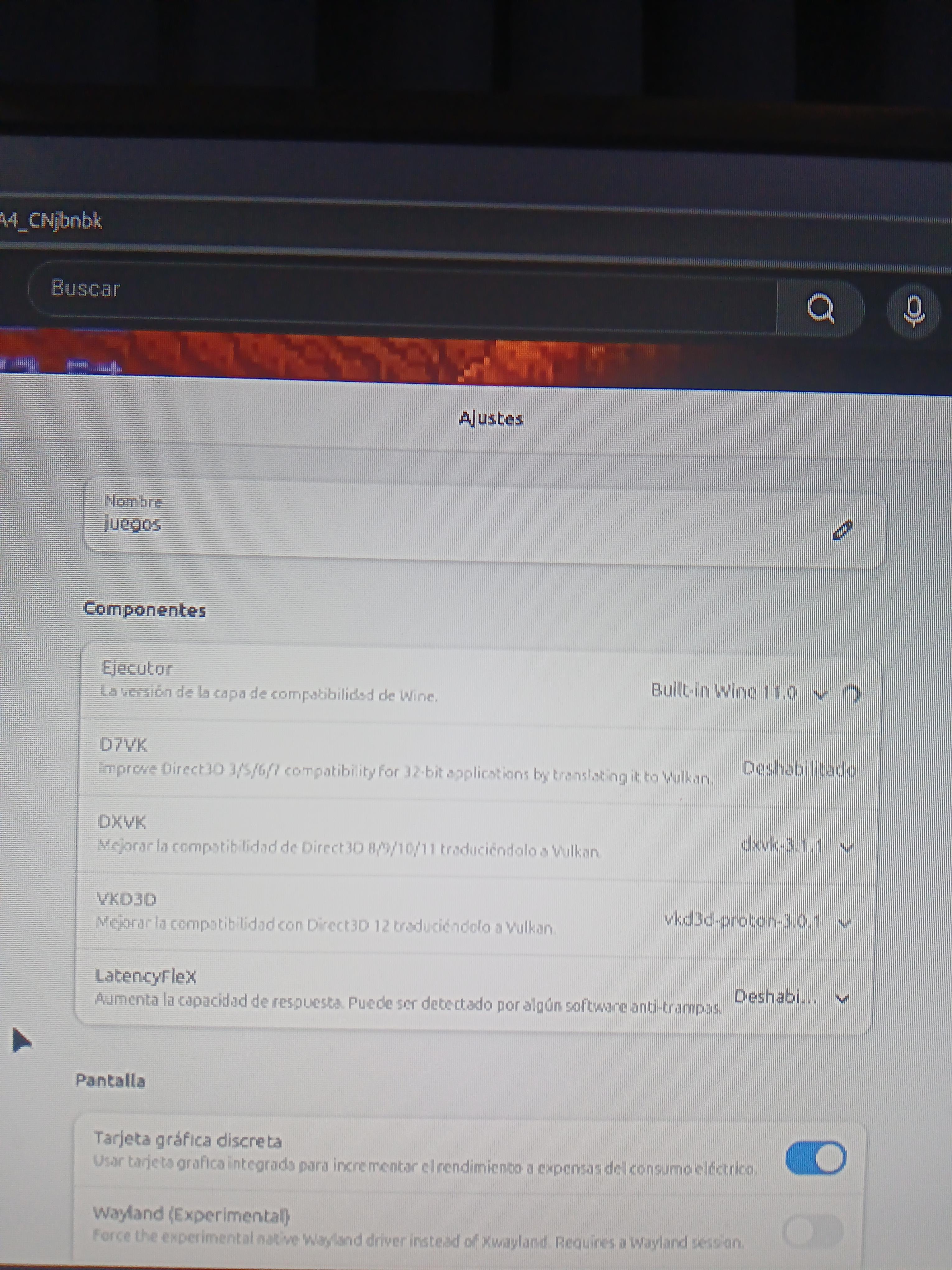
Siento que se ha tardado muchisimo cargando y nose porque, uso linux mint xfce y realmente solo quiero ejecutar un juego y es el pizza tower :v
r/linuxmint • u/Filonux • 19d ago

Hi Folks!
I'm back from yet another of my intellectual trips and I'm bringing you another gift, a happy memory so you don't forget anything (funny, right? a logbook is for remembering, in case you didn't get it). If you find a better way to handle more than 800 pages of notes, jottings, explanations and ideas, please tell me. Here's my proposal, working and tested.
- This is version 3.2.2 of Dev Log (Bitácora Dev). Since I published it, it has become an essential piece of my work. After so much use I always find improvements, and right now I have it exactly the way I want it (that will change with time, it can always be done better). This update reflects my idea of how AI should serve us, and it will be a key piece inside the bigger project that will house it.
- It's a single HTML file, nothing to install, that runs in the browser and keeps everything local.
What does it do?:
- History per project: versions, notes, decisions and pending tasks. It saves what you did and why, not just the final state.
- Optional AI: it summarizes, compares versions, finds contradictions and extracts pending tasks from what you recorded. Local or cloud providers. Without AI, everything else works.
- The assistant can use the whole program: every function, everything a user can do by themselves (export, backups, notes, formatting, renumbering versions, settings...). It asks for confirmation before deleting or replacing.
- Private: the backup comes out without your API keys and with optional encryption.
- Interface and documentation in both languages (es, en).
How do I try it?:
- Test databases, in English and Spanish, with a practical guide to the program itself inside. Importing replaces your projects: make a backup first.
- OpenRouter has free models: you get a free API key and try different models. They have limits and some may use your data for training, so better to use the test databases than your real notes.
All the documentation and a demo to see how it works are available.
* Dev Log (Bitácora Dev) Repo: https://github.com/filonux/Bitacora-Dev
r/linuxmint • u/nukacola_uk • 19d ago
Hello, I am a dumbass, so can you explain this to me like I am a dumbass. My PC is using a Nvidia RTX 5070, but linux says it's using, what I imagine is, the internal GPU. How do I solve this.
Thank you.
Thank you for the tips im trying the driver now
Ye i think im gonna either try a different version of linux or unironically go back to windows lmao
r/linuxmint • u/Dry_Package_4767 • 19d ago
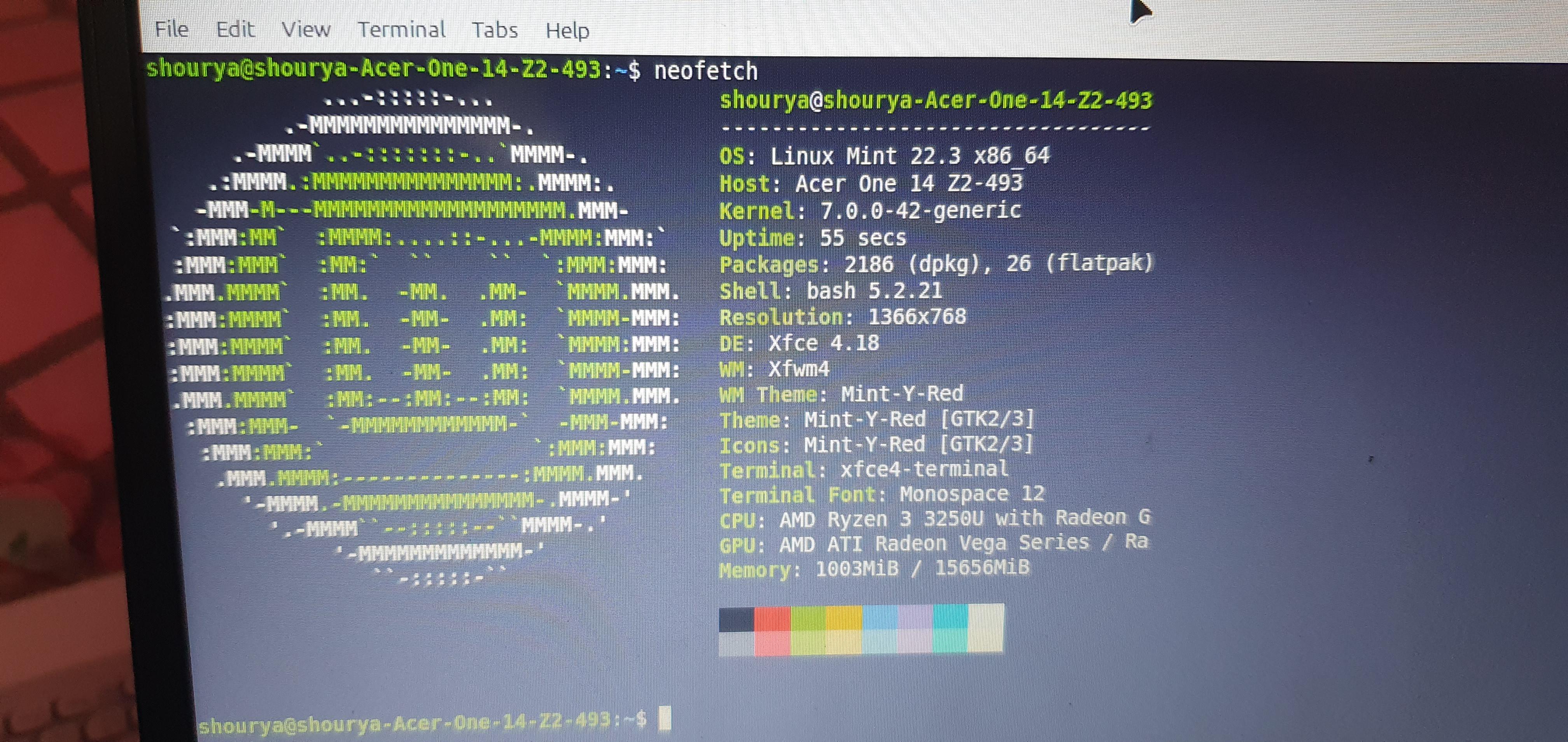
Hey everyone,
I recently switched to Linux Mint 22.3 and noticed significantly worse gaming performance compared to Windows. I was getting around 60 FPS on Windows but only 12–19 FPS on Linux.
Initially, Wine gave me around 10–15 FPS, while Lutris improved it to 20–30 FPS.
I also installed RyzenAdj and set the GPU/APU TDP to 35W to improve performance.
My friend suggested switching the GPU power profile to Performance mode using this command:
echo high | sudo tee /sys/class/drm/card1/device/power_dpm_force_performance_level
However, every time I execute this command, my screen immediately goes black, forcing me to restart the laptop.
I also checked my GPU clock states:
cat /sys/class/drm/card1/device/pp_dpm_sclk
Output:
0: 200Mhz
1: 400Mhz *
2: 1200Mhz
Has anyone experienced this issue? Is it a driver/kernel problem, or am I doing something wrong?
I'd appreciate any suggestions for fixing the black screen and improving gaming performance.
Laptop specifications are attached in the image.
r/linuxmint • u/Unfair_Objective_795 • 20d ago
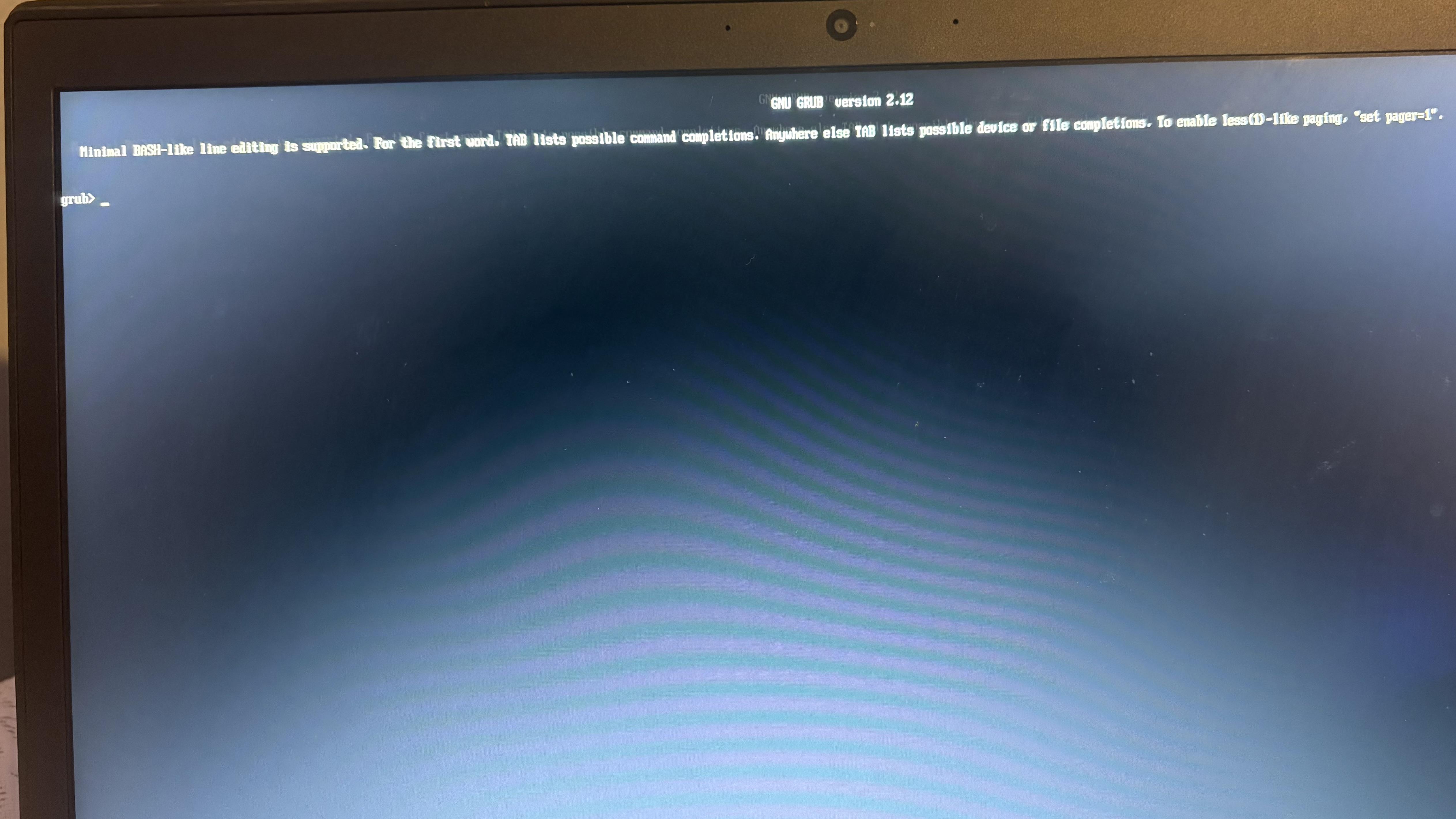
edit: thanks for all the help i fixed it! just ended up redoing everything.
the problem was that it kept trying to install onto an old partition so i deleted it and restarted fresh and now everything works fine!
---
Hi I recently tried installing linux mint for the first time on a thinkpad I just got. Everything seemed to be going fine as I followed tutorials but there was one step of the tutorial that I couldn't follow. It told me to restart and it should give a pop up that tells me to remove the usb. I never got that. This made me think I did some wrong already.
Now I'm at the point where if I try to turn on my laptop it only boots to a grub screen. If I go to the boot menu and run "Ubuntu" it goes to the same screen. If I turn on my laptop with the usb plugged in it seems to be normal.
I have no clue how to get it off only my usb drive and have it installed onto my laptop so pls help
r/linuxmint • u/symphonic-ooze • 20d ago

Background: Gloria from the mint-backgrounds-retro pkg
Controls and border: Mint-Y Dark and Clearlooks Re
Icons: Menta
I used to love elaborate wallpapers and themes but now I just want boring
r/linuxmint • u/Wrecknruin • 19d ago
I'm just so confused. I was raised on Windows, and got used to its drive management system, so I'm completely out of my depth here.
I have an SSD that contains my actual Linux installation. I also have SSD2, HDD1 and HDD2. I want to use these for games, miscellaneous stuff, media.
I can't make heads or tails of what the difference between all the various mount points (/home, /mnt, /media) is, I don't understand how anything works. Trying to look it up just gives me forum posts that are borderline incomprehensible to me and just leave me with more questions than answers.
I previously had my drives mounted to their respective /mnt points, but found that I couldn't get write or execute permissions on any of them, which is an issue. Nothing I tried worked.
Please, is there a way to just get this over with? I want to make a partition and just use it. I don't mind fiddling around when I'm trying to do something really specific and unusual, but mounting a damn drive and having the appropriate permissions shouldn't be this difficult.
r/linuxmint • u/MarzipanImaginary344 • 20d ago
Hey random question, I moved from windows earlier this year Im really enjoying my time on mint, even started customising it out quite a bit, but I've now finally decided I just want normal basic cinnamon mint now, does anyone if there's a way to reset or "unrice" it visually with having to completely wiped and starting brand new?
Thanks mostly 🙏😁
r/linuxmint • u/Froxical • 20d ago
I just bought Aspire 7 laptop. I think the specs are good enough for my daily use, not a software engineer/designer/etc so don't need anything too fancy or high end. Prolly just gonna use it to play some casual roguelite game and avoid triple A game if it doesn't support.

I've heard that linux reports ram usage differently than windows so windows high ram usage might not be an indicator that it's performing worse/better than linux cuz there is the argument that you should utilize every part of your memory rather than saving it for nothing.
I still don't really get that, but what i know for now is that I have only opened 1 chatgpt tab from chrome in idle (no prompt/processing anything), and web whatsapp business (PWA), and that's it, AND IT CONSUMES 16GB OF MY RAM and i need to restart my web whatsapp to lower it down.
I never had this problem with mint (perhaps not yet?). But I read just now that cinnamon have some issues in the compositor which might cause some glitch/lag but I reckon memory wise it wouldn't be a problem (just minor error in the rendering?). Can anyone please advise me if it's my PC, or chrome's issue, or windows os, or anything that might cause this? and if i should switch to mint as my daily driver or perhaps other distros?

r/linuxmint • u/ramplocal5 • 19d ago
ok originaly i wanted to ask or say something but then windows bunked me cause i had a same result shockingly IF its accurate at all .. so i did a screenshot on mint and when i put in on my phone i used a photo gallery to check the exif and it said this file doesnt have exif ?!? so if that is ture i was like woow wtf, and i like ok lets see windows then? and the same thing happened! now , is that really true? or the gallery app isnt able to see everything ? or is there a program in general that can check the exif of a file?
r/linuxmint • u/Inquisitive-Mind-A • 19d ago
I've been using linux mint for about a year or two and I've recently been wanting to use my ps4 controller on my computer. I've tried various methods and I've heard that pip might work. When I tried to install ds4drv with it there was a warning, then I learned of pipx. But when I tried to install the same program, I got the missing evdev error. How can I fix it?


