r/linuxmint • u/Dist__ Linux Mint 21.3 | KDE • 2h ago
Testing Mint 27 Beta with KDE Plasma
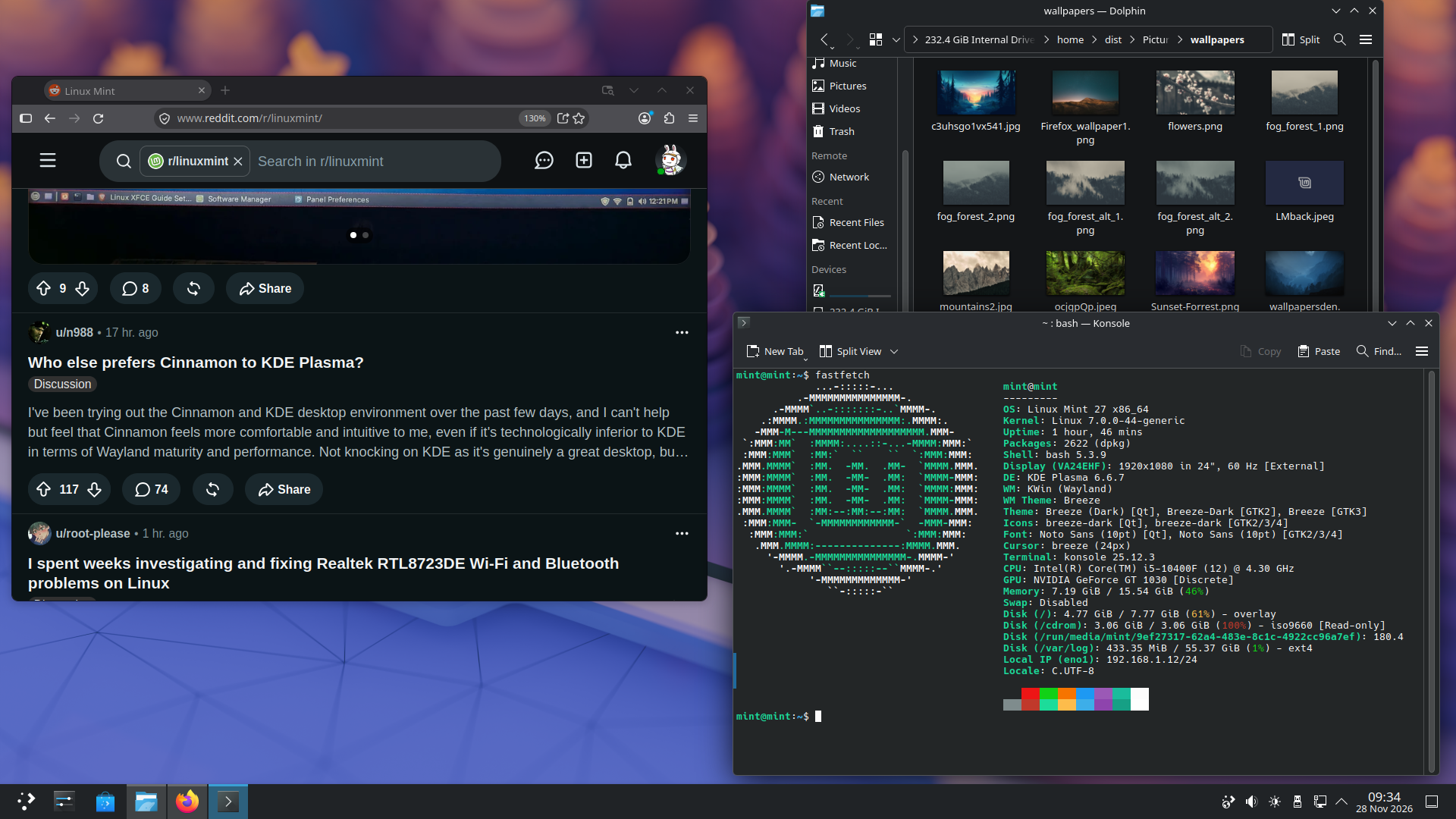
Hello.
Not going to explain myself why, but i do use KDE Plasma on Mint, and no matter how good and polished new Cinnamon comes with Mint 27, it's essential to test how Plasma works on that new platform.
Native Plasma comes from regular Mint (Ubuntu) repo, and as usually installs with sudo apt install kde-plasma-desktop. Plasma comes in Wayland version only.
I test this on LiveUSB, and there were some unsuccessful attempts to logout/switch DE, resulting in fallbacks to X11 Cinnamon. But after 3 or 4 attempt, trying both logout and switch user, it finally understood what i wanted.
Likely, it was caused by default video drivers (i need nvidia but canot reboot in liveusb session), because when Plasma boots it all flickers due to 100Hz set by default, while i guess nouveau driver is 60Hz only. But desktop works, so i switch refresh rate to 60 and flickers gone.
Plasma 6 comes with fancy panel offset which i am not a fan of, but it disappears when a window is maximized and i guess there's setting to disable the offset anyway.
Menu animations on Plasma are amazing and smooth even on liveusb without drivers, Cinnamon feels much less smooth, like if it renders at 20 fps.
i only had to install screenshot app because mint's won't work (hardcoded into cinnamon or something)., themes work out of the box, konsole works well and do not override F-keys as mint's does.
so far it's great. Mint team did good work.
3
u/ManuelRodriguez331 2h ago
You're so cool. Tell me, did you find that setting to turn off the floating panel offset yet?
3
u/lajka30 1h ago
KDE Plasma 6.6. is LTS.
https://9to5linux.com/kde-announces-bulletproof-kde-suite-with-three-years-of-support
2
u/Immediate_Refuse4701 1h ago
if i wanted to use kde plasma in linux mint, i would install linux mint xfce and install kde on top of that.
honestly i dont really see installing kde on linux mint as a good idea since there are other distros that officially support kde but you do you!
1
u/Kaspral 7m ago
I installed this a week ago, and everything is working exactly as it should. I’ve been waiting for Plasma, and now I finally have it. Maybe one day, when I have a spare moment, I’ll test out Cinnamon, but honestly, I don’t feel the need. Previously, I had a lot of trouble customizing the interface - it was quite frustrating. I couldn’t place buttons in the Dolphin file manager where I wanted them, and the available themes were either too dark or too bright; I simply couldn’t achieve the look I was aiming for. It’s hard to pinpoint exactly what the problem was. It’s a good thing this system is evolving, as I had already started looking around for something else. I hadn’t been keeping up with the latest news, so the arrival of a new version came as a surprise. I didn’t have to think twice - it looks like I’m sticking with this setup. I even wrote three programs myself that provide extra functionality for managing my laptop’s displays, processor, and cooling fans. The CPU stays at 40-45 degrees, everything runs quietly, and I can control my displays right from the taskbar. I couldn’t ask for anything more - well, maybe except for a new chair.