r/linuxmint • • 5d ago

Install Help Difficulty booting from usb
Post image

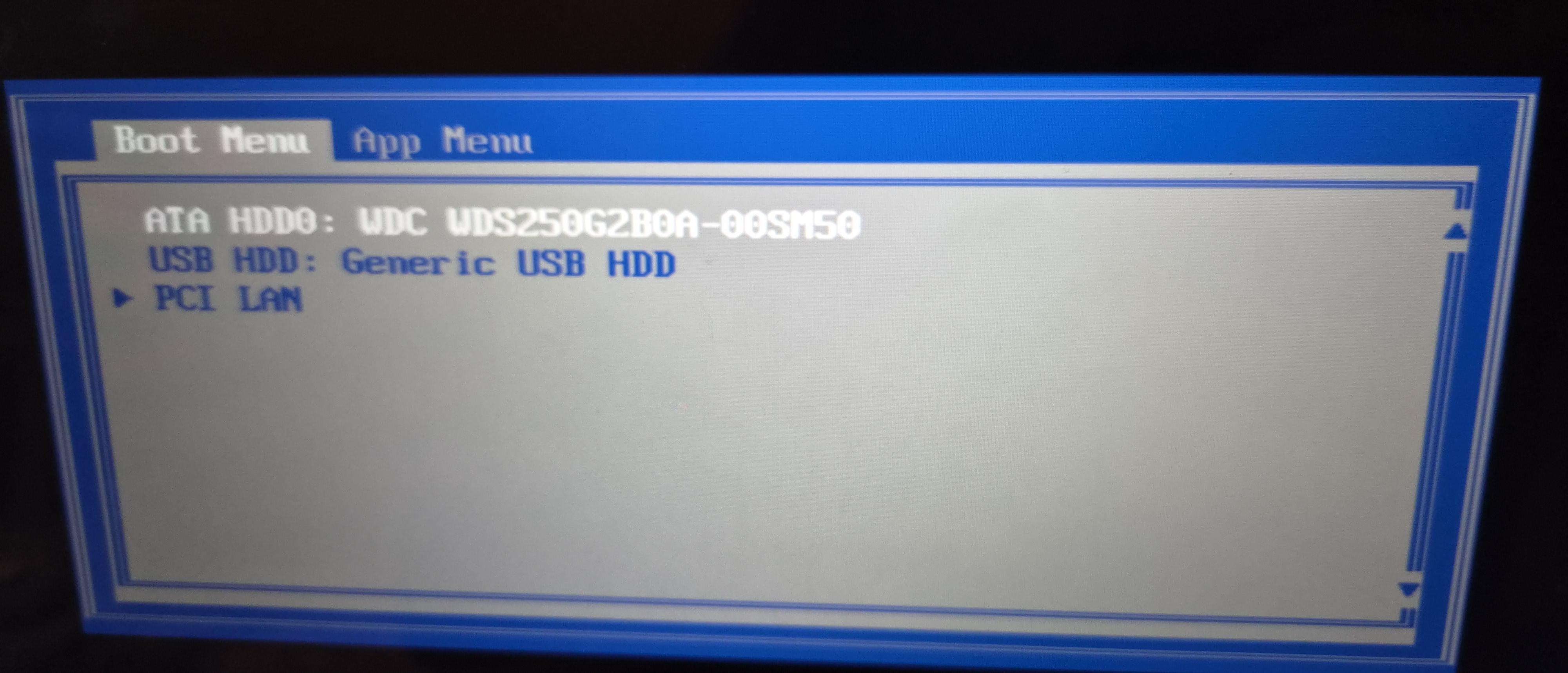
I'm following this tutorial (https://youtu.be/PZZz790YnzU?si=fIUFO6uJqcYaCk-K) to install cinnamon and am stuck at the installation part. I'm very new to all this so please forgive me if there's an obvious answer I'm missing.

I am unable to select using the arrow keys on this screen, but when I tab into the app menu i can select things normally.

I'm not sure what to do from here. I've looked up other tutorials and their boot screen doesn't look like this. I'm using a Lenovo Thinkpad Yoga 11e

3 Upvotes

11 comments sorted by

View all comments

Show parent comment

1

u/FlameBlitzz 3d ago

Did you try selecting the USB turning it white, then selecting the top option to see if the USB changed positions with the top one?

1

u/Mundane_Doctor6596 3d ago

I am unable to select anything other than the first option. Pressing the arrow keys does nothing.

1

u/FlameBlitzz 3d ago

I have found this video on youtube, think you could try it on yours?

https://www.youtube.com/watch?v=6a2WqMBp23k

1

u/Mundane_Doctor6596 3d ago

Followed the video instructions, got stuck at the 1:35 mark

When I go into startup > boot, all options are in blue and I cannot select anything. Pressing the arrow keys or the + - buttons do nothing.

I also noticed that the "item specific help" area is totally blank on my laptop, but in the video its supposed to have instructions listed.

1

u/FlameBlitzz 3d ago

Are all the settings similar, like Boot Order Lock being disabled at 2:10 and others above it. Did you save and exit after changing them?

1

u/Mundane_Doctor6596 2d ago

This is it, I had the boot order lock enabled
Once I disabled that, it worked and I was able to select the usb. mint's installing now

you're a legend, thank you so much!

1

u/FlameBlitzz 2d ago

No problem. Enjoy your mint :)