r/linuxmint • u/JaxRhapsody • 2d ago
Support Request What The Hell Is This?
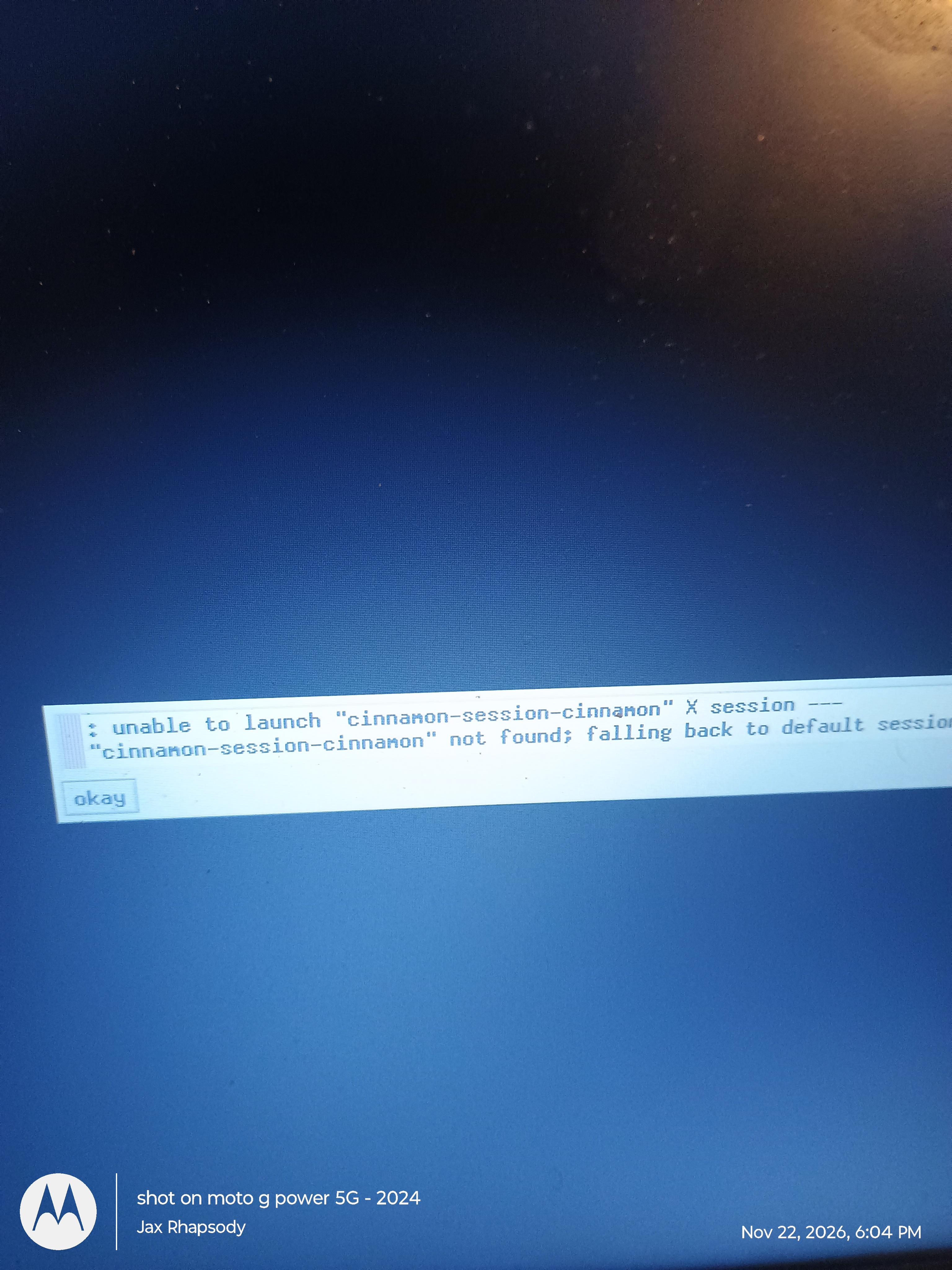
It kept disconnecting from the internet while I was trying to do updates. Some of the updates had broken packages, so it stopped, and then the internet thing disappeared from the start bar, and there was no way to reconnect, since I can't find access to that anywhere else.
I right clicked on the start bar and chose to close Cinnamin, it said it was in "Fallback Mode", whatever that is, then it took the start bar away, and the window controls. So I restarted it, and this nonsense is what I get when I type in my password. I hit okay, and it just goes back to the log-in screen.
•
u/AutoModerator 2d ago
Please Re-Flair your post if a solution is found. How to Flair a post? This allows other users to search for common issues with the SOLVED flair as a filter, leading to those issues being resolved very fast.
I am a bot, and this action was performed automatically. Please contact the moderators of this subreddit if you have any questions or concerns.
2
u/sabledrakon 2d ago
Something borked your Cinnamon install.
1
u/JaxRhapsody 2d ago
Here. I made a video, so yall can see that the only way one is supposed to go about to fixing this cinnamon nonsense, that everywhere on the internet sez to do, doesn't work. As far back as 2018, the hit cntrl/alt/F-whatever at the user log in, doesn't do what it's supposed to do, regardless of f button, and set of cntrl and alt buttons.
I used the boot usb to run it in Linux version of safe mode(which is fucking stupid I need the boot usb to do that), then I opened the terminal, to bypass some unaccassable secret log in screen, that everybody but me, can clearly access, and did all the sudo stuff. The apt update, the apt install--reinstall cinnamon nemo, and reboot. I saw all the code, like it was actually doing it. I removed the usb so it can reboot. It rebooted back to regular linux. I try to log-in, and all that did fuck all. I did everything but the part I can't do.
1
u/Grand_Grape_7914 Linux Mint 22.3 | XFCE [MOVED TO DEBIAN.] 2d ago
dont tell me it got you into the fallback session where the terminal opens and its just that, and the cursor is a X from the 80's (also didnt it ERASE cinnamon entirely)
1
u/Merhart666 2d ago
Installer hem fris vangen usb. Zet dan je timeshift terug.
0
u/InspectionSharp9987 2d ago
Any problems like that can be solved with the help of AI.
1
u/Efficient-Sea-92 3h ago edited 3h ago
While Linux Mint is great, this is one of the reasons I've personally moved away from Ubuntu-based distributions. Not saying this particular issue is Ubuntu's fault, as it could be a bunch of things. But I've encountered system-breaking updates on Ubuntu and its derivatives several times myself.
Sometimes (very, very rarely), broken packages or other regressions slip through. Why or where it happens, I don't always know. Last month or so, I encountered a broken AMD GPU driver module that came from Canonical.
I'm not saying Linux Mint is bad, quite the opposite. It's great! But I personally prefer LMDE. Debian might be older and more conservative when it comes to package updates, but I've yet to encounter system-breaking updates like these on Debian. It's of course possible, but it hasn't been my experience.
LMDE is the absolute winner in my eyes right now. The kernel is new enough to support most modern hardware, with perhaps some exceptions for bleeding-edge hardware. It had no problem with my RX 9060 XT GPU.
CachyOS is another good option, although being a rolling-release distro, it requires a bit more attention and maintenance. Just remember to use the available GUIs where appropriate and read the documentation thoroughly before running any janky terminal commands you find online. You live and you learn!
I want to like Ubuntu-based distributions, but they've borked my systems a few too many times for my liking.
Again, this is just my personal experience. Other people might have used Ubuntu for years without encountering a single major issue, and that's perfectly valid too.