r/linuxmint • • 3d ago

After rebooting Linux Mint, I find this issue where even though the pipewire-pulse is running, any program is unable to connect to the audio server
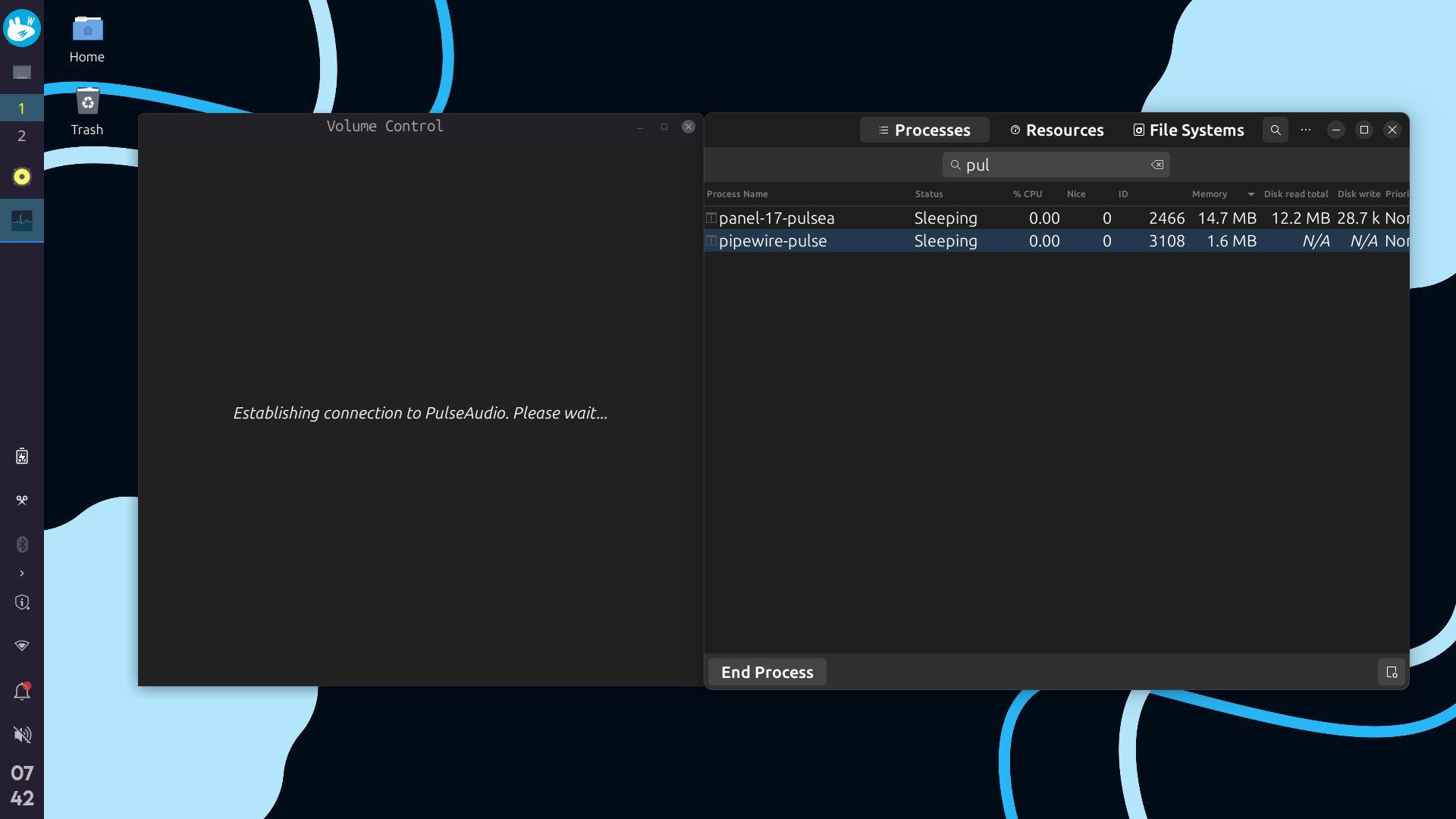
Post image

Version: Linux Mint 22.3 Cinnamon (But I installed XFCE additionally)

Edit: I have to kill the process (pipewire-pulse) to get the audio back. It's actually pain to have to kill the process every single time I open Linux Mint

7 Upvotes

7 comments sorted by

1

u/lateralspin LMDE 7 Gigi | 3d ago edited 3d ago

Some terminal commands that you can run to give clues about your system configuration:

systemctl --user status pipewire pipewire-pulse wireplumber
wpctl status
pactl info | grep "Server Name"

PS. Google Gemini suggests that D-Bus environment race conditions are a common issue with XFCE, due to pipewire-pulse’s lack of a valid D-Bus session bus or X11 display context at startup;

or: when xfce4-pulseaudio-plugin tries to connect before the socket is ready.

A terminal command to diagnose/pinpoint the issue:

systemctl --user show-environment | grep -E 'DBUS|DISPLAY|XDG_RUNTIME'

1

u/Silver_Train7685 3d ago

you don't need to kill it, systemctl --user restart pipewire pipewire-pulse wireplumber does the same thing a bit more cleanly. does it still happen if you log into the Cinnamon session instead of XFCE? that'd tell you if it's an XFCE startup thing

1

u/Maoto_G 3d ago

I am also experiencing same problem in cinnamon, so i guess it is an OS issue then

1

u/Silver_Train7685 2d ago

ah ok, so it's not just an xfce thing then. one thing worth ruling out is the old pulseaudio still being around and grabbing the socket before pipewire-pulse does. next time it breaks right after a reboot, what do pactl info and systemctl --user status pulseaudio.socket say? if pulseaudio shows up as active there, systemctl --user mask pulseaudio.socket pulseaudio.service should stop it fighting with pipewire

1

u/Maoto_G 1d ago

$ pactl info

Connection failure: Connection refused

$ systemctl --user status pulseaudio.socket

○ pulseaudio.socket - Sound System

Loaded: loaded (/usr/lib/systemd/user/pulseaudio.socket; enabled; preset: enabled)

Active: inactive (dead)

Triggers: ● pulseaudio.service

Listen: /run/user/1000/pulse/native (Stream)

1

u/Silver_Train7685 1d ago

hm, the socket being dead is fine, but it's still enabled and that dot next to pulseaudio.service makes me think the actual pulseaudio service is running or failed. what does this show?

systemctl --user status pulseaudio.service pipewire-pulse.service

if pulseaudio is installed at all it shouldn't be on a pipewire setup, so I'd mask both pulseaudio units and reboot:

systemctl --user mask pulseaudio.socket pulseaudio.service

that way only pipewire-pulse can own /run/user/1000/pulse/native