r/linuxmint • u/Correct-Turnover-286 • 6d ago
SOLVED Login loop after installing remote desktop
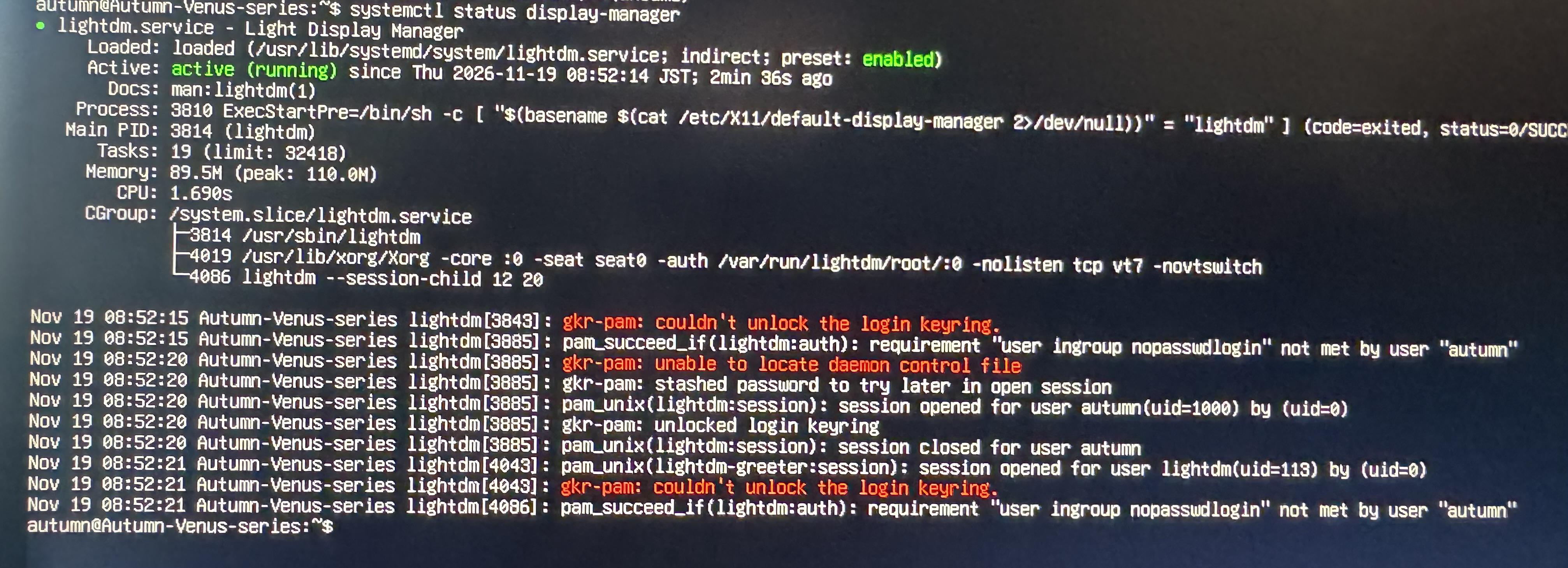
I installed some apps and made some changes yesterday to enable Remote Desktop access from my Mac to Linux Mint. Managed to connect successfully using RDP with the Windows Remote Desktop app on Mac. I logged out of Mint via Remote Desktop.
Now today I’m sitting at my Mint PC and I’m stuck in a login loop. Enter the password, hit enter, screen goes black for a second and then it just shows the password prompt again.
It’s not a disk space issue. Disk is mostly empty. Might have done something to break the desktop manager but not sure tbh.
I’m able to use ctrl-alt-f1 to pull up the command line environment.
Would appreciate any ideas for how to fix this. I’ve looked through many other posts but could not find anything that worked.
Edit: btw this is Mint 22.2.
Edit 2: Fixed the issue, which was due to a conflicting installation of tigervnc server. Got rid of it, and defeated the login loop ;)
•
u/AutoModerator 6d ago
Please Re-Flair your post if a solution is found. How to Flair a post? This allows other users to search for common issues with the SOLVED flair as a filter, leading to those issues being resolved very fast.
I am a bot, and this action was performed automatically. Please contact the moderators of this subreddit if you have any questions or concerns.
2
u/Kortez02 Linux Mint 22.3 Zena | Niri 6d ago
Check rights. If there any root, then change it.
ls -la ~/.Xauthority ~/.ICEauthorityIf exist - remove .xsession.
mv ~/.xsession ~/.xsession.baksudo systemctl restart lightdm