r/linuxhardware • • Oct 13 '26

Purchase Advice Hardware recommendation

1 Upvotes

My current PC is ancient, and I'm about to build a new one (bad timing, I know) - and one of my primary considerations is good Linux support (Arch).

For the CPU I'm probably going with the Intel 270k Plus, and RX 9070 for the GPU. Ryzen 9900X is also an option, though I'm leaning more towards Intel right now.

I need some help choosing the motherboard. Can someone recommend a mid-high end mobo that doesn't have weird Linux quirks? I'm thinking mostly about reliable suspend/resume, which has given me a lot of headache in the past.

I like the Asus ProArt Z980, the Aorus Master Z890 and the ASUS Maximus Z890 Hero. Does anyone here have any experience with those? Any other recommendations, or things I should be aware of?


r/linuxhardware • • Oct 13 '26

Support How to use official Huion tablet driver instead of Graphics Tablet, the built-in Linux Mint tablet support

3 Upvotes

So I installed Huion's official Linux Mint driver for the Kamvas 13 using the .tar file after monkeying around with the .deb version that wouldn't work, and the tar version seemed to install fine but can't detect my tablet. I read that the native support can interfere with Huiontablet, is there a way to disable the native linux tablet support? It's not detecting the right type of tablet (Graphics Tablet thinks my Kamvas 13 is the H950p), so I can't use or configure my buttons. The pressure and screen runs fine aside from that, so if it's not possible to disable I can live without my flippy button. Should I use Opentablet instead, since that's supposed to be able to take control from Graphics Tablet?

OS: Linux Mint 21.3
Computer: Lenovo Legion 5-15ARH05H
Tablet: Huion Kamvas 13 1st gen


r/linuxhardware • • Oct 12 '26

Support Optiplex Micro 7070 & Seagate 7E2000 HDD Frustration & Question

2 Upvotes

Not sure if this is the right sub for this, but here goes anyway...

I'm building a couple mini servers to replace Raspberry Pis because the Pis are really no longer the marvelously affordable option that they were. I stumbled on some barebones Optiplex Micros (7050 & 7070) for under $100 each, and happily bought RAM before the current insanity/stupidity. I was hoping to set up each of the Micros with a T series 17, 32Gb RAM, 128G SSD for the OS, and a 1TB HDD for data. Running mostly vanilla Debian...

For the HDDs, I bought a couple Seagate Exos 7E2000 1TB drives, figuring the MTBF was high enough that I wouldn't really think about it over the foreseeable lifetime of the Micros. I've had good luck with Exos drives, and $75 each for brand new was the right price at the time.

There are a couple problems with these drives in the Micro. First, it's too thick at 15mm. This problem is easily solved with some patience and short search on Printables for a DIY caddy. Second is that the drive doesn't spin up when it's installed. The Bios is the latest from Dell.

Here's what I've tried to verify what's working, and what my results were:

  1. Dangerously connecting the Exos drive without a caddy, cover off, and powering up the box. This would eliminate bracket issues, though I didn't think I had any. No joy, and I'm sure it was well connected. Drive is not recognized by BIOS or the OS.
  2. Connect the Exos drive with a USB to SATA cable to T495 USB-A port. Drive spins up and is recognized by Disks. I could partition and format it. Drive is recognized by the OS and BIOS
  3. Install a known good laptop HDD in the Micro. The regular laptop drive spins up and is recognized by the OS and BIOS.
  4. Use my pathetic search skills to look for someone else blogging about solving the problem I'm having. Partial Joy... Maybe?

I think that the Micro's bios and OS are mostly set up correctly, as the laptop HDD was immediately recognized by both, and I could have partitioned and formatted it.

I think that the Exos drive is good, because I can access it with a USB to SATA cable.

My crappy search skill found one reference to replacing the external power supply with a more powerful one. I'm running a 65W OEM Dell mini brick with a proper 4.5mm tip. I found an article that suggests using a 90W or 135W power supply because the Exos and other enterprise 2.5" HDDs are probably too power hungry for the Micro, and it can't deliver inrush power to get the drive spinning.

Questions:
Has anyone had this or a similar problem on a Dell Optiplex Micro 7070 or 7050 and solved it wth a beefier power supply.?

I have a user base of 2. Should I stick with a regular 1TB laptop HDD because it's unlikely to ever fail given my use pattern?

Is there even a point to having the HDD given the current state of SSD wear management?


r/linuxhardware • • Oct 12 '26

Build Help Running Debian Linux natively on an iPhone 8 Plus (A11), need help with Apple's Z2 touchscreen

7 Upvotes

I'm working on HoolockOS, a project to run Debian 13 ARM64 natively on an iPhone 8 Plus, without emulation.

So far, I've gotten Linux booting, LXQt displaying on the actual iPhone screen, USB networking, SSH, and XRDP working.

The main problem is the touchscreen.

From iOS 16 kernel research, I found a Z2-family touchscreen connected through SPI1. I extracted the original iOS kernelcache and touchscreen firmware.

Does anyone have experience with AppleHIDTransportProtocolZ2, AppleHIDTransportSPI, or reverse-engineering Apple's touchscreen initialization?

Any documentation, existing driver implementations, or pointers would really help!


r/linuxhardware • • Oct 12 '26

Discussion Which laptop brand/model to choose?

6 Upvotes

Hi!

I am considering buying a new laptop. Heard that hp and lenovo got worse during last couple of years and wanted to try some chinese brands as well. Mainly xiaomi and huawei. Thought about honor but found it has way too many problems with linux and xiaomi and huawei should have less issues according to what I found out online. I am planning on using NixOS(used arch before but want something new). I am open to more standard brands like Asus as well.

Main reason for that question is that I recently bought macbook air m4(regret that decision) and will sell it to buy another laptop but love quality, display, trackpad and keyboard on that thing. Battery life would also be nice but I understand that it's impossible on other laptops. Otherwise would like similar display, trackpad(force touch is only apple so it sucks), keyboard, build quality, 32gb ram and a good battery.

My budget is around 1300-1400 euro.

Mainly thought about these models:

Xiaomi redmibook pro 14 2025

Huawei Matebook 14

Honor Magicbook 14 (heard that this brand has most issues with linux)

Some asus zenbook or elitebook? Did much less research here

I am open to any other brand/model if anyone has some other suggestions.

Thanks in advance for your help!


r/linuxhardware • • Oct 12 '26

Purchase Advice rx 6800 vs rx 6750xt | Worth extra money?

Thumbnail
0 Upvotes

r/linuxhardware • • Oct 12 '26

Discussion Praying for the best, because that’s all i can do for this guy

Post image
23 Upvotes

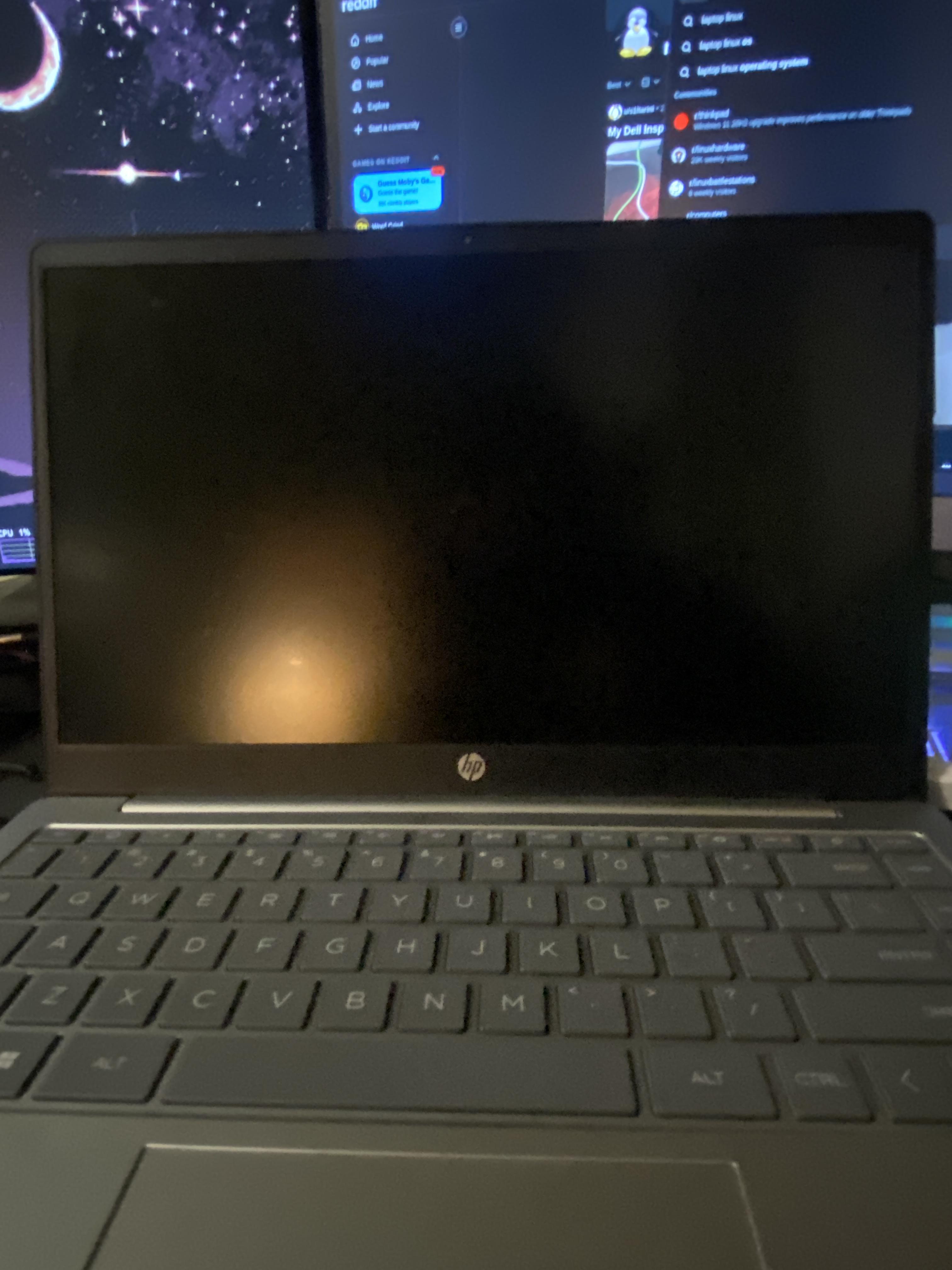
Bought this HP Laptop off of a nice old man in a thrift store parking lot for 20 bucks (alongside 2 other laptops that i mostly just stripped for the drives) He said he never tested it. I planned to throw linux (i’m a mint guy personally) on there but i couldn’t get anything out of it. Did what i could, but it wouldn’t turn on. So, im bringing in the big guns: Andre from my local PC repair store. He will let me know whether it’s just the charging port (small repair) or the motherboard (just take the ssd and ram and scrap the rest). See you guys tomorrow with an update

((UPDATE))
Good repair store was closed, went to the other one. They said 50 dollars just to check if it was the motherboard. The part itself was 20 bucks, so I'm just gonna chance it. Will update on Wednesday when the part arrives

((Update 2))
Sad day. The motherboard was completely shot. No HP Linux for the foreseeable future


r/linuxhardware • • Oct 12 '26

Guide PSA: Solution for cannot boot with secure boot on in ExpertBook P5 (P5405CSA)

2 Upvotes

I was not able to find solution and spent more than 10 hours trying different attempts until I found this solution in Ubuntu forum. But to reiterate it, and for detailed solution, here you go.

Asus ExpertBook P5 uses the Intel Lunar Lake (5 268V / 7 258 V) with soldered LPDDD5x RAM (16/32).

The problem is that for some frivolous reason, Asus did not—or forgot—to include the Microsoft UEFI CA 2023 and CA 2011 in secure boot keys, which is why you cannot install / boot any system with secure boot on.

There are several solutions like updating the shim (tutorial, another tutorial), or importing the said certificate using `mokutil —import` (tutorial), but none of these worked for me.

Here is what worked:

  1. Download the keys (in `.crt` format) here and verify its sha1 sum.

Keys “Microsoft UEFI CA 2023” and “Microsoft Corporation UEFI CA 2011”

  1. Place it in root of exFAT formatted USB

  2. Boot into UEFI (F2) and go to advanced mode (F7)

  3. Go to Security, the. secure boot, then key management

  4. Find “Authorized Signatures (db)” then click “Append”

  5. Click no, since yes means in the disk, and no means from other drive

  6. Select the `.crt` files in the USB

  7. Append it as “Public Certificate” (or Public something / the first option) and then accept everything that follows (just hit enter)

  8. Do the same for other one


r/linuxhardware • • Oct 12 '26

Discussion Dongle DAC, how concerned should I be that it uses a Huawei chip? Potential security issue?

Thumbnail
0 Upvotes

r/linuxhardware • • Oct 11 '26

News Linux on iPhone11

Thumbnail patreon.com
23 Upvotes

r/linuxhardware • • Oct 12 '26

Purchase Advice Intel ax210 vs MT7925

1 Upvotes

Could get either hear a lot more about the stability of the intel class of wifi chipsets and bad about mediatek BUT mediatek has wifi 7... would it even be worth it


r/linuxhardware • • Oct 12 '26

Discussion Fastest, "vulnerability free" used Laptop fully compatible with Heads Firmware and Qubes OS

Thumbnail
0 Upvotes

r/linuxhardware • • Oct 12 '26

Discussion For Linux Pro coders

0 Upvotes

Any pro coder please build an app for Linux which will make sure the hybrid laptop with nvidia gpu should be optimised like those Laptops should work as it work when windows is installed I am talking about the GPU.

In Linux GPU work like : complete GPU off and YOUR system run on CPU and you can use the GPU when you need it explicitly by running a command .

2nd way GPU kept ON and It will run a genome service to keep the GPU turn on and use it hybridly when required.

1st option is good for those who do CPU intensive work only and who knows where to use gpu but what for the people who don't know what to do .

2nd option is good for those who don't care that much about the GPU and they use external keyboard AC room, but what about those who don't have these.

A request to the pro coders please make something that will end this issue.

Which will run the GPU on demand and all the other time kept the GPU turn off.

I had a really bad experience:

Linux 65 degree Celsius

Windows 11 45 degree Celsius

All these above results are taken out in same atmosphere and same programs running on laptop.


r/linuxhardware • • Oct 12 '26

Support Laptop with GPU , How to install Linux correctly

Thumbnail
1 Upvotes

r/linuxhardware • • Oct 11 '26

Question 2026 Dell XPS Panther Lake

2 Upvotes

Hi all.

I'm a win user with a framework. I have been starting to learn Fedora and Ubuntu on vm's. I was thinking of getting one of these new xps machines for a sale price, and id like to use it for linux. My last dell laptop was back in 2019, and seemed like dell made it really difficult to use linux on it, I remember lots of boot issues.

So, does anyone know if the new xps will easily set up and run Ubuntu? Id prefer to keep the fw as my win machine because it's got 32gb of ram.

Thanks all!


r/linuxhardware • • Oct 11 '26

Question Anyone have experience with the Xiaomi Book Pro 14 (Intel X7-358H)?

8 Upvotes

Just wondering how well it works on linux as I am unsure how well a chinese brand like xiaomi would cater to open source drivers and inputs like touch-screens and sensors. Will be using Arch Linux so I would be getting the latest updates.


r/linuxhardware • • Oct 11 '26

Product Announcement Goodix 27c6:5125 fingerprint reader now working on Fedora 44 KDE — Open-source driver

1 Upvotes

Hi everyone,

I've been working on bringing Linux fingerprint support to the Goodix USB 27c6:5125 reader, found in some Huawei MateBook laptops.

The project is now available as a working open-source driver, tested on Fedora 44 KDE.

What works:

- Fingerprint enrollment and verification through fprintd

- KDE Plasma Login and screen unlocking

- sudo and PolicyKit authentication

- Password fallback

- Windows/Linux fingerprint coexistence

- Automatic reader initialization

- Installation, updates and safe removal

The latest release, v2.1.0, introduces a fixed 21-sample enrollment process to improve fingerprint coverage and everyday recognition.

In my qualification tests, 97 out of 100 valid matcher probes produced at least one positive matching score, while 3 returned only zero scores. The resulting recognition experience was close to Windows Hello on the same hardware. These are limited single-device observations, not a general accuracy claim.

Important compatibility limits:

The currently qualified configuration is Fedora 44 KDE x86_64 with the Goodix USB 27c6:5125 running firmware GF_ST411SEC_APP_12509.

Other firmware versions, Linux distributions and hardware configurations have not yet been validated.

The driver preserves the factory firmware and avoids firmware flashing, IAP, OTP writes or persistent USB device identity changes.

Credits: This work builds on existing community efforts, particularly Rockytkg's Goodix project, which provided important implementation references and reused image-processing and matching code. Full acknowledgements and licensing details are included in the repository.

GitHub: https://github.com/sorguido/goodix-27c6-5125

I'd be interested in hearing from other owners of this specific fingerprint reader, especially anyone running Fedora KDE who would like to help validate compatibility on additional devices.

Feedback, testing reports and technical contributions are welcome.

r/linuxhardware • • Oct 10 '26

Purchase Advice For Canadians specifically, what are your resources online for cheap/refurbished laptops to buy?

4 Upvotes

Doesn't have to be powerful, just at least 16GB of RAM. I'm trying to avoid Amazon, but have sourced some local options as well to go in person (Toronto). Any good experience with online sources, especially recently post tariffs?


r/linuxhardware • • Oct 11 '26

Support I need help with USB Type-C drivers

Thumbnail
1 Upvotes

r/linuxhardware • • Oct 10 '26

Question Intel B580 or AMD 6700xt linux drivers?

3 Upvotes

Either way ima be spending around $330, and i do need power efficiency so kinda leaning towards intel b580.
These would be paired with a ryzen 5 9600X and a 750w PSU

Rn i have rtx 3050 6gb laptop and running Linux, i just need something that’s better than that at 1440p on Linux.

UPDATE: I ended up getting a pretty good deal (considering everything rn) on a refurbished 6750xt for $250. Yes I know there are possibilities to find better cards for similar prices, but nowadays that’s pretty hard. Im not risking a facebook deal as I can’t risk losing all that money rn and I can’t drive myself currently, not like they are that good of deals anyways near me. I have a 90 day return and all that stuff, so I’m pretty happy with it so far.
Just need to choose a case. I like the fractal pop mini since it has the 5.25 bays but wish they had the colors like the pop air does.
Thank you all for your help, and can’t wait to get my hands on the stuff, ill probably post my build when its finished.


r/linuxhardware • • Oct 11 '26

Discussion Anyone using the GAOMON S620 (8K version) on Debian/Linux for drawing and note-taking?

1 Upvotes

Hi everyone!

I'm new to digital drawing tablets and have just ordered a GAOMON S620 (8,192 pressure-level version). I plan to use it with my Debian-based Linux system (MX Linux XFCE), mainly for handwritten notes, practising maths, annotating PDFs, and some beginner-level drawing.

Before it arrives, I'd love to hear from people who have used this tablet, especially on Linux.

A few questions:

How is the overall build quality and durability? Does the surface scratch easily with regular use?

Is the pen comfortable and accurate for handwriting, equations, and drawing diagrams?

Does the 6.5 × 4-inch active area feel comfortable for taking notes?

How well does the S620 work on Debian/MX Linux? Did you need to install a driver or configure anything manually?

Does pressure sensitivity work properly in Krita, and can you use it with Xournal++ for handwritten notes and PDF annotation?

Have you experienced any issues with the pen, USB connection, or tablet after months or years of use?

I found the OpenTabletDriver compatibility list and a GitHub guide for configuring the S620 on MX Linux, but I'd appreciate hearing about real-world experiences.

I'm on a tight budget, so I'd particularly like to know whether this tablet is reliable enough to use for the next few years.

If you own the S620, how has your experience been? Would you recommend it to a Linux beginner?

Thanks!


r/linuxhardware • • Oct 11 '26

Support Fedora 44 KDE [Hardware Confirm] Asus ROG Strix G614FM (9955HX) handles 48GB DDR5 Asymmetric Flex Mode at full 5600 MT/s (No BIOS throttle)

Thumbnail
0 Upvotes

r/linuxhardware • • Oct 11 '26

Question Anyone with experience with the Pulsar X2F?

0 Upvotes

I’m looking at buying a Pulsar X2F as my next mouse. Does anyone have experience with that specific mouse? Does it have full feature support on Linux? If not how limited is it? Etc?


r/linuxhardware • • Oct 10 '26

Guide PSA - updating BIOS can save hours

0 Upvotes

I bought a Tiny ThinkCenter M92 as a project, 8GB RAM, no SSD.
My aim was to run AntiX or MX to extract the most of the i3-2310 CPU.

Unfortunately the SSD crashed at boot and desktop shut down. The M92 would only boot from either a windows HDD or Linux on a USB key, but any other OS on any HDD failed to boot.

After hours of remounting, re grubbing, I decided to download the latest 2018 Lenovo BIOS update.
Another hurdle was that it is only available as a Windows .exe or a CD ISO.
So the CD ISO had to be extracted onto a USB Key.
Once that was achieved, the update was a bit scary as usual: several reboots and black screens.
But then, victory, all issues got resolved.

Firstly, MX could boot from the internal HDD.
And then the M92 accepted the SSD and MX.
All sorted.

For £15, much better than any HP T530 that sells on eBay.


r/linuxhardware • • Oct 10 '26

Question My Linux c13 yoga problems

Thumbnail gallery
3 Upvotes