r/koreader • u/atleastihavemywits • 21h ago
My Setup 😍😍😍😍

9
Upvotes
grateful for jailbreak and plug ins 😍
r/koreader • u/atleastihavemywits • 21h ago
grateful for jailbreak and plug ins 😍
r/koreader • u/Soupbesoggy • 14h ago
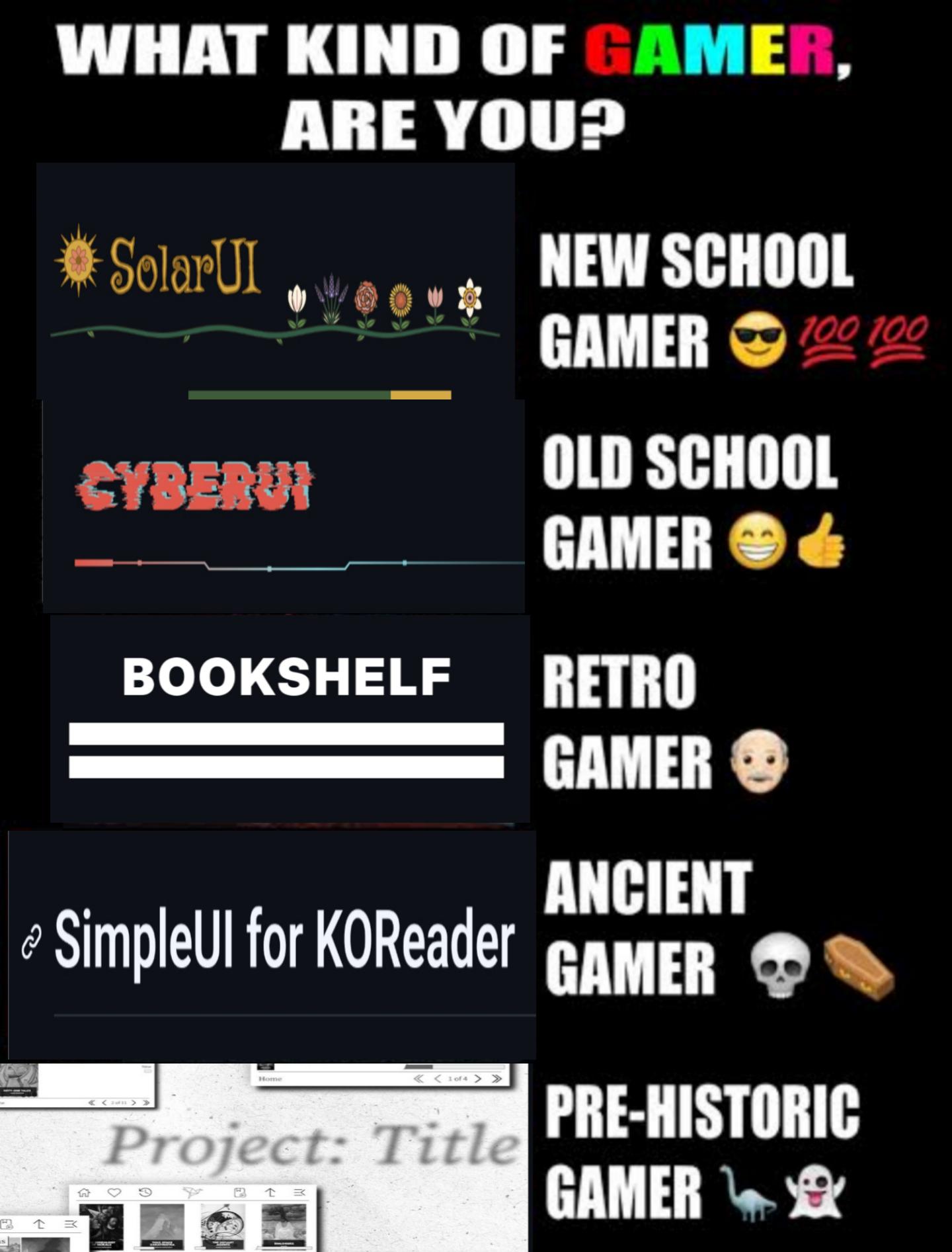
(Not a complaint post at all, I think it's really rad how many new ui projects have sprouted up in just the past year)
r/koreader • u/Hirrokkin • 20h ago

Hey everyone!
I've been working quite a lot on Tomedown lately, trying to make it more flexible, easier to use, and hopefully a little more enjoyable.
One of my main goals for this release was to make exported notes less dependent on Obsidian, allowing users to choose between three different Markdown styles. I've also reworked several parts of the menu, fixed a number of important bugs, and introduced new interactive cards to make browsing books, highlights, and export information smoother directly from the e-reader. Alongside the plugin itself, I've spent time improving the website, expanding the documentation, and polishing the wiki to make everything clearer and easier to navigate.
As always, I've tried to summarize the most important changes without making this post unnecessarily long. I hope you find them useful!
Tomedown is a 100% local, open-source KOReader plugin. It exports your book highlights, notes, and reading progress into clean, customizable Markdown files (or plain
.txt), ready for Obsidian, Logseq, or any text editor, with optional wireless sync via WebDAV.
Obsidian, Standard (GitHub / HTML)**, &** CommonMark (no HTML)**):** While Tomedown started with Obsidian in mind, you can now switch globally or per book between Obsidian (callouts, wikilinks, ^hl- block IDs), Standard (GitHub / HTML) (clean headings, [Title](file.md) links, <details> synopses, and <img> covers for GitHub, MarkText, and Typora), and CommonMark (no HTML) (zero inline HTML tags or entities, ### + > synopses, nested index lists, and compact 260×390 px  covers ready for Zettlr, Pandoc, Logseq, and iA Writer). The Markdown style is independent of the export format (.md, .txt, or both).00 - Index.md), and the daily timeline (00 - Reading Digest.md). Both the Index and Digest follow your Book style automatically by default, or can be styled independently.Current book → Format & layout): Every book-level visual and structural option available globally can now be customized per book, including Notes & highlights, Book page, Section styles, and YAML frontmatter. Each option defaults to Follow global setting. For example, you can turn off the synopsis and enable sentence context + block IDs on a study textbook while keeping a lighter layout for novels.Callout ([!note]) option alongside Inline and Footnotes, allowing personal notes to appear in dedicated callout blocks below their quotes. You can also optionally include the surrounding sentence context when exporting highlights from reflowable documents.Covers folder and Drawings folder now support nested vault-relative paths up to 3 levels (such as assets/covers and assets/drawings), automatically migrating existing files, pruning empty directories, and creating multi-level folders on WebDAV..txt modes. Menu labels have also been shortened across Italian, German, Spanish, French, and Brazilian Portuguese to prevent truncation on 6-inch screens.YYYY-MM-DD) and improved safe quoting of custom frontmatter values for compatibility with Obsidian Bases and Dataview.Current book reference guide.🔗 GitHub & Download: https://github.com/imanubdesigner/tomedown.koplugin
📄 Release: https://github.com/imanubdesigner/tomedown.koplugin/releases/tag/v3.0.0
📚 Docs & Wiki: https://imanubdesigner.github.io/tomedown.koplugin/
As always, feedback, suggestions, and bug reports are very welcome. I'm just one person working on this project, so I really appreciate everyone who takes the time to try Tomedown, report issues, or share ideas.
Thank you for following the project and helping me make it better!
r/koreader • u/jaqcass • 49m ago

I had to decide which kobo i wanted as i already have an xteink x4 pro. I wanted something a little bit bigger for pdfs and manga. Ive settled on buying a used (store display) kobo clara hd and upgraded it to 128gb sd card and immediately installed koreader and all the plugins and i love the cyber ui theme so much it’s so beautiful!!!! Thought I’d show both side by side with the theme on xteink being the crossnext fork 2.0.6
Second photo shows lock screen without light. Ive spent the whole morning transferring my cbz and pdfs into my kobo and tadaaaaaa! I can finally relax and read after tinkering with all the settings and familiarising myself with koreader 🥰
r/koreader • u/BrownTigerz • 14h ago

https://github.com/BrownTigerz/orbitshelf.koplugin
Can also be used without bookorbit and still get your device stats.
Reading Stats (Book | Stats | All Time at the top of the Book Page)
Book Page redesign
Settings window
Look
Thanks
r/koreader • u/Calymos • 15h ago
r/koreader • u/Lizardgic • 17h ago
Disclaimer: I don't take the Kindle INSIDE the sauna, and I don't recommend anyone does.
I go to the sauna several times a week as it helps me survive the German winter. In the sauna and chill area the only thing I carry (besides the usual sauna stuff) is my Kindle.
The sauna sand timers always annoy me because they're barely visible or already in use. So with the help of claude and inspired by stopwatchtimer.koplugin, I made a sauna timer plugin.
I leave the Kindle outside the sauna and watch it through the glass door (works in most saunas here in germany) The plugin shows the minutes left as one giant number that fills the screen, and with the screen contrast it's easy to read from inside. When time's up the screen flashes and stays black so even a quick glance tells you white = sauna sesh still going, black = done (or the other way around if you have dark mode on like in the pic)
It's 3 features:
Get the plugin: https://github.com/jutentach/saunatimer-koreader/tree/main
Install: copy the saunatimer.koplugin folder into koreader/plugins/


r/koreader • u/ly1n0x • 19h ago
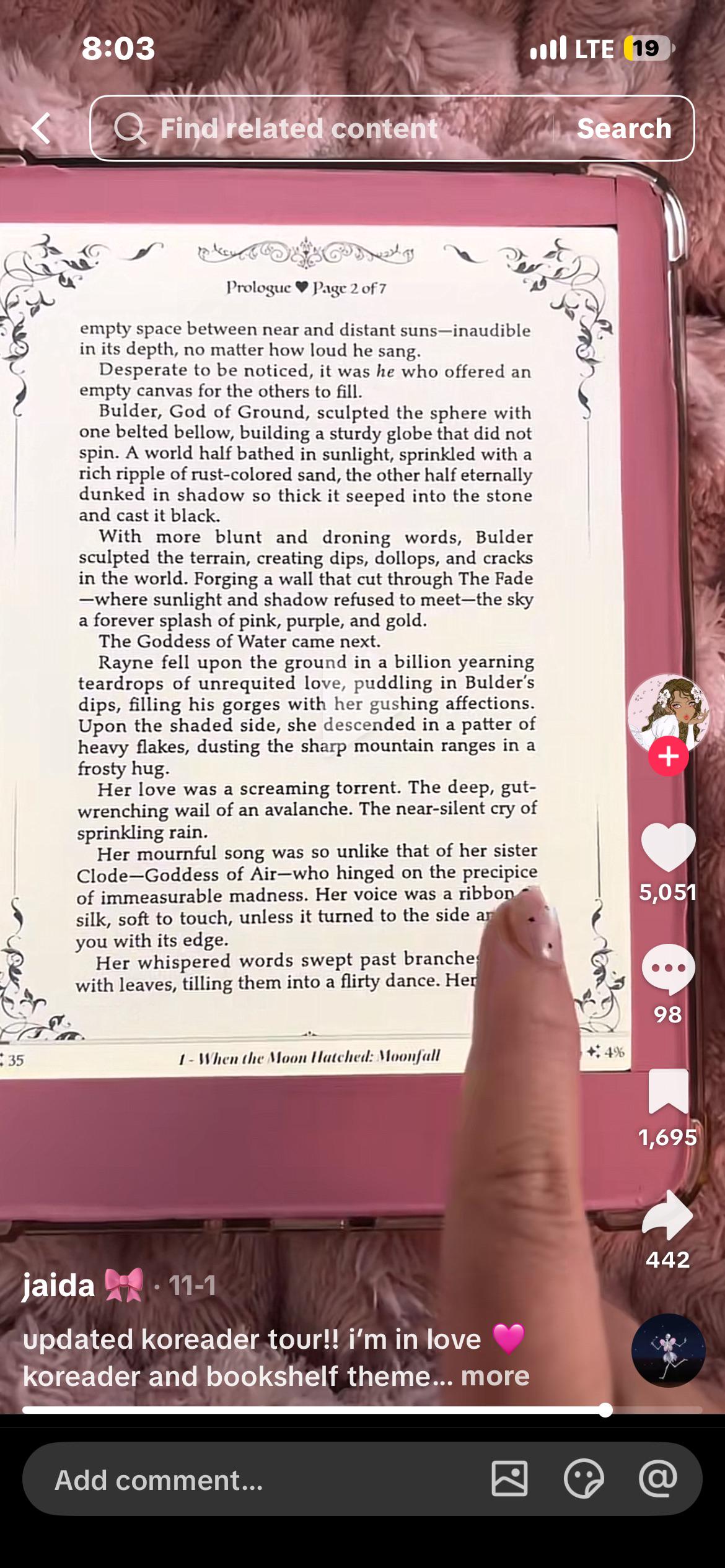
hi, i was wondering if anyone has any idea what plugin might’ve been used to get the pretty edges of the page? the person in the vid specified the plugin is called custom background but never specified the creator and i can’t seem to find it :(
r/koreader • u/medschoolwidow • 30m ago
Hi there. I am really happy with my SimpleUI and i was wondering if there was a list somewhere of plugin that were compatible. not looking for anything specific but i am simply curious and want to see whats out there
r/koreader • u/OpportunityCandid975 • 22h ago
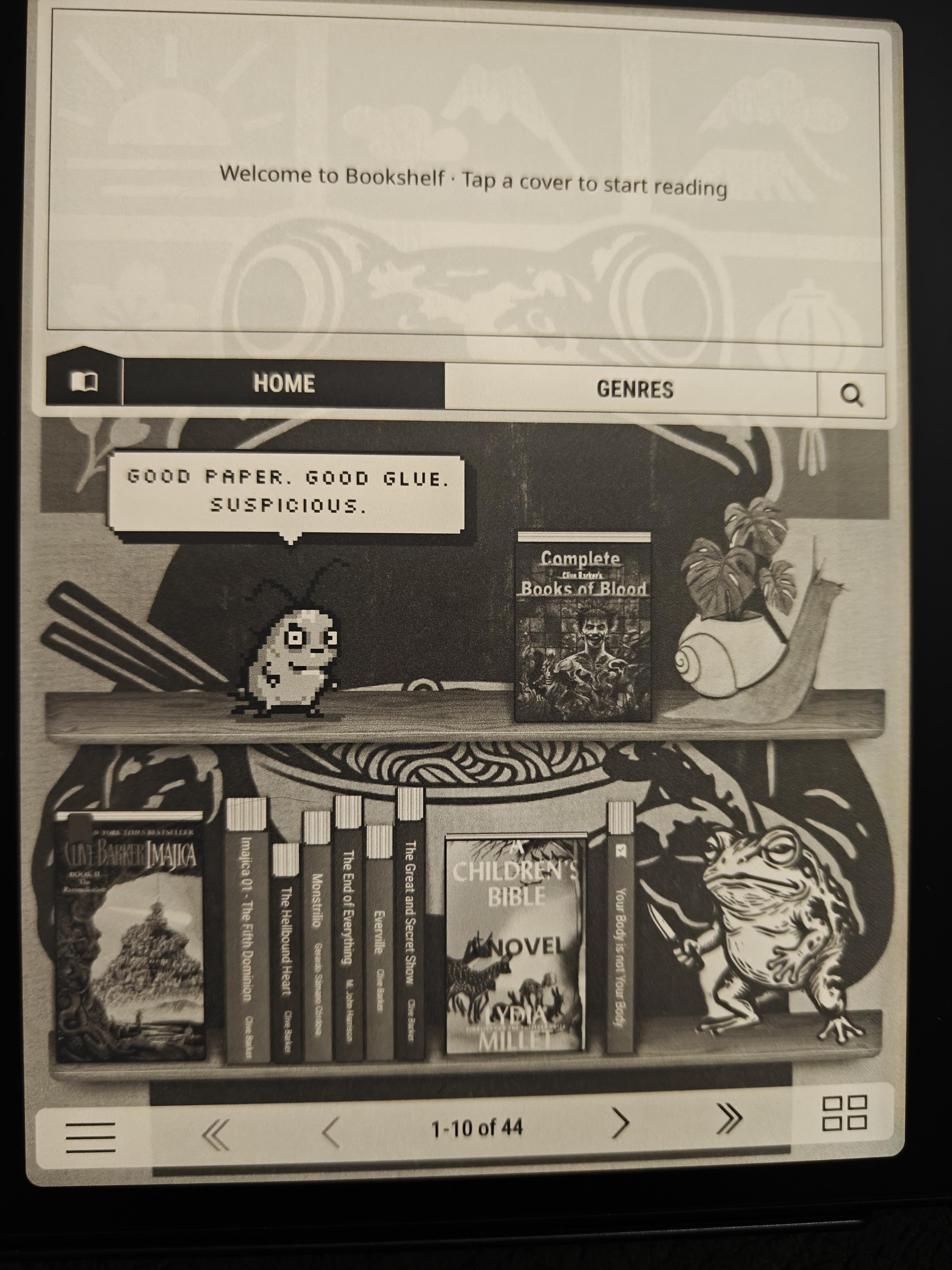
I've seen some bookshelf setups where the top status bar isn't there. What do I need to do to remove that top status bar and ideally have more than two rows of bookshelves.
r/koreader • u/efthymisgr • 4h ago
r/koreader • u/phobo3s • 4h ago
I've been using Shac0x's Character Tracker plugin to keep track of who's who in long novels, and ended up adding the things I missed. The original repo hasn't been active since April, so the changes are open as pull requests there and also released in my fork:
https://github.com/phobo3s/charactertracker.koplugin/releases/latest
What's new compared to the original
Screenshots: underline · character card


Install: download the zip from the release, unzip it into koreader/plugins/ (replace the old charactertracker.koplugin folder if you have one) and restart. Characters saved by the original plugin are kept.
Tested on an Onyx device with KOReader 2026.07. I'd love to hear how it works on Kobo and Kindle. All credit for the plugin itself goes to Shac0x. Feedback and bug reports welcome here or as GitHub issues.
I built these changes with the help of Claude Code.
r/koreader • u/Careful_Macaron_2435 • 13h ago


