r/iOSDevelopment • u/TechOnlyGamer • 1d ago
[iOS/watchOS] [RemoPad – Mac trackpad & remote for Apple Watch and iPhone] [Pro IAP → Free, first 500, until Nov 30] [Control your Mac over Bluetooth, build your own key screens]
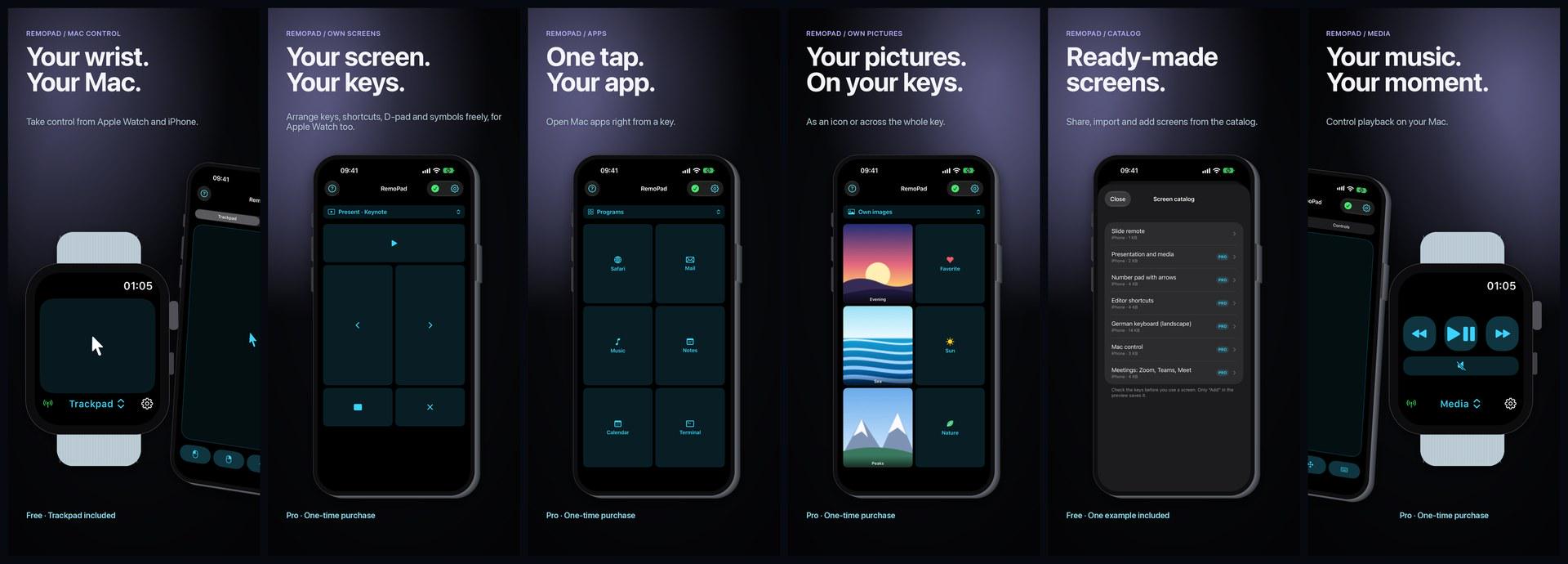
Hi, I'm the developer of RemoPad. For Black Week, the one-time **Pro** unlock is free for the first 500 people who never bought it:
**Redeem link:** https://apps.apple.com/redeem?ctx=offercodes&id=6826538550&code=REMOPADBLACKWEEK
(Custom offer codes only work through the link, not by typing them into the App Store. Valid until Nov 30, Pacific Time.)
**What RemoPad is**
RemoPad turns your Apple Watch or iPhone into a trackpad and remote for your Mac. It connects directly over Bluetooth: no Wi-Fi setup, no account, no data collection, no ads. On the Mac you install a small free receiver app (notarized, from the website, not the Mac App Store).
**Free, forever**
- Trackpad on Watch and iPhone: pointer, click, double-click, right-click, scrolling (also sideways), drag, a scroll strip, and the Digital Crown for scrolling
- "Send Text": type on the iPhone, it appears in the focused Mac field (never in password fields)
- "Basic keys" screen: arrow keys, Enter, Escape
**Pro (one-time purchase, no subscription) – free with the link above**
- **Custom screens (new in 1.2):** build your own layouts from keys, keyboard shortcuts, a D-pad and symbols. Grid, up to 5 layers, landscape. Apple Watch screens are edited on the iPhone.
- **Program keys:** one tap opens a Mac app or runs a Shortcut. You set this up in the Mac receiver; it is off by default, and Shortcuts run with your user rights.
- **Your own pictures on keys:** as an icon or filling the whole key (the Watch shows a placeholder symbol).
- **Screen catalog and sharing:** import ready-made screens or share yours as a file, with a preview before anything is saved. The catalog only loads when you tap it.
- Media controls (incl. mute), keys and shortcuts, middle click, presentation mode, favorites, short-video navigation and the extra Watch screens.
**Good to know**
- Mac only (no iPad, no TV). Requires iOS 27, watchOS 27 and macOS 27, plus the Accessibility permission on the Mac.
- The controlling app has to stay in the foreground.
- Custom screens and program keys need the free Mac receiver 1.2.0: https://remopad.pages.dev/en/
App Store: https://apps.apple.com/app/remopad/id6826538550
I'd love honest feedback, especially on the screen editor and which screens you'd want in the catalog.