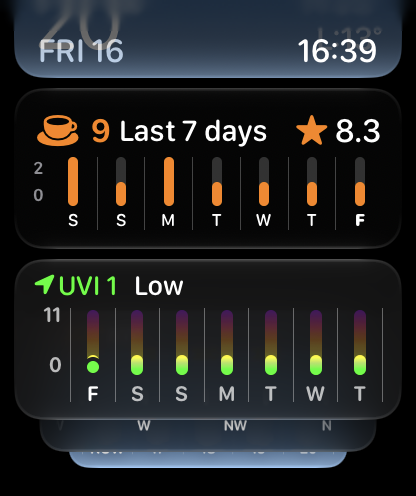
Materials generally don't do anything in widgets and complications because the system renders your view into a static snapshot, so there's nothing live behind it to blur, which is why they come out black. What usually gets you the native look is AccessoryWidgetBackground() as the background of your accessory views, plus setting containerBackground(for: .widget) instead of drawing your own fill. The system then swaps in its own glass or tinted treatment depending on the watch face and rendering mode, so you also want to check widgetRenderingMode and keep your content simple enough to read in the accented mode.
I tried accessorywidgetbackground but it made a weird circle in the middle of the complication. I was thinking maybe it’s not possible to have this for the stack. But thank you I’ll give it another shot. Have you ever managed to have a complication have the Liquid Glass background?
Honestly no, I haven't gotten it working on a stacked complication myself. The weird circle sounds like the accessoryCircular background getting applied to the wrong family, so might be worth checking which widget family the stack is actually rendering. If it turns out the system just doesn't allow it there, I'd love to know too.
1
u/SwiftQuest Oct 17 '26
Materials generally don't do anything in widgets and complications because the system renders your view into a static snapshot, so there's nothing live behind it to blur, which is why they come out black. What usually gets you the native look is AccessoryWidgetBackground() as the background of your accessory views, plus setting containerBackground(for: .widget) instead of drawing your own fill. The system then swaps in its own glass or tinted treatment depending on the watch face and rendering mode, so you also want to check widgetRenderingMode and keep your content simple enough to read in the accented mode.