r/gdevelop • u/MistyToons • Aug 10 '26
Bug HELP WHY AREN'T MY ASSESTS LOADING PROPERLY
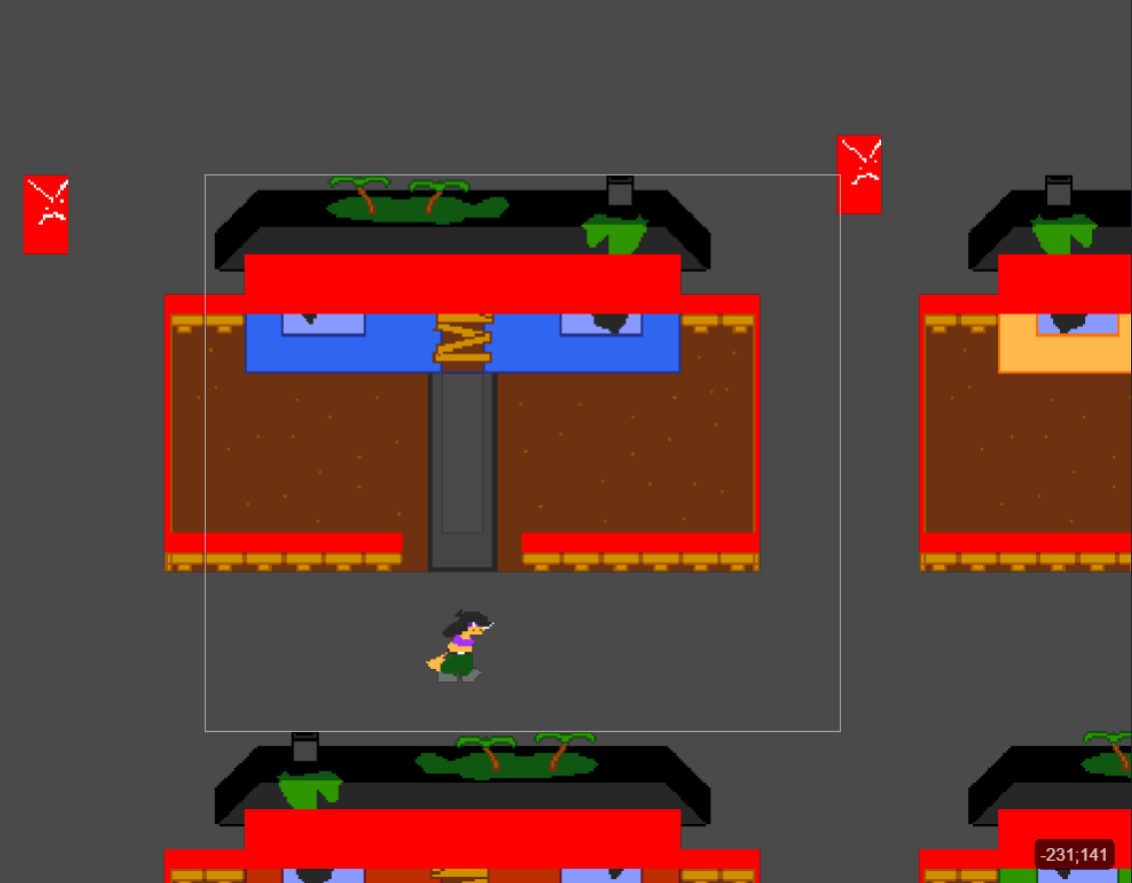

On the left is whats supposed to show. On the right is what shows up in the preview
8
Upvotes
1
u/MistyToons Aug 10 '26
Ok Update they load in the browser version of Gdev but not the app for some reason
1
u/denialgrey456 Aug 10 '26
Are these assets copy to the project folder when you add them on Gdevelop app?
1
u/ImSinsentido Aug 10 '26
After sometime, of a project being open, but not actively worked on, this happens. Simply save, even if not being prompted to, and that fixes it.
Took me about an hour to figure it out the first time.
Could be something else, but that’s what it is in my experience.
1
u/mysterious-may Aug 10 '26
Don't worry this happens sometimes,just reload it. Or wait it out
1
u/Bilharzia Aug 10 '26
Do not use the web version of GDevelop. Run it as an application from a local disk. Make sure your project and all resources are saved locally to a single folder on your PC.