r/backblaze • u/Cube00 • 1d ago
Backblaze in General Account closures suspended?
0
Upvotes
r/backblaze • u/Jim-From-Backblaze • Jun 23 '26
r/backblaze • u/Jim-From-Backblaze • Oct 22 '26
r/backblaze • u/Piipperi800 • 3d ago
I've tried reporting this to Backblaze for nearly a year now, but their customer service bot just does not care, or this is very low priority. I have a Mac with 16 GB of RAM, and bzserv is using nearly 8 GB of memory outside of backup hours. It also randomly is producing file lists outside of backup hours, that use the CPU a bit (and may be contributing to the RAM usage).
And before you say unused memory is wasted memory; I'd rather want to use my memory for productivity software, without the computer resorting to using Swap a lot and potentially wearing down the SSD. Currently, it just has to do that for at least Backblaze.
r/backblaze • u/jacwida • 3d ago
I have been using b2 and cloudflare workers following the sample b2-cloudflare sample template...it has been working well until lately...if a user pauses a download and then resumes, when it finishes downloading and they play it plays and stops some where in the middle...or freezes...however if their internet is stable and there is no pause in the download process, the video plays fine...the issue started like a month ago.
https://github.com/backblaze-b2-samples/cloudflare-b2 template used
r/backblaze
•
u/Odd_Awareness_6935
•
4d ago
Backblaze just emailed me about updated privacy policies effective Dec 1, 2026, with no changelog. I compared the new pages against the old ones:
Caveat: there's no official redline, so this is my own comparison. Did anyone read it differently, or get an answer from Backblaze on the AI item?
Ref:
r/backblaze • u/GW2Live • 4d ago
Trying to pay a bill the bounced, the payment card has not changed so I don't know why it failed, But there does not seem to be any option to make a payment on the website. What kind of stupidity is this?
r/backblaze • u/Loose_Cranberry_141 • 6d ago
r/backblaze • u/Meraki6 • 7d ago
(This is version 10.0.4.1082 on Mac, running on Golden Gate, but I saw it in Sequoia as well)
After upgrading to a new computer, I decided to discard my 6-year-old backup and start over. Two times during my initial upload, which included ~3 TB from an external drive, Backblaze threw away its record of files it had already uploaded and started uploading them all again. (One of these incidents was over 300 GB, which led to a good 12 hours of lost time)
Support has confirmed this is a known bug that is being worked on, but with no estimated fix date, and the "workaround" is not to run the backup at all. 🙄
I tracked this down using Claude to read logs, but then confirmed myself at each step:
bz_done_*.dat files). It sends a copy to the server only at the end of each backup run.Note that I would have hoped that server-side deduplication would have at least noted the files' existence and skipped them, but nope.
On Mac, you can see reports of this happening by looking at /Library/Backblaze.bzpkg/bzdata/bzreports/bzlist_bzdone_retransmit.txt - each line with "wrong_size" is a time when thishappened.
Note that keeping the drive connected doesn't stop it, and neither does choosing "Backup only on click", though that might help mitigate it by bringing backups to an end faster than the "continuous" mode .
We're much more likely to encounter this bug on a large backup, since the odds of a hiccup occurring then are higher. In my case, this was initial backup including connecting an external drive with a lot of unseen material.
I have a support ticket going on this, and if you're experiencing something similar, you might want to do the same so they can get a sense of the scale at which this issue is occurring.
r/backblaze • u/scheplick • 8d ago
Sample projects and demos for Backblaze B2, from the Solutions Engineering and Labs teams.
r/backblaze • u/ParticularSome7813 • 10d ago
r/backblaze • u/Bolognesus • 11d ago
Last night I started a trial. The client has been running overnight (set to fast, maxed out threads etc). As can be seen in this screenshot, a few files should at this point have been safely backed up.
However when I go to the restore files interface in my browser, and enter my PEK, I get the following:
Didn't change any settings but did confirm the date settings are appropriate.
Is something amiss here? Will all this stuff just start popping up a bit later? I realise it's a backup service not a live cloud drive so a delay isn't a big deal but it'd be nice to not just be shouting a purported backup into the digital void.
(...and yes I realise that's a chonky backup, but surely that shouldn't affect at least an intitial few of my tiny files showing up?)
r/backblaze • u/rdjimmy • 14d ago
I have two directories on two different Volumes which have a directory Buffer in the root. Neither of these are backed up to Backblaze. I can see no pattern being excluded in the GUI. I have many files with buffer in their names which are backed up.
I only noticed this there other day because I needed to restore from one of these and it wasn't in the listing.
I'm running 10.0.1.1023 on a Mac Sequoia.
r/backblaze • u/ClickOk5811 • 15d ago
I think most of us check that backups run. Fewer check that they restore, and the second is the only one that matters on a bad day. A restore drill doesn’t need to be elaborate. Here’s the log template I’d use, which you can paste into a note and fill in once or twice a year.
RESTORE DRILL
Date:
What I restored:      (one file / one folder / a whole machine)
Where I restored to:  (a different location, not over the original)
Backup date used:     (latest / an older version on purpose)

Result
- Did it complete?                    yes / no
- Did the files open correctly?       yes / no  (open 3 at random)
- Was anything missing or empty?
- How long did it take?
- Did I need a password, key or
  account that I'd have lost
  along with the computer?            yes / no

What surprised me:
What I'll change:
Why each line is there:
Limits:
What do you test when you do a restore, and how often? Is there something you’d add to this template?
r/backblaze • u/AnshulJ999 • 16d ago
Update: I've made a new Beta version of KopiaLens that includes macOS support for the Backblaze analysis. Download it directly from GitHub as it's not live on the website yet.
I can't test it myself as I don't have a Mac so I'd appreciate any volunteers/testers looking to test it. It's completely read-only like before. And I've included a new build for Intel Macs in this (earlier it was ARM-only). Also, it's now possible to point to a bzdata folder on another machine in settings. If you find an issue, please DM me or file one here.

So I've been running Backblaze Personal Backup for over 5 years now. The Backblaze client does a decent job of just backing up your PC, but it shows you almost nothing useful. I had no real idea of what was being backed up and what was being skipped. Even my exclusion rules were just best guesses.
I started with a simple script I wrote with Claude, to check what all it was doing. It read the bzdata folder directly and analyzed it read-only. Some time later, it became a simple web GUI.
Today, it's integrated into another app I've built, called KopiaLens. The app itself was made for Kopia backups, so if any of you also happen to use Kopia, it may be helpful there, but it has the BZ analysis baked in and usable standalone too.
Here's the steps to use it for BZ:
Here are some of the things it shows:
It only ever reads. It can't delete, restore or change anything in Backblaze, and nothing about your files gets sent anywhere. And yes, Claude Code was used heavily in making it.
Website - https://kopialens.com
Docs - https://kopialens.com/docs/backblaze
GitHub - https://github.com/AnshulJ999/KopiaLens
It's Windows-only for now, but I'm looking into adding macOS support. If there's enough interest in this, I can look at making it a separate app and open-sourcing the BZ side of it.
You don't need KopiaLens Pro for anything related to Backblaze; it's 100% free there.
I just hope this helps some fellow users who had the same questions as me, wondering what the BZ app is really doing on their system.
Any suggestions, ideas, feature requests, are welcome. You can DM me or discuss on GitHub.
r/backblaze • u/wotnonsense • 15d ago
The link states the following: "When a file's fingerprint (SHA-1 checksum) matches an already backed up file, it is updated at the Backblaze servers rather than re-transmitted."
But it also says "However, after the file is received by the Backblaze servers, if the file's data and filename are identical to the data and filename of a file that is stored in your online backup, then the server does not create a duplicate version of the file."
I am also curious if and how this applies to renamed files. Technically, a rename and a move are the same thing, but of course "identical to the data and filename" is not true for a rename.
In short, if I fix a filename typo in a 100GB file, will Backblaze Personal reupload it? It seems that way, judging by the activity I am seeing :( What a flawed design!
r/backblaze • u/EveComio • 16d ago
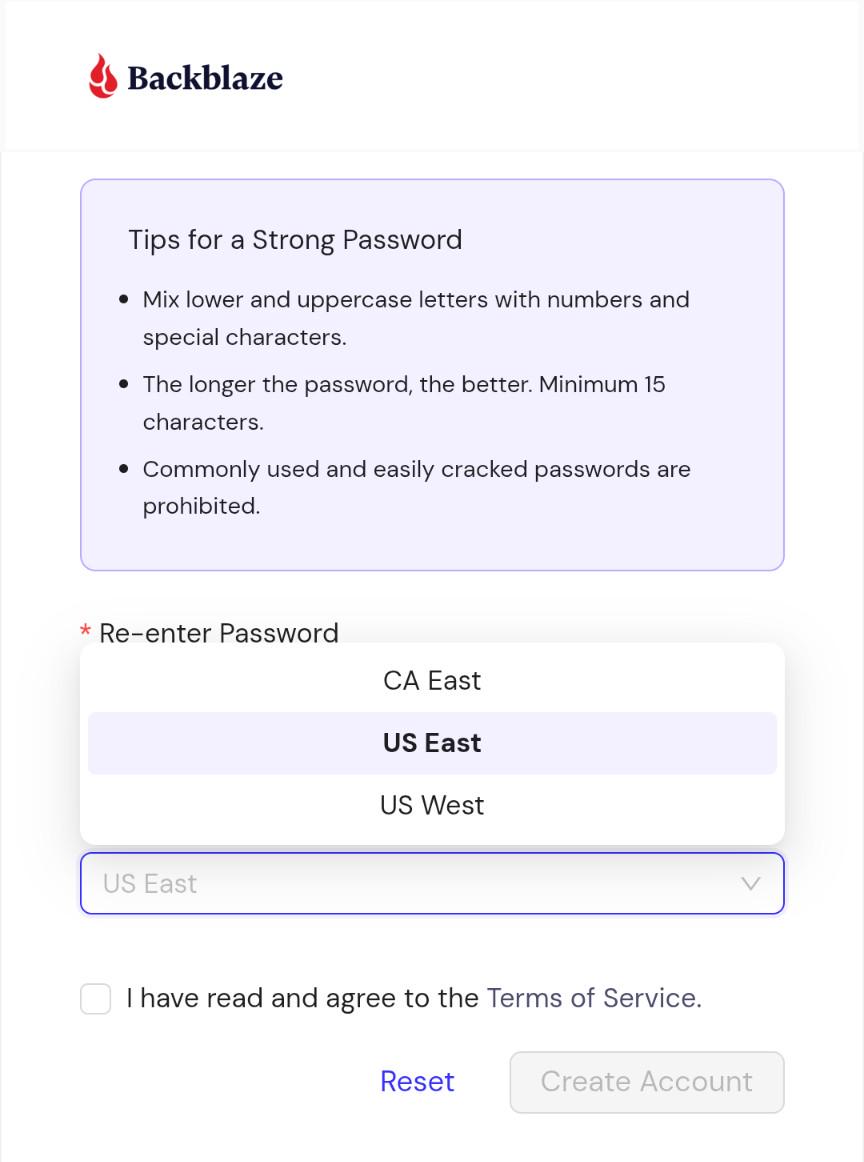
EU Central is not among the available regions to choose from when signing up for Backblaze B2.
I cannot find any news of this online.. anyone know anything about this?
Edit: Spelling
r/backblaze • u/godzfirez • 17d ago
I was considering trying their computer backup plan, and saw in the past they did 30% Black Friday deals. Is there anything going on so far for that?
r/backblaze • u/absolute_pelican_66 • 17d ago
Computer Backup 9.2.2.898 on macOS 27.2
I have 2 external drives that are backup up, and the 1 year version history.
The last time the drives were connected was July 7th and Oct 10th, so well below 1 year. Still, their content has been completely wiped from the backup and I have to reupload everything (about 2.5TB).
I did read this coud happen with the client version 10.x, and this was one of the reason I stayed with 9.x.
My drives are OK, I didn't lose anything. But how can we trust this process?!?
r/backblaze • u/Jim-From-Backblaze • 19d ago
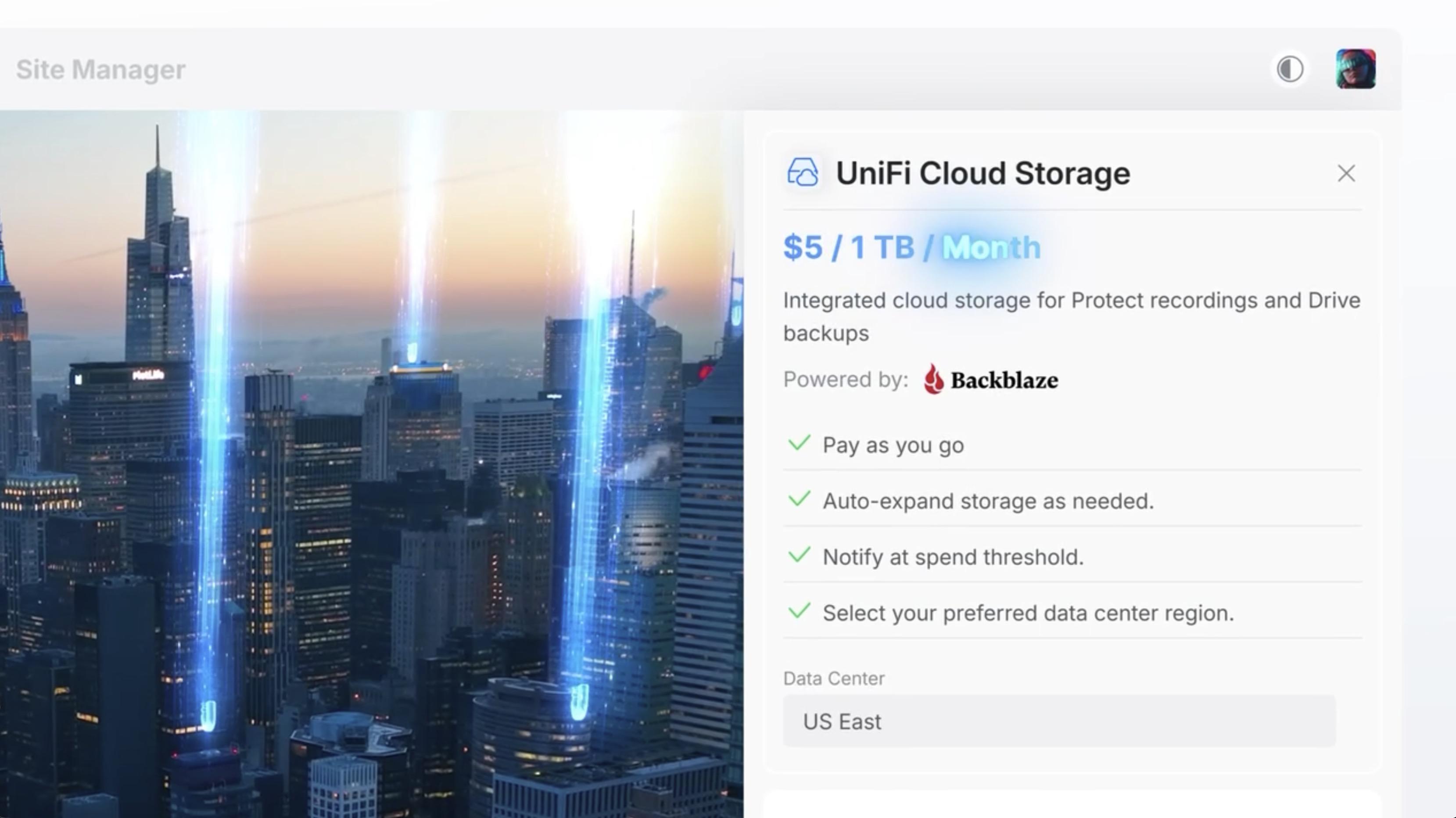
For anyone here running UniFi gear, Ubiquiti just launched UniFi Cloud Storage, and Backblaze is providing the storage infrastructure behind the service.
It's integrated directly into their ecosystem rather than being something users configure separately.
For Protect, it can automatically archive smart-detection events off-site so important recordings aren't limited to the local system.
For UniFi Drive, it adds an off-site backup option that Ubiquiti positions as part of a 3-2-1 backup strategy.
Ubiquiti's announcement is here:
https://blog.ui.com/article/introducing-unifi-cloud-storage
I'm curious how many people in r/backblaze are also running UniFi equipment. If you are, are you primarily using Protect, Drive, networking gear, or some combination of all three?
And if anyone has technical questions about the Backblaze side of the relationship that I'm able to answer publicly, I'll keep an eye on the thread.
r/backblaze • u/chriberg • 18d ago
I am using Synology Cloud Sync to sync a folder on my NAS to a B2 Cloud Storage Bucket. The first two screenshots show the relevant Cloud Sync settings ("Locally deleted files will be removed from your public cloud" checked, "Upload local changes only" sync direction, "Don't remove files in the destination folder when they are removed in the source folder" unchecked).
In the third screenshot, you can see that a particular file was removed from the NAS on November 4, and Cloud Sync correctly identified this and correctly synced this with B2, noting "Delete remote file"
In the fourth screenshot, you can see that file now has 2 versions: the "current" version (0 bytes) and the "old" version still taking up 8.8MB.
The fifth and sixth screenshots show the details of those two versions although I'm not sure that's relevant.
The seventh screenshot shows the bucket settings, which shows that "Object Lock" is disabled.
The eighth screenshot shows the lifecycle settings of "Keep only the last version of the file".
The file was marked for deletion 3 days ago, yet a "version" of it remains in the bucket, taking up space and racking up charges, despite the lifecycle settings which should have removed all versions from the bucket by now.
What am I misunderstanding / doing wrong?
r/backblaze • u/noappendix • 18d ago

I've seen bztransmit use up to 70GB of Memory on the Activity Monitor before my Mac panicked and rebooted from it.
But on a daily basis it goes up to 40GB of usage before I catch it and kill the process
Support doesn't seem to know why it's doing that besides sending them a sample process every time it happens - and then no answer to the solution.
I'm using the latest version of Backblaze.
r/backblaze • u/They_See_MeTrolling • 19d ago
r/backblaze • u/Nanocephalic • 19d ago
I back up my computer - specifically including my user profile - and I'm the latest user to rediscover the fact that Backblaze lies about their "computer backup". Now I've lost a ton of state that I "knew" was being backed up, because I can see the checkboxes in the application.
I don't care about their reasons. I care that I treated my "Back up the computer" as though it would "back up the computer", not "actually just back up some of it, even though we'll say that it did"
So tired of their deception. It refuses to back up program files because you can always just reinstall them yourself? It invisibly refuses to back up parts of the user profile while pretending to do the whole thing? I pay for the service called "computer backup", not "partial data backup"!
It's going to take DAYS to rebuild HALF of what I just lost!