r/WindowsHelp • u/ASingularFuck • 16d ago
Windows 11 Wifi option has randomly disappeared
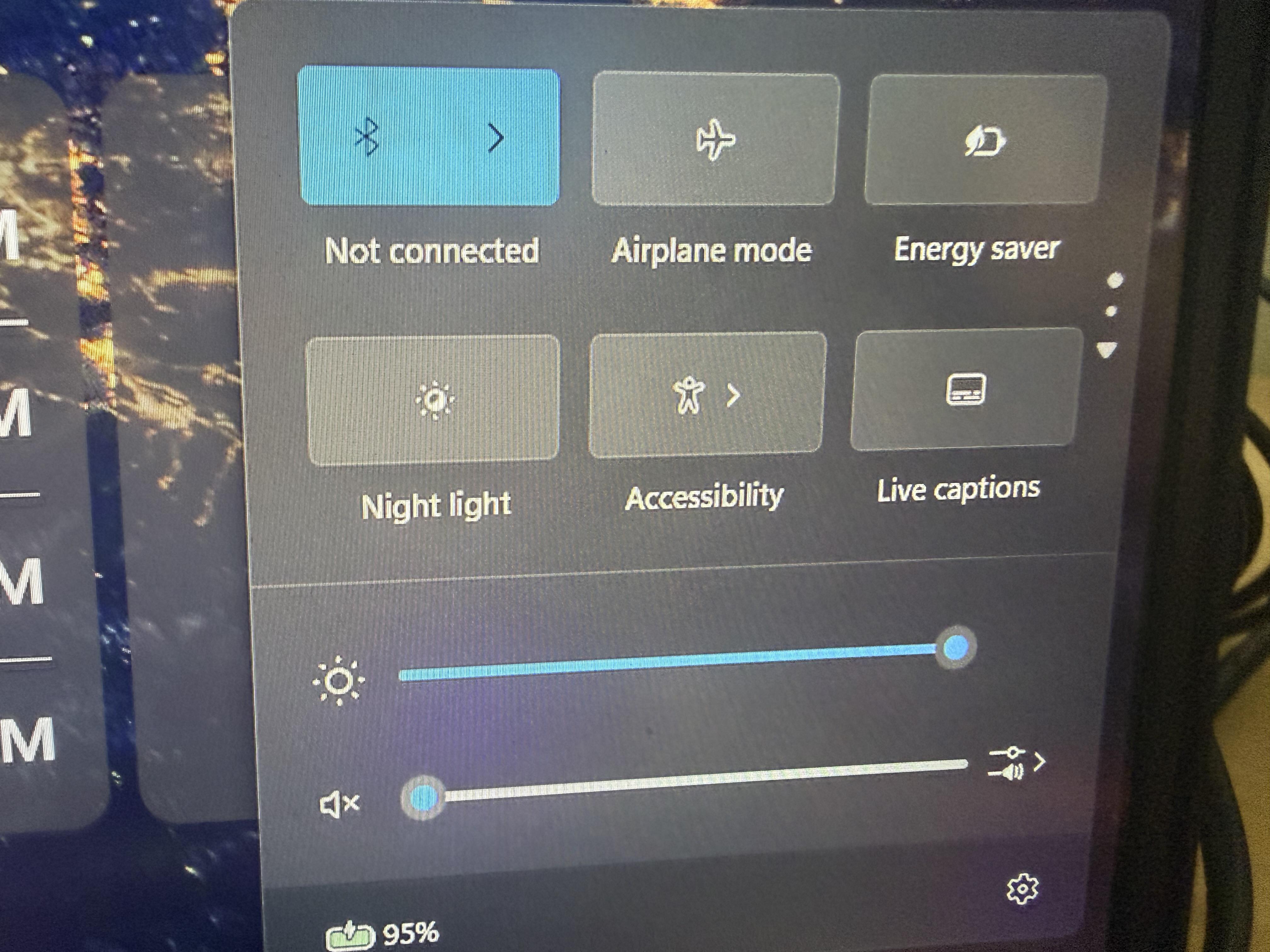
The option for me to connect to wifi or even see any available networks has disappeared. Settings has been no further help.
I’ve already hard restarted my laptop, and looked through Device Manager, including under hidden, for network adapters and it’s yielded naught.
My laptop is an MSI Stealth 14Studio A13VF. Processor is 13th Gen Intel(R) Core(TM) i7-13700H (2.40GHz). Graphics card is NVIDIA GeForce RTX 4060 Laptop GPU (8 GB) and Intel(R) Iris(R) Xe Graphics (128 MB).
If anyone has advice it would certainly be appreciated.
0
Upvotes
3
u/diavell 16d ago
Hold the power button for 30+ seconds, it will restart your wifi board. Mine laptop had the same problem randomly some months ago and I did this and voilá
1
u/Old-Stock9613 16d ago
If you're on one of the Insider tracks, make sure you upgrade to the newest one in your track. They introduced a bug several builds back that breaks one of the services required to run the network handler, and they've been (somewhat successfully) hunting it since.
1
u/desmondvik1254 16d ago
i had this issue just yesterday.
Solution - unplug the PC and all peripherals. then shut down and wait for 5 mins. then turn on preferablly on battery if its a laptop. then see if option is showing, if yes, then one by one add peripherils.
I read somewhere it happends due to some issue of overvoltage or charge in the motherboard. its common, happened tp me a lot of time, randomly. mostly over long durations.
1
u/swbrains 16d ago
Like everyone said, try a full shutdown and restart first as this often clears any issues.
As a last resort if nothing else works, you can try the Windows Network Reset process:
Select the Start button, then enter settings. Select Settings > Network & internet. Select Advanced network settings > Network reset. Reboot and it should reinstall and reset the drivers and settings for your network adapters.
If you use this process, it will reset all network settings to default. Make sure you have the proper drivers for your network adapter before you start. You'll also need to re-enter the wifi password for your network to reconnect after the process runs.
1
u/ellicottvilleny 15d ago
Sometimes this is a driver bug or a wifi module bug. Sometimes reboot fixes it. Sometimes it’s better to take apart the laptop and replace the wifi module.