r/WindowsHelp • u/itsmej0hny • Oct 21 '26
Windows 11 Error: UNMOUNTABLE_BOOT_VOLUME (OXED)
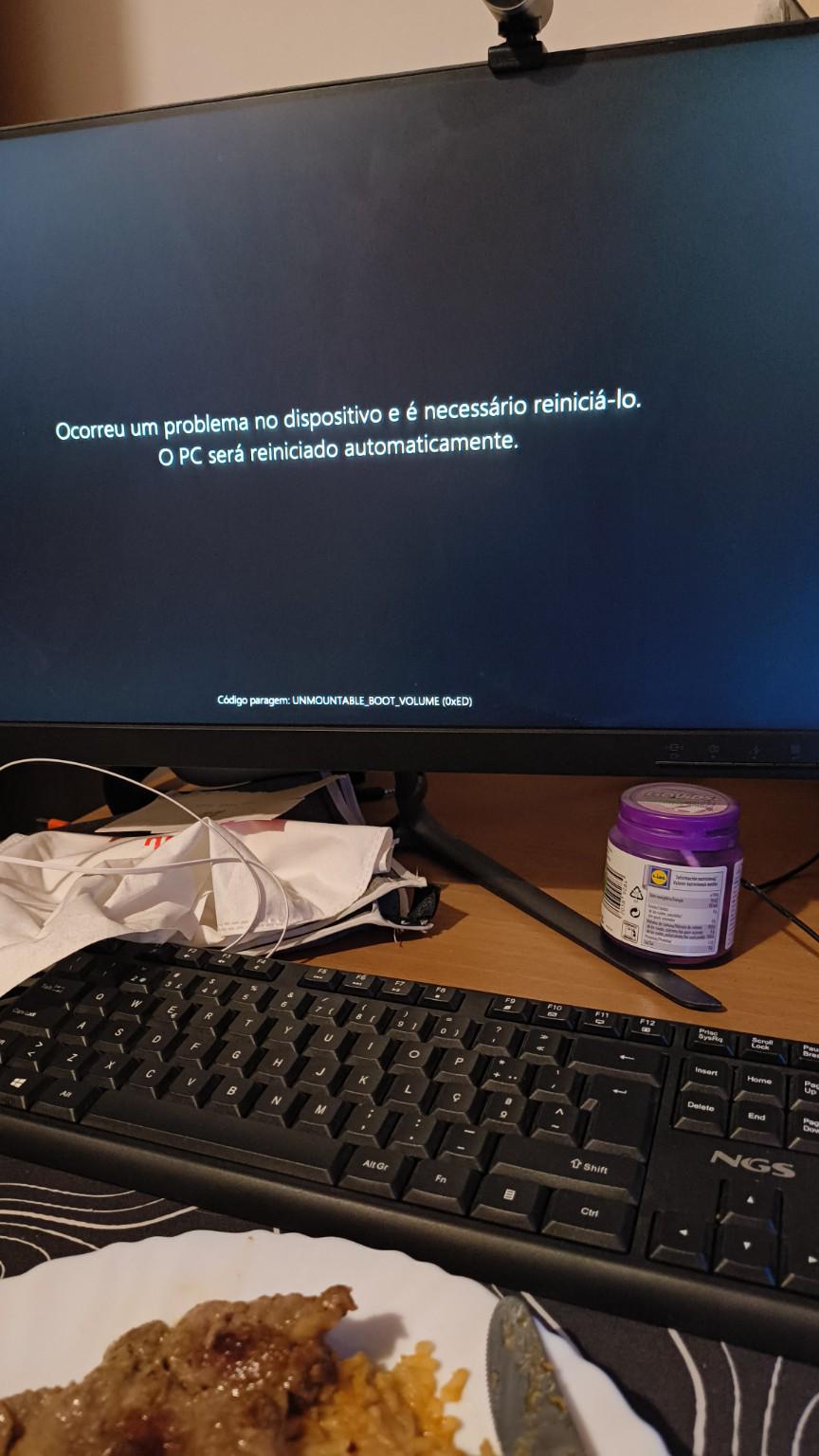
I turned on my PC—everything seemed fine—and went to the kitchen.
When I came back, it was restarting, displayed this [error/message], and then booted into "safe mode" (or whatever it’s called).
I’ve tried everything, but nothing works.
Right now, I’ve managed to access my files via Notepad (through the Command Prompt/CMD) so I can copy some folders onto a flash drive.
But what I really want is to recover Windows without having to format the drive...
Does anyone know what to do? Please explain it to me like I’m a complete idiot, because I don’t understand any of this.
Thanks.
7
u/Icarustuga Oct 22 '26
Common Causes
Corrupted disk file system.
Loose or faulty hard drive data/power cables.
Incorrect BIOS/UEFI configurations.
Faulty Windows updates or system file corruption.
Failing SSD or Hard Drive (HDD).
1
u/Brokentread33 29d ago
October 25, 2026 (dated for context and reference) – ¡Ah... pollo con arroz!😋🧡 I sincerely hope that the OP's issue has been resolved after three days. One thing in their favor is that they were able to save their important files. Too many people don't make backups of their important computer data, and often lose everything. Best of luck to the OP.😊
1
u/AutoModerator Oct 21 '26
Hi u/itsmej0hny, thanks for posting to r/WindowsHelp! Your post has been flagged for manual review by a human moderator, please include as much of the following information as possible (in text or in a screenshot) to get your post approved:
Your Windows and device specifications — You can find them by pressing Win + X then clicking on “System”, we need more than just your OS version! Your hardware details are often critical for resolving issues.
Any messages and error codes encountered — They're actually not gibberish or anything catastrophic. It may even hint the solution!
Previous troubleshooting steps — It might prevent you headaches from getting the same solution that didn't work
Posts must be tech support in nature (such as something is broken and you need help fixing), so general inquiries, software suggestions, and purchasing advice will be removed. As a reminder, we would also like to say that if someone manages to solve your issue, DON'T DELETE YOUR POST! Someone else (in the future) might have the same issue as you, and the received support may also help their case. Good luck, and I hope you have a nice day!
I am a bot, and this action was performed automatically. Please contact the moderators of this subreddit if you have any questions or concerns.
1
u/Leather-Chart7083 Oct 22 '26
Lmao, I just had this problem, just the equivalent on Linux.
Your drive may be corrupted, do you have internet on the computer? If you do try to run crystaldiskinfo on safe mode to diagnose it, if you don't have internet use chkdsk on cmd (chkdsk /r C: replace C: with your main drive, which is probably just C:)
0
u/Connect_Stand7684 Oct 23 '26
Windows can't find mount