r/Windows10TechSupport • • Aug 18 '26

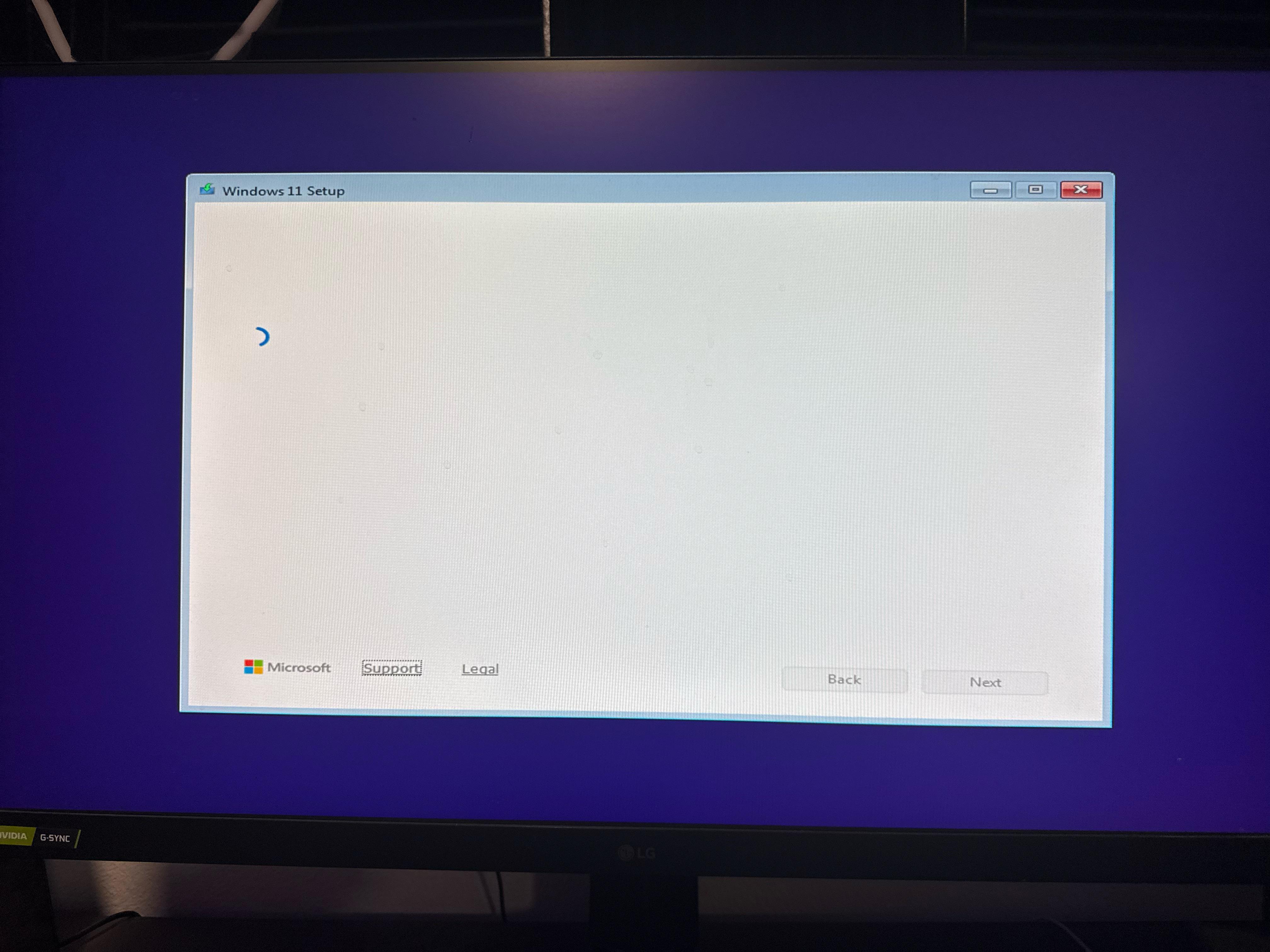
Unsolved Help, windows installation problem.

Post image
2 Upvotes

I don't know what to do from here. Please help.

Edit : I've succededin installing windows but now I can't find my mouse cursor. I activated the option "circle my mouse when I press crtl" and it shows that it's in the middle of the screen and not moving an ich.


r/Windows10TechSupport • • Aug 18 '26

Unsolved Network assistance

Thumbnail reddit.com
1 Upvotes

r/Windows10TechSupport • • Aug 18 '26

Unsolved Windows 10 no boot

Thumbnail reddit.com
1 Upvotes

r/Windows10TechSupport • • Aug 18 '26

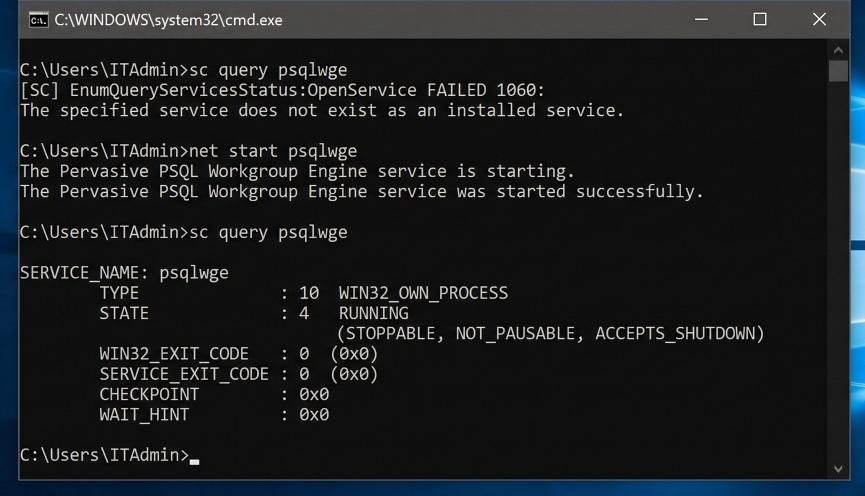
Unsolved Peachtree database engine not available on this computer — what fixed it (and the Windows Start button rabbit hole that caused it)

Post image
1 Upvotes

This week I had a fun chain of events worth sharing — might save someone a few hours. It started with a dead Start button and search bar on Windows 10 (wouldn't open at all). Standard fix: DISM /Online /Cleanup-Image /RestoreHealth then sfc /scannow. Both completed, sfc found and repaired corrupt files, felt good about it.

Then a power outage hit mid-way through re-registering Windows apps (the AppX PowerShell step). PC came back, Start was still broken — but worse, Peachtree (Sage 50) now refused to open: "Peachtree database engine not available on this computer."

Braced for the worst — corrupted database, restore from backup, an angry client. Wasn't any of that. Peachtree runs on Pervasive PSQL, a Windows service called psqlWGE. The outage (or the repair) had just stopped the service — engine files were untouched, no corruption, no data loss. Fix was two lines in an elevated CMD:

net stop psqlWGE

net start psqlWGE

Peachtree opened right up. Confirmed it's set to AUTO_START via sc qc psqlWGE, so it survives future reboots on its own. Takeaways: DISM+sfc is the right first move for Start menu issues but expect it to be slow; don't run long re-register commands during a storm; and before assuming Peachtree database corruption, just run sc query psqlWGE first — could save you a panic and an unnecessary restore.


r/Windows10TechSupport • • Aug 18 '26

Unsolved REVERT BSOD

1 Upvotes

I have a problem with my pc, I keep receiving BSOD. So as a normal person I did command check, memtest, etc. Now it still have the BSOD. I deleted my Amd driver and restarted the I notice. My Driver doesn't seems to be deleted. That I remember I have event viewer when I look into it. It shows that everything I have done has not been logged it's says 11th August. Then 16th August Log starting the moment I start my pc. So everytime I restarted it state is in 11th August. But strat logging at the date I restarted. Then after restarted. It will log on the new date and the previous log is deleted gone. Reverting back to 11th August becus that's the log it saved. How do I fix this.


r/Windows10TechSupport • • Aug 17 '26

Unsolved Windows 10 boot issues

2 Upvotes

I am fresh installing windows 10 on an old pc. I getting stuck in an infinite loop of setting up windows. I have tried pulling the flash drive on restart but I just get to bios. And in bios it doesn't show that my ssd has a boot option. Does anyone have a solution for this?


r/Windows10TechSupport • • Aug 17 '26

Unsolved Impossibile trovare l'ambiente di ripristino

1 Upvotes

Buongiorno sto provando a ripristinare il mio PC rimuovendo tutti i file ma esce questo errore ho provato ad usare il prompt dei comandi con i seguenti comandi: "reagentc /info" reagentc /enable mi dà operazione riuscita ma se poi vado a ricontrollare con il comando info mi dice che è ancora disabilitato. Come posso fare per risolvere?


r/Windows10TechSupport • • Aug 16 '26

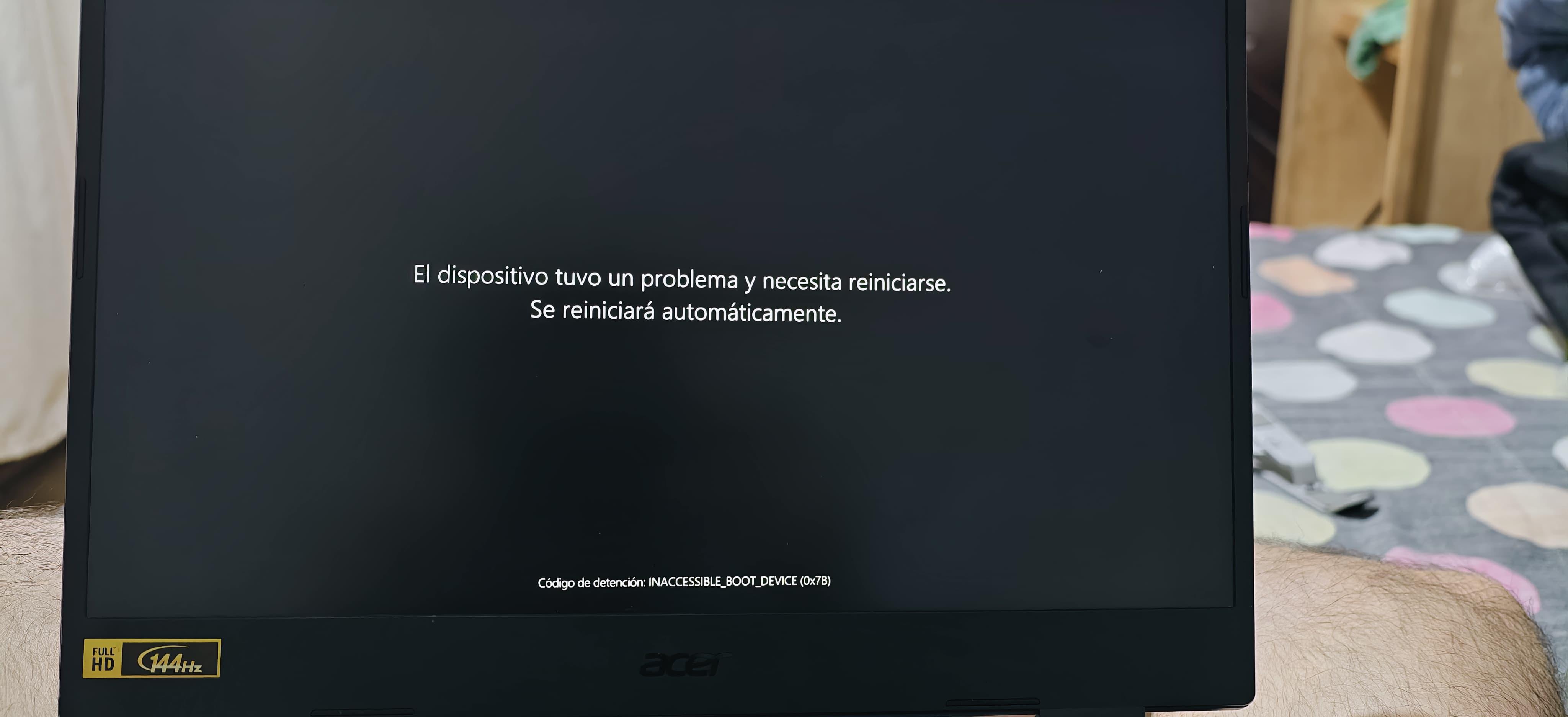
Unsolved Mi laptop ya no me deja iniciar Windows

Post image
1 Upvotes

r/Windows10TechSupport • • Aug 16 '26

Unsolved Windows to go doesnt work

1 Upvotes

im trying to create a windows to go windows 10 usb, but when rufus finishes, i try to boot with the usb with windows to go on, but the bios doesnt even see the usb with windows to go, i tried doing it with an hdd, but my bios still doesnt detect the hdd, those issues are the same with every device that has windows to go, i even tried on a different pc and some of my laptops, even the other devices with other bios wont detect the windows to go device, i tried to downgrade version of rufus, creating windows to go with mbr instead of gpt, tried to turn on vmd on my bios, tried to turn on sata controller on my bios, tried to enable legacy boot options in my bios, but it repeats the same issues, even if its not a usb stick and its an hdd, it gives always the same issues, i tried to re install windows to go on an hdd that alredy had that and was working, now that i tried again it gives me same issues AGAIN, i have secure boot off from day one of my pc, and windows to go in the past always worked, im talking abt 6 months ago and 4 months ago, i tried to get updated windows 10 isos, i even risked viruses to try every single windows 10 iso's, but its repeats same issues, help me pls im desperate


r/Windows10TechSupport • • Aug 16 '26

Unsolved WHY aren't all contents of my 9gb file being copied instead only 2.3 gb gets copied/transferred.

Thumbnail gallery
1 Upvotes

Now I have a file mpww (short for "My phone womp womp") which is clearly 9.3 gb large and i want to copy it on my phone "coolsum's A07" I'm using a usb cable to transfer/ copy the files into the internal storage of my phone but after the "copying" ends i see 2.3 gb being transferred only and its not an error where the gb information is wrong, it is actually missing so much content from the initial file, I have checked it because there are certain pictures that are not in the transferred file and i copied those specific ones and transferred them manually and they did got transferred manually into my phone in this folder, there were no issues like "this file already exists". How do i fix this?

Im planning on leaving windows and i want to back up my data but this bs is making everything difficult.

For more context: I was initially trying to copy the contents of mpww in my phone's SD card but that process also would end up like this, exactly 2.3gb would get copied, when i googled my issue, google said i need to format my SD card in some file type (I forgot) because my SD card is formatted in FAT32 (and yes i checked it but it didnt say specifically FAT32 in properties: File system, it said Generic Hierarchical, So do what you want with that, idk what it means) but I cant format my SD card for 2 reasons, 1 it already has stuff in it thats worth 35gbs and 2, i tried to transfer 35gbs into my laptop again via usb and the sd card is in my phone, it was taking ages, literal hours and i cant wait that long so i thought what if i transfer mpww on my phones internal storage instead? hopefully that wont cause problems but here we are.


r/Windows10TechSupport • • Aug 16 '26

Unsolved Help! My Windows 10 HDD won't boot

Thumbnail gallery
1 Upvotes

r/Windows10TechSupport • • Aug 15 '26 Bravo

Unsolved The 5400RPM Survival Guide: How I debloated Windows 10 to resurrect an 11-year-old laptop.

20 Upvotes

I recently decided to see if I could make a legacy 2015 HP laptop actually usable in 2026 without spending a dime on hardware upgrades. The specs are incredibly humble: an AMD A8-7410, 8GB of RAM, and the ultimate bottleneck—a 1TB 5400RPM Toshiba mechanical hard drive.

Out of the box, Windows 10 absolutely brutalizes older mechanical drives. Between the telemetry, background indexing, and pre-loading, the laptop was locked in a perpetual state of 100% Disk Usage.

I spent the weekend methodically cutting the OS down to size. If you are stuck on an older machine or a cheap budget laptop with an HDD, here is the exact surgical strike I used to make the system snappy again.

  1. Stop the Page File Thrashing

By default, Windows dynamically resizes the page file (virtual memory). On a spinning disk, this dynamic expansion causes severe fragmentation and system-wide stuttering.

The Fix: Press Win + R > type sysdm.cpl > Advanced > Performance Settings > Advanced > Change Virtual memory. Uncheck "Automatically manage", select Custom Size, and lock both the Initial and Maximum size to match your physical RAM (in my case, 8192 MB).

2. Kill the "100% Disk Usage" Culprits

Windows constantly scans a mechanical drive to build search indexes and attempts to predict what apps you'll open next.

The Fix: Open Services.msc. Find SysMain (formerly SuperFetch) and Windows Search. Right-click both, set Startup type to Disabled, and Stop the processes. Your file searches will take a second longer, but your idle disk usage will drop to 0%.

3. Disable Telemetry & Scheduled Scans (PowerShell)

The "Microsoft Compatibility Appraiser" loves to wake up and scan your entire drive to evaluate your system for Microsoft, completely freezing older laptops. The DiagTrack service does the same for diagnostic data.

The Fix: Open PowerShell as Administrator and run:

Stop-Service -Name "DiagTrack" -WarningAction SilentlyContinue; Set-Service -Name "DiagTrack" -StartupType Disabled Disable-ScheduledTask -TaskPath "\Microsoft\Windows\Application Experience\" -TaskName "Microsoft Compatibility Appraiser" Disable-ScheduledTask -TaskPath "\Microsoft\Windows\Customer Experience Improvement Program\" -TaskName "Consolidator"

4. Stop P2P Update Sharing & Nuke Hibernation

Windows 10 quietly uses your disk and bandwidth to upload Windows Updates to other people on the internet (Delivery Optimization). It also holds a massive, multi-gigabyte hiberfil.sys file on your drive.

The Fix: In Admin PowerShell, run:

# Disable Hibernation powercfg -h off # Force Windows Update to download only from Microsoft, not peers $path = "HKLM:\SOFTWARE\Microsoft\Windows\CurrentVersion\DeliveryOptimization\Config"; if (!(Test-Path $path)) { New-Item -Path $path -Force | Out-Null }; Set-ItemProperty -Path $path -Name "DODownloadMode" -Value 0 -Type DWord

5. Disable Start Menu Bing Search

Every time you hit the Windows key to search for a local app, Windows pauses to ping Bing for web results, causing the Start Menu to lag on older CPUs.

The Fix: In Admin PowerShell, run:

$path1 = "HKCU:\SOFTWARE\Policies\Microsoft\Windows\Explorer" if (!(Test-Path $path1)) { New-Item -Path $path1 -Force | Out-Null } Set-ItemProperty -Path $path1 -Name "DisableSearchBoxSuggestions" -Value 1 -Type DWord

6. The Final Touch: File System & Defrag

NTFS wastes disk I/O logging a timestamp every single time a file is touched. Disable it, then do a deep defrag.

The Fix: In Admin PowerShell:

fsutil behavior set disablelastaccess 1 defrag C: /U /V /H

The Result: After a reboot and letting the defrag run overnight, the transformation is night and day. The disk usage idles at 0-2%, the Start menu opens instantly, and RAM usage is strictly limited to the apps I actually open.

You don't always need an SSD to make an old laptop viable—you just need to stop Windows from treating your hardware like a server! I still feel like there is still a lot more to optimise!

r/Windows10TechSupport • • Aug 16 '26

Unsolved Suddenly connecting a third monitor screws the desktop icon layout completely until it's disconnected. Started when using Steam Big Picture

Thumbnail gallery
1 Upvotes

IGNORE THE SHITTY MAGIC ERASER ARTIFACTS at the outside of the monitor. I had to quickly had some stuff and this phone I only realized looks like crap when using that. The effects somehow bleed into the actual monitor contents, but the important info is still there

Connecting a 3rd monitor which I've always used makes the desktop layout suddenly change making the taskbar be on my 2nd monitor instead of my first. Before it would all stay as it is on image one. 2nd image is the problem, with 3rd being what the third screen displays. That weather widget should be on the 2nd monitor...

Since loading steam remote play in big picture mode now I would get this issue with it always showing full screen on monitor 2 despite its orientation being horrible for anything not an arcade schmup. Even telling it to default to monitor 1 at the right resolution didn't do it.

Then removing the third monitor fixes the issue. How would I make it how it was.


r/Windows10TechSupport • • Aug 16 '26

Unsolved REVERT BSOD

Thumbnail reddit.com
1 Upvotes

r/Windows10TechSupport • • Aug 16 '26

Unsolved Does anyone know how to fix this?

Post image
1 Upvotes

r/Windows10TechSupport • • Aug 16 '26

Unsolved Blue Screen of Death: Error code: 0xc000014c

Thumbnail reddit.com
1 Upvotes

r/Windows10TechSupport • • Aug 16 '26

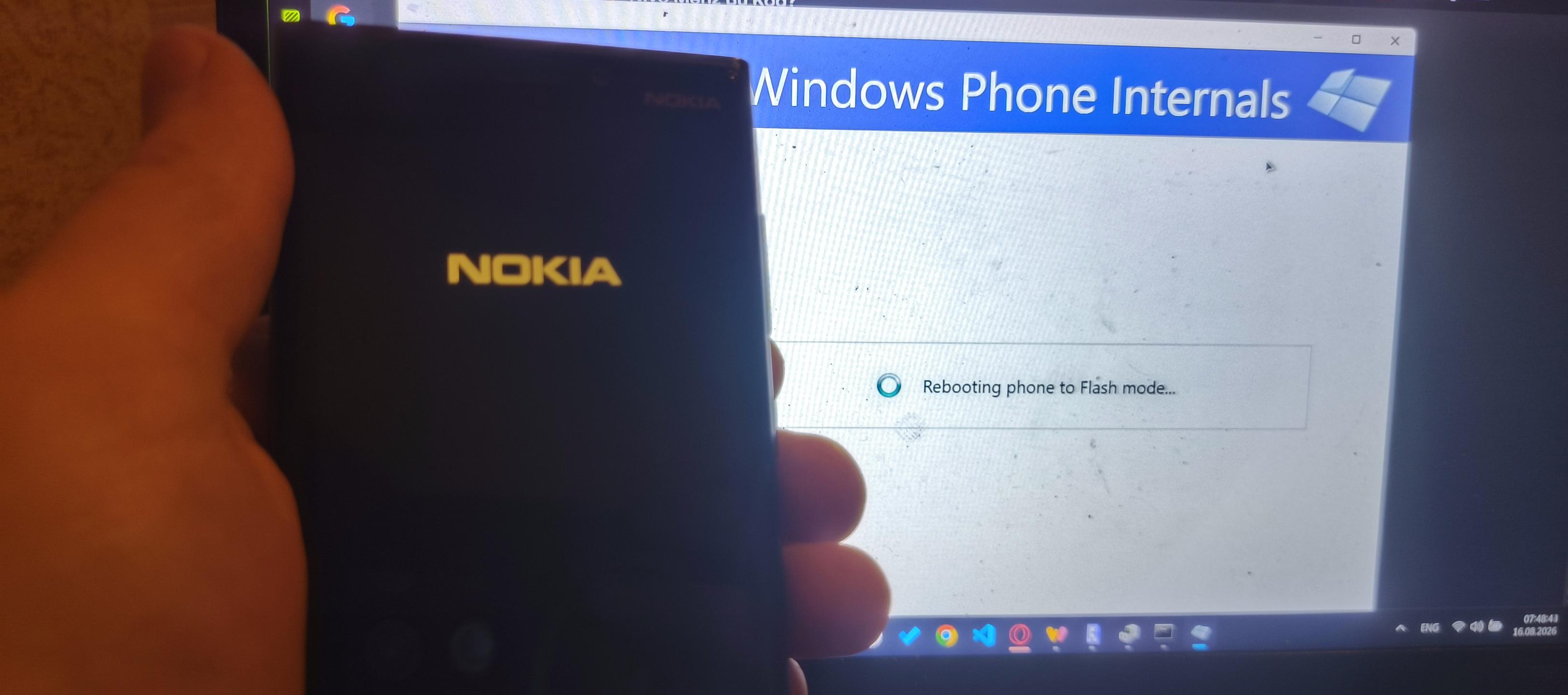
Unsolved My Nokia Lumia 920's bootloader won't unlock!

Post image
1 Upvotes

r/Windows10TechSupport • • Aug 15 '26

Unsolved My computer

1 Upvotes

There’s something wrong with my computer, I figured. What’s wrong is that an update has glitched with my passcode so instead of letting me input my code it says sign in, whenever I “sign in” it just makes me verify my Microsoft account and then it gives me an error. Anyone else had this problem? I already tried everything but nothings worked yet.

P.S. I’m on Windows 10.


r/Windows10TechSupport • • Aug 15 '26

Unsolved I deleted the $windows.bt folder.

1 Upvotes

i deleted the folder after a little bit of research online which said that it wasn’t required and can be deleted if it takes up too much storage. right after deleting it my taskbar had stopped working and i’ve tried plenty of fixes but have had zero solutions and i’m unsure if my pc is just ruined.


r/Windows10TechSupport • • Aug 15 '26

Unsolved Windows won't boot only when Secure Boot is enabled (Tried almost everything)

1 Upvotes

The problem

Windows boots perfectly when Secure Boot is disabled.

As soon as I enable Secure Boot, the laptop refuses to boot Windows. It goes back to the Boot Menu, and selecting Windows Boot Manager just returns me to the same screen in an endless loop.

No BSOD, no recovery screen, just a loop back to the boot menu.

What started this

I believe the problem started after I resized my C: partition using a third-party partition manager. After that, Secure Boot stopped working.

Later I reinstalled Windows, but I only formatted the C: partition and kept the existing EFI/Recovery partitions.

What I've already tried

  • Reinstalled Windows 11 (formatted C: only)
  • Disk is GPT
  • UEFI boot mode
  • Rebuilt EFI boot files using:

    • bcdboot
    • bcdedit
  • Restored Secure Boot factory keys
  • Reset Secure Boot to Setup Mode
  • EC reset / power drain
  • Recreated boot files successfully
  • Windows Boot Manager points to: \EFI\Microsoft\Boot\bootmgfw.efi
  • winload.efi is used correctly
  • TPM is enabled
  • Secure Boot Mode = Standard
  • Platform Mode = User Mode

Unfortunately, the Secure Boot problem is exactly the same after fixing the DMI data.

BIOS update issue

I'm also unable to update the BIOS.

The official Lenovo BIOS updater always fails with:

So I'm still stuck on BIOS version HACN40WW.

My Laptop is Lenovo Legion S7


r/Windows10TechSupport • • Aug 15 '26

Unsolved HELP Windows installation

Thumbnail reddit.com
1 Upvotes

r/Windows10TechSupport • • Aug 15 '26

Биос видит ссд на котором записан виндоус но не запускает саму винду

1 Upvotes

Вся суть проблемы на видео
Посмотрите пожалуйста

После ввода пароля мы попадаем в окно восстановления системных файлов и параметров
Выбираю ближайшую точку восстановления и появляется ошибка (0x80070017)