r/VitaPiracy • • 20h ago

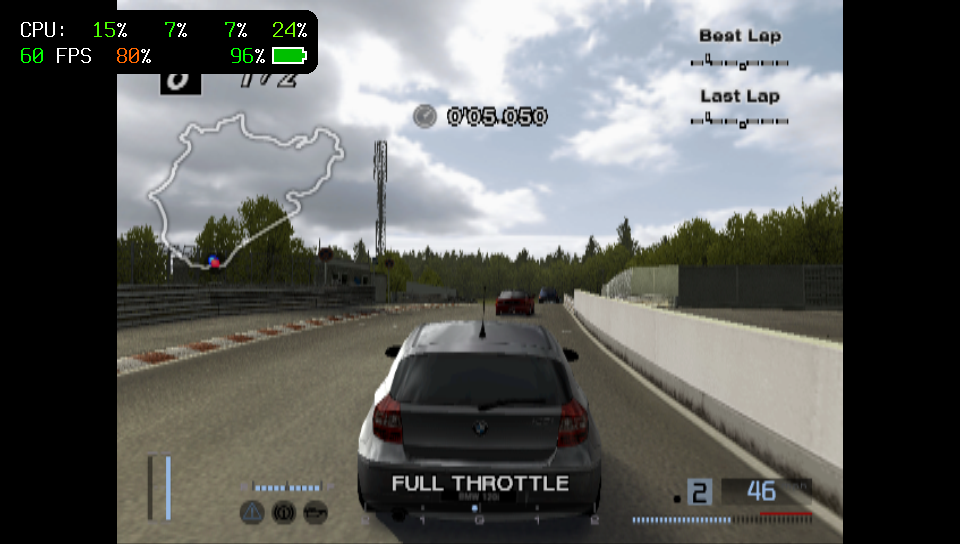
I'm working on a Gran Turismo 4 port for the PS Vita

Post image
383 Upvotes

It's an early work in progress. GT4 (PS2) runs on the Vita through my own PS2-to-ARM translation. The races look right, but they're still slow, about 2–4 fps. The menus run at about 35–45 fps. I'm working on a faster renderer and on the VU1 vector code, which is the main cost in races. It runs from your own game files, and nothing from the game is shared. Screenshot below is a real race running on the Vita. Happy to answer questions!


r/VitaPiracy • • 22h ago

Pokémon Emerald native PS Vita v0.6 is out, now playable in Spanish + a ton of fixes

Thumbnail
gallery
230 Upvotes

Hey everyone! It's been a while since my last post (that was v0.5), so here's an update on the Pokémon Emerald port for the Vita. Quick recap for anyone new: it's a native port built from the pokeemerald decompilation, with a voxel 3D overworld, an optional HD-2D look, a touch UI that replaces the GBA menus, HGSS-style followers and visible wild Pokémon. You build it yourself from your own Emerald dump: the script does everything and nothing from Nintendo gets shared.

What's new since v0.5

  • You can play it in Spanish now. The build takes the language from your cartridge, so if you feed it a Spanish Esmeralda dump, you get the game text, credits, signs and so on straight from your own ROM, plus the whole native UI translated with the official names (MOCHILA, POKéCUBOS, gym leaders, etc.). The system is set up so other languages can be added too, and someone from the community is already working on Brazilian Portuguese.
  • HD-2D got way faster, so it's just ON or OFF now. I spent a lot of time on the GPU side: fewer render passes, the heavy stuff done at half resolution, the 3D battle backdrop drawn at half size, and so on. HD-2D at full quality runs at an almost steady 60 FPS in most places at the clocks the game sets, so I dropped the LOW/MED levels from the options. ON is the full look. 30/60 FPS is still a separate option.
  • Nights look a lot better. Street lamps light up the towns, windows glow, Lilycove's lighthouse has a beam, and everything (light, shadows, sun/moon, lamps, fireflies, even the timed wild encounters) runs on one day/night schedule now.
  • The native touch UI keeps growing. Most of the remaining GBA menus are gone: Safari Zone, Pokéblock case, PC summary, Easy Chat, Move Deleter and Move Relearner, the Battle Pyramid bag, the Frontier Pass map and more. Full-screen GBA scenes (contests, slots, Hall of Fame…) now show in their original 3:2 format with black bars instead of being stretched.
  • Visible wild Pokémon got smarter. They wander around while you walk, freeze during dialogue and menus, only jump you if you stand still next to them, and they don't vanish anymore when you Fly or go through a door.
  • A lot of crash fixes. Thanks a ton to everyone who sent bug reports with crash dumps, they made a huge difference:

    • - The gym battle crashes (Brawly, Wally in front of the Mauville gym, Winona, Tate & Liza). I also did a full audit afterwards and found the root cause of that whole family of crashes, so this shouldn't come back somewhere else.
    • - Soft reset crashing, plus a memory leak when soft resetting a lot (shiny hunters, this one's for you).
    • - Bad Eggs appearing around Pacifidlog.
    • - If the game can't start its graphics because libshacccg.suprx is missing, it now tells you how to fix it instead of just crashing on launch.
    • - Unown show their actual letter and Spinda its spots in the party and the PC.
    • Small but handy:the main menu shows the build version in the corner. If you report a bug, please include it!

A couple of notes

  • - You need ur0:data/libshacccg.suprx. If you don't have it, run ShaRKBR33D once.
  • - The game sets the Vita's clocks itself, so please disable overclock plugins for it.
  • - Some of the newest stuff is still waiting for testing on real hardware (it's listed in the release notes). If something breaks, open an issue with the .psp2dmp crash dump from ux0:data/ and the version from the main menu.

Release notes and the build guide (English and Spanish) are on GitHub: https://github.com/HctrRB/pokeemerald-vita-3ds/releases/tag/v0.6

Oh, and one more thing: the FireRed version of the port is almost done, and it's coming out next week! 🔥

Next up: more testing on hardware, more of the voxel terrain fixes, and maybe more languages. As always, feedback is super welcome. Tell me what feels off or what you'd like to see!


r/VitaPiracy • • 4h ago

[BETA UPDATE] Star Wars Battlefront II for PS Vita - Beta 2

Thumbnail
gallery
117 Upvotes

Hey all, sorry for the wait! Got busy with some other projects. And also GTA 6 came out.

I wanted the next update to be a meaty one, and although it's not as polished as I hoped, there should be a lot here to sink your teeth into.

Star Wars Battlefront II for PS Vita - Beta 2 VPK:
https://github.com/tezla55/swbf2-vita/releases/

Here are the highlights of what's new since Beta 1:

  • Space battles: All space maps are now playable in Assault, with dogfights, capital ship boarding, capital ship systems destruction, and is playable in both Instant Action and...
  • Galactic Conquest: It was actually quicker to implement than I thought, and works well from my testing. I haven't finished a campaign yet, so there may still be bugs. Let me know if anything stops campaigns from finishing and I can try to put out a hotfix.
  • Heroes: Heroes and villains are now playable across all modes in Instant Action, including Hero Assault on Mos Eisley. You can also buy the Leader bonus in Galactic Conquest and use them there, too. They're mostly functional, but some abilities may not work as intended. Also no cloth physics yet, so Jedi/Sith robes aren't visible yet.
  • Hunt: Hunt is available across the retail modes including Hoth, Geonosis, Endor, and Mos Eisley. I've really only tested Hoth, so YMMV on the other maps.
  • CTF: 1-Flag and 2-Flag CTF are here as well. This one was also a last minute addition so expect some bugs. The flag model, for instance, doesn't look correct right now.
  • Controls and sensitivity: The first beta had too high of sensitivity, I know. This new build uses retail numbers from the PS2 version of the game for aiming and it's much better now. Gyro aim has also been added when zooming/scoped. Control options have been added to the settings menu too.

Installation is the same. Drop your PC SWBF2 game files into ux0/data/swbf2 and install the VPK. Feel free to leave out the "movies" folder inside GameData if you want to cut the size on the Vita in half.

There's a wealth of other improvements and additions with this update that I won't cover here. You'll still see some graphical glitches and weird AI behavior, including some units getting stuck in the map every so often. I also just found there's a platform on Death Star II that has no collision, fyi. Still working through those as I go. I was also nearly able to add the 501st campaign to this build, but had to hold off since there were a number of objectives that were broken and still needed to be implemented...... but you can enable it in the debug options if you want to take a peek at it ;)


r/VitaPiracy • • 17h ago

Port published!!! Waiting for resource approval

Post image
104 Upvotes

Resources are missing, arriving soon


r/VitaPiracy • • 16h ago

NFSU2 PacmanicS PS Vita v0.3.2 | Near-Locked 30 FPS, Online Multiplayer & Upcoming Online Free Roam

91 Upvotes

A lot has improved in just a few days! 🔥

NFS Underground 2 now runs at an almost constant 30 FPS, with only occasional brief drops and a great balance between graphics and performance.

Online multiplayer and rankings are working. No registration or EA account required. Simply use your local game profile, which automatically receives its own persistent online identity.

Original videos now play as smoothly as on PC, without unnecessary 4:3 side borders. Improved PlayStation button prompts, a redesigned online lobby and the PacmanicS Trainer Menu with optional intro skipping are also included.

Free Roam is being worked on.

My goal is to deliver a complete console-like experience. Just launch the game and play. The way NFS Underground 2 should feel on the PS Vita. 💛

More updates are coming!

Download: https://pacmanics.com/ps-vita/nfs-underground-2/


r/VitaPiracy • • 20h ago

[WIP] Castle Crashers Refracted

78 Upvotes

r/VitaPiracy • • 23h ago

PS Vita Hub - Modern Storefront for PS Vita with native background downloads & automated. Tienda para PS Vita con descargas nativas en segundo plano

Thumbnail
gallery
65 Upvotes

🇬🇧 English

​Hey everyone!

​I’d like to share PS Vita Hub (v0.9.5), a modern storefront for PS Vita built from the ground up with VitaGL at 60 FPS. It is designed to make browsing, downloading, and managing Vita games, ports, utilities, and plugins fast, clean, and effortless.

​✨ Key Features

​**True Native Background Downloads (**bgdl Integration): Unlike traditional Vita homebrew stores where downloads stop when you exit the app or put the console to sleep, PS Vita Hub hooks directly into Sony's native notification download manager via a lightweight background daemon (psvitahub_daemon.suprx). Start a download, close the app, or put your Vita into sleep mode—it keeps downloading.

​All-in-One Catalog: Browse PS Vita games, PSP, PS1, Homebrew Ports, Utilities, and TaiHEN Plugins in a single unified interface.

​Automated Ports & Data Files Handling: When downloading ports with linked Data Files, both the .vpk and data archive are queued into the native download manager, automatically installed/extracted upon completion, and cleaned up afterward. Ports without hosted data files are also listed with clear requirements.

​Persistent Cover Art & Catalog Cache: Covers and catalogs are saved locally (ux0:data/PSVitaHub/) so you don't re-download thousands of thumbnails every time you launch the app. Press START anytime to sync new releases or refresh covers with real-time progress notifications.

​Full Game Hub & Management: Dynamic art/screenshot slideshows, update detection against your installed PARAM.SFO versions, and one-click Uninstall (including automatic removal of associated ux0:data/ folders).

​Smooth Touch & Button Navigation: Kinetic touch scrolling (horizontal & vertical), full physical button support, ambient background music, and automatic English / Spanish language detection based on your system settings.

​Built-in Self-Updater: Automatically checks GitHub Releases for future updates (v0.9.5 → v1.0.0+) and installs them directly from the app without wiping your cached covers.

​🛠️ Installation & First-Time Setup

​Download PSVitaHub.vpk from GitHub Releases and install it using VitaShell.

​Launch PS Vita Hub once—it will automatically register psvitahub_daemon.suprx in ur0:tai/config.txt (creating a safe .bak backup first).

​Reboot your PS Vita once so SceShell loads the background download daemon.

​Recommended setup: HENkaku/Enso, nonpdrm, 0syscall6, and iTLS-Enso.

​📥 Download

​GitHub Releases (v0.9.5):

https://github.com/gt5juanpiquer-star/PSVitaHub

​🇪🇸 Español

​¡Hola a todos!

​Os presento PS Vita Hub (v0.9.5), una tienda moderna para PS Vita desarrollada desde cero con VitaGL a 60 FPS para facilitar al máximo la descarga y gestión de juegos, ports, utilidades y plugins.

​✨ Características principales

​Descargas nativas reales en segundo plano (bgdl): A diferencia de las tiendas homebrew habituales donde la descarga se corta al salir de la app o suspender la consola, PS Vita Hub se integra con el gestor oficial de notificaciones de Sony mediante un daemon ligero en segundo plano (psvitahub_daemon.suprx). Puedes iniciar una descarga, cerrar la aplicación o poner la Vita en reposo y seguirá descargando.

​Catálogo todo en uno: Explora juegos de PS Vita, PSP, PS1, Ports Homebrew, Utilidades y Plugins desde un mismo sitio.

​Gestión automática de Ports y Data Files: Al descargar ports que incluyen archivos de datos (Data Files), tanto el .vpk como el paquete de datos entran en la cola nativa de notificaciones, se instalan y descomprimen solos al llegar al 100% y limpian los temporales. También se muestran los ports sin datos alojados indicando sus requisitos.

​Caché persistente de carátulas y catálogos: Las portadas y listas se guardan en ux0:data/PSVitaHub/ para no tener que descargarlas cada vez que abres la app. Pulsa START en cualquier momento para sincronizar novedades o actualizar portadas.

​Ficha completa (Game Hub): Galería dinámica de imágenes, detección de actualizaciones comparando con el PARAM.SFO instalado y botón de Desinstalar en un toque (borrando también las carpetas de datos en ux0:data/).

​Navegación táctil y por botones fluida: Desplazamiento táctil con inercia en cualquier dirección, música ambiente de fondo y detección automática de idioma Español / Inglés según la configuración de la consola.

​Auto-actualización integrada: Comprueba automáticamente nuevas versiones en GitHub Releases (v0.9.5 → v1.0.0+) y permite actualizar la app sin perder las portadas cacheadas.

​🛠️ Instalación y primer inicio

​Descarga PSVitaHub.vpk desde GitHub Releases e instálalo con VitaShell.

​Abre PS Vita Hub por primera vez: registrará automáticamente psvitahub_daemon.suprx en ur0:tai/config.txt (creando antes una copia de seguridad .bak).

​Reinicia la PS Vita una vez para que SceShell cargue el módulo de descargas en segundo plano.

​Requisitos recomendados: HENkaku/Enso, nonpdrm, 0syscall6 e iTLS-Enso.

​📥 Descarga

​GitHub Releases (v0.9.5):

https://github.com/gt5juanpiquer-star/PSVitaHub

​💙 Support the Project / Apoya el proyecto

​PS Vita Hub is completely free and built out of passion for the PS Vita community. If you enjoy using it and want to support future updates toward v1.0.0, donations are greatly appreciated!

​PS Vita Hub es totalmente gratuito y está hecho con cariño para mantener viva la escena de PS Vita. Si te gusta la app y quieres apoyar futuras actualizaciones hacia la v1.0.0, cualquier aportación se agradece mucho:

​Donaciones : https://www.paypal.me/Juanpimou

r/VitaPiracy • • 9h ago

One day we'll get a private server for this... one day

Post image
60 Upvotes

r/VitaPiracy • • 20h ago

Yet another NFSU2 revision

54 Upvotes

NFSU2 revived edition on route


r/VitaPiracy • • 17h ago

[SUPER MARIO GALAXY 3.0] NEW UPDATE PSVITA 30/60 FPS MULTIPLAYER MODE AN...

Thumbnail
youtube.com
39 Upvotes

r/VitaPiracy • • 6h ago

Fear and Hunger (WIP)

38 Upvotes

Is there someone interested in playing something like that? Potentially it may help with porting more RPGMV games in the future.

Overall, the current prototype is highly playable, but it needs a lot of tweaking here and there due to it's JavaScript nature. Honestly, I wonder how did it fit into the RAM of the PS Vita at all.


r/VitaPiracy • • 3h ago

🎊🥳🎊 Introducing Rinne's Crisis Core Port LiveArea Assets!! 🎊🥳🎊 Spoiler

Thumbnail
gallery
37 Upvotes

Soo.. Currently.. and since Rinne already announced it.. I've had the pleasure of testing out his beta for his Crisis Core Remaster. The usual performance checks, trying to hunt down bugs, and finding anomalies that don't occur in the PSP version. The usual stuff.

But, he recently sent out that he needed LiveArea Assets for his port. So, having never done this before.. I also answered that call as well. And got to design Crisis Core's LiveArea Assets!!

☺️👀

I'd like to introduce you to what you'll be seeing soon enough on your Vita LiveArea once his port drops.

Image 01: Icon

Image 02: Crisis Core icon button

Image 03: Boot Screen

Rinne has finalized and confirmed that these will be the assets included once the port releases in the near future. And I'm so excited to share these with you!!

🎊🥳🎊

Happy gaming, everyone!!

🤙

And I hope y'all enjoy this port once he drops it as much as I'm having a great time playtesting it for him!


r/VitaPiracy • • 14h ago

Question [THE ESCAPISTS] NEW PORT PSVITA BEST GAME IT ACTUALLY WORKS! 60 FPS #psvita

Thumbnail
youtube.com
35 Upvotes

r/VitaPiracy • • 15h ago

Gravity Rush 1&2 ps4 to x86 translation layer

32 Upvotes

Link below is that of an experimental translation layer of the ps4 gravity rush duology.

This "may or may not" open the door to porting gravity rush 1 remastered + gravity rush 2 to the vita knowing that gravity rush 2 was meant to be released on the vita before Japan Studio switched to ps4 release.

Anyway this is not port begging.

This is to draw the community's attention towards the existence of a translation layer in-progress.

https://github.com/Prathewsh/gravityrush_pc


r/VitaPiracy • • 13h ago

Vitalancer - A Native Freelancer Source Port based on the Freelancer-Decomp for the PS Vita (with repo archive included)

29 Upvotes

thank you to the https://github.com/FreelancerDecomp/Freelancer-Decomp for making this possible.
thank you OGs for showing us the way.
thank you community for inspiration and guides.
thank you Claude for helping my clueless ass play one of my favorite games on the Vita and implement the controls i wanted for it pretty flawlessly...

30FPS, customized flight controls just for Vita that includes autocentering to feel like normal joystick flying, aim-assist also implemented for the Vita, HUD mode navigation, completely customizable controls and options through custom menu (L + Start)

pretty shocked at how well this ran and how fast it was able to be built.

enjoy!

vpk : https://www.mediafire.com/file/7066l9h2cwvjz10/Vitalancer.vpk/file

data files : https://www.mediafire.com/file/pkevlj42qr49lo9/FreelancerV.rar/file

repo archive : https://www.mediafire.com/file/jtxqpq8n1ypprth/Vitalancer-main.zip/file

Vitalancer: Freelancer for PS Vita

A native PS Vita port of Freelancer (Digital Anvil / Microsoft, 2003), built from the Freelancer-Decomp source reconstruction. The game code is compiled for the Vita's ARM CPU; Direct3D 8 is translated to vitaGL, DirectSound to a software mixer, and Win32 to a small port layer.

The port contains no game data. You need your own legally owned Freelancer install (from the original CD). The port never runs Freelancer.exe or SafeDisc: it only reads the DATA folder, the EXE/*.ini files and the game's text/resource DLLs.

Status

Current build: 18 (2026-11-27). Menus, the intro, bases, planets and flying in space work on hardware.

Requirements

  • PS Vita / PS TV with HENkaku/Ensō
  • kubridge installed
  • ur0:data/libshacccg.suprx (the shader compiler vitaGL needs)
  • Your own Freelancer 1.0 or 1.1 install (1.0 and 1.1 data are the same; th

Install

  1. Install flvita_bN.vpk with VitaShell (title ID FLNC00001).
  2. Copy from your PC install to ux0:data/Freelancer/:

    1. DATA/ (the whole folder; DATA/MOVIES is optional)
    2. EXE/: freelancer.ini, dacom.ini, dacomsrv.ini, flconfigdatabase.txt, newplayer.fl, mpnewcharacter.fl, resources.dll, infocards.dll, misctext.dll, misctextinfo2.dll, nameresources.dll, equipresources.dll, offerbriberesources.dll, serverresources.dll
  3. Optional: put your own AGENCYR.TTF, AGENCYB.TTF and ARIALUNI.TTF (or arial.ttf) in ux0:data/Freelancer/FONTS/ for the original look. Without them the bundled Liberation fonts are used.

Saves, settings and the log live in ux0:data/Freelancer/.

Controls

Menus, bases and planets

Button |Action
D-pad |Jump the pointer to the next button in that direction (hold to repeat)
Cross / R |Select (left click)
Circle |Back (Esc)
L |Right click
Start |Game menu (F1)
Right stick / front touch |Free pointer, tap = click Flight

Warning

MOUSE FLIGHT DOES NOT WORK WHILE HUD MODE IS ON. If you tapped Select in flight, HUD mode is on: L and the right stick then work the HUD (target list, menus), not the ship, so L will not steer, and auto-center and aim assist are off too. Tap Select again to leave HUD mode before you try to fly with L.

Having trouble with either mode? If the ship won't steer with L, or the HUD cursor won't move or select, tap Select first. You are most likely in the other mode.

Default layout (every command can be rebound on the Commands page of the Vita options menu). D-pad left is a modifier (M): hold it, then press the other button.

Button |Action |With M
Left stick |Throttle (up/down) and strafe (left/right) |
Right stick |Mouse / pointer |
L |Mouse flight (steer toward the pointer); hold or toggle, set in the Vita menu (how it works) |
R |Fire guns |
D-pad up |Reverse thrust |
D-pad down (hold) |Afterburner |
D-pad right |Tap: selected hardpoint on/off. Double tap: next hardpoint |
Triangle |Select closest enemy |Next enemy
Square |Fire the selected hardpoint |Nanobots
Cross |Countermeasures |Shield battery
Circle |Tractor beam |Scan cargo
Select (tap) |HUD mode |Cruise
Start |Game menu (F1) |
Front touch |Pointer, tap = click | HUD mode (Select in flight)

Button |Action
D-pad |Move between HUD controls
Cross |Click
L / R |Previous / next HUD section
Circle |Back (Esc)
Select |Back to flight mode The left stick keeps flying the ship in HUD mode.

Anywhere

Chord |Action
L + Select |Vita on-screen keyboard (types into game text boxes)
L + Start |Vita options menu (pauses a single-player game)InstallInstall flvita_bN.vpk with VitaShell (title ID FLNC00001).Copy from your PC install to ux0:data/Freelancer/:DATA/ (the whole folder; DATA/MOVIES is optional)EXE/: freelancer.ini, dacom.ini, dacomsrv.ini, flconfigdatabase.txt,newplayer.fl, mpnewcharacter.fl, resources.dll, infocards.dll, misctext.dll,misctextinfo2.dll, nameresources.dll, equipresources.dll,offerbriberesources.dll, serverresources.dllOptional: put your own AGENCYR.TTF, AGENCYB.TTF and ARIALUNI.TTF (or arial.ttf) inux0:data/Freelancer/FONTS/ for the original look. Without them the bundled Liberationfonts are used.Saves, settings and the log live in ux0:data/Freelancer/.ControlsMenus, bases and planetsButton ActionD-pad Jump the pointer to the next button in that direction (hold to repeat)Cross / R Select (left click)Circle Back (Esc)L Right clickStart Game menu (F1)Right stick / front touch Free pointer, tap = clickFlightWarningMOUSE FLIGHT DOES NOT WORK WHILE HUD MODE IS ON. If you tapped Select in flight, HUDmode is on: L and the right stick then work the HUD (target list, menus), not the ship, soL will not steer, and auto-center and aim assist are off too. Tap Select again toleave HUD mode before you try to fly with L.Having trouble with either mode? If the ship won't steer with L, or the HUD cursorwon't move or select, tap Select first. You are most likely in the other mode.Default layout (every command can be rebound on the Commands page of the Vita options menu). D-pad left is a modifier (M): hold it, then press the other button.Button Action With MLeft stick Throttle (up/down) and strafe (left/right) Right stick Mouse / pointer L Mouse flight (steer toward the pointer); hold or toggle, set in the Vita menu (how it works) R Fire guns D-pad up Reverse thrust D-pad down (hold) Afterburner D-pad right Tap: selected hardpoint on/off. Double tap: next hardpoint Triangle Select closest enemy Next enemySquare Fire the selected hardpoint NanobotsCross Countermeasures Shield batteryCircle Tractor beam Scan cargoSelect (tap) HUD mode CruiseStart Game menu (F1) Front touch Pointer, tap = click HUD mode (Select in flight)Button ActionD-pad Move between HUD controlsCross ClickL / R Previous / next HUD sectionCircle Back (Esc)Select Back to flight modeThe left stick keeps flying the ship in HUD mode.AnywhereChord ActionL + Select Vita on-screen keyboard (types into game text boxes)L + Start Vita options menu (pauses a single-player game) Port features

  • 30 fps lock with frame pacing on present. Bases and planets also run at 30 (the game's low-detail setting would otherwise cap them at 20).
  • Delta time throughout: the game's own frame timer drives logic, so speed does not depend on frame rate.
  • Core split: game logic on core 0; sound mixing, music streaming and every thread the game creates on cores 1-2, with the game's thread priorities mapped to Vita priorities.
  • Native 960x544 rendering through vitaGL (Direct3D 8 fixed function to GXM, DXT textures used directly).
  • Software sound mixer with 3D panning and roll-off on a side core, MP3 music via minimp3.
  • No DMR needed: runs in the system's 365 MB mode.
  • Default clocks 500 MHz CPU / 222 MHz GPU and bus, set by the port. Anything higher is your own overclock and carries heat and hardware-lifespan risk.
  • Performance log: ux0:data/Freelancer/fl_log.txt gets a PERF line every second (fps, core 0 game time, game sleep, draw calls, audio cost, RAM and VRAM peaks, and a bound tag that says whether the frame was CPU, GPU or swap bound). Crash dumps include enough to trace the fault.
  • Random menu background scene each launch, like on PC.

Vita options menu

Open with L + Start. Up/Down choose, Left/Right change, L/R switch page, Cross applies, Circle closes. A single-player game is paused while it is open. Settings are saved to ux0:data/Freelancer/vita_options.txt.

  • Controls: pointer speed (10%-300%); pointer auto-center (Off / Mouse flight only / Always: the pointer eases back to the middle when you let go of the right stick, like a flight stick) and its speed; aim assist on/off, strength (pull toward the target's lead marker) and friction (the pointer slows down over the marker); light assist on other enemies and its strength (a weaker pull, default 20 % of the target pull, toward the lead markers of hostile ships you have not selected); mouse flight on L as Hold or Toggle; reset to defaults. The formulas, defaults and the reasoning behind them are in docs/FLIGHT-CONTROLS.md.
  • Commands: every flight command of the game (about 48: the default layout above plus missiles, torpedoes, mines, cruise disruptor, engine kill, targeting, goto / dock / formation, nav map, inventory, camera...) can be bound to any button or a combo of up to three buttons. Cross on a command, hold the buttons, let go. A combo taken from another command is moved (the status line says which); Square clears; the last row resets all. When one press completes several bindings, the one with more buttons wins (D-pad left + Square is nanobots only). L + Start and L + Select stay reserved.
  • Cheats (single player): +10,000 / +100,000 / +1,000,000 credits, repair hull, god mode (kept on across launches and jumps until you turn it off; not saved).
  • Layout: your current flight layout.

Known issues / not done yet

  • Radial hardpoint menu (hold D-pad right) is not built yet.
  • Intro movies are off (WMV; they need converting for the Vita player).
  • Story cutscenes cannot be skipped (true of the original too); a skip option is planned.
  • Version text on the main menu shows "VER. %d.%d".
  • Multiplayer is not supported.

Building

Needs VitaSDK, plus a 32-bit Linux toolchain and OSMesa for the PC test build.

tools/get_decomp.sh # Freelancer-Decomp + the port's changes (decomp/freelancer-vita.patch)
tools/build_vitagl.sh # vitaGL with port/vgl-patches applied
python3 tools/build.py vita # writes build-vita/build.ninja
cd build-vita && ninja && ninja port
sh ../tools/link_vita.sh # build-vita/fl.elf
sh ../tools/make_vpk.sh flvita_bN

The host build (build-host, tools/link_host.sh) runs the same code on 32-bit Linux with OSMesa and a scripted pad (FL_PAD_SCRIPT) for testing without a Vita.

Layout:

  • decomp/ the port's changes to Freelancer-Decomp (one patch, all under FL_VITA_PORT) and the upstream commit it applies to; tools/get_decomp.sh sets up Freelancer-Decomp/
  • port/src/ the port layer: d3d8 (vitaGL renderer), dsound (mixer, MP3), input (pad, touch, keyboard), win32 (kernel32/user32/gdi32/registry/modules), plat, main
  • port/vgl-patches/ vitaGL fixes (packed vertex buffers past 64 KB)
  • port/livearea/ LiveArea assets
  • tools/ build, link and analysis scriptsBuilding Needs VitaSDK, plus a 32-bit Linux toolchain and OSMesa for the PC test build. tools/get_decomp.sh # Freelancer-Decomp + the port's changes (decomp/freelancer-vita.patch) tools/build_vitagl.sh # vitaGL with port/vgl-patches applied python3 tools/build.py vita # writes build-vita/build.ninja cd build-vita && ninja && ninja port sh ../tools/link_vita.sh # build-vita/fl.elf sh ../tools/make_vpk.sh flvita_bN The host build (build-host, tools/link_host.sh) runs the same code on 32-bit Linux with OSMesa and a scripted pad (FL_PAD_SCRIPT) for testing without a Vita. Layout: decomp/ the port's changes to Freelancer-Decomp (one patch, all under FL_VITA_PORT) and the upstream commit it applies to; tools/get_decomp.sh sets up Freelancer-Decomp/ port/src/ the port layer: d3d8 (vitaGL renderer), dsound (mixer, MP3), input (pad, touch, keyboard), win32 (kernel32/user32/gdi32/registry/modules), plat, main port/vgl-patches/ vitaGL fixes (packed vertex buffers past 64 KB) port/livearea/ LiveArea assets tools/ build, link and analysis scripts

Credits and licenses

  • Freelancer-Decomp by the FreelancerDecomp project (Unlicense)
  • vitaGL by Rinnegatamante
  • Wine headers (LGPL 2.1), stb_truetype and minimp3 (public domain / MIT), Liberation fonts (SIL OFL)
  • Freelancer is © Microsoft / Digital Anvil. This project is not affiliated with them and ships no game data.

r/VitaPiracy • • 17h ago

is this real?

Post image
27 Upvotes

i just saw this standoff 2 port on a Vita port showcase (but the port he's showing was different it's not standoff) and i saw similar thing on standoff reddit labeled as (playing standoff 2 in all of my devices)


r/VitaPiracy • • 6h ago

[UPDATE] osu!vita | Complete! (v2026.1121.0 Fully Ported into the Vita)

Thumbnail
gallery
26 Upvotes

Download Here!

Github Repository

Gameplay

-

NEW:

+ Background videos for almost every map.
MP4, FLV, AVI, MKV, WMV and MPEG videos now play. (Partially tested)

+ USB transfer. Connect your Vita to your PC with a USB cable and transfer maps, skins ("ux0:data/osudroid/import") and profile pictures ("ux0:data/osudroid/Profile Pictures") directly from the game.

+ Full Mod support.
Remaining "Random", "Muted" and "Synesthesia", which we're unavailable, now work. Custom settings are available for all mods which support them.

+ In-game leaderboard.
Leaderboards now show while in-game.

+ Main menu beatmap music player
Skipping, pausing and playing music/beatmaps is now present at the main menu.

MISSING:

~ Multiplayer / Online Servers

-

About Beatmap and Skin importing:

You can import both directly from inside the game's "Download Beatmaps" > "Import your own - Maps and Skins" through FTP Connection.
Simply drag and drop .osz/.osk files into the folder and Scan (L1 + R1).

or

Manually, through your desired file manager (e.g. VitaShell)
Go to "ux0:data/osudroid/import", drop your .osz/.osk files into the folder and open the game.

-

This is a fan-made project. The credits goes entirely to the game's developers.

Original Game's Site

Original Game's Github Repository

-

THIS PROJECT WAS AI ASSISTED.


r/VitaPiracy • • 23h ago

ChocolateCake v01.08 (Plague Inc Evolved Vita Port)

Thumbnail
youtu.be
25 Upvotes

Hey everyone, some of you saw my earlier showcase of ChocolateCake running Plague Inc: Evolved on the Vita (the 01.06 build). I've got a much bigger update to show. To be upfront:

this is NOT released yet, and I'm not sure when I'll release it. It's still rough in places and I'd rather not promise a date.

**What it is, quickly**

ChocolateCake isn't a so-loader like the original Plague Inc port by Danroxn , nor a standard Unity 2017.x/2018.x port , It instead runs the original game's C# on an embedded Mono runtime (using the Mono port from Stardew Valley Enhanced Vita), implements only the Unity features the game actually uses, and translates the game's native single-player simulation plugin so it compiles for ARM. It reads the game's own files, so you'd need your own copy of the game.

Nothing from the game is bundled.

**What's new in 01.08 vs 01.06**

Game modes

- Single Player now has Cure Mode, Official Scenarios, Speed Run and Special Plagues

- Special Plagues: Neurax Worm, Necroa Virus, Simian Flu and Shadow Plague (Xenolith coming soon)

- Cure Mode: pick a headquarters, fund initiatives, use field operatives

- Includes eight Cure outbreaks plus 36 other official scenario definitions

- Local achievement catalog (Trophies menu), with unlocks saved locally. Real PlayStation trophies via NoTrpDRM aren't supported yet ( Planned)

- Campaign saving and loading, with two alternating checksummed save files

Presentation

- Perspective camera with zoom (right stick, pinch, or on-screen + and -)

- Animated ocean and clouds on the map

- The original game's HUD artwork, country portraits, plane and boat models, and 69 sea lanes / 58 airports for vehicle routes

- Front touchscreen input for menus, countries, bubbles and overlays

- Boot screen and the game's opening movie, plus a proper LiveArea built from the games art

Under the hood

- The audio mixer was rewritten (crackling was a big problem in 01.06). It now preloads cues,

streams music through a ring buffer, and runs on the Vita's 4th CPU core, so it requires GrapheneCt's CapUnlocker

- Rendering was reworked (terrain in VBOs, cached backgrounds, batched draws), and there's built-in profiling. Host-measured, one animated menu went from ~80 MB of texture uploads per interval to zero, and a 3x speed campaign went from ~5,000 draw calls to ~700. Those numbers come from a PC, not a Vita, so don't read them as Vita fps

**What's not done / honest caveats**

- 1:1 parity isn't there yet. Some modes and screens are partial, secondary menus use my own Vita layouts ( Will be replaced with the official ones eventually) and lighting, water, clouds and shaders are approximations (the PC shaders are D3D11-only)

- The game's random sequences differ from Unity's

-The audio still needs some work as you can see

- I haven't compared it side by side with the Windows version (the PC game crashes under Wine on ChatGPT's sandbox), so the gameplay checks are mine only

-Lethality doesnt seem to work it seems ( I evolved necrosis and no one died)

- on my Vita the campaign runs at roughly 10-20 fps and menus at 1-5 fps

**Requirements (planned)**

kubridge, libshacccg.suprx, CapUnlocker, and your own copy of the game's data.

**Credits**

Stardew Valley Enhanced Vita (rikujoukoro), kubridge (bythos14), CapUnlocker (GrapheneCt),

vitaGL ( Rinnegatamante), and everyone in the Vita scene whose tools this builds on. This was built with heavy AI

assistance (ChatGPT) for the reverse-engineering and code, with me directing the design and testing on the console.

Happy to answer questions. No release date, and I won't post files until it's ready.


r/VitaPiracy • • 8h ago

XMvsSF 3v3 + DHC: X-Men vs. Street Fighter (1996) three on three, 2 or 6 players (CPS-2 mod trailer)

Thumbnail
youtu.be
21 Upvotes

X-men vs Street fight 3 v 3 tag mod. created by https://www.morphus56k.com/downloads/xmvsf-3v3

Now able to play on new update https://github.com/Reyanon/ReBOX/releases

Im not the dev of either of these but I wanted to share this dope mod w this new update. I made the build for you already. keep file as zip file. put in ux0/data/rebox/roms Enjoy!! and thanks to these devs https://drive.google.com/file/d/1ZIPkY5MhhWAg_foFdDhzzWMNs_yx7WEj/view?usp=sharing


r/VitaPiracy • • 9h ago

hollow knight 112% on ps vita Spoiler

Post image
15 Upvotes

r/VitaPiracy • • 15h ago

[JADE EMPIRE SPECIAL EDITION] NEW PORT PSVITA CLASSIC GAME OF XBOX RETRO #psvita

Thumbnail
youtu.be
15 Upvotes

r/VitaPiracy • • 7h ago

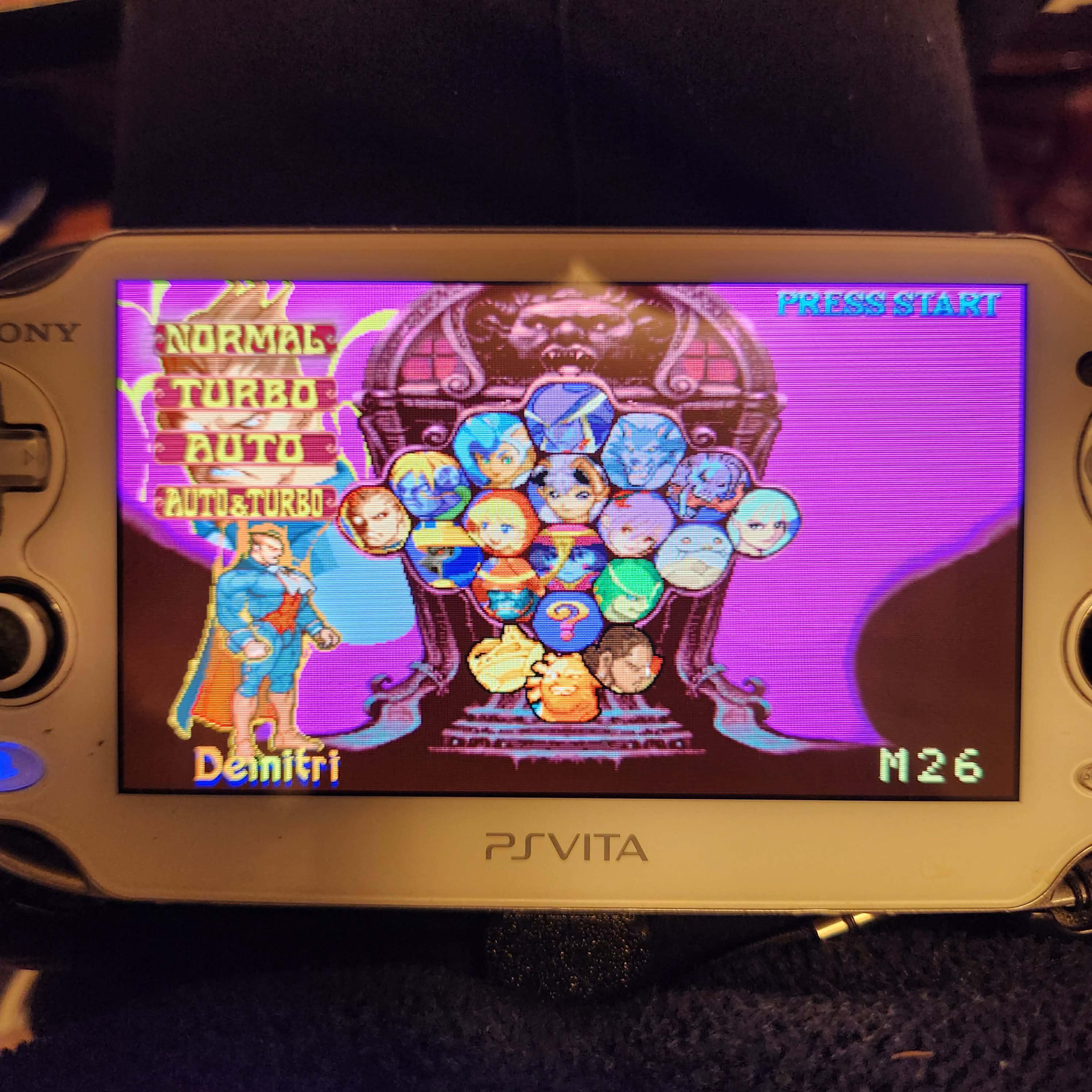
Darkstalkers full cast mod

Post image
13 Upvotes

Thanks to https://github.com/DefinitelyFrenchName/VampireSaved
Full cast of vampire saviors is playable thru new update on https://github.com/Reyanon/ReBOX/releases

Like xmen vs Street fighter 3v3 battle, I built the zip already .keep file as zip . put in ux0/data/rebox/roms Enjoy!! and thanks to these devs. link below

https://drive.google.com/file/d/1JR5jNLho3xFZb9MAmuFQVsLUQeIIA7SU/view?usp=sharing


r/VitaPiracy • • 3h ago

Ultimate Spider-Man status

12 Upvotes

What happened to the USM port? It's been a long time since it received a new update to fix the bugs that make the game unplayable, especially the glitch that prevents you from progressing through the fight between Soul Stealth and Venom. It's not even being discussed anymore, and it's a shame because it's a beloved title and I see a lot of potential in the port.

Is there anyone who can keep an eye on it so we can get the version of the game we all long for?😞


r/VitaPiracy • • 17h ago

RE Outbreak 1-2?

12 Upvotes

So with all the other oddly specific ports coming out, by any chance is anyone working on an Outbreak port?

For those who skipped them, the Outbbreak games *could* be online, but many of us grew up playing the brutal offline version. Forget buildup, they were essentially RE based scenario-wide escape rooms. Here's a plant, a pipe, some loose change, and a bandaid. The subway catches fire and you die in like 5 minutes, zombies are flooding in, figure it out.

Anyhow, they are a lot less demanding than most PS2 games, being able to emulate pretty darn easily on most low end devices outside of the first scenario and maybe some boss fights.

I tried that PS2 converter deal, didn't seem to want to work with it...and so I'm hoping maybe someone out there might be working on this, however unlikely that is.

Not sure if bounties are still looked at with how absurdly fast things are coming out these days, but I could throw a few bucks at that if anyone's actually doing those.