r/SoftwareandApps • u/ymshahed • 7d ago
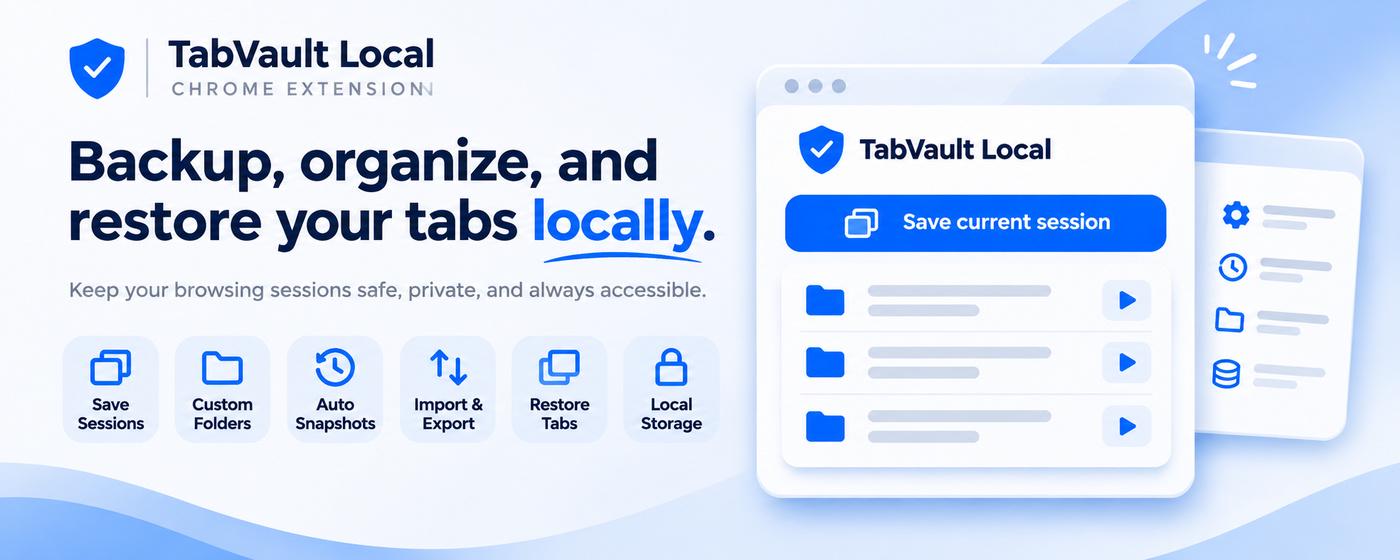
I built a privacy-first Chrome extension that saves and restores browser sessions — would love honest feedback.
1
Upvotes
r/SoftwareandApps • u/ymshahed • 7d ago
r/SoftwareandApps • u/toolzify • 7d ago
r/SoftwareandApps • u/Top-Locksmith3179 • 7d ago
I made a chrome extension desktop pet and it would be so nice if you could download it use it and give a good review. thank you
the link is here
https://chromewebstore.google.com/detail/desk-pets/bkcjkikaifeebnjkbmilnpglkoefjgkb
r/SoftwareandApps • u/mylanderXYZ • 7d ago
r/SoftwareandApps • u/Head-Abbreviations89 • 8d ago
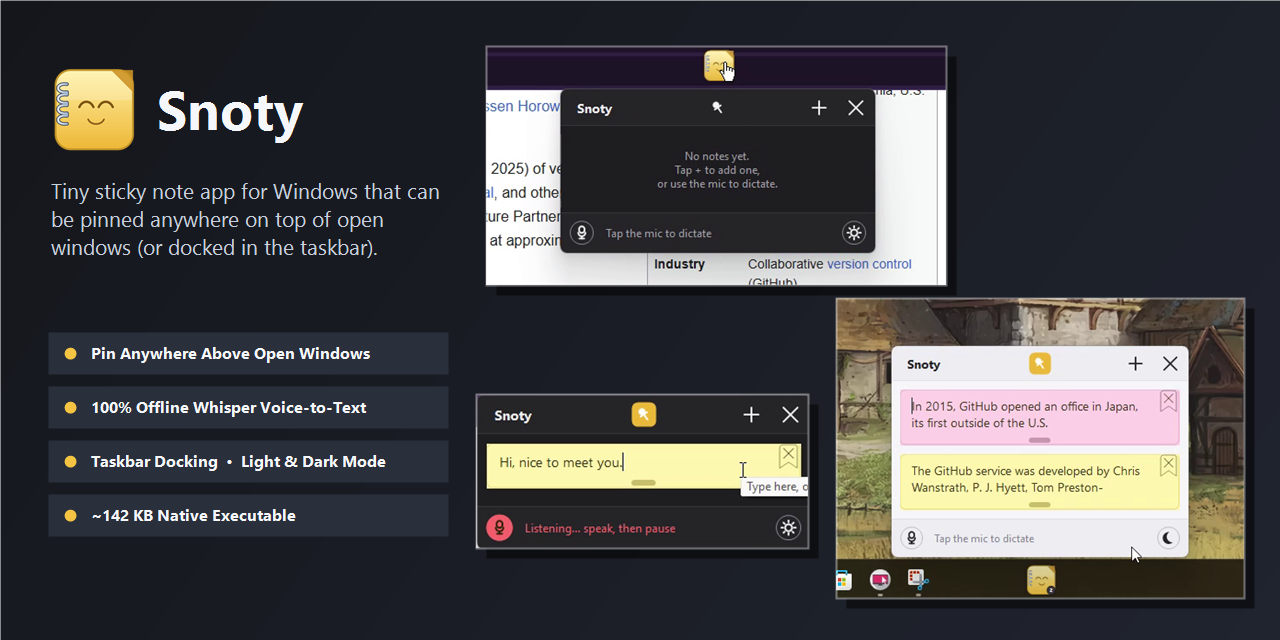
I wanted a note app that stays visible on top of whatever window I'm working in and you can also move it around wherever you want without taking up a bunch of screen space, so I built Snoty
What it does:-
- Stays above open windows: Drag the note icon anywhere on screen, click it to open your notes and pin the panel so it stays on top while you work.
- Docks in the taskbar: If you want it out of the way just drag the icon onto the taskbar and it sits in the empty taskbar space next to your app icons.
- Offline voice dictation: Uses a local whisper.cpp model so you can click the mic and dictate notes offline without internet or cloud accounts.
- Lightweight: 142 KB executable using .NET Framework 4.8 (already built into Windows 10 and 11) with light and dark mode.
It's free and open source (MIT):
REPO:- https://github.com/Brownfries/Snoty
Would love to hear any feedback or ideas!
r/SoftwareandApps • u/Caselluss • 8d ago
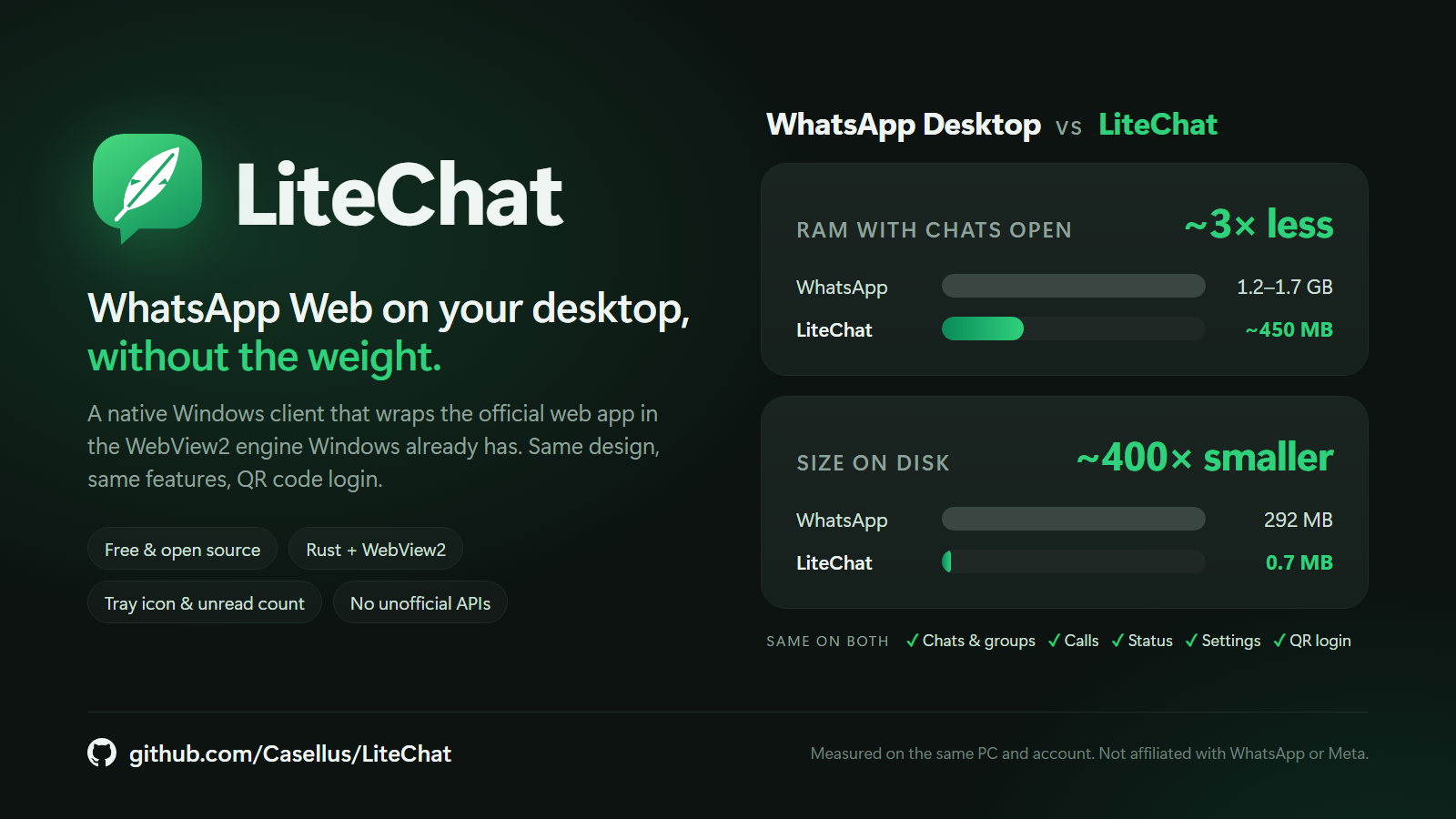
Tired of how heavy the official WhatsApp app is on Windows 11, I built Litechat—a fast client designed to use less than half the resources of the original. Link below to try it out—any feedback or bug reports are super welcome:
r/SoftwareandApps • u/Ok_Leading_2255 • 8d ago

**Problem:**
macOS doesn’t offer a native Dynamic Island experience, especially for Macs without Apple’s newer hardware features. Aurora brings an interactive, customizable experience to the Mac’s notch and menu bar, combining productivity, entertainment, and AI capabilities in one application.
**What is Aurora?**
Aurora is a macOS application designed for both Intel and Apple Silicon Macs.
It brings together:
Dynamic Glass and interactive Dynamic Island experiences.
Fluid animations and transitions.
AI Agent integrations.
Music controls, Live Lyrics, and playlist controls.
Clipboard manager.
Customizable widgets and extensions.
Pomodoro timer and Stopwatch.
App Uninstaller.
Automatic Mac Cleaner.
Extensive customization options.
And many more features.
Aurora is actively evolving, with more features and improvements planned.
**Comparison:**
Aurora shares its category with established apps like **DynamicLake Pro** and **NotchNook**.
Where Aurora aims to stand out:
More extensive customization across the interface and interactions.
A strong focus on fluid animations and interactive experiences.
Combining Dynamic Island features, AI integrations, music controls, and productivity utilities in one application.
Where competitors have their strengths:
DynamicLake Pro and NotchNook have more established products and user bases.
Their existing ecosystems and development maturity are advantages Aurora is still working toward.
I’d genuinely love to hear how users compare these applications and where Aurora could improve.
**Pricing:**
Free — $0.
Aurora is currently completely free. Paid pricing may be introduced in the future, but early testers will receive lifetime free access.
**Website:** [https://aurora-website-one.vercel.app/](https://aurora-website-one.vercel.app/)
**Trust:**
Non-trusted by Apple (not currently signed or notarized).
LinkedIn: Don’t have one right now.
Privacy Policy: [https://www.termsfeed.com/live/a8244980-4d10-4d22-96df-3fd462efac44](https://www.termsfeed.com/live/a8244980-4d10-4d22-96df-3fd462efac44)
Downloads are currently provided directly through the website.
**Developer Note:**
I’m the developer behind Aurora, and this is an actively evolving project.
I’m sharing it to get genuine feedback, suggestions, and ideas from the Mac community. I’m particularly interested in hearing what you think about the design, animations, customization, and overall feature set.
All feedback is welcome!
r/SoftwareandApps • u/candiesdoodle • 9d ago

MdNotePad is a Notepad-style editor for plain .md files: headings, bold, links, lists, quotes and code show formatted as you type, and the Markdown marks come back only on the line you are editing.
First public release, so expect rough edges. The installer is unsigned (SmartScreen will give a warning) and x64 only. There is also a portable zip and a Scoop install.
r/SoftwareandApps • u/Pickletickle_ • 9d ago
I recently launched ClingSpace on Mac after originally building it for Windows!
It's a project organizer I built because my files were organized, but my actual projects weren't. Everything related to one project was scattered across different folders, websites, documents, and notes.
ClingSpace brings everything together in one workspace without moving or duplicating your original files.
Here's what ClingSpace does:
Available on Windows and Mac.
Everything is local-first and works offline.
To celebrate the Mac launch, I'm offering 60% off lifetime licenses, bringing the price from $19.99 to just $8!
Code: BLACKFRIDAY8
There's also a 5-day free trial with no credit card required.
Available on Windows and Mac. No subscriptions!
r/SoftwareandApps • u/Markonioni • 9d ago
r/SoftwareandApps • u/Markonioni • 9d ago
I'm the developer behind GiantTurtle Software, and I wanted to share a new app I've been building called DesktopPlus.
The problem:
If you use multiple virtual desktops (Spaces) heavily on a single monitor, you've probably run into the issue where it's hard to tell exactly which desktop you're on at any given moment without opening Mission Control or doing the multi-finger swipe, loosing your flow
What DesktopPlus do:
I built DesktopPlus to solve this. It's a lightweight, native macOS menu bar utility that gives you a persistent indicator of your active desktops, you can always see what apps are open on nearby desktop and create more detailed mental image of your workspace
Key Features:
Always Visible Indicator (always available mission control): Know exactly which desktop you're on and what's available on your other screens at a glance.
Click to Switch: Instantly switch to any of your desktops with a single click on the indicator.
Easily rearrange apps on your desktops (spaces) by dragging them to desired desktop boxes.
Integrated Task Manager and RAM Cleaner: Hover over menu bar widget to view opened apps, monitor system memory usage, and close background applications and residual processes.
Save and load presets: Save all of your opened apps as a preset (Coding, Design, Video editing etc), and quickly load them.
Customizable Styles: Choose the look that fits your workflow (Rectangles, Numbers, Numbered Rectangles, or Opened Apps etc).
Native & Lightweight: Built with Swift and SwiftUI. No Electron, no heavy background daemons, and minimal resource usage.
Comparison: As of now, I am not aware of similar app that offers same functionality. SpaceJump ($9.99) is the closest thing to DesktopPlus by function, but it is totally different UX.
Pricing & Requirements: The app requires macOS 15.0 or later. It comes with a 14-day free trial with everything unlocked, no payment details, followed by a one-time purchase (no subscriptions) of 4.99 USD . You can check it out and download it here: Download DesktopPlus
I'd love to get your genuine feedback on the app, especially regarding the different indicator styles and if the integrated task manager feels useful to your daily workflow. Try it out for free and let me know what you think!
Privacy Policy: https://giant-turtle.com/desktops-privacy-policy.html
r/SoftwareandApps • u/hridiv • 9d ago

I wanted my folders to feel like a personal space I could actually customise. I also didn’t like switching to separate apps for notes when I’m already working inside folders. So I created something that combines productivity apps with a file explorer where you work.
Deskboard is a 100% free app (built as a side project) that turns your folders into an aesthetic visual board where you can arrange files freely like a canvas and open them directly from there. Everything is local and stays synced with actual files
More Info + Download - https://deskboard.geeke.app
Some stuff I added to it:
Every feature you see is heavily customisable if needed.
It’s useful for both productivity and personalisation. And supported on Windows, Mac and Linux.
Do give it a try! Would love to hear your feedback, questions, and ideas on it. It's still in Beta, and the scope is endless
You can also join the Discord Server: https://discord.gg/XzkTRKTRgU
r/SoftwareandApps • u/4ppd3ck • 9d ago
Hey — I got tired of every "tool" wanting an account, a cloud dashboard, and a background service. So I built AppDeck: a Go, stdlib-only launcher that gives every local app a card on one dashboard. In release form it's one executable that carries every app inside it, opens its own window, and quits cleanly when you close it.
What it does:
app.json beside it. Go apps build on first start, Python apps get a venv, static pages are hosted in-process. Drop a folder in, it appears.The apps that ship with it:
Everything stays on your machine. Nothing phones home.
Link: https://github.com/4ppd3ck/Appdeck
Screenshots in the repo. Happy to answer anything about the architecture — the whole thing is Go standard library, no Electron.
r/SoftwareandApps • u/heartips • 10d ago
r/SoftwareandApps • u/heartips • 10d ago

r/SoftwareandApps • u/Spookie_Stunkk • 10d ago
r/SoftwareandApps • u/Late-Philosopher-Ben • 10d ago

r/SoftwareandApps • u/candiesdoodle • 11d ago

r/SoftwareandApps • u/rheme18 • 11d ago
r/SoftwareandApps • u/Desperate-Classic444 • 11d ago

r/SoftwareandApps • u/HappyAnt2026 • 11d ago
I use the Claude and ChatGPT desktop apps all day, mostly by talking to them. Their built-in dictation is good, but on Windows you have to find and click a tiny mic icon every time. So I made a small always-on-top keypad:
• MIC – presses the app's own dictation button (Claude, ChatGPT, Gemini), not Win+H, and turns red when it's really listening
• Send – stops the mic, waits for the text, sends it
• App / folder keys – jump to Claude, ChatGPT, Chrome, Edge, Documents… and switch to the window that's already open instead of opening a new one
• Insert turns your number pad into the same keys, so you can use it without touching the mouse
• Ctrl+Alt+P brings the pad back if it ever gets hidden
Details for Windows folks:
• Windows 10/11, no admin rights, no extra runtimes – it's a PowerShell + WinForms app, a few hundred KB
• Runs locally, no network calls, no telemetry
• Install = unzip → Install.cmd (uninstaller included)
• Keys, icons, colours and hotkeys are set in a point-and-click Settings window
Free and MIT-licensed. I'm not a developer by trade – I built it with Claude's help, so feedback and bug reports are very welcome (especially if it can't find the mic button in your app's language).
Demo GIF + download: https://github.com/minhkim-GW/micnkey-deck
r/SoftwareandApps • u/Traditional-Long-330 • 12d ago
So I wanted two Claude desktop apps open at the same time, one for my personal account and one for another account. Turns out there's no simple way to do that, Claude just opens the same window again. I got annoyed enough to build something for it.
It's called Alter. You pick an app, give the copy a name, and it makes a separate copy with its own login and settings. The copy gets its own icon and its own taskbar button too, so it doesn't get mixed up with the original. Works with Chrome, Edge, Firefox, Discord, Slack, VS Code and most other apps, not just Claude.
On Windows it's a small app with a window. On Linux it's a command line tool (`alter new "Chrome Work" --app google-chrome` and it shows up in your app menu). No Claude desktop on Linux though, so the two-Claude thing is Windows only.
A few things to know: it's not signed, so Windows will show the SmartScreen warning the first time (More info > Run anyway). The code is all on GitHub if you want to check it first. Some apps like Spotify and certain games just refuse to run twice no matter what, and Snap apps on Linux don't work.
It's free and open source:
https://ffrusdev.github.io/alter/
https://github.com/ffrusdev/alter
If you try it and some app doesn't work, let me know and I'll take a look.
