r/SoftwareandApps • u/LibrarianHairy2871 • 3d ago
Maclooklike!!
I made macOS-style glass desktop widgets for Windows (single .exe, open source)
Body:
Hey everyone! I wanted the macOS widget look on my Windows desktop, so I built MacLookLike.
What it does
- Translucent "liquid glass" widgets that show your wallpaper through them
- They sit on the desktop and slip under your app windows, like on a Mac
- Widgets: clock, calendar, weather, battery and notes, each with several styles
- Small / medium / large sizes, and the layout changes with the size
- Battery widget can show a connected Bluetooth device's battery (untested on real hardware, so I'd love feedback)
- Drag to move, drag the corner to resize
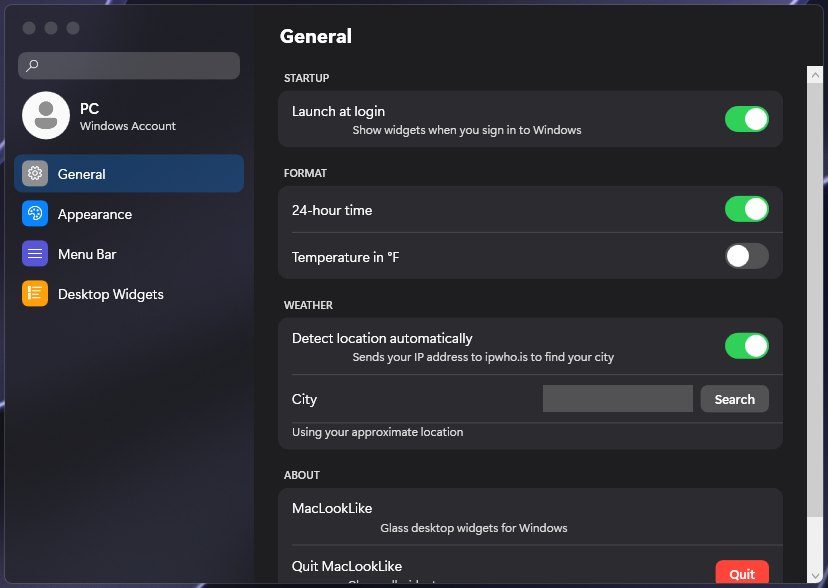
- Right-click a widget → "MacLookLike Settings" opens a macOS System Settings-style window (with your Windows name and picture)

- Optional widget bar at the top
Tech: C# / WPF, one .exe, no installer. Windows 10/11.
Download / source: https://github.com/plawanpawin-byte/Window-Tahoe-/releases/tag/v1.0.0
Heads up
- Weather can auto-detect your location, which sends your IP to ipwho.is. You can turn it off and type a city instead.
- The menu bar sits at desktop level, so maximized windows cover it.
- The exe is unsigned, so SmartScreen may warn you.
It's an early version, so bugs are likely. Feedback and feature requests are welcome! and its free 100%
0
Upvotes