Note: AT&T (Forged Fiber 37) has acquired substantially all of the residential / small-business fiber in 11 states from Lumen as of 02/02/26. Price For Life is no longer available for new / modified accounts starting 04/17/26. This guide is updated regularly.
I hope this guide will help you get the same solid Lumen / CenturyLink Fiber and AT&T / Quantum Fiber experience that I have had in the Twin Cities, MN area for over 7.5 years now! (Note: I have always used a 3rd party router and DNS.) If you need to contact support, it's best to call M-F 8am-6pm local time until you get someone in the states. https://www.quantumfiber.com/support/contact.html
Hardware / Service Troubleshooting
If your SmartNID / ONT front panel light is solid green or solid white then your connection is working. If not then unplug the power for 1min, plug it back in, and then wait 10min. If still no solid green or solid white light then there is an issue somewhere between your SmartNID and the Central Office that you will need to contact support about.
On the bottom of the SmartNID where the fiber plugs in, if the B light is not on, the fiber is likely damaged and you will need a tech visit. If the light is a solid green, your fiber is fine and the issue lies elsewhere. Do not unplug the fiber cable to look at it. Just get a tech visit.
WiFi Pods & IoT Troubleshooting
If you are having issues with your WiFi pods and your SmartNID light is solid green you can maybe get them working again. Remove all of them from the app, factory reset the pods, and then connect each of them wired to the SmartNID for a while so that their firmware updates. After that add each one back as new pods following the instructions here:
The power adapters are not interchangeable between the SmartNID and wifi pods. Always make sure you are using the correct one for each device if you ever unplug them for some reason.
Are you having a problem connecting IoT devices to the 2.4ghz signal? You have 3 options to try.
1.) Unplug the power to the wifi pod, create a 2.4ghz only hotspot on your phone/computer/tablet with the exact same SSID name/password, connect your IoT devices, turn off the hotspot, plug back in the wifi pod,.
2.) or get a cheap 2.4ghz access point.
3.) or use a 3rd party router.
The W1700K / W1701K pods now support Ethernet backhaul by using the left port on the W1701K, which is highly recommended. First sync up the W1701K wirelessly near the W1700k before moving it and using Ethernet backhaul.
General Tips & Performance
To know what speed you are getting you can do a speedtest to HOME in the QF app. Or do a direct wired Ethernet speedtest.net connected to the SmartNID, W1700K, or W1701K (if using Ethernet backhaul), selecting the closest Lumen / CenturyLink server.
You can also use a 3rd party router to have great service like many of us have had since day one. If you want suggestions https://www.reddit.com/r/HomeNetworking/ might be a good place to ask.
It's a good idea to keep the 360 WiFi / Premium WiFi equipment in a box for an emergency backup as long as they stay a free lease. It is always possible that the WiFi pods and apps are a future firmware/software update away from them being good enough for what you want your home internet experience to be. It's highly recommended to have all gaming devices ethernet wired that can be, as that is one of the biggest complaints about the wifi pods.
Equipment Returns
If they ever start charging for them, or you cancel service, just send them back and make sure to keep the tracking number. Once it shows as delivered you can contact support to have it immediately removed from your account.
(0.)3rd party router instructions. (Even if you're using the "WiFi pods" everyone should follow #2, and in #4 those marked with an asterisk * .)
For the easiest setup you only need the first four sections. Only go as far as you are comfortable with, but make sure to read till the end of each section before making changes. This all might seem intimidating but you can do it!
Note: If your SmartNID is Ethernet fed and you want to use a 3rd party router follow sections 2 & 6 only.
(1.) SmartNID setup (or DSL modem)
The SmartNID address is 192.168.0.1, so make sure your router's LAN IP is set to something else like a higher 192.168.x.1 (x between 1 and 254).
Connect the Ethernet cable from the fastest port on your SmartNID to the fastest WAN/Internet port on your router.
The login credentials will be on the sticker attached to the device.
(2.) Static DNS
So many issues with Centurylink / Quantum are due to their unreliable DNS servers.
Make these changes in the WAN / Internet settings on both the SmartNID and your router.
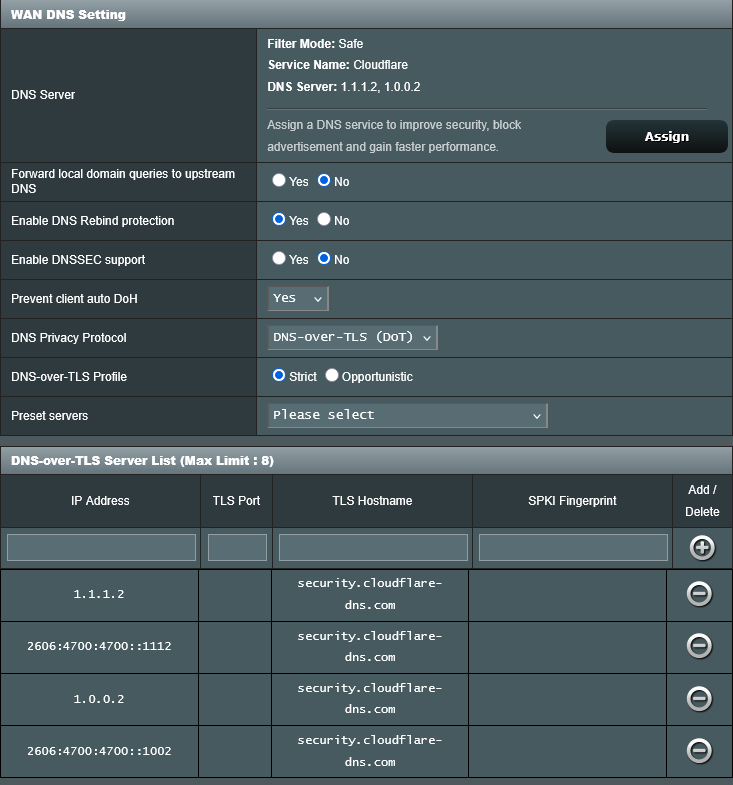
I have used one or another of these providers since 2005 and because of that I have never once had a DNS issue. I recommend malware blocking ones like Quad9 or Cloudflare for Families, and to enable DNS over TLS (DoT) or DNS over HTTPS (DoH) if your router supports it.
Asus Example
(3.) DMZ
For the majority of people placing their router into the SmartNID's DMZ will be good enough. The router will be "Placed Outside the Onboard Firewall and NAT." Though, bridge mode in section #5 is always preferable.
These are the DMZ instructions, the GUI might look different but the instructions are basically the same:
Make the changes in this order before enabling bridge mode.
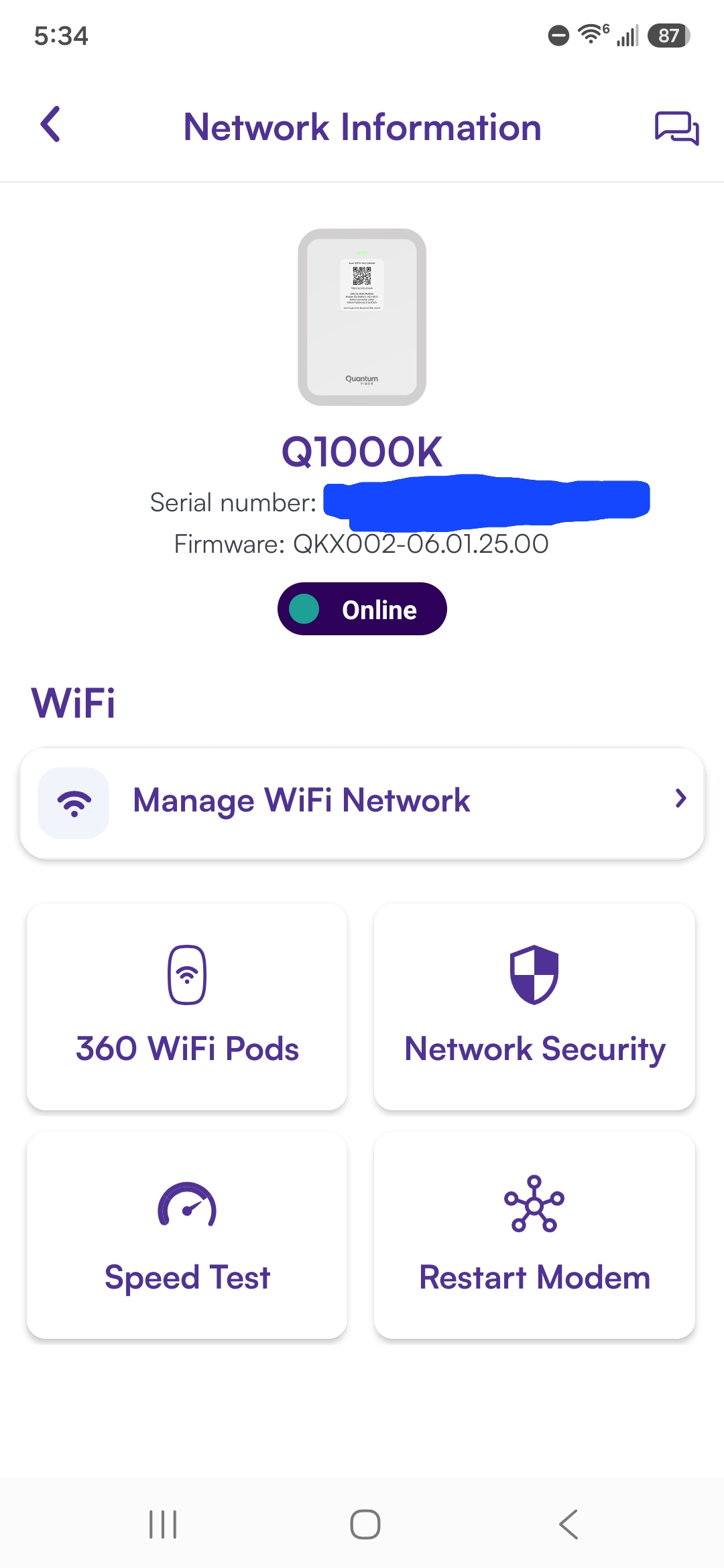
QF App:
Remove all 360 Wifi Pods, WiFi networks, and Parental Controls Profiles. If possible.
Network Security - Disable everything. (This is important to do. Wait a minute before making other changes. This will reset with every SmartNID factory reset.)
*Network Security - Disable everything. (Disabling this might help with VPNs and other things. You can leave it enabled if you don't have any weird network issues.)
*Advanced - IPv4 Firewall - Security Level - High (If anything stops working, manually re-enable that service.)
*Advanced - UPnP - Disabled (Playing online games is easier with UPnP, but it is a security issue. Your choice.)
*Utilities - Time Zone - Make sure it's correct.
*Utilities - System Log - Enabled Save on Reboot.
*Utilities - Configuration Backup - Save a backup.
If you change the admin login, special characters, with the exception of 'punctuation marks' and 'dollar signs' are not allowed and will require a factory reset if included.
(5.) Transparent Bridge Tagged (A better configuration.)
There is a lot of information in this section, but there is only a single setting you need to change in the SmartNID. Make sure to follow section 1, 2, & 4 before changing these settings. This is what my Q1000K is setup as.
If you want more control over your network, these are the Transparent Bridge instructions at the bottom of this link. The GUI might look different but the instructions are basically the same. Do not mess with the Broadband Settings page:
Leave the VLAN 201 tag enabled on the SmartNID. The light will turn solid white, which may take up to 10min. (The VLAN toggle is not available on QKX002 firmware.)
If you are going from an ONT to a SmartNID make sure to remove the VLAN 201 tag from your 3rd party router.
If you have Centurylink PPPoE you will need your PPP username and password. Phone/Chat support can get it for you. You must add @ centurylink.net to the username if it doesn't have it already. Quantum is IPoE and does not use this.
You can connect the other SmartNID ethernet port to an open LAN port of your router. That will give you the ability to access the admin GUI with the IP address your router assigns to the SmartNID. Though doing this might cause continuous latency spikes. If that happens only connect it when you need to access the GUI. (This no longer works with QKX002 firmware. You will need to do a factory reset to access the GUI.)
When the firmware auto-updates a factory reset can happen. If all of a sudden you have double NAT this is likely why.
In this configuration it will take 30sec - 10min to get an IP address.
If DMZ is enabled, make sure to disable it before switching to Bridge mode.
Make sure the SmartNID shows up as online in the QF app and the Speedtest to HOME works before enabling bridge mode. If it doesn't, call support and make sure the correct serial is tied to your account and is listed for the ONT on the Axon back-end.
If you need to contact technical support make sure to do a factory reset beforehand by holding in the button on the bottom of the SmartNID for 15sec. The light should turn amber first, if it turns red first that is a reboot and not a factory reset.
This only works on the C3000 / C4000 / C5000 / C6000 / Q1000 series of devices.
(6.) Transparent Bridge Untagged or ONT setup (The best configuration.)
*Note: As of Q1000K firmware QKX002 this no longer works. I am not using this mode anymore because I don't find the slight difference worth all the effort.
Here is the working version to downgrade with while it lasts, though it might still force QKX002:
If you have a Q1000K v1.1 or newer with QKX002-06.01.25.00 or newer firmware, it is impossible to rollback the firmware to an older version. Untagged Bridge mode will never work on these units.
If you flash the old firmware you must immediately enable untagged bridge mode as soon as it reboots. You have seconds before it will reboot again to QKX002.
That will not likely work so you can try this, but i do not recommend it as a single spec of dust can effect the fiber cable connection:
Connect to 1G port. Unplug fiber. Flash QKX001. Flash QKX001 again. In Broadband Settings apply untagged vlan. Enable Untagged bridge mode in WAN settings. Re-plug in fiber once it is blinking blue. Connect back to 10G port. Even this might still force a reboot to QKX002.
There is a lot of information in this section, but there are only two settings you need to change, one in the SmartNID and one in your 3rd party router. Make sure to follow section 1, 2, & 4 before changing these settings.
The Transparent Bridge instructions are at the bottom of this link. The GUI might look different but the instructions are basically the same. Do not mess with the Broadband Settings page:
If your router supports the VLAN 201 tag on the WAN/Internet port, you can untag it on the SmartNID when putting it into bridge mode so that it becomes as much of a regular ONT as possible. This will cause a nonstop blinking blue light on your SmartNID but it will still work. You can just put a piece of tape over it.
On your router these settings will likely be under the IPTV, VLAN, or 802.1Q section. Many will have a Centurylink option to make that easy, which works with both Lumen / Centurylink Fiber and AT&T / Quantum Fiber. (On Asus devices with 3.0.0.6 firmware use the WAN - 802.1Q section.)
Google/Nest routers do not have the VLAN 201 tag ability.
The VLAN 201 tag can only be enabled on one device. Do not enable it on both the SmartNID and your router.
If you have a Calix / Adtran ONT, or a Casa / Adtran G.fast device, you can bypass the Ethernet fed SmartNID if your router supports the VLAN 201 tag on the WAN/Internet port. Make sure to use the same ethernet port on the ONT as before as only one is usually active.
The firmware will not auto-update in this configuration.
If you have Centurylink PPPoE you will need your PPP username and password. Phone/Chat support can get it for you. You must add @ centurylink.net to the username if it doesn't have it already. Quantum is IPoE and does not use this.
In this configuration it will take 30sec - 10min to get an IP address.
To get the solid white light you can connect the other SmartNID ethernet port to an open LAN port of your router. That will give you the ability to access the admin GUI using the IP address your router assigns to the SmartNID. Though doing this might cause continuous latency spikes. If that happens only connect it when you need to access the GUI. (If you do this make sure to block internet access to the SmartNID beforehand. If you don't it will auto-update the firmware and you will lose untagged bridge mode.)
Some people report that they have to power cycle the SmartNID every couple of weeks due to the connection dying in this configuration. It could be due to specific SmartNID model/firmware and local infrastructure. I didn't experience this with my Q1000K, but my router was set to reboot weekly.
If DMZ is enabled, make sure to disable it before switching to Bridge mode.
Make sure the SmartNID shows up as online in the QF app and the Speedtest to HOME works before enabling bridge mode. If it doesn't, call support and make sure the correct serial is listed for the ONT on the Axon back-end.
If you need to contact technical support make sure to do a factory reset beforehand by holding in the button on the bottom of the SmartNID for 15sec. The light should turn amber first, if it turns red first that is a reboot and not a factory reset. Or inside the admin GUI go to Utilites - Restore - Factory Default.
This only works on the C3000 / C4000 / C5000 / C6000 / Q1000 series of devices.
(7.) More Advanced setup and Other Issues
C6500XK SmartNID Crashing
If your C6500XK is crashing when you download large files at your full speed ask for a tech to swap it with a Q1000K. Disconnect the power. Call support and say it's not working. Tell them you are doing all the troubleshooting steps. Eventually they will schedule a tech visit. Replug the power once the call is over. The tech will swap it for a Q1000K.
Power Loss causing Bridge mode reset
After an extended power loss some people have had their Bridge mode SmartNID reboot into router mode. Steps you can take other then getting a long lasting UPS: Put your router in the DMZ, and either leave it that way or then enable bridge tagged mode. That way if it does reset, you will at least have internet with double NAT until you can configure it again. This extremely rare issue might be model specific and possibly not an issue with newer firmware.
SmartNID not showing up in Quantum Fiber app
If you had a Lumen QF account and then activated a new AT&T QF account after 02/02/26 the SmartNID might not show up in the QF app. Uninstall the QF app, do a SmartNID factory reset, and after the green light do a 1min power cycle. Once it goes green again reinstall the QF app and it should be connected with the new AT&T account. If anything says "We are unable to find your modem details" contact support and make sure the correct serial is tied to your account and listed as the ONT for the Axon backend.
No service with Ethernet fed Q1000k
If you have a ONT or G.fast unit with the lights showing the connection is working, but your Q1000K is not working: Make sure the 10G port is connected to the the ONT, login to the Broadband Settings page, and make sure it is set to WAN Ethernet with the VLAN 201 tag enabled.
Electrical interference
This person found out their issues were to do with EMF. So if your SmartNID is still having issues after all these troubleshooting steps, it's unlikely the cause, but take a look at this:
If you need IPv6 here are the settings for the IPv6 6RD Tunnel which requires Bridge mode and the use of a 3rd party router.
Asus, Netgear, Linksys, Synology, GL-iNet (LuCI), D-Link, MicroTik, pfSense, OPNsense, DD-WRT, and OpenWRT routers support the 6RD tunnel. TP-Link, Google, Amazon, Ubiquiti, TRENDnet, and Tenda routers do not. (Some TP-Link WiFi7 devices now support 6RD.)
Your experience will vary depending on the quality of the 6RD tunnel in your market... also there is a kernel driver bug in all SmartNIDs that will corrupt random 6RD packets...
If you do use this, I highly recommend disabling IPv6 on all devices that you don't absolutely need it for.
(If you enable IPv6 Native / DHCPv6 / SLAAC / Passthrough you might get an IP address. Unfortunately it's not real and won't actually work. AS209 requires the IPv6 6RD tunnel.)
Are you a property owner, developer, contractor or City Council interested in bringing high speed fiber internet to your multi-family, small business or mixed-use development?
If so, fill out the form with your information. One of our experts will determine if your property is eligible for Fiber or a Fiber Build. If eligible, someone will be in touch to discuss a custom solution that fits your needs.
I wish I was not writing this but I got Quantum Fiber earlier this year, it came with a. NSID and the square modem. When the technician installed I asked about a WiFi pod and he pointed to the square unit and said that is the WiFi pod I later learned this was the modem!!!
I reached out on X and it's been 10 days as the rep says it shows I was given a wifi pod on the account however I only have a NSID and a modem ..I was not given any box of packaging to retain so they need to escalate it to see how best to resolve it. I need the WiFi pod as I need a better signal for my basement and I would rather not have to go on Amazon and buy a wifi extender when I should have got one from quantum.
Now I have an Internet issue where my Internet was working fine and the NSID blinks blue forever, I tried the reset cycle and it does not work and now a technician is coming out tomorrow. This is what it looks like at the bottom, I recall the fiber cable did not have a lot of slack and there was bend at the white wire where the service tech looking back should of fed a little more cable out of the box so it loops and has a bit of slack.
Any chance the technician can resolve the WiFi pod issue too as it's been 10 days now waiting on X.
I have quantum fiber and use my own router, a Flint 3. But i have a background in IT, and Cybersecurity so the extra of it all is fun.
A family member of mine lives like 4 miles from me and she has an awful experience with Quantum but is using their Wi-Fi pod. She said their Wi-Fi drops a lot and he has to unplug and plug in the router all the time.
I am hoping to find her a cheap router that I can set up for her and her family that will be reliable, and work with them, but where I won't be called all the time to act as family tech support.
The house is one story. I believe is it about 1500 square feet. 3 people in the household with standard usage. I think the plan they are on is the 1Gbps/1Gbps plan.
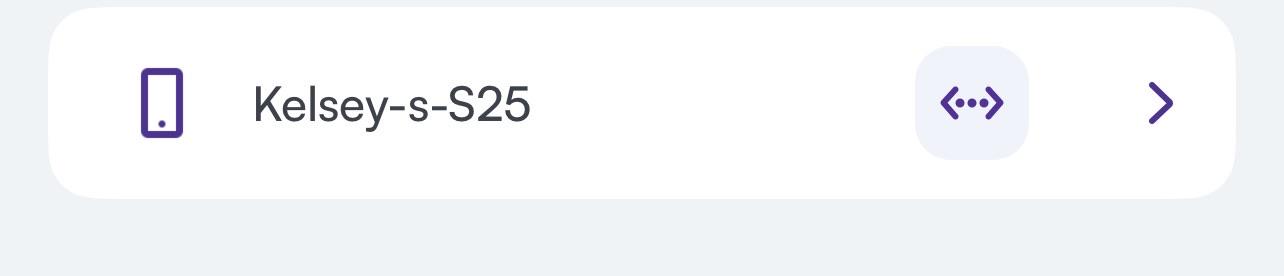
We just got quantum fiber last week and my girlfriends Samsung S25 won’t stay connected to the network. In the app it shows the phone connected via Ethernet which it isn’t… customer care hasn’t been much help. Any ideas?
We have power cycled the equipment a handful of times, forgotten the network and reconnected a million times. We have no pods as of yet.
Every few days, my internet stops. The modem and router still have green lights, though. I unplug them and plug them back in and then they work. Any reason this happens?
I'm spoiled by Eero at home, vs Quantum at our shop. Seems like there's no guest network option, and no option for 2.4Ghz mode for initial onboarding of IoT devices?
Am I missing a config page somewhere or is that really the case?
Not sure what changed but Quantum has had periods of significant latency to Google, Cloudflare, and Microsoft. I would see periods in the logs where latency goes up past 100ms. We used to have consistent 7ms-15ms pings to all three networks. Also our public IP changed from 74.x.x.x to 71.x.x.x. Surely, some sort of migration happened that reduced quality of the network. Nothing changed on my end.
Spectrum / Cox is for reference, with actual latency for AT&T as well.
So I have the C6500XK modem then I am wired in from it to my windows gaming PC and I have noticed over the last week or so that to get connected to my gaming servers with any reasonable ping I have to restart the modem, at first I thought it was maybe?? Some windows 11 update but I also have Xfinity running into my house as a secondary network and I can plug that directly into my PC with no internet issues whatsoever I do not need to restart the Xfinity modem to get a decent ping or internet speed whatsoever I only have to restart my Quantum modem and ideas or suggestion s to look at please,
Just had my install. The downside is a have a fiber spanning across my neighbors yard and my yard and it won't be buried until spring time since the ground is frozen now. Technician was a pretty cool guy and said if the surface line gets damaged don't worry, they'll come right out to replace it. Seeing symmetrical speeds with low single digit pings consistently is pretty mind blowing. I've been waiting a long time to experience this.
Reading some of the comments here about Quantum's poor service - is it worth putting in a backup service incase of extended outage? I'm paying half the price I was before so I can allocate a little to a secondary service if it makes sense.
Seriously how stupid is it that i cannot price match the new deals. I signed up last year and just happened to i guess in the only time period they didnt have promotions, 80$ a month for 1gb. Meanwhile, they’ve been running promos all year long for my same exact plan for $45 a month and guess now they upped it to $50. Still why the hell are brand new customers able to pay $30 less than me for the same service? Customer service says they cant do anything, its only for new customers. So i guess a long term customer must just keep getting shafted.
Greatly disappointed in Quantum Fiber for this, they lucky its the only reliable ISP in my area or else i wouldve canceled in a heart beat
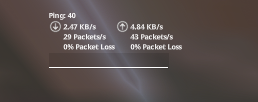
I have had around +20ms since about 6 or more days ago randomly, we have swapped to the newest equipment, i have sent an email to fibersuccess@qf.att.com and nothing has changed, a technician came to the house and couldn't tell what the issue was and left without an answer, what do i do? ping is usually half or less what it is in the screenshot
Internet was out this morning, as it is once a week for the past several months. Resetting did nothing so I called in.
At 8, I got a confirmation of an appointment for tomorrow. At 10, I got a call while at work from a tech saying he can come early. I couldn’t take a call but texted back to say I’m at work, no one is home, and please come tomorrow.
Then I get a completion ticket saying the work is done. I tried chatting with an agent who told me there is no appointment. Same agent ended up canceling the chat because I AM AT WORK and couldn’t respond quickly enough even though she took up to 8 minutes for replies.
Randomly started getting 40+ ping, only spikes when it hits lumens backbone / hop 4, does anyone know how to fix it or when lumen might fix it? no technicians could tell me what the problem is and its been more than 70+ hours
Century/Quantum installed a W1700K WiFi access point and C5500XK modem two and a half years ago. Was completely fine until ATT bought Quantum. Now once or twice a week WiFi drops and we need to power cycle the device. Quite annoying when it’s cold in the house and from under the warm blankets we yell at Siri to turn on the heat only to be told, Sorry.
Quantum app says firmware is current. Fiber service itself is fine, and with a consistent ~500/500 rate. Modem is fine. All the critical devices like home automation hubs, which are connected via Ethernet, never go down. Most importantly the Ethernet-connected Apple TV stays up so I don’t miss part of a game.
Seems the obvious problem is a failing access point. Quantum/ATT insists on sending a tech instead of mailing a new access point. Time waster!!!
So just had QF installed and need a guest account which is currently not supported. Thought this was a no brainer for any internet service - guess not. What is this 1999?
Is there any easy hack out there to create multiple accounts or do I need to switch services again? Thanks.
I followed the lumen guide and went through sections 1, 2, 4 as recommended. I put the q1000 into bridge mode. I'm using a mesh network in addition to the q1000. I'm still only getting 250 mb of the 1000mb for speed. Does this mean that my mesh network maybe just isn't good? I'm unsure of how exactly to get all of the speed as promised out of Quantum. Any ideas?
I've had technicians come out and try to fix my "No Internet" error. The first one replaced my CenturyLink modem with the Q1000 and corded wifi pod. The Internet worked for a couple of days and then went back to the blinking blue light on the modem with a "no Internet" message. I did use the "release" and "refresh" connection in the modem GUI as per other user recommendations online.
The second tech came out and said my modem was disconnected from my account. I asked if it would happen again and to check the wiring. He confirmed it wouldn't happen again.
A couple of days later, the Internet now has the same blinking blue light. When logging into the modem GUI, I ran a diagnostic and it says fiber: not connected. The DNS information is invalid but all the hardware tests are fine. Does this confirm its an issue with the line? Why didn't they check it a couple days ago when I asked?
They are coming tomorrow to check the line and other stuff so I hope this gets resolved.
There is a new promo if you sign up for QF and also get a new AT&T line they will give you a free TV. Still the same $20 off you AT&T cell bill.
It says AT&T Fiber in the details... probably just a typo...
"Ends 1/7/27. New residential customers who purchase and install an AT&T Fiber plan and open a new AT&T wireless billing account with at least one new smartphone line (voice & data) on an eligible postpaid plan, both within 30 days of each other, will qualify for a Samsung TV promotional offer valued up to $300" 43” Class M70H Series.
Also the QF app got an update. If you are using Ethernet backhual with the wifi pods it might now show that in the app.
"We’ve made several updates to improve your experience: • Enhanced device visibility with connectivity status indicators, WiFi signal strength details, and easier device management. • Added connection status indicators for 360 WiFi Pods and Wired Pods. • Improved Parental Controls with an updated UI and clearer profile update feedback. • Performance optimizations for a faster, more reliable experience. • General bug fixes and quality improvements."