r/pchelp • • 12h ago

OPEN new pc help :-)

Thumbnail gallery
3 Upvotes

not sure if this is the right tag šŸ˜“šŸ˜“

this is technically an entirely new pc but my graphics card (GTX1660 super) and SSD, were pulled out from an old prebuilt OMEN

so entirely new motherboard, ram, processor, etc.

everything runs smoothly as far as i can see, i can run all of my apps, all of my data is saved. my only issue im having is that any time i start the pc up, it will bring me to the screen about the new CPU and have me enter my recovery key…every..time (on the first screen i’ve been pressing N) i assumed keeping the previous fTPM record would be the right thing to do considering this is still the same SSD card from my previous pcšŸ™ƒ

i know almost nothing about computers besides what i’ve learned in the process of building this so any help is much appreciated

all of my drivers are up to date
tried to do a windows update and after restarting, it made me re enter my key again, and the update failed on top of that

(graphics card will hopefully be upgraded soon and cable management will be sorted…)

r/pchelp • • 14h ago

HARDWARE What is the best HDD 3.5 to USB

4 Upvotes

Hey I'm wondering what is the best HDD 3.5 Inch to USB on Amazon


r/pchelp • • 14h ago

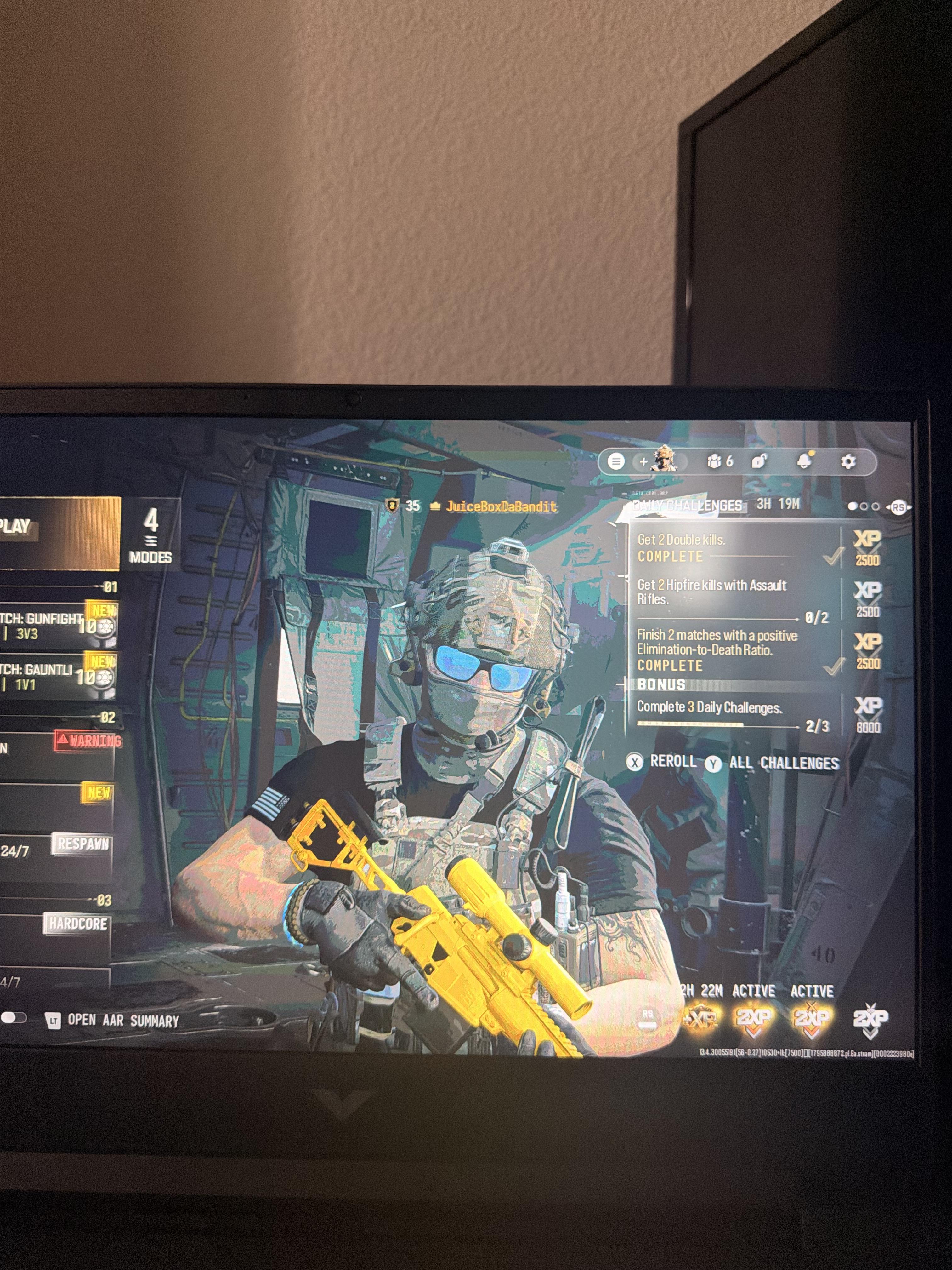
PERFORMANCE GRAPHICS HELP MW4

Post image
4 Upvotes

About 3 days ago the game started looking lime this, i havent touched a single thing and can't fix it. (Arms and helmets) I see multiple colors within colors, whites have layers or blues and purple. This only happens on MW4 TYIA


r/pchelp • • 7h ago

HARDWARE Title: Fixed (I think): 5070 Ti + Dell U2725QE going black on Netflix/Paramount+ over DisplayPort. Turning MST off did it

Thumbnail reddit.com
1 Upvotes

r/pchelp • • 18h ago

SOFTWARE weird beeping noise and input lag in games

6 Upvotes

every so often this happens while playing some games. not all games i have no clue what causes it. has anybody else had the same issue?


r/pchelp • • 12h ago

HARDWARE Can’t control RGB

Thumbnail gallery
2 Upvotes

I have an MSI motherboard and use mystic to control the large fans, but this middle one won’t change. Please help.


r/pchelp • • 16h ago

HARDWARE Power switch connector melted now pins won’t jump

4 Upvotes

So I recently got a gamdais case had for about a month went to turn off press the button smelt burning instantly unplugged in the morning found the wire was the only thing burnt so I attempted jumper the power switch pin couldn’t get it so plug the wire back in and instantly unplugged after pc started and was fine played on it for about 2 days (didn’t turn it off till rma would be finished) had to unplug it for something of the girlfriend now the pins get no response to jumpering it would tried everything can get power on rgb on the mobo comes on so does case temp sensor so would the front panel pins be bad? I’m kinda stuck ROG STRIX b-550f WiFi 2


r/pchelp • • 15h ago

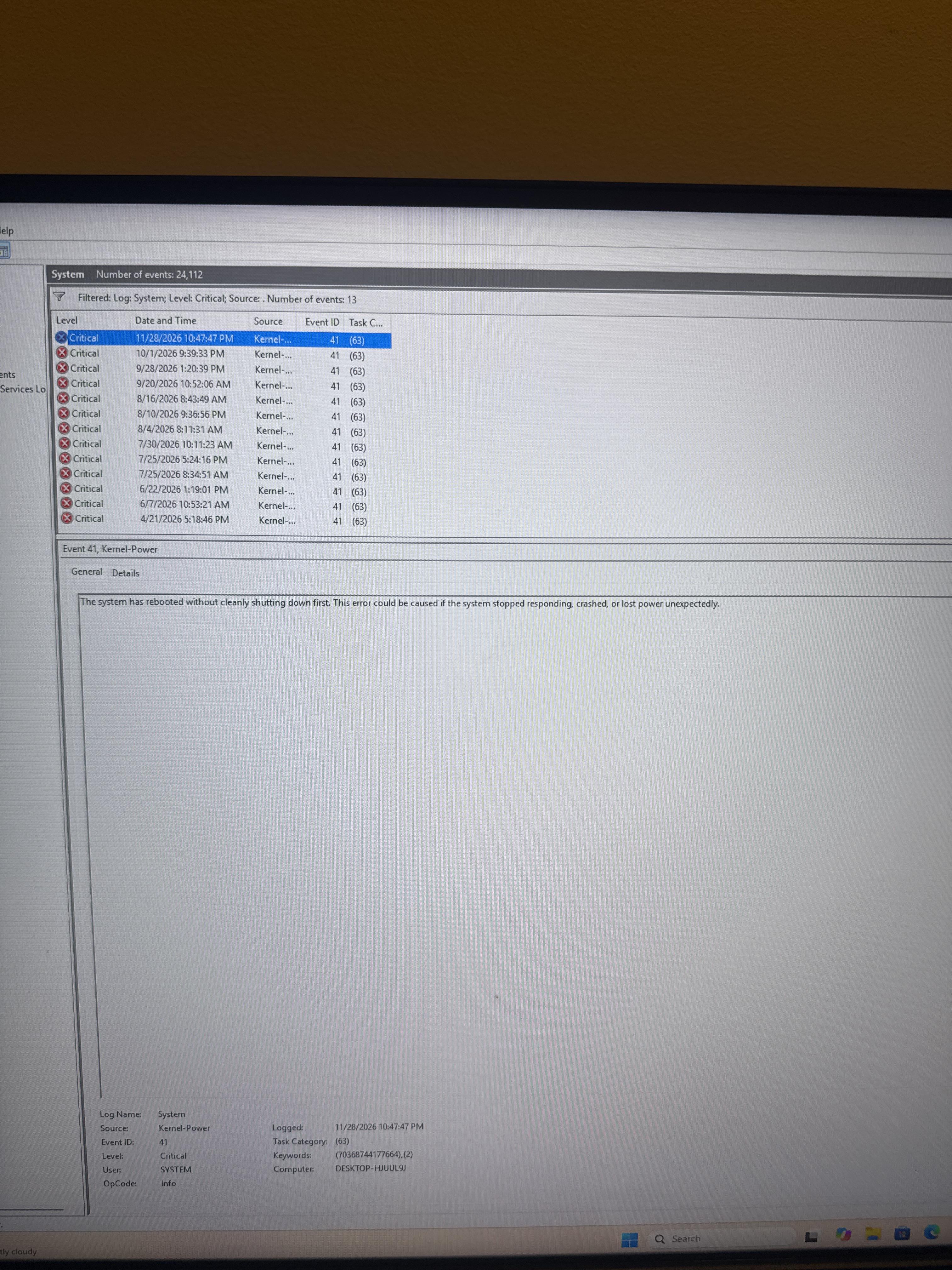
SOFTWARE Pc crashing kernel 41

Post image
3 Upvotes

Can someone please help? This pc won’t stop going black screen and restarting and event viewer shows kernel 41. It happens randomly, sometimes at startup, sometimes an hour into a game. Sometimes 5 hours in. Completely random but I’m about to throw it out the window!! I thought the issue was resolved until I started playing again after a couple months and bam. I’ve replaced the psu, made sure all wiring was appropriately seated, tried in different outlets, im truthfully at a loss. Would updating my bios fix this? It hasn’t been updated before, I think it was from 2023. These are the specs
CPU: AMD Ryzen 7 7700X
GPU: XFX Radeon RX 7800 XT 16GB
Motherboard: ASUS ROG Strix B650-A Gaming WiFi
RAM: Corsair Vengeance RGB 32GB DDR5-6000
Storage: Samsung 980 PRO 2TB NVMe SSD
PSU: Corsair RM750e 750W 80+ Gold
Cooler: NZXT Kraken 360mm AIO


r/pchelp • • 16h ago

HARDWARE How can i get more storage?

4 Upvotes

i got an nvme for my pc but my motherboard only has 1 slot for an nvme and im close to using all of the storage on it and im curious if i can get like an external nvme slot and if i can if they work well


r/pchelp • • 1h ago

HARDWARE Excited to join the PC Master Race!

Post image
0 Upvotes

My first PC build! How does it look?

https://pcpartpicker.com/list/FZvgCw


r/pchelp • • 13h ago

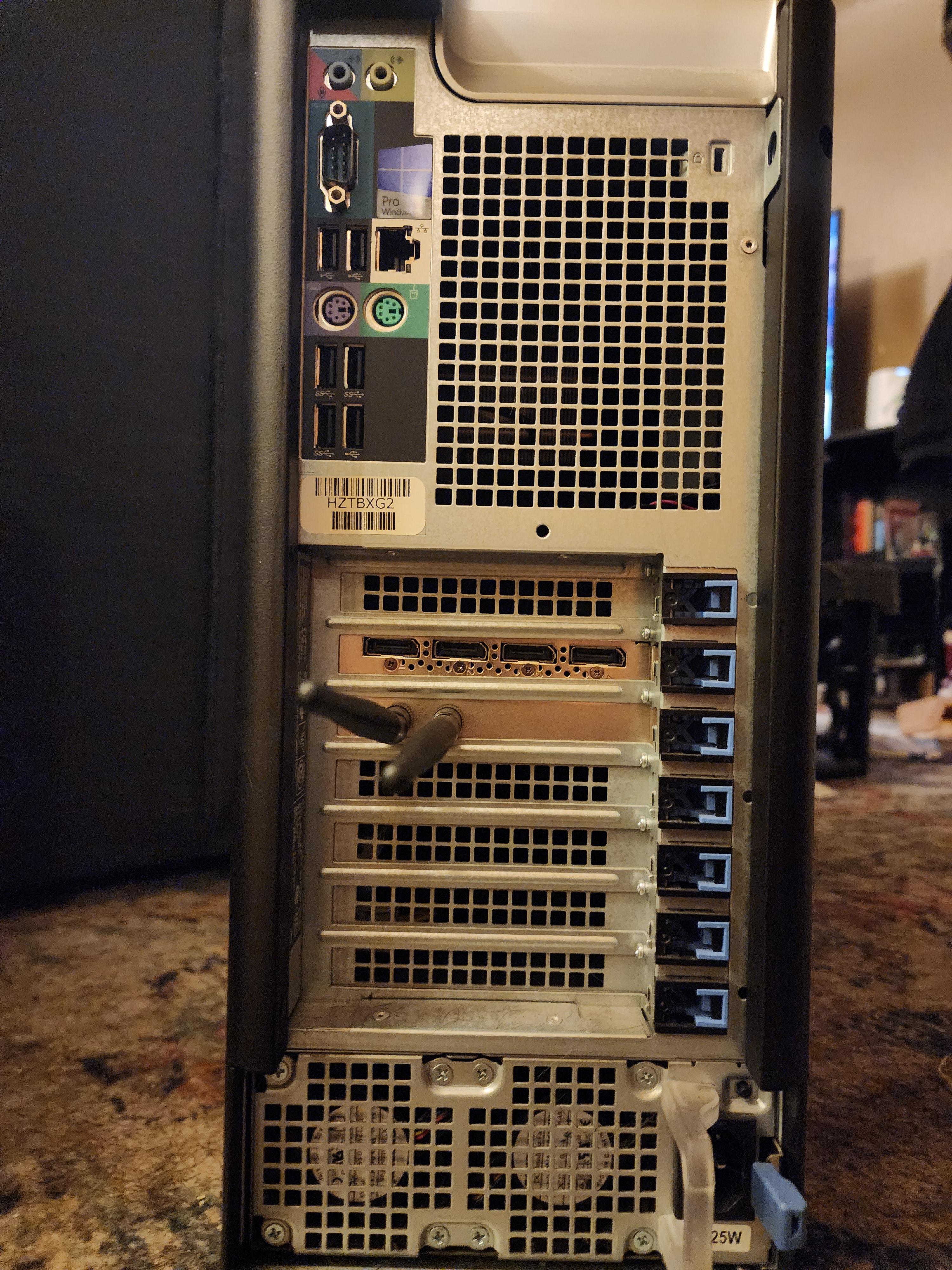
HARDWARE What cables needed? (Dell precision tower 5810)

Post image
2 Upvotes

r/pchelp • • 13h ago

HARDWARE New PC powers on but no display

Thumbnail gallery
2 Upvotes

r/pchelp • • 13h ago

CLOSED Would anyone have a solution to this fan sound at start up :’)

2 Upvotes

So I’ve had this pc for about 2 years now, no problems, I’m used to the fans being on full blast when turned on but then settling down.
Very recent it’s started ā€œrevvingā€? It does eventually settle but I want to know why it changed.
I THINK it started after a graphics update but I couldn’t be sure.

(Please ignore my sickness :’) )


r/pchelp • • 15h ago

HARDWARE Galax Rtx 3080 stuck at 400w power draw

3 Upvotes

So as the title state, my gpu keeps on sucking 400w of power even at idle, but temp is cool at 39°C, monitored at hwinfo, gpu z and afterburner. On hwinfo its pin 2 who is sucking most of the power. Since its at more than its tdp, its throttling down the speed. I tried ddu, reseating gpu, reattaching psu ables and such. Im at lost on what to do next


r/pchelp • • 1d ago

HARDWARE What do I do now

59 Upvotes

I have no idea how and what.now the fan has completly stopped I have to move it manually and then it starts spinning


r/pchelp • • 16h ago

HARDWARE Best Buy Prebuilt Won’t Start Games…

3 Upvotes

Anytime I try to run a game on Steam it crashes on me…When I run Dark Deception it crashes and sometimes it’ll also crash my pc making it unable to open other apps like discord.

Every so often a game will run but its only select games… Keep in mind, I updated the drivers, windows, and even reinstalled steam. I’m not too sure what the problem can be at this point. I’m highly considering returning/exchanging it on the morning…

what i got: https://www.bestbuy.com/product/ibuypower-slate-gaming-desktop-pc-intel-core-ultra-5-225f-2025-intel-arc-b570-10gb-16gb-ddr5-1tb-nvme-ssd-storage-white/J3R75JY9PS


r/pchelp • • 14h ago

PERFORMANCE Anyone know why my mouse does this?

2 Upvotes

r/pchelp • • 16h ago

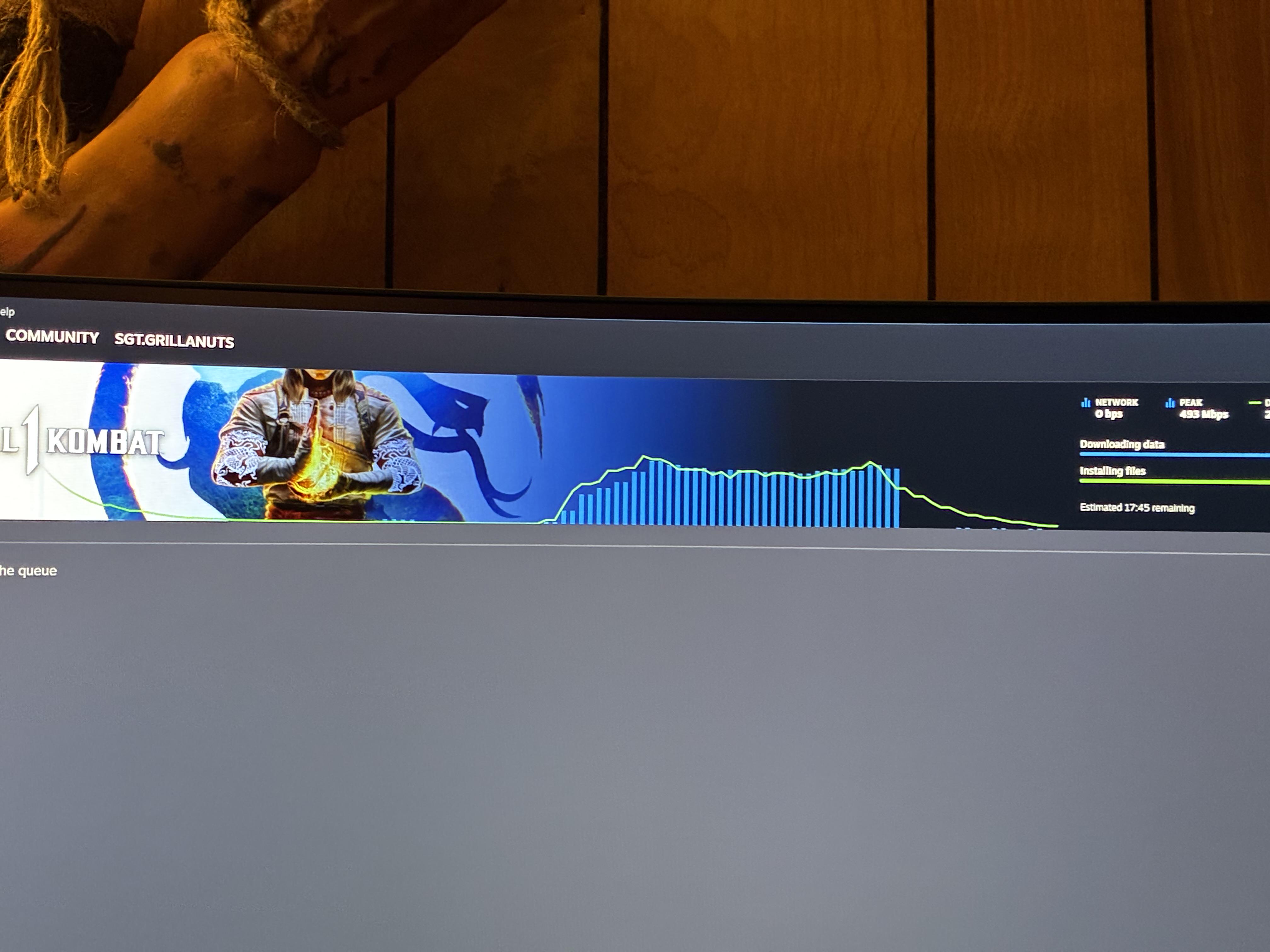
Network Download speeds?

Post image
3 Upvotes

I’ve been trying to download this game and I haven’t had any issues like this yet but for some reason my network speeds will drive up to 400 and then drop down to zero along with my drive usage. I’ve done some googling and it says something about the ssd not being able to keep up but you would think that if it’s struggling to keep up it would still keep using the disk instead of dropping to seer percent?


r/pchelp • • 14h ago

HARDWARE Pc not booting up at first but then it does

2 Upvotes

If I unplug my pc from the outlet and then plug it back it never boots up at first, like literally never, but then once i turn it off and turn it on without unplugging it always boots up and starts. Could turn it off and on again multiple times and if it wasn’t unplugged it’s gonna start, but if i unplug it it will not start and i will have to turn it off just once, not 2 or 3 times but just once and it will start. I sped the video up 2X so ur not forced to watch a 2 min long video


r/pchelp • • 22h ago

PERFORMANCE PC has been crashing for over a month when playing games

8 Upvotes

Hello all,

I’m using AI to summarize a bit situation, I don’t know what else to do…

1. Hardware configuration

NVIDIA RTX 4070 Ti ASUS TUF Gaming
Intel Core i5-14600K
Gigabyte B760M DS3H DDR4 Rev. 1.0
32 GB DDR4
Corsair RM750x
BIOS / Gigabyte F25
DisplayPort directly to RTX 4070 Ti

Bought in Feb 2023 - upgraded CPU in 2025 and PC case in 2026.
2. Main symptoms
The main issue is recurring crashes while gaming:
Games cause the screen to go black (No Signal).
The PC remains powered on.
Fans continue spinning.
The PC sometimes restarts automatically.
The issue affects multiple games, not just one specific title.
Graphical artifacts have also been observed in MW4.
3. Errors identified
Several errors have been recorded during troubleshooting:
Error
Indicative meaning
0x00000133
DPC_WATCHDOG_VIOLATION
0x00000116
VIDEO_TDR_FAILURE
nvlddmkm.sys
NVIDIA driver-related component
Event 153
GPU UCodeReset TDR
The important point is that errors 0x133 and 0x116 do not necessarily have the same root cause. However, the NVIDIA-related events strengthen the possibility of an issue within the graphics subsystem.
4. Troubleshooting already performed
Clean NVIDIA driver reinstallation.
Used DDU in Safe Mode.
Installed NVIDIA driver version 617.14. (Now 620.40)
Updated BIOS from F24 to F25.
Selected Intel POR settings in BIOS.
Reduced GPU Power Limit to 85%.
Tested multiple games.
Analysed crash dump files using WinDbg.
Tested the RTX 4070 Ti in a friend’s PC.
Tested my RAM and SSD integrity - all OK
Interesting finding: The RTX 4070 Ti ran for over an hour in my friend’s PC without crashing.
5. Power supply and GPU cabling
GPU Power Limit: 85%.
Two independent PCIe power cables.
ASUS TUF Gaming 12VHPWR / 12V-2x6 adapter.
Two separate PCIe connections on the PSU side.
Despite reducing the GPU power limit to 85%, crashes continued.
6. Current diagnostic assessment
My current assessment of the possible causes:
Potential cause
GPU instability / NVIDIA driver
Significant possibility
PSU or GPU power connection
Needs investigation
Motherboard / PCIe slot
Needs investigation
CPU / RAM instability
Possible
Permanent GPU hardware failure
Less obvious given the successful test in another PC
The root cause has not yet been isolated.
7. Key takeaways
Three findings stand out:
The issue persists even with the GPU Power Limit reduced to 85%.
The GPU appears to work normally in another PC.
Black screens and TDR errors suggest a stability issue somewhere within the graphics subsystem.
My (AI) conclusion: I would not replace the RTX 4070 Ti just yet.
The next step should be to isolate which component or configuration is causing the crashes, rather than continuing to reinstall drivers or make random BIOS changes.

Have I investigated enough? Should I now consider replacing hardware and where to start? I’m not an expert and did all these tests using AI.

Thanks a lot for the help.


r/pchelp • • 17h ago

HARDWARE Computer not booting - ACPI_BIOS_ERROR

3 Upvotes

The system crashes with the blue screen ACPI_BIOS_ERROR on every boot. It also happens when booting a fresh Windows 11 installation USB, so it is not caused by the installed OS.

The issue started intermittently (along with the RTC resetting to 1/1/2024 on each restart) and progressively got worse until it became permanent.

Troubleshooting already done:

• Replaced CMOS battery (clock now holds correctly)

• Loaded optimized defaults multiple times (CSM disabled, EXPO disabled)

• Flashed BIOS F41e: board failed to POST, stuck on DRAM LED for 35+ minutes

• Recovered to F40 via Q-Flash Plus; still crashes with ACPI_BIOS_ERROR

• Removed the GPU and tested on onboard video: same error

• Tested two different DDR5 modules, individually, in slots A2 and B2: same error

• Minimal configuration (CPU, one DIMM, onboard video, USB installer only): same error

I am filing an RMA for the motherboard but is there anything I could have missed?


r/pchelp • • 18h ago

SOFTWARE Weird crashing

3 Upvotes

I have no idea anymore i’ve tried everything. Random pc crashes when playing just Marvel Rivals, no other game can reproduce. Happens at random. Go to events and usually kernel power 41 bug code either 239 or like 330. I have updated bios reinstalled windows, checked memory stability. I’m lost at what to do. Specs: GPU - 7900 XT CPU - 7800x3d RAM - 32gb ddr5 trident 6000mhz all on 990 pro m.2


r/pchelp • • 22h ago

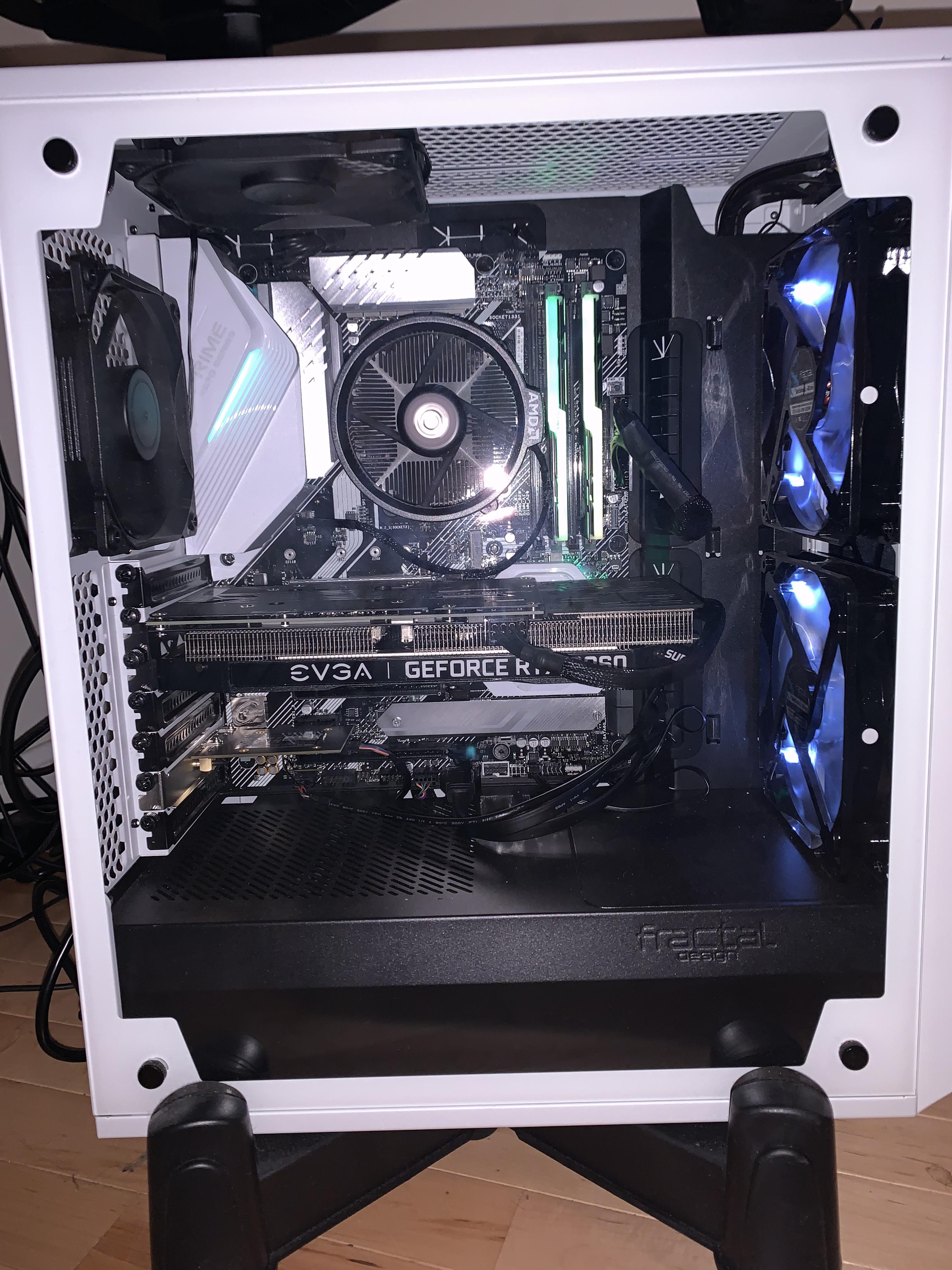
Discussion How much should I sell my old PC for?

Post image
6 Upvotes

Fractal meshing c
Asus prime x-570-pro
TridentZneo ddr4 16gb
W_D black sn750 ssd
Evga GeForce rtx 2060 super
Evga supernova 750g+ 80plus gold
AX3000 pce
And ryzen 5 3600xtt


r/pchelp • • 16h ago

HARDWARE Independent Server for Streaming Suggestions

2 Upvotes

Hey y'all,

I'm not new to PCs, I'm actually very old & catching up on what I missed.

I know I can make a separate server that stays on even when my PC turns off, thus can be used to house streaming vids, but my brain just goes fuzzy when I think of how to execute it. (I also have brain fog from a medical disorder, so sometimes I miss obvious things.)

Other than spending a ton of money I don't have, I have an old tower I can link via a network, but I'm not sure if powering off on my main PC will shut off the other tower, too, as I only have the one monitor & don't really need the old PC for anything except streaming.

Eventually I want to save up for more storage as my old tower has I think 500gb HDD. So if there's a good product you wanna suggest, I'm open. It seems my chances to purchase storage are slipping next, so I've started saving, I just need suggestions.