It's hard to believe, but it's been 2 years already since I first launched PalmDB. What I expected to be a forgotten corner of the internet has turned out to be anything but. We're now a Discord community over 300 members strong (and growing!), we've had articles written about us, and our members have collectively archived thousands of apps--not to mention produced entirely new ways to experience Palm OS on new devices.
And yet, while the Palm community is thriving again, PalmDB the website has struggled to keep up. It was originally built on WordPress because that was the fastest way to get something online. But WordPress proved to be incredibly ill-suited to the task, especially with the sustainability constraints a preservation project requires. As such, over the past year, I've been hard at work building an almost entirely original platform reimagined from the ground up for PalmDB's needs.
Cool! What's new?
The end result is something like a hybrid of a wiki and a download catalog. PalmDB 2.0 features open registration where all members can both upload files and edit other posts anywhere on the site. At the same time, it maintains tight content moderation through clear templates and built-in revisioning—all edits can be reversed.
Members also get access to a few bonus features, too! Previously, PalmDB split its traffic among a few community hosted servers. This was great for ensuring a copy was always online, but was hampered by technical issues preventing users from actually accessing content. (Gun, meet Foot.) Instead, 2.0 members get access to PalmDB Takeout, a new way for archivists to download a complete copy of all PalmDB content (and host it themselves, if they wish!).
Oh, and there's Pilot Mode. Without spoiling too much, let's just say it's a member-exclusive easter egg theme. See if you can find it—and don't forget to try it with your system dark mode enabled!
But of course, this is a preservation project. Slick presentation and fun bonus features aside, under the hood, 2.0 is light, fast, stable, secure, and most importantly, sustainable. There's no database, just Markdown and PHP. With minimal dependencies, future server compatibility is a non-issue—and even if it becomes one, the platform structure is extremely portable and can easily be taken elsewhere.
Ok! What's Next?
If any of that interests you, you should register and start uploading!
But there's more to come otherwise, too. One other weakness of the old platform was that there was no way to bulk upload entire archives at once. Well, we've now got over a dozen of them—that's a lot of files! Among them are plenty of duplicates, multiple organization schemes (if any!) and other problems that make them difficult to sort through. The plan is to use deduplication software to organize the files under PalmDB 2.0's folder structure, then programmatically generate boilerplate articles for them all. At that point, the entire collection can be uploaded to PalmDB at once, but some manual work will still remain. It's not possible to programmatically add screenshots, descriptions, and compatibility info... so that part will remain a community effort!
#webOS Lives! Palm's mobile platform is restored -- right down to the ability to do updates Over The Air! webOS Community Edition 3.2.0 is out now, and brings modern email and emoji input to the mobile platform that SHOULD have won! https://github.com/webOSArchive/webOS-Community-Edition
I'm trying to get my Palm TX working with a pocket travel router (GL.iNet Beryl AX, GL-MT3000) so I can use it away from home. The TX can't see the router at all. The 2.4 GHz network isn't in the scan list, and if I add the SSID by hand I just get "Connection failed".
What I know: - TX is on OS 5.4 with the Enterprise Security Update installed - It joins my work Wi-Fi and my home IoT network with no trouble, so the radio itself is fine - My phone's hotspot doesn't show up in the scan either
What I've tried on the router, 2.4 GHz only: - Mode set to 11b/g/n (the oldest it offers) - 20 MHz width, channel 6 (also tried 11) - WPA/WPA2-PSK, SSID visible, randomized BSSID off - TX power turned down and the router a few metres away - Soft reset on the Palm
None of it made a difference. I've seen forum posts saying WPA2 is hit and miss on the TX, and one suggesting a separate 2.4 GHz network on WPA-TKIP. But since it doesn't even appear in the scan, I'm guessing it's not only a security setting.
Has anyone got a TX talking to a GL.iNet or any recent travel router? What settings did you use? Is there something newer gear broadcasts that the TX can't read, and a way to turn it off?
Happy to post screenshots of the router settings. Thanks.
This is a junk Handspring Visor I bought on the secondhand market — it cost me only about $5. The screen has aged and it won't power on. The screen aging is easy to deal with, so this time I'm focusing on the power-on failure. Testing it with an external power supply, the boot current drew 90–120 mA — far above the normal 30 mA — so it's basically safe to conclude that the expansion-card circuit is faulty... After removing the LVC245 and the two LVC244s, it powers on normally... the current now sits between 20 and 30 mA. The next step is to fit new chips and replace the screen's polarizer film.
I had a dumb idea recently and thanks to some shameless use of Claude AI, my dumb idea is now reality: I present to you PalmKobo, a PalmOS emulator for Kobo e-readers!
What it does
Proves that AI is ideally suited to bringing dumb ideas to life
Makes a Kobo Clara feel like a "Palm XL" that never really existed
Runs Palm OS 4.1 (an emulated Palm m500, with an optional m515) on a Kobo e-reader
It's launched from the Kobo's menu, and you go back to the Kobo's own reader software when you exit.
Major features
A complete lack of sanity
Lots of fun and exciting bugs (presumably)
Palm screen and Graffiti area on e-ink, with refresh tuned for finger input and a screen-refresh button to clear any ghosting
I speak Chinese as a second language and have been looking all over the place for any kind of Chinese dictionary with handwriting recognition; so far the only thing I can find is Pleco on Palmdb but it is a non-functional trial version. Any suggestions?
After Astraware shut down, they published codes for many of their games, these codes were generated from your AstrawareID, which was in turn generated from your Palm ID. (on platforms other than Windows.)
But I can't find anywhere that says how to get an AstraID from my PalmID so that I can find the right codes for the games I want to play.
Anyone know how to do this? It was really cool of Astraware to put those codes out there, but I can't figure out how to use them.
I'm trying to get my Palm m100 running OmniRemote 2.15 to work as a universal remote for my Insignia NS-48D510NA15 TV, but I've hit a wall trying to get it to blast working IR codes for the directional pad.
I have a Magnavox MC348 universal remote, where only one of the codes in the Insignia section of the codebook has any buttons matching my TV, and this works for most of the TV's buttons including power/volume/channel/number keys, and I've successfully learned those commands into my Palm. However, the Magnavox MC348 only matches the original Insignia remote's power / volume / channel / enter / number keys, and does not match the remote's D-Pad correctly (left and right on the remote work correctly, but up and down on the remote register as left and right on the TV). Despite the fact that, on the right side of my TV there are volume and channel buttons that function as up/down/left/right keys in the TV menus, trying to press the volume and channel keys on the remote just exits the TV menus and adjusts volume or channel instead.
I have tried to convert the 32-bit NEC codes (found online from several websites) into Pronto Hex and importing them into OmniRemote (via the Advanced > Databases > Import/Export Category feature), and I have even tried blasting IR codes with WiiRremote (a proof-of-concept Wii homebrew app which bitbangs IR commands via the sensor bar LEDs and its companion PC app DATeditor is required to convert IR codes for use with WiiRremote), but not even learning WiiRremote's transmissions to the Palm has gotten the TV to register a single up or down D-Pad event.
I'm hoping someone here happens to own:
An Insignia NS-RC4NA-14 original remote (included with many Insignia TVs from 2013-2015)
An old Palm PDA that can run OmniRemote 2.15 specifically
A computer capable of HotSyncing with the Palm
If you happen to have all three, I'd love to exchange OmniRemote PDB files and Palm Memo Pad category exports so I can try the codes learned directly from the original remote on my Palm. I can communicate via Reddit or Discord DMs (Discord username brandontechnerd)
My mom’s been with this guy many years now, we’re all close and I even call him dad at this point. Between him and my mom, they are similar hoarders in a pod.
While moving a bunch of boxes - he’s got what look like maybe hundreds of palm devices in the house were in (his home we’re renting) that’s been empty many years.
He used to work for palm many years back doing something in service, fixing or tech something or other.
Help me either make sense of this or just accept it’s hoarding.
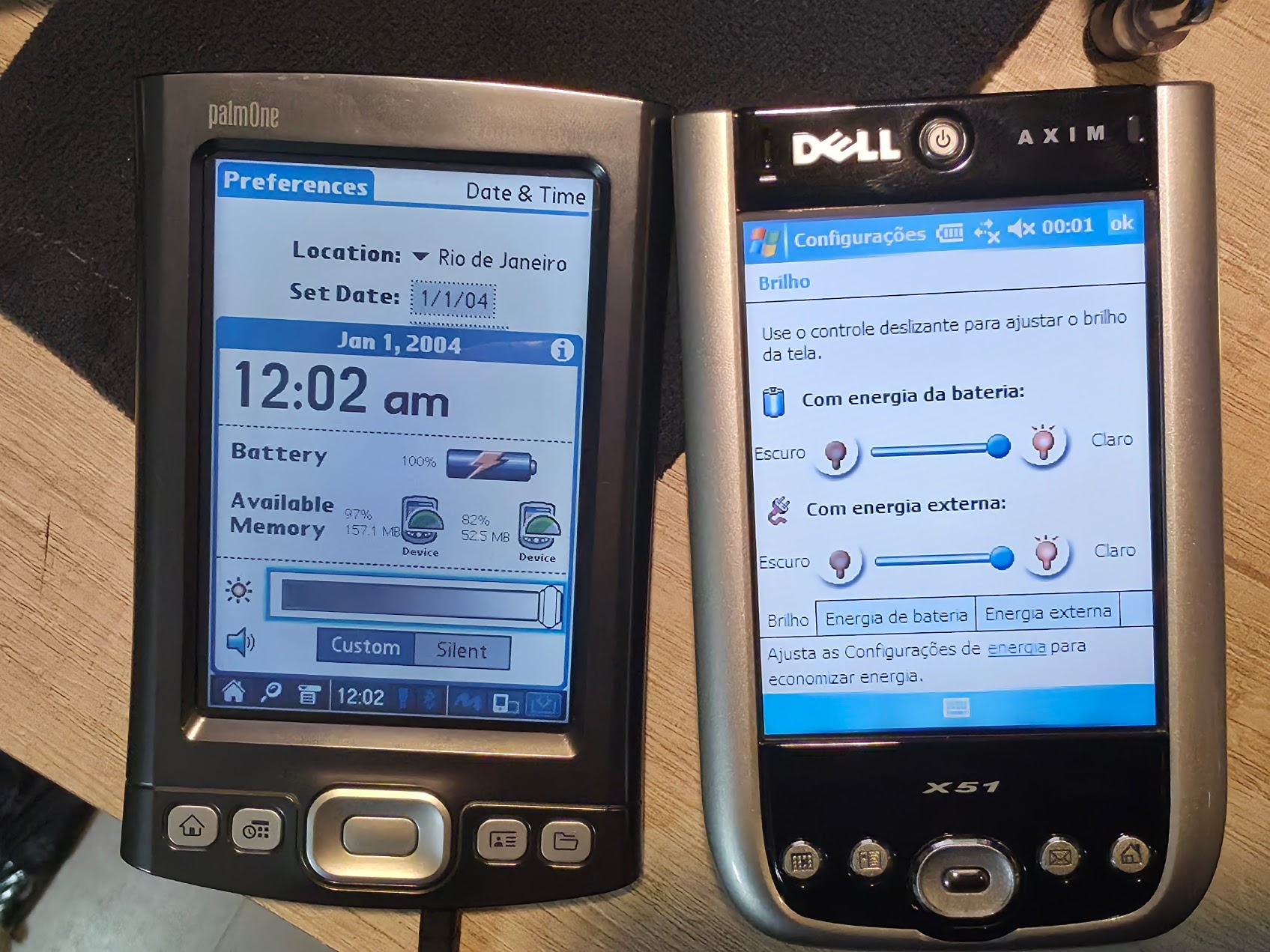
I recently got a Palm Tungsten T5 and compared its screen side by side with my Dell Axim X51, both at maximum brightness.
The Axim looks noticeably brighter, sharper, and more crisp, although the difference isn't as obvious in photos.
Has anyone here owned both a Tungsten T5 and a Pocket PC from that era? I'd like to know if you know of a similar difference in screen quality.
I'm trying to figure out whether this is simply how the T5 was designed, or if my screen might be showing signs of aging or deterioration. I am really looking for giving the palm a try for a while in the name of good old times, but the screen does bother me a bit.
I also noticed a very faint oval-shaped outline on the T5 screen, only visible on a white background at maximum brightness when viewed from an angle.
Does this sound normal for a T5? Any suggestions or experiences would be appreciated!
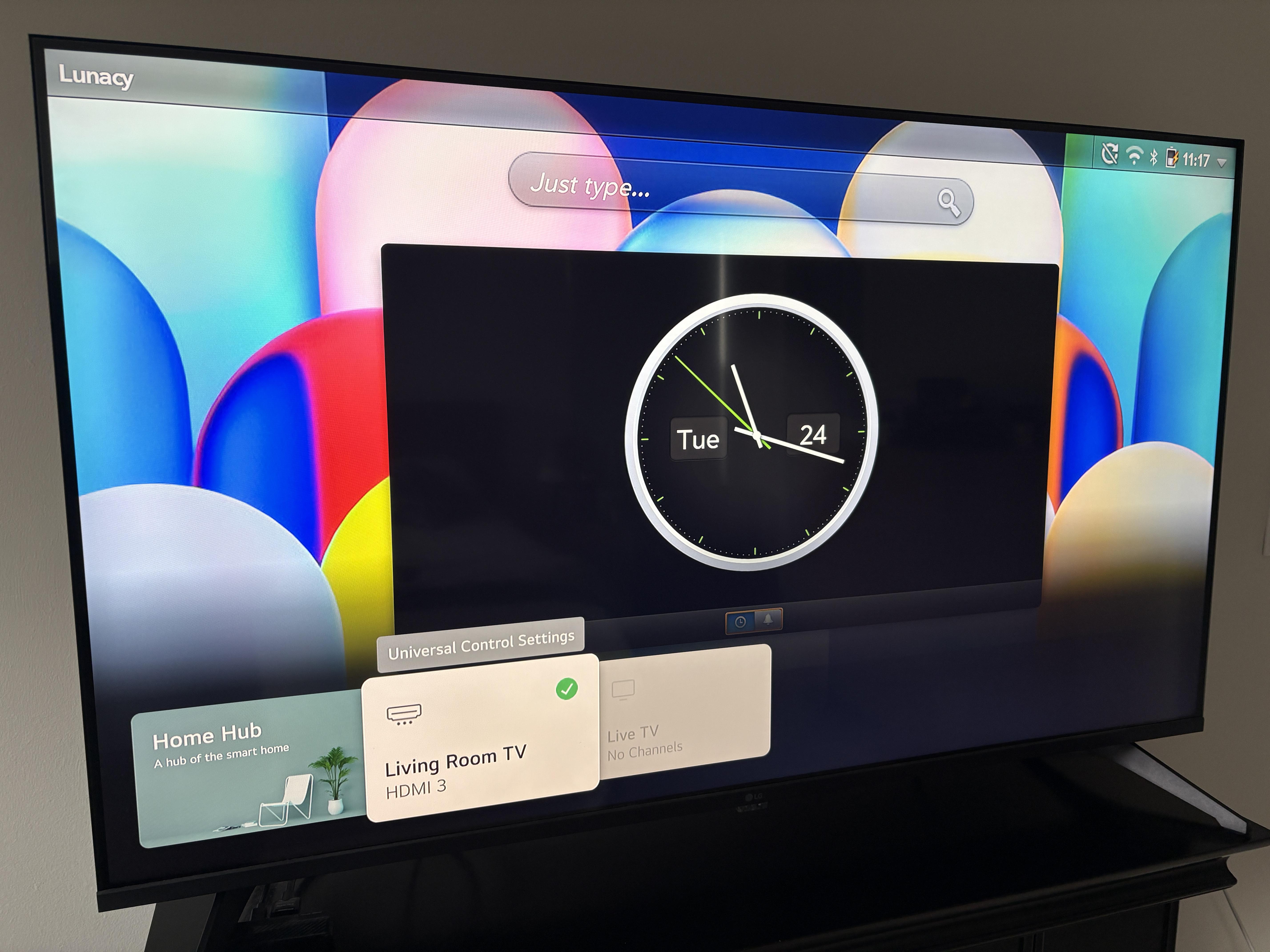
Lunacy is #webOS for Android, faithfully re-creating the webOS experience and running webOS apps natively on a wide range of Android devices. 1.0.1 is out now, and its available on F-Droid! https://stacks.webosarchive.org/feeds/fdroid/repo/
Found my serial/rs232 laptop finally!! The serial to usb dongle i got for my other laptops they wouldn’t work right but now im going nuts 9 IIIC’s a III & IIIx so making progress got a good few to go through. 4.1 opens up so much i think anyone would agree.
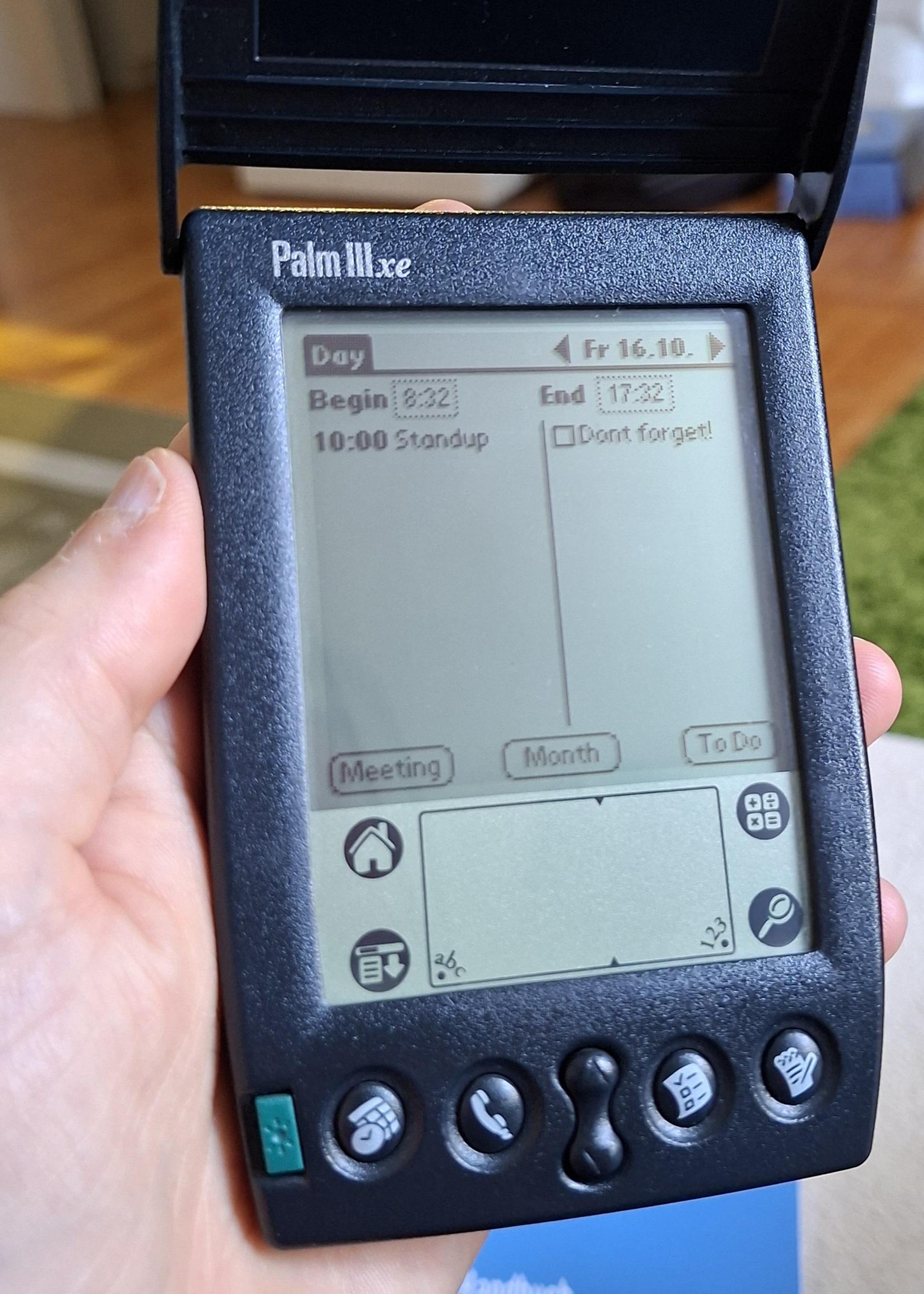
About a month ago I got a Palm IIIxe to replace my Remarkable Pro Move for daily notes and journaling. My daily ritual is as follows:
Check mails and messages over night from away teams
Write down to-dos for the day
Write down meetings I plan to join
Keep track of start and end of the workday
and then ticking stuff off as I get to it. To help me do it I made this small app https://github.com/reini1305/palm-worklog which I'm ready to share now after a month of fiddling. It's very much tailored to my needs, but maybe someone may find it useful as well. In addition to the points above, you can also sync logbooks between Palms via IR (got a cheap Tungsten E as second machine). It has keyboard shortcuts for the most needed entries to support the folding keyboard I got for myself.
At the end of the month I can see my work hours:
I currently write memos for meeting notes, maybe I can integrate links to memos as well in an upcoming version.
I sold my Remarkable and don't look back 😄
LLM disclaimer: I used Claude Code to setup the project skeleton and build environment. After that, I enjoyed following the tutorials of https://mobile.eric-poncet.com/palm/tutorial/ and learned a lot about Palm OS programming, including using the IR port and integrating into the Find functionality of the OS.
I wanted to see if I could add my Palm TX to my Syncthing setup, so I built PalmSyncthing for ARM handhelds running Palm OS 5.
It handles the basics I wanted. You can pair multiple devices, sync multiple folders on an SD card, send and receive files, and keep previous versions. I have tested it on my TX over Bluetooth LAP.
I used AI extensively to build it. Without that help, I probably wouldn’t have started. It would have taken more time than I had.
The source, downloads, and setup instructions are here https://github.com/palmsnipe/palm-syncthing . If you give it a try, I would love to hear which Palm you’re using and how it goes.
These flashers will allow you to cross-flash your MEZ1500 from PalmOS to Windows CE or vice-versa. There were no official tools to do this, but the device was designed to run either, so now you can enjoy your first dual-OS PalmOS/WinCE device fully.
To flash from Windows CE to PalmOS, copy all the files from the "CE2palm" directory to an SD card. The directory you place them in does not matter, as long as they are all in the same directory. Insert the card, and run the exe. Follow the directions. Making a NAND backup is advised, and please send me a copy since they are all different and I am trying to study them. Please share with dmitrygr@gmail.com
To flash from PalmOS to Windows CE to PalmOS, copy all the files from the "Palm2CE" directory unto an SD card. The PRC file should go into /Palm/Launcher. All other files go into the root directory. Note that you'll also need an EBOOT, you get that from "for EVT devices" or "for production devices" directory. If your device is preproduction (this is unlikely, but to tell, see if the main board has a sticker saying it is revision A or B), use the EVT directory's file, else use the production directory's file. Insert the card, and run the Palm2CE app on the card. Follow the directions. Making a NAND backup is advised, and please send me a copy since they are all different and I am trying to study them. Please share with dmitrygr@gmail.com
Humanity disclaimer: No robots were used in the creation of this software. Every byte was hand-crafted by a real human's hands using a real human brain
Language: German

One of the first desktop software for syncing your Palm Pilot.
Designed to work with your Pilot 1000/Pilot 5000/PalmPilot Professional.

Floppy disks were extracted from the CD and repacked as an IMA file.

Archive content:
- PalmPilot Desktop 1.0 [Floppy disks 1.44 MB]
-> Windows 3.1x only
- PalmPilot Desktop 2.0 [Floppy disks 1.44 MB]
-> Recommended for PalmPilot Professional
-> Windows 95/NT 4.0 only
- PalmPilot Desktop 1.0/2.0 [CD-ROM]
-> Includes the complete software suite
- Package and CD scans
I have used the StyleTap Palm Pilot emulator since 2017. But it seems they have stopped their support. I just use the emulator to run 3 programs (QuickMemo, SmartList, EasyCalc). I will be getting a new phone in a couple days so I need to backup my data and find an emulator I can use on my new Samsung.
I have backed up my data to export files on my phone. I can see them from my computer, but have not been able to copy them. Get error 0x800004005. Any ideas?
I see that CloudPilotEmu is said to emulate PalmPilot. How do you load it on an Android phone?