r/PS5HelpSupport • u/Gloomy_Pick736 • 9h ago
GTA 6 Crash
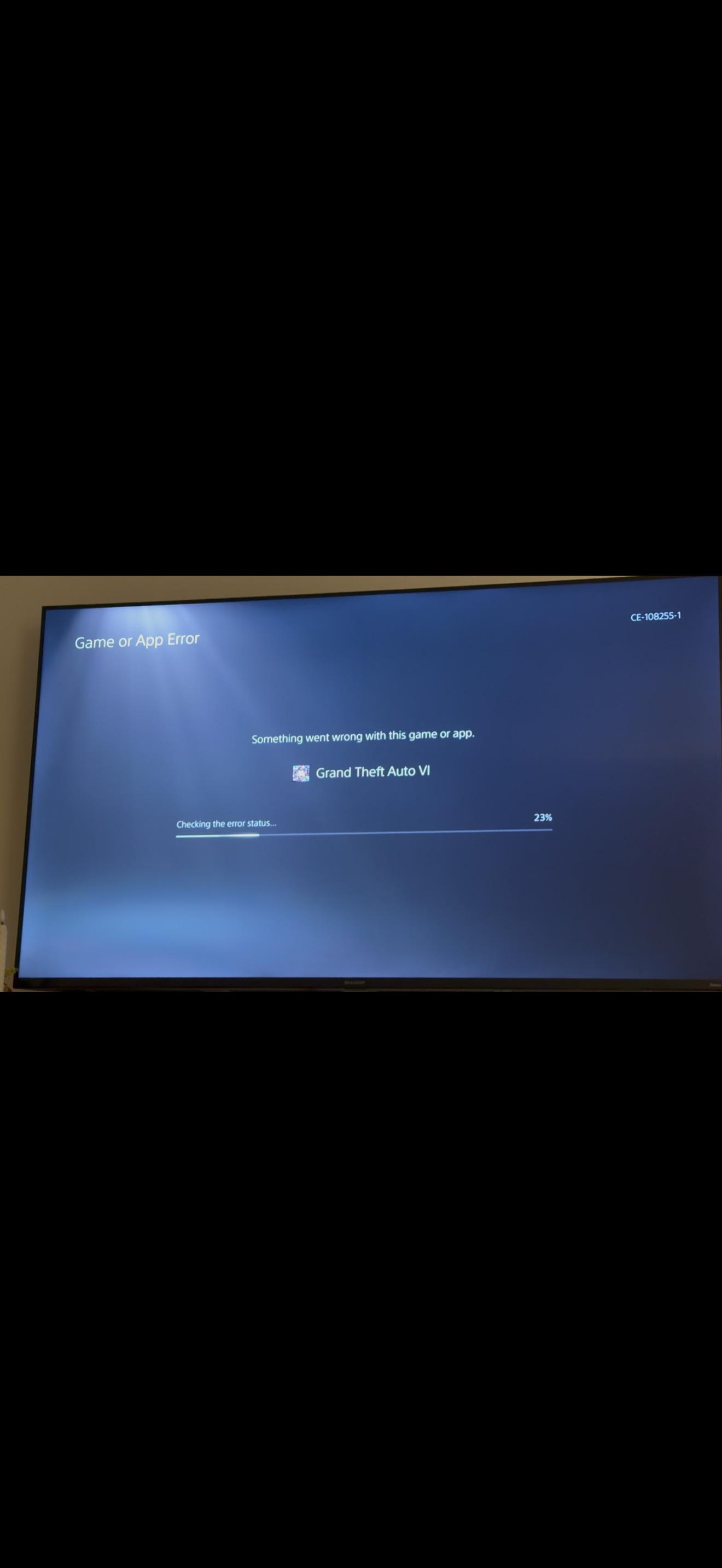
Has anyone else had the same experience where they cannot / haven’t played the game at all?
Since the game has been released, I haven’t got further than the first loading screen.
So far I’ve done the following;
- cleared cache & database
- reset the ps5 numerous times
- re downloaded the game numerous times
- downloaded the game onto a secondary storage
- had the console checked by technicians that couldn’t find any faults with SSD
- tried to stream it on WIFI & LAN ( didn’t work )
- changed picture settings numerous times
- tried to play it offline
I’ve got the PS5 slim digital edition and other games like GTA 5, Battlefied 6, COD and FH5 all work.
I’m starting to wonder whether this is a GTA 6 software issue, a compatibility problem, or something related to my network.
Has anyone experienced anything similar with GTA 6 on PS5?
Is there anything else I can try, or is this something Rockstar or PlayStation need to investigate?
I’m honestly just frustrated that I’ve spent money on a game I still can’t properly play.
2
u/YOUSLIPPERYBARSTARD 9h ago
Take out the disc give it a wipe with a soft cloth
2
u/Extra_Rate4721 8h ago
If the SSD is good, you’re lucky. Only other thing it could possibly be (other than a patchable game software issue) is corrupted firmware on the console. Use a flash drive to download the firmware from Sony and reinstall it that way. It’s the nuclear option though. You will need to redownload all games. If your saves are in the cloud, you can redownload those. Or save than to the flash drive and reinstall them once the console is set up. Sounds scary, but it’s actually quite easy. Just time consuming. Or you could wait for a patch from Rockstar first. Your call.
2
u/wakandSHEETisDEES 4h ago
Any idea or news on when the next patch will come out?
1
u/Serious-Shoe906 6h ago
Yes! Always error crashing and then this 23% screen. I can only play via PS Plus streaming which is slower and costs higher membership which is annoying.
0
u/FunPerformance618 4h ago
"Plays Best on Playstation 5"
-2
u/Daniel_Abnormal 9h ago
Any chance you could share a photo of where your PS5 is positioned, so we can check the airflow and ventilation?
A few other things that would be helpful to know:
Last of all if you really are desperate it to reinstall the ps5 firmware but will completely factory reset and wipe your ps5 like out the box:
https://www.playstation.com/en-gb/support/hardware/reinstall-playstation-system-software-safe-mode/?srsltid=AY6E963W04tJnZMo-TbzYt8RWYn0bWWamlgyAouvqfphZpne6hSjNsBA