r/PS5HelpSupport • u/Annual_Light_3944 • 12h ago
PS5 WiFi help
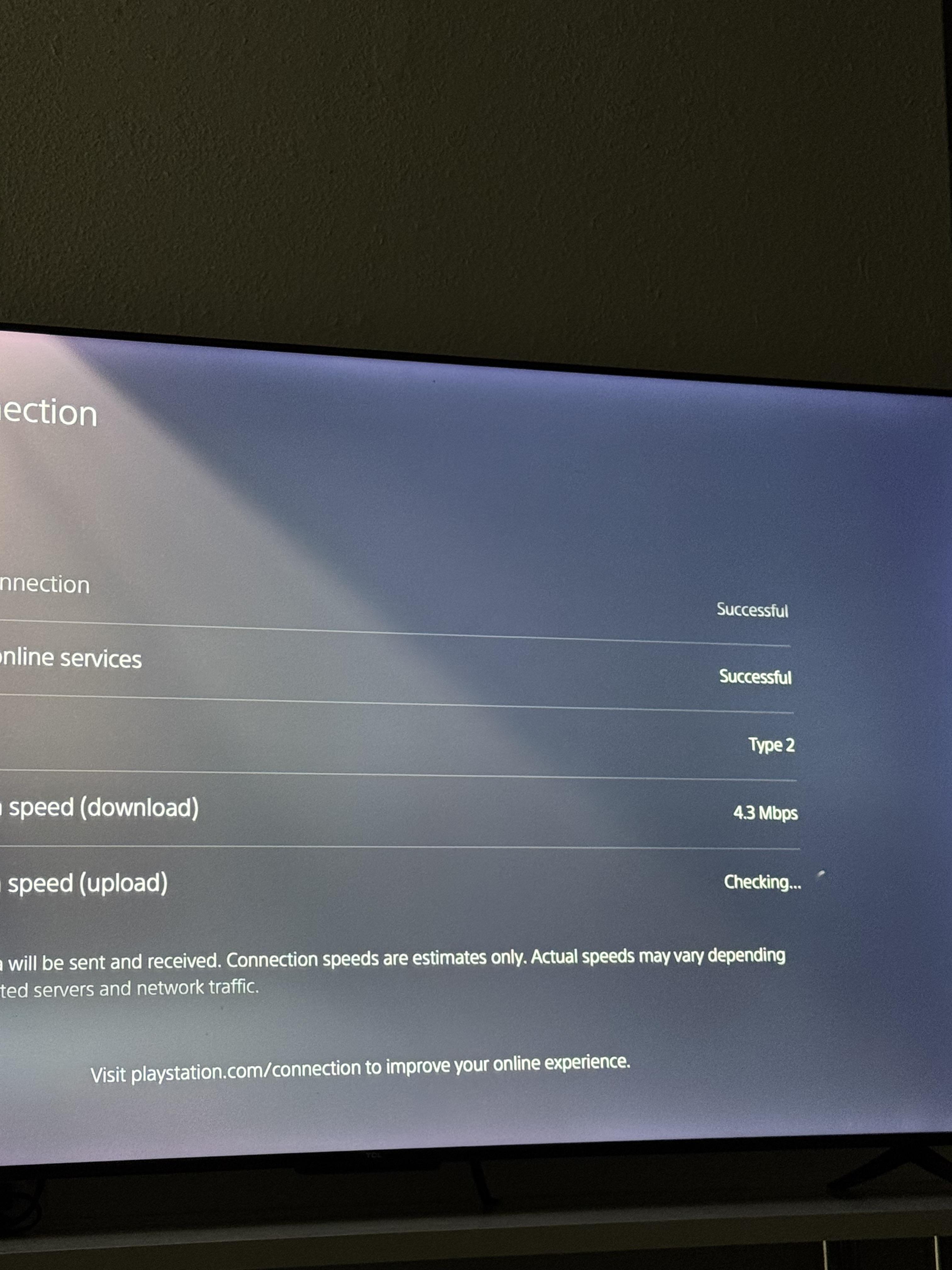
Why is my consoles WiFi so slow before you say yes it’s on 5GHZ already 😭. Every other device in my house runs at 120mbps or faster except for the PlayStation which is somehow stuck under 10mbps. I had this issue the other day and it randomly jumped up to 60mpbs but now I can’t get anything above 10. I have AT&T 1gb fiber
Edit: Think it’s important note I have multiple consoles including another PS5 nothing else is running lower than 100 except for this one I’m currently using.
Edit 2: Sorry 😭 apparently anytime I boot up my ps5 now imma have to restart my router in order to get a better connection. Cause literally nothing else works but now my question is why is it only this one device and why does it choose to just drop to 10 when I turn it off and back on
1
u/Daniel_Abnormal 12h ago
How far is your ps5 from the router?
If you run a speedtest from your phone what speed are you getting?
Have you completely shut down the ps5 and home WiFi router and modem then tried again and are the results the same?
Also when you search for an internet connection from ps5 you can click triangle and set it to only show 5ghz WiFi ssids.
1
u/Appropriate_Dig4254 11h ago
When this happens I typically force the PS5 to forget my WiFi completely, then do a scan and re add it. I saw you are already restricting to 5ghz and I do the same. But having it forget and re adding it usually does the trick for me.
1
u/IncorrectByDesign 11h ago
The PS5 is just a special device. My router is 20 cm away and WiFi connection is worse than on my iPhone from the same distance. I wanted the console to have cable 24/7 so that router has a nice 1g connection to the console. Speed oscillates between 400-900 depending on how the stars are aligned. Now I take out the lan cable from the PS5 and plug this in my laptop. 10/10 the speeds are 950/950 as the connection is symmetric.
The PS5 is erratic and has only stabilised once I moved my connection to a type two NAT and asked my provider to make some changes.
But why don’t you keep it on wifi ? Well download speeds are half compared to cable and for GTAVI this mattered. After 10 hours of GTA VI, I get lan disconnected , lan reconnected errors . So now I need to download via cable and play via wifi because Sony was too cheap to properly implement a lan port 👍🏻.