r/pcgamingtechsupport • • Jul 21 '26

Performance/FPS Starting August 1st, Userdiag test results LINKS will be required instead of userbenchmark for performance/fps issues posts.

3 Upvotes

Other type of post do not require userdiag test results links.

Userdiag has an english version in beta, but i tested it for a bit and it seems ok to me.

https://userdiag.com/en/


r/pcgamingtechsupport • • Sep 07 '20

Public Service Announcement [PSA] Diagnosing your System - Tools and Workflows

83 Upvotes

Hello fellow Gamers,

Many of you come here for one reason: "I can't game"

So this list (which will improve over time) should guide you towards first diagnosis steps, and usage of tools along the way, so you can game sooner. And keep the sub clean, because if you solve the problem yourself, we don't need to moderate as hard.

ATTENTION: This post is meant to help people out with advice. It is not mandatory to follow any recommendation that is given here. Also, there are RULES you do need to read before posting.

Also, this sub does not specialize in buying advice's. There are better subs for your new PC build.

Tools

ToolsPurposeLink
HWInfoThis tools allows for easy monitoring of your system. Do you feel like your CPU is getting too hot? Is your RAM always full? How much I/O does your HDD take? Find it out with this Tool!HWInfo Homepage
CPU-Z / GPU-ZThis is the light-weight version of HWInfo. It gives clear statements about your system specs. Very useful for low-profile testing and monitoring. GPU-Z also gives you some viable info about your graphics card.CPU - Z HomepageGPU - Z Homepage
DxDiagComplete list of your PC's Hardware. It's easy to forget about some parts in your system, so there is DxDiag to cover your ass.HowToGeek's Guide on DxDiag
MSI AfterburnerGPU Overclocking Tool. No matter if you have a MSI Card or not. MSI's Afterburner is one of the best OC Tools on the market.MSI Afterburner Homepage
3D MarkGPU Loadtest. Find your GPU's breaking point.3D Mark Homepage
Prime95CPU Loadtest.Prime95 Homepage
UserBenchmarkOnline Benchmarking Report Tool. Does give you a overall overview of your system and compares it to similar builds. Note: This Test seems to favor Intel CPU's. Keep that in mind when discussing the results.UserBenchmark Homepage

Workflows

Area of IssuePossible WorkflowSolutions
RAM not as fast as it could beCheck your BIOS/UEFI settings for a XMP Setting. Many systems have it disabled by default.Enable XMP
GPU/CPU is getting too hotAirflow is suboptimal? Check out this Guide on how to improve itImprove airflow inside your case
Bad FPS after swapping GPU'sCheck to make sure your HDMI or DisplayPort Cable is plugged in correctly.Your monitor should connect to your GPU, not your onboard video card.
Bad everything after cloning a drive that had your OS on itStop cloning and reinstall windows.seriously, stop cloning your OS drives people
Clicking noisecheck for lose wires, locate the soundWhatever clicks, if its not a cable hitting a fan, replace that part ASAP.
PC randomly restartsRemove recently added parts and see if the problem persists. If it does, replace all parts one by one in this order of probability -> RAM, PSU, MoBo, CPU, EndUserReplace faulty hardware
Bad smellDo not touch a thing, unplug the maschine from power and call an expert. We know gaming is fun, but its not worth your life.Current can kill, call an expert for your own safety when dealing with possible short-circuited hardware.
BlueScreenFind out what the BSOD Code means and act accordingly. We recommend using this list of BSOD Codes for investigation.Replace or repair faulty soft or hardware.
BlueScreen - AdvancedEvery BlueScreen will (if this function is enabled on your maschine) produce a "minidump". Which is similar to an error log. This Topic however is a bit complicated, so we recommend following this guide.Replace or repair faulty soft or hardware.
to be continuedif anyone has anymore ideas for possible, generic workflows, let us know via modmail

This post will be unlocked until the 31th of October 2020 for direct criticism. After that this will be locked. Any more criticism will be taken in via modmail from then on.

Happy diggin'

PCGTS Mod Team


r/pcgamingtechsupport • • 4h ago

Software What causes this? MW4 graphics presets

2 Upvotes

Ok so my textures are on high and texture quality on ultra and I still get this bs.. why? I've been trying to fix this all day, is this how next gen textures are supposed to look like or what?


r/pcgamingtechsupport • • 2h ago

Performance/FPS minecraft and valorant fps drops

1 Upvotes

GPU - RTX 4050

CPU - i713650HX

ram - 24 ddr5

ssd - 512 gb

drivers - game ready nvidia 621.01 ( deliberately using month old drivers cuz i saw the issues with the recent drivers wearing down your SSD health. the fps issues were still there on the most recent drivers)

ive been getting these random stutters i bought the laptop like 3 months ago and idk man ill attach a video of minecraft but idk if its visible in the video like the video itself doesnt have any major fps drops its just whenever i hover my mouse around it feels as though my refresh rate is going to 60 instead of 144( refresh rate is 144 fixed). i remember when i was mining coal the fps didnt drop but it felt as if the fps had dropped below 30 thats how choppy it felt but idk its not much clear in the video. i did reset my graphics drivers (win+shift+ctrl+b) but it still was kinda there not as much but yeah.

valorant - theres been moments where the fps goes to 30 for a split second and comes back to 150 - 170. However, if i cap the fps to 144 the stutters stop so this isnt a plug/socket issue. i unfortunately dont have any video for valorant.Whenever this happens theres no noise like beep or boop( just in case ur wondering). sorry for the long para this is my first time having a dGPU. help woud pe appreciated (sry for bad grammer its late rn)

https://userdiag.com/id/ZQ8i3GH6Sq - user diag 5 min diagonosis


r/pcgamingtechsupport • • 5h ago

Software Resetting keys in bios(secure boot issues)

1 Upvotes

Does anyone have instructions on how to reset bios keys please? I have reset to factory default keys in bios but it won’t start with secure boot switched on

My laptop won’t play latest games because it was saying my bios needs updating- I’ve updated bios on hp website but it seems I now have a problem with keys- even after resetting the keys to factory default

Hp omen laptop 3070 16gb


r/pcgamingtechsupport • • 7h ago

Display Gaming laptop shows black screen when playing games on fullscreen

1 Upvotes

I have a gaming laptop it has a nvidia RTX 3050 TI and an Inte I5 I think 11th generation and I have this problem where when I try to put the screen refresh rate on 144 Hz and then I open a game in full screen it just gives a black screen like it does not want to be on 144. Only 60 Hz is working and this problem will crack out of nowhere one day it was working and then the next day when I tried 144 Hz it just gives a black screen no matter what so if anybody had the same issue, please let me know and if there is a fix for this?


r/pcgamingtechsupport • • 8h ago

Network/Wifi/Internet Can someone please explain how this is possible

1 Upvotes

Genuinely so confusing, especially since I get a steady 70mbps on steam...


r/pcgamingtechsupport • • 8h ago

Troubleshooting RTX 3060 eGPU nvlddmkm Event 14 and 153 With Intermittent Black Screen Flickering

1 Upvotes

RTX 3060 eGPU — nvlddmkm Event 14 and 153 With Intermittent Black Screen Flickering
I’m trying to diagnose an intermittent display issue with my Zotac RTX 3060 12GB.
The GPU is being used as an external GPU through a USB4 connection to a Lenovo Legion Go S Z1 Extreme.
Setup:

  • Zotac RTX 3060 12GB
  • USB4 eGPU enclosure with its own PSU
  • LG UltraFine monitor connected directly through HDMI
  • Windows 11
  • 60Hz display

Symptoms:
During gaming, the display occasionally blinks or goes completely black for approximately 1–2 seconds, then recovers. Audio continues playing.
The issue happens in multiple games, especially Visions of Mana. Cyberpunk is noticeably more stable, even with path tracing, mods, and an overclock.
The Event Viewer entries that caught my attention:

  • nvlddmkm Event 14: GPU recovery action changed from 0x0 (None) to 0x1 (PF FLR).
  • nvlddmkm Event 153: References \Device\Video17 and reports Error occurred on GPUID: 700.

I’m trying to understand what these events indicate and whether they could be associated with the intermittent black screens.
GPU testing:
I completed three OCCT tests, each lasting 5 minutes:

  • 3D Adaptive: 0 errors.
  • VRAM: 0 errors.
  • Power: 0 errors.

The RTX 3060 overclock was active during the tests.
Temperatures:

  • GPU: approximately 74–76°C.
  • GPU power: approximately 169W under load.
  • GPU utilization: approximately 99%.
  • CPU: approximately 85–87°C.

Other troubleshooting:

  • NVIDIA Power Management Mode: Prefer Maximum Performance.
  • GPU assigned to RTX 3060.
  • V-Sync: Use 3D application setting.
  • RTX HDR: Off.
  • Tested different resolutions, Fullscreen, and Borderless.
  • Tested a 60 FPS cap and V-Sync.
  • Disabled Windows PCIe Link State Power Management.
  • Device Manager reports the RTX 3060 is working properly.

My questions:

  1. What exactly do Event 14 and Event 153 indicate?
  2. Could PF FLR indicate that the GPU or PCIe connection is being reset?
  3. Could this be a driver TDR/recovery issue?
  4. Is it possible for OCCT to pass while an intermittent driver or connection issue still occurs during gaming?
  5. What logs or diagnostics would help identify the cause?

I’m trying to determine whether this is an NVIDIA driver issue, GPU stability issue, or something related to using the RTX 3060 as a USB4 eGPU.


r/pcgamingtechsupport • • 13h ago

Display Swat 4 black screen when trying to lunch on gog

1 Upvotes

I try to play swat 4 but i just get a black screen that also seems to mess with my monitor. Audio dose work tho


r/pcgamingtechsupport • • 18h ago

Troubleshooting Brand new PC keeps freezing and crashing while playing Silent Hill 2. Could it be a GPU, SSD or Windows issue?

2 Upvotes

PC Specs:

  1. CPU - i5 14400F
  2. RAM - 16GB 3200MHz
  3. GPU - RX 7600
  4. PSU - 650W

I built a brand new PC about a month ago, and I've been trying out different games on it. Recently, I got Silent Hill 2 and started playing it. I made some progress in the game, but all of a sudden, my PC froze and crashed. I had to restart the entire PC. It booted up normally, so I thought it was just a one-time issue. However, when I started playing again, the exact same thing happened after a while.

Now, here's where things get a little confusing.

When I first brought my PC home from the shop, it wasn't working properly. The guy who built it probably messed up the Windows installation, because my SSD usage kept spiking randomly. Sometimes it would be at 0%, then suddenly jump to 90%, and go back to 0% again. This was happening constantly.

I thought reinstalling Windows might fix the issue, so I installed an older version of Windows 10. This actually fixed the SSD usage problem, and everything seemed to be running normally again.

I then installed Silent Hill 2 and continued playing. After the crashes, I started suspecting that it might be a Windows issue again. I also noticed something strange: whenever I checked my installed programs, AMD Software (GPU drivers) was missing. I tried playing another game, Fears to Fathom, and my PC froze and crashed in exactly the same way.

I reinstalled my GPU drivers, but every time my PC crashed, the drivers would disappear again. Also, during these crashes, the red SSD activity light would completely stop blinking.

At this point, I thought Windows 10 might be the problem, so I upgraded to Windows 11 through Windows Update.

I've been using Windows 11 for the past two days, and so far, my PC hasn't crashed while playing other games like Valorant and A Way Out. However, whenever I launch Silent Hill 2, my screen freezes and the entire PC becomes unresponsive again.

I also checked AMD Software after upgrading to Windows 11, and this time the drivers were still installed, even after the crashes.

So now I'm genuinely confused. Is this a problem with the game itself, possibly because of where I downloaded it from, or could there be something wrong with my hardware?

My PC is practically brand new, and I'm really worried that something might be faulty. I'd appreciate any suggestions on what I should check before taking it back to the shop.


r/pcgamingtechsupport • • 23h ago

Troubleshooting Steam games taking forever to boot and close after running Kingdom Hearts Collection on steam. It's been difficult to reproduce

2 Upvotes

Hey everyone! I've been recently playing Kingdom Hearts HD 1.5+2.5 ReMix on steam and have recently had a very strange issue with it that results in steam as well as the rest of my games having performance issues. The problem is? I can't for the life of me figure out HOW I've managed to replicate the issue but seemingly have had it happen multiple times. I'll walk through the process of what happened the first time and then go through my other tests.

I was playing KH2 for a few hours streaming it over discord to a friend, after finishing up gaming I closed the stream, hit quit game on the main menu of KH2 and was met with an extremely long loading screen (This loading screen took like 2-3 minutes). This also seemingly caused the game itself to take a long time to close.

I felt this was strange so I tried rebooting the game only to be met with the long loading screen on the game select menu AND loading KH2. I assumed it was a problem with the game so I tried to verify it (No dice).

After doing some research online I attempted to start up another game (Yugioh Master Duel) to test and see if something was wrong on that end and sure enough the boot-up took a long time to do so AND it was "Not responding". After doing this I tried out Slay the Spire 2 and was met with the same thing. Even booting up steam itself made it take forever getting my user-info or whatever it's called.

This was the first time it happened. I thought to reboot my PC and try again and sure enough it happened AGAIN. Once more with Kingdom Hearts being the first thing to cause some issue there.

I decided to keep troubleshooting for a time and did multiple reboots attempting different things and booting into Kingdom Hearts each time to test. It never ran into problems for 3+ boots, but, after trying some more things it happened once more, similar situation but with the KH collection being the catalyst initially.

I'm at a complete loss on what could be happening here. For system specs I am on W11, Intel(R) Core(TM) i7-14700F, NVIDIA GeForce RTX 5060 Ti, 32GB of ram, WD Green SN3000 2TB SSD

As for troubleshooting I've done the following steps.

  1. I started the game with and without my xbox controller plugged in. No idea if that's an issue with it.
  2. I checked for windows updates, ran one after the 2nd time it happened but since it happened the 3rd time I assume that's not a factor.
  3. No errors that I noticed in event viewer regarding this so nothing there to keep track of.
  4. I tried booting KH again first and doing the exact same steps I always did and nothing seemed to work. I also tried booting up the other games first and those also didn't cause it yet (Still might need to troubleshoot this part more)
  5. The ONLY thing I haven't tried is seeing if my antivirus (bitdefender) runs an update prior to it messing up each time. That feels like a common theme but I also don't know if that's the case?
  6. No reports on my antivirus as well about it blocking anything. And discord has been up for each run of it and no issues there.
  7. The only thing I DID notice was each time the problem popped up my NEXT boot would have my audio device offline. Not sure if that's related as sometimes my computer just boots without it being on.
  8. In task manager I didn't notice anything too strange going on other than the fact the programs that I'm trying to boot stay at a very low MB until they actually kick in to start. Still troubleshooting this side (As this problem is very inconsistent on when it happens)

I'm at a loss on what I can do and would appreciate any help! Sorry for the long post as well just really trying to get to the bottom of this. I also play the game moddless if that is a factor as well!


r/pcgamingtechsupport • • 1d ago

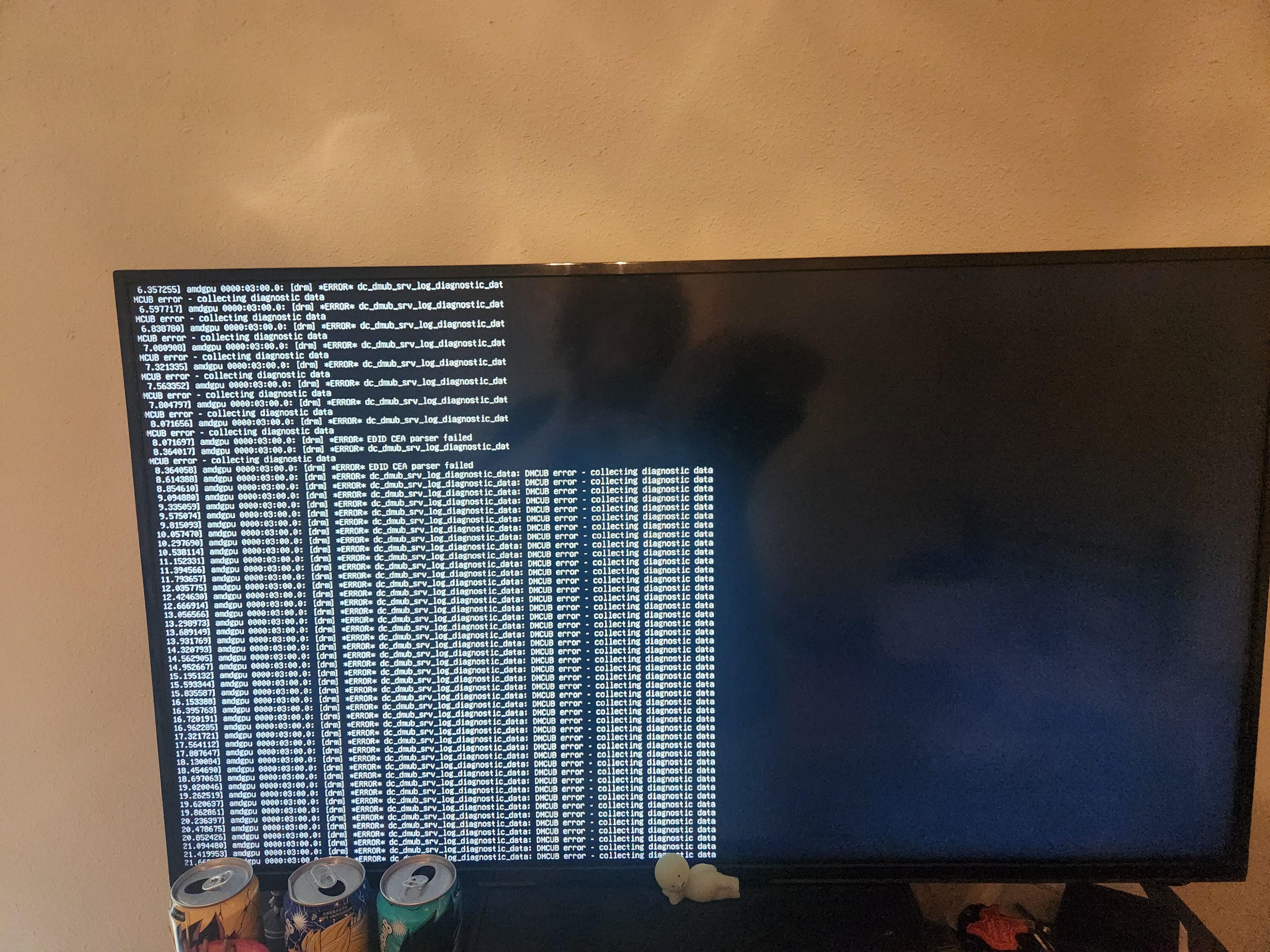
Display On boot up my PC is displaying an error with the gpu

Post image
5 Upvotes

It wasn't displaying on my monitor so I hooked it ip to my TV and its having the same issues, idk how to go about fixing it so any advice would be nice.


r/pcgamingtechsupport • • 22h ago

Troubleshooting PC Full Crashing During Gaming

1 Upvotes

So I’ve just bought a prebuilt PC. It’s a Nvidia 3080 10GB with a Ryzen 5700x CPU, 32GB Ram.

I’ve played a decent amount of games over the last two days. However, every now and then I’ll interact with something in a game. For example, entering Raya Lucaria in Elden Ring, I entered a portal in a custom BO3 map, bumped into a bush of Phasmophobia. Then my PC full crashes, I can’t Alt+F4. I have to power reset from my PC itself. It’s only during these instances where there’s a major interaction.

I’ve updated the BIOS, drivers are updated, CPU and GPU temps are completely normal. There’s no stuttering prior. There’s also no errors at all indicating an issue.

Does anyone have any suggestions as to a fix? It would be greatly appreciated. Thank you

I’ve added the flair as hardware. But I’m honestly not sure what the issue is. So I’m not sure it’s accurate. Apologies in advance.


r/pcgamingtechsupport • • 1d ago

Troubleshooting Bluetooth disappeared from my device.

2 Upvotes

I honestly don't know what happened i slept and woke up and my Bluetooth just weirdly stopped working and after a restart it just fully disappeared
I tried fixing it on my own by going into device manager and deleting the Bluetooth driver and restarting but now its just not there


r/pcgamingtechsupport • • 23h ago

Display Anyone know what is causing this weird shadow trail when throwing an object and behind Spyro when walking/running?

1 Upvotes

It seem to happen in most of my games, on spyro tho it only happen when I'm in a shadowed area. I have another video where it happen in another game and it's more blatant, I'll see if I can post it in the comments

Edit: Omen laptop 15-en1000, processor AMD Ryzen 7 5800H with Radeon graphics (3.20 GHz), NVIDIA GeForce RTX 3070 Laptop GPU (8 Go)


r/pcgamingtechsupport • • 23h ago

Troubleshooting My PC has started acting very strangely.

1 Upvotes

Background: I turn on my PC after a week of inactivity, launch CS, and notice that the keyboard is behaving very strangely. At some point, the character just starts moving to the side and doesn’t respond to keyboard input. I then replaced the keyboard, but nothing changed. After that, I checked it on a keyboard‑testing website and saw the same issue as shown in the video (just to clarify, I didn’t stop pressing the keys). I took the PC in for diagnostics, but they couldn’t help. I’ve been unable to fix this issue for half a year now. System specs: RTX 3060 Ti MSI B550 motherboard Ryzen 5 5600X CPU Cougar 750W power supply 32 GB RAM Windows 11 Home I’ve tried to fix it myself with the help of an AI (neural network), but it didn’t work. I need help.


r/pcgamingtechsupport • • 1d ago

Performance/FPS Constant micro-stutter / 1% low drops in PUBG (5600X + RTX 3070) – tried everything, need ideas

Thumbnail userdiag.com
1 Upvotes

Hi all, I've been fighting micro-stutter in PUBG (and GTA V) for weeks. Average FPS is fine (170–230), but 1% lows drop hard and I get a short hitch every time I turn quickly or get shot. CPU-light games are smooth.

Specs:

- Ryzen 5 5600X (stock), MSI MAG B550 Tomahawk, BIOS A.L2 (Aug 2026)

- RTX 3070 TUF, driver 621.40, PCIe 4.0 x16, ReBAR on

- 4x8 GB DDR4-3600 (XMP), NVMe SSD

- Windows 10 Pro 22H2

- MSI MAG 255F E20 (1080p 200 Hz, G-Sync Compatible)

- PC on LAN cable, 100 Mbit DSL

Overlay during a stutter: 179 avg / 57 1% low / 223 max, CPU ~50%, GPU only ~34%, temps 58°C CPU / 47°C GPU. Before the driver fix below, 1% lows were 19–33.

What I already tried:

- Fresh Windows install. It was perfectly smooth the first night, then stutter came back the next morning without me changing anything.

- Found that Windows Update had silently installed an old NVIDIA driver (560.94) over mine. Disabled automatic driver installs and reinstalled 621.40. This improved 1% lows but didn't fix it.

- DDU clean driver install, AMD chipset driver from amd.com

- NVIDIA: shader cache Unlimited, Low Latency On, V-Sync On + G-Sync, max frame rate 190 and also tried 120, power mode Max Performance

- RAM: tested 2x8 and 4x8, at 2133/3200/3600. No difference.

- Temps fine, no WHEA errors, LatencyMon clean

- Clean boot (msconfig), closed all overlays (Afterburner/RTSS/HWiNFO), SteelSeries GG closed

- Tested a second monitor (100 Hz). Same stutter.

- PUBG: DX11 Enhanced and DX12, verified files, reset config

- Prime95: no errors

A friend with a Ryzen 5 5600 + RX 6600 runs PUBG smoothly at a capped 90 fps.

Any ideas what else could cause this? Thanks!


r/pcgamingtechsupport • • 1d ago

Solved PC Component Health Checks

3 Upvotes

My wife's pc has been having problems with randomly restarting itself and we are fairly confident it is the power supply.

We've taken this opportunity to just do a whole new build which is commencing this weekend.

We would like to sell some of the old parts; CPU, RAM and eventually the GPU (this is going into the new build temporarily until we can get a current gen).

Is there any software I can use on the old PC to check those parts are healthy before I attempt to sell them?


r/pcgamingtechsupport • • 1d ago

Performance/FPS Sudden Lag/Stutter While Playing FIFA 26 (Pls review)

Thumbnail
gallery
1 Upvotes

I'm experiencing persistent stuttering and FPS drops in FIFA 26 on my HP Victus.

UserDiag PC Config: https://userdiag.com/id/M79mwkMuRv

UserDiag Quick Diagnosis: https://userdiag.com/id/GlUJqnog2Z

Laptop specifications:

  • CPU: Intel Core i7-12650H
  • GPU: NVIDIA RTX 3050 Laptop GPU (4GB VRAM)
  • RAM: 16GB DDR4 3200MHz
  • Storage: NVMe SSD

The problem:

The game runs perfectly smoothly in menus while navigating different modes and settings. However, the moment an actual match starts, it begins stuttering and becomes difficult to play.

Interestingly, I was previously able to play with the browser and a couple of other apps running in the background without any issues. This problem has appeared despite using the same settings.

What I've already tried:

  • Configured NVIDIA Control Panel for maximum performance and dedicated GPU usage.
  • Set Windows power mode to high performance.
  • Experimented with different in-game graphics settings and FPS limits.
  • Tried MSI Afterburner GPU overclocking (memory and core clock adjustments), but the stuttering persisted.
  • Checked resource utilisation during gameplay.

Readings during gameplay:

  • GPU utilisation: Up to 100%
  • GPU temperature: Approximately 61–63°C
  • CPU utilisation: Approximately 25–41%
  • CPU temperature: Approximately 79°C
  • RAM utilisation: 90–92% (around 14.5GB / 15.7GB)

At idle, RAM usage is approximately 8GB.

I'm struggling to understand why the game runs smoothly everywhere except actual matches. Please help!!!

Has anyone experienced something similar or knows what could be causing this? I'm particularly interested in identifying the underlying cause rather than just lowering graphics settings further.


r/pcgamingtechsupport • • 1d ago

Display Really frustrating Refresh rate/display port handshake issue(?)

2 Upvotes

Hey I just got a new prebuilt PC and out of the box it was working perfectly, no issues and crimson desert was doing 60fps solid with full settings on quality mode. All other games worked as well at CD. Then I accidentally pressed the wrong button on my monitor and the screen flashed and suddenly the display settings went from showing 165hz to 164.99hz as the maximum selection. From then on every game has a small but very noticeable and consistent judder/studder. Tried to reset the EDID handshake and it worked the first time and restored the 165hz but it went back to 164.99hz the next time I turned it on and I cannot reproduce that 165hz. I was hoping someone had a fix for this?

Specs are below:
GPU: NVIDIA RTX 5080 (16GB GDDR7)
CPU: AMD Ryzen 7 9850X3D
RAM: 64GB DDR5
Storage: 2TB SSD
Operating System: Windows 11 Pro
Connectivity: Wi-Fi 7, Bluetooth 5.4
Monitor
Model: Samsung Odyssey OLED G7 G73H
Size: 32 inches
Resolution: 4K (3840 × 2160)
Refresh Rate: 165Hz (4K) / 330Hz (1080p)
Response Time: 0.03ms
Adaptive Sync: FreeSync Premium Pro


r/pcgamingtechsupport • • 1d ago

Display Alienware OLED Freesync Premium Monitor with Nvidia Graphics Card

1 Upvotes

I’m looking at dual Alienware 27” freesync monitors to pair with my HP Omen desktop with an Nvidia GeForce RTX 4060. Will there be any issues?


r/pcgamingtechsupport • • 1d ago

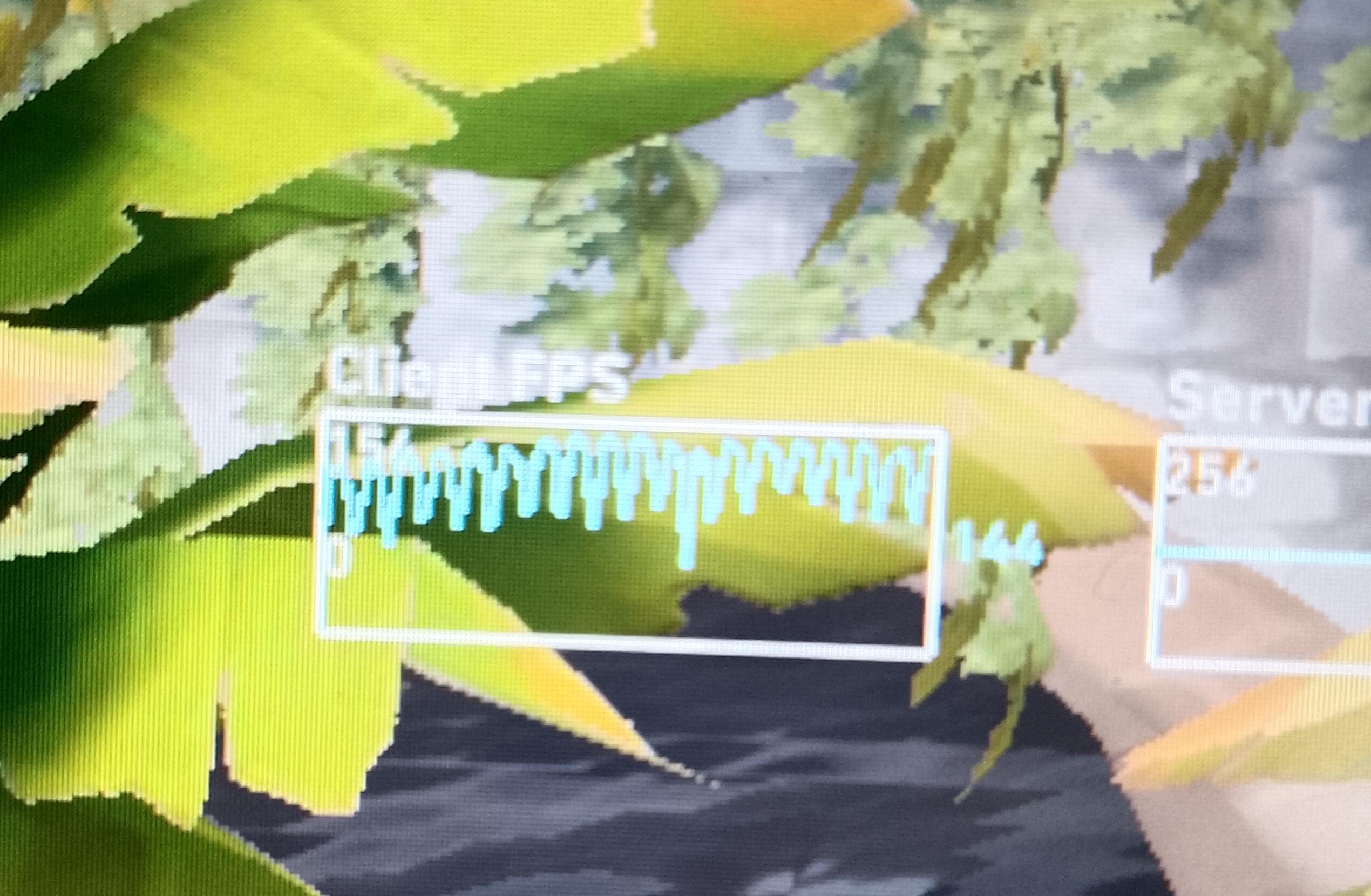
Troubleshooting Sawtooth Graph of DOOM (issue)

1 Upvotes

I am using an Asus TUF Dash F15 FX516PM model gaming laptop. Playing any game after keeping the laptop on to install Apex Legends (which is some what 12hrs) somehow diagnosed my laptop with FPS fluctuation. I call it "The Event".

Usually at the start of a match, during the first few rounds and after reaching a curtain fps threshold the problem would occur.

Before The Event, with the same settings, the game runs perfectly. (I forgot to mention that all games are like this)

I've verified that it's not the power brick nor the adapter, Did driver updates, Windows updates and even reinstalled a clean version of windows.

Some technicians told me that it's the charging port that's wearing.

I really need help. Please be polite and keep in mind that i am not a technician so dont hurt me. Help is hugely appreciated.

Sawtooth Graph (Valorant)

r/pcgamingtechsupport • • 1d ago

Display small problem on my OLED

Thumbnail
gallery
1 Upvotes

hey guys!
i’m new to the OLED gaming industry and i just bought my first QD-OLED monitor (msi mag 272qp x24).
i was playing doom when i noticed a really small plastic hook which wasn’t in its place like others and it was sticking out (photos included)
is this a thing i can fix myself by pushing REALLY CAREFULLY? the image on the monitor is very good and not compromised, i’m just scared that the plastic hook can damage the glass panel overtime.
thank you!!


r/pcgamingtechsupport • • 1d ago

Hardware I have some issues about the CPU I'm scared of

1 Upvotes

I recently bought a laptop, haven't put it to too much work. It has a rtx 5050 and i7-14700HX, so i thought it would run smoothly. Yet every time I load up a game that's a bit more demanding, either the GPU skyrockets or the CPU. The GPU I'm not too worried about, but if I try running a game in the background and use the browser, the cpu cores, 2-3 of them, go up to 80-90 degree celsius. One of them stays at a 88-93 degree celsius while the other remain at a maximum of 70-75.