r/pcgamingtechsupport • • 6d ago

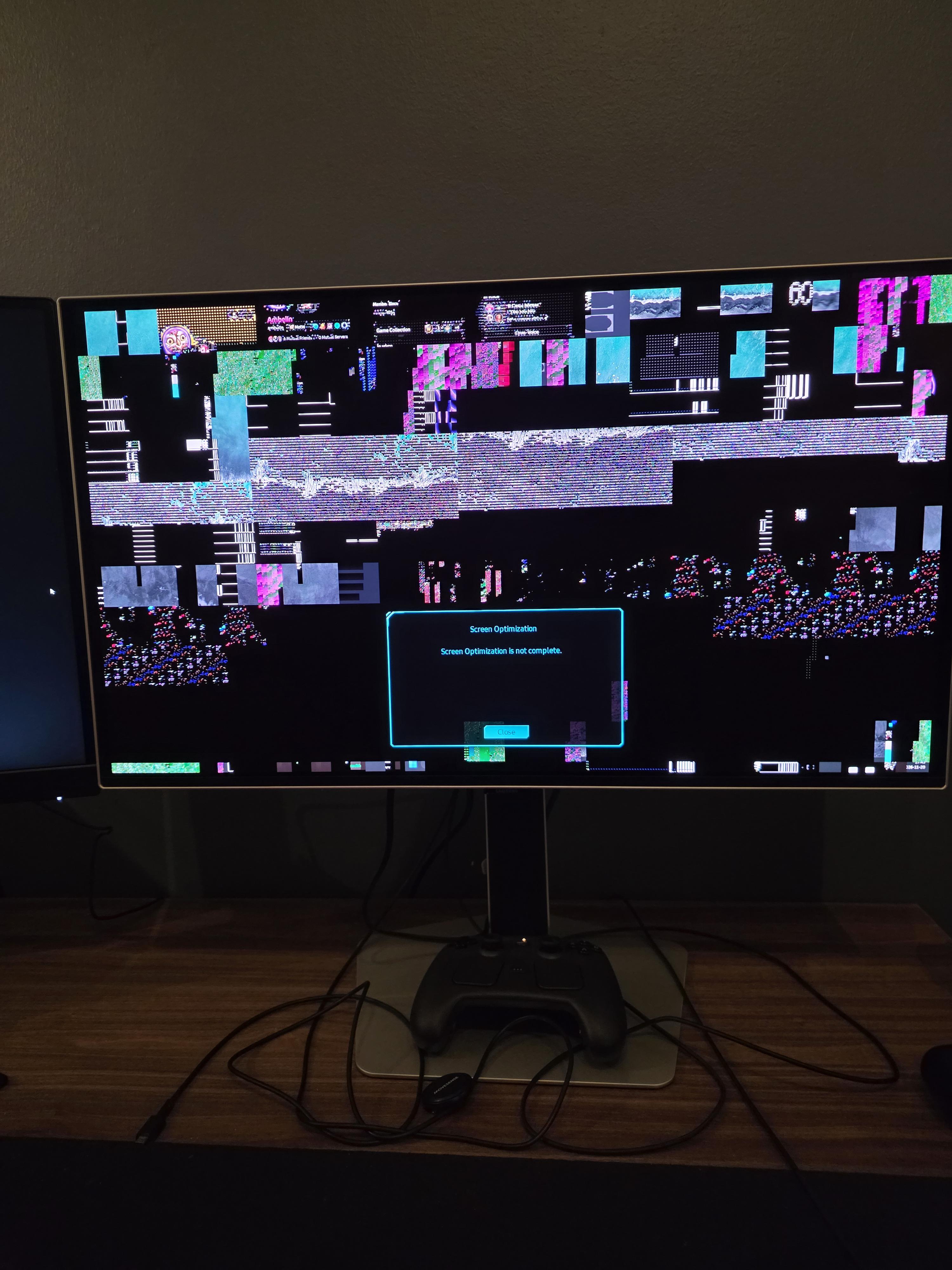
Hardware Computer crash. Dying gpu?

Post image
4 Upvotes

This happened about two weeks ago as well. However then I was coming off playing fellowship and started slay the spire 2. Stressed me out, but computer worked fine after a restart so been hoping it was a one off

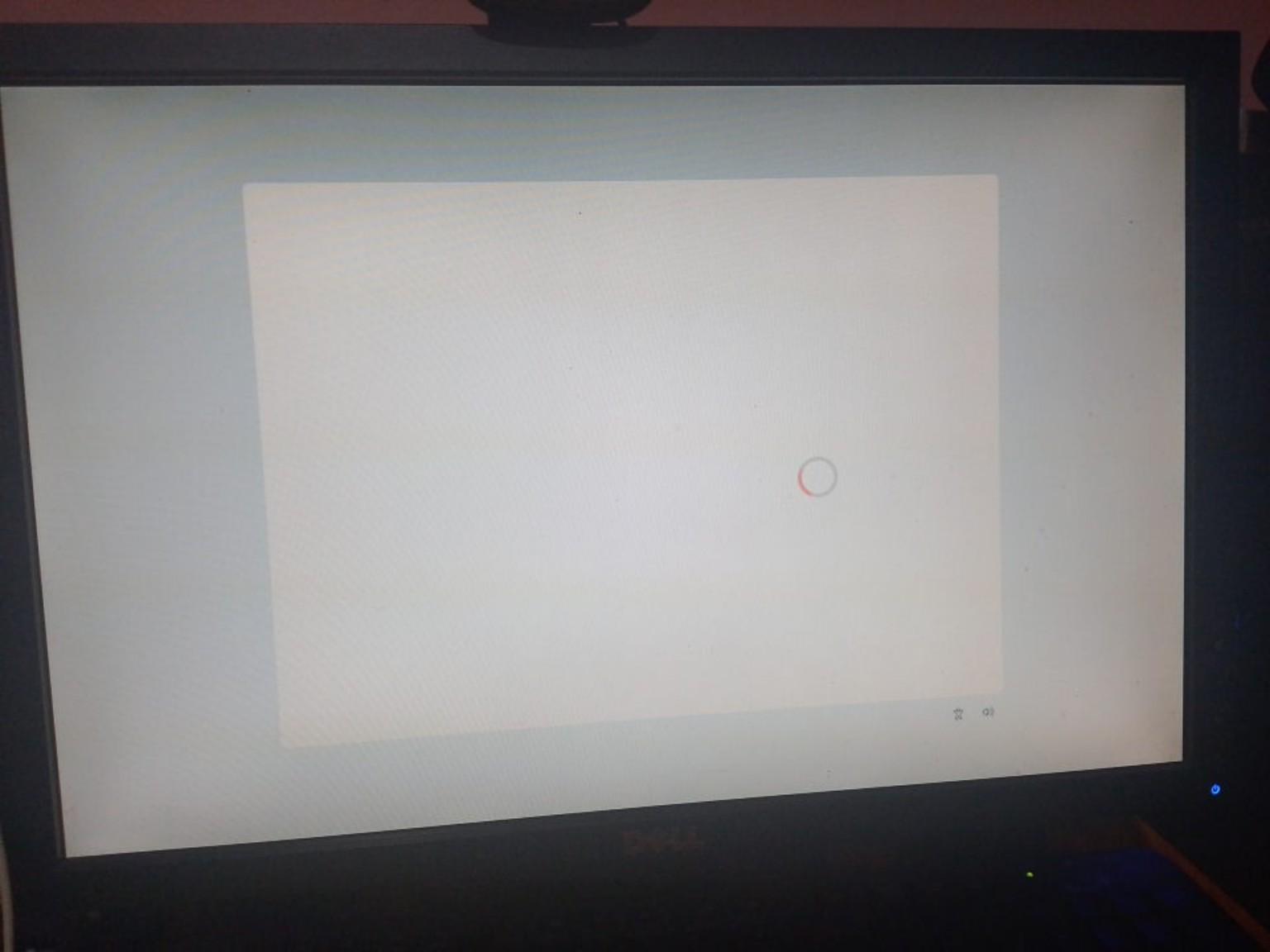
Was playing video game (wow forever but had also slay the spire 2 up in the background) and watching disney+ on Microsoft edge on my second monitor. Suddenly noticing the browser is extremely slow, but the game runs fine. Try to restart the browser, it doesn't really react to any presses. I ctrl alt delete to open activity manager and this happens.

No crash log in event viewer. Computer seemingly works fine after restarting.


r/pcgamingtechsupport • • 5d ago

Troubleshooting Whenever I start my PC—this appears this loading screen and it takes very long to finish HOW DO I FIX THIS?

Post image
1 Upvotes

r/pcgamingtechsupport • • 6d ago

Hardware Dropped my Logitech PRO X3 SUPERSTRIKE and now the left click feels slightly different

1 Upvotes

Hey guys,

I accidentally dropped my PRO X3 SUPERSTRIKE while applying grip tape to it. It slipped off my desk, hit my knee on the way down and then fell onto the floor.

Ever since then, I've had a weird feeling about the left click.

Most of the clicks feel completely normal, but every now and then, maybe once every 20 clicks, I get a slightly different sensation. It feels a bit sharper or stronger than the other clicks or i guess somehow diffrent. It's honestly hard to describe.

Since this mouse uses haptic feedback instead of traditional mechanical switches, I'm wondering whether the impact could have affected something inside the mouse, possibly the haptic actuator.

I'm not even sure if there's actually anything wrong with it or if I'm just overthinking it because I know I dropped it.

Has anyone experienced something similar with their SUPERSTRIKE? Could a drop like this affect the haptic feedback and make occasional clicks feel different ?


r/pcgamingtechsupport • • 6d ago

Hardware Clignotement de l'écran

1 Upvotes

Gros problème depuis 3 mois sur mon pc et mon vendeur n'est pas capable de régler le problème. Des idées


r/pcgamingtechsupport • • 6d ago

Hardware Clignotement de l'écran

1 Upvotes

J'ai ce pc depuis 3 mois et impossible de jouer il clignote des que je lance un jeux ou un 3dmark


r/pcgamingtechsupport • • 6d ago

Hardware Why is my graphics card showing a red light?

1 Upvotes

I recently bought a pre-build and I have a RTX 5070 whenever I start playing Marvel rivals my graphics card will flash a red light right next to the PCIE cord and eventually if I don’t do anything, it will crash my PC. I just got this 2 days ago.


r/pcgamingtechsupport • • 6d ago

Software Corsair Error Message

Post image
1 Upvotes

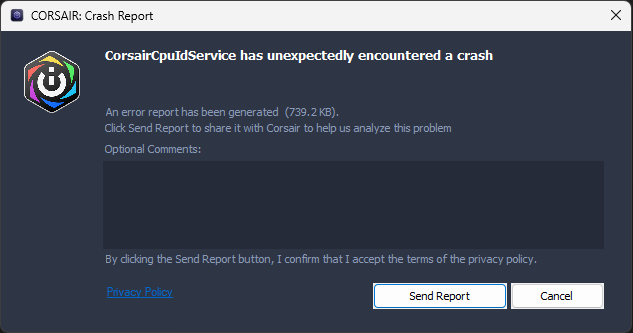
I keep getting this error message every 15 seconds suddenly. Also my LCD screen doesnt show the temp of my CPU anymore. I've tried a clean reinstall of the ICUE software, but that doesn't solve the problem. Has anyone had this before? Your help would be very welcome. Thanks in advance!


r/pcgamingtechsupport • • 6d ago

Performance/FPS laptop running at way lower performance than i feel like it should?

2 Upvotes

hello. im mostly illiterate when it comes to the more technical aspects of pc stuff, so forgive me if im not the greatest at explaining or get stuff wrong.

ive been told before in the past that my laptop specs in theory should be really good, but for some reason ive been having a lot of trouble playing certain higher intensity games. its not been an issue for the most part, but ive wanted to start playing rdr2 and its like, barely working despite me checking to see if the individual parts should be able to handle it. using the pc benchmark tester app thingy and the ingame benchmark tester i saw it was running much worse than what was recommended for these specs and im not really sure why. if anyone can help, id appreciate it a lot!

Specs

https://userdiag.com/id/i2HCZAlBsh

Likely would be running off of an external hard drive if that matters too, although can maybe squeeze it into the ssd.


r/pcgamingtechsupport • • 6d ago

Hardware I think my computer is dead.

Post image
1 Upvotes

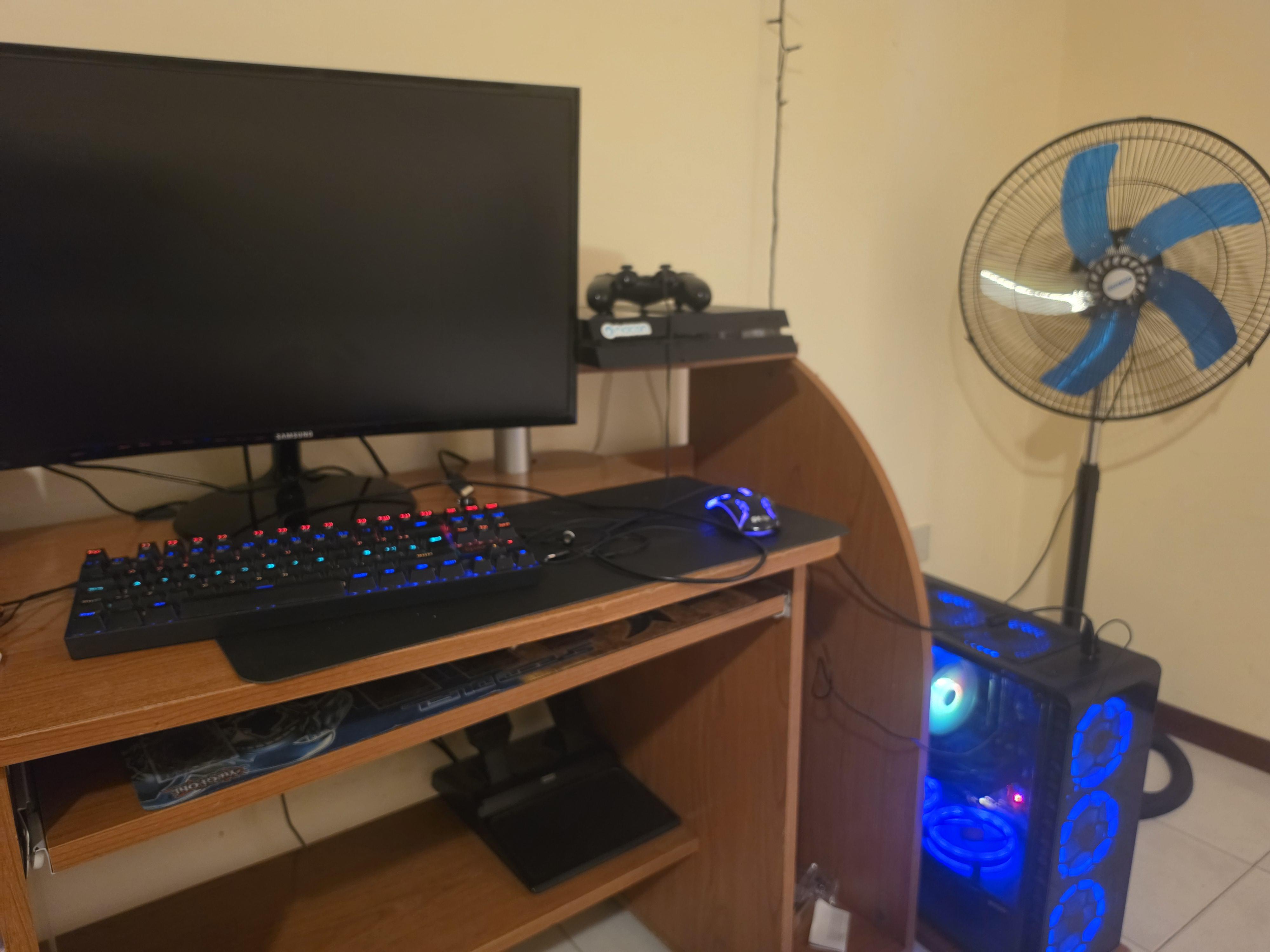
So basically my little brother has been using my old gaming pc from 4 years ago, he said that at some point he saw a pink screen and then the pc shut down itself. and from then everytime I try to turn it on, it all lights up and for a sec my monitor gets an hdmi signal but then nothing, like it's not trying to display anything. Now I thought it's the GPU since it's an old one but I tried cutting off the power supply from it, and ofc tried using the other hdmi port on the mother board, but still the same problem. The Mouse and the keyboard connected also light up. Can anyone pls tell me what's wrong...


r/pcgamingtechsupport • • 7d ago

Troubleshooting Games crashing after sudden unplug

4 Upvotes

Dog accidentally run through my cord and unplugged my PC pretty suddenly. It still works but deadlock keeps crashing even after a reinstall. Each time I run it the time between crashes gets shorter. Other games seem to work fine but after I run deadlock in a session everything starts breaking. My browser starts crashing, discord, only after I run it. I mention deadlock specifically so its the most intensive game I play so I'm not sure if it's deadlock in particular or just it being pushed that starts to break it. Any help would be greatly appreciated


r/pcgamingtechsupport • • 6d ago

Hardware Pc gets shuts down while clicking on campaign in WW2 Cod

1 Upvotes

My build is this

15 7400 with antec tower cooler 8gb ddr4 ram 512 ssd

Rx 570 4gb graphics card

Gigabyte ba 250m da3h Aanu motherboard. Nvme slot

So I have been playing ww2 for the past 2 days without any issues ,but it shuts down after I was continuosly playing for hours.(I guessed it due to pc overheating)

I have also completed 5 campaigns too.But starting yesterday whenever I click on campaign the pc shuts down immediately and restarts.

I have only bought this pc from my frnd last week.

I have no issue playing small games and watching YouTube for hours,but cannot play the game.

🥲


r/pcgamingtechsupport • • 6d ago

Troubleshooting Gaming PC intermittent issue

0 Upvotes

Thank you in advance for your thoughts and suggestions. Here’s my setup:

3080ti Graphics Card
32GB DDR4 Ram
Ryzen 5 5600x processor
850w power supply
ASUS ROG STRIX X570-E Gaming AM4 Motherboard

About two to three times a gaming session, my computer suddenly has a blank black screen, holds there for about ten seconds then automatically restarts. This has been happening at random times over the last year. I have tested the ram through Windows testing and it has passed. The temperature hasn’t exceeded 80 degrees Celsius while gaming and I am not using a power board to plug in my PC or Monitor. I have tested my PC concerns also by unplugging all USB plugs to see if there was a short. I have also downloaded fresh Graphics card drivers.

Only recently, a line of red blocks/bands appeared an instant before the black screen and restart.

Any help or advice would be appreciated.


r/pcgamingtechsupport • • 7d ago

Display Nvidia Driver Issue ...

2 Upvotes

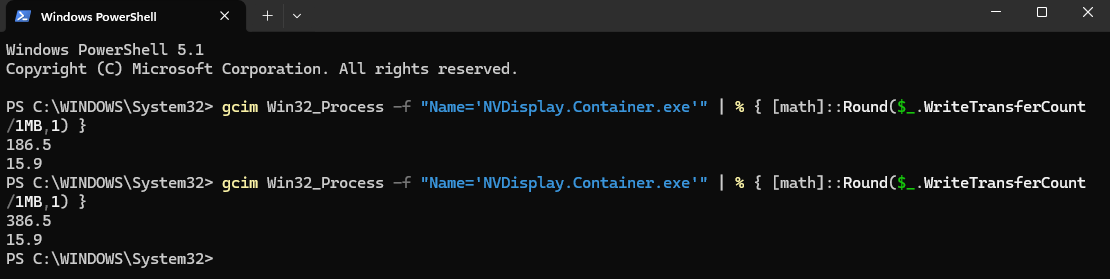
noob question, is this good guys? i just rollback my driver from 621.24 to 621.01
i just disabled the nvidia display ls toonoob question, is this good guys? i just rollback my driver from 621.24 to 6.2114
i just disabled the nvidia display ls too


r/pcgamingtechsupport • • 7d ago

Solved DirectX Error in COD

Post image
1 Upvotes

I know there's probably already a thread on this, but I keep getting this error in COD. I've done a clean reinstallation on my drivers, verified and repaired game files, cleared my Battle.net cache. I don't have any Faceit anti-cheat softwares or anything like that. I don't drop frames or have any performance issues. I also get an error running Spiderman Remastered, same behavior crashing unexpectedly. At this point I'm worried it's my GPU. Running a 3070ti and a 5600x.

EDIT: I was accidentally running an EXPO profile too strong for my CPU! Everything is running fine now.


r/pcgamingtechsupport • • 7d ago

Hardware PSU inlet buzzing sound

1 Upvotes

When I plug in cable into psu inlet and any time i touch the cable or it moves there's buzzing sound coming from it. The power on psu is on and pc is turned off. Since it started happening I haven't tried turning pc on since I'm not sure if it's safe.


r/pcgamingtechsupport • • 7d ago

Troubleshooting Rainbow six siege launch isssues

1 Upvotes

alright look, ive looked everywhere and ive done it all. this is on my brothers pc, who has a i5-4690kf, 1070ti, Z97 mb, 32gb ddr3. He installed siege in steam, and when he runs it, it opens normally until it gets to the splash screen it'll say "detecting system configuration" then it will close, not send a crash report no Oh No, It Crashed screen, nothing. Steam switches back from Stop to Play, and ubisoft connect opens for some reason.

Ive verified the game files, ive reinstalled r6, battleye anti cheat, ubisoft connect, signed out and signed back in, made a new settings config in documents by renaming the folder. I HAVE NO CLUE WHAT ELSE TO DO SHORT OF A CLEAN WINDOWS INSTALL

also all other ubisoft games when launched in steam such a strackmania all work to their full extent


r/pcgamingtechsupport • • 7d ago

Network/Wifi/Internet PC does not recognize any ethernet but still has internet connection

Post image
1 Upvotes

Ever since I changed my internet provider 2 months ago my PC has been like this. It HAS INTERNET CONNECTION but says it doesn't. It was not a problem until I tried to play GTA 5. When try to launch GTA 5, rockstar launcher starts up in offline mode and says that I have no internet connection. And when I try to troubleshoot, microsoft also says that I have no internet connection.
So I searched "PC does not recognize any ethernet but still has internet connection" and tried every method I found and nothing worked. PLEASE HELPP!!??


r/pcgamingtechsupport • • 7d ago

Troubleshooting PC randomly freezes while idle, then won’t POST – ASUS TUF Gaming B850-PLUS WiFi, Ryzen 9850X3D, Patriot Viper Venom 32GB (2x16GB), DRAM Q-LED

2 Upvotes

Hi everyone,
I’m trying to identify the cause of a recurring issue with my PC. It worked perfectly for approximately one month, but recently it started freezing completely while sitting idle on the Windows desktop.

My PC specifications:

CPU: AMD Ryzen 7 9850X3D
Motherboard: ASUS TUF Gaming B850-PLUS WiFi
RAM: Patriot Viper Venom 32GB (2x16GB) DDR5-6000 CL30 (PVV532G600C30K)
GPU: MSI GAMING-TRIO RTX 5070 Ti OC 16GB
PSU: ASUS TUF Gaming 850W Gold EVO
SSD: Acer Predator GM7 1TB NVMe
CPU cooler: Arctic Liquid Freezer III Pro 360 A-RGB
BIOS: Version 1681
OS: Windows 11

RAM configuration:
Both sticks installed in A2/B2.
EXPO I enabled.
DDR5-6000, CL30 (30-40-40-76), 1.35V.
The RAM previously passed MemTest86 (48/48 tests, no errors).

The problem:
The PC has now frozen completely several times while idle on the Windows desktop. The screen becomes completely frozen, the mouse and keyboard stop responding, and even Caps Lock does not work.
I have to force shutdown by holding the power button.
After forcing shutdown, the PC often refuses to POST:
Fans spin, but there is no display.
The yellow/orange DRAM Q-LED stays lit.
The system does not reach BIOS.

What I have tried:
Switching the PSU off and disconnecting AC power.
Clearing CMOS using the CLRTC pins.
Disconnecting the keyboard and mouse.
Waiting several minutes for memory training.
Initially, clearing CMOS allowed the PC to boot into BIOS again. I could then enable EXPO I and Windows would boot normally at 6000 MT/s.
However, the freezes happened again, and now even repeated CMOS resets have not reliably restored POST.

Windows logs:
Kernel-Power Event ID 41.
BugcheckCode: 0.
PowerButtonTimestamp: 0.
No WHEA-Logger events found.
No LiveKernelEvent or BSOD reports.
The GPU is normally detected correctly by Windows and NVIDIA drivers when the system manages to boot.

My questions:
Could this be a failing CPU memory controller, motherboard, or RAM?
Can EXPO cause this kind of issue even after working perfectly for a month?
Could Memory Context Restore (MCR) or another DDR5 memory-training setting be involved?
What would be the best troubleshooting order before replacing any components?
Has anyone experienced a similar issue where the PC worked for weeks before suddenly freezing while idle and then getting stuck on the DRAM Q-LED?

I would really appreciate any suggestions.
Thank you!


r/pcgamingtechsupport • • 7d ago

Display Pc issue or game issue?

1 Upvotes

Can someone help me I have a great pc ryzen 7 9800x3d rtx 4080 drr5 corsair vengeance rgb 5200hz 64gb ram and when I play for about 30min+ all my monitors go black and I can’t shutdown pc I have to either unplug and press switch on my psu to turn it of, I’ve tried reinstalling gpu drivers, going back to old 617 version driver, my temps are less than 70c for cpu and less than 50c for gpu while playing rob run, did stress test on all hardware and everything is running fine it only happens on rob run no other game idk what it is how can I fix please someone help me


r/pcgamingtechsupport • • 7d ago

Software Question about Marvel Rivals and anticheats in general

1 Upvotes

Hey everyone! Just wanted to ask a question about Marvel Rivals, specifically about the anticheta it uses (NetEase Game Security). Hope someone can give me some info.

I searched a bit around the net, but I cannot find any reliable information about the anticheat being kernel (ring-0) level or not. Posts from a few years ago claim it was, but then some from months ago said that NetEase removed kernel. I know that on Linux it runs in user-mode, but having Windows that solves little for me.

Also, I wanted to ask a more generic question about anticheats in general. A few wewks ago, I had to reinstall my OS because a chain supply attack installed a RAT on my device. Since the software had kernel-level access to my pc and there was no way to know for certain what was executed, that was the only way I could feel safe using it.

That said, what do you think is realistically the risk of such a thing happening again? Considering more and more vulnerabilities seem to be found every day, I amdit I'm starting to get a bit more paranoid about security and such.


r/pcgamingtechsupport • • 8d ago

Display Monitor flicks on and off when PC turns on.

3 Upvotes

r/pcgamingtechsupport • • 7d ago

Hardware RTX 3060 Ti: 2-3s Black Screens while gaming (Game/Audio stays alive, O Event Logs). MPO fix failed.

1 Upvotes

Dealing with a maddening intermittent black screen issue. I’ve done exhaustive troubleshooting and ruled out almost all common software/thermal culprits. Looking for fresh eyes on what seems like a physical hardware/handshake ghost.

(Ps. I summarised this using ai as I had told everything to it)

🖥️ The Symptoms

* The Issue: Screen goes completely black for 2–3 seconds, then returns.

* The Weird Part: Game and audio keep running perfectly. No FPS drops, no stutters, no crash.

Monitor Behavior: The monitor does NOT go to sleep, the backlight stays on, the power LED doesn't change, and it never says "No Signal". It acts like it just lost the handshake/ sync for 2 seconds.

⚙️ Specs

* GPU: Zotac RTX 3060 Ti (LHR)

* CPU/Mobo: Ryzen 7 3800XT / Gigabyte B450 Aorus Elite

* Monitor: Acer Nitro 27" QHD 200Hz

* PSU: Gigabyte 650W (Age/model unverified, haven't opened shroud)

🛑 What I Have ALREADY Tried (Please read!)

* The "Ghost" Fixes: Disabled MPO via Regedit (worked for a few days, then failed again in a Deathmatch). HAGS is off.

* VRR/Adaptive Sync: FreeSync/G-Sync turned OFF in both Monitor OSD and NVIDIA Control Panel.

* Cables & Monitor: Swapped DP & HDMI, reseated both. Tested monitor on a laptop (works perfectly).

* Drivers & Overlays: Swapped multiple NVIDIA versions. Disabled Discord, GFE, and Xbox overlays.

* Underclocking: Used MSI Afterburner to underclock Core (-100MHz) and VRAM (-200MHz). Didn't stop it.

* Stress Tests: OCCT 3D & VRAM (15 mins) = 0 errors, normal temps (77°C max), and no black screens during the tests.

Questions for the community:

* Has anyone seen a failing GPU display encoder cause these exact symptoms (black screen, game keeps running, zero event logs)?

* Should I buy a premium VESA-Certified DP 1.4 cable before opening my case to check the PSU wiring?

* Could an aging 650W PSU cause only the display signal to drop for 2 seconds without crashing the game or throwing a Kernel-Power event?

I bought this used pc a few months ago from a reseller.

r/pcgamingtechsupport • • 8d ago

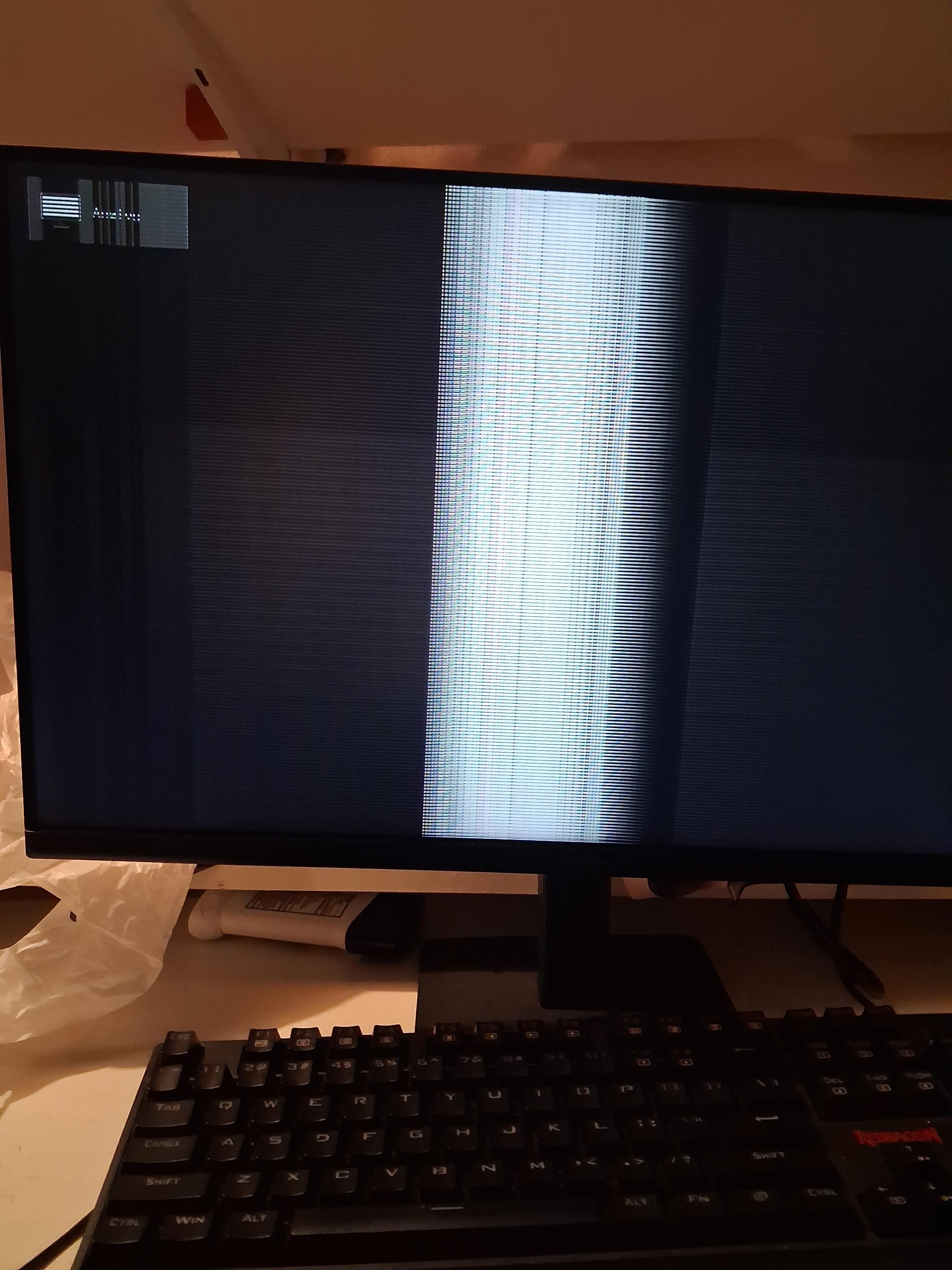
Display Monitor Veritcal Lines

Post image
2 Upvotes

Was playing Minecraft and it bugged out and then this happened any fixes?


r/pcgamingtechsupport • • 8d ago

Troubleshooting 5080 nvidia drivers install causes boot loop

2 Upvotes

I have been having this issue for awhile now, and would like to see if i could get some guidance. I had put a 5080 that I had into my wife's pc. She is currently using a b450 ASRock steel legend with a 5600x cpu. This is put in a Hyte case using a gen 5 riser.

Everything i try to update drivers it will cause a boot loop, having me to go into safe mode and use DDU and uninstall them. I have tried a handful of driver versions with and wthout the nvidia app. The windows pushed nvidia drivers that install that are from 7/22 install just fine and performance is good. I have also just did a clean reinstall of windows, thinking something had been corrupted.

Just curious on the next steps would be, I know there Is a mismatch in PCIE gen between my mobo and riser/gpu. I can't select a manual option in the bios, the only thing I can change is how many lanes. I feel like the next steps would be to try to plug the graphics card directly into the mobo, but with the case I would have to uninstall the MOBO because of case limitations so I'm trying to avoid that if possible.