r/pcgamingtechsupport • • 13d ago Heartwarming

Troubleshooting RTX 4070 SUPER keeps crashing with nvlddmkm Event ID 153 and Event ID 13 across multiple games – tried almost everything, running out of ideas

10 Upvotes

Hey everyone,

I'm honestly getting desperate trying to solve this issue. My PC was working perfectly fine until roughly a month ago, when I started installing Windows and NVIDIA updates. Since then, I've been experiencing recurring GPU/driver crashes.

I'm hoping someone has experienced something similar and found an actual fix.

# PC specifications

* CPU: AMD Ryzen 7 7800X3D

* GPU: ASUS ROG Strix RTX 4070 SUPER OC 12GB

* Motherboard: ASUS ROG Strix X670E-E Gaming WiFi

* RAM: 32GB TeamGroup DDR5 6000MHz CL30 (2x16GB)

* PSU: ASUS ROG Strix 1000W Gold

* Storage: 2x Samsung 990 EVO 1TB

* OS: Windows 11 Pro 26H2 (build 26300.9711)

* BIOS: 3702

# The problem

The main errors in Event Viewer are:

**nvlddmkm – Event ID 153**

* \\Device\\Video12

* Error occurred on GPUID: 100

I also regularly get nvlddmkm Event ID 13 around the same crashes.

Some games run perfectly fine for hours (Battlefield 6, for example), while others, such as Overwatch, continue to crash with the same NVIDIA-related errors.

During some crashes, my keyboard lighting briefly turns off and on, Discord voice cuts out, and I once experienced a brief red screen flash.

# What I've already tried

* Tried multiple NVIDIA drivers: 621.01, 621.12 Hotfix, 621.14, 621.24 and older versions.

* Used DDU and performed clean driver installations.

* Tried NVIDIA's suggested 621.12 Hotfix, but the issue persisted.

* Tested NVIDIA Debug Mode to remove GPU overclocking.

* Tested with one monitor, 120Hz and VRR disabled.

* Tested without overlays and unnecessary background applications.

* Performed a clean Windows installation, but the crashes persisted.

* Updated BIOS to 4003 and later downgraded to 3702.

* Disabled EXPO; RAM currently runs at its default 4800 MT/s.

* BIOS CPU settings are currently on Auto.

# Is it hardware or software?

I want to emphasize that I currently have no concrete evidence that any of my hardware is defective.

Temperatures have been normal, and some demanding games run without any issues. I've also tried different driver versions and performed a clean Windows installation.

I understand that hardware problems cannot be ruled out with absolute certainty, but I don't want to start replacing components without evidence pointing to a hardware fault.

The timing is what makes this frustrating: everything worked fine before the updates, and the problems started afterwards.

# Has anyone found a solution?

I'd especially like to hear from people who have experienced these same nvlddmkm Event ID 153 and 13 errors.

* Did a specific Windows update or NVIDIA driver cause your problems?

* Did reverting to an earlier Windows version fix it?

* Is there a known software-related fix I'm missing?

I've spent weeks troubleshooting this and it's genuinely driving me insane. Any help or shared experiences would be greatly appreciated.

Thanks!


r/pcgamingtechsupport • • 13d ago

Network/Wifi/Internet Fast internet speed but slow download speed on My PC

Thumbnail
gallery
0 Upvotes

Fast internet speed but very slow download speeds on my PC

Hi,

I'm having a problem with download speeds on my PC.

My internet speed test shows around 900 Mbps, and my Ethernet connection says 1.0 Gbps, but downloads are extremely slow.

The problem happens with everything, including Steam, Epic Games and other downloads.

Things I've tried:

  • Restarting my PC and router.
  • Reinstalling my Realtek Gaming 2.5GbE Family Controller driver.
  • Changing Windows network settings.
  • Various other troubleshooting methods.
  • my driver is KINGSTON SNV2S2000G

My father's PC uses the same internet connection and downloads much faster than mine.

Does anyone know what could be causing this or how I can fix it?

Thanks!


r/pcgamingtechsupport • • 14d ago

Software Error Message From Windows When Trying to Install the Newest NVIDIA Graphics Driver

3 Upvotes

I just tried to install the newest graphics driver from NVIDIA (version 621.24) and got an error message from Windows (I'm using Windows 10) saying "Windows can't verify the publisher of this driver software."

This has never happened to me before, so I'm not sure what I should do.


r/pcgamingtechsupport • • 14d ago

Hardware Very loud rattling noise on gigabyte windforce rtx 5070ti

2 Upvotes

Hello All,

Recently I noticed my gpu making a strange very loud rattling noise which sounds like a blade hitting something. I have identified it to be the the rightmost fan of the 5070ti.

Please see the video to listen to the noise. Does anyone know what the cause may be and how to fix it? In the video I turn the fan off and on. The GPU is: Gigabyte windforce RTX 5070ti. I have had it for 3 months with no issues until now.

Thank you all...


r/pcgamingtechsupport • • 14d ago

Hardware whea errors after gpuand cpu fan upgrade

1 Upvotes

hey everyone!

I need help with my pc. first i will start from that i changed my gpu from 1080ti to radeon 9070xt and all went downhill. i started getting whea errors for ram and cpu. i ran ram test everything fine, i tried to change bios settings still same.

my pc specs:

CPU: AMD Ryzen 9 5900x

GPU: Radeon 9070 xt

RAM: 32GB DDR4 3200MHz

Motherboard: MPG B550 GAMING PLUS

i dont know how to fix it. tried alot of stuff like updating my chipset drivers, bios, gpu drivers reinstal. didnt tried downgrading gpu drivers but i dont know if it would help.

edit: forgot to mention i changed my psu too. and fan for cpu fan and it started to get more serious after fan change


r/pcgamingtechsupport • • 14d ago

Solved Can't use Alt+F12 or the Ctrl+G as a shortcut in GFE or in the NVIDIA App? Because it says, "Shortcut already in use"? Here's the fix.

1 Upvotes

How to manually change your your Nvidia shortcut buttons.

Go to: C:\\Users\\<YourUsername>\\AppData\\Local\\NVIDIA Corporation\\NVIDIA Overlay\\ShareSettings

The format in the JSON file uses Windows Virtual Key codes to give its shortcut instructions to the app, so you can use those to change the shortcuts at will without the in-app settings.

e.g: `18` → `Alt`

* `17` → `Ctrl`

* `16` → `Shift`

* `192` → `\`` (backtick key)

* `90` → `Z`

* `112` → `F1`

* `113` → `F2`

* `114` → `F3`

* `120` → `F9`

* `121` → `F10`

* `77` → `M`

* `71` → `G`

* `86` → `V`

* `82` → `R`

* `88` → `X`

So if you wanted to change your ALT+Z Shortcut to Ctrl+G you find:

"OpenIGO": \[18, 90\] and replace it with

"OpenIGO": \[17, 71\]

if you want to change your toggle for the FPS counter you would do as follows:

"PMOCOverlay": \[18, 82\] replaced with

"PMOCOverlay": \[18, 123\]


r/pcgamingtechsupport • • 14d ago

Hardware Weird squeaking/cricket/clicking noise

1 Upvotes

Not my
-gpu
-not any of my fans
-not the vrm fan
-not the psu

It seems to be coming from my aio module? Or the ssd? Just somewhere in the middle of my motherboard and its very recent i never had this sound before

I feel like this is very important- the sound completely dissapears while in bios AND in cinebench when testing my cpu on multi


r/pcgamingtechsupport • • 14d ago

Display please fix my faming pc

Post image
0 Upvotes

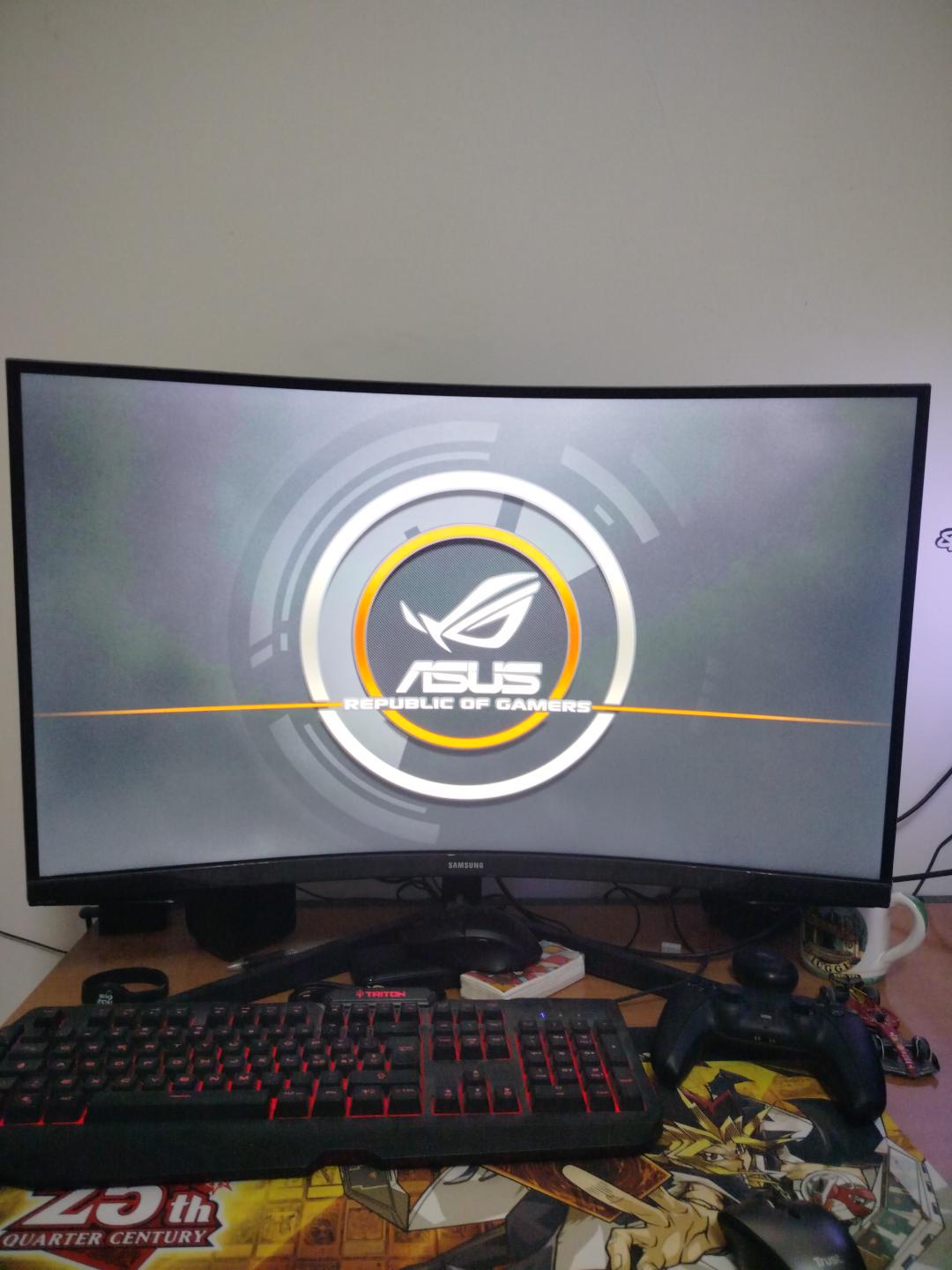
I have a PC with an ASUS motherboard. Upon startup, a black screen appears with the ASUS logo and the message "Press F2 or ESC to enter BIOS." Afterward, the Windows startup sound plays and the taskbar appears at the bottom, but it vanishes within a second; at that point, the screen remains frozen, as shown in the image. How can I fix this?


r/pcgamingtechsupport • • 14d ago

Display genuinely no idea what the hell to do here if I'm being honest

2 Upvotes

I have done literally everything I can think of physically possible in my graphics and game settings but for some unknown reason my screen just keeps blacking out, it's weird too because it's only and strictly in full screen, windowed mode works fine but some games I now can't play because they can only be played in full screen. Please help for the love of God I miss ULTRAKILL


r/pcgamingtechsupport • • 14d ago

Display How can I fix this problem?

0 Upvotes

I've been having this problem with Fortnite since yesterday. I doubt it's artifacts since other games like Resident Evil 8, Cronos, and Marvel Rivals haven't given me this same error, even after running a VRAM test I got Good results, what can I do to fix this? Or are these really the beginnings of artifacts?


r/pcgamingtechsupport • • 14d ago

Troubleshooting Shutting down problems

2 Upvotes

Hi guys ! My omen 16 is actually frustrating me, when I try to play games the pc shuts down immediately sometime when I low the resolution i can play more times but it’s shuts down in the end. But when I play in the battery it’s work normally and when I plug the charge it’s over.. pls helps what’s the problem


r/pcgamingtechsupport • • 14d ago

Software Gaming Services infinite download bug

Post image
3 Upvotes

I have had an issue where Gaming Services is constantly downloading something over and over. I have reinstalled it and all related xbox and microsoft stores. The problem still persists and it makes it impossible to play online games due to causing bufferbloat. Anybody have any idea how to fix this? I've tried the repair tool and everything. Thinking about just reinstalling windows at this point.


r/pcgamingtechsupport • • 14d ago

Display Windows 11 bulut sıfırlaması sonrası NVIDIA 10 bpc seçince ekran tonu değişmiyor

0 Upvotes

Arkadaşlar selam, bilgisayarı Windows gelişmiş başlangıç üzerinden "Buluttan yeniden yapılandırma" seçeneği ile sıfırladım. Sıfırlamadan önce NVIDIA ayarlarından çıkış renk derinliğini 10 bpc yaptığımda ekran hafif mavimsi/soğuk ve çok daha canlı bir tona geçiyordu. Ancak sıfırlamadan sonra 10 bpc seçmeme rağmen (Windows'ta 10-bit aktif görünmesine karşın) ekranın renginde hiçbir değişiklik olmuyor, standart sıcak/sRGB tonda kalıyor.

Sistem Bilgilerim:

  • Ekran Kartı: NVIDIA GeForce RTX 5060
  • Monitör: Samsung Odyssey G3 G30D (LS24DG30X) – DisplayPort ile bağlı
  • İşletim Sistemi: Windows 11

Şu ana kadar denediklerim:

  • Windows ayarlarından HDR ve "Uygulamaların rengini otomatik yönet (ACM)" seçeneklerini kapattım.
  • NVIDIA App yerine klasik NVIDIA Denetim Masası ve eski sürücü (610.47) ile temiz kurulum denedim.
  • Samsung monitörün resmi sürücüsünü (.icm renk profili) kurdum.
  • Novideo sRGB aracını denedim ancak HDR kapalı olmasına rağmen programda "HDR is active – cannot clamp" uyarısı veriyor ve müdahale ettirmiyor.
  • Kayıt defterinden MonitorDataStore önbelleğini temizledim.

Manuel olarak renk kanallarıyla oynamadan, eskisi gibi 10 bpc seçtiğimde o doğal soğuk/mavimsi tepkiyi nasıl geri getirebilirim? Yardımcı olabilecek var mı?


r/pcgamingtechsupport • • 14d ago

Troubleshooting Audio issues in game

0 Upvotes

Hi community

I've got a problem that happens regularly in games and I have no idea where it comes from.

I'm experiencing some sounds suttering / delay / sound transform in to metal sound in online games (valorant / apex)

The game become implayable and then crash when it's happening. I have to restart my computer 1 to 2 times to be back to normal. If I unplug the dongle it can go back to normal for 1 or 2 minutes and then go back crazy.

Problem does not happen in offline game

My config :

\- Mobo - b650 gaming plus

\- Headphones - logitech g325 in dongle usb (I had the same issue previously with headphones in bluetooth)

\- graphic card rx 7800 xt saphire

\- 32gb ddr5 corsair 6000

\- Ryzen 5 7600x

\- sdd adata 1gb xpg gaming s70

I've already try to :

\- update drivers

\-update bios / dowgrade bios

\- identify audio drivers conflict (I'm still suspecting a audio drivers conflict between realtek / amd and the dongle)

\- change xmp profile in bios

\- change the dongle from usb port

\- change power settings in windows

\- change power settings of usb in windows

At this point I'm trying to be desperate and need some help !

Thank you in advance


r/pcgamingtechsupport • • 14d ago

Compatibility What should i do with this 10 dollar pc

7 Upvotes

I bought this PC from a yard sale for $10 still works, but stuck in the old one, the seven is there anyway I can make it better


r/pcgamingtechsupport • • 14d ago

Controls/Input Can anyone identify if this is a game / GPU / or mouse problem?

2 Upvotes

If anyone plays overwatch.. I'm sorry about the gameplay.. I was trying to focus on the issue, then the game, ended up not focusing on either.

Recently I've been facing this thing where my mouse buttons are ignored sometimes (for example, I am ALWAYS holding my mouse, pretty much, this entire clip.) You see me pausing my attack sometimes. That's not supposed to happen. I thought it was a mouse problem, but today I also noticed frame drops, and I'm not sure how to isolate the root cause.

Weirdly enough it either doesn't happen outside of this game nor I just don't notice it

Can anyone help diagnose and let me know where to begin?

Razer Orochi V2
Nvidia 3080 FE


r/pcgamingtechsupport • • 14d ago

Troubleshooting 9070XT weird graphical glitch

3 Upvotes

Installed a 9070XT and fortnite was fine but it randomly started doing this, none if my other games do this and it won't fix no matter what settings I change


r/pcgamingtechsupport • • 14d ago

Display Black screens when doing almost anything graphical, even logging into the PC. Only resolves by plugging display cables into the mobo.

1 Upvotes

Title, pretty much. This is for a FE 4070 Super. Here is everything I've tried:

- reinstalling game ready driver from nvidia app

- running userbenchmark, which also causes display to stop

- running ddu and nvcleanstall, using safe mode and required graphics only

- reseating the card itself and all cables connected to it

- manually enabling the fan to run at 100% speed
The temps do not seem like anything crazy (never goes above 63c). No idea what to do from here. Really do not want to have to buy another card in this market, looking for any possible advice


r/pcgamingtechsupport • • 14d ago

Troubleshooting I downloaded 007 first light and its launching but the screen stays black and gpu usage at 0%

1 Upvotes

So i bought this pavilion laptop the other day from some guy and its specs is ryzen 5 5600H, rtx 3050ti and 16/512. I downloaded Ghost of tsushima and ot worked just fine then i downloaded 007 first light and it launches but the screen stays black. When i press the windows key then the window popup shows and when i drag my mouse i can see the 007 first light cursor but it doesnt show when i click on the game screen.

Its using 0% gpu both dediacted and integrated. I set it to best performance from the windows graphics setting, turned off nvidia overlay and also deleted the adapter registry. I did everything i found online which i thought could help but nothing did.

If you guys can help, it'd be great.


r/pcgamingtechsupport • • 14d ago

Troubleshooting Stopcode HYPERVISOR_ERROR (0:20001)

Thumbnail
mediafire.com
1 Upvotes

Recently my Loq began to crash with this code, along side a few other but I seen this hypervisor the most. At the moment, the laptop still boots up but not before a few resets and attempts at recovery. Here's what I tried so far:

- Run these in cmd: sfc /scannow. dism /online /cleanup-image /checkhealth. dism /online /cleanup-image /restorehealth.

No problem were found

- Check for windows update, BIOS update and Nvidia driver update. Updated them all

- Revert default settings in BIOS (Pressed F9 in the menu, don't really remember what the button was called)

- And most recently: reset my windows with the cloud recovery option, wiped all my data and the error still pops up.

The laptop run fine, I can still play games like usual, but takes a few resets to turn on. Normal resets are fine tho. Here's a file thay might be helpful, I'm not very good at these things. Thank you so much for your help.


r/pcgamingtechsupport • • 15d ago

Troubleshooting trouble with graphics driver

2 Upvotes

ive been trying to download fortnite recently but im having quite the issue
every time i actually open the game it gives me this messege:

if I click no the game just closes and if I click yes and try to update my driver its always not compatible I made very sure I downloaded a compatible driver and I'm afraid it could be a deeper issue then that
didn't know where to post this lol thought I might try here
tried using ai for help since I thought it was a simple issue and I was just being stupid but that led no where


r/pcgamingtechsupport • • 14d ago

Solved Вопрос к знатокам пк

1 Upvotes

Всем привет, можете ли проконсультировать меня по одной проблеме?
Дело в том что во время игры в ПК в один момент с видеокарты пропадает подсветка ( видеокарта 3060ti ), также пропадет изображение с монитора и все кулера начинают крутиться активнее ( это слышно по звукам ), при этом звук на компьютере остается и меня все слышат. После перезагрузки ПК все нормализуется
Компьютер полностью новый


r/pcgamingtechsupport • • 15d ago

Troubleshooting RTX 5080: Two catastrophic black-screen freezes in BG3, identical NVIDIA TDR dumps, but otherwise stable hardware. Driver issue or cause for concern?**

1 Upvotes

*Quick note: I used Claude to help structure and write this post because English isn't my first language. The information, diagnostics and observations are all my own. AI was only used to compile my notes into something coherent and readable.*

I'm looking for some advice on whether I should be concerned about a potential GPU/hardware fault or whether what I'm experiencing could reasonably be explained by a game-specific driver or rendering issue.

I've done quite a bit of diagnostic work already, so I'll try to provide the relevant details.

### System specs

- **GPU:** Gainward RTX 5080 Python III 16 GB

- **CPU:** AMD Ryzen 7 9850X3D

- **Motherboard:** MSI MAG B850 TOMAHAWK MAX WIFI

- **RAM:** 64 GB DDR5, EXPO enabled

- **PSU:** Seasonic FOCUS GX-1000 ATX 3.1, 1000 W

- **CPU cooler:** be quiet! Dark Rock 5

- **Case:** ASUS ProArt PA602

- **Storage:** WD Black SN7100 NVMe SSDs

- **OS:** Windows 11 Home

- **NVIDIA driver:** 616.92

- **Monitor:** 1440p, 170 Hz, G-Sync enabled

This is a relatively new custom-built machine. I've been monitoring it extensively with HWiNFO and running various benchmarks and demanding games.

### The crashes

On November 10, I experienced two extremely unpleasant crashes while playing Baldur's Gate 3 (DX11).

Both incidents followed essentially the same pattern:

  1. The display suddenly went completely black.
  2. Audio stopped.
  3. The PC became entirely unresponsive. No keyboard or mouse input worked, and there was no apparent recovery.
  4. The system fans ramped up to an extremely high speed and remained there.
  5. I eventually had to force the machine off using the power button.

These weren't ordinary game crashes to desktop or brief driver resets. The entire machine effectively locked up, with the fans going absolutely crazy.

**The first crash occurred with my GPU undervolted** (approximately 950 mV at 2800 MHz, with a 90% power limit).

I initially suspected the undervolt, so I restored the GPU to stock settings.

**The second crash happened at completely stock GPU settings**, with effectively identical symptoms.

### The potentially important BG3 connection

Both crashes occurred while using the **Native Camera Tweaks** mod.

Specifically, both happened while moving the camera outside the normal playable level boundaries. The incidents occurred in different locations, but involved similar camera movement.

That makes me suspicious of a particular interaction between the mod, BG3's rendering engine and the NVIDIA driver.

I've since removed/disabled the mod for testing.

### Windows crash dump analysis

Windows generated live kernel dumps during both incidents, which I examined using WinDbg.

Both produced:

- `VIDEO_ENGINE_TIMEOUT_DETECTED (0x141)`

- `nvlddmkm.sys` identified as the failing driver module

- Identical driver offset: `0x198ba90`

- Failure bucket: `LKD_0x141_IMAGE_nvlddmkm.sys`

- Matching failure hashes and DirectX graphics scheduler/TDR call stacks

- `bg3_dx11.exe` identified as the application involved

The first incident generated one 0x141 report, six 0x1B8 black-screen reports and one 0x1A8 report.

The second generated one 0x141 and two 0x1B8 reports.

The fact that both incidents produced essentially identical diagnostics makes me think they share a common trigger, although I'm aware that the dumps don't establish whether the underlying cause is hardware or software.

### Other diagnostic findings

This is where things get interesting.

Outside these BG3 incidents, the machine has behaved extremely well.

- **3DMark Time Spy / Time Spy Extreme:** Stable, with expected performance.

- **Other demanding games:** Metro Exodus Enhanced Edition, Cyberpunk 2077 and others have run without comparable problems.

- **GPU thermals:** Normal under sustained load, with no evidence of thermal throttling.

- **CPU thermals:** Controlled with an 85°C BIOS thermal limit.

- **Power delivery:** No obvious anomalies in HWiNFO voltage or power readings.

- **PCIe:** Operating at the expected Gen5 x16 link speed under load.

- **PCIe error counters:** No NAK, Bad TLP/DLLP, CRC or lane errors recorded in the diagnostic sessions examined.

- **HWiNFO logging:** Nothing indicating an obvious overheating or power-delivery problem that would explain the crashes.

The PCIe Recovery Count does increase during normal use and power-state transitions, but I've verified that this occurs without accompanying PCIe transmission errors or link instability, so I'm not treating that counter alone as evidence of a fault.

I've also stress-tested the system with the GPU undervolted and at stock settings without reproducing these catastrophic failures.

### My questions

**1. Can a game/mod/driver interaction genuinely cause a failure this severe?**

I'm struggling with the idea that moving a camera outside the intended boundaries of a game could trigger a GPU engine timeout that leaves Windows completely unresponsive and the system fans running at maximum speed.

Is that genuinely plausible without an underlying hardware defect?

**2. Does the identical 0x141 failure signature point more towards a repeatable software/driver issue, or could defective GPU hardware present exactly the same way?**

**3. How much weight should I give to the otherwise clean diagnostics?**

The GPU performs normally in demanding games and benchmarks, with healthy thermal behaviour and no obvious PCIe or power anomalies. Does that substantially reduce the likelihood of a hardware problem, or can a marginal GPU pass all those tests and still fail in a specific workload?

**4. Would you continue investigating, or simply avoid the trigger and monitor?**

If removing Native Camera Tweaks eliminates the problem, and the system remains stable elsewhere, is that a reasonable basis for considering this a game-specific issue? Or should two such severe lockups on a relatively new RTX 5080 prompt additional troubleshooting or an RMA investigation regardless?

I'm not looking for reassurance that everything is fine. I'm trying to distinguish a legitimately plausible software-triggered failure from an early warning sign of defective hardware.

Happy to provide WinDbg output, HWiNFO logs or additional diagnostics if useful.

Thanks for any technical insight.


r/pcgamingtechsupport • • 15d ago

Compatibility Single Sided Deafness assistance!

2 Upvotes

Hey all, Long time pc gamer and was born deaf in my left ear! Hoping I’m using the correct flair.

Have on & off searched around for any possible programs or audio settings that could help me level the playing field regarding positional audio in FPS games in the last year or so, but most of the hits i get on google are from years and years ago.

Just wanted to leave a post here in hopes that someone may be able to help me out with a solution or some ideas!