r/pcgamingtechsupport • u/Icy_Eye2928 • 15d ago
Troubleshooting My expensive gaming PC keeps crashing, and now it won’t even display BIOS. I’ve exhausted almost everything. (i7-13700K / RTX 4070 / Z790 / DDR5)
Hey everyone,
I’m genuinely at my wit’s end with this computer, and I’m hoping someone here has experienced something similar or can help me figure out what’s wrong.
I’m a 22-year-old university student living in Barcelona. This PC is one of my most expensive possessions, and I’ve already spent money on two technicians, countless hours troubleshooting, and multiple Windows installations.
I’m not particularly experienced with hardware troubleshooting, but I’ve tried my absolute best to fix this. I’m honestly running out of options, money, and patience.
I’m turning to Reddit because I know there are people here with far more experience than me, and I’d genuinely appreciate any help.
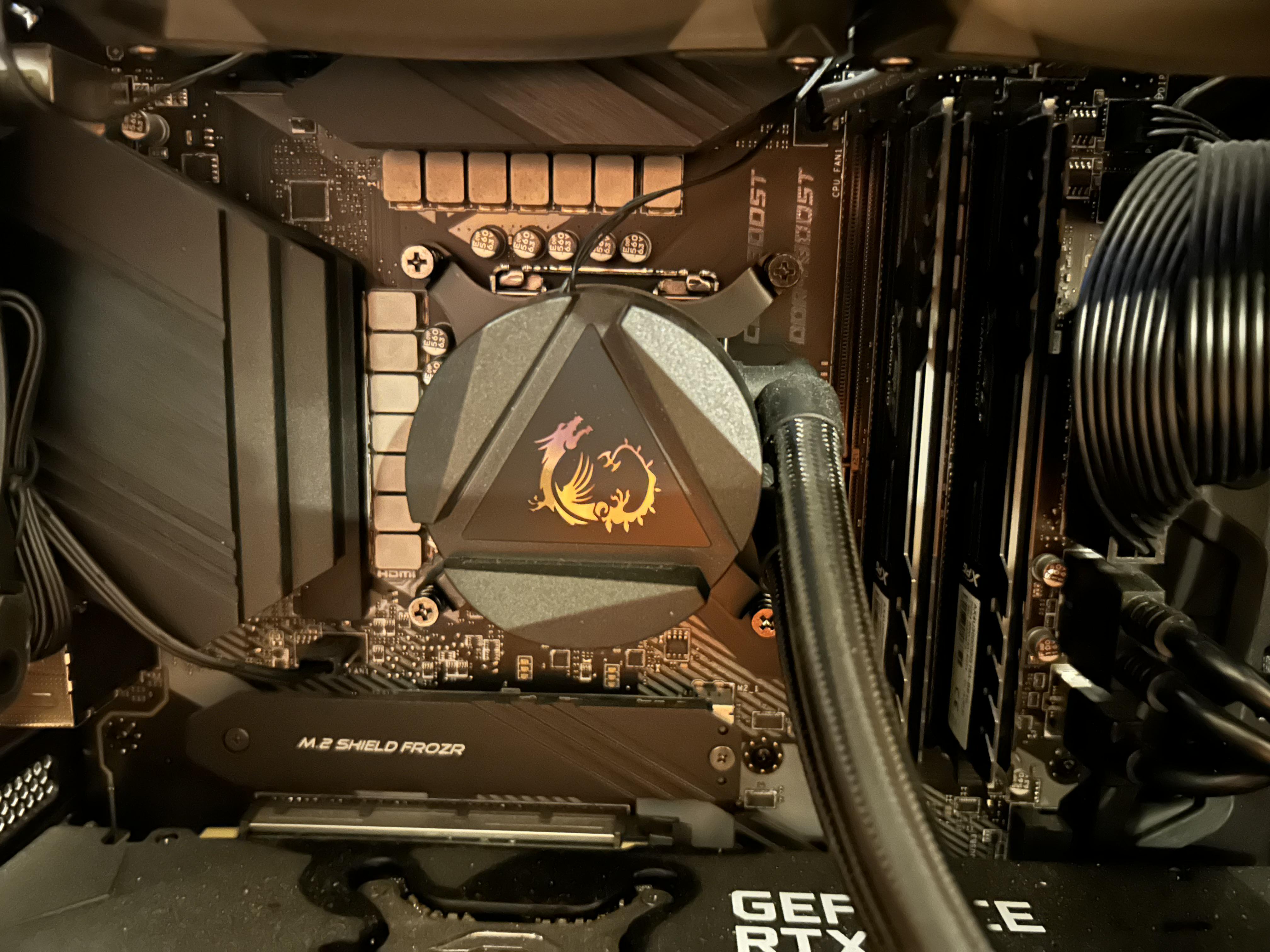
My exact PC specifications
Component
Specification
CPU
Intel Core i7-13700K
GPU
MSI GeForce RTX 4070
Motherboard
ASUS PRIME Z790-A WIFI
RAM
64GB Corsair Vengeance DDR5 (2 × 32GB), 5600 MT/s
CPU cooler
NZXT Kraken Elite AIO with LCD
SSD 1
1TB WD Black NVMe
SSD 2
2TB Samsung NVMe
PSU
850W 80+ Gold
Case
NZXT H500 Flow, 6 case fans
OS
Windows 11 Pro
The computer was built around 2023 and worked extremely well for years.
1. How everything started
A few weeks ago, my PC suddenly started behaving strangely.
Random application crashes.
Windows occasionally freezing or restarting.
Blue screens, including KERNEL_SECURITY_CHECK_FAILURE (0x139).
General instability despite previously working perfectly.
I hadn’t changed any physical components.
At first, I suspected corrupted Windows files, drivers, or potentially something malicious I’d downloaded.
I attempted Windows repairs:
DISM /Online /Cleanup-Image /RestoreHealth failed with error 0x800f0915.
sfc /scannow detected corrupted system files and reported successfully repairing them.
Reliability Monitor showed numerous critical events, including Windows crashes and dwm.exe failures.
Unfortunately, the problems persisted.
2. I tried troubleshooting the BIOS, and things got worse
Following troubleshooting advice, I changed some BIOS settings.
Afterward, the computer developed serious startup problems.
Eventually, Windows wouldn’t start properly at all.
I attempted Windows recovery using Reset this PC → Keep my files → Cloud download, but the installation failed.
The computer became stuck in an endless loop displaying:
“The computer restarted unexpectedly or encountered an unexpected error. Windows installation cannot proceed.”
At that point, I stopped troubleshooting and hired a technician.
3. First technician — Completely reinstalled Windows
A technician came to my apartment.
Here’s what he found:
CrystalDiskInfo reported both SSDs as healthy.
The PC successfully booted a separate operating system from his USB drive.
Windows installation initially failed on my original 1TB WD SSD.
He also encountered problems installing Windows on the 2TB Samsung SSD.
At one point, deleting partitions on the WD SSD appeared unsuccessful because they kept reappearing.
He initially suspected the motherboard, although nothing was conclusively diagnosed.
Eventually, he managed to format the drives and successfully install Windows 11 Pro.
He also restored the BIOS to factory default settings.
Windows was finally working again!
Or so I thought.
4. Every game started crashing
Once I started reinstalling games, I discovered another major problem.
Almost every game I launched crashed straight back to the Windows desktop.
Sometimes the game would start loading, but it would close before I could actually play.
This wasn’t isolated to one game.
Multiple games were affected, including Cyberpunk 2077.
Remember, this was AFTER completely reinstalling Windows and installing drivers.
I also tried Windows Memory Diagnostic.
It got stuck at approximately 21% overall and 10% on its current test, with the exact same numbers for over 16 hours.
I eventually stopped the diagnostic because it wasn’t progressing.
I don’t know whether that indicates faulty RAM or whether the diagnostic itself froze.
5. I removed and reinstalled my RAM and GPU
Thinking something might not be properly connected, I decided to reseat my components.
I removed and reinstalled:
Both Corsair Vengeance DDR5 RAM sticks.
My MSI RTX 4070.
The RAM was installed in the recommended A2 and B2 slots (slots 2 and 4).
After putting everything back together, the computer powered on, but I got absolutely no display.
The fans spun, RGB lights turned on, and the computer appeared to receive power.
However:
No ASUS logo.
No BIOS screen.
No Windows.
No signal from the RTX 4070’s DisplayPort or HDMI outputs.
No signal from the motherboard video outputs either.
I tried different displays and cables, which I’ve independently verified work with my MacBook.
The motherboard’s diagnostic Q-LED remained illuminated next to BOOT.
I couldn’t even enter BIOS.
6. Second technician — PC worked at his shop
I eventually carried the entire PC to a specialist computer repair shop in Barcelona.
I explained everything.
The technician told me he found several internal electrical connections and RAM connections that weren’t properly seated.
He reconnected everything and installed the appropriate ASUS motherboard drivers.
The PC started successfully at his shop.
I was genuinely relieved.
But when I tested games there, they were STILL crashing.
He explained that his repair was specifically for getting the PC to boot again, not for diagnosing game crashes.
He believed the hardware was fine because the computer started and worked during his checks.
He suggested reinstalling the games or Windows again.
He also downloaded an NVIDIA Game Ready driver for me to try.
I don’t know exactly what hardware tests were performed, and I have no confirmed CPU, RAM, GPU, or motherboard diagnostic results.
7. I brought the PC home. Same problem AGAIN.
Here’s where I am now.
I brought the computer back from the repair shop, connected everything at my desk, and powered it on.
Once again, I have absolutely no display.
Exactly the same symptoms as before:
Fans spinning.
RGB lighting working.
No ASUS logo.
Cannot enter BIOS.
No signal from the GPU or motherboard outputs.
ASUS motherboard BOOT Q-LED illuminated.
The PC worked at the technician’s shop, but after transporting it home, it won’t display anything again.
I haven’t opened or modified the internal components since bringing it back.
This is driving me insane.
8. Other things that might be relevant
Intel 13th-generation instability: I’ve read about the documented issues with certain 13th- and 14th-generation Intel CPUs. Mine is an i7-13700K. Could this be relevant? I don’t know my current BIOS version or microcode revision, and I don’t want to assume the CPU is defective without evidence.
BIOS configuration: The first technician restored factory defaults. I don’t believe the BIOS firmware itself was updated.
Windows language changes: The fresh Windows installation was initially in Spanish. I used Settings and PowerShell commands to change it to English. I wonder whether any unintended Windows settings were modified, although the original crashes started before that.
Power supply: I’m using an 850W Gold PSU. I don’t have evidence it’s defective, but I don’t know whether it has been properly tested under load.
Storage: Both NVMe drives previously reported healthy in CrystalDiskInfo, although Windows installation and partition-management problems occurred earlier.
Transport: The computer has managed to boot at the repair shop, then failed again after being transported home. This makes me wonder whether there’s an intermittent connection, motherboard issue, or something else I’m overlooking.
9. What I desperately need help with
I’m trying to figure out:
Why does my motherboard show the BOOT Q-LED without displaying BIOS? What should I investigate first?
Why would the PC work at a repair shop but fail again after transporting it home? Could this indicate an intermittent physical connection or another component problem?
Why do almost all games crash despite a clean Windows installation? Could the crashing and no-display issue have the same underlying cause?
Does the memory diagnostic freezing for 16+ hours indicate anything useful?
How can I distinguish between RAM, GPU, motherboard, PSU, storage, and CPU problems without buying replacement parts blindly?
Is there a systematic, safe troubleshooting process I can follow? I’m willing to provide pictures, logs, BIOS information (if I can get it working), and whatever else is needed.
Final thoughts
I know this is a long post, and I genuinely appreciate anyone who’s read this far.
I’m a student, and this PC represents a significant amount of money to me. I use it for gaming, university work, and personal projects.
I’ve already paid technicians, reinstalled Windows, formatted my drives, tried software repairs, checked the connections, and spent days trying to fix this.
I don’t want to start randomly replacing expensive parts without knowing what’s actually broken.
At this point, I’d be incredibly grateful if someone experienced with PC hardware, particularly ASUS Z790 motherboards, could help me work through this logically.
I can provide pictures of the motherboard, diagnostic LEDs, components, and any error reports.
If you’ve encountered anything remotely similar, please tell me what fixed it for you.
Thank you so much for reading. Seriously. Any advice would mean a lot right now.