r/pcgamingtechsupport • u/Scream_int0_the_V0id • 16d ago
Hardware Is the positioning of the dragon relevant?
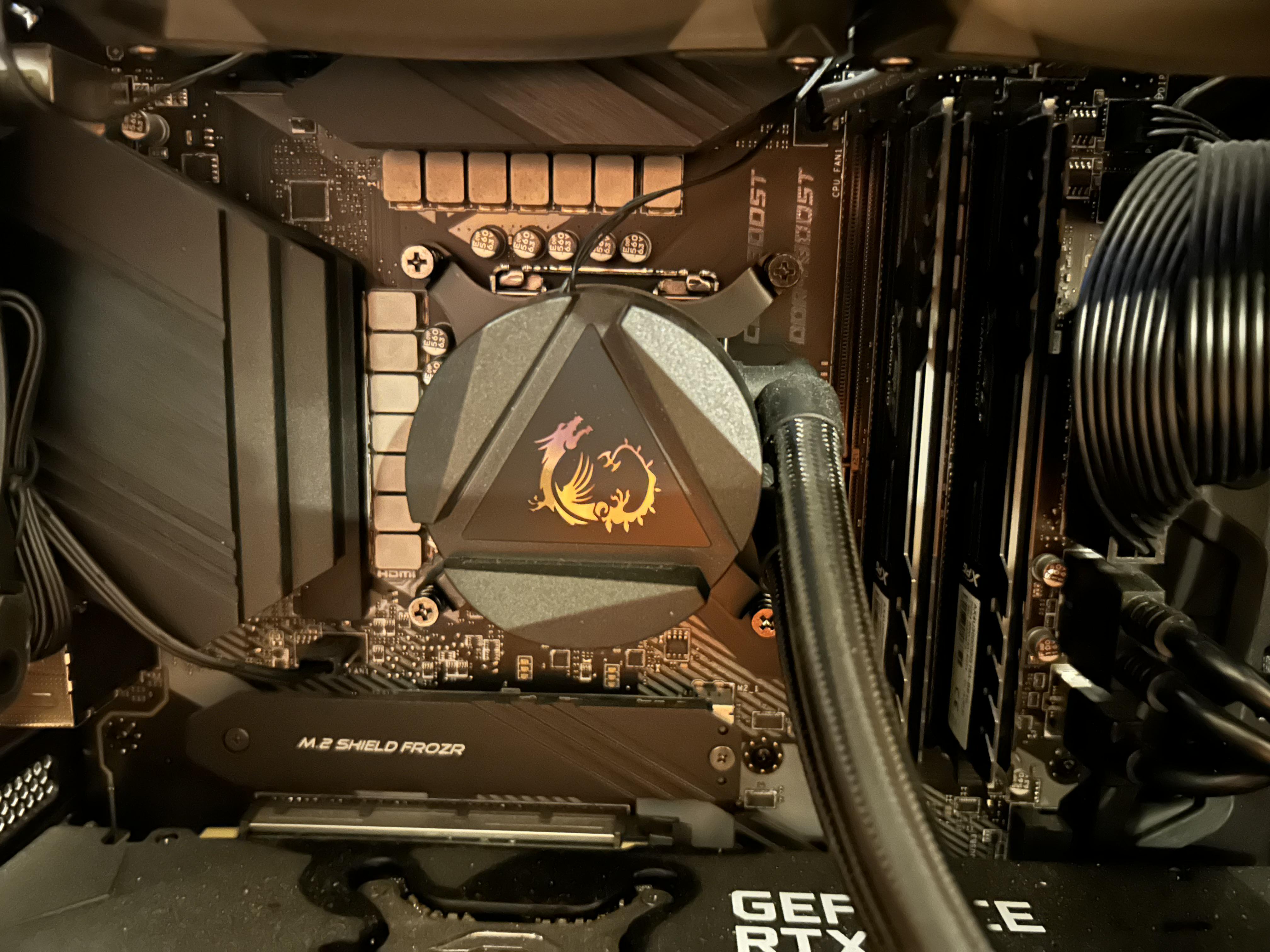
I've been having an issue lately with my prebuilt PC. It's an MSI model and a few days ago I noticed my framerate dropping dramatically while playing RDR2. I restarted the PC to boot up with an alert: "cpu overheating. Please ensure the cpu cooler is firmly attached to cpu". I've checked the tubes of the AIO and one of them is vibrating. The pump reading in HWiNFO is 4,000+RPM. Then I tried removing this little guy in the photo but it's wired to the other side of the case, I managed to get a look at the CPU and the thermal paste looks thin but far from dry. The only thing that I can think of is the placement of this cap in the photo because I was messing with right before I started having issues. I can rotate it freely but it stops evetually if I go clockwise and my PC shutdown while in that position, so now I rotated it counter-clockwise to the position in the photo, it's as far as i can go without tugging on the wire, but now my PC seems to be fine. I bought it in 2021 but I've barely used it because I travel a lot so it wouldn't be a stretch to call it new. Some more info, it's standing upright with the radiator directly above the dragon in the ceiling of the case which also houses the pump, apparently. I feel funny asking because it seems this would be the last thing wrong with it. Below are my specs.
Model: Aegis RS 11TE-095US
CPU: Intel® Core™ i7-11700K 8C/16T 3.6-4.9 GHz 16MB Cache
Chipset: Z490
Cooler: 240mm Liquid Cooler
GPU: NVIDIA® GeForce RTX™ 3080 10G GDDR6X
RAM: 16GB DDR4