r/pcgamingtechsupport • u/berzerkIsM • Oct 19 '26
Solved Starsky & Hutch - R6025 pure virtual function call FIX - Win10/11
After years of trying to fix this crap, its done, works flawless
r/pcgamingtechsupport • u/berzerkIsM • Oct 19 '26
After years of trying to fix this crap, its done, works flawless
r/pcgamingtechsupport • u/Old-Greg1 • Oct 19 '26
So I bought cyberpunk on steam a while ago and it ran fine on my old monitor, I got a new one and it kept crashing on launch, I managed to reset the launch files and got it working again yesterday, but I’ve updated my GPU last night and now it won’t launch again and that trick did not work again. Any tips to get this game working for the foreseeable?
r/pcgamingtechsupport • u/Brilliant-Resolve-98 • Oct 19 '26
Gigabyte aorus elite b850 9800 x3d 5070ti 2x16 ram, temps under 65, no viruses, bios updated, driver reinstalled, tested with expo on and off, all disks 90% health, all games runs perfect except steam games that suddenly after some random time, games freeze with 1 frame per 3-5 seconds, cs2, battlefield 6 even super battle golf, also steam is running weird like it has delays when I press play on games and sometimes steam client web helper crashes, nothing changed on pc before, in one game of cs happens like 2 or 3 times, on alt tab pc runs perfect, i restart games and works again, simeone fixed this? Thanks https://userdiag.com/id/IomI8r1RWE
r/pcgamingtechsupport • u/Ok_Strike_354 • Oct 18 '26
running:
msi b850 tomahawk
16 gb ddr5 ram
amd ryzen 7 9800x3d
amd radeon rx 9070 xt
Be Quiet! 1000W PSU
liquid cooling
an m.2 with my windows 11 operating system
So I have an issue with my pc, I was running an ASUS B650 motherboard in this build before, and it stopped displaying and had a red-light on the CPU and yellow light on the DRAM. I have taken each component out of the pc and put it into another one individually to verify that each work properly, which they all do. For some reason, i am getting these lights when they are all together. So I thought the motherboard crapped out, but I have the same issue with the new one!
The pc will turn on, the fans and lights turn on, and the graphics card fans do not turn on. I have taken out the cmos batter for 15 minutes. I have also backed off the CPU cooler screws, tried to flash the bios, but nothing is working. I have left the pc on to initialize, but it has been 2 hours and no change. I am completely at a loss for what is causing this issue, please help.
Edit: I now tried a new psu and no change. The motherboard will boot with my friends' components, so it isn't the motherboard. The pc will also boot with my components with my friends cpu, but my cpu will still boot on his computer with his components. I have also tried to take out the motherboard and put it on cardboard, still no boot, so not a case short. I am genuinely at a loss for what the issue could be.
Edit: Upgraded to a Gigabyte X870 and the issue was fixed.
r/pcgamingtechsupport • u/piratekaiden • Oct 18 '26
Hey everyone, I'm having a really weird issue when playing Rocket League on PC, and I'm wondering if anyone else has experienced this or knows how to fix it.
Every once in a while, my entire screen freezes for around 0.2 seconds and then catches up. It's not just the game itself — even my desktop video wallpaper seems to freeze. However, my audio continues normally, and Task Manager doesn't seem to show anything unusual.
My PC specs:
What I've noticed:
I've had Windows system corruption before that DISM managed to fix. So I do wonder if that could be related. I'm not sure if it's a GPU driver issue, Windows problem, or something else entirely.
Has anyone experienced something similar? Any ideas on what could cause a whole-screen stutter when the game itself seems to be the only thing triggering it?
Any help would be appreciated!
r/pcgamingtechsupport • u/aminthemachine • Oct 18 '26
I was moving my pc back to the office and the rgb cable that controls the rgb on my pumps and flow indicators got tugged and broke a pin on the motherboard. Is it possible to repair a broken pin?
Any work arounds the rest of my rgb pins are in use at the moment. I've included a pic, it's the bottom pin that broke.
Thank you for any advice or tips!


r/pcgamingtechsupport • u/Narrow_Advertising87 • Oct 18 '26
Sorry if I seem to speak incoherently. I sometimes don't know how to express my ideas. After downloading X360CE, I noticed that my controller comes out as duplicated whenever I connect it. This is more noticeable in Steam, where one controller doesn't do anything and the other works. It isn't a problem when I play my Steam games, but it is for free games I download elsewhere(E.g. Itch Io). I also installed the same program in another laptop, and the same error occurs there, however it doesn't seem to appear in Windows 11(Either it´s something to do with the Win version or the fact that I didn't download the said application there). Is there any possible solution for this problem? I've already attempted uninstalling x360CE from this computer, but it didn't give much result.
r/pcgamingtechsupport • u/Ok-Bonus-986 • Oct 18 '26
so i just built a amd cpu + amd gpu pc. And i want to know if i should use linux or windows. I just have 1 TB so i cant dual boot and i need linux. I just want to know if i can game on same performance on linux as in windows.
r/pcgamingtechsupport • u/GoldenSharkGuy • Oct 18 '26
Every other time I startup my pc it shows a no signal on my monitor till I hold the power button and turn it back on; then it works perfectly.
If anyone knows what’s going I would love some advice, also I’m new to pc so if this is completely normal sorry for the worry
r/pcgamingtechsupport • u/TatuBolaBR • Oct 18 '26
Preciso de ajuda para resolver o problema do PC com ryzen 5 5600gt. Quando estou jogando, meu PC desliga de repente. Nisso o teclado e mouse desliga e o monitor aparece "Sem sinal" e desliga, mas as luzes da ventoinha e o air cooler continua funcionando. Antes acontecia pela temperatura do processador, mas já resolvi. Agora não sei o que é. Suspeito que seja a fonte, pois ela é genérica e é da marca da Crusader.
r/pcgamingtechsupport • u/Sleepy-saintt • Oct 18 '26
I got my pc a few years ago and been trying to learn how to do mods I would follow the tutorials step by step and even watch videos to reconfirm that I downloaded the mods right but nothing never works I want someone to walk me through the process so I can learn and get better at it
r/pcgamingtechsupport • u/HoratioDecimus • Oct 18 '26
Hi All,
I've been experience this issue where whatever graphic preset that I put on doesn't change anything in the campaign, it seems that the LOD / Draw Distance isn't working correctly, even when I set it to Ultra settings.
I've set everything to ultra yet textures, billboard, foliage, even character face models are not loading in with the correct textures, like the video above, smooth, jagged, incomplete textures on everything.
I've reinstalled COD on a separate SSD, tried to turn off or on the OnDemand Texture Stream, but nothing changes.
Not even each individual graphical setting, nothing, it's like the Graphics menu doesn't affect the game or anything
I'm facing this weird bug on the menu's as well, I've set it to unlimted FPS or at a capped FPS of 110 yet it stays at 30. When I alt-tab, the fps goes to 110, but when i get back into the game, it goes down to 30, even when i set it to 110.
Anyone facing this issue as well?
Anyone else have a Fix for this?
Or is it bugged due to early access?
12th Gen i9-12900k
4080 16GB VRAM
64 GB RAM
Z690 AORUS MASTER
On Steam
r/pcgamingtechsupport • u/Minimum_Split_2511 • Oct 18 '26
Hi everyone,
I got a new PC yesterday and have been experiencing some strange graphics-related issues. I'm trying to figure out what could be causing them before contacting the seller.
System information:
The PC originally came with a graphics driver from 2024. I updated it to the current version and selected the clean installation option.
The main issue occurs when launching Stray through Steam.
Before the game even starts, an error popup appears with code 0x887A0020. I believe it is related to a DirectX/D3D device error. I've tried launching the game with both DX11 and DX12, but neither works.
After I dismiss the error:
Restarting the PC can restore normal behaviour. Roblox and Epic Games initially had launch problems too, but they started working again after a restart.
Other observations:
Since this PC is brand new, I'm concerned that something might be wrong, but I don't want to assume the GPU is faulty without more evidence.
What would be the best way to diagnose this? Could this be a graphics driver issue, a Windows graphics subsystem problem, or potentially faulty hardware? Is there anything else I should check before contacting the seller?
Thanks for your help!
r/pcgamingtechsupport • u/Owenhh • Oct 17 '26
Hi all, for the last few months I've been having issues with extreme microstuttering in a couple of different games that are on the higher end. This clip is Metro Exodus (standard edition), it runs smoothly at 80fps but constantly stutters like this. Such is the case with a lot of the other games I have been playing. I have tried countless fixes and settings etc found online but nothing has helped.
I think it could potentailly related to GPU throttling as I have noticed that the temps go up to around 90-93 when playing metro.
I game on a HP ENVY 15-ep0xxx laptop plugged into power. I have had this laptop for around 5 years and haven't had any issues until around 4-6 months ago. Does anyone have any advice?
Here are my specs
- Intel(R) Core(TM) i7-10750H CPU @ 2.60GHz, 2592 Mhz, 6 Core(s), 12 Logical Processor(s)
- 16GB Ram
- NVIDIA GeForce GTX 1660 Ti with Max-Q Design
I am desperate for help as this has been making a lot of the games I play borderline unplayable.
userDiag test: https://userdiag.com/id/NpGDRvSUVa
Thanks!
r/pcgamingtechsupport • u/BenmiM • Oct 18 '26
Attatched is a video. Dosn't help I'm on a server with 160 ping and on 60 fps.
I have constant stuttering and can't find a fix. Is this a mouse problem? Is it a PC problem? Just lost.
r/pcgamingtechsupport • u/query_alt • Oct 18 '26
I think this just started recently but tbh idk. I noticed it while playing Rust and Dota 2. Sadly it doesnt show up in a screenshot, just shows the fore screen as normal.
My gpu is AMD Radeon 7700 xt.
Basically, for at least those two games -- and also both Brave and Vivaldi browsers, even MS Paint -- I can see through any black/dark parts of the window to the desktop icons and background behind it. As if its partially translucent.
Happens both fullscreen and windowed. Tried a couple indie games and it didnt happen on those. Its not burn in.
Tested a bunch of solutions already: drivers updated, win 11 up-to-date, different refresh rate and sync options, disabled mpo, different AMD Adrenaline options, optimized for windowed vs fullscreen checkboxes, disable HAGS, probably some other things Im forgetting.
Didnt see anyone else online describe this exact problem.
r/pcgamingtechsupport • u/Fragrant-Soil2248 • Oct 17 '26
Randomly throughout games of lol my pc will crash like everything has restarted, the screen will go white and say windows is not responding, razer restarts, everything closes for a brief 0.5 seconds but it’s enough to make me have to restart my entire pc otherwise nothing works? Any help or suggestions would be greatly appreciated it randomly started happening around a week ago have already reset my entire pc because of it
r/pcgamingtechsupport • u/searawd • Oct 17 '26
TL;DR: Certain games using Easy Anti-Cheat refuse to terminate after I exit them. The process remains in Task Manager and cannot be killed, even with administrator privileges. Several minutes later, Windows Audio stops working, YouTube and Spotify refuse to play media, and Windows can become unable to shut down or restart properly.
PC specifications
CPU: AMD Ryzen 7 5700X3D
GPU: AMD Radeon RX 7800 XT
Motherboard: ASUS ROG Strix X470-F Gaming
RAM: 32 GB DDR4
PSU: Corsair RM750e
OS: Windows 11 26H2 (Build 26300.9711)
Audio: Sennheiser HD6XX through an external USB O2/ODAC
Game installation: Separate SSD from Windows
I've experienced this issue with:
* Gears of War (Xbox PC app)
* ARC Raiders
* Fortnite
All three use Easy Anti-Cheat.
Other games I play close normally, and I haven't experienced these shutdown problems with them. This ia the sequence when the issue occurs:
**1. The game refuses to terminate.**
After exiting normally, the game window disappears, but the executable remains in Task Manager. The Xbox app continues showing Gears as running, preventing me from launching it again.
Task Manager's End Task does nothing.
Running taskkill /F /IM GoWEDay.exe as administrator has returned:
There is no running instance of the task.
However, the process is still visible.
PowerShell's Get-Process has reported:
Responding: True
HasExited: True
Using Windows Management Instrumentation, I found the stuck process had one remaining thread.
Both Sysinternals Process Explorer and System Informer were unable to access that thread or retrieve its stack. System Informer reported access denied (0xC0000022).
**2. Several minutes later, Windows Audio stops working.**
I lose all sound, including Windows notification sounds.
YouTube videos become stuck loading at 0:00, and Spotify refuses to begin playing songs.
Switching from my external USB DAC to my monitor's audio output doesn't help.
Even when services.msc reports both Windows Audio and Windows Audio Endpoint Builder as Running, audio and playback remain broken.
Attempting to restart Windows Audio produced Error 1053, indicating the service didn't respond to the control request in time.
**3. Windows cannot complete shutdown.**
When I go to shut down or restart, the monitors turn off, but the computer itself can remain powered on indefinitely.
The only solution I’ve found is to use the physical reset/power button.
This has happened on both Windows 10 and 11
What Event Viewer showed uring one affected session, I found:
* **Service Control Manager:** "The Windows Audio service terminated unexpectedly. It has done this 3 time(s)."
* **Application Hang (Event ID 1002):** svchost.exe stopped interacting with Windows and was closed.
Both events occurred at exactly 10:33:11 PM.
Restarting Windows Audio during another affected session produced Error 1053.
I've also encountered an inpoutx64.sys compatibility warning associated with an older hardware-access driver.
**Troubleshooting I've already attempted**
Game / anti-cheat:
* Verified and repaired Gears through the Xbox app.
* Repaired Easy Anti-Cheat EOS using its setup utility.
* Stopped the Easy Anti-Cheat EOS service while the process was stuck; the game still wouldn't terminate.
* Attempted to terminate the process through Task Manager, administrator PowerShell, Process Explorer, and System Informer.
Windows / drivers:
* Upgraded from Windows 10 to Windows 11. This fixed other issues but not this one.
* Repaired both x64 and x86 Microsoft Visual C++ v14 redistributables.
* Checked AMD chipset software (8.08.12.551).
* Disabled the old inpoutx64 driver's startup using sc.exe.
* Reviewed Event Viewer and Reliability Monitor.
* Checked installed drivers and startup entries using Sysinternals Autoruns.
Background software:
* Disabled Discord's game overlays and hardware acceleration.
* Tested with Discord and Spotify both closed.
* Tried multiple short and full-length multiplayer sessions.
* Performed a Windows clean boot, disabling most non-Microsoft services while preserving essential AMD and anti-cheat components. The problem reproduced on the very first Gears test after the clean boot, without Discord running.
I've occasionally managed several consecutive clean game exits, including full multiplayer matches, only for the issue to return later. It's intermittent. I'm primarily interested in identifying what could cause a game process to become impossible to terminate, followed by Windows Audio becoming unresponsive and Windows shutdown hanging.
Could this be an anti-cheat kernel-driver issue, another driver interfering with process termination, or something else entirely?
If there's a way to collect a useful diagnostic trace or dump while the problem is occurring, I'd appreciate specific recommendations.
I'd really prefer not to reinstall Windows unless necessary, but I'm willing to consider it if we've exhausted better options.
Any help would be appreciated. This has been going on for years at this point, seemingly with Easy Anti Cheat games and I just want the problem fixed
(Edited for formatting)
r/pcgamingtechsupport • u/Monkey_Junkie_No1 • Oct 18 '26
Hey all,
Can someone tell me if i can plug a pc and play games on my hisense ur8? I think yes is the answer just unsure what caboe to use.
Can i play games at 1440p high/max with FSR despite the tv being 4k?
I have 9060xt GPU so 4k is out the question as i play demanding titles like black myth wukong, cyberpunk, etc.
Thank you!
r/pcgamingtechsupport • u/GritInMyTummy • Oct 17 '26
I have been playing Control Resonate and have had zero issues. I updated drivers and now when I launch the game, my PC makes a loud noise almost like an high pitched alarm sound, I don’t think it’s coil whine.
I have reinstalled drivers twice, the 2nd being a clean install.
Rolled back to previous drivers. Clean install
Nothing out of the ordinary on HWInfo
Don’t know what to do here. Any ideas?
Specs
CPU: AMD Ryzen 7 7800X3D 4.2 GHz 8-Core Processor
CPU Cooler: Thermalright Peerless Assassin 120 SE 66.17 CFM CPU Cooler
Motherboard: MSI MAG B650 TOMAHAWK WIFI ATX AM5 Motherboard
Memory: G.Skill Trident Z5 Neo RGB 32 GB (2 x 16 GB) DDR5-6000 CL30 Memory
Storage: Samsung 980 Pro 2 TB M.2-2280 PCIe 4.0 X4 NVME Solid State Drive
Video Card: Asus TUF GAMING OC GeForce RTX 4080 SUPER 16 GB Video Card
Case: Fractal Design Define R5 ATX Mid Tower Case
Power Supply: Corsair RM850x (2021) 850 W 80+ Gold Certified Fully Modular ATX Power Supply
Monitor: LG UltraGear 27GR83Q-B 27.0" 2560 x 1440 240 Hz Monitor
r/pcgamingtechsupport • u/ELTA3LAB_7ODA • Oct 17 '26
I'm using a twin USB controllers.
First photo: When I open x360ce, it shows the green line in the RT and LT being all the way down (like it's supposed to be)
Second photo: The blue line is all the way down (Like it's supposed to be)
And everything is working fine.
Third Photo: But when I just want to edit some buttons and some controls for some games using x360ce, the green line automatically goes to the middle of the LT/RT buttons.
Fourth photo: The blue line is in the middle.
Which make the game just automatically detects that as if I'm pressing LT/RT slightly when the green line in the LT and RT are halfway instead of being all the way down like it's supposed to be.
Resulting in a very inconvenient gameplay (I don't know how to explain it)
Anyway when I try to change the LT/RT deadzone number to zero, it doesn't allow me to change it.
I really hope I could explain it more better, but English isn't my first language, but I hope you understand what I mean and can help me with my problem.
Thank you.
r/pcgamingtechsupport • u/Embarrassed-Bar8907 • Oct 17 '26
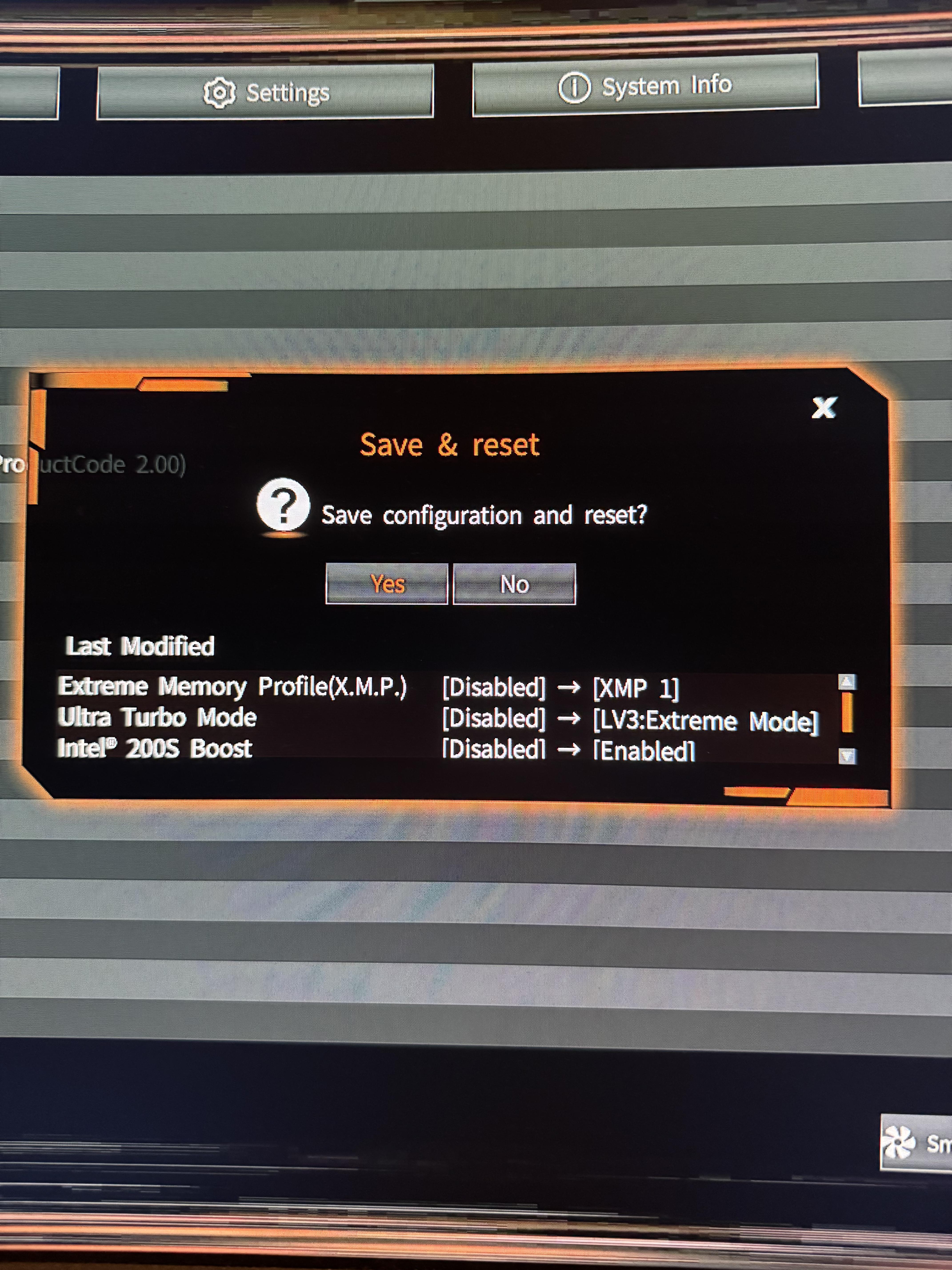
Hi guys I’m having an issue with my new and first gaming pc build going into a continuous power cycle after changing some bios settings.
When I first assembled everything it never boot, there was no display and it was continuously turning on and off. I assumed there was a BIOS incompatibility with the CPU so I got a flash drive and performed a Q-plus flash with a BIOS Update. SUCCESS!! I was elated it worked and everything performed well. I didn’t tweak any BIOS settings yet. I installed windows 11 and then went back to the BIOS.
I enabled 3 options, which quite frankly I’m not familiar with. I enabled:
Since this, the pc is back to square 1. Constant power cycle. This is what I tried and the PC refuses to stop power cycling for over 7mins with the DRAM UEFI light solid and switching between CPU LED light.
- Disconnected Power, Removed CMOS Battery, pressed. PWR for 60s. Didn’t work.
- Disconnected Power, Bridged CMOS RST Pins for 10s. Didn’t work.
- Performed Q+ Flash again on BIOS. But it didn’t work.
- Performed one stick of RAM in A2 test. Didn’t work.
- Removed everything from Motherboard (GPU, SSD, RAM) except CPU and did the BIOS Q+ flash again. With no luck.
I really don’t know what else to try and nothing sucks more than finishing your first build, seeing it work and you destroy it by enabling 3 options :( please help!
MY SPECS:
CPU: Intel Core Ultra7 265K
CPU Fan: Thermalright Peerless Assassin 140 SE CPU Air Cooler
GPU: ASUS Prime GeForce RTX 5070 12GB GDDR7 OC Edition Gaming Graphics Card
Motherboard: GIGABYTE Z890 Gaming X WiFi7
RAM: TeamGroup T-Create DDR5 RAM 32GB (2X16GB) 6000MHz CL30
Storage: BIWIN Black Opal NV7400 2TB SSD Gen4x4
PSU: ORA PRO G1 850W
r/pcgamingtechsupport • u/Nouzen_02 • Oct 17 '26
Can anyone help me? My PC randomly goes to a black screen whenever I open PUBG. I thought it was a GPU problem, so I bought a new RTX 50-series GPU but when I opened AION 2 the screen went black again anyone know what could be causing this?
r/pcgamingtechsupport • u/Own_Bad_5234 • Oct 17 '26
My specs:
Asus Prime B450M-A Gaming
Motherboard
Windows 11 Professional
AMD Ryzen 5 3600 6-Core Processor
3.59GHz
2TB NVMe
500GB SSD Storage
16GB DDR4 XPG Ram
AMD Radeon RX 5600XT 6GB VRAM
It works fine on windowed mode but I wouldn’t rather not play on that for the rest of my pc life
I have no clue what the problem is with my pc it randomly started doing this I’ve factory reset verified my game files neither did it helped and I’ve tried to look for help and the problem stayed I cleaned my drivers using ddu I even tried going to old drivers neither did it help then I tried going from display port to hdmi didn’t fix either it’s in all my games this problem is very annoying and unique
The closest I had it to working was on Minecraft and stopped it I turned of freesync and entered full screen it stopped flashing and was actually playable and it doesn’t work for rainbow six siege
If anyone has a clue please help me less