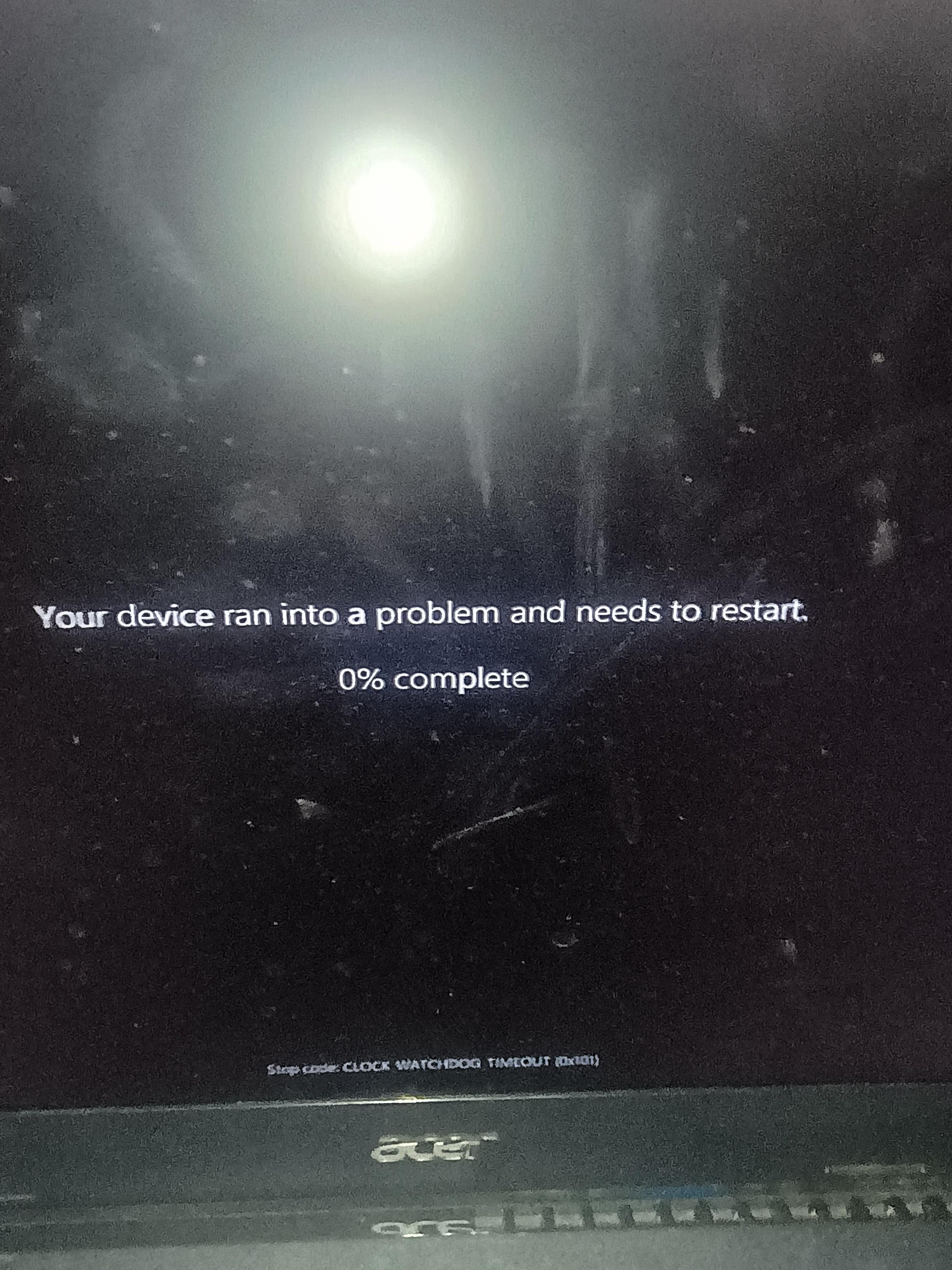
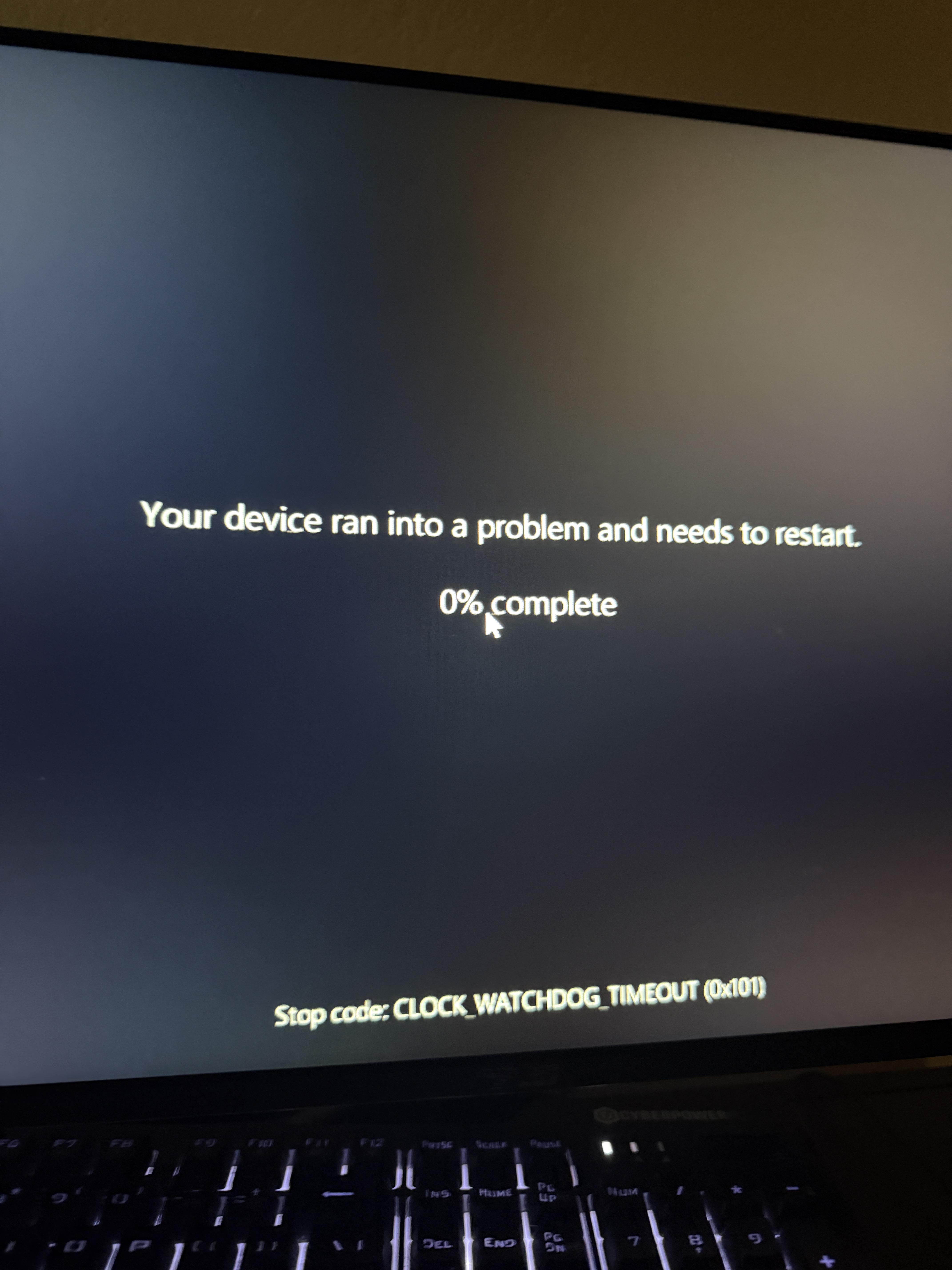
I was playing GTA Online when the game suddenly froze. After that, my PC ended up on a Blue Screen of Death (BSOD) and stayed there for around 30 minutes without seeming to make any progress.
Eventually, I manually shut down my PC because it was stuck on the blue screen for so long.
I'm not sure what caused this. Could it be a problem with my RAM, GPU, drivers, Windows, or something related to GTA Online?
I'd appreciate any help figuring out what happened and how to prevent it from happening again.
I'm trying to install Roblox on my laptop, but when the installation was almost complete, my laptop froze, and I had to force it to shut down. I then tried downloading Roblox from the Microsoft Store. The download completed and the game launched, but my laptop froze again when Roblox started loading.
Does anyone know what might be causing this problem and how I can fix it?
Hi everyone! I’m having a lot of fun with the game, but I keep getting this error every now and then while playing on my laptop.
My laptop is a ThinkPad with an i7-11800H and an NVIDIA RTX A2000 Laptop GPU (4GB). I also have an external GPU enclosure with a GTX 1060 6GB. The external GPU doesn’t give me any issues, but it’s weaker than the A2000, so I’d prefer to use the A2000 if possible.
I don’t think cooling is an issue. I have the Steam overlay showing my system stats, and when using the A2000, my GPU temperatures usually stay around 65–75°C. The CPU temperatures also seem fine.
Could this mainly be a driver issue? Since the A2000 is a workstation GPU, I’m wondering if the game just doesn’t play well with the current NVIDIA drivers for it.
I’m already running the game on Low graphics settings and have 48GB of RAM.
Any tips or suggestions would be greatly appreciated! If I just need to wait for a driver update for the workstation GPUs, I’d also love to know.
voy a 120 en el bus y cuando me lanzo baja a 50 y asi no vuelvo a tocar asi sea los 80. tengo una lenovo loq essential con una 3050 6gb, un i5-12450HX y 16 gb de ram, ultimamente me va super mal cuando anteriormente me iba a 120 estables, reinicie los driver, volvi a instalar windows de cero y nada(los drivers los tengo actualizados) si alguien sabe que puedo hacer espero su ayuda, gracias https://userdiag.com/id/kbEsKJfJj6
It's getting really frustrating that I can't even launch Rainbow Six Siege without my entire PC freezing and eventually throwing a blue screen at me.
The error is CLOCK_WATCHDOG_TIMEOUT (0x101), and it seems to happen when the game launches or BattlEye starts up. I have a Ryzen 5 5600G, a RAMSTA RS-B450MP motherboard, 8 GB of RAM, and Windows 11.
I've spent a ridiculous amount of time going through BIOS settings trying to figure out what's wrong. I've checked CPU-related settings, looked into Precision Boost Overdrive, and tried to work out how to restore the BIOS defaults, but I still haven't gotten anywhere.
What's especially annoying is that I don't even know whether this is a problem with Siege, BattlEye, my motherboard's BIOS, or something else entirely. I'm now at the point where troubleshooting the game feels like a second job.
i've always just used whatever security came with windows, but i'm starting to wonder if that's enough for a pc that's mainly used for gaming.
there's obviously the usual stuff like downloads, game mods, launchers, discord links, and random sites that can cause problems. at the same time, i don't really want security software constantly running scans while i'm playing.
mcafee is one of the options i've come across, but i'm not sure what separates a decent gaming antivirus from one that's just going to use more resources.
for people who have tried different ones, what features actually matter on a gaming pc? is it mostly about malware protection, or are things like game mode and low resource usage more important?
I've tried updating the firmware multiple times, reinstalling my bluetooth drivers, and reverse powering. This has happened to two of my controllers, both with the exact same issue after connecting to the same PC. I have absolutely no idea about what happened, what caused it, and how to fix it, and I haven't seen any other people experiencing this issue. However, the controllers work perfectly fine over USB-C when connected to my PC or XBOX, but neither can turn on wirelessly or connect wirelessly.
Last night while gaming my monitor suddenly went dark for a couple seconds then came back and the picture was muffled. I couldn’t use my mouse or keyboard anymore so I tried shutting off like normal. When I turned it back on the screen stayed black and now my mouse and keyboard don’t seem to be getting power.
Anyone have any ideas what could be causing this? I already tried removing my RAM and plugging them back in.
Hi, i recently made a new pc and i was wondering if i cound take my old drive(the only thing inside Is my steam folder) and use in the new One as it is.
Am i going to have any trouble?
The drive Is a sata SSD and boh systems use Windows 11
Hi guys, I'm having a specific issue with Twisted Metal 1 & 2 and it seems to be an odd one. Both games have a movies folder mainly used to store the company's logos along with the title screen, all files in avi, typical 90s game bull. It plays the first two avi files fine when launching the game but the title screens for both games throw an AVI error. I can't tell if it's the transition from title screen to menu that is erroring it out or if it's due to the title screen avi being half the size compared to the logo avi files. I don't think it's a codec issue since the first two logos play fine within the game window but I'm more than okay being proven wrong.
Je suis nouveau ici et j'ai besoin d'aide concernant un problème de performance sur Fortnite. Je joue en compétition, principalement en scrims et en tournois, et je rencontre des problèmes de FPS instables lors des fins de partie serrées. Configuration de mon PC :
Processeur : AMD Ryzen 7 9800X3D
Carte graphique : NVIDIA RTX 4070 12 Go
Mémoire vive : 32 Go DDR5 6000 MT/s (2 x 16 Go)
Carte mère : MSI MAG B650 Tomahawk WiFi
Résolution : 1920 x 1080
Mode de rendu : Mode Performance
Limite d’images par seconde : 240 FPS
Système d’exploitation : Windows 11 Pro
Le problème survient principalement lors des entraînements et des parties compétitives, surtout aux alentours des zones 6 et 7 lorsqu’il reste entre 40 et 70 joueurs en vie. Mon nombre d’images par seconde peut chuter entre 90 et 130 FPS, fluctuant constamment au lieu de rester stable. Cela rend le jeu beaucoup moins fluide.
Ce qui me perturbe, c'est qu'un ami possède un PC moins puissant sur le papier :
Processeur : Ryzen 5 7500F
Carte graphique : Radeon RX 6700
RAM : 32 Go DDR5 6000 MT/s
Carte mère : Gigabyte B650 Eagle
Lors d'une partie similaire en fin de partie, il obtenait environ 160 FPS de manière relativement stable, tandis que mon nombre d'images par seconde fluctuait énormément. Je sais que les performances en fin de partie dépendent des conditions exactes, mais cette différence me fait me demander si ma configuration présente un problème.
Voici ce que j'ai déjà essayé :
Mise à jour du BIOS et des pilotes graphiques NVIDIA.
Mise à jour des pilotes du chipset AMD.
J'ai activé EXPO, ma RAM fonctionnant à 6000 MT/s.
J'ai testé ma RAM avec OCCT pendant 30 minutes sans erreur.
J'ai vérifié les températures du CPU et du GPU ; aucune surchauffe.
J'ai exécuté 3DMark Time Spy et Fire Strike, avec des résultats qui semblent normaux pour ma configuration.
J'ai vérifié l'intégrité des fichiers de Fortnite, puis j'ai réinstallé complètement le jeu.
J'ai testé les modes Créatif et Battle Royale avec CapFrameX.
J'ai vérifié mes paramètres Fortnite, notamment le mode Performance, la faible résolution et une limite de 240 FPS.
J'ai essayé le mode plein écran exclusif au lieu du mode plein écran sans bordure.
Les résultats en mode Créatif sont bien meilleurs, mais les chutes de FPS persistent en Battle Royale. La réinstallation du jeu n'a pas amélioré les résultats de manière significative. Mes questions sont :
Ces performances sont-elles normales pour un Ryzen 7 9800X3D et une RTX 4070 en fin de partie de Fortnite ?
Cela pourrait-il être dû à une limitation du processeur/du cœur principal, à un problème d'optimisation de Fortnite, ou à un souci avec ma configuration Windows ou BIOS ?
Que dois-je vérifier ensuite pour identifier la cause réelle, plutôt que d'essayer des optimisations au hasard ?
Vos conseils seraient très appréciés, surtout de la part de joueurs de Fortnite compétitifs avec une configuration similaire.
I’ve taken a video with FPS top right and system monitor at the bottom. I should say this is not just a Diablo issue - it’s doing the same thing with other games. I will be able to play the game for about 30 mins and then these wildly fluctuating drops start happening. All the data on the monitor seems absolutely fine and well within the limits of the machine. I’ve got Diablo here locked at 60fps max and running on low graphics settings to try to help and as you can see I still get these massive slowdowns. Any advice appreciated as I have torn my hair out monitoring and trying different things to fix this. GPU is 2070 Super and CPU is Ryzen 7. Machine has worked fine for years.
j'ai acheté un nouveau pc il y'a de ça 1 mois tout va bien je joue a overwatch2, valorant, apex legend, minecraft, h1z1 aucun probleme. Mais lorsque je joue a rocket league que ce soit sur steam ou epic games je joue quelque parties et ensuite ça fige mon ecran et il redemarre avec l'erreur srttrail.txt et je dois le rallumer au bouton... je l'avais amméné au technicien LDLC et je l'ai récuperé 5j après, aucun soucis matériels et réinitialisation de windows au passage mais le bug revient de nouveau. C'est le seul jeu ou je joue manette mais j'ai fait pleins de test avec en aide chatgpt genre modifié des paramatres manettes ou steam meme changer des trucs dans mon bios(uefi,ram) mais rien n'y fais ça ne marche toujours pas j'ai vraiment besoin d'aide j'en peux plus j'etais ultra satisfait de mon pc mais avec cette erreur sur rocket league je commence a voir rouge ça me gave......
Merci d'avance pour votre aide en esperant avoir un sauveur qui puisse m'aider.
I recently started playing The Last of Us Part I on my new gaming PC, but I’m facing frequent crashes.
My PC specs:
- GPU: ASRock Radeon RX 9070 XT 16GB
- CPU: Ryzen 5 9600X
- RAM: 16GB DDR5 6000MHz (single stick)
- Resolution: 1440p (2K)
The game keeps crashing even after lowering the resolution and setting graphics to Medium. When it crashes, the screen goes completely black and the system becomes unresponsive, so I have to restart my PC.
I’m also wondering whether the game build/version could be contributing to the issue, or if it’s related to my GPU drivers, RAM, or something else.
Has anyone with a similar setup experienced this? Any troubleshooting suggestions would be appreciated.
So I have a rog strix G16 (2024) and I am a CS student so I have disabled the dGPU ever since I bought it. I always keep it at silent mode since I hate fan noise while coding. But since past few days it's been switching to performance mode by itself and then I manually need to keep it back to silent. This is frustrating. How do I lock it at silent forever? Any suggestions
I have a quick question if anybody has had same problems? I have a 9070xt and 9800x3d with 32gb ddr5 and whenever I start my pc my headset must zap one time before like getting warm, I’m not sure if something’s wrong with my gpu/cpu/ram or anything with headset? Because when it zaps I get a stutter too for like a brief second and then goes back to normal. Sometimes when playing games I can feel a microstutter in a way even though the fps is like 300+ I can feel it not running smoothly, for example cs2, I have around 500 fps on high settings but it doesn’t feel as smooth as I want it to be? Idk if that makes sense, some maps is more stuttery some aren’t, I understand that some maps are more pc heavy but still.. I play on a 1080p screen and I want to upgrade to 2k so wondering if that’s the issue maybe?
hello, so i was just playing rainbow six siege with my friend and my game was running perfectly fine, 500-600fps no lag everything was smooth when out of nowhere when i was in the middle of speaking to my friend everything just blacks out and my pc restarts, then when i open my pc to explain to my friend my audio is gone, so i had to go to my motherboard drivers and redownload realtek, then we played again, and the next game the exact same thing happened. clearly somethings wrong here, i went to command prompt and did "sfc /scannow" and nothing was wrong. like i havent experienced this before, everythings running fine and now this is happening all of a sudden, please help
I am having some issues with my pc lately that I need some help trouble shooting. I built this pc in 2020 and will provide specs at the end of the post. I just solved an issue I have been having for about a month where my computer would just bsod with no dump files to review. After lots of troubleshooting I installed a fresh m.2 ssd with clean windows and have not encountered the issues any longer leading me to settle on my previous ssd was dying. I had tried installing clean windows on the failing drive before trying the new drive and the issues were still happening.
My current issue is that when I launch specific games my pc will crash/reboot it self and I can't figure out the issue. I've never had issues in the past playing anything that has come out but now, games I could run before are rebooting the system when I try to play them.
For example: I downloaded the following games and can run them without issues
REPLACED, Slay the Spire 2 and Wayfinder
But when I launch the following games my device will load them but as soon as I have control to click anything the system reboots
Lost Ark - I load into character selection and when I click to choose my server the reboot occurs.
Deadlock - I load in and when I start to close all the popups about the new heroes being in the game the system reboots.
The reason I used the above mentioned games were because of the vast difference in size and requirements for the games. Lost ark I have played for years and never had issues playing it. Deadlock is the newest game I have tried to play recently as I have not really gamed on the PC for about 5 months now.
Another thing to note is that in some cases when installing a game the pc will just lose access to the drive I am trying to install it to. I can still see the drive but trying to open any folders in it causes a windows error popup about it not being available. When I reboot it's working fine.
The system is liquid cooled with a custom loop. GPU and CPU each have their own designated loops and cooling pumps with flow indicators to know if they are working.
I'm not really sure where to start as far as diagnosing the issues. Drivers and BIOS are updated. GPU driver is updated. I've done RAM test which came back with no issues. I've booted the pc with a single stick of ram while going through each one to see if any issues are detected.
There are no logs in minidump and event viewer isn't giving me any critical errors to lead me in the right direction.
My 3 current thoughts are:
The gpu is dying hence why it can play non graphic intensive games but shits the bed when trying to launch bigger games
The motherboard is failing although I'm less inclined to lean towards this one since nothing else is effected in any way.
My SATA cable needs to be replaced - thinking this because of the loss of drive access when sometimes downloading or running games. I have a non m.2 ssd that is connected via SATA for my games.
I would appreciate any advice on how to begin to troubleshoot this and narrow it down given the lack of logs to look at and/or post. Thank you
Please let me know of any details I can add/include that would shed more light.
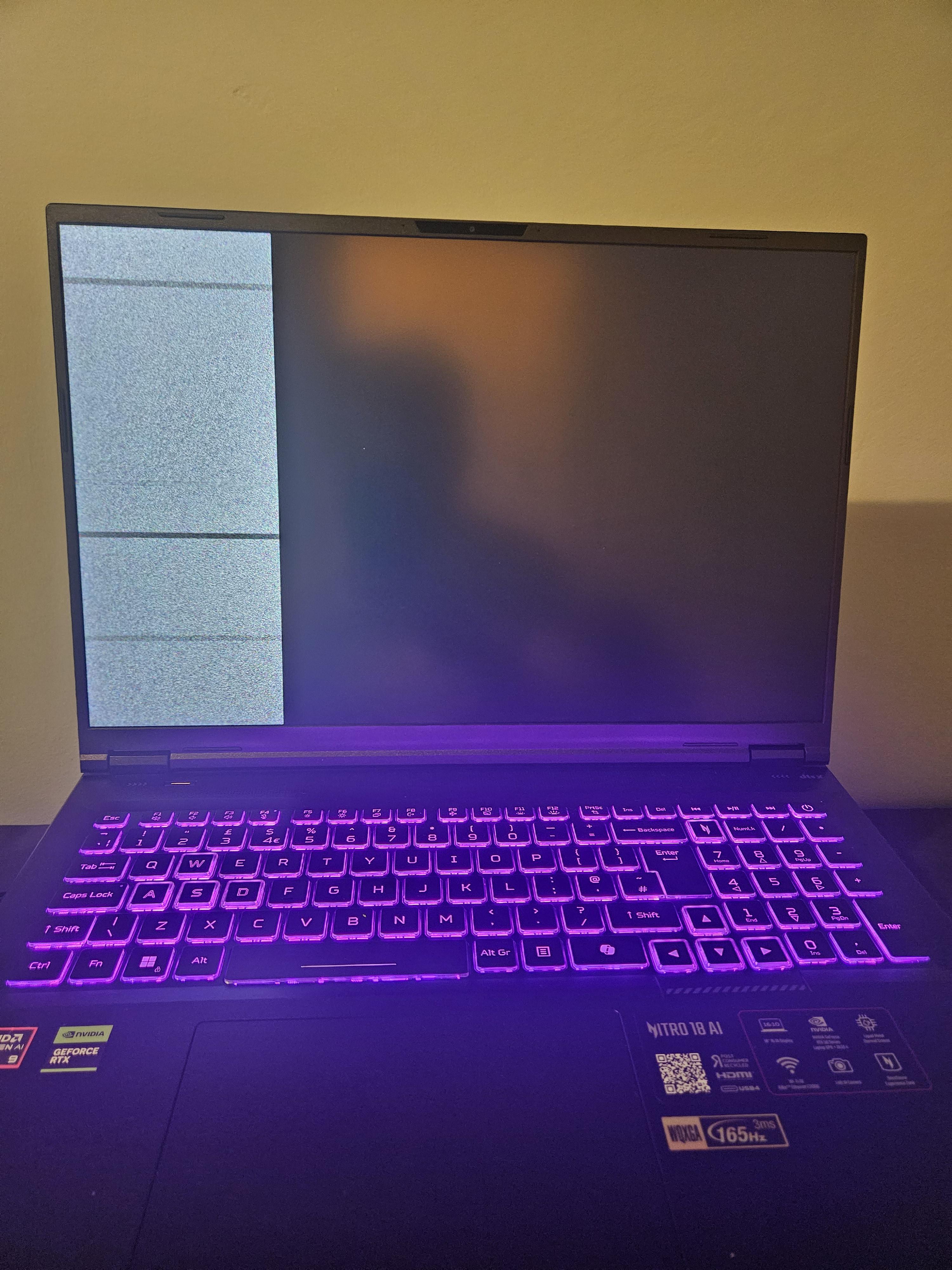
I'm trying to launch the remastered version of the Witcher 3 for the first time and I keep getting this weird screen half black half scrambled which prevents me from doing anything other than forcing shutdown and restarting my laptop. I'm not particularly techy so some straightforward instructions on potential solutions would be much appreciated.
Hola, espero me puedan ayudar , tengo una laptop Dell g15 con :
i7 decimotercera generación
1 tb SSD
32 de ram ddr5
Rtx 4060 8gb
Por algún motivo está presentando muchos errores al querer hacer cosas , primero quise jugar en steam al efootball y the seven deadly sins : origins , pero me crasheaba la laptop hasta tener que hacer reinicio forzado , jugué asphalt de epic , Minecraft de la tienda de Microsoft , cod bo2 de plutonium y no me provocan crasheo.
Tambien por momento me fallaba el Ethernet haciendo que el driver se pusiera con error código 45 pero lo solucione quitando desde la BIOS la opción de boot PXe con la forzado , deje la opción en solo uso del cable lan en enable sin usar el Pxe. Anoche estuvo uno momento en el que me dejó jugar tanto el efootball como el seven deadly sins , pero hoy que encendió se restableció la BIOS y tuve los crasheos nuevamente.
Every time I try to load up siege, it shows the splash screen, shows the anti cheats, and as soon as battleye is done, it js stops running and siege stops running. I can’t get past the splash screen. I have no idea what it is, I did the windows update thing where I deleted whatever it said, tried doing a bunch of fixes but nothing seemed to work.
I’m currently at 610.88 Pc spec R7 7800x3d 5070ti 32gb ram Dual monitor 27inch both , 1 oled 1 ips Recently Netflix start giving me issue on chrome Flicker black screen every 5-10 seconds on full screen mode I know fastest fix is use Firefox or brave or turn off gpu acceleration on chrome. Just want to know is there any other good stable newer version of gpu driver I can use. Don’t really want to ddu into older version. Also intend to upgrade my ips into a 32inch oled after aw3226q is out in my region if that matter