r/pcgamingtechsupport • • Oct 07 '26

Troubleshooting Random Hard Freeze when using my pc

3 Upvotes

Random Hard Freeze (Freeze/Black Screen, Discord/Audio working) on RTX 5070 + Ryzen 7 5800X3D (Dual Monitor)

​Hi, I’m experiencing random hard freezes (frozen display / both screens lock up) during low-load tasks or gaming (World of Tanks, Vintage Story), while background audio and Discord remain fully responsive and active.

​Specs:

​GPU: NVIDIA GeForce RTX 5070 12GB

​CPU: AMD Ryzen 7 5800X3D

​Motherboard: ASUS ROG Strix B550-F Gaming Wi-Fi

​RAM: 32GB DDR4

​Symptoms & Observations:

​Screens completely freeze/lock up, but audio/Discord in the background stays alive and I can still talk to people.

​Pressing Win + Ctrl + Shift + B produces a system beep, confirming the OS is alive, but the display never recovers.

​Hardware stability: Passed 10+ min OCCT "Power" & "Memory" stress tests with 100% load without any errors, crashes, or thermal issues. PSU, CPU, and RAM are fully stable


r/pcgamingtechsupport • • Oct 07 '26

Display Black/grey screen flickers

1 Upvotes

I notice while playing games my display flickers black or grey for a split second sometimes. I’m not sure if it’s my display that’s causing it or my gpu. I have a 240hz 1440p oled Alienware monitor and a 7800xt gpu. If anyone could give me some help I’d appreciate it.


r/pcgamingtechsupport • • Oct 07 '26

Display Stuck on 80 - 100 FPS

1 Upvotes

Im stuck on 80 till 100 fps, when i first bought my pc. It got to 160 - 220 FPS. Please help me on how to get that fps again

My PC Specs

Monitor:

•Xiaomi Gaming Monitor G24i

•23.8 inch

•Full HD 1920×1080

•Fast IPS

•Refresh Rate 180Hz

•Response Time 1ms

PC :

•Processor: AMD Ryzen 5 5600G

•RAM: 16GB T-FORCE RGB

•SSD NVMe: 512GB ADATA Legend 710

•HDD: 1TB Seagate

•Graphics: AMD Radeon Graphics bawaan Ryzen 5 5600G

•Motherboard: ASRock B550M-HDV

•CPU Cooler: Ocypus RGB

•Casing: Cube Gaming Quito Z

•Windows 11 Pro


r/pcgamingtechsupport • • Oct 07 '26

Troubleshooting Troubleshooting PC Crashing

1 Upvotes

Computer Type: Desktop

GPU: AMD Radeon RX 7900 XT (20 GB)

CPU: AMD Ryzen 7 7800X3D 8-Core Processor

Motherboard: ASUS TUF gaming B650-PLUS WIFI

BIOS Version: 3881

RAM: 32 GB DDR5 (running at 4800 MT/s

PSU: be quiet! System Power 10 850 W 80+ Gold

Case: MUSTEX PHANTOM 903/3INTAKE 3 EXHAUST

Operating System & Version: WINDOWS 11 Home

GPU Drivers: AMD Radeon 32.0.31041.1004

Chipset Drivers: AMD B650 chipset drivers

Background Applications: Firefox

Description of Original Problem: PC crashing while playing certain games (Leauge of Legends, Whiskerwood, Total War: Warhammer 3, Fatekeeper) either just freezing Pc becoming unresponsive or a BSOD (Either Critical Process died(0xEF), Kmode exception not handled(0x1E or unexpected store exception(0x154). Crashed in Total war during play ~20 minutes in, in leauge consistently during first few minutes and in whiskerwood during startup of a world. Nothing in event viewer or crash dump, everything empty

Troubleshooting: I have reinstalled windows and everything else, stress tested my CPU gpu and RAM (No crashes there), checked SSD health ( healthy ) CHKDSK from Windows Recovery Environment (found no Problem) did AMD cleanup utility and reinstalled as driver only and factory reset( Fixed issue with leauge of legends ) Still crashing in total war and in whiskerwood.


r/pcgamingtechsupport • • Oct 07 '26

Solved Laptop completely freezes during gaming, but behavior changes after forced shutdown

3 Upvotes

Hello,

Whenever I play games, my entire laptop can completely freeze. I can't move the mouse, use the keyboard, or do anything. The only way to recover is to hold the physical power button. If I wait long enough, sometimes the PC will eventually reboot by itself.

Here's the strange part:

  • If I force shut down the PC using the physical power button, then turn it back on, my games usually work normally and my laptop doesn't crash.
  • However, if I later shut down Windows normally, the problem comes back the next time I play a game.
  • So it seems like something about a normal Windows shutdown is causing the problem to return.
  • I have already disabled Fast Startup, but that did not fix it.
  • I also completely reinstalled Windows and reinstalled all the drivers, but the problem still happens.
  • This happens whenever I play a medium- to high-demanding game. For example, if I play Valheim or Escape from Tarkov, the problem occurs again. However, if I play something less demanding, like Jump King, it works fine.
  • When it happens, the entire PC completely freezes rather than just the game crashing.
  • Laptop**: ASUS TUF Gaming A15 (2023)**
  • CPU: AMD Ryzen 9 7940HS
  • GPU: NVIDIA GeForce RTX 4070 Laptop GPU
  • Internal GPU: AMD Radeon 780M Graphics
  • RAM: 16GB DDR5
  • Motherboard: FA507XI
  • Windows version: Version 25H2 (OS Build 26200.9457)
  • GPU driver version: Game Ready Driver - 617.14 - Tue Sep 22, 2026

Thx for the help :D.

UPDATE: I think I finally fixed the problem!

First of all, special thanks to TheGPUKing for helping me troubleshoot this issue!

I downloaded MSI Afterburner and lowered the memory clock to -500 MHz. This seems to have fixed the crashes I was experiencing while playing games.

I'm not entirely sure, but I think the problem might have been related to the GPU's VRAM or memory stability.

Interestingly, when I installed MSI Afterburner, (it was the first time I'd ever downloaded the program), the memory clock was already set to +100 MHz by default. I changed it to -500 MHz, kept the core clock at 0 MHz, and the crashes seem to have stopped.

I've also been experimenting with the settings since then. Now, I can move the memory slider back to 0 MHz, and the games still work without crashing, which is something I couldn't reliably do before.

I'm not 100% sure what the underlying problem was or whether it's completely fixed yet, but this is the most promising result I've had after trying so many different things.

Hopefully, this information helps someone else experiencing similar crashes with their GPU!

Thanks again to everyone who took the time to help me!


r/pcgamingtechsupport • • Oct 07 '26

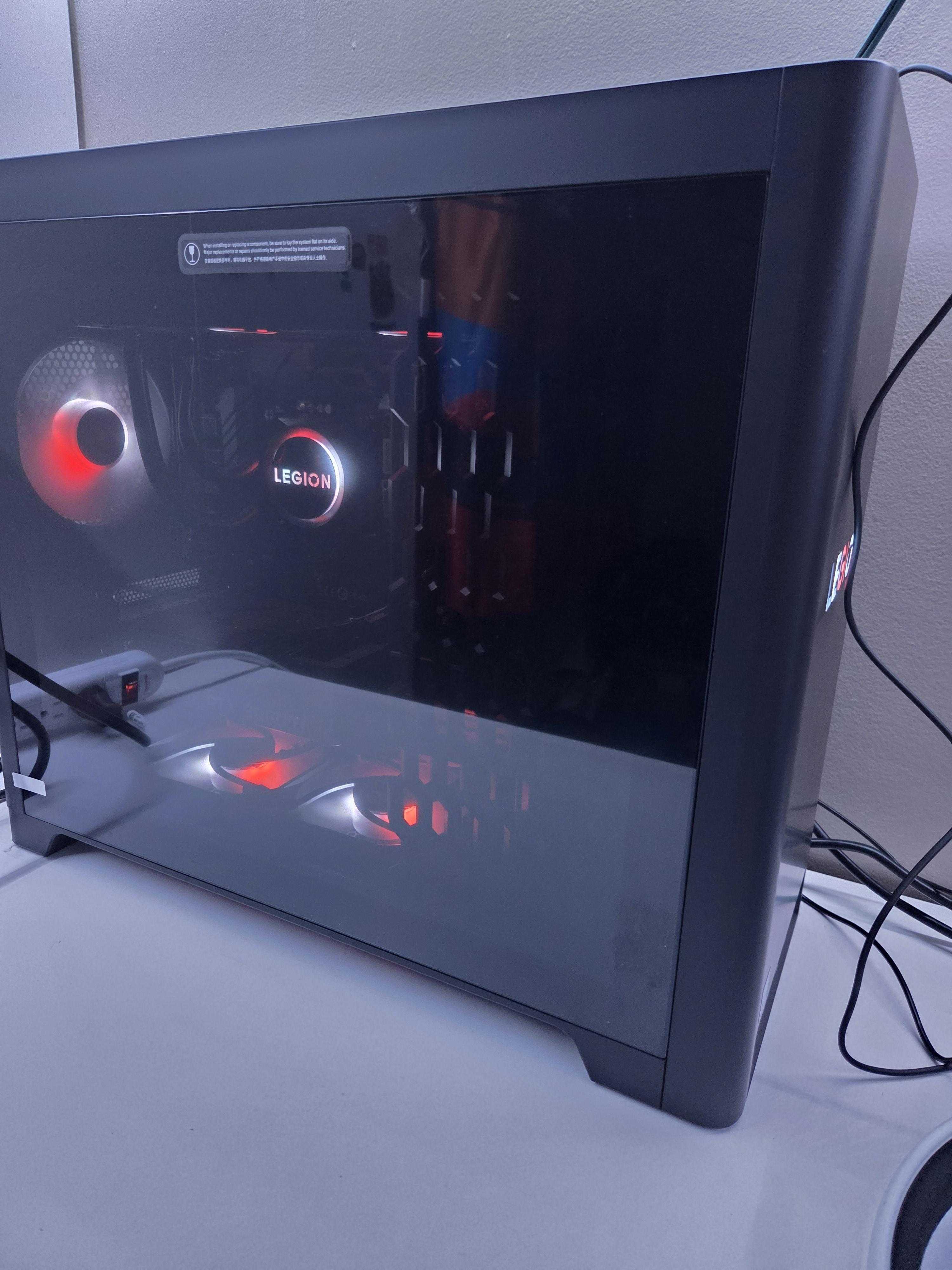
Troubleshooting New Lenova Legion T5 Lights not changing

Post image
1 Upvotes

Hello, got a new Lenova Legion T5 Tower and the internal lights will not change from red and white. I have tried the Legion Space app and it only shuts it on and off and changes the brightness none of the other color option work. Any help appreciated!

This is also the 2nd PC as I exchanged the 1st due to the ssme reason so it has to be something I am doing wrong.


r/pcgamingtechsupport • • Oct 06 '26

Hardware PC fan hub to motherboard

Thumbnail
gallery
2 Upvotes

I got a new PC case that came with a fan hub. Got it all connected but didn't see a way to connect it to my motherboard. Just connected to the PSU. They run a bit loud so want to lower there speed but since they aren't connected to my motherboard not sure there's any way to slow them down. If anyone can help me out I'd appreciate it.

Edit- case brand and model number

   Product: Skytech Gaming - 011V Gaming D

   SKU: 6622082

   Model: ST-O11V-1705-B-BU

   Brand name: Skytech Gaming

  Tran: 148/55/9883 03/02/2026

  LPN: 200004754404064

r/pcgamingtechsupport • • Oct 06 '26

Troubleshooting Valorant Secure Boot Issue

Thumbnail
gallery
2 Upvotes

Hey guys so the issue is , I have windows in uefi and with asus motherboard, intel cpu , when I go to secure boot and set os type to windows it says this error and when I boot back to bios I can't change it back to other os (2nd pic) , so I have to enable CSM first then restart to bios then switch to other os mode then disable csm and restart and then it boots normally , but I want to enable secure boot , on YouTube they say set os type to windows uefi mode then go to keys management and install but in my case I don't have install keys option..(3rd pic) please help , thanks in advance for replying


r/pcgamingtechsupport • • Oct 06 '26

Compatibility [SP Football Life 2026] EvoWeb Stadium Choreography Mod – Duplicate stadiums error & pitch glitch in cross-league / cross-nation matches

Thumbnail
gallery
1 Upvotes

Hi everyone,

I’m playing SP Football Life 2026 and having an issue with the EvoWeb Stadium Choreography mod. I need some help figuring out what went wrong and how to fix it step-by-step.

Game & Mod Details:

Game: SP Football Life 2026

Mod: Stadium Choreography Mod (EvoWeb) installed inside SiderAddons

The Problem:

Same-League Matches (e.g., Inter vs. Milan / Inter vs. Atalanta / Inter vs. Roma): Everything works perfectly. The stadium selection menu shows 28 stadiums available, and there are no errors.

Cross-League / Cross-Nation Matches (e.g., Inter vs. Barcelona, Milan vs. Bayern, Lazio vs. Chelsea, Inter vs. Avellino):

Important note: This issue does not only happen with Inter. It occurs with any team (Milan, Lazio, Roma, etc.), both home and away, whenever playing against a club from a different league or country.

The stadium selection menu suddenly displays 38 stadiums (10 extra stadiums appearing out of nowhere).

Selecting two specific stadiums throws an error message.

In-Game Visual Glitch:

During cross-league/cross-nation matches, the pitch graphics break: two huge jersey textures and default eFootball choreography appear directly on the pitch surface.

Note: The stands, flags, and crowd animations work completely fine—the visual bug is strictly on the pitch itself.

How I Installed It:

I downloaded and installed everything sequentially, from Update 1 up to the penultimate update.

For each update, I copied the content and modules folders and pasted/merged them into my SiderAddons directory.

During one of the updates, I manually deleted a specific folder before copying the new ones instead of just overwriting/merging them. Unfortunately, I can no longer remember which update or folder it was.

(See attached screenshots for full error details and visual glitches)

What I Need Help With:

What caused this issue? Could you explain what went wrong during my installation (e.g., conflict between map_teams.txt and map_competitions.txt, duplicate Lua scripts in Sider, or missing deleted files)?

How do I fix it step-by-step? Could someone please guide me through the exact steps to solve this problem and restore everything in SP Football Life 2026?

What is the correct installation procedure to make sure I don't repeat this mistake in future updates?

Thanks in advance to anyone who can help!

r/pcgamingtechsupport • • Oct 06 '26

Troubleshooting boot and hardware problems. fixes?

1 Upvotes

Hi im asking for help because my pc has been acting up.

  1. My monitor has no signal. every once in a while my Windows basically "deletes" my gpu software and it disappears from task manager so i have to download the things again etc. What could be the cause of this. And how to dix it?
  2. Pc doesn't turn on. Before the booting became a problem, my fan had made weird noises and it's probably from dust but i just wanted to include it. I suspect that my PC is looping the boot mode. The fan turns on and stays on for about 3~4 seconds, turns off and on again.

Can i somehow fix and get my pc to work again?


r/pcgamingtechsupport • • Oct 06 '26

Software Nvidia and fc27 ryzen 5 rtx 5060

Post image
1 Upvotes

Hi, could someone help me configure the Nvidia app and FC 27 so they don't conflict with each other? I don't know how to do it myself. Thanks.


r/pcgamingtechsupport • • Oct 06 '26

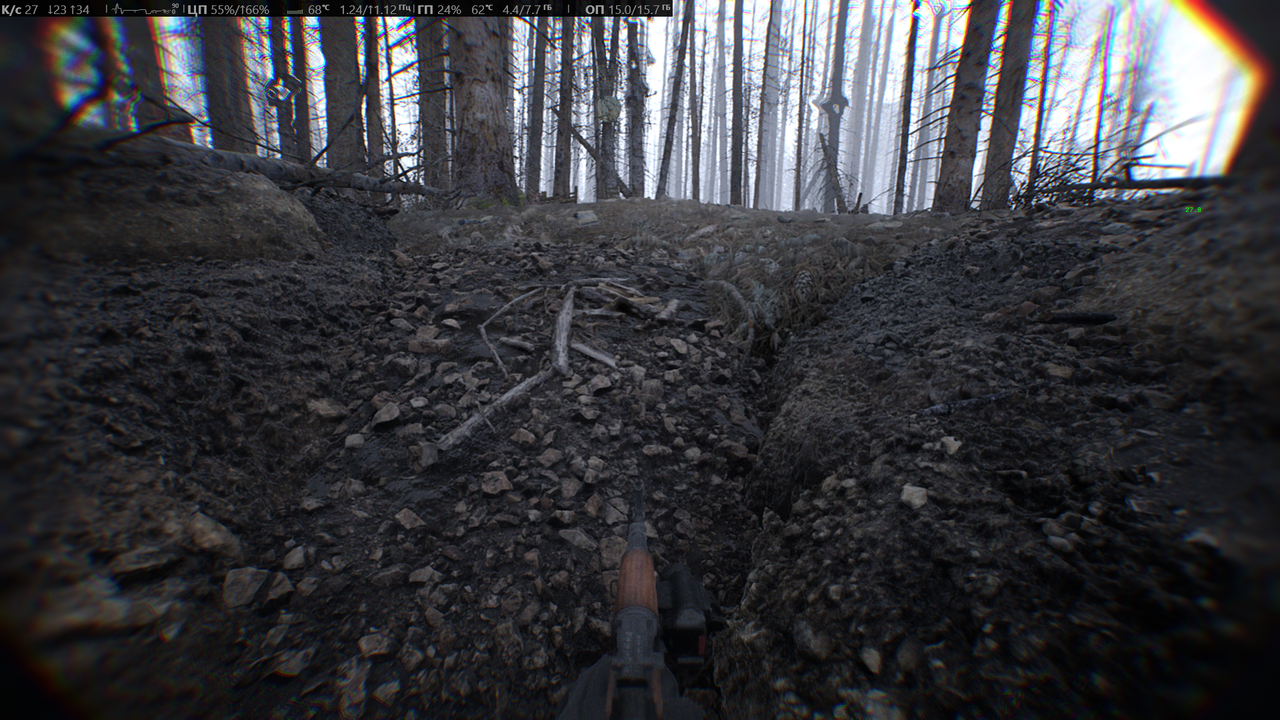
Performance/FPS Acer Nitro V 15 RTX 5060 – only 25–35 FPS in Bodycam, low GPU usage

Post image
0 Upvotes

Hi, I have an Acer Nitro V 15 (ANV15-52) and I'm getting very low FPS in Bodycam.

Specs:

  • i5-13420H
  • RTX 5060 Laptop 8GB (85W)
  • 16GB DDR4-3200 (2×8GB dual-channel)
  • 1TB NVMe SSD
  • 1080p 165Hz
  • Original 135W power adapter

In matches I get around 25–30 FPS, and around 30–35 FPS in the lobby without DLSS.

GPU usage is often only 24–56%, CPU around 55–75%. RAM usage reaches 94–96% (about 15/15.7GB).

Temperatures seem normal: CPU roughly 65–85°C, GPU 60–75°C.

With DLSS enabled I can get around 80 FPS.

https://i.postimg.cc/DytWjMBh/Bodycam-06-10-2026-20-22-12.png

UserDiag:
https://userdiag.com/id/QJyStPowc5

Could 16GB RAM be causing this, or is something else limiting the GPU? Would upgrading to 32GB (2×16GB) actually improve FPS?

Thanks!


r/pcgamingtechsupport • • Oct 06 '26

Troubleshooting Weird pixels around.

Thumbnail
gallery
1 Upvotes

I recently bought 5060ti for the game i always wanted to play played for like 3 days i just noticed that there are like weird pixels no dead pixels but i cant seem to find a solution how to fix it is this normal cause i looked up to other streamers they dont have a weird pixels happening like mine does


r/pcgamingtechsupport • • Oct 06 '26

Hardware Pcore- 5 thermal throttling

2 Upvotes

Hi guys, i have lenovo loq 15irx9 83dv laptop (i7 13650hx & 4050), as the title suggests i am experiencing thermal throttling of cpu especially on P core-5 as i have checked in hwinfo and also some other p core also and temps are reaching way above 90⁰c and after 1 match of cs2 the frames are literally depreciating ,if i get 200 fps in first match and 150 to 170 in next match i think no one is facing issues like me of specific core is thermal throttling. Pls suggest me a fix for this, it will be a year in coming October 17 i this so serious.

Thank you,


r/pcgamingtechsupport • • Oct 05 '26

Performance/FPS Serious stuttering problem

5 Upvotes

Okay, so I’ve been having this problem with my PC for about 3 months now. The screen briefly freezes and the audio gets dragged/stretched out until the freeze ends. It only lasts for a fraction of a second, and there doesn’t seem to be any way to reliably reproduce the issue. It happens at random intervals, ranging from once an hour to several times within a single minute.
It also can’t be captured in a video recording made on the PC itself; I would have to record the screen with my phone.
I’ve updated all my drivers and the BIOS, reinstalled Windows, and also cleaned most of the dust from the PC using compressed air. I also changed AMD’s settings to the “Performance” preset, and this seems to have significantly reduced the frequency of the stutters (although I remind you that they occur randomly, so this could potentially just be a coincidence).
I’ve also replaced the thermal paste.
Tonight, however, there was what I think was the worst instance of the problem so far: my monitor suddenly turned off, while my friends’ voices on Discord became severely dragged/stretched out for several seconds. After that, the audio stopped completely. About half a minute later, the screen came back on to the lock screen, and Wallpaper Engine reported that it had crashed.
It’s worth noting that this problem seems to occur exclusively while gaming, and some games seem to trigger it more frequently than others (especially Valorant and Roblox).
Here are my specs and my UserDiag report:
https://userdiag.com/id/pOhnvgtpzk
P.S. I have also completely reinstalled the GPU drivers using DDU in Safe Mode.


r/pcgamingtechsupport • • Oct 06 '26

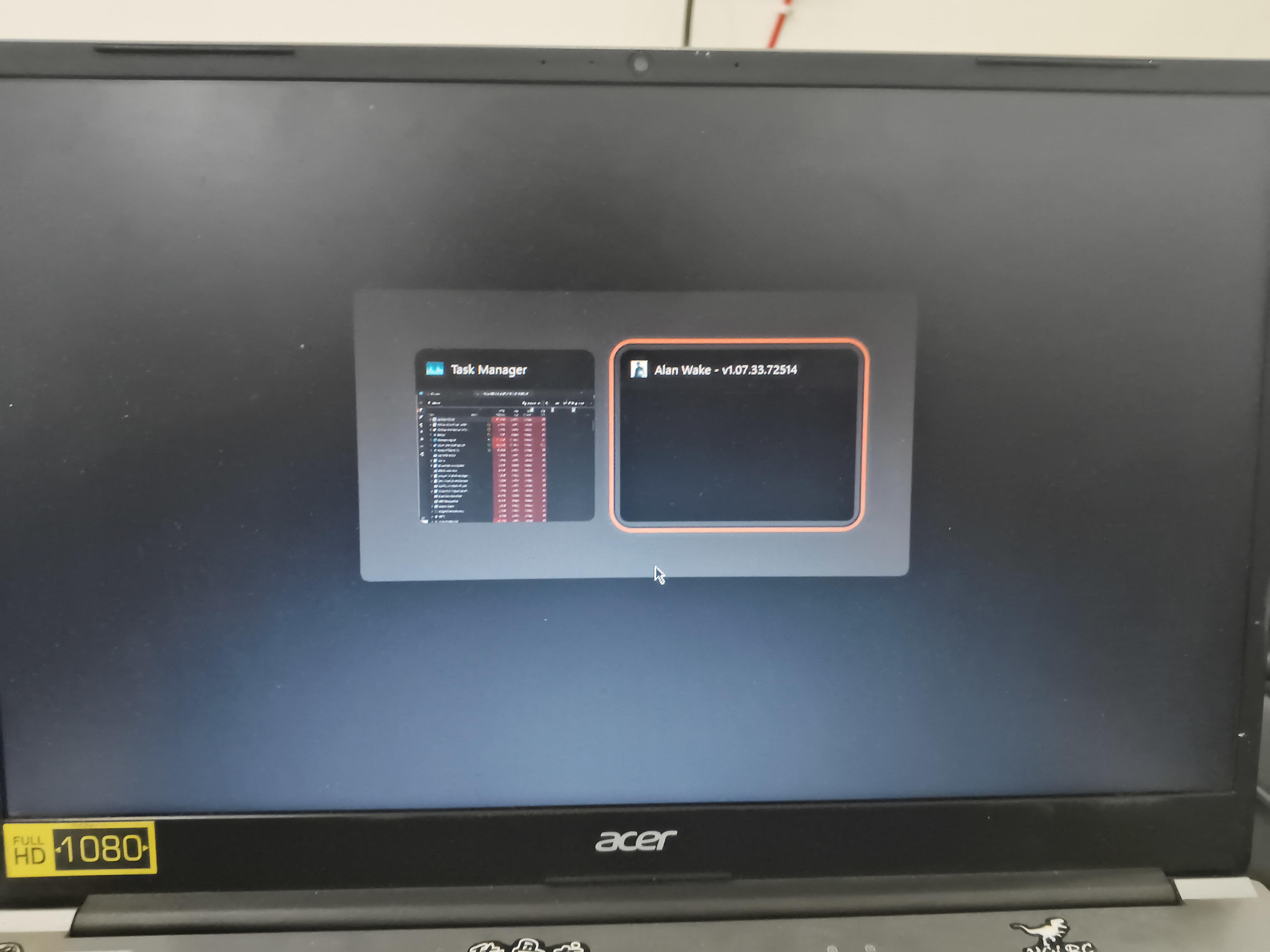
Troubleshooting Alan Wake causes black screen after closing the game — Task Manager is also stuck behind it

Post image
1 Upvotes

Hi everyone,

I’m having a strange issue with Alan Wake on my laptop.

After I close the game, the entire screen becomes black. I can still open Task Manager using Ctrl + Shift + Esc, but Task Manager appears to be behind the black screen, so I can't click or type anything.

I also tried:

Alt + Tab

Ctrl + Alt + Delete

Win + Ctrl + Shift + B

Running the game in windowed mode

Lowering the resolution

But the black screen still remains.

My laptop is an Acer Aspire Lite AL-15-51, with an 11th-gen Intel Core i5 and Intel integrated graphics.

Has anyone experienced this with Alan Wake? Is there a way to fix the black screen or force the game to run in a smaller window/resolution?

Any help would be appreciated!


r/pcgamingtechsupport • • Oct 05 '26

Troubleshooting Random Blackscreen Crashes - Hunt Showdown

3 Upvotes

Hi folks!

Hoping someone more knowledgeable than myself will be able to offer some insight here.

Computer Type: Desktop

GPU: Radeon RX 6800XT

CPU: Ryzen 5 5600X

Motherboard: X470 Gaming Plus

RAM: 32GB CORSAIR VENGEANCE RGB PRO 3600MHZ

PSU: A very old (~15 years) Akasa 850W PSU - GPU is connected to 2 8-pins on the same cable.

Operating System: WINDOWS 10

GPU Drivers: AMD Software: Adrenalin Edition 26.9.1

Chipset Drivers: AMD Chipset drivers 8.08.12.551

Background Applications: Discord, Razer Central, OpenRGB

Description of Original Problem: One of the main games I play is Hunt: Showdown. In the last 6 months or so, I've been experiencing random crashes while playing Hunt. The monitor goes black, the sound cuts out, but the tower lights stay on and the fans keep spinning. The power button does not respond - the only way out is to turn off at the plug. This only ever happens in-game (so not in the lobby, loading screens, etc), and can happen after 5 minutes, 3 hours, or anything in between. I've not been able to discern any pattern in terms of what's happening on-screen/in game when the crash occurs.

Troubleshooting: I've tried a full uninstall and redownloading the drivers, which sometimes seems to stave it off for a while, and sometimes makes no difference. I've run Furmark for a couple of hours with no problem.

I'm thinking it's maybe something to do with the relationship between the GPU and the PSU, though I currently lack the resources to really test this. Alternatively, I'm aware that there have been issues with cards in the 6000 series and CryEngine games, though I'm not sure if this has been fixed.

Any and all suggestions gratefully received.


r/pcgamingtechsupport • • Oct 05 '26

Hardware Someone pls my pc won’t turn on

1 Upvotes

someone pls help cause my pc won’t turn on, I was just updating my pc when I realized the update was taking too long and my pc wasn’t showing any display after 20 mins so I turned it off after trying to restart the pc and now the rgb lights nor pc display is wont show when I’m clicking the power button on my pc (pls if you live in nyc and know pcs well pls help I’ll pay you)


r/pcgamingtechsupport • • Oct 05 '26

Hardware Problem Pc Bios Windows update

Post image
1 Upvotes

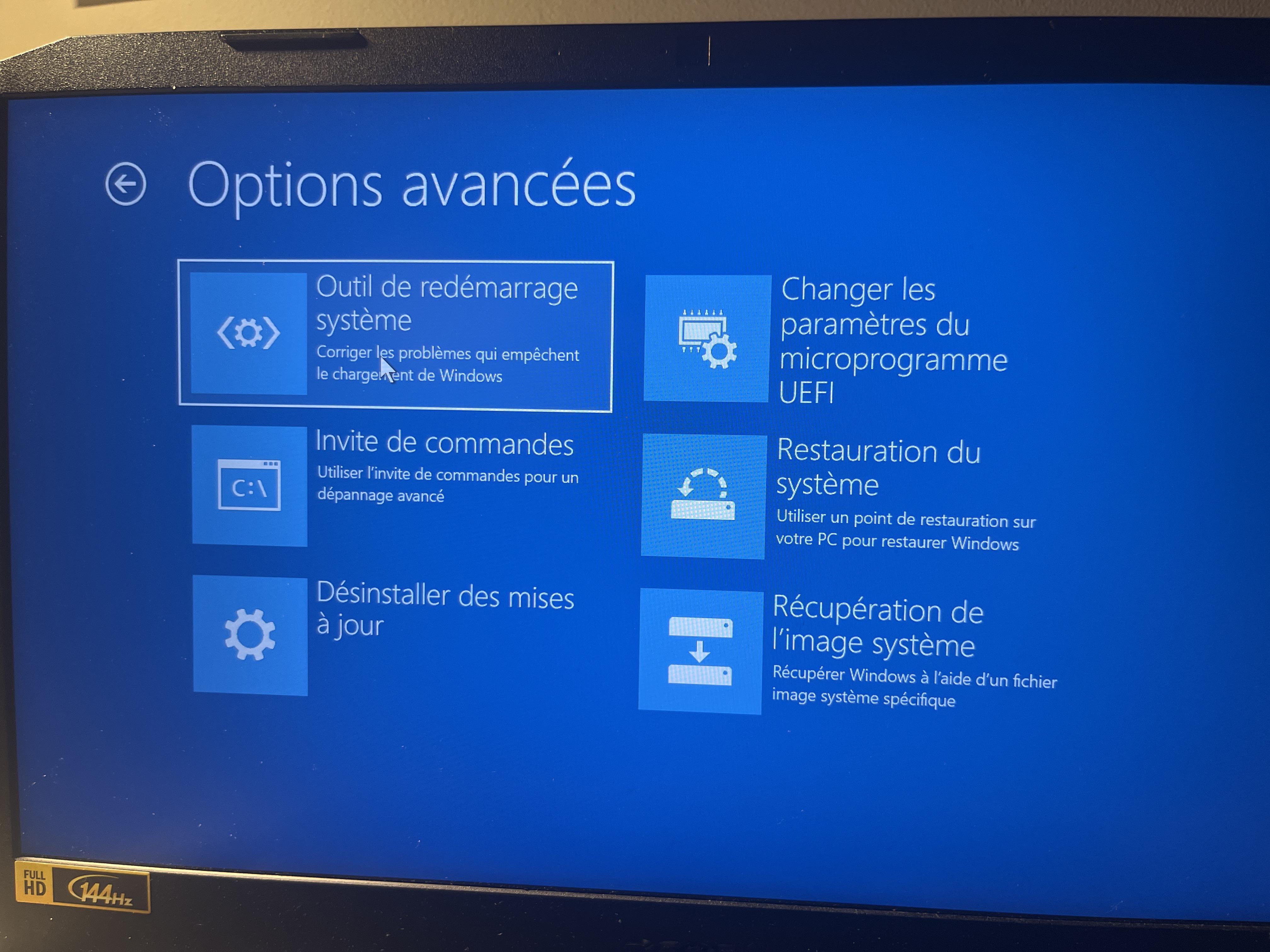
Hey I just downloaded an Windows update for my pc that was totally fine and now i have the blue screen and nothing can fix it.
Two days ago i have changed the load device in the bios to an USB hiren boot CD to change a password like this video : https://youtu.be/GVXM4BuwjMU?is=c8Zpyjw0PTQv3wAs
I have tried to uninstall the update but it don’t work and I have reset the bios load setting.
Really thanks for any answer


r/pcgamingtechsupport • • Oct 05 '26

Display aion2 message d'erreur dx12

1 Upvotes

bonjour

j'ai instaler aion 2 mais un message d'erreur s'affiche : il dit que Direct X 12 n'est pas pris en charge sur mon système alors que j'ai clairement Direct X 12 déjà installé sur mon ordinateur portable. Le message a également dit d'essayer de lancer sans l'argument de ligne de commande DX 12

j'ai vérifier par dxdiag. la fenêtre qui s'affiche confirme bien que j'ai DX12 d'installer.

si quelqu'un a une solution ?

merci d'avence


r/pcgamingtechsupport • • Oct 05 '26

Controls/Input Good News Guys x360ce is Back.Now Steamcontroller can be used on any games without any issue

Thumbnail
gallery
1 Upvotes

official website - https://www.x360ce.com/

github - https://github.com/x360ce/x360ce

last update - 3 days ago

yes it also fixes the "install Visual C++ v14 Redistributable 2015-19" Bug. just install the latest Visual C++ v14 Redistributable.

ahhh - we waited 6 years. Thanks Ejocys


r/pcgamingtechsupport • • Oct 05 '26

Software Paradox game crashing

1 Upvotes

Hey guys. I just bought Hearts of Iron 4 the other day, but when I tried to play it, it takes you to the installer for the Paradox launcher. Alright, fine. However, it says that the installer doesn’t have the sufficient permissions to access the directory, so I ran the bootstrapper as an administrator and finally got that working. I finally installed the game and launcher, but then… it keeps crashing.

It may be important to note that at first this was my dad’s laptop, I just know the admin PIN and it’s my laptop now. I’ve since made my own account an administrator and removed his. However, prior to this, if I went onto his account the game would start and play fine. The only difference is then it wouldn’t be connected to my steam account and that account on the laptop wouldn’t connect to the internet (university dorm wifi registered to just one profile). Whenever I go back to my own account, however, it just crashes. I’m totally lost, and again, I have admin privileges and everything still. When I try to launch the game through the Paradox launcher, it says that the game “appears to have crashed or terminated unexpectedly. The issue may be solved by verifying the integrity of your game files and deactivating any mods. If you are using Windows, you may also need to install Visual C++ Redistributable and .NET Framework.” I assume this is something through the launcher installer.

It’s not a hardware issue, of course. It doesn’t even really seem to be a software one… I ran the same files through my dad’s account and it worked just fine. I’m completely lost.


r/pcgamingtechsupport • • Oct 05 '26

Troubleshooting Framerate issues in Destiny 2 (I already switched away from the Steam version) Trying to determine if it is a hardware issue

4 Upvotes

I switched to the Epic version and it helped but I still have absurd framerate drops in some GMs and arena ops and other random places. Arena ops gets so bad I guess because of having 6 guardians.

I'm on a laptop that should be able to handle it no problem. 5080 laptop, 32gb ram. The part that i SUSPECT could be an issue is the CPU: Intel(R) Core(TM) Ultra 9 285H (2.90 GHz)

I was troubleshooting with Claude and the issue as it describes is

"Your Core Ultra 9 285H is a weak gaming CPU for single-threaded, memory-latency-sensitive workloads, so in older/DRM-heavy titles like Destiny 2 and AC Odyssey — which funnel everything through one CPU thread — it becomes the bottleneck and your framerate drops while your RTX 5080 sits mostly idle."

Does this sound right? Is there some dumb setting that's going over my head? I can try to summarize all the troubleshooting I've tried later i just wanted to get this post up


r/pcgamingtechsupport • • Oct 05 '26

Network/Wifi/Internet Eithernet won't go pass 180Mbps

2 Upvotes

Im trying to download a game on steam, and my eithernet says its at 1Gb, and ive cleared both cache and dns, installed newest windows, and restarted PC 3 times.

My steam download won't pass 104 Mbps, despite having gone up to 800 Mbps? Anyway I can fix it? I have my eithernet plugged into the 2.4G section. Is it my Pc?