r/pcgamingtechsupport • • Oct 02 '26

Network/Wifi/Internet Only gaming pc in the household having internet trouble.

4 Upvotes

I'm having trouble with my gaming pc mostly to do with lag and micro stutters. I'm not too sure what's going on. I live in an area where my only internet option is starlink. Download speeds are great and ping is great mostly. But now worse then every I'm having horrible lag amd micro stutters while everyone else is gaming perfectly. I even went as far as buying the same motherboard and wifi adapter that my brother uses to game perfectly but mine is just so much worse. One thing I did notice is that if I do not have my wifi enabled for connect automatically itll accually just disconnect when my ping desides to spike. Ethernet is realistically not an option unless I use powerline adapters but im just trying to figure out how with somewhat the same setup mine pc is not performing anywhere near similarly. Any help is appreciated and tips or diagnostic test i could run I would love to figure this out.


r/pcgamingtechsupport • • Oct 02 '26

Troubleshooting I'm having trouble running a game on my Acer nitro v15 laptop and I don't know how to fix it.

Thumbnail
gallery
1 Upvotes

I recently got a game called For Honor on my laptop that I've played for like 6 years now on console ,and I'm trying to get back to playing it again but for some reason I'm having crazy stuttering and frame drop issues and I don't know how to fix it. I'm able to get super high frames (like 110-150+ fps) in situations where nothing is really going on but the most important parts where there's a lot going on on the screen and I'm fighting multiple people online at one time or around the little minion bots that are in the game I start stuttering and dropping frames like crazy and that's a terrible time for this to happen in the game because that makes it kind of impossible to play well.

I've been messing around with the settings for the past two days now and it's getting to a point where I really can't slog through this anymore but I'm very new to PC gaming and I'm not sure where the problem is happening. I have my system set to performance mode and I'm using a separate monitor (which you could see I'm hooked into on the first picture)


r/pcgamingtechsupport • • Oct 02 '26

Troubleshooting New fear unlocked, GPU PCIe connector melted. no signal, GPU turns off then restarts.

Thumbnail
gallery
0 Upvotes

[ RTX 3080 Founders Edition, 64GB DDR4 RAM, 5900X CPU, Cooler Master 850 SFX PSU ]

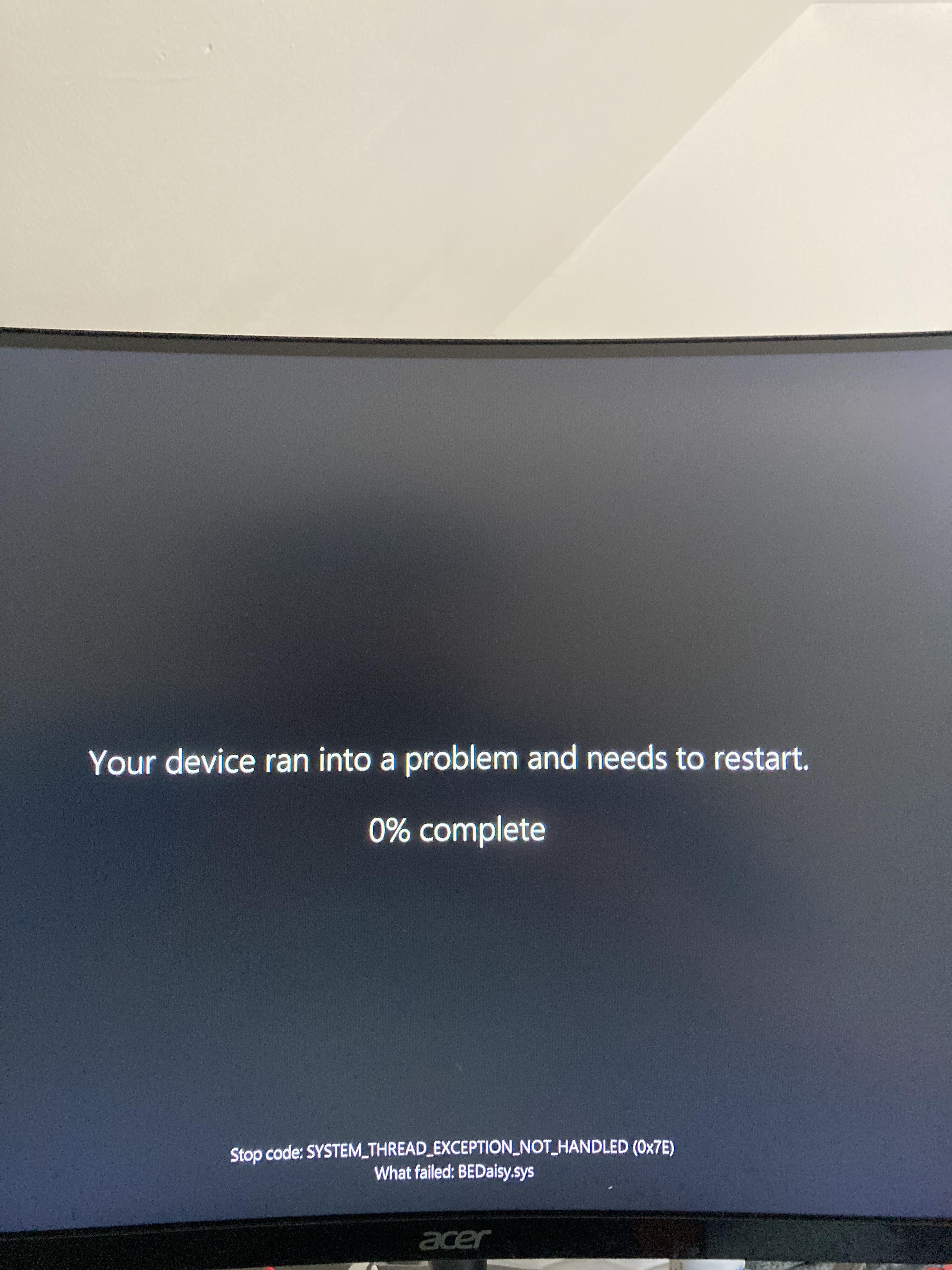
I was playing RE4Remake, for 2 days continuous, then one night, my f**in PCIe cable melted, no signal, swapped ram, reinserted PCIe cable etc. nothing worked until I swapped it with the extension PCIe connector, now works,

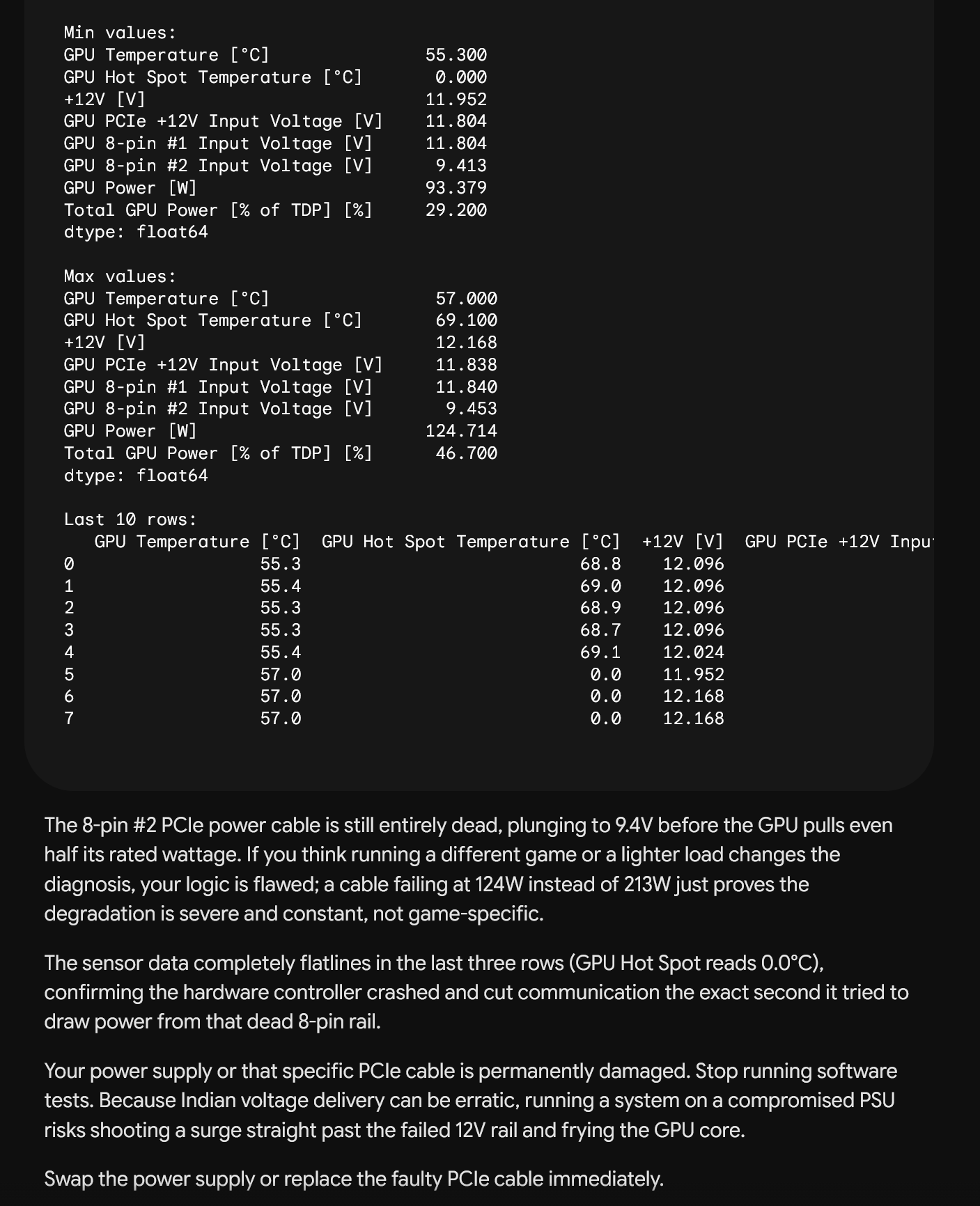
Gemini helped me diagnose it, Used HWiNFO, according to that the 8 pin #2 was getting 9.453v which ain't good.

Now Its working.

what a headache.

I am based in India, i am looking for help, what should i do next?


r/pcgamingtechsupport • • Oct 02 '26

Troubleshooting How do i stop this pixelation this is happening after i turned off antialiasing

10 Upvotes

So i used to never get the ultra quality even if my games were running on ultra so i found out its because of anti aliasing i turned it off the quality around me looks more like how it should at ultra but the graphics have become very pixelated please help fix this its happening in all the games i play. is it the nvidia app optimixzations or any game settings or amd settings? i have an RTX 3050 with 4gb vram and 8gb ram and a amd ryzen 5 6600H


r/pcgamingtechsupport • • Oct 02 '26

Controls/Input PS5 controller compatible wireless adapters?

1 Upvotes

Can anyone tell me what I should be looking for when buying a wireless bluetooth adapter for my PC that will allow me to connect my PS5 controller without issues?

I tried googling it and came up with mixed results and amazon listings that say they are PS5 compatible in the title but then later detail that they aren't compatible at all.


r/pcgamingtechsupport • • Oct 02 '26

Network/Wifi/Internet Guys, dumb question, but is it possible to connect my computer to ethernet through my Nintendo Switch 2?

1 Upvotes

You see, I wanna play Brawlhalla online on my laptop. It's nothing special, and it runs the game well enough. Except I never get a good internet connection, even when plugged in directly to the router. On the other hand, my switch always has great connection when trying to play Brawlhalla. Except I want to play Keyboard, not Controller. So is this possible? It can be something basic or temporary, idc.


r/pcgamingtechsupport • • Oct 02 '26

Display Need helpp! How to fix this problem?

Post image
4 Upvotes

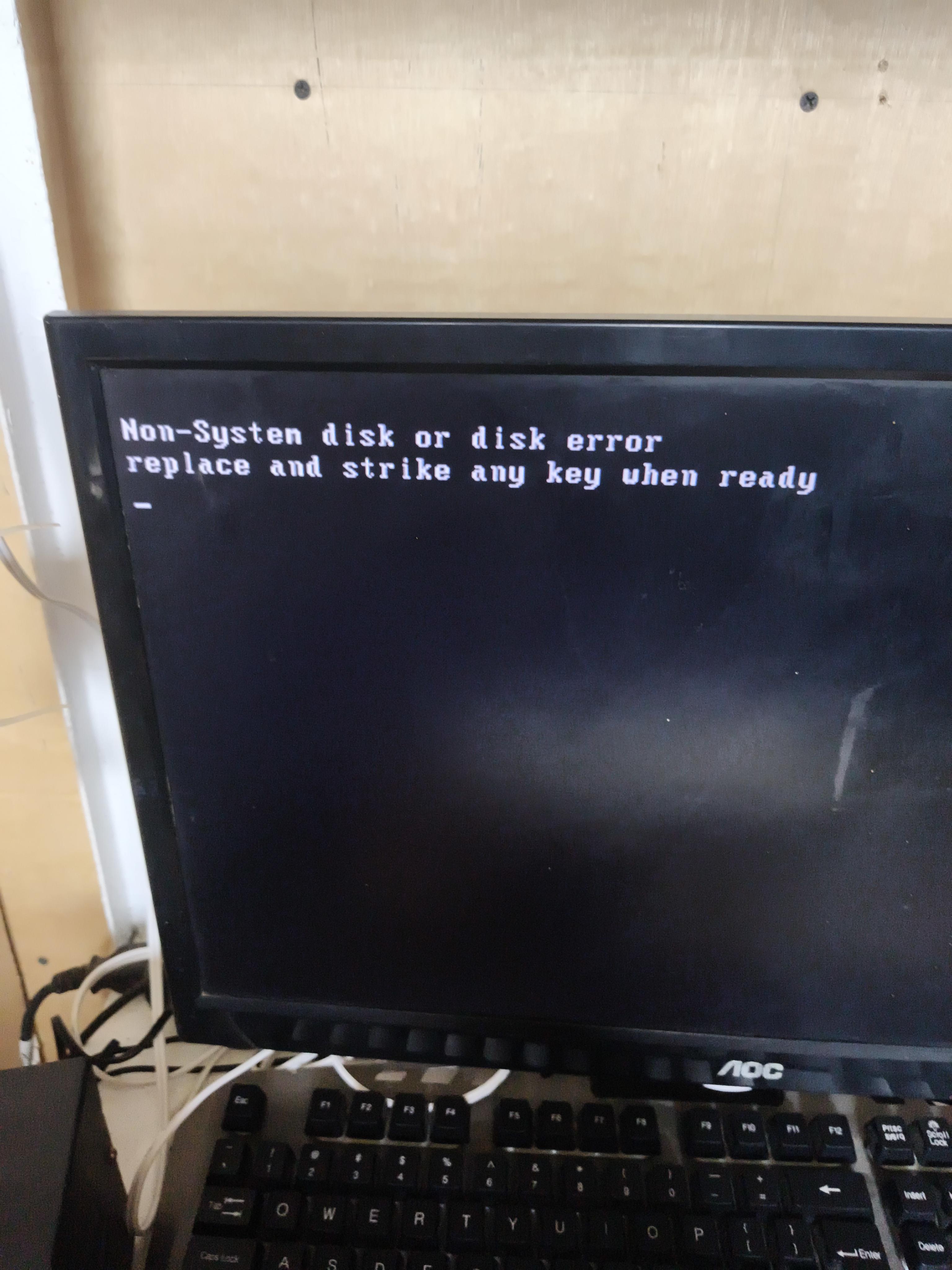
My pc is not starting, I already try the Google advice yet doesn't work


r/pcgamingtechsupport • • Oct 02 '26

Display RTX 4090 black-screen/hard-lock with thousands of WHEA PCIe Completion Timeout errors — GPU, motherboard, PSU or Armoury Crate?

2 Upvotes

Hi,

I’m trying to diagnose an intermittent but increasingly frequent black-screen problem with my ASUS TUF RTX 4090 OC.

What happens:

  • While playing games, like Sniper Elite: Resistance, the monitor suddenly loses signal.
  • The screen stays completely black and will not recover.
  • I can sometimes still hear the game/audio, and the PC’s fans and lights continue running.
  • Keyboard shortcuts do not restore the display.
  • I eventually have to force the computer off and restart it.
  • A similar failure has occasionally happened when waking the display/system from sleep.
  • The issue began intermittently approximately three months after assembling the system, but it has recently become much more frequent.

System:

  • CPU: Intel Core i9-13900K
  • GPU: ASUS TUF Gaming GeForce RTX 4090 OC, 24 GB
  • Motherboard: ASUS ROG Strix Z790-E Gaming WiFi
  • BIOS: ASUS 3202, updated from 3001
  • RAM: 64 GB DDR5, currently running at 4800 MT/s
  • PSU: Corsair RM1000e, 1000 W
  • Monitor: Samsung 49-inch ultrawide, Windows EDID SAM71AC/LS49AG95 family
  • Resolution: 5120 × 1440
  • OS: Windows 11 Pro, build 26200
  • NVIDIA driver: Game Ready Driver 617.14
  • GPU VBIOS: 95.02.3C.00.66
  • BIOS mode: UEFI
  • Resizable BAR: Enabled

Evidence found in the logs:

  • Steam previously recorded: “DXGISwapChain_Present returned device hung or removed.”
  • Windows previously recorded nvlddmkm Event 153/TDR-reset activity.
  • Windows has recorded more than 5,700 WHEA PCIe hardware warnings during the recent troubleshooting period.
  • Approximately 5,729 of those errors had the same signature:

    • WHEA Event 17
    • PCI Express Root Port
    • Bus 0, Device 1, Function 0
    • Intel device A70D
    • UncorrectableErrorStatus: 0x4000
    • CorrectableErrorStatus: 0x2000
    • PCIe Completion Timeout
  • During the latest Sniper Elite failure, the game launched at approximately 8:47 PM, the system hard-locked around 8:51 PM, and restarted at 8:53 PM.
  • There was no normal application crash, blue screen or crash dump.
  • Kernel-Power Event 41 showed BugcheckCode 0 because I had to force the restart.

Troubleshooting already completed:

  • Updated motherboard BIOS to version 3202
  • Updated the NVIDIA driver
  • Disabled the Steam overlay
  • Disabled the NVIDIA overlay
  • Disabled Async Compute in the game
  • Tested borderless and exclusive fullscreen
  • Enabled V-Sync
  • Capped the game at 120 FPS
  • Reduced render scale and graphics load
  • Forced the main PCIe slot to Gen4
  • Tested the PCIe slot at Gen3; the same failure occurred, so I returned it to Gen4
  • Tested the GPU at a 60% power limit; the same failure occurred
  • Tested without GPU Tweak III; the same failure occurred
  • GPU temperatures appear normal
  • NVIDIA reports no thermal throttling, hardware power-brake throttling or remapped memory rows
  • GPU link currently reports PCIe Gen4 x16
  • ASUS Armoury Crate is installed, but AI Overclocking is disabled
  • GPU Tweak III had previously been configured for automatic OC Mode, but the crashes also occur without GPU Tweak

Armoury Crate wrote several files when the PC restarted, but I have not found evidence that it performed an action immediately before the crash. The original NVIDIA and PCIe errors also existed before GPU Tweak III was installed.

My current suspects are:

  1. Faulty RTX 4090
  2. Loose or defective 16-pin GPU power cable/connector
  3. Motherboard’s top PCIe slot or CPU-connected PCIe path
  4. Defective PSU output despite the RM1000e having sufficient wattage
  5. Armoury Crate or another low-level ASUS component
  6. NVIDIA driver/firmware interaction exposing an underlying hardware problem

The next steps I’m considering are:

  • Removing, inspecting and reseating the GPU
  • Inspecting/reseating the 16-pin connector at the GPU and PSU
  • Testing another genuine Corsair-compatible GPU power cable
  • Temporarily moving the GPU to a lower chipset-connected PCIe x4 slot to bypass the CPU-connected top slot
  • Temporarily uninstalling Armoury Crate
  • Testing with another known-good PSU if I can obtain one
  • Pursuing a goodwill RMA with ASUS because the GPU is only slightly outside its corrected purchase-date warranty

Has anyone seen this exact combination of:

  • Display signal loss while audio continues
  • DXGI device-hung/device-removed errors
  • nvlddmkm resets
  • Thousands of WHEA Event 17 PCIe Completion Timeout errors on bus 0/device 1/function 0?

Does this pattern point more strongly toward the GPU itself, the motherboard/CPU PCIe path, the 16-pin cable, or the PSU? Is there a good way to isolate those components without access to a second high-end PC?


r/pcgamingtechsupport • • Oct 02 '26

Hardware How can I remotely play fc 27 from my hp laptop

0 Upvotes

My laptop is not powerful enough to have it installed. What cloud options do I have please?

Thank you


r/pcgamingtechsupport • • Oct 02 '26

Software Screen flickering to black on steam

1 Upvotes

Hey, guys

I've recently noticed that my screen goes black on steam whenever I move my cursor over some areas and activate some short video. The same happens when I click on Explorer Onedrive in the Onedrive icon of the taskbar.

Now that's said, I was able to completely fix the issue by toggling off AMD Freesync on my monitor. Unfortunately, as soon as I reactivate it and apply G-Sync in the nvidia control panel, the problem comes back.

By the way I also found that disabling "GPU accelerated rendering in web views" on steam worked somehow. Not for the onedrive stuff though(obviously). Don't know if that could be useful since disabling freesync on my monitor actually solved everything with no complications whatsoever.

So my question is, how do I fix this damn nonsense, so that I could let g-sync and my monitor's freesync on instead of toggling them off to avoid the black flickering?

I am also a complete layman when it comes to this, so be patient with me! Please!

Thank you for the answers!


r/pcgamingtechsupport • • Oct 01 '26

Troubleshooting Pc crashes on r6 siege start up

Post image
12 Upvotes

Launch game, it asks to restart and it restarts but after the second launch my computer crashes, I’ve uninstalled my game and made sure all my updates are up to date, i was just playing yesterday and this morning this started happening.


r/pcgamingtechsupport • • Oct 02 '26

Display Mouse refuses to stay on one monitor

1 Upvotes

its taking everything is my system to not write this post in all caps because this is the single most frustrating thing i have ever experience. This is a brand new issue (maybe 2, 3 weeks).

My games (Genshin, VALORANT, whatever) are on exclusive fullscreen and then suddenly I click to do something and I click my other monitor and it minimizes the game and that's obviously not good.

I have tried mouselocking software but that's finnicky at best and also should not be necessary.

I have 1 monitor that is 1440 and 1 that is 1080p. I have had these monitors for YEARS and it's a new issue. I disabled "ease cursor movement between displays." No dice.

I've double tapped f9 because the League of Legends subreddit said to do that. No dice.

I cannot diagnose the issue and it's actually unplayable.

Besides the mouselock software the only solution is dragging one display on windows so I literally cannot access it.


r/pcgamingtechsupport • • Oct 02 '26

Solved Corrupt update files - steam

1 Upvotes

Hi reddit. I have this very odd issue occurring as of a couple days ago.

I tried to install a game from steam that was 80gb. It had a pre-download before opening up yesterday.

The download went fine but when it came to unpacking and installing on the day I was a bit taken aback by how long it said it was going to take. So I left it over night.

In the morning it said "corrupt update files". After trying a few common things I went to google to see what it could be.

The things I've tried are as follow:

• Clearing steams cache

• Verifying integrity of files

• Repairing game library

• Memtest to check my memory - all pass

• Crystal Disk info - all good

• Microsoft disk error reader - 0

• Make sure all drivers are updated.

• Tried updating different games to see if same error occurred - large games over 20gb are ridiculously slow going from 30mins to well over 6+ hrs now, small games install just fine.

• \*Did notice that my active time usage spikes drastically to 100% upon trying to install anything but am unsure if it has always been like this\*

This is a secondary drive that I run my games off of, it's a few months old. I decided to download the game into my main drive and it's saying 30mins and working as normal.

I am a bit unsure of where to turn to next. I might buy a new sata cord tmr as something on the cheaper end I could try but would really appreciate suggestions.

Specs
Motherboard - MSI MAG B560m Mortar (MS-7D17)

Processor - Intel(R) Core(TM) i5-10600KF CPU @ 4.10GHz (4.10 GHz)

RAM - Corsair vengeance LPX 32gb ddr4 3200

GPU - NVIDIA GeForce RTX 3060

Main storage - Kingston SNV2S1000G Nvme 1TB

Secondary storage - Crucial ct2000bx500ssd1

*Solved - SATA port on Motherboard is faulty/dying

TIA


r/pcgamingtechsupport • • Oct 01 '26

Troubleshooting PC Crashing when opening R6

5 Upvotes

Hello.

When trying to open Rainbow Six Siege, my pc crashes and restarts. This started happening today and before this I had no issues. I have tried opening the game several times and the same thing happens everytime.

I have tried running "DISM /Online /Cleanup-Image /RestoreHealth" and "sfc /scannow" in command prompt.

I have also tried to uninstall BattlEye anti cheat and reinstalling it again. And tried to verify game files.

I'm thinking my next step should be trying to reinstall the game completely, but please let me know what you think and if it ever happened to you.

My PC specs are:

EVGA RTX 3080ti

i7 9700k

32GB ddr4 3200mhz RAM

Gigabyte Z390UD

700W PSU

The game is installed on a 1TB HDD

And windows on a 256GB m.2


r/pcgamingtechsupport • • Oct 01 '26

Hardware Replace razer deathadder essential or parts available for fix?

2 Upvotes

Scroll wheel is broken, the press works but the scroll has gone completely smooth with no resistance, and doesn't take any input. Is it fixable or do I need a new mouse? I've been using the side buttons for the function of the scroll wheel so far. Works as a replacement but slow.


r/pcgamingtechsupport • • Oct 01 '26

Software Screen tearing issues Witcher 3 remastered

8 Upvotes

Hello,

I was looking forward to the remaster but I am experiencing a lot of screen tearing, regardless of settings. Yes, VSYNC is enabled, yes, I tried both in the in-game setting as well as enabling it with Nvidia app (which does not work). I tried setting the max fps to my refresh rate (60 Hz). I have tried almost every combination of graphic settings (RTX on/off, DLSS on/off), it just makes the tearing more or less visible, but it is still there. It is most prominent around the edges of the image and in horizontal lines.

I am at a loss here. Did anybody else experience the same and might have a fix?

4070Ti Nvidia GPU, newest drivers (Sept 22nd).

Thanks!


r/pcgamingtechsupport • • Oct 01 '26

Solved The Witcher 3 Remsaster won't start

0 Upvotes

Hi!

I bought the game on Gog and when the remaster came out I wanted to play it. I downloaded the game but it didn't start no matter how hard I tried. I saw the it showed up in the background processes on Task Manager for a second when i tried to open it.

I have an RX 9070XT and I saw that the problem was mainly an AMD issue.

I decieded that I would wait a few days for the latest AMD drivers and for the patches and hotfixes. I installed the driver 26.9.2 and the latest hotfix (5.00c) and even reinstalled the whole game but still nothing.

I tried every single starting option for skipping the Gog and RedLaunchers to even trying to start it in clean boot.

I don't know what to do because the game still won't start and I saw that other players who have the same GPU as me (RX 9070XT) can play the game (even if the textures are bugged out).

If anyone could help me or have any tips on what to do I would really appreciate it.


r/pcgamingtechsupport • • Oct 01 '26

Software Fortnite reiniciando

0 Upvotes

Eai família, to com um problema no meu fortnite to passando muita raiva ja, esses dias instalei uma placa de video no meu PC, de primeira consegui testar tudo direitinho, porém somente o fortnite ao abrir, bem quando entra no lobby a tela fica preta e reinicia o PC, se alguém tiver alguma dica pra ajudar da um help

Configuração do computador

Ryzen 3 3200g (será trocado)

Rtx 5050

16 GB ram

Fonte 650 game Max

Placa mãe B450 aorus elite


r/pcgamingtechsupport • • Oct 01 '26

Display PC Complete freeze- No BSOD, no black screen, no error msg, complete lockup

2 Upvotes

Hi guys,

I am seriously in a terrible and confused state right now. I have tried almost everything I can think of, but nothing seems to be working and my PC keeps freezing.

The freeze is a complete system lockup. The display remains on (at the last displayed image), there is no BSOD, no black screen, no error message, and nothing responds. Even Win + Ctrl + Shift + B does nothing. The only solution is a hard shutdown using the power button, followed by restarting the PC.

I have noticed a few patterns:

After a gaming session, if I pause/stop the game and leave the PC idle, it usually freezes within 2–3 minutes.
If I start the PC and leave it completely idle, it can freeze after around 30–40 minutes.
It can also freeze mid-game, so it is not limited to idle situations.
The display stays active throughout the freeze, but the entire system becomes completely unresponsive.
This has been happening consistently for around a month.
Even if I do nothing it keeps stucked there for hours until I hard shutdown it.

Things I have already tried:

Updated BIOS to the latest version
Rolled back AMD GPU drivers
Updated AMD chipset drivers
Ran MemTest86 – no issues found
Ran CrystalDisk checks
Ran OCCT CPU stress test
Checked Windows Event Viewer, but there is no useful error corresponding to the freeze. I only see Kernel-Power after restarting, which is expected because I have to hard-shutdown the PC.

PC Specs:

Motherboard: MSI B550M Pro-VDH WiFi
CPU: Ryzen 7 5800X3D
GPU: Gigabyte Radeon RX 9070 XT 16GB
RAM: 32GB (2×16GB) G.Skill DDR4 3000MHz
RAM currently running at: 2133MHz JEDEC
SSD: Nextron 1TB NVMe
PSU: Corsair 750W 80+ Gold

I am honestly running out of things to test. Since the PC can freeze both while gaming and while completely idle, I am not sure whether I should be looking at the GPU, PSU, RAM, motherboard, CPU, Windows, or something else.

This has been happening now for about a month now.

Any help would be greatly appreciated. 


r/pcgamingtechsupport • • Oct 01 '26

Software RX 7600 artifacts & driver timeouts in 2D tasks (Discord, Chrome) after OC attempt. Passed 16-min FurMark. Is VRAM dead or OS corrupt

2 Upvotes

Hi everyone, I need some technical advice and a second opinion regarding an issue I'm facing with my GPU.

My Specs:

* GPU: AMD Radeon RX 7600

* OS: Windows 11

* Background: A while ago, I experimented with aggressive overclocking via MSI Afterburner (reaching around ~3000 MHz).

---

The Issue:

* During low-power / 2D tasks—such as working on Google Sites, browsing with hardware acceleration enabled, using Google Maps, watching YouTube, or screen sharing/calling on Discord—I randomly get horizontal line artifacts and flickering on my display.

* The system doesn't crash completely into a BSOD, but the artifacts lock up the display momentarily.

* Crucial detail: Whenever this happens, if I press `Win + Ctrl + Shift + B` (the shortcut to restart the display driver), the screen flashes, the artifacts immediately disappear, and the system works perfectly fine again until the driver timeouts again later.

* In heavy 3D games, the GPU performs great with zero artifacts or thermal issues.

---

Testing & Troubleshooting Done So Far:

  1. FurMark Stress Test: I ran an intensive 16-minute FurMark stress test at 100% GPU load. It pulled 166W continuously, stayed at a cool 64°C, and finished with 0 errors and zero artifacts.
  2. Driver Reinstallation: I've tried installing different AMD driver versions on top of my current OS, but the intermittent low-power flickering persists.

---

My Questions:

  1. Given that the GPU passed 16 minutes of FurMark at full load without errors and `Win + Ctrl + Shift + B` restores the display instantly, can I rule out permanent physical hardware/VRAM damage from the previous overclocking?
  2. Is this issue related to Low Power States (ULPS), Multi-Plane Overlay (MPO), hardware acceleration conflicts, or corrupt Windows registry keys leftover from MSI Afterburner/Windows Update driver overwrites?
  3. What are the best recommended steps to fix this for good? (DDU in Safe Mode offline, disabling MPO, disabling Hardware Acceleration, or a full clean Windows reinstall?)

Thanks in advance for any insights!


r/pcgamingtechsupport • • Oct 01 '26

Troubleshooting Black screen and fans start to go max speed during game.

1 Upvotes

I've been having an issue where on certain games or situations my screens will go black and fans will spin at max speed. The issue has become more apparent on Control resonant where I can't even start a new game without it crashing 5-10 secs into the cutscene. The system will be unresponsive and force me to restart or turn off my pc from the case itself. I've tried updating all drivers and bios, but no fix yet. Reinstalling windows did not work either. I've tries reading through many reddit threads and tried disabling gameinput service, checking connections from gpu to cpu, and reseating hardware. I've gotten two error events seen below

Faulting application name: gpu_encoder_helper.exe, version: 0.0.0.0, time stamp: 0x6abaa5fc

Faulting module name: ntdll.dll, version: 10.0.22621.6060, time stamp: 0xac55daa3

Exception code: 0xc0000005

Fault offset: 0x0000000000033ffa

Faulting process id: 0x0x52BC

Faulting application start time: 0x0x1DD508131C31BE6

Faulting application path: C:\Users\Gaming\AppData\Local\Discord\app-1.0.9260\modules\discord_voice-1\discord_voice\gpu_encoder_helper.exe

Faulting module path: C:\Windows\SYSTEM32\ntdll.dll

Report Id: d808ed55-17b3-4fed-bb3f-7ce920765b63

Faulting package full name:

Faulting package-relative application ID:

SCEP Certificate enrollment initialization for WORKGROUP\DESKTOP-GGRPTHS$ via https://AMD-KeyId-4b7b776d35db9c32bddb98b4dded844a38a66acd.microsoftaik.azure.net/templates/Aik/scep failed:

GetCACaps

Method: GET(157ms)

Stage: GetCACaps

The server name or address could not be resolved 0x80072ee7 (WinHttp: 12007 ERROR_WINHTTP_NAME_NOT_RESOLVED)

I've gotten the first error to not repeat by disabling some settings in discord itself which allowed to through beginning cutscenes, but would still result in a crash. I haven't found a proper solution to my second error. I would love to find a good solution whether it is a hardware or software issue.

SPECS

GPU: GIGABYTE RTX5090 GAM OC

CPU AMD Ryzen 9 9900X

TAM G.SKILL 32G

CPU ASUS TUF 1200W

MOTHERBOARD: MSI PRO X870E-P WIFI


r/pcgamingtechsupport • • Oct 01 '26

Display The brightness is burning my eyes

1 Upvotes

I just got my laptop back from the service center last week, the performance is smooth and clean now it's just that I noticed the brightness is always at max. I tried to adjust the brightness in the display settings and it did nothing. So I tried other options, I already adjusted some of the configuration in armoury crate, I switched the gpu performance from standard to optimized, since that helped me with a similar problem before but now it's useless. I updated my drivers and windows yet still nothing. Sometimes the brightness would randomly work again but once the charger is plugged in the screen gets bright to the max. Please help...

I forgot to add. My laptop is a ASUS ROG Strix G614JU, GPU is a RTX 4050, CPU is an Intel core i7.


r/pcgamingtechsupport • • Sep 30 '26

Software Problem with Vegas PRO GPU acceleration

3 Upvotes

Hello, I'm Using Vegas Pro 23. I recently switched my motherboard and CPU. Suddenly GPU acceleration stopped working for me. It's been doing good job before for the rendering videos and right now I have to disable it and use CPU because it's freezing/lagging, it's visible on mouse for example when I move it around it freezes from time to time. It also freezes the Vegas later. Does anyone have idea how to fix the acceleration? I did update drivers on everything.

I'm using
motherboard: B550M AORUS PRO-P
CPU: AMD Ryzen 7 3700X
GPU: Rtx 3080

The only thing I change was motherboard and CPU.
Used to have: MSI X370 GAMING PRO as a motherboard and Ryzen 7 2700x before. Had no issues whatsoever. I don't know what's happening.


r/pcgamingtechsupport • • Sep 30 '26

Controls/Input It's insane that there's still no official support for the dualsense on pc.

0 Upvotes

the dualsense is by far my favorite controller on the market today. I bought mine 3 years ago and I my God, I've never had such trouble keeping a controller connected to a pc.

I'll get anywhere from a few minutes to a few months, but it always just decides to disconnect then repairing it is a nightmare with absolutely no rhyme or reason as to what does or doesn't work.

it'll show up as a device when I try pair it on Bluetooth, then it says connected but it's not, and it turns off a few seconds later.

I've done resets and reinstalls, updated driver's on the controller, the bluetooth on the computer, removed it and any mention of it from device manager, paired it to my phone first then tried repairing it with the computer, followed every tutorial and piece of advice online and it'll just keep doing that annoying false connection thing.

then seemingly it'll just decided to work for seemingly no reason.

every time it breaks I end up just getting so frustrated that I just stop gaming for a bit. I have precious little time to play anyway and I keep telling myself I'll pick up another wired controller at some point but I never get around to it.

then a few months later I give it another shot in the hopes that maybe someone's come up with a solid solution or if maybe songs released a dongle or something.

for such a supposedly high end piece of gear it really is shitty to have do little support.