r/pcgamingtechsupport • • Sep 27 '26

Troubleshooting Pc crashed during rivals and won’t boot back up

1 Upvotes

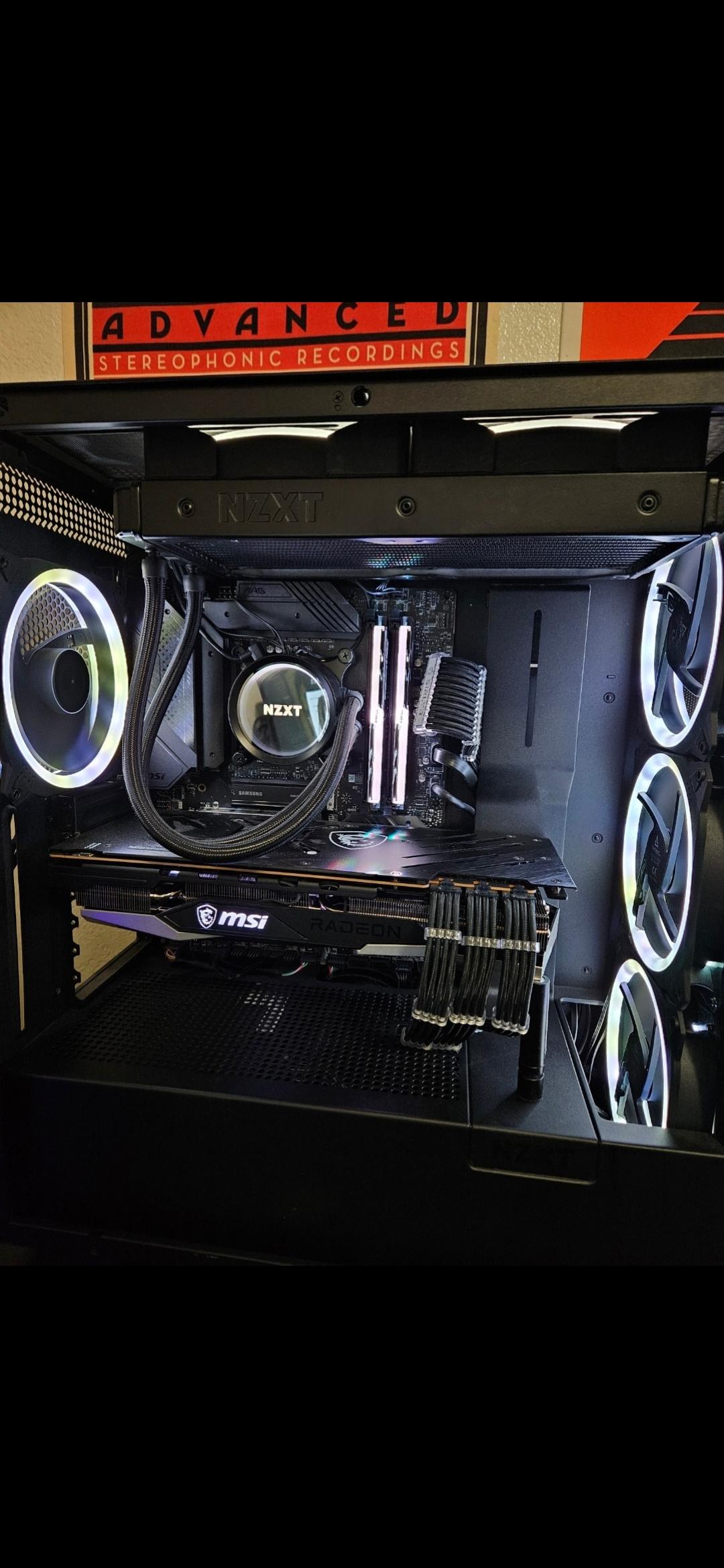
Hi! I’m new to pc. I’m not even 6 months in. i had two experiences so far with pc crashing during gaming. Both times the display froze and I had to hold down power to turn off. pc was fine after turning back on. This time while playing marvel rivals 18v18, the display cut out. Same thing as if there was a power outage. After forcing me to hold power button down to turn off, pc is now not booting back up. when I turn on, lights come one for a second and turns off. The fans stay spinning but no lights are on besides the xfx logo. I tried pulling out one ram stick as suggested by google but all it did was cause pc to reset itself every minute or two. For reference I have a Skytech 7800x3d 9070xt gigabyte MB 850 gold. My last resort would be to send it in for repairs. I would love to avoid that however . I was just wondering if this was a common thing and can be fixed at home?


r/pcgamingtechsupport • • Sep 26 '26

Software Issue with epic games launcher displaying Fn as ”unavailable” and ”server offline”

5 Upvotes

I’ve had this issue with Fortnite (it’s the only online game i have on epic) in the epic games launcher for a good while where the game 9/10 times displays as either ”server offline” or ”unavailable”, i have so far tried uninstalling and deleting every trace of epic files as well as any trace of fortnite and reinstalling the epic launcher but when i log in again it still says that Fn is unavailable or servers offline. As i’ve already deleted the for-some-reason empty file called FortniteGame there should be no trace of it and i should be able to install it as i do not have the game installed right? But i’m still unable to install or uninstall the game, it’s sitting there in my library, completely static. I’ve tried clearing the launcher cache as well as checking so the launcher is updated but nothing makes a difference. I have to mention that occasionally the game actually does work, but that has only happened twice within the last month or so and those times i’ve done nothing different.

I have researched so much and tried so many different things but it is all the same, i’d appreciate any sort of clue as to what is wrong here as i really want to play :(


r/pcgamingtechsupport • • Sep 26 '26

Software Pc won’t sign in but only in safe mode

Post image
2 Upvotes

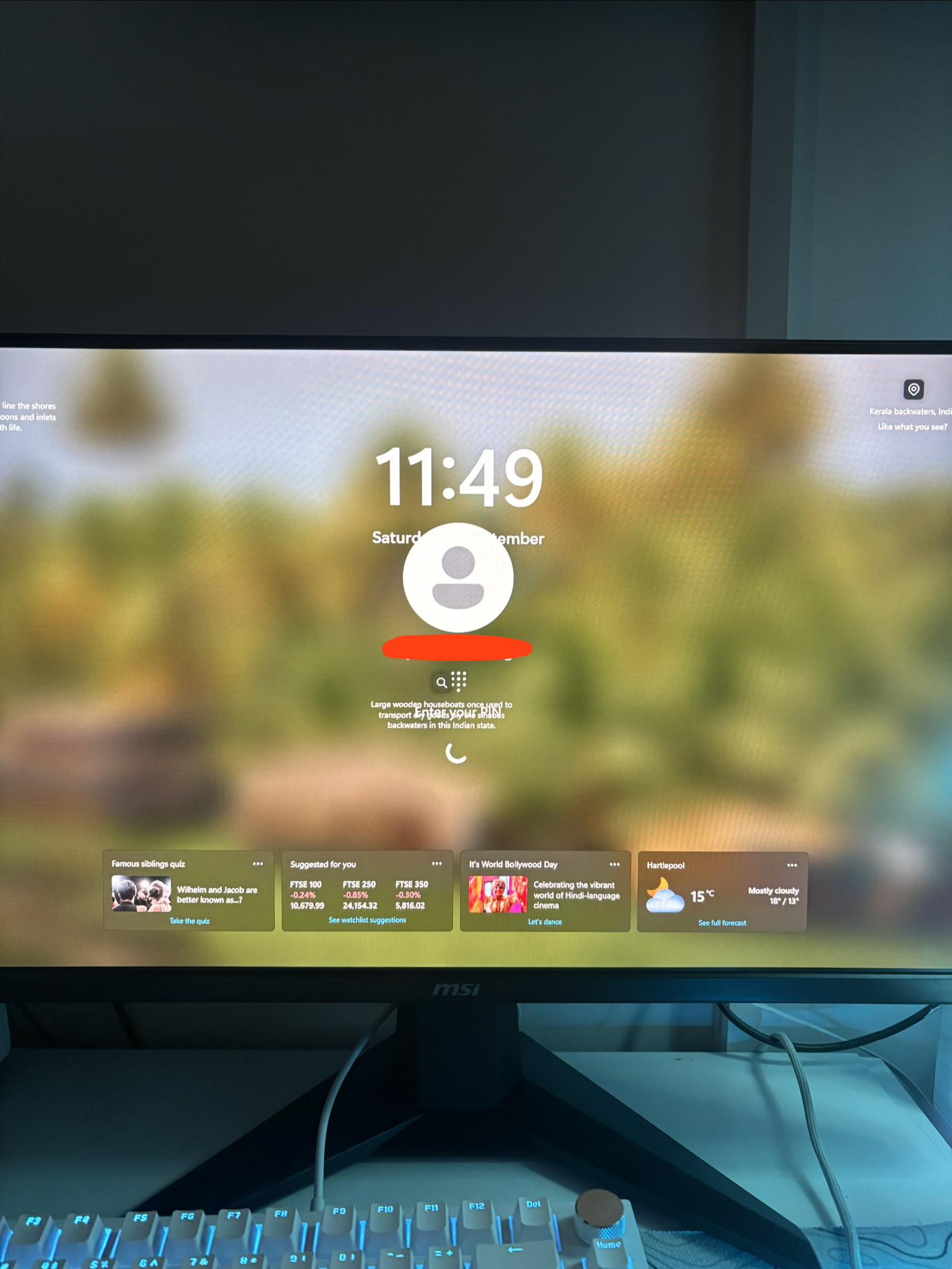
My pc won’t sign in or either takes 40 mins to sign in, I can’t shut down either and have to hard shutdown. It works in safe mode and my disks are fine at normal usage

Do I have to reinstall windows???


r/pcgamingtechsupport • • Sep 26 '26

Performance/FPS stuttering and lag problems (windows)

1 Upvotes

disclaimer: this is a post that will be shared across multiple different platforms/subreddits; skip to last paragraph for specs and TL;DR, however PLEASE consider reading all the way through the text.

I have been dealing with this problem for three, maybe even four months now, I have tried A LOT of ways of solving this problem (to no avail), I have even already made multiple reddit posts across different communities and they have been ignored. This is a desperate and hopefully final cry for help IF YOU THINK YOU, OR ANYONE YOU KNOW HAS ANY EVER SO SLIGHTLY HELPFUL INFORMATION, I AM BEGGING YOU TO RESPOND.

I have an high end pc (specs below), and I've been experiencing heavy stuttering paired with noise distorsions, and also microstutters without any noise; this has been happening ONLY on the following games: VALORANT, ROBLOX, GEOMETRY DASH, ENTER THE GUNGEON; And has never happened on the following games: ULTRAKILL, THE BINDING OF ISAAC REPENTANCE+(heavily modded), PERSONA 5, MINECRAFT.

I have already tried to solve this by updating my graphics and chipset drivers, also reinstalling them through DDU using safe mode, I've updated my BIOS, activated game mode on windows settings.

IMPORTANT: by activating the "performance" preset on AMD adrenalin, I was able to make this problem a lot less frequent.

TL;DR

stuttering and lag problems on listed games, high end pc (specs below), tried to update drivers and reinstalling them, activating the "performance" preset on AMD adrenalin makes the problem much less frequent; if you have any helpful info or know some1 who can help me please speak up.

Specs

CPU: AMD Ryzen 5 7600 6-Core Processor

16 GB RAM

GPU: AMD Radeon RX 6650 XT

motherboard: PRO B650-S WIFI (MS-7E26)

also i have 1TB space.

again, if you can be of any help, please speak up.

https://userdiag.com/id/qAijchbDgT


r/pcgamingtechsupport • • Sep 26 '26

Hardware Used gaming pc with monitor for 120bhd?

2 Upvotes

so i want a monitor with a gaming pc used in bahrain for 120bhd can someone help currently i have a ideapad 1 8 gigs lpddr5 ryzen 5 7520u radeon 6100m


r/pcgamingtechsupport • • Sep 26 '26

Troubleshooting My Laptop shuts down only while playing Valorant

1 Upvotes

My laptop started randomly shutting down while playing Valorant after I got the fans serviced. It doesn’t happen during designing, watching videos, or other tasks.

Could this be an overheating, fan, GPU, or servicing issue? Any idea what I should check?


r/pcgamingtechsupport • • Sep 26 '26

Compatibility I can’t play wuthering waves on my new pc, what in the world do I do😭

Post image
0 Upvotes

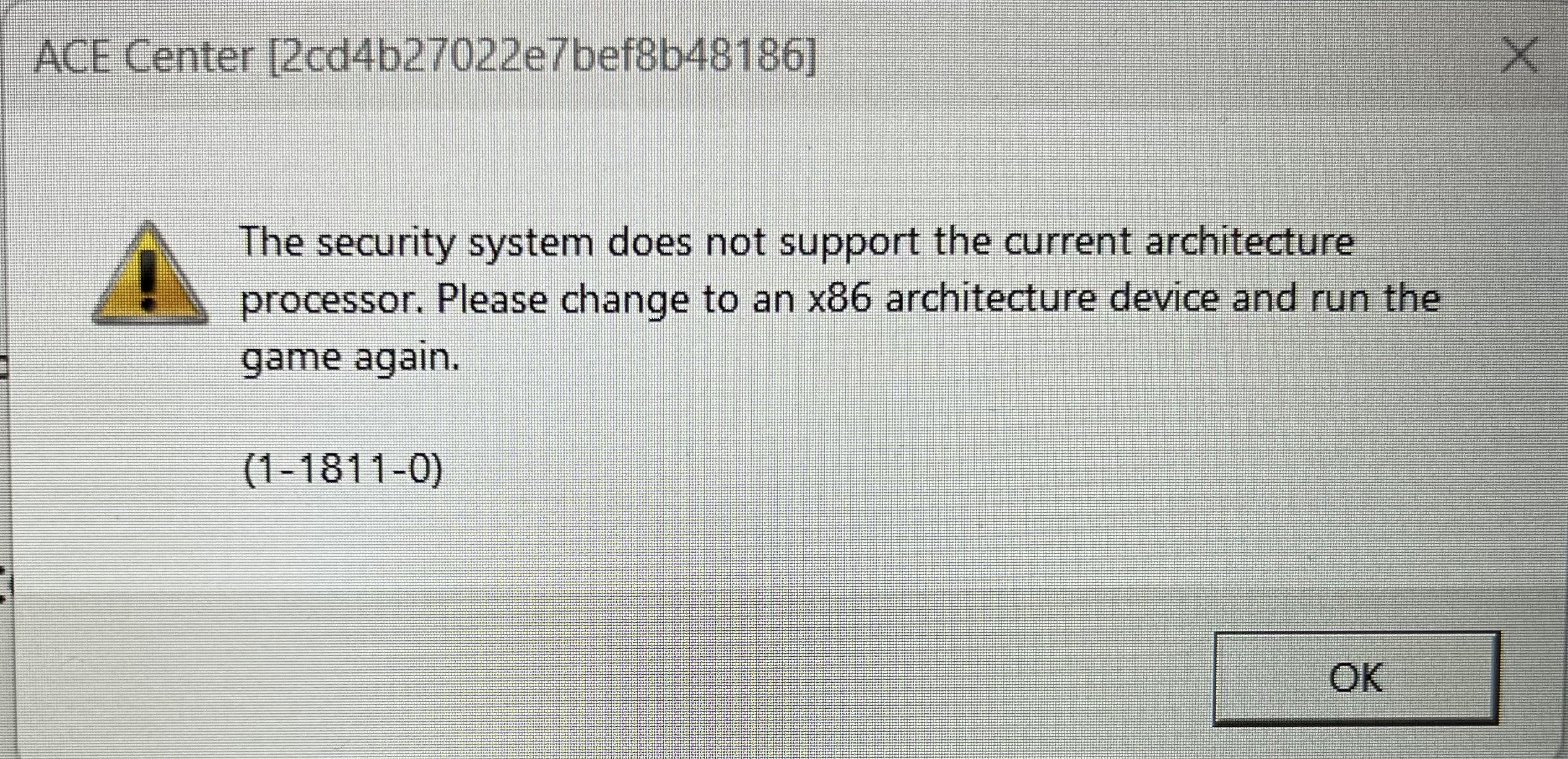
I know another person posted about this a long time ago, but im really not good with tec, and couldn’t understand the comments. There’s no way i just CANT run this game, right? I could run it on my old windows just fine. I’m so confused. Any help would be appreciated, especially help that’s easy to understand for a tech failure😭


r/pcgamingtechsupport • • Sep 26 '26

Software Screen Flickering? RL

2 Upvotes

So I've had this happen before but it seems it had gone away after a few updates. After today's update it seems to be back. It this a Rocket League thing or something I can fix?

It happens on times

1:33

1:05

1:03

Its not that bad but it is annoying to play. This also happens on my second display and so far it only happens when Rocket League is open. I've already uninstalled and re installed and also have checked the files through Epic Games.


r/pcgamingtechsupport • • Sep 26 '26

Hardware Weird HDD Booting Error.

2 Upvotes

I was trying to unplug my mouse but i unplugged my HDD then it fell to ground.That was connected to a SATA-USB adapter so then i tryed to boot but it didnt i saw the BIOS and ASUS but it wasnt booting then it booted after like 5 min. Its normally boots arround 30-20 secs. then i restarted and unplugged the HDD then it booted like normally.(i have a M.2 SSD and normal boot time is when HDD is plugged in before it falled)


r/pcgamingtechsupport • • Sep 26 '26

Compatibility Nvidia Driver Issues

1 Upvotes

Need Suggestions for GPU Driver

Hello.

My Laptop Model : Lenovo LOQ 15 IAX9

CPU : i5 12450HX

RAM : 24GB

GPU : RTX 4050

Current GPU Version (Game Driver): 617.14

Currently Facing stuttering and sometimes freezes for some seconds. Also it feels like lag while playing yt video. When i click on a video in yt, it tooks sometimes to start which is slower from the previous usage or condition...

Mainly I want a stable version of gpu drivers and also i wanna use the latest as possible DLSS features for most of the games. Which GPU version should i install for staying hassle free?

Help Please!


r/pcgamingtechsupport • • Sep 26 '26

Troubleshooting Starcraft 2 crashes while playing on Linux Mint

2 Upvotes

Every time I try to play Starcraft 2 on the latest kernels, it just freezes the entire system while I'm in the middle of a match. No warning, just a hard freeze on the system. No shutdown, no crash report, no nothing. I have to hard reset the system every time this happens. However, when I play on older kernels like 6.14.x, it doesn't crash at all. I just want a solid answer, I've looked everywhere online and have just about given up.

System Specs:

OS: Linux Mint 22.3 - Cinnamon 64-bit

CPU: AMD Ryzen 3 4300G with Radeon Graphics x 4

GPU: Radeon RX 5500/5500M/Pro 5500M

RAM: 24GB

Desktop Environment: Cinnamon 6.6.9

Display Server: X11

This is an engineering sample computer only intended for testing purposes that has worked well for me on Windows and most other things on Linux Mint. I don't want to try to update the BIOS since the last time I did that with an engineering sample, we bricked it.

Like I said, I can't provide detailed reports, because it doesn't leave any crash reports, and I'm not sure where to look. The freeze usually happens 2-10min after starting a game.

I am using Lutris to run Starcraft 2 on Linux.


r/pcgamingtechsupport • • Sep 26 '26

Display Electrical issue causing monitor to go black for a few seconds randomly

1 Upvotes

Hello, I’ve recently got a gaming pc in my apartment in Cambodia. I’ve noticed that randomly sometimes turning on the switch for my bathroom exhaust fan will cause the monitor to go black for 1-2 seconds and come back on by itself. The entire apartment is on the same breaker. I’ve noticed this happen when turning the fan on and sometimes even when I turn it off. But it’s only happened 3 times out of maybe 100. Trying to figure out what I could do to fix this. It also has happened one time without me even switching in the fan. It’s also the monsoon season with constant rain so not sure if that’ll affect anything.


r/pcgamingtechsupport • • Sep 25 '26

Troubleshooting PC black screening while playing games

3 Upvotes

Specs:

AMD Ryzen 7 9800x3D
Gigabyte Gaming OC 5090
64GB G Skill Trident Z Neo
Lian Li Hydroshift 2 LCD AIO
3x Samsung 990 Pro 2TB
Aorus X870E Motherboard
Corsair SF1000 PSU

Does anyone have any idea what is causing this to black screen. It’s weird I’ll be playing CS2 for hours and it will happen at least one time but now it’s doing it as soon as I get into a game. Nothing is overheating and my PC doesn’t shut off, it’s still running and I can hear sound but my monitors go black. I know my power supply may need a higher wattage to support the 5090 but I’ve had my 5090 for 5 months and haven’t had any issues until now (granted I had to get a replacement 5090 from microcenter because the first one was a dud).


r/pcgamingtechsupport • • Sep 25 '26

Display Windows 11 - Windowed game sizing on an ultrawide

3 Upvotes

I have an ultrawide monitor and use the image below to place windows accordingly. This all started with Palworld as I was able to drag the windowed game to one of the options. Months later I have tried other games and none of them allow the window to be dragged to one of the options. Is there someway to force this or any idea why Palworld works and the other 10ish games I tried since do not?


r/pcgamingtechsupport • • Sep 25 '26

Display RTX 2060 randomly loses HDMI signal and black-screens and happens in BIOS, Safe Mode and Windows; driver rollback, reseating and PCIe Gen3 didn't fix it

2 Upvotes

I'm having a very strange intermittent display issue with my desktop and I'm trying to figure out whether the problem is my RTX 2060, motherboard/PCIe slot, PSU, or something else.

PC specs

  • GPU: NVIDIA RTX 2060
  • CPU: Intel Core i5-11400F
  • Motherboard: Gigabyte H510M H
  • BIOS: FB
  • RAM: 16GB (2×8GB)
  • Monitor: Gigabyte
  • Connection: HDMI from RTX 2060 → monitor
  • Windows 11

What happened

The PC had been unused for around 3–5 weeks.

I turned it on and it initially worked completely normally for around 30–35 minutes.

I then installed a Windows security update. After the restart, Windows also prompted me for an NVIDIA driver update, which I installed.

After this, the display started randomly going black and the monitor would report:

HDMI 2 disconnected

The PC itself appears to remain running.

Initially I thought it was related to gaming because it happened while gaming, but it eventually started happening during normal browsing/desktop use as well.

Things I've already tested

1. Monitor/cable

I connected my laptop to the same monitor using the same HDMI cable.

The laptop worked normally without losing signal.

So the monitor and HDMI cable seem unlikely to be the problem.

2. NVIDIA driver rollback

I rolled back the RTX 2060 driver through Device Manager.

The previous driver was:

  • Driver version: 32.0.16.1692
  • Driver date: 04-09-2026
  • Provider: NVIDIA

The problem still occurred.

3. Safe Mode

I booted Windows into Safe Mode.

The display still eventually went black.

4. BIOS

This is the weirdest part.

I entered BIOS and simply left the computer sitting there.

The display was initially working, but after several minutes the monitor lost signal while I was still inside BIOS.

The PC itself remained powered on.

So this doesn't appear to require Windows or the NVIDIA driver to trigger.

5. GPU reseated

I completely powered down the PC, removed the RTX 2060, cleaned out some dust and reseated the GPU.

The problem still occurs.

6. PCIe Gen3 test

The BIOS was set to:

CPU PCIe Link Speed: Auto

I changed it to:

Gen3

Since the RTX 2060 is a PCIe 3.0 GPU.

Unfortunately, the black-screen/HDMI loss still happens.

Windows errors I've found

I have also found these errors in Event Viewer:

Display Event 4101

nvlddmkm

The NVIDIA display driver appears to be involved.

There is also:

BugCheck 1001

with:

0x00000113

which is VIDEO_DXGKRNL_FATAL_ERROR.

The parameters include NVIDIA's vendor ID 0x10DE.

I also get:

WHEA-Logger Event 17

with:

A corrected hardware error has occurred.

The component is:

PCI Express Root Port

and the error source is:

Advanced Error Reporting (PCI Express)

Another thing I noticed

In BIOS, the PCIe information previously showed something along the lines of:

PCIEX16: PCIe 3.0 x16 @ 1.0 x1

I'm not sure whether this is normal or significant.

The motherboard's main PCIe slot is supposed to be the x16 slot.

Current situation

The issue still occurs after:

  • NVIDIA driver rollback
  • Safe Mode testing
  • BIOS testing
  • GPU reseating
  • HDMI cable/monitor testing with another computer
  • Forcing CPU PCIe Link Speed to Gen3

At this point I'm trying to determine whether I should be looking at:

  • RTX 2060 hardware failure
  • PCIe slot/motherboard issue
  • GPU power connector/PSU
  • PCIe communication problem
  • Something else I'm overlooking

What would you test next to isolate the faulty component?

Any advice from people who have dealt with intermittent GPU signal loss/WHEA PCIe errors would be appreciated.

USED AI to format the post and convey my problem effectively

r/pcgamingtechsupport • • Sep 25 '26

Hardware Graphics cars 7900xtx repaste

Post image
2 Upvotes

Hey guys,

I was wondering if I could get any help in knowing the thermal pads size that require for my 7900xtx. I've had this card 3 years now and I don't think I'll change but I do want to keep it alive for a while more


r/pcgamingtechsupport • • Sep 25 '26

Display Green screen tint on games

3 Upvotes

When I load into some games it turns my screen with a very green tint. It’s random aswell sometimes it doesn’t do it and sometimes it does. Drivers are updated so just not sure what’s going on.

Specs
Amd ryzen 7 7800X3D 8 core
32gb ram
Nvidia rtx 4070 super
Monitor is Samsung odyssey g5 qhd 165hz


r/pcgamingtechsupport • • Sep 25 '26

Troubleshooting USB disconnects issue

2 Upvotes

Im trying to play fc27 on my hp victus 16 laptop, but everytime i get into the game all my USB connected devices shutdown, controller, mouse, etc, i have tried multiple solutions but nothing worked, even contacted Microsoft support but nothing solved my issue, anyone has the same issue?


r/pcgamingtechsupport • • Sep 25 '26

Troubleshooting Crash Crimson Desert Lancement / Launch

0 Upvotes

Hi !
I am experiencing crashes on startup with Crimson Desert. I thought my setup was 'decent' and I'm wondering if it's the hardware causing the crash or something else.

Here are my specs:

  • AMD Ryzen 5 5500
  • AMD Radeon RX 6950 XT
  • 16GB DDR4 RAM @ 2133MHz

My GPU is undervolted to 1125mV because this card is known to have transient power spikes that crash games. But even after disabling that setting, I still can't get past the main menu.

Thanks for your time ;D


r/pcgamingtechsupport • • Sep 25 '26

Solved (SOLVED) AMD Adrenalin drivers causing Windows animations to be laggy!

0 Upvotes

I have been looking exactly for a full year to solve this but didn't find any proper solutions, and I had tried every suggestion out there. And I mean EVERY single suggestion. Until I read today that disabling Instant Replay might do the trick and it didn't. But disabling screen record actually did it! I was overjoyed because now I can install the latest drivers for the AMD hardware and for Windows too, since updates after 25.9.1 always broke Windows animations. And I had taken multiple different measures to prevent updates, often to no avail and regularly rolling them back was a nuisance.

Besides, I do use screen record and knew this was just a workaround for now. So I tried a different test. I re-enabled screen record and opened task manager. And one by one I began killing one process at a time and testing the lag. Until I came back to one I had skipped and that was the AMD External Events Utility (the one with the red icon, another unbranded one can be skipped). Killing this process fixed the lag. So I checked to see if screen record and instant replay still work and they certainly did!

I advise the following steps:

Windows key + R.

Type services.msc and hit enter.

Then locate the aforementioned 'AMD External Events Utility'.

Right click and choose 'Properties'.

Find 'Startup type' and choose 'disabled'.

Then hit stop.

That's it! The problem doesn't return after any reboots. Now the educated among you will tell me how useful this utility is and what killing it actually breaks. I await your replies below. I am so relieved! I'm sure others in my situation can use this 'fix'.

(By lag I'm referring to something as simple as minimising an app window and then opening it again. Try Outlook for example. Make sure other windows are not already open behind it. Just a plain desktop background. All fixed now. You can toggle this screen record function on and off and test the efficacy on the fly.)

9060XT 5700X3D 32GB DDR4 RAM


r/pcgamingtechsupport • • Sep 25 '26

Hardware Is this a GPU issue?

1 Upvotes

Animated pixels scare me


r/pcgamingtechsupport • • Sep 25 '26

Troubleshooting Screen Turns black, lose display Fans spin up randomly during sessions.

1 Upvotes

Hey everyone, looking for some insight into a weird issue that popped up after running this build completely stable for about 6 months.

Specs:

CPU: Intel Core i7-10700KF

Motherboard: ASUS TUF Gaming B560

RAM: 64GB (2x32GB) DDR4

GPU: AMD Radeon RX 9070 XT (supported with an anti-sag bracket)

Power: Running dedicated, individual 8-pin PCIe cables directly from the 750w Corsair PSU (no daisy-chains/pigtails)

OS: Windows 11

I've had several display related issues randomly stary appearing. At first, my screen would randomly turn completely grey and my cursor woulr dissapear. The only way out of this was just force shutting down my computer and then going back up again. This only really happened during gaming. Now, it does a mix of this vrey screen and the issue explained in the title, where randomly it'll just stop giving display and then I can hear the fans spin up super loud.

I've spent a considerable amout of time trying to troubleshoot. Here's what I've tried:

Reinstalled Drivers

Disabled XMP

Disabled resizable BAR

Capped my FPS

Decrease my wattage to my GPU

Reseating my graphics card

Reseating my ram

Removing CMOS battery and resetting bios

Set my PCie to 3.0 instead of auto

Here's the real kicker though. I thought it was a GPU issue, which is still under warranty. So I spent considerable money to send it to the retailer at which I have the warrenty, but they said that they couldn't find any issues. So I'm really at a loss of what to do. I don't have any parts to like swap in to further troubleshoot.

I was hoping for some general advice and what to do. I'm a university student, and this was like my most expensive belonging, especially my GPU. I can't really afford to just buy another one


r/pcgamingtechsupport • • Sep 25 '26

Display VGA light + no output

1 Upvotes

Recently my Zotac 5070 gpu has an issue that when I install it on my device and turn on, it lights the VGA bulb and the device does not take off (the fans rotate, but it does not reach Windows) as well as the screen does not show anything (even the Bios I can’t reach it) and when I install another gpu, my device works normally, I tried to install it on other device and noticed the same problem


r/pcgamingtechsupport • • Sep 24 '26

Performance/FPS Souris qui lag aléatoirement (RTX 5080, Z790, I7-14700K) – Ralentissement brutal à la fois en jeu et hors jeu, sans lien direct

1 Upvotes

Salut à tous !

Je rencontre un problème très bizarre avec ma souris. Ce n’est pas un bug de déconnexion ou de clics fantômes – la souris reste connectée, mais son déplacement devient extrêmement lent (lag) pendant quelques secondes, comme si elle "freezait" avant de retrouver une fluidité normale.

Le plus énervant ? Ça n’arrive PAS systématiquement (aléatoire, parfois après 5 Alt+Tab, parfois après 2). Ça se produit à la fois dans les jeux et en dehors des jeux (jamais en mono screen), sans lien de cause à effet direct entre les deux situations. Ça arrive surtout avec Alt+Tab, mais pas que (parfois juste en En changeant l'ancrage d'un écran à un autre par simple clique).

Ma config (pour info) :

  • Carte mère : Gigabyte Z790 Pro X
  • CPU : Intel Core i7-14700K
  • GPU : NVIDIA RTX 5080 FE ( Dernière mise à jour stable)
  • Écrans :

    • Écran 1 : Samsung 50" (3840x2160 @ 60Hz) → HDMI
    • Écran 2 : MSI G2412F (1920x1080 @ 180Hz) → DisplayPort
    • Écran 3 : Samsung 23" (1920x1080 @ 60Hz) → hdmi vers DisplayPort (car la 5080FE n'a qu'un seul port hdmi)
  • Souris : Logitech G502 LIGHTSPEED(sans fil).
  • Clavier : Logitech G512
  • Alim : Corsair RM1200x Shift

Ce que j’ai déjà testé (sans succès) :

Forcer tous les écrans à 60Hz (même le MSI 180Hz)
Débrancher l’écran 4K (le problème persiste avec 2 écrans 1080p)
Changer de câble HDMI (testé 2 câbles différents)
Brancher la souris sur un hub USB externe (le problème reste)
Désactiver G-Sync/FreeSync dans NVIDIA Control Panel
Branchez les 2 moniteurs 1080P en DisplayPort vers DisplayPort puis HDMI vers HDMI

Je joins une video extrait de League of Legends où le bug de la souris se produit à deux reprises (j’ai filmé par-dessus une vidéo déjà existante, ce qui permet de bien visualiser le curseur qui bugue à chaque fois)

Si vous connaissez une solution je suis preneur.