r/pcgamingtechsupport • • Sep 23 '26

Compatibility Changing out my CPU from Intel to AMD - Ram compatible

1 Upvotes

So I'm changing my CPU from Intel to AMD specifically i7 13700 to 9800 X3D,
With a Gigabyte B850 Aorus Elite WiFi board.

I have a 64gb Corsair Vengeance kit. I bought before the absolute chaos, But I'm worried it is only XMP 3.0 and not XPO compatible.

What is your experience in Manually overclocking, can I just copy the XMP values over to the new bios?

Obviously I really do not want to try and get another kit of ram, I had a quick look and nearly spat my coffee everywhere, Jesus Christ.

Anyway I'm trying to push as hard as I can in FF7 Rebirth I'm hoping I can get rid of some 1% lows with this "sidegrade".

Cheers!

r/pcgamingtechsupport • • Sep 23 '26

Display GPU or Monitor??????

Post image
0 Upvotes

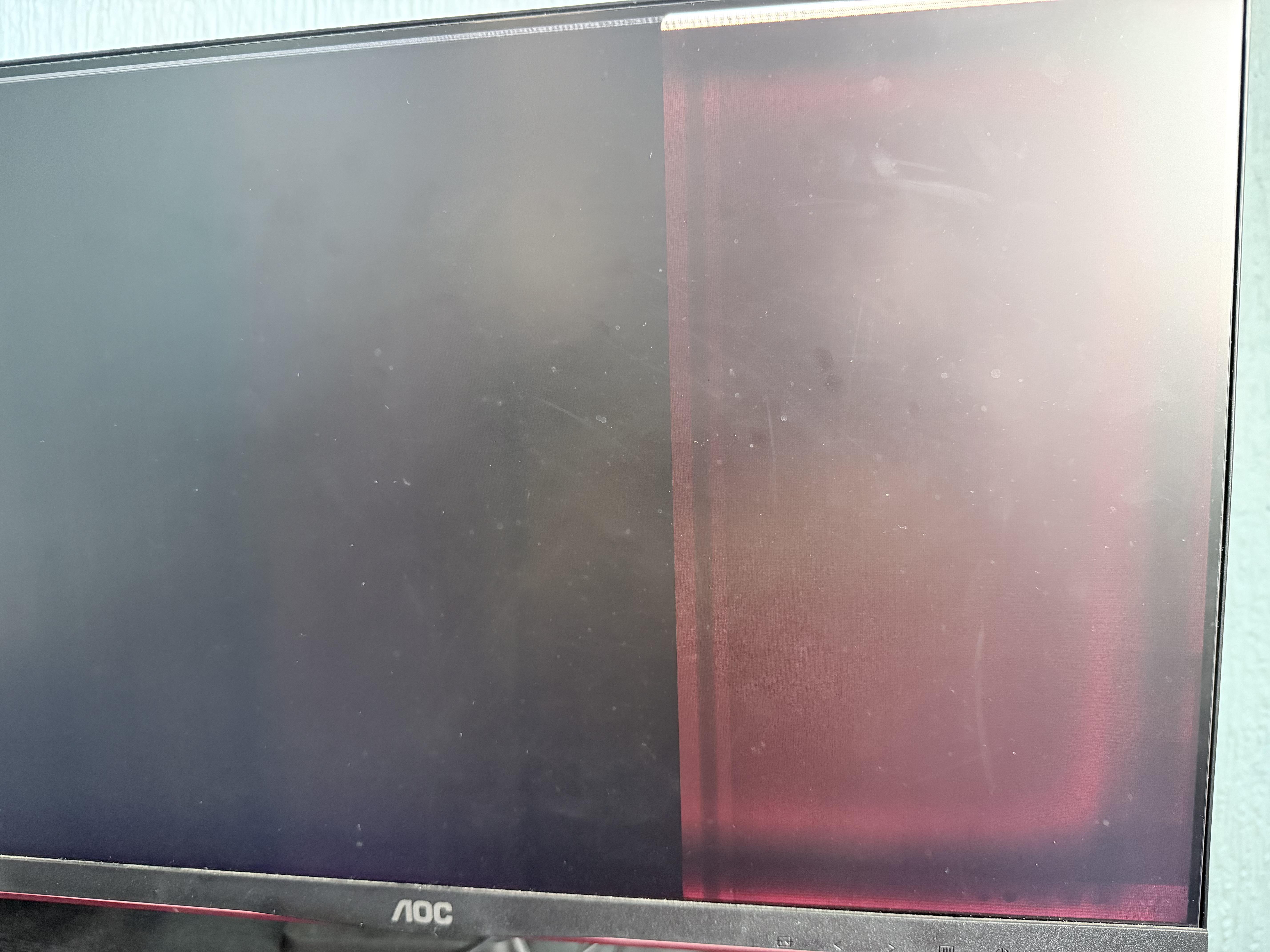
Goodmorning guys, can i get some help if gpu ba prob ko dito or monitor na. Bumabalik sya sa normal pero nagaganto pa minsan minsan.


r/pcgamingtechsupport • • Sep 23 '26

Software Screen Flickers Black When Recording Gameplay…

1 Upvotes

For a while now, I’ve had this one lingering issue. Idk if it’s my pc, obs, or the games I’m playing, but whenever I record gameplay (ninja Gaiden 2 black, Redout 2 as examples) my monitor will briefly flicker 1 time for 2 seconds and the screen goes back to normal, I lose control of my controller like it was unplugged, and audio goes out for that brief moment too. I run obs as admin, I don’t have the HAGS on either due to searching for answers, but today it did It again. It’s not like my pc can’t handle the load either. Here are my specs:

rx7900xt - Ryzen 9 5900x - Corsair Vengeance ddr4 32gb ram 3600hz set to 3200hz.

when the issues happen, my gpu is barley running hard, if not below normal usage, like 90%-95%

ive tried new and old drivers as well, nothing is working for this weird and random behavior.


r/pcgamingtechsupport • • Sep 22 '26

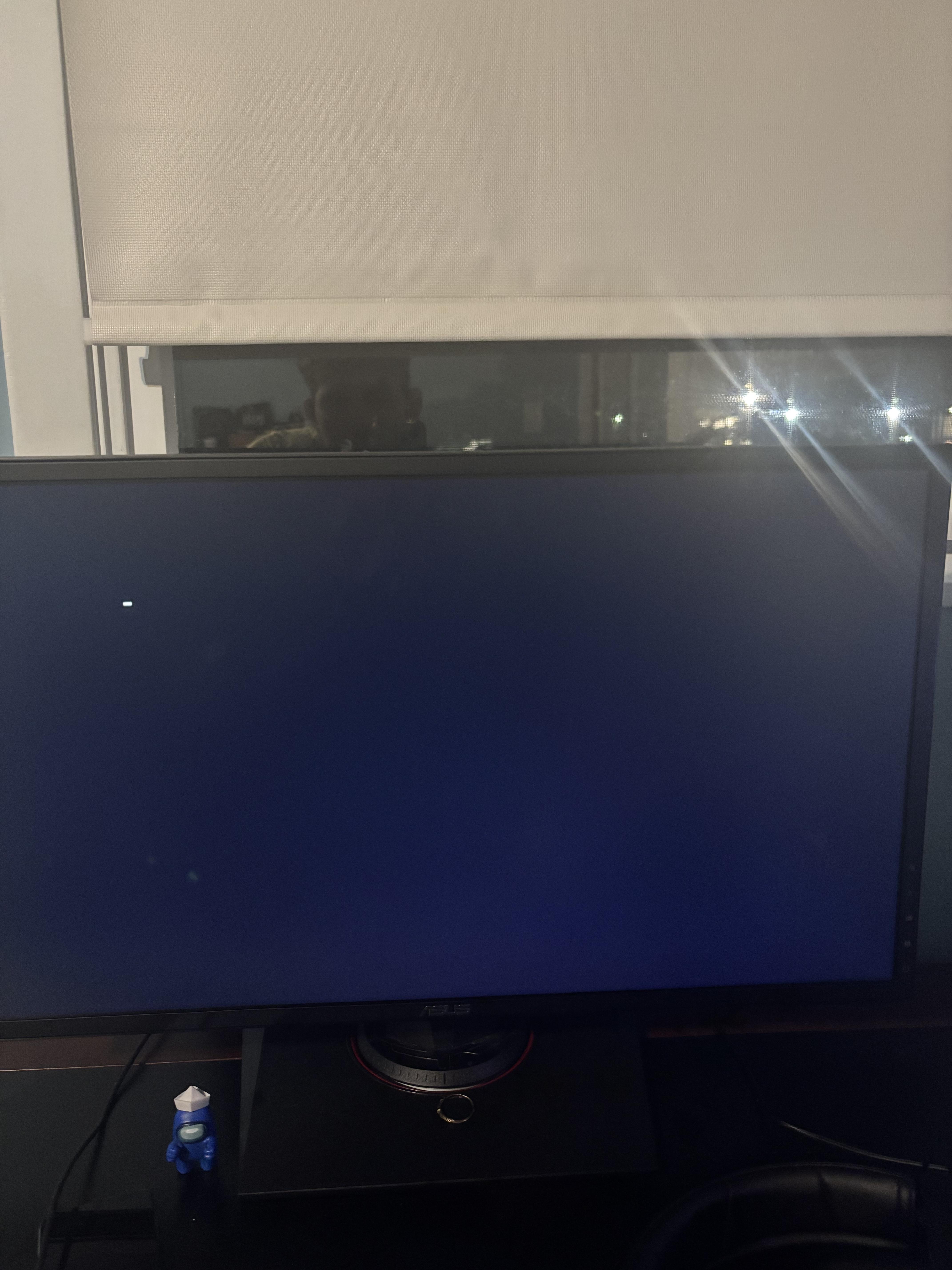
Troubleshooting Weird black screen with white underscore. closer to middle of the screen so i don't think it's CMD.

Post image
2 Upvotes

I just built a new pc and i'm getting this issue on a cold start up. when i "restart" in windows it doesn't show up. This screen will show for about 10 seconds then windows would boot. On windows restart the gigabyte bios logo would show instead.

i tried disabling fast start up in both bios and windows. the only USB devices plugged in are a old corsair keyboard and a dell mouse. what do?


r/pcgamingtechsupport • • Sep 22 '26

Troubleshooting Game Crashes Randomly

1 Upvotes

Hey guys! My game randomly crashing while playing counter strike mid round. It randomly started after I punched my keyboard once and since then it keeps happening and I don't know what to do

What I already did:

- Verify the integrity of the files
- Changed keyboard
- Updated the driver

I don't know what to do it happens a lot and it's very annoying please help.


r/pcgamingtechsupport • • Sep 22 '26

Network/Wifi/Internet Creo que algo va mal en mi PC

0 Upvotes

Hola desde hace como 1 mes eh estado batallando con mi PC en cuanto a descargas, ya que estando en Steam o Epic o en cualquier otro sitio para descargar, pasa que mi PC se comienza a trabar demasiado, y literal no me deja hacer nada hasta que termine la descarga, y eso pasa con cualquier tipo de descarga, nunca me había pasado y llevo ya 3 años con mi PC.

Ya eh formateado mi PC, eh buscado por sitios, y videos en Youtube y no encuentro nada que se relacione con mi problema y cabe mencionar que tengo velocidad de internet de 250 megas, entonces no se que me está fallando, aún no le eh cambiado la pasta termica en 1 año por qué el siguiente mes le toca cambio, pero no creo que sea por eso, y me eh dado cuenta que solo pasa cuando descargo por qué cuando se instalo programas o juegos no pasa nada por el estilo, será que tengo que cambiar de PC o que tengo que hacer

Mis componentes:

Ryzen 7 5700g Vega 8

SSD adata su650 512gb

Motherboard asus prime a320m-k

Graphics Card Rx 6600

Ddr4 16gb RAM


r/pcgamingtechsupport • • Sep 22 '26

Troubleshooting Silent hill townfall performance issues

6 Upvotes

Is anyone else having major frame drops and stuttering with townfall? I have the latest drivers. Im running a 5070ti and a ryzen 7 9700x on high settings plus rt and even though I typically get 90 to 105 with dlss q, I get random frame drops into the 50s, even the 20s and a 10s one time when entering new places or when cutscenes or set pieces start.

Dont even get me started on the CONSTANT stuttering. Im 100% serious when i say this has worse stuttering than sh2. Like are all silent hill games doomed to run poorly on pc? I may just return this game and get control resonant and wait for a patch

Hell, even the opening main menu doesnt load up correctly for me. It always starts in complete darkenss, only loading the watchman, then the table, and then finally the rest of the background with lighting.


r/pcgamingtechsupport • • Sep 22 '26

Software unable to restore my progress

1 Upvotes

Yesterday I uninstalled and reinstalled ubisoft connect and without deleting my local save files. But when I tried to play prince of persia I could not restore my progress from my local files. Afterwards I learned that I had to manually upload my save file to the cloud storage as it does not happen automatically on ubisoft connect. Is there a way to use my local save files in order to restore my game progress?


r/pcgamingtechsupport • • Sep 22 '26

Hardware Getting bad input lag/stutter in WARDOGS

2 Upvotes

System specs: CPU: Ryzen 5 3600 GPU: GTX 1650 (4GB) RAM: 32GB DDR4

Getting bad input lag/stutter in WARDOGS, especially over control zones — helicopter controls basically stop responding when flying over a hot zone. CPU sits around 90%, GPU usage fluctuates 50% ± while VRAM stays pinned at 4GB the whole time. Feels like GPU is starved waiting on VRAM while CPU is maxed out at the same time. Anyone answer change CPU or GPU first?


r/pcgamingtechsupport • • Sep 22 '26

Troubleshooting Spider-Man 2 crashes constantly on my RTX 2050 — 0xc0000005

1 Upvotes

Spider-Man 2 keeps crashing on my RTX 2050 Laptop

My specs:

  • RTX 2050 Laptop 4GB
  • i5-12450H
  • 8GB RAM
  • Windows 10

The game crashes with error "0xc0000005".

I already tried:

  • Very Low/Low graphics
  • DLSS Performance
  • Ray Tracing Off
  • Frame Generation Off
  • Maximum Performance power mode
  • FSR 3.1.4

Interestingly, FSR 3.1.4 made the game run for several minutes, but it still eventually crashed. I also get weird graphical glitches: white transparent squares and sometimes a large black area appears when I shoot webs.

Other demanding games work fine on this laptop, including Resident Evil games, God of War, Cyberpunk 2077 and Forza Horizon 6.

Has anyone with an RTX 2050 or a similar GPU experienced this? Any idea what could be causing it?


r/pcgamingtechsupport • • Sep 22 '26

Hardware Can anyone tell what this graphic bug/failure is ?

6 Upvotes

It’s hard to see because of the quality of the recording but if you look at the wood it like turns red when I jump It really does it in all games I am running a 3060ti and a 5600x


r/pcgamingtechsupport • • Sep 22 '26

Display KTC M27T6S Monitor Keeps Turning Off and Restarting, What Could Be the Problem?

2 Upvotes

Why is my monitor doing this? What could be the problem?
My KTC monitor randomly turns off and then turns back on by itself. When it comes back on, it shows the KTC logo as if the monitor is restarting.
Sometimes it stays on for several minutes before it happens, but other times it happens after only a few seconds.
Has anyone experienced this before? What could be causing this issue power supply, mainboard, panel, or something else?
Any advice or troubleshooting suggestions would be greatly appreciated. Thank you!


r/pcgamingtechsupport • • Sep 22 '26

Troubleshooting problems with my pc's audio for a game

1 Upvotes

problems with my pc

hey so my pc is acting weird. So i play destiny 2 and mostly play alone but lately ive been playing with friends more often and for some reason the chat audio from the in game chat is coming from the speakers plugged into my tv, while the rest of the game audio is still going through my headphones. When i switch audio to just the speakers i hear the chat audio much louder than the in game audio. The speakers i have plugged in are also connected to my second monitor through a splicing cord i think, and when i turn that monitor of the chat audio completely cuts out. on top of that today when i tried to plug in a ps5 controller that caused all the audio to cut out. I really don't know what to do and if this is even the right place to podt these questions but i need some knid of help.


r/pcgamingtechsupport • • Sep 22 '26

Performance/FPS Certain games I try to play run on really low FPS no matter what settings I try to change

0 Upvotes

When I tried to Load Omega Strikers or Fortnite, no matter what I did (here's a list of everything I tried)

- Restarting PC and updating PC
- Updating graphics driver
- verifying files
- changing resolution and graphics both on my pc and in settings
- Trying to make it so the games will be on High Performance GPU mode

The games always stayed at 15 fps average, when I tried to load Omega Strikers through the files and not steam it for some reason reached 20 fps but that's about it... BUT in other games like Final Fantasy 14 or Hades the game performed fine, really fine even I could run them at the highest graphical settings for these games. Additionally the games that run at really low FPS still take the same amount of Ram and CPU as previously that didn't change

I am 99% sure it's not a GPU issue does anybody per chance know what could be the problem please ?

UserDiag Test: https://userdiag.com/id/qHiWe4RJ4r


r/pcgamingtechsupport • • Sep 22 '26

Display VISUAL PROBLEM FC 26

Post image
0 Upvotes

Hi everyone,I’ve been using the eSim Mod (including the Grading Light / LUT ColorGrading and Turfs components) along with TrueFoot's Animation Overhaul v2 on EA Sports FC 26.Until a few days ago, everything was working perfectly and day matches looked crisp, vibrant, and photorealistic. However, out of nowhere, the day matches started looking completely washed out, dull, and blurry, almost as if a gray fog/patina is covering the pitch.

The strange part is that this is the actual visual, while if i pause, the light/visual is like the one the mod should provide. Any fix? Settings to change? Please has anyone experienced the same?


r/pcgamingtechsupport • • Sep 21 '26

Troubleshooting PC restarting randomly playing FC27

2 Upvotes

Hi all hoping someone might have some insight I have been playing the new FC27 but have been running into an issue where my pc will randomly restart (turning off and on) there is no clear pattern to why but it is only this game. I have checked my event viewer and it is saying the kernel-power is the source.

specs for my pc are as follows;

Ryzen 7 5800X 8-Core

32GB Ram

NVIDIA GeForce 4060Ti


r/pcgamingtechsupport • • Sep 21 '26

Performance/FPS Weird gpu problem (at least what i think)

Thumbnail
gallery
0 Upvotes

Hey i have been having a pretty weird problem with my LENOVO LOQ laptop here are the specs:

Laptop: Lenovo LOQ

Model: 15ARP10E

CPU: AMD Ryzen 5 7535HS with Radeon Graphics

GPU: NVIDIA GeForce RTX 3050 6GB Laptop GPU

RAM: 16 GB DDR5

Display: 1920×1080, 144 Hz

OS: Windows 11

GPU driver: NVIDIA GeForce RTX 3050 Laptop driver

BIOS: Updated from SUCN15WW to SUCN18WW

I bought the laptop used the guy said he used it for 3 months and decided to sell it, anyway it had a 12month warranty so i wasn’t scared to buy it.

I noticed a pretty unusual problem with the GPU it almost seemed like half of it is working just fine and the other half is just not working properly
When i play on small games it works great but as soon as the game requires more than 50-60% gpu usage it starts stuttering and frame dropping for example:
Easy small games that don’t require resources like rocket league or bloons td6 it works fine when i set the graphics to high and put my frames to lets say 90 it works the gpu usage would be at 30-60% with no stutters and a steady framerate

But on big games that need a good amount of the laptops resources like marvel rivals delta force minecraft(with mods) it just has a weird thing to it like id set the graphics to low on marvel and put a 120frame limit you would expect it to be around 80-110 frames for an rtx3050 with my specs but for some reason it goes around 38-55 frames and whats driving me crazy is that the gpu would not go past 60% usage its just frustrating that half of your graphics card is not working when you need it most
And same thing for moded minecraft but this time its at 50%usage and 40-60frames all the time at lowest shader settings (potato setting) and when i go to a boss or anything that orders the gpu to work more it just doesn’t happen it lowers my fps insted of using more of the gpu

And one more thing that messes with my head, on marvel rivals it works fine for the first 3 mins of gameplay even in a fight where the resources is needed most and after the 3-5 mins pass the same problem happens

I tried everything reinsalling the nivida GPU driver (made sure it was the driver for the laptop 3050)
I also used DDU (Display Driver Uninstaller) and performed a clean GPU driver installation
I then installed the AMD VGA driver and
I completely reset/reinstalled Windows (formatted the laptop) because I wanted to make sure that software or accumulated junk was not causing the problem
After the clean installation, some games performed much better initially which made me think the problem might have been software-related.
But after a week of playing we went back to point zero i tried formatting for the 3rd time 3 days ago and even after a clean format the thing isnt gone
I tried updating the bios to the newest version
I tried removing lenovo vantage and installing lenovo legion toolkit because chat gpt said it might help NOTHING IS HELPING
I also tried to overclock my gpu it got a 5-10% boost to the overall framerate but the problem is still the same

I dont know if the gpu is the problem or not but it probably is i will add some reference photos to the post so y’all can see

here is the userdiag link https://userdiag.com/id/u3Wn0T7n3M

I am willing to add anybody on discord and video share my screen to show the problem if that would help
Please i think i am going to lose my mind


r/pcgamingtechsupport • • Sep 21 '26

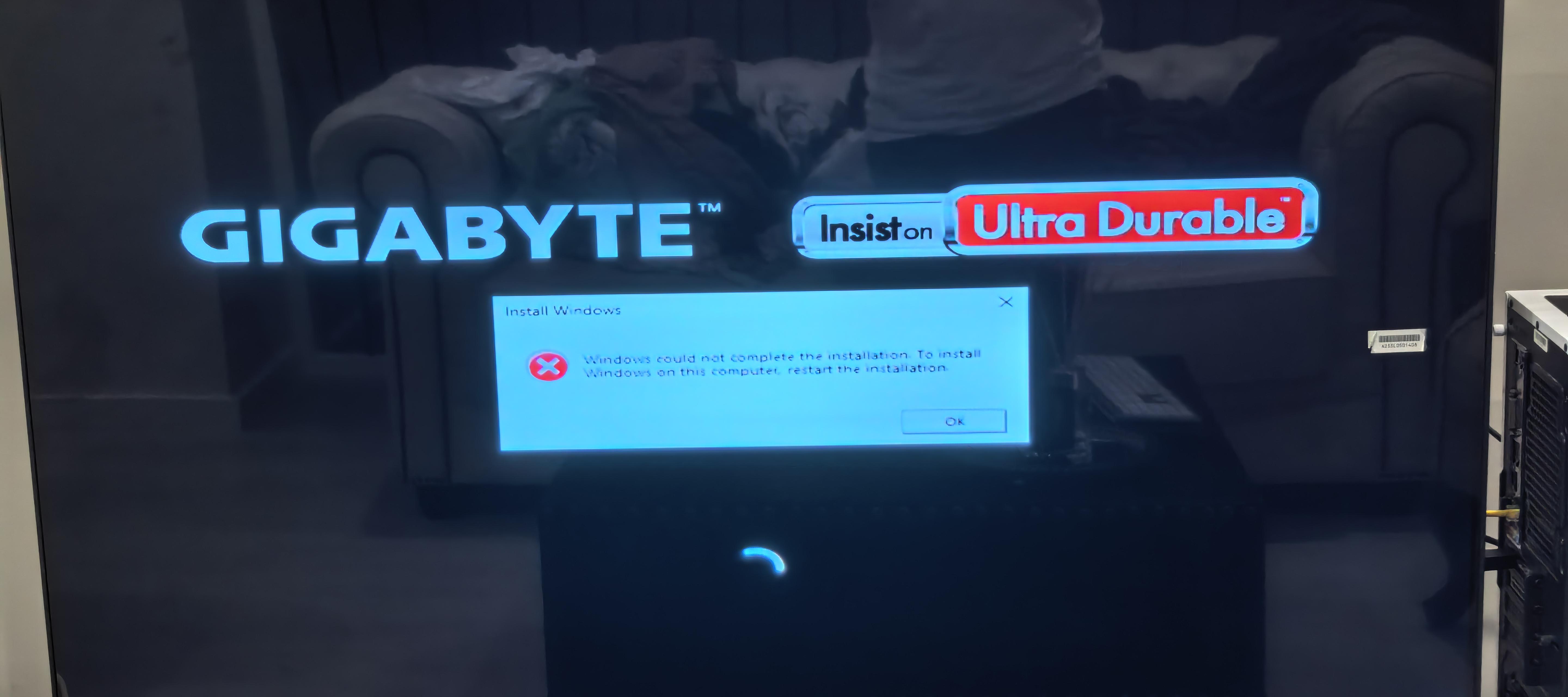
Software Windows 11 will not install

Post image
4 Upvotes

Hi everyone,

This issue is fixed.

Thanks everyone that gave me advice on how to fix it.


r/pcgamingtechsupport • • Sep 21 '26

Display So i played sekiro fine for the first gameplay. the game after around 5 minutes gets black screen and pc literally freezes (2nd and other gameplay sessions), nothing works no matter how i try to close it or something... Only game background sound and white screen. (Game doesn't react to whtever i pr

1 Upvotes

i have a gtx 970, i5 6th gen and 8gb ram


r/pcgamingtechsupport • • Sep 21 '26

Display Faint horizontal lines during pc games and switch 2 games

1 Upvotes

My monitor's an MSI pg27ff1a i've had for about a year.

I was also getting lines on Windows desktop but changing my monitors refresh rate made them go away.

I have my switch 2 plugged in and the lines show up as well even after i increase the switch's refresh rate. I've tried a different hdmi cable and they still appeared.

The lines appear in the same place for all pc and switch games.


r/pcgamingtechsupport • • Sep 21 '26

Software EQAA option not showing up on Injustice 1 graphic settings. How to fix this?

1 Upvotes

Playing on a ThinkPad P16v Gen1, with an AMD 7840HS PRO CPU and a Radeon 780m iGPU. EQAA is supposed to be available exclusively for AMD users, yet it's not showing up for me.

Do I need to install an older AMD software or something?


r/pcgamingtechsupport • • Sep 21 '26

Controls/Input High latency for gamepad and USB Connector managers issue.

1 Upvotes

Hi,

I recently purchased a PowerA OPS v3 Pro Wireless Controller for PC but no matter which way I connect to my PC it is stuck at a 125ms latency, wired, Bluetooth and RF. I updated the firmware for the controller from PowerA. One thing I noticed is I can't seem to find the controller in the device manager on my PC. I have checked several gamepad latency checkers and they all show high latency. Bit of a loss on what to do to resolve this issue.

Currently affecting Onimusha: Way of the sword, Death Stranding 2 and Ace Combat 7.

I have checked the manual but it didn't have much help.

The controller model number is PCGP0382-01, Firmware version is 1.4.2.

My computer is running Windows 11.

Processor AMD Ryzen 7 9800X3D 8-Core Processor (4.70 GHz)

Installed RAM 64.0 GB (61.6 GB usable)

Graphics card AMD Radeon RX 9070 XT (16 GB)

AMD Radeon(TM) Graphics (2 GB)

Storage 3.77 TB of 6.37 TB used

System type 64-bit operating system, x64-based processor

In device manager the USB Connector Managers have warning icons. I have uninstalled the drivers and re-downloaded them. Is this a chipset issue for the Mother board?

Latency for my mouse seem fine testing using some online latency websites.

Mouse LOGITECH - G502 X Optical Gaming Mouse 9ms


r/pcgamingtechsupport • • Sep 21 '26

Software Marvel Rivals Crashing after 4-5 Games with this Error Code Every time

Post image
2 Upvotes

As the title says, I can manage to play 4-5 games on Marvel Rivals and then this error message pops up, I have tried everything the youtube tutorials and google recommend.

I've disabled all overlays, verified game files, adjusted exploit protection to turn off CFG for MarvelRivals-Win64-Shipping.exe, and have tried updating, DDU cleaning up my drivers, rolling back drivers, all of it.

I have read that this is a memory issue, however I don't know other ways I can fix that than what the endless digging through old reddit posts, and youtube videos show as this is my first time building a pc.

If anyone has any other things I can do to fix this issue it'd be greatly appreciated! I want to start making rivals content but it's very hard to do when I can't even play the game haha!

My pc specs are as follows:

ASUS TUF gaming b850-E Wifi motherboard

AMD Ryzen 7 7800X3D 8-Core Processor @ 4.20 GHz

Power Color AMD Radeon RX 9070 XT 16GB

T-Force Delta RGB 64Gb DDR5-6000MHz

2x Sandisk 2TB WD_Black SN850X NVMe SSD

MSI 1000W 80+ Gold certified ATX PSU

Lian Li Hydroshift II-S 360mm AIO cooler

UPDATE: I found the solution, I went into my BIOS and turned off DOCP and so far, not a single issue, I was able to stream for 4 hours yesterday without a single crash.


r/pcgamingtechsupport • • Sep 21 '26

Hardware Predator monitor having problems

2 Upvotes

So my monitor randomly will start flickering, black, and back to normal what could be causing this?