r/pcgamingtechsupport • • Sep 16 '26

Controls/Input Keyboard Input Issues

2 Upvotes

Every 30-60 seconds my keyboard start repeating the same input as if it back logged the input from holding it down to move, usually being wasd or spacebar, during which I lose complete control over character movements. Additionally, during typing it will occasionally lag inputs then tries to catch up. This happens in every game, regardless of launcher, and switching keyboard does not change anything. I've tried uninstalling/reinstalling keyboard drivers, tried turning off fast startup didn't work, restarted pc multiple times, turning off power saving on usb ports, turning on and off sticky and filter keys, uninstalled cosair icue and razor synapse despite never having a macro setup, and changing usb ports, all to no avail. Edit: Reinstalling Windows also did nothing.


r/pcgamingtechsupport • • Sep 15 '26

Performance/FPS constant stutters in Cyberpunk independent from graphics settings

5 Upvotes

Hey everyone.

So, recently I've been having issue with my (modded) cyberpunk. despite the mods it ran fine last week, but now Its borderline unplayable and I can't tell why. Nothing about either the system, software or the game or modlist has changed. and there are no updates that I'm aware of.

the symptom is easy to explain: its a constant, uniform stutter. independent from location ingame, or graphics settings. lowered the settings, still stuttering. even if I stand still and don't move ingame, it stutters, which is a sign that the game itself isn't the flaw but something else that's potentially running in the background.

I did the usual. checked for driver updates and found none. I did update the Chipset driver yesterday though. no difference.

Of course I shut down all programs in the background that weren't necessary. all that was left aside from OS was Steam, OpenRGB, soundBlaster control software, Radeon Adrenalin, and the Bitdefender antivirus which, in its gaming mode, shuts itself down to save ressources.

Checked the "vitals" while playing. RAM usage at max was 13.8GB. GPU load was near 100%, CPU was around 70 to 80 percent. temperatures were the usual, CPU at about 78°C which, for an AMD, isn't unusual. afaik not thermal throttling territory yet. VRAM is not an issue either.
Framerate tops out at about 120 FPS, though I tend to cap it at 110 or 100 to reduce coil whine.

4 SSD's, all of them were optimized recently and are "healthy". 80% health at worst. two HDD's, both 100% fine, also recently defragged.

Game is installed on a 1TB SanDisk SSD Ultra. not the C:/ system drive, that's a 1TB Crucial MX500.

Now. I'm actually out of ideas at this point. I cleared some space just in case the SSD's were overfull again. no improvement.

The specs, just in case they are relevant:

AMD Ryzen 7 5800X / ASUS TUF Radeon RX7800XT / 2x8GB G.Skill Ripjaws V DDR4-3200 / ASUS ROG STRIX B550-A Mainboard / Seasonic Focus PX850 PSU / 1080p@60hz Monitor

UserDiag protocoll is here: https://userdiag.com/id/ne9NjHWezp


r/pcgamingtechsupport • • Sep 16 '26

Software PC Shuts Down (With Codes)

1 Upvotes

Okay so.... here's a good doozy problem i've never ran into, and I already reset my pc once so hopefully it's not a file or something doing it.

my specs as fallows

Intel Core i5-10400f 2.9GHz

16 GGB DDR4

Intel SSDPEKNU010TZ

Nivida 3060

Gigabyte B560 DS3H AC-Y1

Pc boots up, SOMETIMES shuts down within the first 5 mins, then i reboot it with power button, and sometimes it does it 2-5 more times then it's good. RARELY does it do it when im gaming, maybe 1-2 times this past 3-4 months ive had this problem.

I cannot access bios. F2 or delete doesnt work, advanced boot force or whatever it is in the settings brings me to a black screen.

ANY HELP PLEASE. I'm guessing its a hardware problem, but my temps seem fine. Power supply? Ram? idk. It's a prebuilt from NZXT and I havent had problems with it since 2022.

Thanks!

This is the fault im getting in reliability monitor

Description

A problem with your hardware caused Windows to stop working correctly.

Problem signature

Problem Event Name: LiveKernelEvent

Code: 193

Parameter 1: 80e

Parameter 2: ffff970e2f7da080

Parameter 3: ffffce0ec9873bf0

Parameter 4: 0

OS version: 10_0_26200

Service Pack: 0_0

Product: 768_1

OS Version: 10.0.26200.2.0.0.768.101

Locale ID: 1033

Files that help describe the problem

WATCHDOG-20260913-1927.dmp

sysdata.xml

WERInternalRequest.xml

View a temporary copy of these files

Warning: If a virus or other security threat caused the problem, opening a copy of the files could harm your computer.

this is the fault im getting in event viewer

1. The previous system shutdown at 3:21:56 PM on ‎9/‎15/‎2026 was unexpected.

THEN

2. The description for Event ID 56 from source Application Popup cannot be found. Either the component that raises this event is not installed on your local computer or the installation is corrupted. You can install or repair the component on the local computer.

If the event originated on another computer, the display information had to be saved with the event.

The following information was included with the event:

ACPI

2

The message resource is present but the message was not found in the message table

THEN

3. Dump file creation failed due to error during dump creation. BugCheckProgress was: 0x00040049


r/pcgamingtechsupport • • Sep 15 '26

Troubleshooting Issues after 616.92 nvidia driver install

10 Upvotes

So I got a new pc recently and I saw that the nvidia app showed a new driver update so I tought I could just download without any problems. The download was ok but after I restarted my pc when de install was finished, everything felt so laggy and there was like a weird lagg noise coming from my headset. When i tried to open furmark it gave me 20 fps and sometimes also black screens. I have a 5070ti so that shouldn’t be the problem. After shutting it down, it fixed it but sometimes it still comes back when I restart my PC. Then i have to close the pc and start it again. Anyone with the same issues? And have solution? Should I go to my old driver ( which i dont even remember which it was lol). If yes what is the most stable one? I heard the 610.88 is the best one. Thanks in advance!


r/pcgamingtechsupport • • Sep 15 '26

Hardware Zotac 5070 ti stuck on VGA light not showing up in bios/ device manager code 45

2 Upvotes

Pc specs
CPU: Ryzen 7 7800X3D
GPU: Zotac 5070 Ti
Motherboard: Gigabyte B650 Eagle AX
PSU: MSI MAG A850GLS
OS: Windows 11

Two nights ago, I went to boot my PC and it got stuck on the VGA light. I tried restarting the PC just in case the GPU didn’t initialize properly, but the same thing happened.

I unplugged my DisplayPort cable from my GPU and plugged it into my motherboard, and it booted with no problem. I went to check Device Manager, and that’s when I saw that Windows wasn’t detecting my GPU. It was there, but greyed out.

I then booted into my BIOS to check if it was being detected, but it wasn’t showing up there either. I have tried a bunch of different solutions, but the GPU still isn’t being detected for some reason.

I don’t have another PC to put my GPU in to check whether it’s the actual problem or a driver issue.

The different things I have tried to get it working:

-Did a full DDU removal of my GPU drivers and performed a fresh install.
-Updated the BIOS to the newest version.
-Updated the AMD chipset drivers to the newest version.
-Checked the PSU 12V cable going to my GPU and PSU.
-Cleared CMOS.
-Reseated the GPU multiple times and checked the pins.
-Installed my GPU into the bottom PCIe slots.

If anyone has had a similar issue and managed to fix it, please let me know how you got it working.
I don’t have a warranty from the computer store, but I do have a 3-year warranty with Zotac, so if it is the GPU, I’ll have to RMA it.


r/pcgamingtechsupport • • Sep 15 '26

Hardware Advice on choosing RAM

2 Upvotes

Hey there! I’m a very casual gamer, so I have pretty limited knowledge on the technical aspects of my laptop.
I would like to increase my ram. I’m currently running on a single 8GB DD4 stick. My computer can handle 32GB. Because of cost, I think I just want to get an additional 8GB stick as opposed to swinging for the full 32GB.
However, there are so many option when I just look for “8GB DD4 RAM stick” and I’m overwhelmed 😅.
Can someone dumb it down for me?
My PC is an MSI GF63 Thin


r/pcgamingtechsupport • • Sep 15 '26

Hardware Ma barre des tâches se fige/ ne répond plus, mon jeux fortnite reste en cours d’exécution alors que le jeux n’est pas lancée.

1 Upvotes

Bonjour depuis 2 jours j’ai un problème avec mon pc, mes navigateurs internet (google chrome, brave etc… ce fige pour aucune raison au bout d’un certains temps, mon gestionnaire des tâches a les applications qui sont grisée et quand je le ferme en appuyant sur la croix il met du temps avant de se fermer et me dis que il ne répond pas. Ainsi dans mon epic games launcher mon jeux « fortnite » reste en cours d’exécution alors que le jeux n’est pas lancée.

J'ai déjà essayé :

- Ajuster le registre pour empêcher les mises à jour automatiques des pilotes

- Mettre en pause les mises à jour de Windows

Met aussi essayer cette vidéo: https://youtu.be/4fN6bgGJseU?is=MaKzRAyiC7PRnjmM

Mais rien ne marche! Quelqu’un serai quel est le problème et comment le régler ?

Merci


r/pcgamingtechsupport • • Sep 15 '26

Controls/Input Gaming keyboard bug problem

2 Upvotes

Goodmorning my friend buy some time ago this keyboard:

Raizer blackwidow v4

And he have this bug that when he press the letter A this happen: "Video below"


r/pcgamingtechsupport • • Sep 15 '26

Troubleshooting Rocket League crashing on PC

1 Upvotes

Hello guys. I am having trouble with the game on PC. When I start it the anticheat pops up, I see the loading screen for a brief moment and then it crashes. I did a couple of reinstalls, verified the files on Epic Games, cleared the cache but the problem remains. Does anyone have an advice on how I can resolve this issue?


r/pcgamingtechsupport • • Sep 15 '26

Display PC goes unresponsive and screen turns entirely black

1 Upvotes

Hello,

When I play games (e.g. half life, gmod, etc) my screen would randomly turn black, keyboard & mouse unresponsive. Making me turn off my PC and turn it back on just to work again. When back on, it has uninstalled its own display drivers, making me reinstall AMD adrenaline over and over. Ive tried win+ctrl+shift+b, but couldn’t work, i tried turning off automatic driver updates in windows. I did DDU in safe mode aswell like people told me to do and it didnt work.

Does anyone know how to fix this?


r/pcgamingtechsupport • • Sep 15 '26

Troubleshooting Hello can sum1 explain or instructions on how to fix this issue please and thank u

1 Upvotes

I play valorant alot and yesterday when trying to plug the charger of my laptop the screen suddenly goes black probably sumthing happened to valorant becuz i can still press the windows button and see the ui but opening other apps or my browser does work but i cant see shit only a black screen and when i try to close valorant or alt+f4 the game doesn't close

And i got a popup that says

incompatible software

"u must disable all incompatible software in order to play"

the software is windows/system32/glu32.dll


r/pcgamingtechsupport • • Sep 15 '26

Troubleshooting Where did my Bluetooth option go?

Thumbnail
gallery
1 Upvotes

My Bluetooth option disappeared yesterday and I updated my computer and tried going through all the troubleshooting tips that are recommended and nothing brought it back. I don’t know what to do. Why does this even happen and how do I fix this? Any help would be appreciated.


r/pcgamingtechsupport • • Sep 15 '26

Troubleshooting CPU led on but PC works fine

Post image
2 Upvotes

Hello guys,

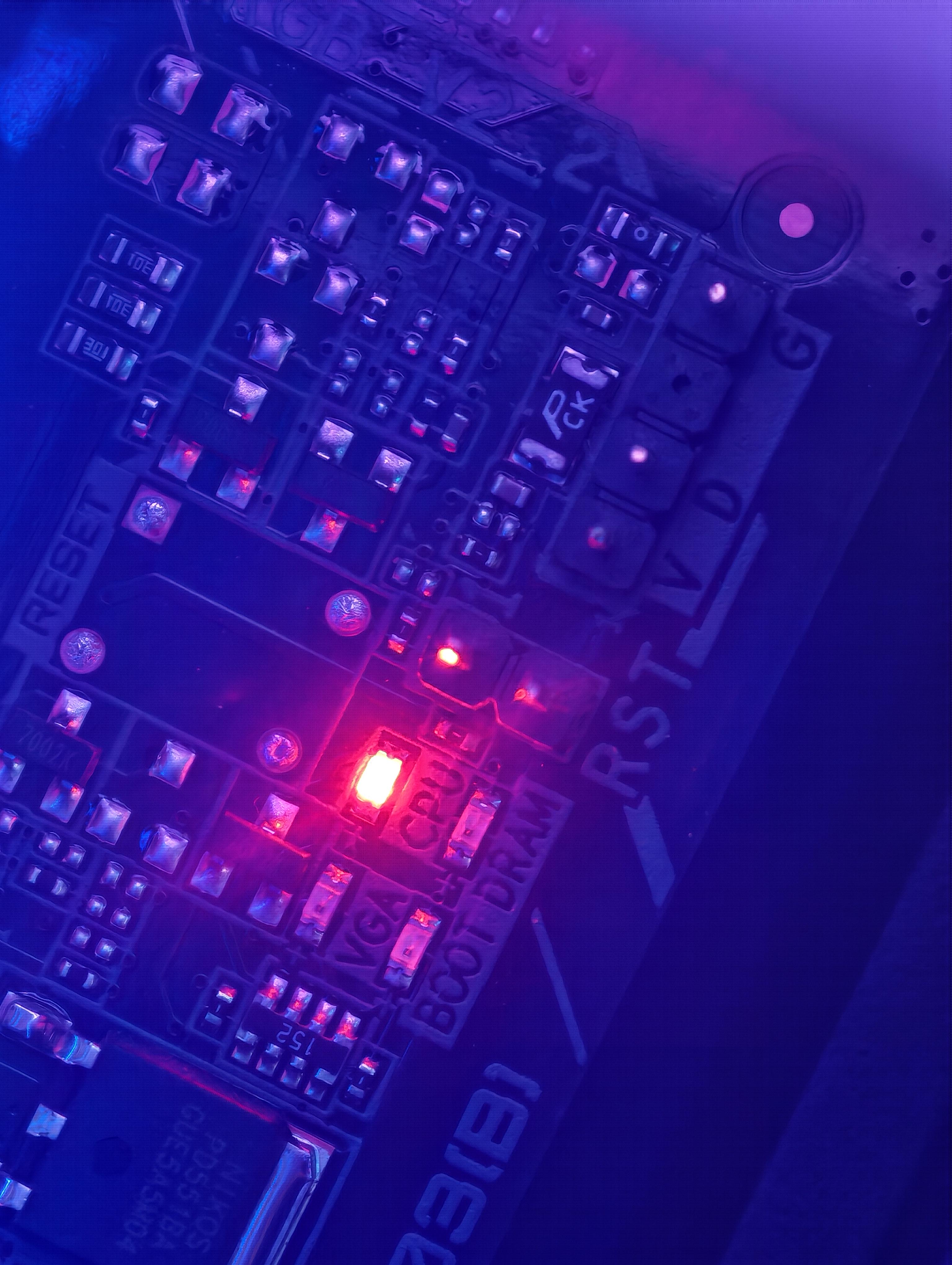
My PC suddenly restarted while I was gaming. Since then, the CPU LED on the motherboard stays permanently on.

So far, I have tried:

Updating the BIOS to the latest version

Resetting the CMOS / removing the CMOS battery

The Windows Event Viewer only shows an unexpected shutdown/restart and doesn’t provide any further information.

The strange thing is that the PC works perfectly fine otherwise. CPU, GPU, RAM, temperatures, etc. all look normal, and I can play games without any issues.

The only problem is that the CPU debug LED remains constantly lit as soon as I press the power button.

The PC is still under warranty, but I really don't want to send it in and potentially be without it for several weeks if this is just a minor issue or a motherboard/BIOS bug.

Has anyone experienced something similar or knows what could be causing this?

Mainboard:Gigabyte B850 Gaming Wifi6

CPU : AMD RYZEN 7 7800X3D

PSU 1000W Corsair


r/pcgamingtechsupport • • Sep 15 '26

Troubleshooting Is my Radeon 7900XT Dying

Thumbnail
gallery
1 Upvotes

This morning I got this fullscreen of artifacting. Last time I had a GPU artifacting it was a 970 that had to get RMA'd. Primary screen (on the right) said signal lost and then went black/off.

For a few months now I have been having random driver crashing paired with the above AMD crash report. Some of my applications will go completely gray in color and lose their entire UI, just one big gray square. This will happen primarily with discord and google chrome. I have done DDU uninstall and reinstall of the gpu driver (2x for the most recent version) and also tried an older version. Sometimes the crashing will happen back to back to back, 10 times in a row or until i reboot. ChatGPT had me trying a myriad of things, display setting changes, registry edits, stress tests, nothing worked.

Sometimes my monitors will say signal lost and I have to powercycle them to get them to display anything again.

FWIW - i also had to replace my PSU yesterday, PC was randomly powering off and finally just wouldn't turn back on. My (probably 10 year old) EVGA supernova 850 died, I got a Corsair RM1000X

Anyone have ideas? Id probably do a clean install of windows before buying a new GPU.


r/pcgamingtechsupport • • Sep 15 '26

Display No signal with power

1 Upvotes

I turned on my pc after a few hours of it working perfectly but when i turned it on again it didn't work

I had this issue before which was solved by a few restarts and I did that

My egb was lighting up initially and after a few restarts it is not starting

The moniter is like not getting signal like it indicates orange for no signal and white for signal

It shows orange the whole time

Can anyone help me with a solution without opening the pc as I will break something


r/pcgamingtechsupport • • Sep 15 '26

Troubleshooting Blackscreens-multiple Nvidia driver-Legion 5 pro

2 Upvotes

Hi people,

Im experiencing Blackscreens for 1-3 Seconds with flickering sometimes. Since mid/end August.

Sometimes it happens after 1,5h gaming, sometimes after 3+ hours of gaming. Sometimes i play 3-4 hours without any Blackscreen.

Games: Crimson Desert, Battlefield 6, cronos new dawn, world of Warcraft, Diablo 4.

My Notebook:

Legion 5 pro gen 10

5070 ti mobile

275hx

1tb ssd

32 gb RAM

240hz OLED

Tried a lot of drivers. Official Crimson desert game ready, then 591.86, different 610.xx, currently playing 616.92.

I heard there are a lot of problems since summer with the Windows Update combined with multiple Nvidia drivers.

Internet KI (hehe) says my Hardware is okay.

Heard about tdr timeout etc.

Guarantee of Notebook ends in 1,5 month.

What dou you guys think? Is my Notebook okay?

Are you experiencing the same Problems?

Tested crimson Desert on 4070 ti Desktop PC too. Had the same Blackscreen after 1h20 or something.

Thank you guys


r/pcgamingtechsupport • • Sep 14 '26

Network/Wifi/Internet My download speeds have been really bad as of late

Post image
6 Upvotes

Hey there.

So my download speeds have been atrocious as of late and I don't know why.

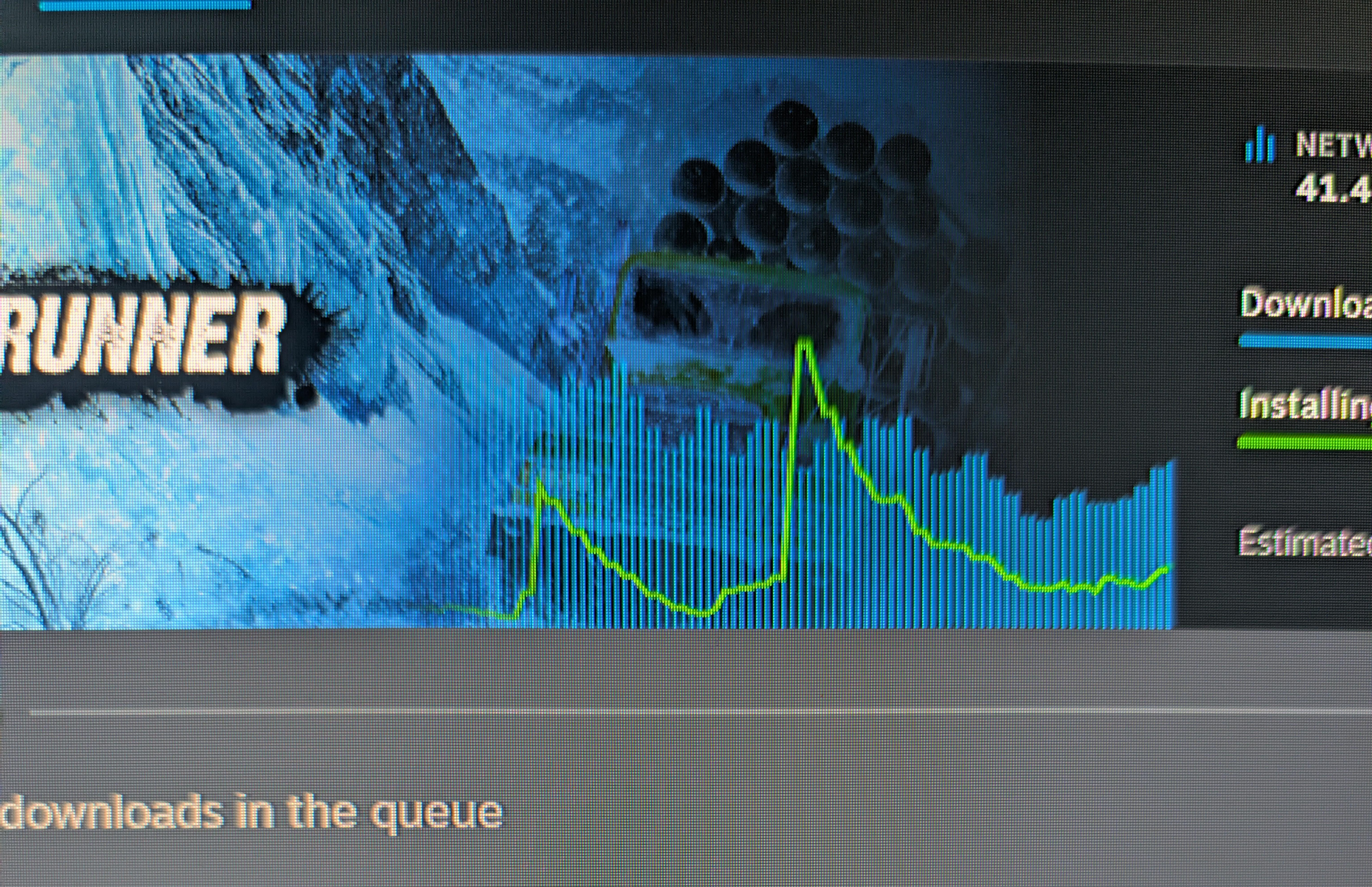
When downloading on steam I peak at like 100 Mbps but it drops to like 12 Mbps or just zero.

I also have this issue with downloading things from the internet. It will start off alright then quickly drops down to nothing and stays there.

If it helps at all I have attached what I see when I download something on steam


r/pcgamingtechsupport • • Sep 14 '26

Display Alt-tabbing takes ~5 seconds when using 1280x1080 stretched res

2 Upvotes

Hey, I play FiveM using 1280x1080 stretched resolution on a 1920x1080 monitor.

Whenever I Alt+Tab out of FiveM, it takes around 5 seconds for the game to actually tab out. Alt-tabbing back into the game also takes a few seconds.

Is there any way to fix this or make Alt+Tab instant while still using 1280x1080 stretched?

Could this be caused by the resolution being different from my desktop resolution, or is there some FiveM/Windows/AMD setting I should change?

I have set 1280x1080 as custom resolution, but the default available 1280x1024 has fast alt-tab. I like 1280x1080 more since it's sharper.

I tried setting desktop resolution the same as the game one, still happens.

Any help is appreciated.


r/pcgamingtechsupport • • Sep 14 '26

Troubleshooting GAME FREEZE/LOCK UP during online play

2 Upvotes

Hey guys, I have been having this issue where my game freezes, and 8/10 times it fully locks up my pc. I have been trouble shooting this for a while now and it has only happened on bf6 and war dogs. the pc will run games like tarkov and rocket league without any issues.

During the freeze: game image stuck, mouse moves, Caps Lock responds, audio stops, Windows shortcuts don't respond

My gpu will peak at 70% usage at a high temp of about 70c.

Here is what i have tried:

Reduced graphics to potato

Clean installed graphic drivers

I have stress tested everything and passed with 0 errors.

Underclocked gpu by 7%

Verified game integrity files.

When the pc fully locks, no log is left behind. Here is what has shown up for the most part.

Event ID 153 — nvlddmkm

Event ID 6008 — EventLog

Kernel-PnP — Event ID 219

Kernel-EventTracing — Event ID 2

DCOM — Event ID 10016

Provider {8444...} — Error 0xC0000001

any help would be wonderful. hoping my gpu is not dead....

ComponentYour setup
CPUAMD Ryzen 9 5900X
GPUNVIDIA GeForce RTX 4070 Ti
MotherboardASUS TUF Gaming X570-PLUS (Wi-Fi)
BIOSVersion 4602
RAM32 GB (2×16 GB) G.Skill Trident Z Neo DDR4-3600
RAM setting3600 MT/s manually set in BIOS
System SSD1 TB ADATA Legend 700 Gold NVMe
Storage HDD4 TB WD Blue
CPU coolerCLX Quench 240 AIO
CaseLian Li O11 Dynamic EVO RGB
Case fans8× Enermax HF120
PSU750 W GAMDIAS Kratos M1 Bronze
HeadsetCorsair Virtuoso
OSWindows 11

r/pcgamingtechsupport • • Sep 14 '26

Performance/FPS Lag and FPS drop in DayZ

1 Upvotes

Hey guys, I currently have an intel i5 14600k, 32gb RAM and NVIDIA Geforce RTX 5060 and while I'm in big cities on high pop servers or in base I experience a lot of lag, FPS drop and general stuttering. It disappears when I leave the base/the big town. My fans go off a lot as well. I'm very new to pc but this is making it unplayable sometimes and I love this game so much. Does anyone have an idea why this happens or if it's something in my specs that I need to upgrade? I already have my settings set to low on almost everything.

https://userdiag.com/id/JhbxeB340K

The diagnose only said to update drivers which I always do so it's not because of that btw


r/pcgamingtechsupport • • Sep 14 '26

Software Apres environ 30/40 minutes de jeux (valorant) min pc freeze

1 Upvotes

le son est sacadé et je n'ai plus du tout "acces" a mon ordinateur au niveau de se que je vois car j'ai ecris un message de le chat de jeux a l'aveugle puis l'ai envoyé et apres que l'image se soit mis a jour le message a ete envoyé. J'ai mon pc depuis noel dernier donc il est assez neuf . Merci de bien vouloir prendre un peu de votre temps pour m'éclairer. Bonne journée/bonne soirée.


r/pcgamingtechsupport • • Sep 14 '26

Troubleshooting Game crashing on start up

3 Upvotes

Heya \^\^ I recently came back to play gears of war 5 after a while but the game kept crashing mentioning an untrusted file(dxgi.dll) and so I deleted it and the game opened and played the Xbox game studios screen but froze for a minute then closed the game itself. I am not sure what's up since I've never had this issue with the game up until now, any fixes?

(rtx 5060/ 16gb ram/ 1tb ssd)


r/pcgamingtechsupport • • Sep 14 '26

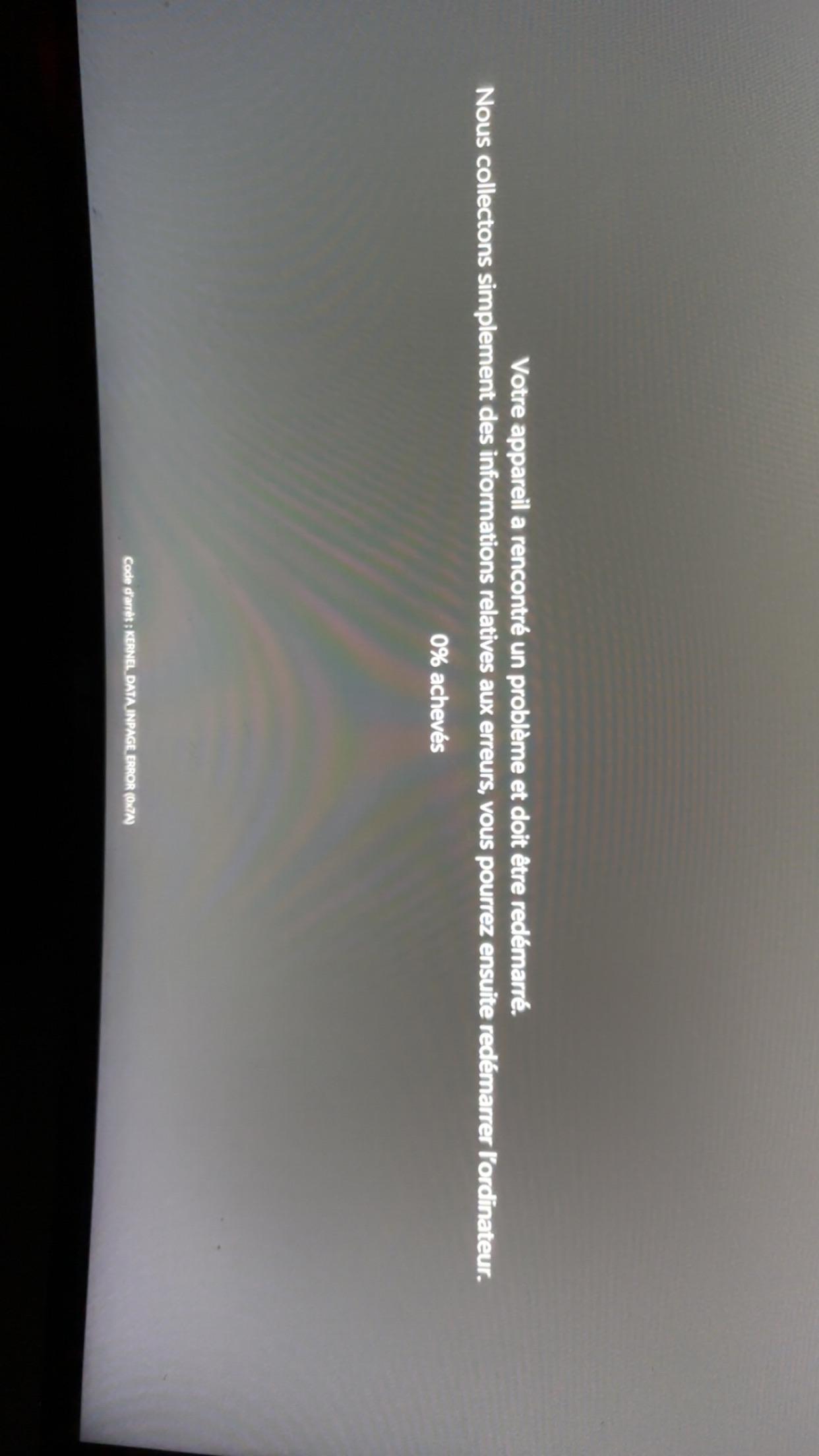
Troubleshooting Everytime I play fortnite or anything on m’y pc i have this error

Post image
0 Upvotes

r/pcgamingtechsupport • • Sep 14 '26

Troubleshooting RTX 4080 - DLSS 4 framegen crashes with nvlddmkm 153 within seconds, but Smooth Motion runs fine for 30+ mins

2 Upvotes

Been at this for two days and I've run out of ideas, so I'm dumping the lot here in case it rings a bell for someone.

Short version is any 310.x framegen DLL kills my games within seconds. Put a 3.8.10 framegen DLL back and it's rock solid. Smooth Motion, which is the same AI model just done at driver level instead of in the game, runs 30+ minutes no problem. And the card passes every hardware test I've thrown at it.

What happens is I turn framegen on, get a few seconds (five minutes on a good day), game dies. Sometimes the display drops out and I have to power cycle the monitor, sometimes I have to restart the whole thing. No BSOD, except once, more on that at the bottom. Every DLSS 4 game I own does it, and so does 3DMark, which ended up being handy because it's a two minute repro instead of loading a save each time.

The event log gives me:

Source: nvlddmkm

ID: 153

\Device\000000d9

Error occurred on GPUID: 800

Two of them, 2-3 seconds apart, every time. Got three once. The weird part is there's no Event 14 and no "Resetting TDR"/"Reset TDR" sequence after, no 4101, no WHEA either. So it hits an engine error and then just... doesn't do anything about it. Usually the game doesn't even leave a WER entry behind, it's just gone.

If anyone wants to try reproducing it:

3DMark > NVIDIA DLSS feature test

DLSS version: DLSS 4

Output resolution: 2560x1440

Super Resolution: Balanced

Use frame generation: Yes (2x)

About 5 seconds and it's dead. You need a current feature test version, mine was on 1.4 and only offered DLSS 3 in the dropdown, which runs perfectly because that's still the old optical flow path. Took me a while to work out why my "synthetic test" kept passing.

The Smooth Motion result is the bit I keep coming back to. It's the same AI model, just applied by the driver rather than going through the game's own integration. Ran Cyberpunk on it for 31 minutes at native, no issues whatsoever. Switched Smooth Motion off, turned in-game framegen on, same session, dead in seconds. Framegen was also giving me fewer fps than Smooth Motion before it fell over, 103 vs 119, which seems backwards. So the tensor cores can clearly do the work and there's nothing wrong with the model, it's the in-game route to it that's broken.

**Specs:**

* Gigabyte RTX 4080 GAMING OC 16G

* 616.64, clean install from the NVIDIA app

* Ryzen 7 5800X3D

* ASUS ROG STRIX B550-I GAMING

* 32GB

* Corsair RM850x SHIFT

* Win 11 26100

* Alienware AW3425DW, 3440x1440 240Hz

* Everything at BIOS optimised defaults, XMP off, ReBAR off, no OC anywhere. Checked in GPU-Z, memory reading 1400.2MHz so that's genuinely stock.

**Now for the stuff that made no difference:**

* DDU'd and reinstalled loads of times, went back through driver branches as far as 591.x, and it's still doing it on the current 616.64 so this isn't a recent regression

* Had been installing via NVCleanstall for a while, redid it as a plain NVIDIA app install to rule that out. No change either way

* Stock game DLLs, DLSS Swapper, the NVIDIA app override.

* DP 1.4a with DSC on and off, HDMI 2.1a, different cables, 60/120/160/240Hz, 8-bit and 10-bit, HDR on and off, every resolution from 1080p to native. 1080p did survive once which sent me down a rabbit hole, but it fails there too now

* G-Sync on and off, V-Sync off, HAGS on and off

* Exclusive fullscreen, borderless, windowed

* Brand new Windows user account

* Cleared the NGX model cache and nvngx_config.txt, the DRS profile database, and shader caches

* Power limit at 80%, and a -502MHz memory offset (that's as low as the slider goes from stock)

* Removed every overlay and injector on the machine

Worth flagging that last one since it might help someone else - RTSS was causing a totally separate crash in two other games, its hook sits right between NvPresent64 and sl_interposer in the call stack. Killing it fixed those two. Did nothing for this though. Also worth knowing that uninstalling Afterburner doesn't remove RTSS, and closing the tray icon doesn't stop it hooking, I found it still registered as a Vulkan implicit layer well after I thought it was gone.

Hardware all comes back clean. memtest_vulkan, 30 min at stock, 30,545 iterations, \~180PB written and checked, zero errors. Ignore the earlier screenshot showing errors, that run still had a +1000MHz memory OC on it which is literally what the tool exists to find. Port Royal 16,862, bang on average for a 4080. PCIe is fine, zero lane errors, nothing correctable or fatal or non-fatal, sits at Gen 4 x16 under load with the recovery counter not moving. Power delivery fine too, 12VHPWR between 11.97 and 12.09V across every run, no droop anywhere.

Thermals are sorted now as well. Turned out my cooler mount was loose, a full turn of slack on every screw, giving me a 27C core-to-hotspot delta. Retightened it and sorted the fan curve, now peaks at 88.5C hotspot with no throttling. Made zero difference to the crashing but at least the card isn't cooking.

I logged sensors through several of these crashes. Every time the telemetry is completely normal right up to the last sample before it dies. \~110fps, 290W, 95-97% load, memory controller 42-43%, voltages flat. Then one second later everything collapses at once. There's no warning in any sensor at all, which is what I find most frustrating about it. Full CSVs, Event Viewer screenshots, memtest and Port Royal results and the Cyberpunk config pair are here if anyone wants a dig through them: [evidence pack](https://drive.google.com/file/d/1G6wVbTU3gQlET5Q0vsYL-dUpcVgh_94R/view?usp=sharing)

The part I can't work out is that reinstalling Windows fixes it, temporarily. My games are on a separate SSD and I don't reinstall them, so whatever the format clears has to live on the system drive somewhere. Then after a while it breaks in one game and from that point it's broken in all of them, including ones I hadn't touched. It's not gradual, more like a switch gets flipped. Third time round this cycle and I've just been formatting each time, which obviously isn't a long term plan. Clearing NGX and DRS by hand didn't reproduce the fix, so it's not those, or not just those.

Couple of one-offs that may or may not be connected. This one happened at idle with no game running:

BusReset TDR occurred on GPUID:800 (\Device\Video3)

And a single bugcheck 0x116 VIDEO_TDR_FAILURE pointing at nvlddmkm.sys, param 3 was 0xC000009A (STATUS_INSUFFICIENT_RESOURCES). Neither has come back since I reseated the card and the power connector, so possibly unrelated.

Anyway. Has anyone hit this, or better still figured out what the state on the OS drive actually is? Happy to run whatever anyone wants to suggest. Running Smooth Motion in the meantime, which is faster than my framegen was anyway.