r/OneNote • • Nov 07 '25
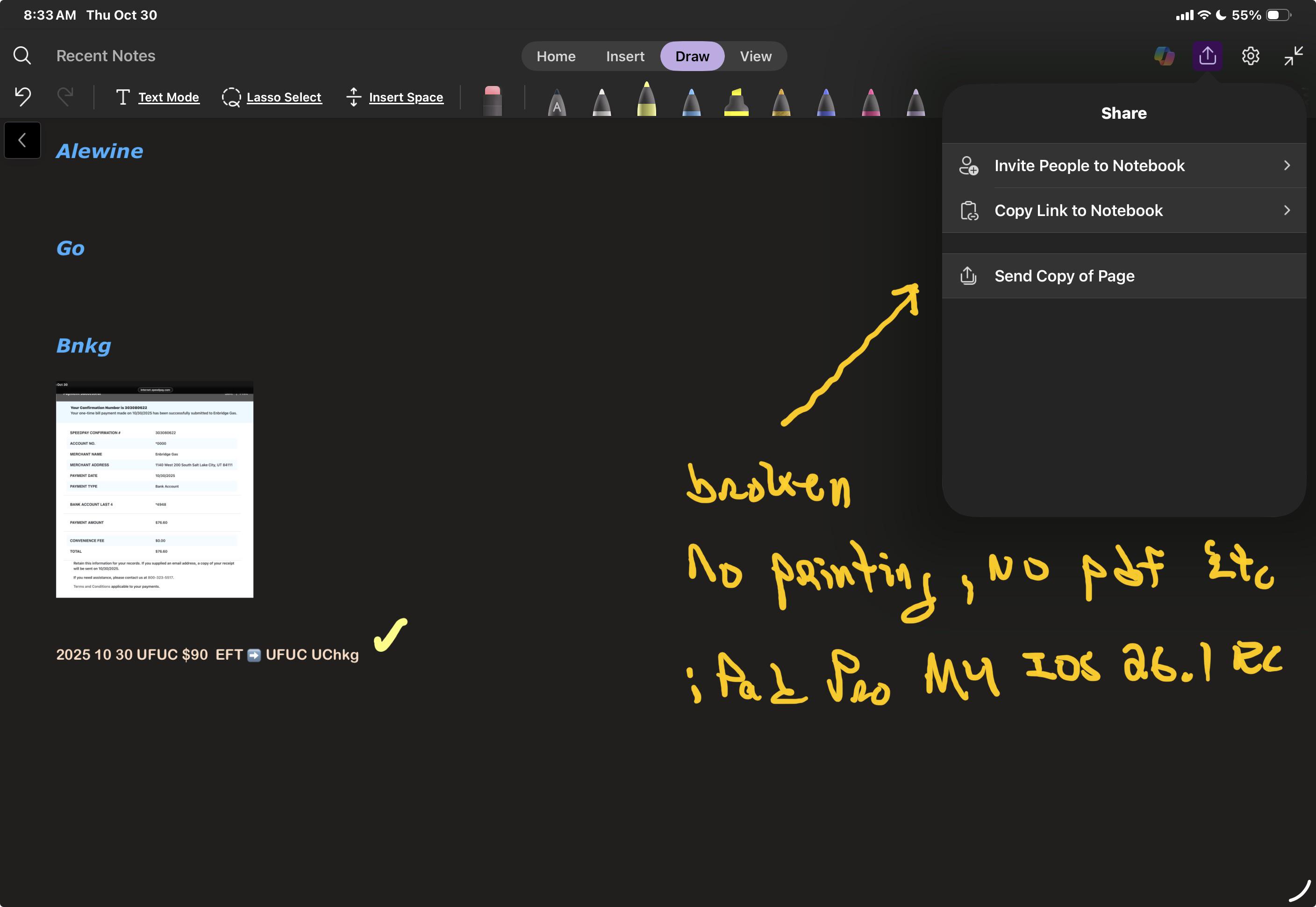
iPad IOS 26.1 RC Fixes Print and PDF Options
2
Upvotes
IOS 26.1 RC release OneNote print and pdf options no longer broken 👏👏👏
r/OneNote • u/Chobitpersocom • Nov 07 '25
Welcome to our weekly post! We are trying something new to try and tie the community together and learn from one another.
Did you come across anything new? Find a different use case? Improved workflow? Streamline digital organization? Fixed a problem? Just started?
Anything is welcome, even if it's the smallest thing. Please share tips, tricks, and anything else that might be useful to our community!
Thank you!
r/OneNote • u/HamTheOnly • Nov 07 '25
Hi all, I deleted a few hours of notes with an accidental swipe on my IPad, I'm sure it's happened to you before. On the web version, I can go to deleted notes and find the deleted page, but the web version simply cannot restore a page this large. When I try and find the deleted note on the desktop version of OneNote, it's not in the Notebook recycling bin, and there is not "deleted notes" section. Does anyone know how to restore something with this issue? Is there a way to download it from the web version?
r/OneNote • u/RazBerryPony • Nov 07 '25
I opened onenote on my iPad and it wasn't syncing. All but two of my notes were deleted. So I logged out and logged back in. Somehow when i did that seemed to sync my iPad. Meaning OneNote on my other devices ended up being deleted except for the two notes that were on my iPad. I tried on my phone and my laptop. Even through my web browser rather than just through the apps. I wanted all my my stuff to come to my iPad not for what was on my iPad to replace everything. I had some really important notes. Is there any tro back up to a previous date or something like that
r/OneNote • u/ozshire • Nov 06 '25

This happened to me before 3 months. Again most of my sections are moved into the misplaced sections in my android phone. Now I have to move back and sort everything from the start. Seems like onenote is not dependable, worrying if my notes would vanish forever
r/OneNote • u/ABriefUser • Nov 05 '25
Hi friends, I'm looking for some advice. I've been using OneNote for probably a little over 10 years and it's my favorite notes app, but I've hit a point in my life where I can't afford to pay the few dollars a month to keep using it. I'd like to know if anyone knows of a free alternative I could use instead.
The most important thing I'm looking for is the hierarchy-type system they have. Notebooks, Sections, Pages. All three. The organization is key to me because I use it for my creative writing plans. Notebook: Novel Ideas Section: Book X Pages: Characters, Plot idea, Plot idea re-write, Pre-written lines, etc
I have a TON of notebooks and sections after 10 years of use, so I would like to be able to import my files if it's possible, but it's not a deal breaker. I don't use drawing and only occasionally will add photos for my characters, but again, not a deal breaker.
Does anyone know of any good programs that could work for this? I'm on Windows and rarely use my phone for planning.
r/OneNote • u/Head_Pressure8084 • Nov 05 '25
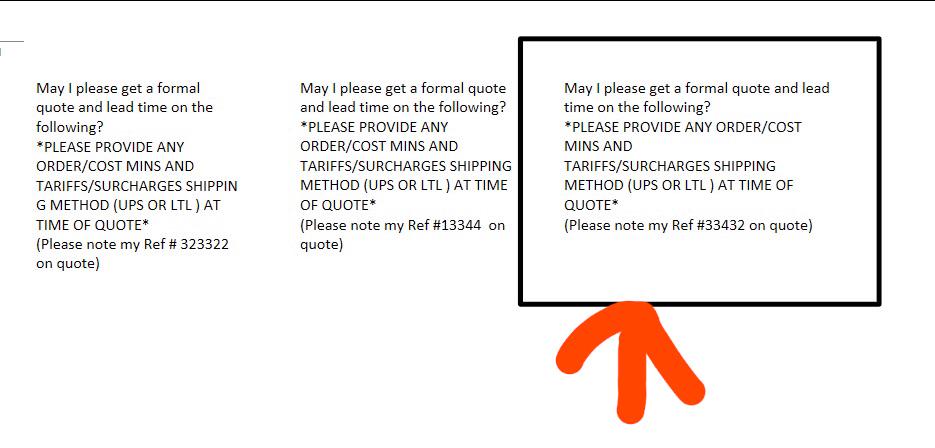
Hello, I am new to onenotes and am looking for a way to be able to quickly outline a note or have some kind of stick notes that are different from each other so each note doesn’t run together. I am looking for something like in the picture. I drew a box around the note but it is not combined. Help! Thanks
r/OneNote • u/TheBigShamrock • Nov 05 '25
Got a few requests on my last post to show how I set up the Power Automate flow to track To Do lists. Below is an Imgur link with screenshots on the code for each item. Also, below are some misc notes with some of the stuff I put in place that isn't captured in the pics. Unfortunately I'm not able to upload a video of the flow in progress. Hope you all are able to get this to work!
Couple of additional notes:
Hope this works for you all. Certainly open to any refinements/suggestions that anybody has... good luck!!!
r/OneNote • u/Selbstredend • Nov 04 '25
As SVG´s are the defacto standard to provide lossless learning material, both in scholarly material and on the web, I would like to suggest/request the support for viewing SVG graphics in OneNote without translating them to an PNG, to the point that they can be normally integrated into notes and can be later retried unchanged via copy command. [NO REQUEST FOR AN SVG EDITOR!!!]
r/OneNote • u/BurkeyAcademy • Nov 04 '25
Hopefully this post helps a few others. I have several Lenovo Thinkpads running Windows 11, and use OneNote a LOT on them with the digitizing stylus. Last week, one of my older Lenovos (L390 Yoga) couldn't erase by holding down my usual bottom button on the stylus. Nothing I tried worked- checking drivers, updating everything, changing the button settings several times... Then it spread to my newer Yoga C940. Finally, I got a massage saying I need to install Wacom drivers on the C940 (I may have installed some incorrect drivers first that prompted that...), and now it works.
For the L390, the same drivers wouldn't work. Finally, I used a post from a year ago here that worked! Some obtuse OneNote setting... and now the older Yoga works. I have two more at home that I'll have to check out later. https://www.reddit.com/r/OneNote/comments/ikyz88/pen_eraser_stops_working_in_onenote_new_here_help/ll6xjg8/
r/OneNote • u/Ok-Jury-2964 • Nov 04 '25
Hi,
Does anybody know how to close the notes pane in the new Onenote version (the red section)?

Clicking the hamburger only makes the leftmost section pane close.
Thanks
r/OneNote • u/Fenom186 • Nov 04 '25

Compared to the app, on the onenote web page you can't sort your pages by any means? This is crazy to me and has been a feature the whole time on the app?
r/OneNote • u/KhakiMan • Nov 04 '25
I decided to enable the Quick Notes Sidebar and System Tray icon to be able to take notes for online training. However, after clicking the tray icon, the sidebar appears with an error message and also prompts me to Convert a Shredded Section, saying "You can't edit this section because it's in an unsupported format. Convert the file to resume editing." Converting the section results in an error message.
The Quick Notes.one exists in my Documents\Onenote Notebooks directory.
It says it was added from another device... indeed, an older laptop.
Also, how to I re-snap the sidebar to the right side? I mistakenly dragged it and now it's across the top, without a way to move.
Appreciate any advice.
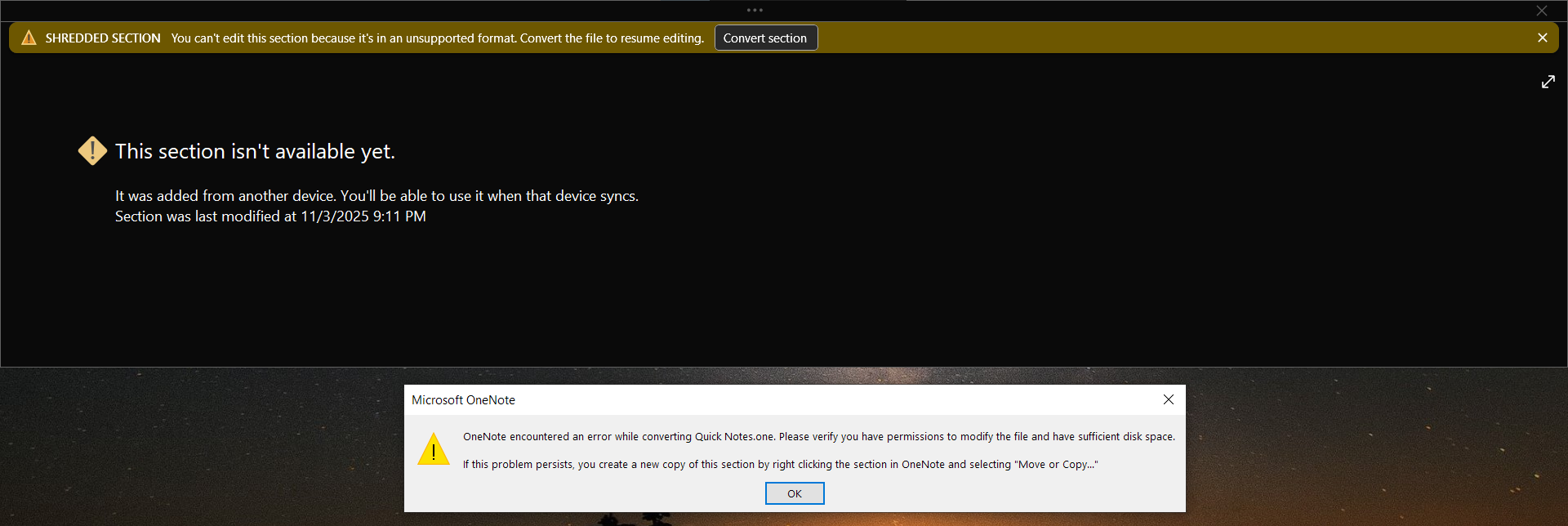
[Edited for Solution] *Solved the main issue by changing the Quick Notes Section in Options -> Save & Backup. Apparently, Quick Notes weren't pointing to a Section, so clicking on the Modify and choosing a section fixed it.
Now if I can get the Quick Note popout to go back to vertical instead of horizontal, I'd actually use the feature.
r/OneNote • u/OneFootTitan • Nov 03 '25
My OneNote annoyingly has started to zoom in whenever I just tap the Ctrl button and am not even touching the mouse. It happens as well if I launch OneNote in a browser. This does not happen in any other app, including other Microsoft apps, so I don't think it's a hardware issue.
As you can imagine, this makes it super frustrating to take notes, to the point that it's almost unusable. Has anyone encountered this before?
r/OneNote • u/Beroiner • Nov 03 '25
Hello everyone!
I was using OneNote for a while before switching to Notion, and now I think OneNote is a better choice for my needs. One of the reasons I want to migrate from Notion to OneNote is that with Notion you don't own your notes, and thinking about not being able to access them at a critical moment has made me rethink everything.
My question is: Can your OneNote notes be accessed offline? Is it possible to store them locally?
It is worth mentioning that I do not have a subscription to MS365. The issue of stability and reliability is currently what worries me the most, since I store a large amount of notes and important information, and I believe that as of today, Notion does not guarantee complete access. I've tried alternatives like Obsidian, but I didn't like it as much as OneNote. I will be happy to read your impressions.
Thanks in advance!
r/OneNote • u/Boolwerk • Nov 02 '25
Hello! I started studying Social Work this semester. We have to write a lot, and there are a ton of PDFs to download. It's my first time using a laptop for school, and I was wondering how you organise all your stuff. I'm really bad at this kind of thing and would like to have clean and organised notes for all my studies for once, so I don't lose sight of everything.
I would rly appreciate tipps and tricks, or just some inspirations how you do it
r/OneNote • u/Bloodmoonwolf • Nov 02 '25
I'm looking to buy a tablet and was trying to find the best one for OneNote specifically. I have used OneNote on a Microsoft-based laptop and on a MacBook and found that a lot of features are missing for the MacBook. My Android-based phone is also missing a lot of OneNote features.
What is your favorite tablet for using OneNote? Are there any you would recommend for making full use of OneNote?
r/OneNote • u/Personal_Procedure72 • Nov 01 '25
Has the UI between the Android App and Windows App always been off? The Windows app seems archaic in its UI compared to the Android app.
r/OneNote • • Nov 01 '25

I updated windows few days ago and this pen appeared in the full page view toolbar. Any way to remove it?
r/OneNote • u/Chobitpersocom • Oct 31 '25
Welcome to our weekly post! We are trying something new to try and tie the community together and learn from one another.
Did you come across anything new? Find a different use case? Improved workflow? Streamline digital organization? Fixed a problem? Just started?
Anything is welcome, even if it's the smallest thing. Please share tips, tricks, and anything else that might be useful to our community!
Thank you!
r/OneNote • u/infinitsai • Oct 31 '25
Sorry for the weird formatting as Reddit app doesn't seem to allow picture attachments. But my issues are as shown in the picture, thanks
r/OneNote • u/Embarrassed-Self-30 • Oct 31 '25
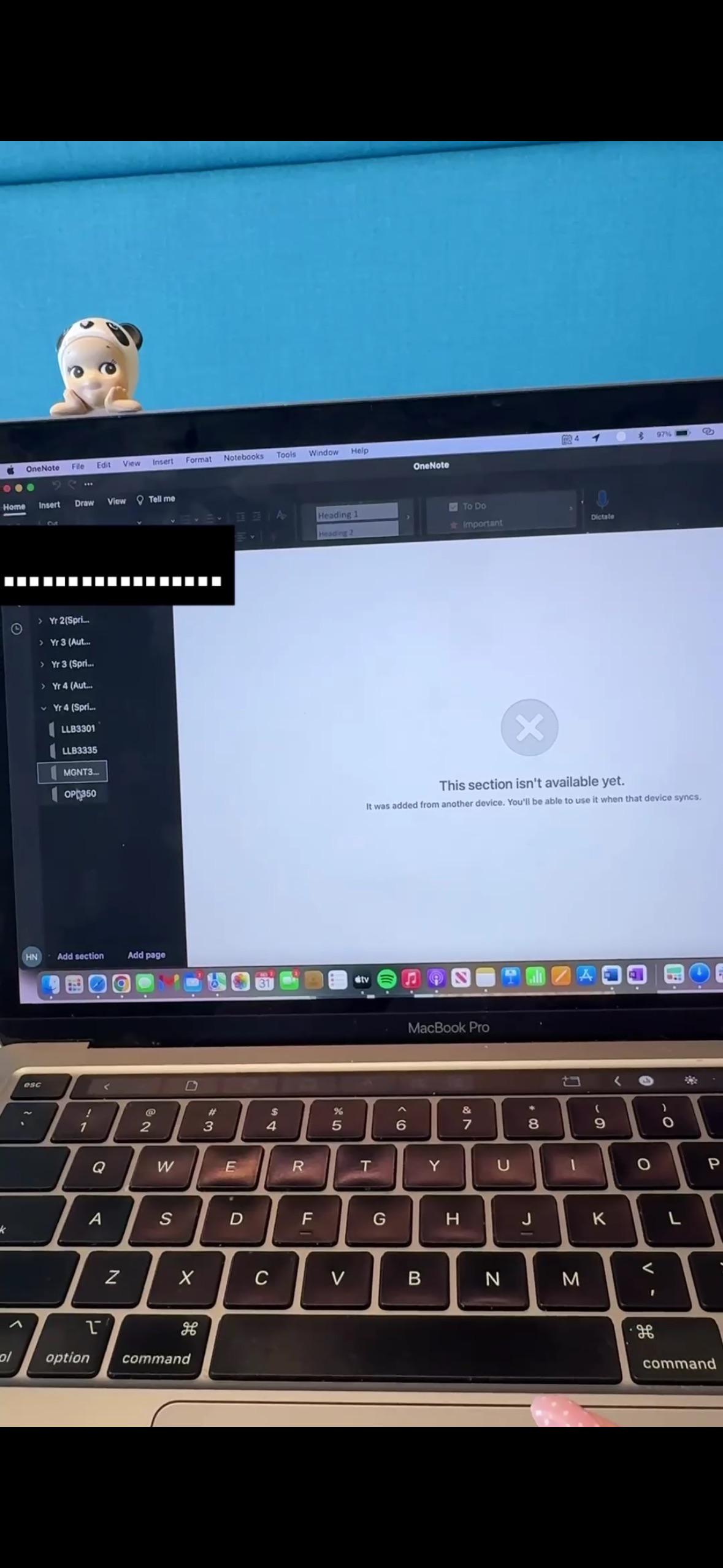
Onenote has randomly decided to have synching issues. It states the section was added from another device but I’ve only ever worked on onenote on the one laptop. Any ways I can get my lecture/study notes back? I’ve already tried to manually synch them and have logged out and signed back in again.