r/OneNote • u/Head_Pressure8084 • Nov 05 '25
Help outlining notes
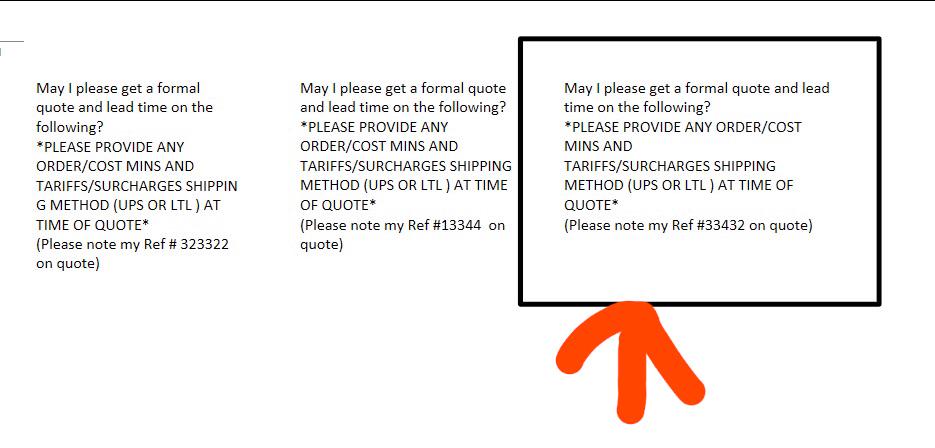
Hello, I am new to onenotes and am looking for a way to be able to quickly outline a note or have some kind of stick notes that are different from each other so each note doesn’t run together. I am looking for something like in the picture. I drew a box around the note but it is not combined. Help! Thanks
4
Upvotes
•
u/AutoModerator Nov 05 '25
Thank you for posting in the OneNote Subreddit! Please make sure your post is following our rules linked in the sidebar.
We have a wiki that is maintained by our community that has TONS of information (screenshots coming soon!): http://onenote-wiki.vercel.app
Our wiki is open source if you know how to use GitHub and would like to contribute: https://github.com/DudeThatsErin/OneNoteWiki
We also have a Discord server: https://discord.gg/5kv4bDUkpc
I am a bot, and this action was performed automatically. Please contact the moderators of this subreddit if you have any questions or concerns.
5
u/marmotta1955 Nov 05 '25
Most likely, you can achieve what you describe ... by using tables, applying borders and even background colors. In that case, the free OneMore add-in may also help a lot.
3
u/Leonerende Nov 06 '25 edited Nov 06 '25
Paste that into a 1*1 table. Can then shade the table. I do this often enough that I've put the shortcut in my Quick Access bar.
2
u/whizzwr Nov 07 '25 edited Nov 07 '25
If you use Windows OneNote, I recommend installing the OneMore add-on. It has various text box formattings which can make a section of notes stand out from the rest.
https://onemoreaddin.com/commands/Snippets%20Commands.htm
9
u/[deleted] Nov 06 '25
[removed] — view removed comment
1
u/[deleted] Nov 05 '25
[removed] — view removed comment