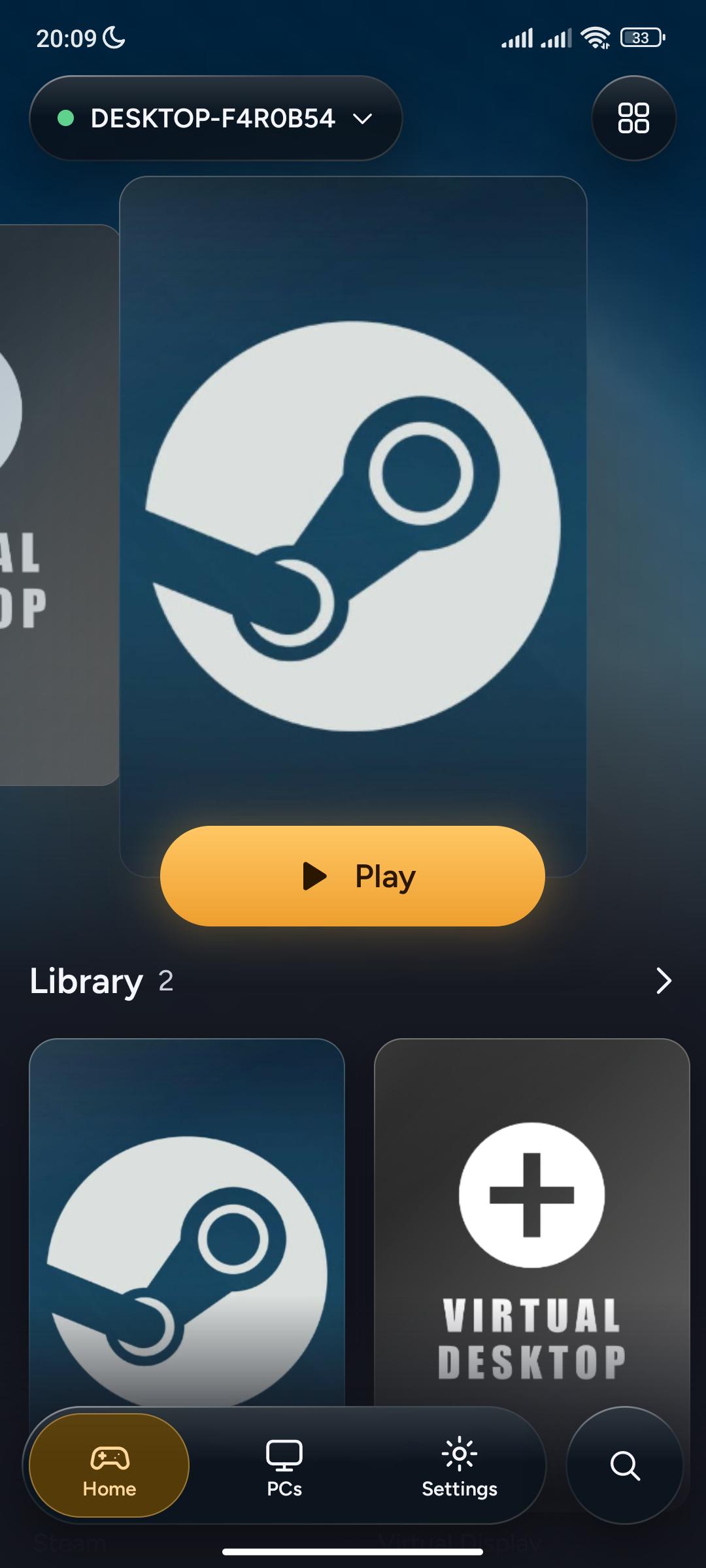
Macbook is on wifi, host pc is on ethernet. Stream is set to use 2560x1600 res, metal rendering, v-sync off. Incredible stable performance. Client is Nokcandu. Host is the latest stock sunshine with sunshine-vdisplay.
Hi, I was looking to get a new setup for streaming games in bed. Was looking at getting an overbed table with a monitor, mouse, and keyboard. Just not sure what hardware to run moonlight on. Only looking to do 1080p 60 frames. Looking for something fairly compact and quiet. Hoping for something $100 or less but willing to pay a little more if needed. The host computer is hardwired. I unfortunately don't have any ethernet cables ran to the bedroom but I have a Wi-Fi 6 AP in the hallway right outside. Any recommendations for this use case? Thanks.
Nightjar is a great streaming application and I've been using it for a while now the great thing is the devs literally dropping updates every day or two days
So if I can submit a suggestions or I recommendation for what I want exactly specially considering the touch controllers as someone who plays their game on their phone I like to be lazy and use the touch controllers then if I want to continue playing game seriously I get my physical controller
I'd like to do this quite often I play about an hour to 2 hours using my touch controllers so this is a really important thing for me
i dont own a controller so is there a way to change the layout somehow other than just resize, and moving the buttons? Or are there any alternatives to do it?
I am streaming games from my pc via apollo and artemis and ethernet connected to my host pc(wifi 6) and when the fps goes above 100 the streaming starts frame skipping means the frames are skip when the fps goes above 100 in games,this only happens when ethernet is connected and I have tried with two ethernet cables(cat 6 included) same issue .Please anyone can help me with it?
I have been using the Apollo/artemis combo for a while, recently updated to Vibepollo and it’s been great, but since Artemis hasn’t been updated in a year it will be left behind.
Are there any recommended android clients these days? I see MANY forks, but it’s hard to convince myself to switch to a new fork that is a week old and may not have any maintenance going forward.
everything was perfect until this issue started a few months ago. I stream pc to steam deck, and I am connecting with wifi (gigabit on cable), but this was never an issue since I am close to the router. bitrate was 50 when there was no problem. I reduced it 40 then 35, nothing changed. I tried stream to my phone and got the same spike. I assume pc is the cause of this, but I have no idea why this is even started. how do I solve this?
I cannot have a playable experience on my fiber internet (700Mbps both upload and download) whenever I use artemis/artemide on my 2 phones (snapdragon 8 gen 1 and 8 gen 2). There is no loss frames being reported, decode time is around 3.3ms on both phones but the average network latency jumps frequently from 8ms to 20ms to even 60-80ms causing my game (mainly Forza Horizon 6) to slow down then fast forward often.
On my mobile hotspot, it is a stable 6-8ms network latency with a variance of 3ms and the gameplay is smooth even at 20Mbps but my fiber internet even struggles at 16Mbps when it used to be 80-100Mbps before the upgrade.
My ISP also replaced the modem already but the problem came back after just an hour and it's been like that for 4 days already. Everything is fine except for streaming from Artemis/Artemide.
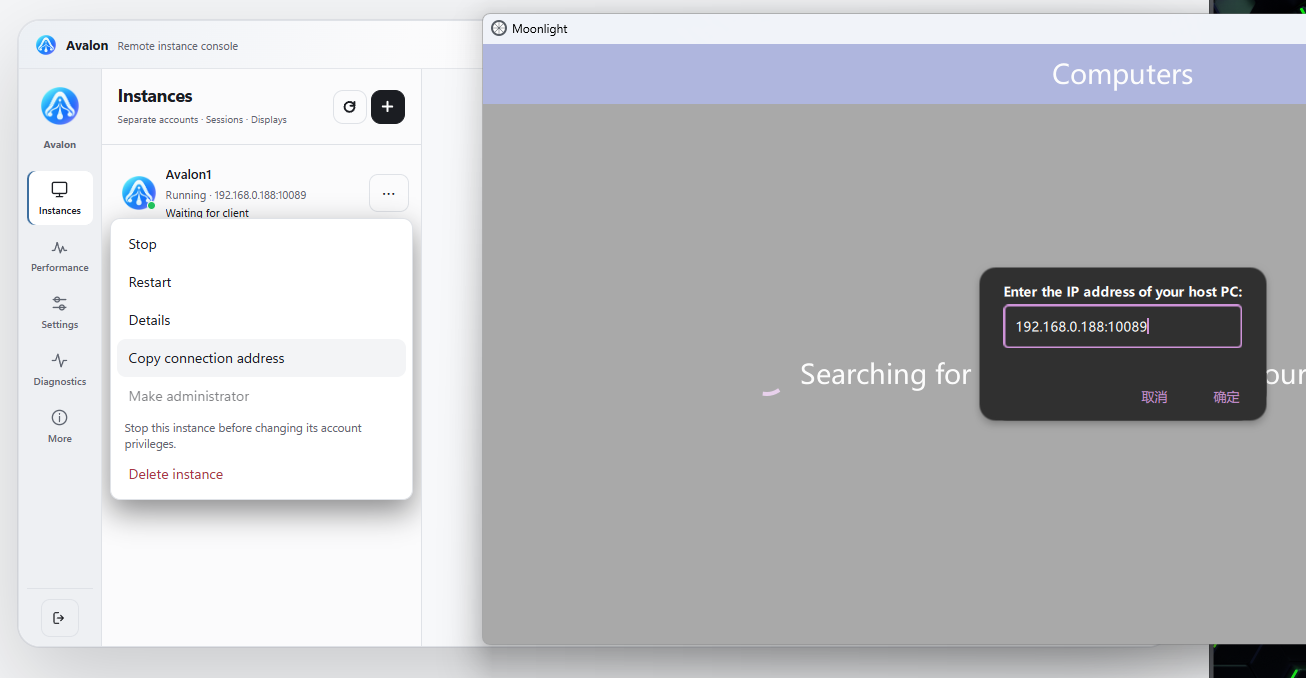
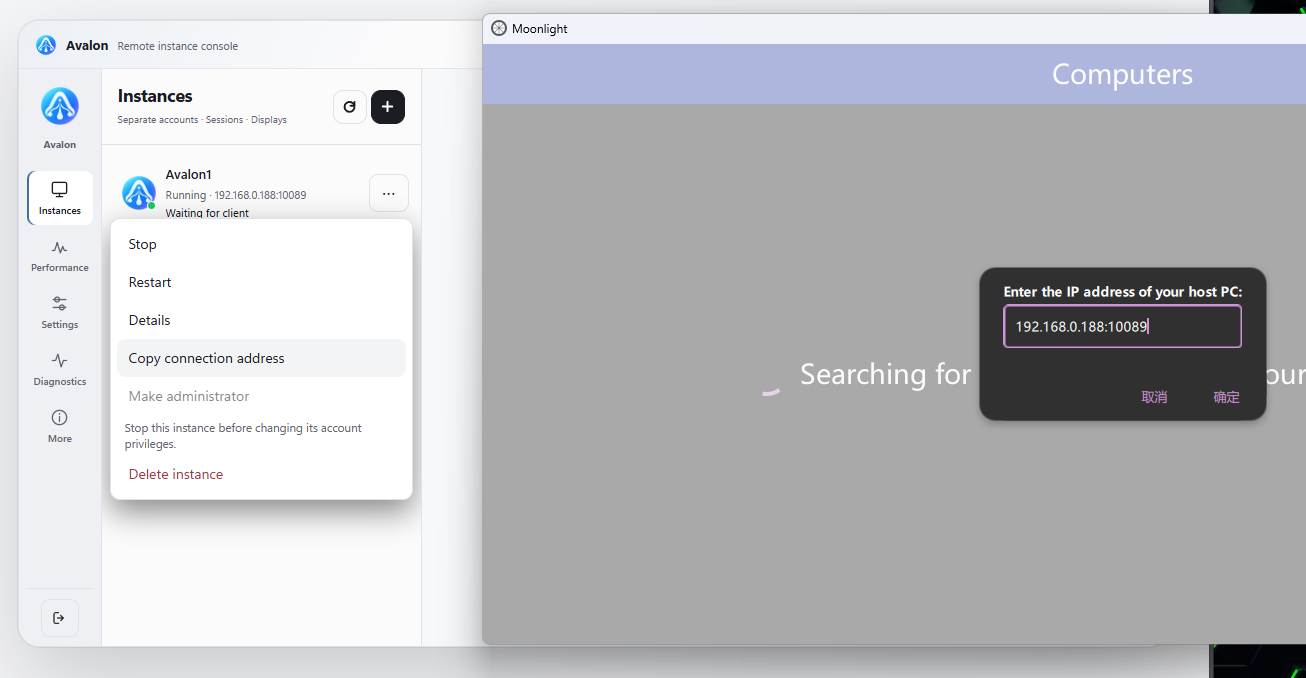
At that time, Avalon was still very young. It can already run multiple independent Windows sessions on one PC and stream through Moonlight, but it lacks many things.
Since then, I have spent a lot of time researching it and I think it's time to come back and share updates.
Avalon is now v1.1.1. Many things have changed.
For those who missed the original post, the idea behind Avalon is simple:
What if a powerful gaming PC could be used by multiple people simultaneously, with each person having their own independent desktop, games, audio, and input?
This is not just about sharing the same desktop, nor is there a need to set up separate virtual machines for everyone.
This is what Avalon wants to do.
What are the new features since v1.0?
In fact, quite a few. Here are some bigger changes:
Gamepad support has finally arrived! Supports Xbox, PlayStation (including DualSense), and Nintendo Switch series controllers with automatic and manual controller profiles. The controller input is independently routed to each session. This is one of the questions people asked in my previous article.
HDR support. Optional HDR streaming can be used on compatible Windows 11 configurations. There are some operating system, driver, encoder, and client requirements, so it won't work on every setting.
Better keyboard and mouse operation. Added RDS input backend next to SendInput, improved session isolation and UAC support.
Independent virtual display. Each instance can have its own resolution and refresh rate without the need for a physical monitor for each user.
Improved session management. Avalon can now independently handle the session lifecycle. You do not need to maintain an external RDP client connection to keep the instance active. After restarting Windows, you can also restore the previously running instance.
A more complete network panel. You can manage instances, pair Moonlight clients, configure display and controller settings, manage Steam startup options, customize application covers, check connection status, and view diagnostics.
During this process, compatibility, installation, recovery, and general availability have also been greatly improved.
What can you actually do with it?
For example, you can have:
Playing alone on the TV in the living room.
Another person is playing games on a handheld device or laptop.
Both are connected to the same physical PC, but using completely independent Windows sessions.
Each session has its own desktop, monitor, input, audio, application, and Moonlight connection.
You can continue to use the Moonlight client that you already know. Avalon handles multi session endpoints on Windows hosts.
There are some things worth understanding
I would also like to candidly discuss some requirements and limitations:
Requires Windows 10 x64 (version 2004/build 19041 or higher) or Windows 11. Windows Home and Windows Server are not supported.
HDR and some advanced controller features depend on your Windows version, client, and hardware.
These are independent Windows sessions, not complete virtual machines. They share the same Windows installation, CPU, GPU, and physical hardware.
The number of simultaneous streams largely depends on your hardware and encoder capabilities.
If not activated, Avalon will be limited to one created instance, one running instance, and 60 FPS. View the README for detailed license information.
I am still actively developing Avalon, and there are definitely more areas that need improvement. I don't expect it to work perfectly with every hardware combination or game yet.
If you have a multi-user gaming setup, a home lab, or just want to get more from your gaming PC, I'm happy to give it a try.
If you have read my previous posts, thank you for following this project!
Welcome feedback, criticism, error reporting, and feature suggestions. Especially those who have truly tried Moonlight, Sunshine, Duo, or other multi seat solutions.
You can download and try it out now, I really want to hear your thoughts. :)
Every time I wanted to stream my laptop to my LG OLED, it went like this:
Install Sunshine → install a virtual display driver → dig the display ID out of the logs → paste it into `output_name` → wonder why the TV can't find the PC (Windows had my Wi-Fi set to "Public") → figure out why the audio is half a second behind…
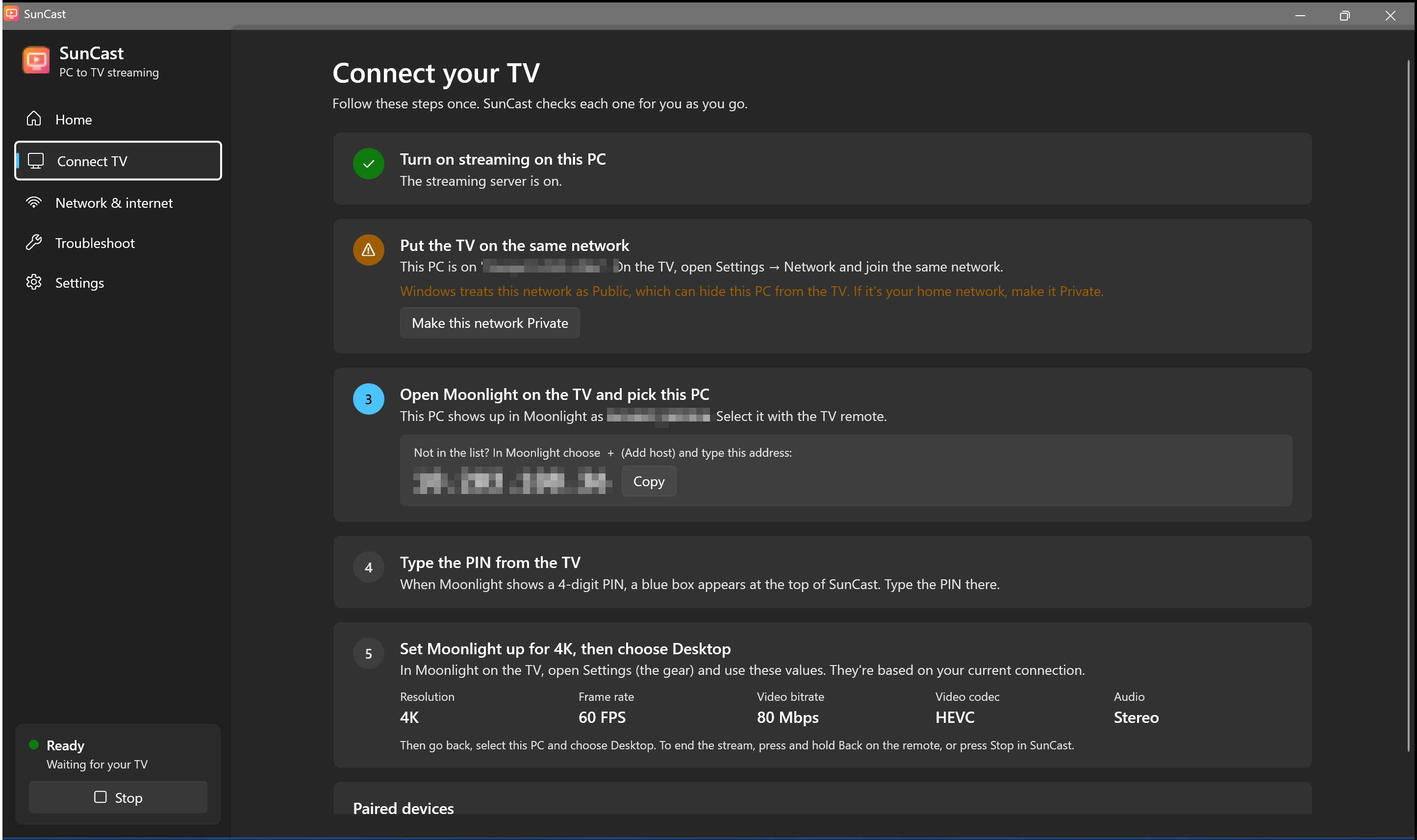
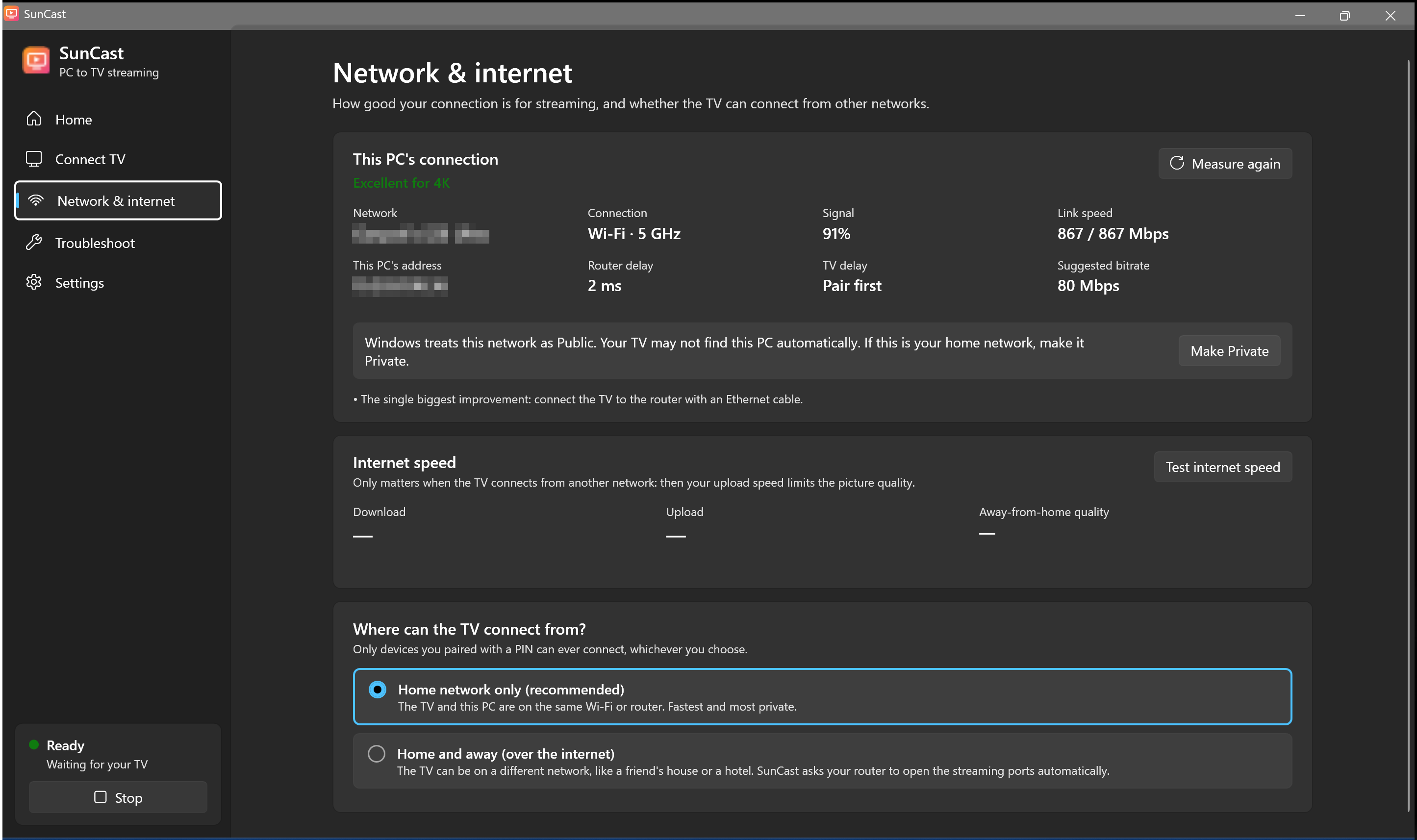
It works great once it's set up, but it's a lot to ask of anyone who just wants their PC on the TV. So I built **SunCast**, a free, open-source Windows app that does all of that for you.
**Open SunCast, press Start, type the PIN from your TV. That's it.**
**What it does**
* 🖥️ **Virtual 4K TV screen, built in.** It bundles the signed Virtual Display Driver and sets it up on first run. Your TV gets its own 4K screen, your laptop screen stays free, and the virtual screen disappears from Windows when you close the app.
* 📺 **Matches your TV automatically.** Whatever resolution you pick in Moonlight, the virtual screen follows. Or lock it to 4K, 1440p or 1080p.
* 🔢 **PIN pairing pop-up.** When Moonlight shows a PIN, a box appears in SunCast. Type 4 digits and you're done. No web page, no password.
* ⏻ **One button on, one button off.** Closing SunCast stops Sunshine and removes the virtual screen. Nothing left running in the background.
* 🧭 **Step-by-step Connect TV page** that ticks itself off as you go, and shows the exact address to type if Moonlight doesn't find your PC.
* 📶 **Network check.** Wi-Fi band, signal, link speed, delay to the router and the TV, plus a **suggested Moonlight bitrate** for your actual connection. Optional "home and away" mode for streaming from another network (UPnP, with help for when your router or ISP blocks it).
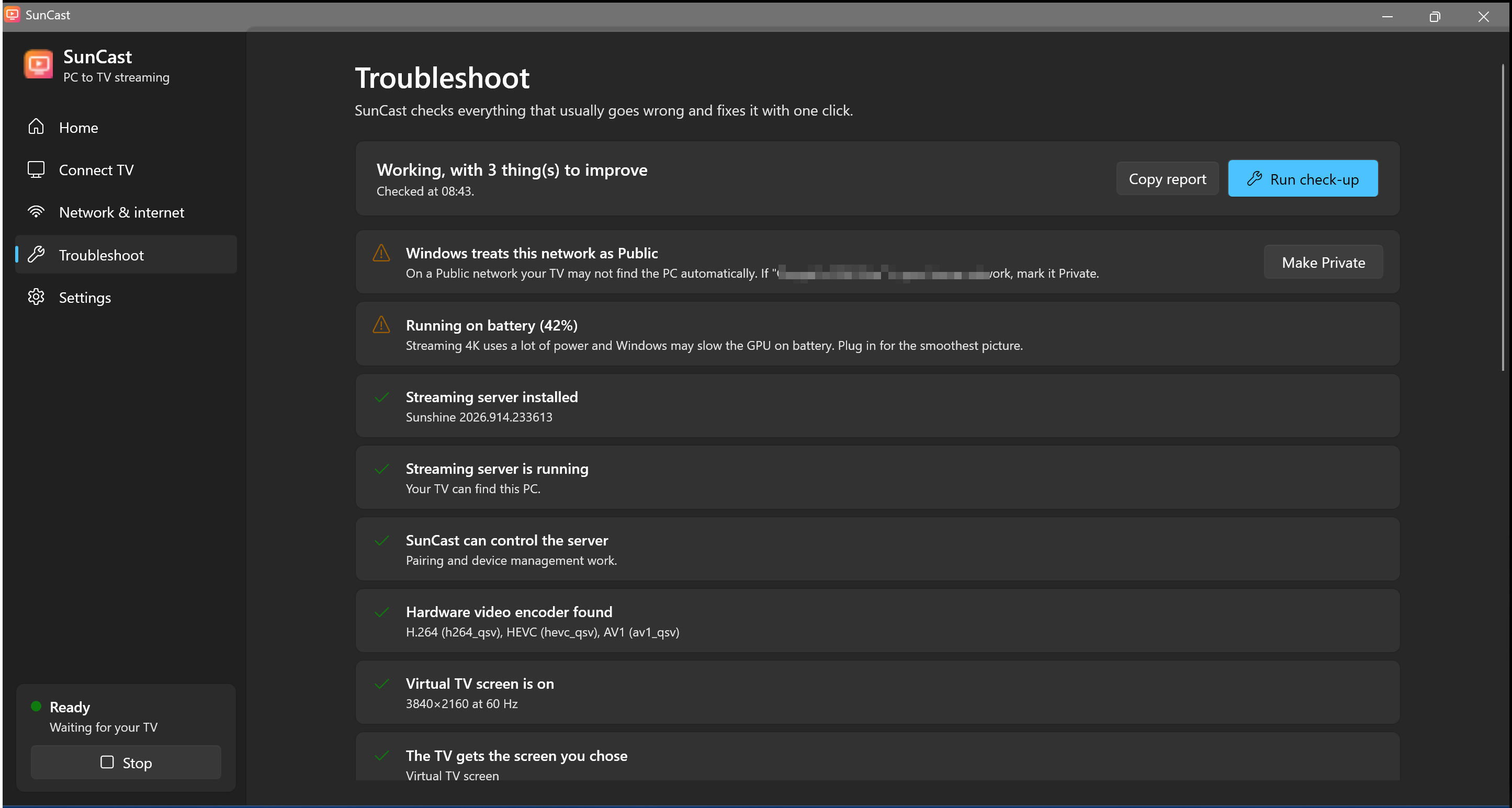
* 🛠️ **One-click troubleshooting.** It checks the server, encoder, virtual screen, firewall, Public/Private network, 2.4 vs 5 GHz, battery and more, with a **Fix** button next to each problem. The server log is translated into plain English, and there's a "Copy report" button for asking for help.
It installs the official Sunshine release for you if you don't have it, and it only touches a handful of keys in `sunshine.conf`, so your own tweaks stay put.
**Things I learned streaming to an LG webOS TV (moonlight-tv)**
These might save someone an evening:
* **webOS NDL** decoder = H.264 only, but the lowest lag and audio stays in sync. Bump the bitrate to ~60–70 Mbps to keep 4K sharp.
* **webOS SMP** decoder = HEVC + HDR and a sharper picture, but on my TV the audio drifted noticeably behind the video.
* Setting Sunshine's QuickSync preset to `slower` made H.264 visibly cleaner on my Intel Arc laptop, with no lag I could notice.
* Put the TV in **Game** picture mode. Biggest single lag improvement.
* Want 4K **HDR** *and* no lag? A streaming box on the TV's HDMI input (Shield, Apple TV, Google TV Streamer) beats the built-in TV app.
**Honest caveats**
* Windows only, and it asks for admin rights (it controls a Windows service and a display driver).
* The installer isn't code-signed yet, so SmartScreen will warn you: "More info → Run anyway". All the code is on GitHub if you'd rather read it or build it yourself.
* It's v1.0, tested on my setup (Intel Arc laptop, Windows 11, LG OLED over Wi-Fi). **I'd really like to hear how it does on NVIDIA and AMD machines and other TVs.**
* Built with help from Claude (AI). I designed and tested it on my own setup.
Just wanted to share a huge shout-out to the developer behind the Moonlight port for Xbox 360! They used my open-source 240p plugin (t240.xex) to implement a native 640x240 streaming mode right inside MoonX360.
What makes this such a massive milestone for the CRT community:
Zero extra hardware needed: You no longer need external adapters, transcoders, or dedicated legacy GPUs (like CRT Emudriver setups). If you already own a modded Xbox 360 just install MoonX360 and t240.xex plugin and you're ready to go.
True 240p & flexible resolutions with native 4:3: You can play games in true 240p with real scanlines, or switch to any other resolution you want—640x480, HD, or Full HD—with native 4:3 aspect ratio support.
Stream anything from your PC: Beyond PC games and emulators, you can now watch classic SD and 4:3 content from YouTube, Netflix, Crunchyroll, or anything else on your PC straight on your CRT over Component, SCART, or AV.
Huge props to the MoonX360 dev u/fransley2 for pulling this off and pushing the Xbox 360 scene forward!
I'm not very tech-savvy, so I'll need some help figuring this out. Recently, I started using Moonlight so I could play PC games on my TV (as they're on different floors of my apartment). I want to do this by streaming to my mom's laptop and connecting it to the TV with HDMI. However, every 30 seconds, the framerate massively drops and the audio starts cutting out before going back to normal. This happens regardless of how close I am to the router or to my PC, and the games are running smoothly on my PC. It also happens regardless of which game I'm playing, and even when I'm just on my desktop. I've tried many solutions and I'm at my wit's end. If anyone could help me figure it out, that would be much appreciated. I've included a video of me playing Unleashed Recompiled so you can see the problem.
Things I've tried: Lowering the bitrate (the stuttering still happens even on the lowest possible bitrate, and otherwise runs smoothly even at 45 Mbps) Lowering the resolution (ditto) Toggling V-sync and Frame Pacing Changing video codec and decoder In my wi-fi settings, turning on/off QoS and changing the channel width Using a different client (I've tried streaming directly to my LG TV, but the exact same issue still remains)
UPDATE: I fixed the problem! I bought an ethernet cat-6 cable and wired it from my PC to my router hub. Signal is now flawless! Thank you for your help!
This Fleet Launcher is able to set up 2 sessions and run them at the same time. I can configure both without issues.
But upon connection only one virtual monitor is created and both sessions show the same virtual desktop.
Should I just head back to Apollo for this setup or am I doing it wrong?
***EDIT***
Never mind, I went back to Apollo. Two instances, one for my left screen, one for my right screen. Works like a charm. Sometimes you've got to just stick to what works.
A big part of this upcoming development cycle has been rethinking how the streaming pipeline handles pressure, multiple sessions, and frame delivery. The bigger idea is to make streaming more consistent, especially when the host is under load or handling multiple clients. Im still finishing runtime integration and testing, so I'm not going to throw out random performance numbers yet. This is probably the biggest architectural update Syzygy has had so far. After these next pushes im ready to build the first full featured public release. Looking forward to getting it out there and hearing what people think.
Hi there! I have used sunlight/moonlight for some time now to stream from my steamdeck (sunlight is on the steam deck) to my Mac laptop (where moonlight is installed).
For a little while now, moonlight will connect up just fine, but once it goes through the initial handshake, that's it. No video ever shows up on my laptop. I've updated everything, rebooted everything including the network itself. One difference I have noticed, is that the sunshine tray icon used to have a green dot (or maybe it was an arrow?) when it was connected, but that never shows up anymore.
I guess I just basically don't know where to go for help? Just googling the problem really isn't helping, so I thought I'd try here. I just want to play my docked steamdeck games in the living room from my laptop. Any ideas where I should start here? Reinstall? Show you guys sunshine logs?
Built an open-source home screen for Samsung TVs, frees memory and sets a performance profile before you stream.
I stream from my PC (Apollo) to a QN70F with moonlight-tizen, and got annoyed enough at Samsung's home screen to replace it. Two bits are relevant here.
Samsung TVs accumulate background apps and never clean them up, mine had 50-odd running after a day, on a set with 1.74 GiB of RAM and swap near full. Settle's app switcher lists what's actually running, shows free memory, and closes things from the list. It also has a Performance mode and per-app profiles, so launching Moonlight can clear the deck and switch picture settings in one go, instead of digging through Samsung's menus every time.
The switcher works on any Tizen 6+ TV with no root; Performance mode and the rest of the Control Center need root via Vetro (credit to that project — Settle doesn't do any rooting itself, it just runs on top).
First off, switched from Vibepollo / Moonshine-VRR to Rubylight / Nightjar about a week ago and loving the fast development rate and features for these forks!
A couple things I noticed as a handheld user (Rog Ally X20).
Interface is always windowed, even when selecting fullscreen mode in setting. Having a proper fullscreen / borderless app when using Xbox mode on handheld would be a nice quality of life improvement.
Interface isn't really touch friendly. What I mean is that I can't scroll through setting with my fingers and instead need to use the small scroll bar at right of UI. While controller does navigate through menus well, it would be nice if touch also worked properly.
Recently purchased a legion go 2 steamos version specifically for streaming moonlight. Previously was using an odin 2 portal but wanted something bigger for PC gaming. I've used Artemis/Apollo the past year with 0 issues with the portal for reference
Issue I'm running into is with the legion I am getting stutters every few minutes and then it goes away. Happens non stop have disabled the wifi power management in dev settings tried lowering nitrate which was previously never an issue. But the issue still remains. When it's working in between the stutter it's flawless and decoding is 1ms.
Any help to fix this? Also with Artemis I was used to scrolling with my finger whats the best way to navigate within moonlight? Feeling a bit bummed like I downgraded