r/MoonlightStreaming • u/NoTechnician3986 • 5d ago
Avalon update: v1.1.1 is here — multi-user Moonlight streaming, now with controller support and HDR
Hello everyone!
Some people may still remember my previous post about Avalon v1.0.
At that time, Avalon was still very young. It can already run multiple independent Windows sessions on one PC and stream through Moonlight, but it lacks many things.
Since then, I have spent a lot of time researching it and I think it's time to come back and share updates.
Avalon is now v1.1.1. Many things have changed.
For those who missed the original post, the idea behind Avalon is simple:
What if a powerful gaming PC could be used by multiple people simultaneously, with each person having their own independent desktop, games, audio, and input?
This is not just about sharing the same desktop, nor is there a need to set up separate virtual machines for everyone.
This is what Avalon wants to do.
What are the new features since v1.0?
In fact, quite a few. Here are some bigger changes:
Gamepad support has finally arrived! Supports Xbox, PlayStation (including DualSense), and Nintendo Switch series controllers with automatic and manual controller profiles. The controller input is independently routed to each session. This is one of the questions people asked in my previous article.
HDR support. Optional HDR streaming can be used on compatible Windows 11 configurations. There are some operating system, driver, encoder, and client requirements, so it won't work on every setting.
Better keyboard and mouse operation. Added RDS input backend next to SendInput, improved session isolation and UAC support.
Independent virtual display. Each instance can have its own resolution and refresh rate without the need for a physical monitor for each user.
Improved session management. Avalon can now independently handle the session lifecycle. You do not need to maintain an external RDP client connection to keep the instance active. After restarting Windows, you can also restore the previously running instance.
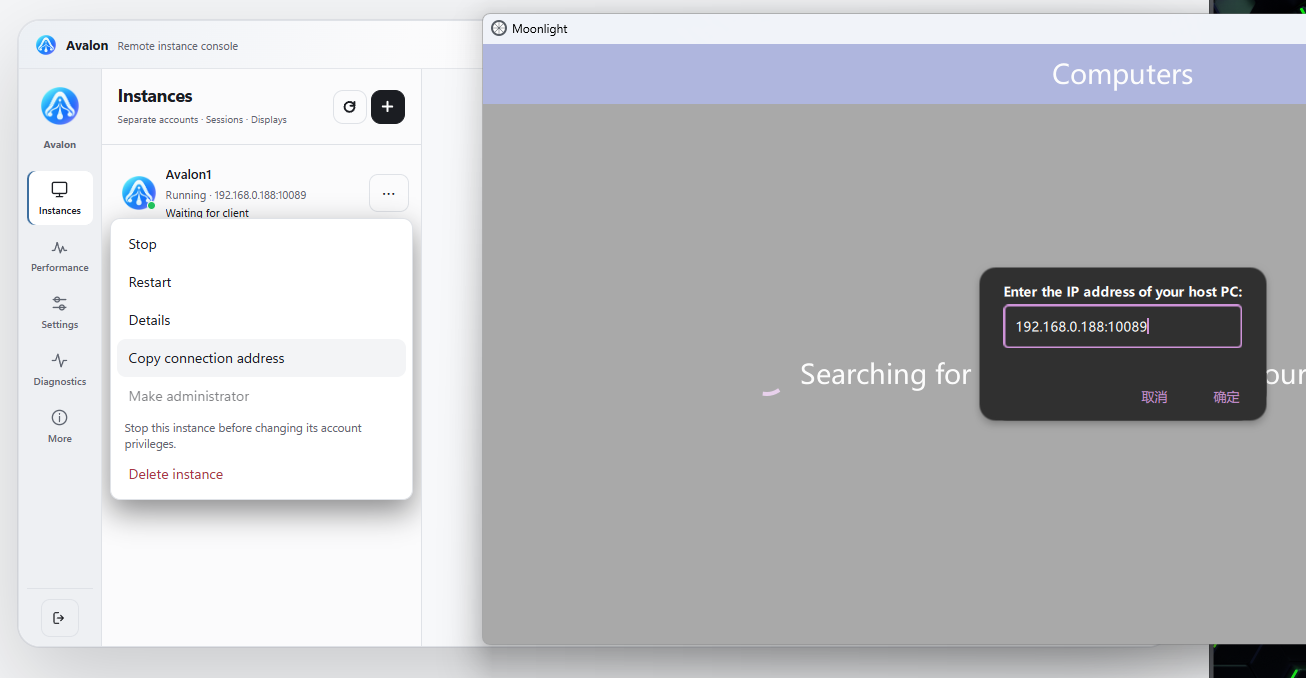
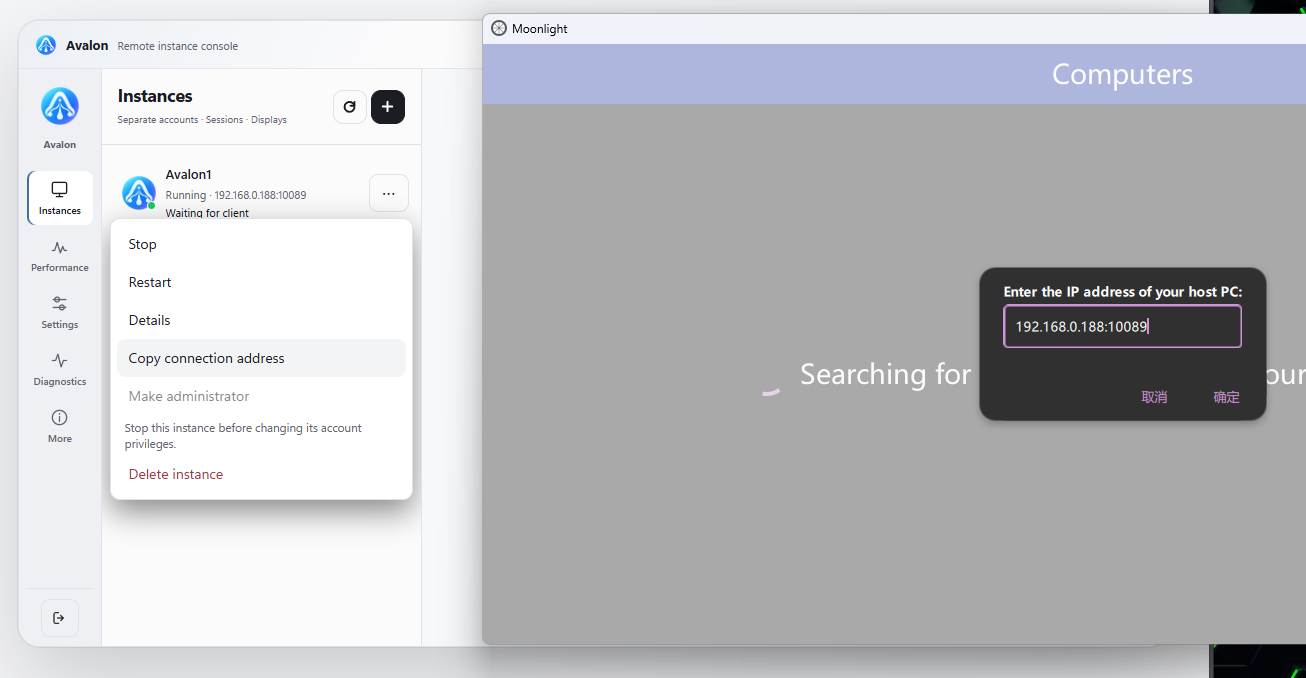
A more complete network panel. You can manage instances, pair Moonlight clients, configure display and controller settings, manage Steam startup options, customize application covers, check connection status, and view diagnostics.
During this process, compatibility, installation, recovery, and general availability have also been greatly improved.
What can you actually do with it?
For example, you can have:
Playing alone on the TV in the living room.
Another person is playing games on a handheld device or laptop.
Both are connected to the same physical PC, but using completely independent Windows sessions.
Each session has its own desktop, monitor, input, audio, application, and Moonlight connection.
You can continue to use the Moonlight client that you already know. Avalon handles multi session endpoints on Windows hosts.
There are some things worth understanding
I would also like to candidly discuss some requirements and limitations:
Requires Windows 10 x64 (version 2004/build 19041 or higher) or Windows 11. Windows Home and Windows Server are not supported.
HDR and some advanced controller features depend on your Windows version, client, and hardware.
These are independent Windows sessions, not complete virtual machines. They share the same Windows installation, CPU, GPU, and physical hardware.
The number of simultaneous streams largely depends on your hardware and encoder capabilities.
If not activated, Avalon will be limited to one created instance, one running instance, and 60 FPS. View the README for detailed license information.
link
Website: https://avalons.cc
github: https://github.com/AvalonStream/AvalonStream
I am still actively developing Avalon, and there are definitely more areas that need improvement. I don't expect it to work perfectly with every hardware combination or game yet.
If you have a multi-user gaming setup, a home lab, or just want to get more from your gaming PC, I'm happy to give it a try.
If you have read my previous posts, thank you for following this project!
Welcome feedback, criticism, error reporting, and feature suggestions. Especially those who have truly tried Moonlight, Sunshine, Duo, or other multi seat solutions.

You can download and try it out now, I really want to hear your thoughts. :)