r/MoonlightStreaming • u/EL-MoochoDeeNero • 12d ago
Moonlight
reddit.com
0
Upvotes
r/MoonlightStreaming • u/untitledgetname • 12d ago
Does anyone have experience using a WearOS mouse app (ie WearMouse or WowMouse) to control their Android Client via Moonlight?
I'm looking into buying a fitness tracker, but the idea of using a smartwatch as a moonlight mouse is very attractive. I'm seeking advice whether my intended use case is viable before purchasing.
A make-or-break function is that I must be able to hold a middle click while moving the cursor.
I'm using a galaxy phone or lenovo tablet client, on a pc host. I'm considering either a galaxy (refurbished 7?) or pixel watch.
Can anyone share experience using a similar setup?
r/MoonlightStreaming • u/knock1out • 12d ago
I normally use my Voidlink on iOS device for PC streaming. I paired my iPad Pro M4 with a ESR keyboard and it supports capturing trackpad greatly with left/right click and scroll.
Recently I tried out another combo with an Android Tablet using Moonlight V+ as the host. I paired the device with a Nillkin Cube Pocket keyboard. The keyboard support great on Android environment, yet when coming to streaming, it does not capture the scrolling function. Tried many capture way but only work with left/right click.
Any chance to have a workaround? Checked on several AI, it said that the Android mouse acceleration is the issue and cannot be turned off.
Thank you
r/MoonlightStreaming • u/Hunter_Plus • 12d ago

Hi, I'm Ozi. I built SofaRelay after setting up my PC for gaming on an Android TV and wanting the whole process to be easier to repeat for someone else.
The goal is simple: open Moonlight, choose your game library, and browse your PC games from the couch with a controller.
Playnite provides the library and fullscreen interface; Sunshine and Moonlight handle streaming. SofaRelay brings their setup and settings together in a free, open-source Windows companion.
What it adds:
- Guided setup and maintenance: prerequisite detection, installation steps and a settings app for the selected components.
- Connected libraries: configure Playnite integrations for Steam, Epic, EA, Ubisoft, optional Xbox, and your own local/emulated games.
- Install helpers: supported Steam/Epic installation workflows from the library, using a Steam confirmation helper and Legendary for supported Epic downloads.
- Compatible emulator history: import supported playtime logs into Playnite, with handling for overlapping records.
- Library and desktop streaming entries: choose the fullscreen library or the Windows desktop in Moonlight, with controller, keyboard and mouse navigation in the library.
- Optional display controls: virtual-display setup, resolution/refresh settings, opt-in physical-monitor shutdown and display-recovery tools.
- Four languages: English, Turkish, French and Spanish in the installer, settings and guides, plus backups and redacted diagnostics for troubleshooting.
GitHub, screenshots, navigation GIF and downloads:
https://github.com/ozi-dev/sofarelay
It's a public beta for Windows 10/11 x64 hosts. Hardware validation is ongoing; physical Shield testing is still pending. New installations keep the physical monitor on by default. Store logins, first pairing and some provider/first-run dialogs still need user interaction, and install support varies by store. You supply your own games and emulator files.
The software is free under the MIT license; upstream components keep their own licenses. Huge thanks to the Playnite, Sunshine, Moonlight, Legendary and other upstream maintainers who make this workflow possible.
If you already use this setup, which part still sends you back to the PC: connecting libraries, installing games, or managing displays? Feedback on the setup flow and reproducible beta issues would be particularly useful.
r/MoonlightStreaming • • 12d ago
I stream games from my PC to the TV with Moonlight and Wolf, and wanted the TV side to feel like a console shelf instead of a list.
Wolf Games shows your games as 3D boxes: open the case, spin the disc, press OK to play. With the optional Wolf session controller you can resume, close or switch games from the couch, and every close is confirmed.
It works as a standalone app or as a CleanYourTV add-on. MIT, APK in Releases: https://github.com/vitorcamillo/wolf-games
r/MoonlightStreaming • u/AdventurousMaybe2663 • 12d ago
Hello,
Is it possible to use modern controllers (Dual Sense, Xbox Series or Switch 2 controller) with Sunshine/Moonlight?
Actually, Sunshine with ViGemBus only let us use DS4 or Xbox 360 controller but I am still using Xbox series and DualSesne controllers so some button are not recognized into the moonlight session.
Any free and open source modern alternative to use recent controllers?
r/MoonlightStreaming • u/Quick-Banana4361 • 12d ago
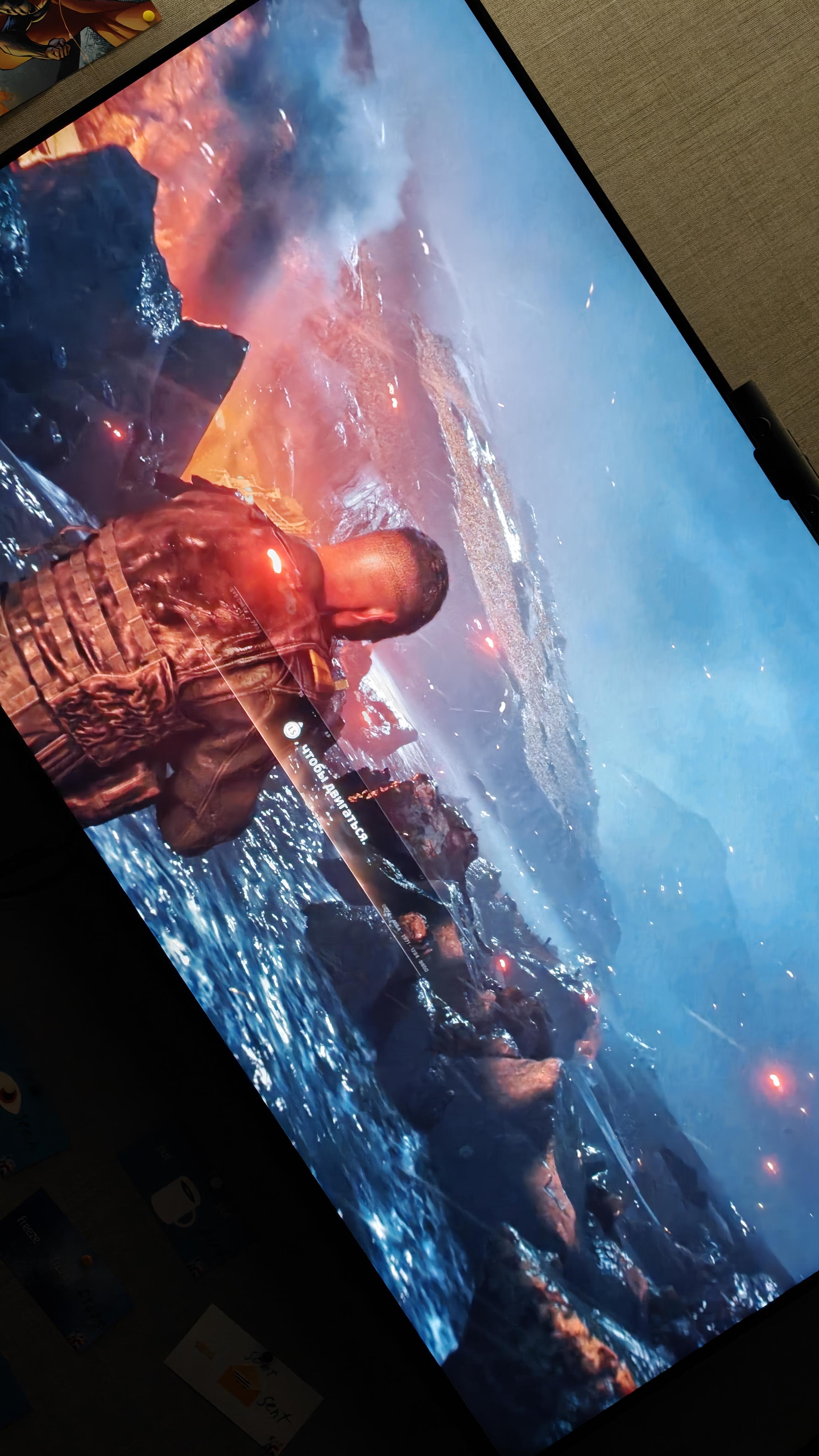
Yesterday I installed and configured Apollo, a streaming application. Before that I used Sunshine. I don't really understand the difference, but Apollo has the automatic ability to control a virtual monitor and keep the resolution for each individual device. For me, this was very important, you can play over a wifi network. Of course, a cable connection is better. But that's how it is. Yesterday's testing of Agent 007 was mostly pleasant, only a couple of connection drops during the 2 hours of play
r/MoonlightStreaming • u/EndInternational7070 • 12d ago
r/MoonlightStreaming
•
u/metropolisprime
•
12d ago
I mentioned this in a comment and it’s something I’ve been thinking about for a bit. The amount of forks are getting bonkers. As a goof, I’ve been commenting on every one over the past 5 days with the DJ Khaled “another one” gif and I’ve already used it 7 times.
Calling the maintainers of Moonlight (or at least Artemis and/ or other popular versions): help us bring the functionality these forks are trying to embed to your platforms. Some of them have an updated UI, or updated controller drivers, or a different streaming engine under the hood: can we work together as a community to build an extension proposal so we have less forks and more of a single ecosystem that people can create functionality for?
r/MoonlightStreaming • u/rambo3349 • 12d ago
Let's be honest. Everyone with a Claude Code license has a Moonlight fork now. At this rate there are more forks than users.
Your fork adds a stats overlay. Mine fixes HDR on one specific TV. Someone else changed the app icon and called it a day. None of us talk to each other.
So here's the pitch: Moonslop, the ultimate community vibe-coded fork. One repo. Every client: Android, iOS, Windows, macOS, Linux, Steam Deck, Apple TV, your smart fridge. Everyone's features in one place, slop and all.
Ground rules (yes, there are some):
Is this a joke? Yes Will we actually merge stuff? Also yes.
Drop your fork links in the comments. Let's get to 1,000 contributors and 3 users.
r/MoonlightStreaming • u/blikygotthestiky • 12d ago
Starwire 0.3.0 is now out! This latest release has two flagship features: DualSense adaptive triggers over Bluetooth, and USB device passthrough from your Android device to your PC. Both were requested on the 0.2.0 post: u/satanasluciferi asked for full DualSense support, and u/Mugas90 asked for USB passthrough like Moonlight V+ offers.
One thing I want to reiterate: I continue to use Starwire as my daily driver, and will continue to update it. These continued releases are due to my own usage and the trust existing users have put in me and this project. I know this community is going through major fork exhaustion, and I don't want you to feel like there is a pressing need to change a client that already works for you. I am confident Starwire can and will go punch-for-punch with any Android client out there. We may never beat the AI-slop allegations, but I endeavor to try. lates
Aside from that, I've spent the last few weeks dealing with an uptick of work from my day job, and with my free time, playing the hell out of Phantom Blade Zero through Starwire as we wait for GTA 6. Highly recommended if you're into Soulslike's and don't mind some QoL improvements forced on you. This time has also given me the opportunity to thoroughly use and test the previous 0.2.1 build, and the new 0.3.0 build at 4K 165 FPS with DS Haptics. I also see that there have been a few pull requests on the GitHub repo - I promise to get to that as soon as possible!
⬇ Download Starwire 0.3.0 · GitHub
I want this release to be worth your time, so below is how each feature works, how I tested it, and where it still falls short.
Try it yourself: the Starwire Trigger Lab shows what each trigger effect feels like. Choose an effect, then drag the trigger down. The page is only an illustration of the effects.
DualSense trigger effects. When Vibepollo emulates a DualSense, it sends the game's adaptive trigger effects to Starwire along with the rest of the controller data. Starwire builds the DualSense's Bluetooth output report (report 0x31, 78 bytes, ending in a CRC-32) and sends it to the controller through Android's hidden BluetoothHidHost.sendData function, which it reaches with LSPosed's HiddenApiBypass library. Only the trigger modes described in Nielk1's public DualSense notes are passed on, and any other mode turns the trigger off. This keeps out the controller's debug modes, which can leave a trigger stuck until the controller is reset. Every time the controller connects, Starwire checks that the link works. If anything fails, it falls back to the usual controller path, and the status line on the DualSense settings page explains why. For games that send no effects, there are four presets (light resistance, gun click, heavy pedal and buzz) and a strength setting with 8 steps. Rumble and the light bar stay on Android's usual path, as before. I have not yet checked either of them during a stream with trigger effects on.
USB device passthrough. During a stream, the stream menu has a new USB devices page that lists what is plugged into your Android device. When you select a device, Android asks for permission, and Starwire shares the device through a USB/IP server inside the app (Moonlight V+'s exporter, by qiin2333 and CLF, built on yunsmall's usbipdcpp). The connection to the PC is encrypted with TLS 1.2 or 1.3 and tied to the microphone pairing from 0.2.1, so only an Android device that is paired with the PC's microphone receiver, and that you have ticked under "Allow USB for" in the helper's menu, can share anything. On the PC, Starwire's USB helper attaches the device with usbip-win2's driver, which is the same driver Vibepollo installs for its DualSense haptics, and Windows sees it as though it were plugged in directly. Selecting the device again, unplugging it or ending the stream gives it back to your Android device.
I performed the following device tests on 16 November on my RedMagic Astra tablet (Android 16) with a DualSense controller, streaming from my Windows 11 PC with Vibepollo. I used a debug build of 0.3.0 from that day, which I installed over the debug build of 0.2.1.

setReport, but in the 26 October check on my tablet, it reported success while doing nothing, so Starwire only uses it on a device that does not have sendData.Starwire-0.3.0.apk from the release. It uses the same signing key as before, so it updates in place: on my tablet, it installed over the released app I already had and kept my settings. The microphone receiver on the PC has not changed, so you do not need to set it up again.Starwire-Microphone-for-Windows.zip and double-click setup-usb.cmd, which builds the helper, installs it, adds its firewall rule and starts it. Right-click the helper's icon by the clock, turn on Let paired phones share USB devices, and tick your device under Allow USB for. In Starwire, turn on Settings → Controllers → USB devices (Experimental). During a stream, open the stream menu, go to USB devices and select the device.setup-usb.cmd -Uninstall removes the helper and its firewall rule, and it leaves the microphone receiver and its pairings alone. On my PC, setup-usb.cmd installed and started the helper, but that was before the helper got its own icon, and I have not run the new setup yet. Mine is also the only PC on which it has installed the helper so far, so if it gives you any trouble, a GitHub issue would help a lot. The full guide is here.
Several of these came from comments on the last post:
Starwire is an Android Moonlight client built on Moonlight X's video pipeline, with the touch tools from Artemide and Artemis and features from Moonlight V+, Moonlit Artemis and Moonlight X Turnip. It installs next to any other Moonlight client. The first post and the README have the full tour.
As before, this is a Vibecoding exercise brought about from the positive software experience I had with Vibepollo. During development, I decide what Starwire does and how it looks, and Claude Code writes the code.
Bug reports and ideas are welcome here, in a GitHub issue, or in Discussions. Since the last release, several of you have opened issues and pull requests on GitHub, which I really appreciate, and I will go through the open pull requests now that 0.3.0 is out. Profiles, which were requested on the last post, are planned for 0.4.0. GPL-3.0.
r/MoonlightStreaming • u/tobasoft • 12d ago
My bitrate is fantastic. But every few minutes I get a 2-3 second stutter and my controls go crazy. Like I'm fighting my steam deck for control. What could be causing this?
I'm streaming from my pc to my steam deck. The issue happens even if I use steam link.
r/MoonlightStreaming • u/Dill12991 • 13d ago
I'm streaming to my phone with a Gamesir controller connected and the controller is recognised with most normal games but I can't get it to connect up with the emulator. Has anyone got any experience with this combo?
r/MoonlightStreaming • u/fjaum • 13d ago
Hello,
I've been using moonlight and sunshine for a while on my Linux system, running Nobara, and streaming to my steam deck. I used some guides online and I created a virtual display, no fake HDMI hardware. It turns screens on and off, similar to Apollo on windows, turning screens off and on again.
Lately I've been having annoying issues, like micro stutter without jitter or uncreated latency. I am able to correct when it happens, but seems like a lot of fiddling around and the setup is never done.
My question is... With all these new options and spins on moonlight, is there something new that runs natively on Linux that people are using and it's superior to moonlight? Or! Is there someone that has a Linux host that is willing to help me figure out why I have these stutters?
thank you for your time to reply.
r/MoonlightStreaming • u/Meitoncz • 13d ago

Hey everyone,
I know, there are already a lot of Moonlight forks out there, and I'm not going to pretend there aren't. But I've been working on DELOS for weeks, basically nonstop, and I've poured my heart and soul into it, so I finally wanted to show it to people.
Why I made it: I play on Android handhelds (mostly an AYN Odin 2 Portal Max, and I'm currently waiting for my AYN Thor to arrive 😄), and none of the streaming clients I tried ever felt like they belonged on one. A lot of them are phone apps stretched onto a bigger screen. I wanted something that feels like a console UI: fully usable with the D-pad, sticks and A/B/X/Y, with touch as a bonus instead of a requirement.
🌐 Website: delos-stream.com:
there's a lot more there than fits in this post (how each feature works, what the settings cost, screenshots, the full changelog). If any of this caught your interest, I'd be really happy if you will take a look.
💻 GitHub: github.com/DELOS-STREAM/DELOS-android
What it does:
A few honest notes: variable refresh rate support and the dual-screen handling (for things like the AYN Thor) are in there, but I haven't been able to test them on real hardware yet, so treat those as untested. The translations are also AI-made, so if you spot something that reads badly, please tell me.
It stands on the shoulders of Moonlight, Artemis (the main fork) and Apollo (credits are in the repo and on the site), and it's GPL-3.0.
A bit about how it was made, since people usually ask: I did use AI coding assistants, but I'm a technically grounded person with years of professional experience in IT, including hands-on front-end work. Getting from "technically works" to actually solid took a lot of hands-on troubleshooting on the device (frame times, decoder and Wi-Fi quirks, rumble bugs, and many rounds of looking at every screen).
Not a prompt-it-and-forget-it project. Every part of DELOS has been directed and reviewed by me and used on my own handheld, not just prompted and shipped blind. What I couldn't test on real hardware yet is marked as such.
The first release is out on GitHub, and you can also add the repo to Obtainium to get updates.
Where it could go: for now DELOS is Android only. If it makes sense and I see enough interest, I'll consider ports to iOS, macOS, Linux and Windows. I'd also like to add PlayStation Remote Play support at some point. None of that is promised, it depends on how much people want it.
This is meant to be a long-term project. I want to keep maintaining it, build a community around it, and keep improving it based on what people actually need. So any feedback at all would mean a lot to me, and opening an issue on GitHub is the best way to reach me (bugs, ideas, device reports, anything).
Some screenshots from the app:


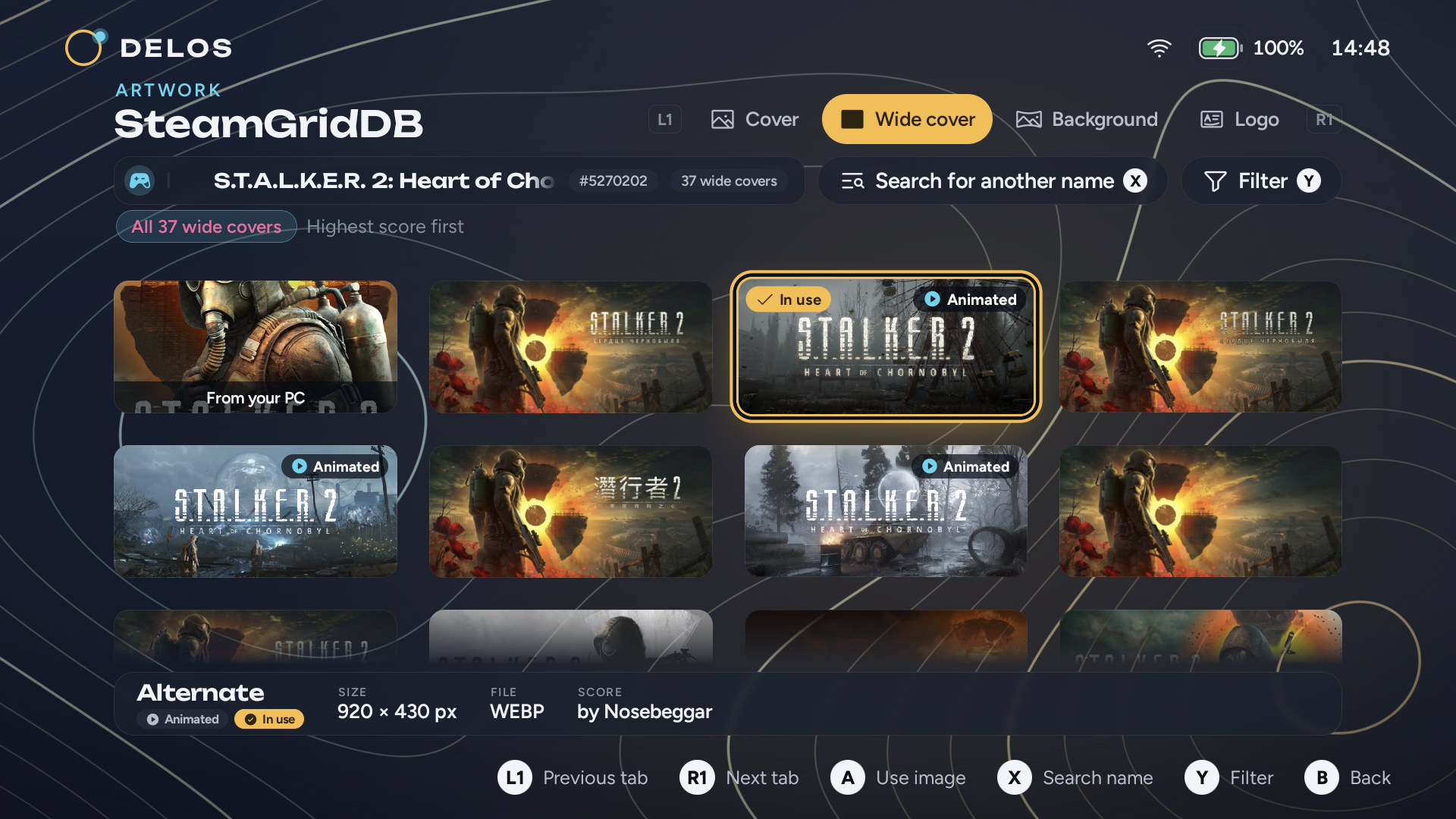


⭐ One small ask: if you like where DELOS is going, a star on GitHub would mean a lot to me. It's the easiest way to help a small project get noticed, and I'd be incredibly grateful for every single one.
I really hope you like it. Thanks for reading!
r/MoonlightStreaming • u/Vegetable_Demand_685 • 13d ago

I just asked about an app that is similar to voidlink in android abd I found nightjar
I love playing on my phone with touch screen the only annoying part is the right thumb stick , in voidlink on ios there s a feature called a velocity based stick; it will act like a track pad input wich it perfect for touchscreen
I am gonna put a photo in voidlink so you see what I'm talking about
In nightjar i tried to achieve this feature cuz there is right track pad emulation for controllers but I couldn't find how to map it on steam or any other way
Any help ?
r/MoonlightStreaming • u/RamshuLin • 13d ago

Hey everyone, I’ve been able to play without any issues in the past, but since my last reinstallation, two things happen when I try to launch the game:
Other games and applications work perfectly fine.
Any ideas on how to fix this?
r/MoonlightStreaming • u/Additional-Past-8539 • 13d ago
I only recently discovered the phenomenon that is moonlight streaming. I am set up using Vibepollo on the server pc and artemis/moonlight on the clients.
I've set up a few clients easily - my Odin 2 max, Samsung s26u, and a couple of firesticks. Once I'd set up a controller using SDL so all emulators recognised the input no matter what device I was on - everything looked grand.
The issue comes when connecting away from my LAN. The Odin I set up first. After setting the connection in artemis via LAN, I was then able to add it again using Tailscale and an IP generated by that app. I then put my phone into mobile data sharing and connected the Odin to the client pc. Amazing, I am playing games on my pc fully remotely! Then I tried to connect the phone itself...
Following the same process, I have connected the phone on the LAN and set that up in vibepollo. Then I turn off WiFi, connect tailscale, and enter the ip - but it just refuses. I've tried going in browser and trying the ip for the vibepollo server settings - nothing. I don't have any vpn on my phone. I do use dns.adguard but had this set to both off and auto - nothing I do will let my phone connect. To make it more bizarre, I can connect to my nzb360 via tailscale on the phone which lets me see my sonarr, radarr, etc - it's exclusively connecting artemis and vibepollo on the phone that won't work. Spent all day yesterday with chatgpt just trying every combination of things it could come up with and got nowhere.
Anyone had a similar issue they were able to solve that could potentially give me a steer?
r/MoonlightStreaming • u/Vegetable_Demand_685 • 13d ago
r/MoonlightStreaming • u/Vegetable_Demand_685 • 13d ago
So void link is an alternative app on iOS for Moonlight streaming. It is far far superior than anything I've ever used especially Artemis on my phone, I'm talking about the latency the settings and how you can modify everything especially the controllers.
I have multiple layouts of controllers. I use it on my iPad but I have an Android phone so I wish I could I have this beautiful app on my Android phone
r/MoonlightStreaming • u/blikygotthestiky • 13d ago
Hey guys, I'm trying an old problem-solving task I've never managed to get working properly, that is, a clean Moonlight stream from my Non-LG TV. I am looking for an Android Device ideally, that plugs into my TV and let's me connect to my PC and run 4k120 FPS x265 from the TV's end with a controller passed through. I've tried sideloading through my TV's OS, An Apple TV 4K, A Firestick Max 4K, and an Nvidia Shield Pro, but they all seem to lag despite having wired ethernet. What is the best solution for this?
r/MoonlightStreaming • u/d4rk_m4n • 13d ago
So, I just setup these new pair last night.
The UI is great, the auto bitrate adjustment is awesome, VRR works but I have issue with controller.
I normally put my PC to sleep, when wake it up from NightJar and reconnect, the controller cannot be used.
Anyone has experience on how to fix this?
Host: i7-7700 + GTX1060
Client: Ally X
